
Overview

The Linksys EA8300 Tri-Band Wi-Fi Router launched in 2017 and has held up surprisingly well as a mid-range option for everyday home networking. It sits comfortably between bare-bones ISP-provided routers and the more expensive mesh systems — useful if you need a real upgrade without a major investment. Designed for homes up to roughly 1,500 square feet with 15 or more connected devices, the EA8300 handles the load most households actually throw at it. Setup runs through the Linksys mobile app, which keeps things accessible even if you have never touched a router admin panel in your life.

Features & Benefits

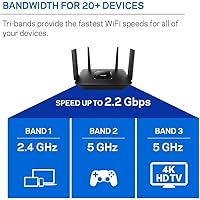
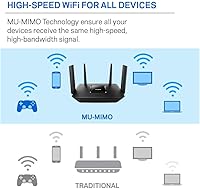
What makes this tri-band router stand out is how it distributes traffic across three separate bands — one 2.4 GHz and two 5 GHz channels. Instead of all your devices competing for the same lane, bandwidth-hungry devices like gaming consoles and 4K TVs can claim a dedicated 5 GHz band while everything else settles into the other channels. MU-MIMO technology means multiple devices connect at full speed simultaneously rather than taking turns. The app also gives you device prioritization and parental controls without requiring a desktop browser. Guest Mode adds a practical privacy layer whenever visitors need Wi-Fi access.

Best For

This Linksys router is a strong fit for households running 10 to 20 connected devices — think a couple of laptops, several phones, a smart TV, and a gaming console all active at once. It works especially well in medium-sized apartments or single-floor homes; the coverage estimate reflects ideal conditions, so multi-story layouts or homes with thick concrete walls may see shorter range in practice. If you are upgrading from a sluggish ISP-provided router but are not ready to spend on a full mesh network, the EA8300 lands in a sensible middle ground without overcomplicating the experience.

User Feedback

With nearly 4,000 ratings averaging 4.4 stars, real buyers are largely satisfied with this tri-band router — particularly praising 4K streaming stability and how painless the initial setup feels. People who upgraded from a basic ISP box tend to notice the improvement right away. Long-term reliability is where opinions split, though; a recurring complaint involves firmware updates occasionally causing dropped connections, which is frustrating for hardware you expect to run quietly in the background. Range also disappoints in two-story homes. A growing number of buyers also note that Wi-Fi 6 alternatives are now available at comparable price points, making the EA8300 a tougher recommendation for first-time buyers today.

Pros

  • Three separate bands reduce network congestion noticeably in households running 10 or more devices.
  • MU-MIMO lets multiple devices connect at full speed simultaneously rather than taking turns.
  • The Linksys app makes initial setup fast and approachable, even for complete beginners.
  • A dedicated second 5 GHz band keeps streaming and gaming traffic isolated from general browsing.
  • 4K streaming stability is one of the most consistently praised strengths across real buyer reviews.
  • Guest Mode keeps visitor traffic separated from your main network with minimal effort.
  • The 18-month warranty offers a bit more peace of mind than the standard one-year coverage.
  • At roughly one pound, the EA8300 is compact and easy to place discreetly on a shelf.
  • WPS support simplifies connecting smart home and IoT devices without manual credential entry.

Cons

  • Firmware updates have caused dropped connections for a notable share of long-term users.
  • Wi-Fi 6 alternatives are now available at similar price points, making this tri-band router harder to recommend for future-proofing.
  • Real-world range in multi-story homes often falls well short of the advertised 1,500 square foot figure.
  • The mobile app, while easy, limits advanced configuration options that more technical users expect.
  • No Wi-Fi 6 support means newer devices cannot take advantage of improved efficiency or reduced congestion.
  • The 2.4 GHz band tops out at 400 Mbps, which lags behind what more modern hardware offers.
  • Users in larger or irregularly shaped homes may need a range extender, adding cost and complexity.
  • Long-term firmware support and update frequency from Linksys has been inconsistent based on owner reports.

Ratings

The Linksys EA8300 Tri-Band Wi-Fi Router has been scored by our AI system after analyzing thousands of verified global buyer reviews, with spam, bot-generated, and incentivized feedback actively filtered out before any score was calculated. The results reflect an honest picture of where this router genuinely delivers and where real owners have run into frustration. Both the strengths and the trade-offs are weighted equally in every category below.

Wireless Performance
83%
Most owners notice a real difference in day-to-day stability after switching from a basic ISP router — particularly during 4K streaming and online gaming sessions where buffering had been a recurring issue. The dual 5 GHz bands allow demanding devices to operate on a less crowded channel, and MU-MIMO keeps multiple active users from dragging each other's speeds down.
Performance expectations need to stay grounded. This is a Wi-Fi 5 device, and while speeds are solid for typical home workloads, users running a large number of newer Wi-Fi 6 devices will not extract the same efficiency gains they would from updated hardware. Peak throughput figures are theoretical and rarely achieved in real home environments.
Coverage & Range
67%
33%
In open single-floor layouts and medium-sized apartments, this Linksys router handles coverage reliably across its rated footprint. Users in compact homes consistently report strong signal in every room without needing an extender, and placement near the center of a floor plan tends to produce the most consistent results.
Range becomes a genuine frustration in multi-story homes or spaces with dense walls and structural interference. A meaningful share of owners report dead zones on upper floors or at the far end of larger homes, suggesting the 1,500 square foot figure is an optimistic estimate rather than a dependable guarantee across all building types.
Setup & Ease of Use
91%
The app-driven setup process is one of the most consistently praised aspects across the review base. Even buyers with no prior router configuration experience describe completing setup in under 15 minutes, and the guided flow removes the intimidating browser-based admin panels that put off less technical users.
The same app simplicity that makes setup easy also limits what you can do once the router is running. Power users who want granular control over QoS, advanced routing rules, or VPN server configuration will find the app interface frustratingly shallow compared to what competing routers offer at the same price point.
Multi-Device Handling
86%
Homes running 10 to 20 simultaneous connections — phones, tablets, smart TVs, laptops, and consoles all active at once — tend to see noticeably less congestion compared to single or dual-band alternatives. The three-band architecture gives the network room to spread traffic rather than bottlenecking everything through one channel.
Once device counts push past 20 or the household includes several bandwidth-intensive users operating at exactly the same time, performance headroom starts to shrink. The EA8300 was not engineered for high-density environments, and it shows when compared to more modern routers designed with larger connected households in mind.
Firmware & Software Stability
58%
42%
Out of the box and in the months immediately following purchase, the firmware runs quietly in the background for most users. Automatic updates handle the routine maintenance without requiring manual intervention, and the majority of buyers do not encounter any software-related disruptions during normal use.
Long-term firmware reliability is where the EA8300 draws the most criticism. A recurring pattern in owner reports involves updates introducing dropped connections, requiring reboots or full factory resets to resolve. For a device expected to run unattended for years, this inconsistency is a legitimate concern rather than an isolated complaint.
Build Quality
74%
26%
The physical unit feels reasonably solid for its price tier — nothing premium, but not flimsy either. It sits flat on a shelf without taking up much space, and the compact footprint makes placement flexible in most home setups without the unit looking out of place.
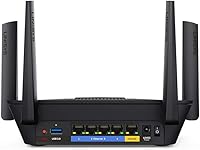
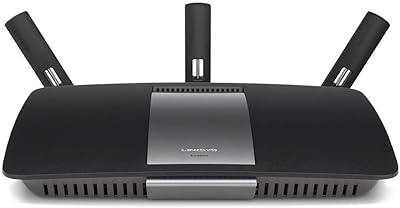
The design is functional rather than impressive, and it shows its 2017 origins. There are no external antennas, which some users associate with weaker signal flexibility, and the overall construction does not inspire the same confidence as newer routers that have benefited from more recent industrial design cycles.
Value for Money
72%
28%
For buyers who need a straightforward upgrade from an ISP-provided router without spending on a full mesh system, this tri-band router occupies a reasonable position in the market. The 18-month extended warranty adds a small but genuine layer of financial reassurance that the standard one-year coverage does not offer.
The value calculation has shifted since 2017. Wi-Fi 6 routers now compete at similar price points and offer a longer useful lifespan given where device ecosystems are heading. Paying a mid-range price for a Wi-Fi 5 router in the current market requires either a significant discount or a deliberate decision to prioritize simplicity over longevity.
Gaming Performance
79%
21%
The dedicated second 5 GHz band works well as an isolated lane for gaming consoles, keeping latency more predictable when other household members are streaming or browsing simultaneously. Owners who play online games report fewer mid-session lag spikes compared to their previous single-band setups.
Competitive gamers who prioritize the absolute lowest latency may find that a more recent router with Wi-Fi 6 and better QoS controls edges this one out. The EA8300 handles casual and moderate gaming comfortably but was not built with the feature depth that dedicated gaming routers offer.
Streaming Quality
84%
Reduced buffering during 4K playback is one of the most frequently cited improvements owners mention after switching to this router. Households where multiple people stream on different devices at the same time tend to benefit most from the band separation, keeping video quality stable across the home.
Streaming performance is closely tied to your internet plan speed as much as the router itself, and this distinction gets lost in some reviews. Users on slower ISP connections will not see dramatic improvements from the router alone, and the Wi-Fi 5 ceiling becomes relevant for households moving toward higher-resolution or multi-stream 8K content down the line.
Parental Controls
69%
31%
Basic parental control features accessible through the Linksys app allow parents to pause internet access per device or set schedules for specific users. For households with younger children where simple time-limiting is the primary need, the built-in tools cover the essentials without requiring a third-party subscription.
Parents who want more granular content filtering, per-category blocking, or detailed usage reports will find the native controls underwhelming. The feature set handles straightforward scheduling well but does not match the depth offered by routers with dedicated family management platforms or integrated DNS-based filtering.
Security Features
71%
29%
Guest Mode provides a practical and easily activated network separation that keeps visitor devices off the main home network. WPS support simplifies onboarding smart home devices, and the router supports standard WPA2 encryption to protect network traffic from unauthorized access.
The security feature set is adequate but not advanced. There is no built-in malware detection, no automatic threat blocking, and no subscription-based security layer of the kind that some competing brands have introduced in recent years. Users with security-conscious households may want to supplement with router-level DNS filtering tools.
App Experience
76%
24%
The Linksys app handles the core tasks most users actually need — monitoring connected devices, running speed tests, managing guest access, and restarting the router remotely — without requiring any technical background to navigate. The interface is clean and the remote access feature works reliably for basic management.
The app has received mixed long-term reviews for stability on certain Android and iOS versions, with some users reporting login issues or delayed device status updates following app or firmware updates. It functions well enough for routine use, but it does not carry the polish of apps from competing brands that have invested more heavily in their software ecosystems.
Installation & Compatibility
88%
The EA8300 is broadly compatible with any ISP that provides a standard modem connection, covering cable, DSL, and fiber setups without extra configuration. The physical setup involves a single Ethernet cable from modem to router, and the app handles the rest — a process most households complete without any support calls.
Compatibility with certain older modems and ISP-issued combination modem-router units can occasionally require disabling bridge mode settings, which is a step that trips up less experienced users. Documentation on troubleshooting these edge cases within the app itself is limited.

Suitable for:

The Linksys EA8300 Tri-Band Wi-Fi Router is a practical choice for households where the connected device count has quietly crept past what a basic router can handle. If you have a mix of phones, laptops, a smart TV, and a gaming console all running at the same time, the three-band setup gives the network room to breathe instead of forcing every device to compete for the same channel. It works especially well in medium-sized single-floor homes or apartments where the 1,500 square foot coverage estimate is realistic given the layout. Renters or homeowners who want a noticeable upgrade from an ISP-provided box — without the complexity or cost of a full mesh system — will find this Linksys router hits a sensible middle ground. The app-driven setup also makes it approachable for people who have never configured a router manually and have no interest in learning.

Not suitable for:

The Linksys EA8300 Tri-Band Wi-Fi Router is a harder sell for anyone shopping in 2024 with a longer time horizon in mind. It runs on Wi-Fi 5 (802.11ac), and Wi-Fi 6 routers are now available at comparable price points with meaningfully better efficiency, particularly in homes with a growing number of newer devices. Multi-story homes or larger floor plans will likely find the coverage falls short of what the specs imply — walls, floors, and building materials all chip away at the real-world range faster than manufacturer estimates suggest. Power users who want deep network customization, VPN server support, or advanced QoS controls may find the app-based interface too simplified for their needs. And if your household regularly pushes 25 or more devices simultaneously, stepping up to a mesh system is probably the smarter long-term investment.

Specifications

  • Brand: This router is manufactured by Linksys, a long-established networking brand with a wide presence in the home and small office market.
  • Model: The model number is EA8300, part of Linksys's Max-Stream router lineup targeting multi-device households.
  • Wi-Fi Standard: It operates on 802.11ac (Wi-Fi 5), which supports strong throughput for streaming and gaming but does not include the newer Wi-Fi 6 (802.11ax) standard.
  • Frequency Bands: The router uses three separate bands: one 2.4 GHz channel and two independent 5 GHz channels for distributing device traffic more efficiently.
  • Combined Speed: Maximum combined wireless throughput is rated at up to 2.2 Gbps across all three bands under ideal conditions.
  • Band Breakdown: The three bands deliver up to 400 Mbps on 2.4 GHz, 867 Mbps on the first 5 GHz band, and 867 Mbps on the second 5 GHz band.
  • MU-MIMO: Multi-User Multiple Input Multiple Output (MU-MIMO) technology allows several devices to receive data simultaneously rather than sequentially.
  • Coverage: Linksys rates this router for up to 1,500 square feet of Wi-Fi coverage, though real-world results vary based on building layout and materials.
  • Device Capacity: The EA8300 is designed to support 15 or more connected wireless devices without significant performance degradation under typical household loads.
  • Special Features: Included features are Guest Mode for isolated visitor access and WPS for simplified pairing of compatible smart home and IoT devices.
  • Setup Method: Initial configuration and ongoing network management are handled through the Linksys mobile app, available for iOS and Android.
  • Dimensions: The router measures 6.37 x 8.41 x 2.16 inches, making it compact enough to sit unobtrusively on a shelf or desk.
  • Weight: At approximately 1 pound, the unit is lightweight and easy to reposition without any cabling strain concerns.
  • Color: The EA8300 is finished in black and blue, with a low-profile design that blends into most home setups.
  • Voltage: The router operates at 240 volts and ships with the required power adapter included in the box.
  • Warranty: This Amazon listing includes an extended 18-month warranty, which is three months longer than the standard Linksys one-year coverage.
  • Release Date: The EA8300 first became available in April 2017, making it a mature product with a well-documented real-world performance history.
  • Connectivity: The router connects wirelessly to client devices and requires a separate modem or modem-router combo supplied by your internet provider.
  • Operating System: Network firmware is proprietary Linksys software, managed through the companion app rather than a traditional browser-based admin interface.
  • Included Items: The package includes the Wi-Fi router unit, a power adapter, and any documentation needed for initial setup via the Linksys app.

Related Reviews
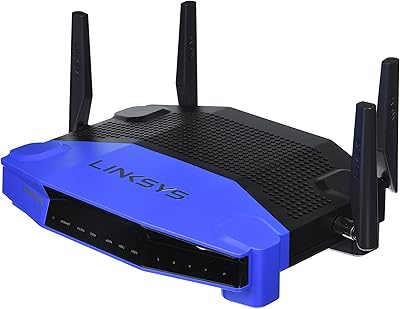
Linksys WRT1900AC Dual-Band Wi-Fi Router
77%
84%
Wireless Range
91%
Wired Performance
93%
Firmware Flexibility
58%
Stock Firmware Stability
88%
Build Quality
More
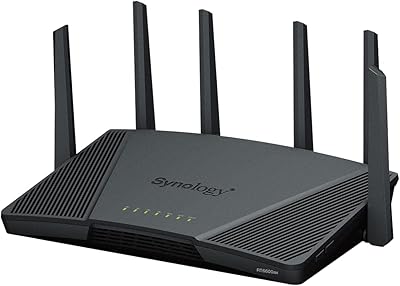
Synology RT6600ax Tri-Band Wi-Fi 6 Router
84%
91%
Wi-Fi Performance
89%
Coverage Area
84%
Setup & Installation
90%
Security Features
86%
Reliability & Stability
More
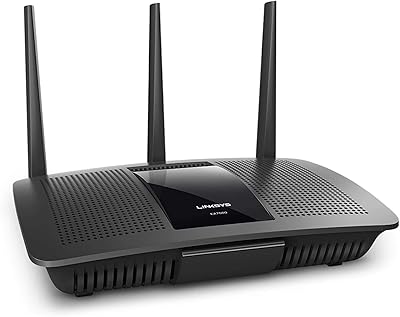
Linksys EA7500 AC1900 Dual-Band Router
76%
88%
Setup & Installation
83%
Signal Stability
67%
Wi-Fi Range & Coverage
81%
Multi-Device Performance
84%
Streaming Performance
More
D-Link DIR-3040 AC3000 Tri-Band Wi-Fi Router
83%
88%
Performance
91%
Mesh Networking Coverage
85%
Ease of Setup
78%
Voice Control Integration
90%
Parental Controls
More
Wyze Mesh Router Pro Wi-Fi 6E Router
73%
91%
Setup & Ease of Use
78%
Wi-Fi Speed & Throughput
72%
Coverage & Range
66%
Connection Stability
69%
6 GHz Band Performance
More
Linksys EA7200 AC1750 Dual-Band Wi-Fi Router

76%
91%
Ease of Setup
63%
Wi-Fi Range
82%
Connection Stability
77%
Multi-Device Performance
84%
App & Management
More
ASUS Lyra Voice Mesh Router Smart Speaker
65%
58%
Wi-Fi Coverage & Range
67%
Wi-Fi Speed & Throughput
44%
Smart Speaker Audio Quality
76%
Alexa Integration & Voice Control
82%
Setup & Installation Ease
More
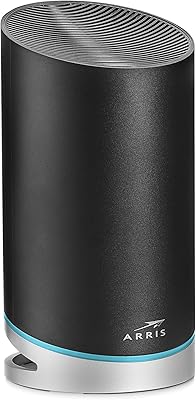
ARRIS SURFboard mAX W30 Wi-Fi 6 Router
71%
78%
Wi-Fi Speed & Throughput
74%
Coverage & Range
76%
Mesh Performance
53%
App Experience
82%
Parental Controls
More
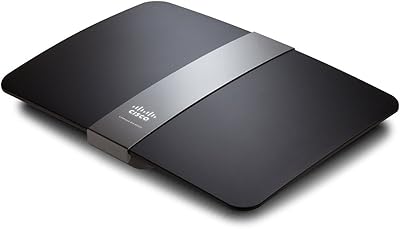
Linksys EA4500 N900 Dual-Band Wi-Fi Router
69%
74%
Wireless Performance
78%
Wireless Range
86%
Wired Connectivity
61%
Setup Experience
63%
Smart Wi-Fi App
More
Linksys EA6900 AC1900 Dual-Band Wi-Fi Router
73%
91%
Ease of Setup
78%
Wi-Fi Speed & Performance
67%
Wireless Range
73%
Beamforming Effectiveness
74%
Build Quality & Design
More

FAQ

Yes, the EA8300 is a standalone router, not a modem. You will still need your existing modem or a modem-router combo from your internet provider. The EA8300 plugs into that modem via an Ethernet cable and handles all the wireless distribution from there.

With a single-band or dual-band router, all your devices share the same wireless channel, which causes congestion when several are active at once. Having three bands means your gaming console or 4K TV can claim a dedicated 5 GHz channel while phones and tablets use the other bands, so no one is waiting in line for bandwidth.

Most users find the Linksys app-based setup genuinely straightforward. You download the app, connect the router to your modem, and follow the on-screen steps — it typically takes under 15 minutes. You do not need to log into any browser-based admin panel unless you want to dig into advanced settings.

Honestly, it depends on your floor plan and construction. The 1,500 square foot coverage figure is a manufacturer estimate under ideal open-space conditions. In a two-story home with multiple walls, especially older homes with dense materials, you may find dead zones on upper floors or far corners. A single-floor apartment or ranch-style home is where this router performs most reliably.

Yes, it works with any ISP as long as you have a compatible modem. Cable, fiber, and DSL connections are all supported. Just connect the modem to the router's WAN port and run the app setup.

This Linksys router is a single-node device, so it broadcasts from one fixed location. A mesh system uses multiple nodes placed around your home to extend coverage more evenly. For homes under 1,500 square feet on one floor, this tri-band router is often enough. For larger or multi-story homes, a mesh system is generally the more practical choice.

Yes, Guest Mode lets you create an isolated Wi-Fi network for visitors. Guests get internet access without being able to see or interact with your main network or the devices connected to it, which is a nice security layer.

It is worth thinking about. Wi-Fi 5 is still capable and handles everyday streaming, gaming, and browsing without trouble. However, Wi-Fi 6 routers offer better efficiency in dense device environments and are now available at similar price points. If you are planning to keep the router for five or more years, or you have many newer devices, it may be worth considering a Wi-Fi 6 option instead.

In most cases, firmware updates apply automatically overnight and cause only a brief restart. However, a portion of long-term owners have reported that certain updates led to connectivity issues or required a factory reset to resolve. Keeping an eye on Linksys community forums after major firmware releases is a good habit.

Yes, the Linksys app supports remote management over a mobile connection. You can check which devices are connected, run a speed test, manage parental controls, and restart the router from anywhere, as long as the router itself is online and your account is linked.

Where to Buy