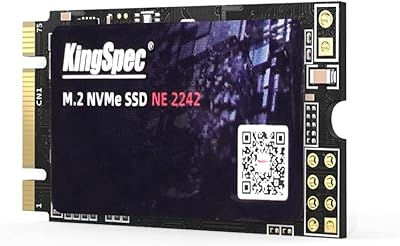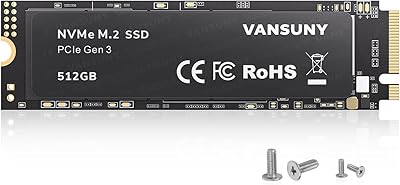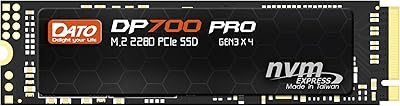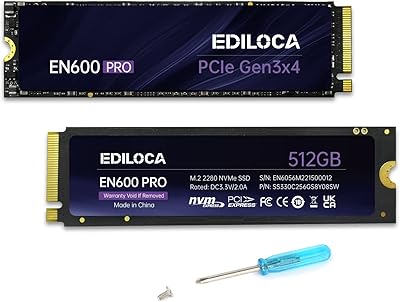



Overview

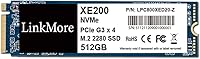
The LinkMore XE200 512GB NVMe M.2 SSD is a straightforward, no-drama upgrade for anyone still running a mechanical hard drive in their laptop or desktop. Built on a PCIe Gen3 x4 NVMe 1.3 interface, it delivers the kind of speed that turns a sluggish boot sequence into something you actually forget about — in a good way. Behind the LinkMore brand sits Moment Semiconductor, a Taiwan-based manufacturer that handles production, which puts this drive a step above pure white-label imports. At 512GB, there is enough room for Windows, your core apps, and a decent chunk of files. Just know going in: this is value-tier storage, and it should be judged on those terms.

Features & Benefits

The XE200 hits sequential read speeds of up to 2500MB/s, which translates to noticeably snappier boot times and faster file transfers in daily use. Write speeds are advertised as high as 1500MB/s — though LinkMore's own listing shows some inconsistency in that figure, so treat it as an estimate rather than a guarantee. The M.2 2280 form factor is essentially universal for consumer hardware, fitting nearly every laptop slot and desktop board you are likely to encounter. The drive also carries a shock-resistant build, a small but welcome detail for portable use. One critical point worth stating plainly: Windows only. Mac users should look elsewhere entirely.

Best For

This budget NVMe drive makes the most sense for people coming from spinning-disk hard drives — the performance jump is real and immediate. Students, home office users, and light media consumers will find 512GB plenty for an OS install, productivity apps, and everyday files. It also works well as a boot drive in a budget build where cost-per-gigabyte matters more than peak throughput. If your laptop has an open M.2 PCIe slot and you run Windows, this Gen3 M.2 SSD is a practical fit. But if you are editing large video files, running intensive workloads, or chasing Gen4 speeds, you will want to spend more.

User Feedback

Across more than 600 ratings, the XE200 holds a 4.7-star average — impressive territory for a brand without a long track record. Buyers frequently mention how straightforward the installation process is and how obvious the speed difference feels after swapping out an old hard drive. The #135 ranking in Internal Solid State Drives on Amazon suggests these ratings reflect genuine volume, not just a handful of early reviews. That said, LinkMore only launched in 2022, so long-term durability data is still thin. If you want reassurance beyond customer reviews, pairing this with third-party benchmark comparisons is a smart move before committing.

Pros

  • Delivers a dramatic speed boost over traditional hard drives, making everyday computing feel noticeably more responsive.
  • The M.2 2280 form factor is compatible with the vast majority of consumer laptops and desktop motherboards.
  • Sequential read speeds up to 2500MB/s are competitive for a Gen3 drive at this price point.
  • Manufactured in Taiwan by Moment Semiconductor, which puts it a notch above generic no-name alternatives.
  • Shock-resistant construction makes it a more practical choice for use inside laptops that travel regularly.
  • A 4.7-star rating across more than 600 real buyers is a credible trust signal for a newer brand.
  • Ranks in the top 135 of Internal Solid State Drives on Amazon, reflecting genuine and sustained sales volume.
  • Simple plug-and-play installation that even less technical users report completing without issues.
  • 512GB hits a practical sweet spot for a Windows OS installation plus everyday app and file storage.
  • Straightforward, no-frills design means there is nothing complicated to configure or manage after install.

Cons

  • Strictly Windows-only — Mac users have no workaround and should not consider this drive at all.
  • Advertised write speeds are inconsistent across the product listing, making it hard to know the reliable real-world figure.
  • LinkMore is a relatively young brand with limited independent long-term durability testing available yet.
  • No official warranty terms or support details are prominently stated, which creates uncertainty for long-term buyers.
  • 512GB may feel tight quickly for users who store large media libraries, game installations, or creative project files.
  • Gen3 speeds, while solid for everyday use, will bottleneck workflows involving large sequential file transfers.
  • No Mac or Linux compatibility listed, limiting its audience strictly to the Windows ecosystem.
  • Brand recognition remains low, which can make resale value or warranty support harder to navigate than established names.
  • No heatsink is included, which may be a minor concern in thermally constrained laptop environments under sustained load.
  • Limited third-party benchmark data means buyers must rely heavily on user reviews rather than independent lab results.

Ratings

Our AI-generated scores for the LinkMore XE200 512GB NVMe M.2 SSD are built by analyzing verified buyer reviews from across global marketplaces, with spam, bot activity, and incentivized feedback actively filtered out before any scoring is applied. The result is an honest, nuanced picture of where this budget NVMe drive genuinely delivers and where it falls short — no sugar-coating, no inflated praise. Both the strengths that real users celebrate and the friction points that quietly frustrate them are reflected transparently in every category below.

Value for Money
91%
Among budget NVMe drives, the XE200 consistently earns praise for delivering speeds that feel dramatically better than a mechanical hard drive at a price point that does not require budgeting for weeks. Users replacing old HDDs in office laptops or student machines frequently describe it as one of the best-spent upgrades they have made.
Buyers who compare it directly to well-established brands at a similar price sometimes feel the lack of brand history is a risk they are paying for. If the drive were to fail outside a clear warranty window, the support path is less defined than with a Samsung or WD equivalent.
Read Performance
86%
Real-world read performance is where the XE200 earns its strongest marks. Users report boot times dropping from over a minute on their old spinning drives to well under 20 seconds, and large file transfers that once felt sluggish now move at a pace that actually fits a working rhythm.
While rated up to 2500MB/s, sustained sequential reads in real workloads tend to fall below the advertised ceiling, which is common across value-tier drives but worth knowing if you are planning workloads that require consistent throughput rather than burst speed.
Write Performance
72%
28%
For everyday write tasks — saving documents, downloading files, installing apps — the XE200 handles the load without any noticeable hesitation. Users doing light office work or managing a student laptop find the write performance more than adequate for their daily needs.
The advertised write speed figures are inconsistent across the product listing, ranging between 1500MB/s and 2000MB/s depending on where you look, which makes it harder to set accurate expectations. Under sustained write loads, such as copying large video libraries, some users report speed throttling as the drive warms up.
Installation Ease
93%
Installation is consistently one of the most praised aspects across buyer reviews. Users with little to no hardware experience describe screwing the drive into the M.2 slot and having Windows recognize it immediately, with no special drivers or configuration steps needed.
A small number of users on older systems encountered compatibility hiccups where the BIOS did not immediately detect the drive, requiring a firmware update or slot configuration change — something that can feel daunting for first-time builders without prior experience.
Build Quality
77%
23%
For a drive in this price range, the physical construction feels solid rather than flimsy. The shock-resistant design is a legitimate plus for laptop users who move their machines regularly, and buyers report no issues with the drive seating properly or feeling loose after installation.
There is no heatsink included, and the drive's thermal management under sustained load is untested by independent reviewers. In thermally constrained laptops running intensive tasks for extended periods, there is a reasonable concern about throttling that the current buyer feedback does not fully address.
Compatibility
78%
22%
The M.2 2280 form factor slots cleanly into the overwhelming majority of Windows laptops and desktop motherboards produced in the last several years, and buyers across a range of system generations report no fit issues. For PCIe Gen3 systems, it is essentially plug-and-play.
The Windows-only restriction is a hard limit that catches some buyers off guard. Mac users who do not read the fine print before purchasing find the drive entirely unusable, and there is no Linux compatibility officially listed either, narrowing the audience more than the listing implies at first glance.
Reliability
68%
32%
The majority of buyers who have owned the drive for its first year or two report no failures or data loss, and the Taiwan manufacturing origin with selected NAND chips suggests a baseline of quality above the cheapest no-name alternatives flooding the market.
LinkMore only launched in 2022, so there is simply not enough field history to make confident long-term reliability claims. Buyers who store irreplaceable data and need a drive with a proven multi-year track record should approach with caution until more durability data accumulates.
Brand Trust
61%
39%
The 4.7-star average across more than 600 ratings is genuinely encouraging for a brand this new, and the #135 ranking in Internal Solid State Drives on Amazon suggests real purchase volume rather than a thin base of early reviews padding the score.
LinkMore remains a relatively unknown name in storage hardware, and the lack of widespread independent reviews or benchmark coverage makes it harder for cautious buyers to verify performance claims. Warranty support details are not prominently communicated, which adds another layer of uncertainty.
Thermal Management
63%
37%
Under typical light-to-moderate workloads — web browsing, office applications, streaming, casual gaming — the drive operates without any thermal-related slowdowns reported by the majority of users in everyday conditions.
No heatsink is included and the NAND type is not disclosed, meaning buyers have limited visibility into how the drive behaves under sustained heavy workloads. In compact laptops with poor airflow, extended write-heavy tasks could push temperatures into throttling territory.
Capacity Utility
82%
18%
For the target user — someone running Windows, a handful of productivity apps, a browser, and everyday files — 512GB hits a practical sweet spot that avoids the cramped feeling of 256GB while staying affordable. Students and home office users consistently report feeling comfortable with the available space.
Power users, gamers with large libraries, or anyone working with video and photo collections will find 512GB feels limiting faster than expected. It works well as a boot drive paired with secondary storage, but as a sole drive for heavier workloads it requires ongoing space management.
Speed Consistency
69%
31%
For short, burst-style tasks that define most everyday computing — opening apps, booting the OS, loading browser tabs — the XE200 delivers consistent snap that users describe as transformative compared to their previous hard drives.
Consistency under sustained sequential loads is less predictable. Some users running large file migrations or long backup operations report a dip in throughput after the initial burst, which is characteristic of drives relying on a SLC cache that fills under extended workloads.
Packaging & Presentation
74%
26%
Buyers report the drive arriving well-protected and properly packaged, with no damage on arrival being a common theme in reviews. The no-frills packaging aligns with the value positioning and does not feel cheap in a way that undermines confidence before installation.
No accessories are included — no mounting screw, no cloning software, no thermal pad — which means first-time builders need to source these separately. For some laptop models where the M.2 screw is not pre-installed, the missing hardware adds a minor but avoidable friction point.
Noise & Power
88%
As a solid-state drive with no moving parts, the XE200 operates in complete silence and draws minimal power. Laptop users particularly appreciate the low power consumption, which contributes to battery life in a way that HDDs simply cannot match.
There is no independently verified power draw data published for this specific model, so while low consumption is expected from NVMe drives of this class, buyers looking for precise power specifications for specialized builds will find the official documentation lacking.

Suitable for:

The LinkMore XE200 512GB NVMe M.2 SSD is a strong match for cost-conscious Windows users who want a meaningful real-world speed improvement without paying premium prices. If you are still running a mechanical hard drive in a laptop or mid-range desktop, the difference this drive delivers on everyday tasks — booting Windows, launching apps, opening large documents — is immediately noticeable. Students managing coursework, home office workers running productivity suites, and casual users storing media and files will find 512GB more than adequate for their needs. Budget PC builders who need a dependable boot drive without blowing their component budget will also find it fits the bill. It is particularly well-suited to anyone with a compatible M.2 PCIe slot in an older or mid-generation system where Gen4 speeds would be wasted anyway.

Not suitable for:

The LinkMore XE200 512GB NVMe M.2 SSD is simply the wrong tool for several buyer profiles, and it is worth being upfront about that. Mac users need to stop here — compatibility is strictly limited to Windows-based systems, with no exceptions. Content creators, video editors, or anyone regularly moving large files will likely find both the capacity and the write speed ceiling frustrating over time. Power users or gamers building high-end rigs who are already running a Gen4-capable motherboard would be leaving real performance on the table by choosing this drive. Buyers who need long-term reliability data backed by years of field use should also pause — LinkMore only entered the market in 2022, and independent durability testing remains limited. Finally, if you need more than 512GB for a primary drive, this is not the right fit.

Specifications

  • Capacity: The drive offers 512GB of usable flash storage, suitable for a Windows OS installation alongside everyday applications and files.
  • Interface: It uses a PCIe Gen3 x4 NVMe 1.3 interface, which is broadly compatible with most laptops and desktops produced in the past several years.
  • Form Factor: The M.2 2280 form factor measures 3.15 x 0.87 x 0.08 inches, fitting the standard slot found in the vast majority of consumer motherboards and laptops.
  • Read Speed: Sequential read speeds are rated at up to 2500MB/s based on the manufacturer's internal testing under optimal conditions.
  • Write Speed: Sequential write speeds are listed at up to 1500MB/s, though figures cited across the product listing show some inconsistency, so treat this as an approximate ceiling.
  • OS Compatibility: This drive is compatible with Windows-based PCs only and is explicitly not supported on macOS systems.
  • Device Support: Designed for use in desktop PCs and laptops that have an available M.2 slot with PCIe bus support.
  • Shock Resistance: The drive includes shock-resistant construction, offering added protection against physical impact during transport or laptop use.
  • Weight: The drive weighs just 0.222 ounces, making it light enough to have no meaningful impact on a laptop's overall weight.
  • Manufacturer: Produced by Moment Semiconductor, Inc., a Taiwan-based company, and sold under the LinkMore brand name.
  • Country of Origin: Manufactured in Taiwan using what the brand describes as carefully selected NAND flash chips.
  • Brand: LinkMore is the consumer-facing brand, with the XE200 being part of its NVMe SSD product series.
  • Launch Date: The XE200 series was first made available in August 2022, making it a relatively recent entry in the budget NVMe market.
  • NAND Type: Exact NAND flash type is not officially disclosed, which is common at this price tier; buyers should factor this into long-term reliability expectations.
  • Heatsink Included: No heatsink is included with the drive, which is standard for this class of budget M.2 SSD.
  • Dimensions: Physical dimensions are 3.15 inches in length, 0.87 inches in width, and 0.08 inches in height, conforming to the standard 2280 specification.
  • Power Consumption: The drive is designed for low power consumption, making it suitable for battery-sensitive laptop environments.
  • Warranty Info: Specific warranty terms are not prominently disclosed in the product listing; buyers should verify directly with LinkMore or the retailer before purchasing.

Related Reviews
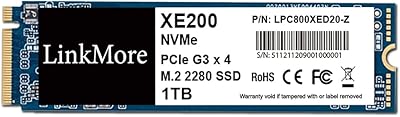
LinkMore XE200 1TB PCIe Gen3 NVMe M.2 SSD

86%
88%
Performance
90%
Installation Ease
92%
Value for Money
85%
Read Speed
78%
Write Speed
More
ORICO M.2 NVMe SSD 512GB with Heatsink
86%
89%
Performance
92%
Cooling Efficiency
85%
Installation Ease
90%
Read/Write Speeds
88%
Capacity for Gaming & Everyday Use
More
KingSpec NE 512GB M.2 NVMe SSD
74%
91%
Value for Money
83%
Read/Write Speed
94%
Installation Ease
88%
Compatibility
41%
NAND Transparency
More
Vansuny X15 512GB NVMe M.2 SSD
75%
88%
Value for Money
74%
Read/Write Performance
91%
Installation Ease
69%
Build Quality
62%
Long-Term Reliability
More
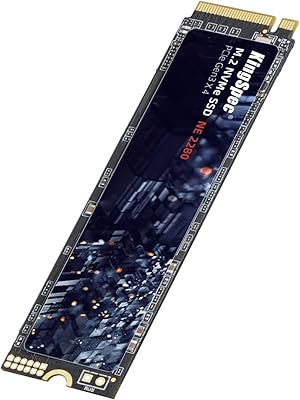
KingSpec NE-512 2242 512GB M.2 NVMe SSD
77%
88%
Value for Money
79%
Read Performance
71%
Write Performance
93%
Installation Ease
91%
Form Factor Compatibility
More
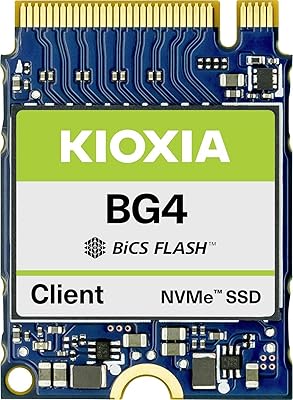
Kioxia BG4 512GB M.2 2230 NVMe SSD
87%
91%
Performance Speed
87%
Compatibility with Devices
88%
Build Quality & Durability
85%
Ease of Installation
93%
Size & Form Factor
More
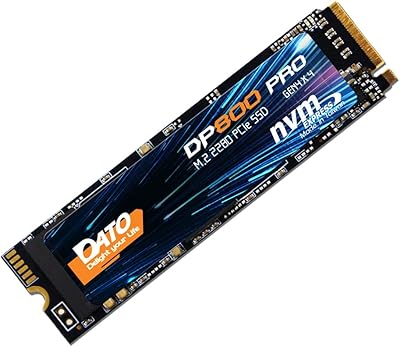
DATO DP800 Pro 512GB M.2 NVMe SSD
76%
83%
Value for Money
87%
Sequential Performance
91%
Installation Experience
57%
Thermal Management
74%
Build and Durability
More
Ediloca EN600 Pro 512GB NVMe SSD
78%
88%
Value for Money
84%
Read Performance
67%
Write Performance
91%
Installation Ease
83%
Compatibility
More
DATO DP700Pro 512GB M.2 NVMe SSD
77%
83%
Read/Write Performance
91%
Value for Money
94%
Installation Ease
61%
Thermal Management
67%
Brand Trust & Reliability
More
Samsung PM9C1A 512GB M.2 NVMe SSD
78%
93%
Read Performance
76%
Write Performance
91%
Compatibility
88%
Installation Experience
84%
Value for Money
More

FAQ

It will work as long as your laptop's M.2 slot supports the PCIe bus, not just SATA. Check your laptop's manual or manufacturer specs page to confirm — some older M.2 slots only support SATA, which would make this drive incompatible.

No. The XE200 is explicitly compatible with Windows PCs only. Mac users should look for drives that support macOS out of the box, as this one does not.

Significantly faster for everyday tasks. Boot times that used to take a minute or more on a mechanical drive can drop to under 15 seconds. App launches, file access, and general responsiveness all improve in ways that feel immediate and obvious, not subtle.

It handles casual gaming fine — loading screens will be shorter and game installs are quick. That said, if you are building a high-performance gaming rig or running a Gen4-capable motherboard, a faster drive would make better use of your hardware investment.

You just need a small Phillips-head screwdriver to secure the M.2 screw on your motherboard or laptop. No proprietary software is required for installation, though you will need to either clone your existing drive or do a fresh Windows install to get up and running.

It depends on what you store. For Windows, a few productivity apps, a browser, and everyday documents, 512GB is comfortable. If you plan to store large video files, a big game library, or creative project files, you may find yourself managing space more carefully than you would like.

It refers to the connection type and speed between the drive and your computer. Gen3 x4 is a well-established, fast standard that is compatible with most systems built in the last several years. It is a step behind the newer Gen4, but for everyday use the difference is rarely noticeable.

LinkMore only entered the market in 2022, so there is not yet a long field history to draw from. The drive is manufactured in Taiwan and uses selected NAND chips, which is a reasonable sign of quality at this price tier, but buyers looking for years of proven reliability data may prefer an established brand.

The product listing does not mention included cloning software. You would need to use a free third-party tool like Macrium Reflect or AOMEI Backupper to migrate your existing Windows installation, or simply perform a clean install of Windows on the new drive.

It works in both. Any desktop motherboard with an M.2 PCIe slot will accept this drive. It is equally at home as a boot drive in a budget desktop build as it is in a laptop upgrade scenario.