Overview

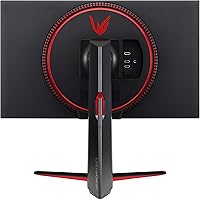
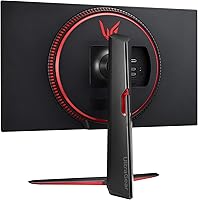
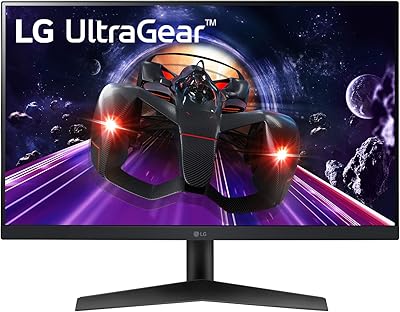
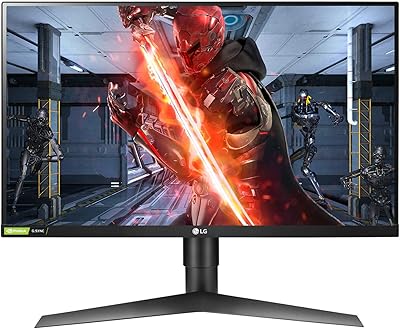
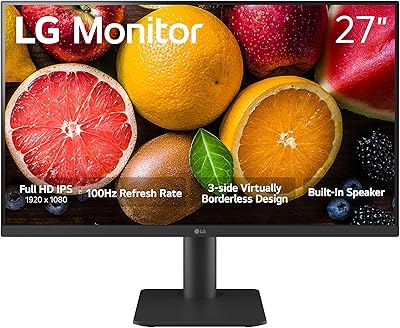
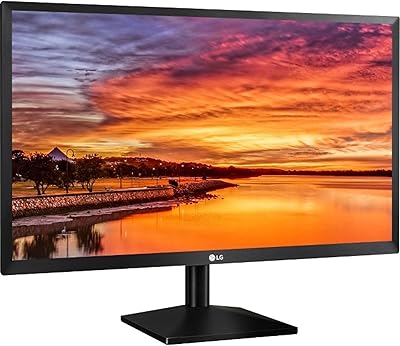
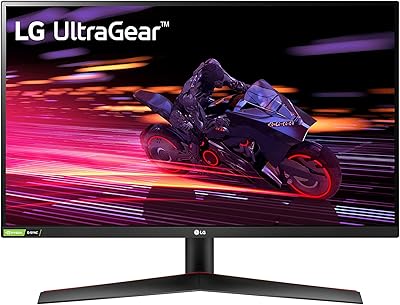
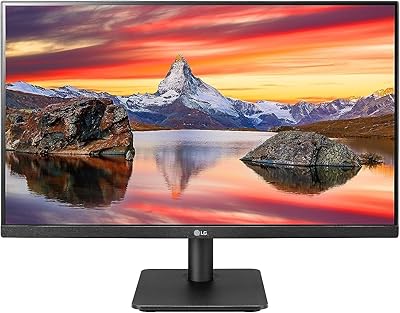
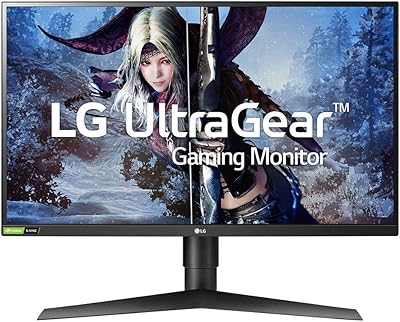
The LG 27GN650-B 27-inch FHD IPS Gaming Monitor sits comfortably in the mid-range gaming monitor space, targeting both competitive and casual PC gamers who want better image quality than a typical TN panel without breaking the bank. Where TN displays trade color accuracy for speed, IPS technology gives this LG UltraGear display noticeably wider viewing angles and more accurate colors straight out of the box. The ergonomic stand — offering tilt, height, and pivot adjustments — is a genuine bonus at this price tier. One honest caveat worth stating upfront: 1080p on 27 inches produces a pixel density that sharper-eyed users will likely notice, particularly in desktop applications and text.

Features & Benefits

Running at 144Hz with a 1ms GtG response time on an IPS panel is genuinely impressive — in practice, fast-paced shooters and racing games feel fluid and responsive, with minimal ghosting that used to be a common IPS complaint. Both NVIDIA G-SYNC Compatible and AMD FreeSync Premium support means this 27-inch IPS gaming monitor works well regardless of your GPU brand, eliminating screen tearing without the cost of a full G-SYNC module. Colors cover 99% sRGB, making it capable for light photo editing or design work between gaming sessions. HDR10 is included, but keep expectations realistic — it adds some brightness range but will not rival a dedicated HDR panel. The three-sided borderless design is a clean, practical touch for multi-monitor setups.

Best For

This 27-inch IPS gaming monitor is a straightforward recommendation for competitive FPS players who care more about smooth, tear-free motion than maximum pixel sharpness. It also suits households where one person uses an AMD card and another runs NVIDIA — dual sync support removes any compatibility headache. If you work from home and game in the evening, the fully adjustable stand makes it easy to adapt the screen to different postures throughout the day. Upgraders stepping up from a TN panel will appreciate real gains in color accuracy and viewing angles. Multi-monitor builders will find that the thin bezels tile cleanly without distracting visual breaks between screens.

User Feedback

With a 4.6-out-of-5 rating across several hundred buyers, the 27GN650-B earns its marks through consistent praise for color vibrancy and stand flexibility — both of which owners actually put to use rather than just noting on paper. Gameplay smoothness gets frequent mentions, especially from users upgrading out of older 60Hz displays. The most recurring criticism is pixel density: text and fine UI elements can look noticeably soft at this screen size if you sit close. A handful of reviewers mention minor shipping damage or build quality concerns, though these appear to be isolated incidents. Broadly, satisfied buyers are gamers who prioritized refresh rate; those who return typically realized they wanted a sharper, higher-resolution panel from the start.

Pros

  • The 144Hz refresh rate makes fast-paced games feel genuinely fluid, a clear step up from standard 60Hz displays.
  • IPS panel technology delivers wider viewing angles and more accurate colors than TN monitors at a similar price.
  • Compatible with both NVIDIA and AMD graphics cards through dual adaptive sync support — no GPU loyalty required.
  • The fully adjustable stand with height, tilt, and pivot is a rare and practical feature in this price range.
  • 99% sRGB color coverage makes the 27GN650-B usable for light photo editing and design work between gaming sessions.
  • Three-sided borderless design integrates cleanly into dual or triple monitor setups.
  • The matte screen finish reduces distracting glare in brighter room environments.
  • Strong buyer satisfaction rating across a substantial number of verified owners speaks to consistent build reliability.
  • Smooth, tear-free gameplay is achievable across a wide GPU performance range thanks to FreeSync Premium.
  • Pivot rotation support is a genuine convenience for users who occasionally need a portrait orientation.

Cons

  • At 27 inches, 1080p resolution produces noticeably soft text and fine details compared to 1440p panels of the same size.
  • HDR10 support is entry-level at best — real-world HDR impact is minimal and unlikely to impress anyone used to console or TV HDR.
  • Connectivity options are limited; buyers needing multiple inputs or USB hub functionality will need to supplement with accessories.
  • The pixel density trade-off can cause eye fatigue for users who work with dense text or small UI elements for extended periods.
  • At its price point, competitors offer 1440p IPS panels that may be worth the comparison before committing.
  • Some buyers have reported minor build quality inconsistencies and isolated shipping damage upon arrival.
  • This LG UltraGear display does not include built-in speakers, which adds clutter for users without a separate audio setup.
  • Color accuracy straight out of the box may require some manual calibration to get the most out of the sRGB gamut.
  • The stand, while adjustable, adds meaningful depth to the desk footprint, which can be an issue in tighter spaces.

Ratings

The scores below reflect AI-driven analysis of verified global buyer reviews for the LG 27GN650-B 27-inch FHD IPS Gaming Monitor, with spam, bot activity, and incentivized feedback actively filtered out before scoring. Each category is weighted against real-world usage patterns — not marketing claims — so both the genuine strengths and the recurring frustrations are represented transparently. Buyers upgrading from older or lower-tier displays will find these scores especially useful for setting accurate expectations.

Gaming Performance
91%
Owners consistently describe gameplay as smooth and responsive — shooters and racing titles in particular feel noticeably more fluid than on 60Hz panels. The fast pixel response keeps motion blur to a minimum, which matters most in chaotic, fast-moving scenes where competing displays tend to smear.
A small segment of users with high-end GPUs pushing well above 144 frames per second note that the monitor becomes the bottleneck. Those coming from 165Hz or 240Hz displays may also perceive the ceiling as limiting in highly competitive play.
Image & Color Quality
84%
The IPS panel produces colors that feel alive compared to TN alternatives — buyers frequently mention that games with rich environments and cinematic cut-scenes look appreciably better. The wide sRGB coverage also makes casual photo browsing and light editing more enjoyable without any calibration work.
Out-of-box accuracy varies slightly between units, and some owners report needing to manually adjust brightness and contrast to avoid an overly cool or washed-out default profile. IPS glow in dark scenes is present and noticeable in dim rooms, which is a known panel-type trade-off rather than a defect.
Pixel Density & Sharpness
61%
39%
For gaming content — particularly at typical desk viewing distances — the image is clean enough that most casual and mid-level competitive players report no meaningful complaints. The matte coating keeps the picture looking controlled and glare-free even in brighter room conditions.
This is the most polarizing aspect of the 27GN650-B among buyers. Text, fine icons, and desktop UI elements appear noticeably softer than on a 1440p display of the same size, and users who work in spreadsheets, code editors, or dense document environments consistently flag this as a real daily irritation.
Adaptive Sync
88%
Having both FreeSync Premium and G-SYNC Compatible support in a single display is a practical advantage that buyers with mixed-GPU households genuinely appreciate — there is no need to pick a team or buy separate monitors. Screen tearing is effectively eliminated across a wide frame rate range for the majority of users.
A minority of users on older NVIDIA drivers report needing to manually enable G-SYNC Compatible mode in the control panel before it activates, which can cause brief confusion during initial setup. The sync range floor has also drawn occasional criticism from users with lower-powered systems that dip below the supported threshold.
Ergonomics & Stand
86%
The tilt, height, and pivot adjustability is something buyers repeatedly call out as a highlight — particularly those using the monitor across both work and gaming sessions throughout the day. Being able to rotate the panel to portrait mode is a bonus that productivity-focused users find unexpectedly useful.
The stand adds meaningful depth and bulk to the desk setup, which is a friction point for buyers with smaller workspaces. A handful of users also report slight wobble at maximum height extension, though this appears to be a minor fit-and-finish inconsistency rather than a structural concern.
HDR Performance
47%
53%
HDR10 support technically enables compatible content to render with a broader luminance range than a non-HDR panel, and some buyers note marginally richer highlights when watching HDR-tagged streaming content in darkened rooms.
Most experienced users agree that this display's HDR implementation is largely cosmetic. The panel lacks the peak brightness and local dimming hardware needed to produce a convincing HDR effect, and several buyers report that enabling HDR mode actually degrades image quality compared to a well-tuned SDR setup.
Build Quality
78%
22%
The overall construction feels solid for the price bracket — the stand mechanism operates smoothly, and the panel housing does not flex or creak under normal adjustment. The matte black finish resists fingerprints reasonably well and blends into most desk environments without looking cheap.
A recurring thread in buyer feedback involves units arriving with minor cosmetic damage — scuffs or slight panel pressure marks — pointing to packaging or shipping inconsistencies rather than a factory defect. A small number of buyers have also flagged loose stand connections out of the box.
Connectivity
59%
41%
The HDMI port handles the most common connection scenario without issue, and buyers using a single PC or console find the setup process quick and cable-friendly. The port placement is reasonably accessible for initial setup and occasional cable swaps.
The limited port selection is a consistent pain point for users wanting to connect multiple devices simultaneously or those looking for DisplayPort as a primary input. The absence of a USB hub is also frequently mentioned — buyers have to source a separate hub if they need extra ports at the desk.
Value for Money
77%
23%
Buyers upgrading from entry-level or aging TN displays overwhelmingly feel they got a meaningful quality improvement that justifies the investment. The combination of IPS color, high refresh rate, and ergonomic stand in a single package is difficult to replicate at a lower price without compromising on at least one of those pillars.
At this price point, competing 1440p IPS monitors have entered the market and represent a more future-proof purchase for resolution-conscious buyers. Those who discover the 1440p alternatives shortly after buying this LG UltraGear display occasionally express regret, which pulls the perceived value score down meaningfully.
Setup & Installation
83%
Assembly is genuinely straightforward — the stand clicks into place without tools, and most buyers report being up and running within ten minutes of opening the box. The included documentation is clear enough that first-time monitor buyers have little trouble getting started.
Achieving the full 144Hz refresh rate requires a manual change in Windows display settings, which catches some less technically confident buyers off guard — a few report running the monitor at 60Hz for days before discovering this. On-screen menu navigation for fine-tuning settings is functional but slow to operate.
Eye Comfort
74%
26%
The matte anti-glare coating reduces the need for constant brightness adjustments in mixed-light environments, and buyers using the monitor for extended work-from-home sessions report less strain from ambient reflections than with glossy alternatives. Flicker-free backlight technology helps with long sitting sessions.
The relatively low pixel density at 27 inches can itself become a source of visual fatigue for users doing sustained text-heavy work — eyes work slightly harder to parse soft edges on characters and UI elements. Some users also find the default color temperature too cool for comfortable extended use without adjustment.
Multi-Monitor Compatibility
82%
18%
The three-sided borderless design earns genuine appreciation from buyers running dual or triple setups — the visual gap between adjacent screens is narrow enough that content spanning displays feels cohesive rather than interrupted. The VESA mount compatibility adds further flexibility for arm-based arrangements.
Matching a second unit can be tricky if buying at different times, as panel batches occasionally show subtle color calibration differences that become apparent when screens are placed side by side. The limited port selection also means managing inputs across a multi-monitor setup requires additional switching hardware.
Motion Clarity
87%
Fast-scrolling scenes and high-velocity gameplay look impressively clean on this 27-inch IPS gaming monitor — the combination of high refresh rate and a genuinely fast GtG response time makes a visible difference over slower IPS panels that plagued the panel type in earlier generations.
In very dark fast-motion sequences, some users notice a faint trailing effect that suggests the 1ms GtG rating is achieved under optimal contrast conditions. It is subtle enough that most buyers never notice, but more technically observant users who test systematically in controlled scenarios may pick it up.
Out-of-Box Calibration
71%
29%
For most buyers using this as a gaming display, the factory settings are acceptably balanced — colors look vibrant without appearing garish, and brightness levels are appropriate for typical indoor conditions without immediate adjustment.
Users with some color management experience tend to find the default gamma and color temperature in need of refinement before the panel reaches its potential. Buyers expecting a display that is perfectly dialed in from the moment they power it on may be disappointed, particularly if they intend to use it for any color-sensitive creative work.

Suitable for:

The LG 27GN650-B 27-inch FHD IPS Gaming Monitor is a strong fit for competitive and casual PC gamers who want a fast, smooth display without the washed-out colors that come with older TN panels. If you play fast-paced shooters or racing titles and have been hunting for a monitor that keeps up without compromising on visual quality, this LG UltraGear display delivers exactly that balance. It works equally well for mixed-use setups — people who spend their mornings in spreadsheets and their evenings in-game will appreciate the ergonomic stand that adjusts to different postures throughout the day. Households running both AMD and NVIDIA graphics cards will find the dual sync support genuinely useful, removing any compatibility guesswork. Multi-monitor builders also benefit from the thin three-sided bezels, which keep side-by-side screen arrangements looking clean and uninterrupted.

Not suitable for:

Buyers who sit close to their screen or spend long hours reading dense text will likely feel underwhelmed by the 27GN650-B, since 1080p spread across a 27-inch panel produces a noticeably lower pixel density than a 1440p or 4K alternative at the same size. Professional photographers, video editors, or serious colorists should also look elsewhere — while the 99% sRGB coverage is respectable, this is not a display calibrated or designed for color-critical work. The HDR10 support sounds appealing on paper but in practice delivers only modest improvements in brightness and contrast, so anyone expecting HDR to look as vivid as it does on a premium TV or OLED panel will be disappointed. If your primary concern is absolute image sharpness for productivity or creative work rather than gaming responsiveness, this 27-inch IPS gaming monitor is not the right tool for that job.

Specifications

  • Screen Size: The display measures 27 inches diagonally, offering a wide viewing area suited to both gaming and productivity tasks.
  • Resolution: Native resolution is 1920 x 1080 (Full HD), providing standard 1080p image output across the full panel.
  • Panel Type: Uses an IPS (In-Plane Switching) panel, which delivers wider viewing angles and more consistent color accuracy than TN alternatives.
  • Refresh Rate: Runs at a native 144Hz, allowing up to 144 frames per second to be displayed for noticeably smoother motion in fast-paced content.
  • Response Time: Rated at 1ms GtG (gray-to-gray), minimizing pixel transition blur during rapid on-screen movement.
  • Sync Technology: Supports both NVIDIA G-SYNC Compatible and AMD FreeSync Premium adaptive sync standards, covering users across both major GPU platforms.
  • Color Gamut: Covers 99% of the sRGB color space, producing accurate and vibrant colors suitable for gaming and light creative work.
  • HDR Support: HDR10 is supported, offering a modest expansion in brightness and dynamic range compared to standard SDR output.
  • Aspect Ratio: Standard 16:9 widescreen aspect ratio, compatible with virtually all modern game and video content without letterboxing.
  • Screen Finish: Features a matte anti-glare surface coating that reduces reflections in ambient light environments.
  • Bezel Design: Three-sided virtually borderless design minimizes the visual frame around the display for cleaner multi-monitor arrangements.
  • Stand Adjustments: The included stand supports tilt, height, and pivot adjustments, accommodating a wide range of user postures and desk configurations.
  • Connectivity: Includes HDMI input for connecting PCs, consoles, and other compatible source devices.
  • Dimensions: With the stand attached, the monitor measures 11.5 x 24.2 x 18.3 inches (depth x width x height).
  • Weight: The complete unit with stand weighs approximately 15.8 pounds, typical for a 27-inch display of this class.
  • Color Finish: Available in a matte black finish that suits most desk setups without drawing unnecessary visual attention.
  • VESA Mounting: The panel supports standard VESA wall or arm mounting for users who prefer to remove the stand entirely.
  • Power: Operates on standard AC power with an internal power supply, eliminating the need for an external power brick.

Related Reviews

LG 27MP450 27-inch FHD IPS Monitor
77%
78%
Image Quality
71%
Color Accuracy
67%
Gaming Performance
84%
Ergonomics & Stand
83%
Eye Comfort
More
LG 24GN60R-B 24-inch FHD Gaming Monitor
71%
88%
Value for Money
84%
Gaming Performance
81%
Image Quality
51%
HDR Performance
43%
Stand & Ergonomics
More
LG 27GL650F-B 27-Inch Full HD IPS Gaming Monitor
85%
92%
Display Quality
89%
Gaming Performance
85%
Build Quality
91%
Ergonomics & Adjustability
90%
Value for Money
More
LG 27MS550-B 27-inch IPS Monitor
76%
83%
Display Clarity
79%
Color Accuracy
91%
Ergonomics & Stand
77%
Refresh Rate & Smoothness
72%
Response Time
More
LG 27GP700-B 27-inch FHD IPS Gaming Monitor
77%
91%
Gaming Performance
78%
Image Quality
93%
Response Time
82%
Color Accuracy
84%
Value for Money
More
LG 24BK430H-B 24-Inch FHD IPS Monitor
82%
91%
Display Quality
88%
Value for Money
94%
Eye Comfort
68%
Build Quality
87%
Ease of Setup
More
LG 27GS75Q-B 27-inch QHD Gaming Monitor
82%
91%
Refresh Rate & Motion Performance
88%
Image Sharpness & Resolution
83%
Color Accuracy & Gamut
57%
HDR Performance
86%
Response Time & Ghosting
More
LG 27GX790A-B 27-inch OLED Gaming Monitor
80%
94%
Motion Clarity
92%
Image Quality
88%
HDR Performance
89%
Connectivity
86%
Ergonomics & Stand
More
LG 34GP63A-B 34-Inch Curved Gaming Monitor
79%
93%
Gaming Immersion
91%
Refresh Rate Performance
88%
Contrast & Black Depth
83%
Color Accuracy
86%
Input Lag & Responsiveness
More
LG 24MP400-B 24-inch IPS Monitor
71%
83%
Image Quality
91%
Value for Money
79%
Eye Comfort
64%
Gaming Performance
67%
Build Quality
More

FAQ

This is the most important question to answer honestly before buying. At 27 inches, 1080p results in a pixel density of around 82 PPI, which is noticeably lower than a 24-inch 1080p monitor or a 27-inch 1440p display. For gaming, most people find it perfectly acceptable — the fast motion and dynamic content mask the difference. Where it becomes more apparent is in desktop work, reading text, or fine UI elements. If you sit roughly 2 to 3 feet from your screen and primarily game, you will likely be fine. If you work in document-heavy applications for hours each day, a 1440p panel at the same size would serve you better.

Yes, the HDMI port means you can connect it to a PlayStation or Xbox without any issues. Keep in mind that current-gen consoles output at 4K, which will be downscaled to 1080p on this display — not ideal if you want the full resolution benefit. That said, for console gaming at 1080p with a smooth, responsive image, it works well. The adaptive sync features are primarily PC-focused and will not activate over console HDMI connections.

It works with both. The LG 27GN650-B 27-inch FHD IPS Gaming Monitor supports AMD FreeSync Premium natively, and it is also certified as NVIDIA G-SYNC Compatible. In practice, this means tear-free, stutter-free gaming whether you are running a Radeon or a GeForce card. You do not need to buy a specific GPU brand to get adaptive sync working.

Honestly, the HDR on this display is entry-level. HDR10 support is present, but the panel lacks the high peak brightness and local dimming hardware needed to produce the kind of vivid HDR effect you would see on a high-end TV or OLED screen. Some users find HDR mode on monitors like this one actually looks worse than a well-calibrated SDR mode — oversaturated and lacking nuance. It is worth experimenting with, but do not buy this monitor specifically for its HDR performance.

The stand is fully adjustable — it supports tilt, height, and pivot. This means you can raise or lower the panel to match your eye level, tilt it back or forward to reduce neck strain, and rotate it 90 degrees into portrait orientation if needed. For a monitor in this category, having all three adjustments is genuinely useful and not something every competitor includes.

Yes, it is well-suited for that use case. The three-sided borderless design keeps the gap between adjacent screens narrow and visually clean. Two of these side by side look tidy without the thick plastic borders that older monitors impose. Just keep in mind that you will want a reasonably capable GPU to push smooth frame rates across two 1080p displays simultaneously.

No, this 27-inch IPS gaming monitor does not include built-in speakers. You will need external speakers or a headset for audio. This is common in gaming monitors at this tier, where manufacturers prioritize panel performance over audio hardware.

The 27GN650-B gives you more screen real estate, which some competitive players prefer for better situational awareness — particularly in open-world or tactical games. The trade-off is that individual pixels are slightly larger, so on-screen detail is marginally softer. For pure competitive play, some professional-level players actually prefer 24-inch 1080p for its sharper pixel density. It ultimately comes down to personal preference and how close you sit.

It is not always automatic. You may need to go into your PC display settings and manually set the refresh rate to 144Hz after connecting the monitor. On Windows, this is found under Display Settings, then Advanced Display Settings. Make sure you are using a cable that supports the full bandwidth — some lower-quality HDMI cables can cap the refresh rate. Once set correctly, the difference from 60Hz is immediately obvious.

Yes, the stand detaches and the monitor is VESA mount compatible, so you can attach it to any standard monitor arm or wall bracket. Using an arm is a great way to free up desk space and get even more precise positioning than the built-in stand allows. Just check that your arm is rated for the weight of the display before purchasing.