
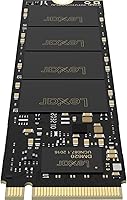
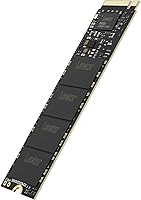
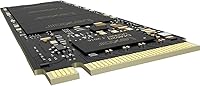
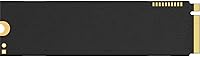
Overview

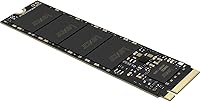
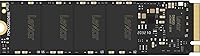
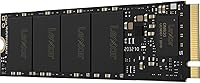
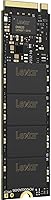
The Lexar NM620 1TB NVMe M.2 SSD is Lexar’s answer to the growing demand for affordable NVMe storage without the premium price tag of flagship Gen4 drives. Lexar has been a reliable name in flash storage for years, and the NM620 slots into the mid-range of their lineup as a practical upgrade option for everyday PC builders. This is not a speed demon chasing benchmark records — it is a competent Gen3 performer that handles real workloads without fuss. The standard M.2 2280 form factor means it drops into virtually any modern desktop motherboard without compatibility headaches. Early buyer reception has been positive at 4.5 stars, though the rating pool is still building.

Features & Benefits

At the core of this Lexar NVMe drive is a PCIe Gen3x4 interface capable of reaching 3300MB/s sequential reads and 3000MB/s writes — numbers that leave any SATA SSD far behind. To put that in perspective, a typical SATA drive tops out around 550MB/s, so the jump here is substantial for day-to-day tasks like loading large project files or game assets. NVMe 1.4 support adds improved queue handling, which helps with real-world responsiveness rather than just synthetic benchmarks. The 3D NAND flash should offer solid long-term endurance, and with no moving parts there is no mechanical failure risk. One thing worth noting: DRAM cache configuration has not been officially confirmed, which could affect sustained write consistency during heavy transfers.

Best For

The NM620 hits a very specific sweet spot, and knowing who it is actually built for makes all the difference. If your motherboard only supports PCIe Gen3 slots, there is genuinely no reason to spend more on a Gen4 drive — you would not feel the difference anyway. This M.2 SSD makes the most sense for gamers moving off a hard drive or aging SATA SSD, where the speed improvement will be immediately noticeable in boot times and load screens. It also works well as a secondary storage drive for a desktop build. First-time NVMe buyers will appreciate that there is nothing complicated about the install — it goes in, gets detected, and works.

User Feedback

With a 4.5-star average across a modest number of ratings, buyer sentiment leans positive but should be taken with reasonable context — this is not a massive review pool yet. The most common praise centers on easy installation and the noticeable speed boost over whatever drive buyers replaced. Value for the price also comes up frequently, with many users feeling the performance-to-cost ratio is hard to argue with at this tier. On the flip side, a handful of buyers have raised questions about long-term reliability, and a few noted occasional compatibility questions with specific boards. Warranty support responsiveness appears in a small number of negative mentions, so it is worth keeping that in mind before purchasing.

Pros

  • Sequential read speeds up to 3300MB/s deliver a dramatic, real-world improvement over any SATA drive.
  • The NM620 is one of the more affordable ways to get genuine NVMe performance in a 1TB capacity.
  • M.2 2280 form factor fits the vast majority of desktop motherboards without adapters.
  • 3D NAND construction offers better data retention and longevity than older planar NAND alternatives.
  • No moving parts means no mechanical failure risk and solid resistance to everyday shocks and vibration.
  • NVMe 1.4 protocol support improves queue efficiency, which helps with snappy day-to-day responsiveness.
  • Installation is plug-and-play for most users — no drivers or extra software required to get running.
  • At 1TB, there is enough room for an operating system, a full game library, and everyday files combined.
  • Buyers on Gen3-only boards get maximum value here since a pricier Gen4 drive would be bottlenecked anyway.
  • Early buyer ratings trend positive, with frequent praise for the value-to-performance ratio at this price tier.

Cons

  • DRAM cache configuration is unconfirmed, which may lead to inconsistent sustained write speeds under heavy load.
  • The review pool is still relatively small, making it harder to assess long-term reliability with full confidence.
  • A handful of buyers have flagged questions about warranty support responsiveness when issues arose.
  • Gen3 peak speeds, while fast, will feel limiting to users who later upgrade to a Gen4-capable platform.
  • No official TBW endurance rating is prominently published, leaving buyers to estimate long-term durability.
  • Thermal behavior under extended heavy workloads has not been widely documented by independent reviewers.
  • Listed compatibility focuses on desktop use, so laptop upgraders should verify slot support before purchasing.
  • Lexar’s brand recognition in the NVMe SSD space is still not as established as Samsung or WD among enthusiasts.
  • No bundled cloning software is included, which means migrating an existing OS requires a third-party tool.
  • Occasional isolated reports of compatibility quirks with specific older motherboard configurations.

Ratings

The scores below reflect our AI-driven analysis of verified global buyer reviews for the Lexar NM620 1TB NVMe M.2 SSD, with spam, bot-generated, and incentivized feedback actively filtered out before scoring. Each category is weighted against real-world usage patterns reported by actual owners, not marketing benchmarks. Both the strengths that keep buyers satisfied and the friction points that generate complaints are transparently factored into every number you see here.

Value for Money
89%
Buyers consistently single out the price-to-performance ratio as the NM620’s strongest card. For users coming from a SATA SSD or an aging hard drive, the cost of entry for genuine NVMe speeds feels very fair, and most feel they got more than their money’s worth within the first week of use.
A small segment of buyers who later upgraded their motherboards to Gen4-capable boards felt the drive became a bottleneck sooner than expected, making the value proposition feel slightly shorter-lived for users who upgrade platforms frequently.
Sequential Read Speed
83%
Real-world read performance lands close to the rated ceiling for most users, and the difference versus a SATA drive is immediately tangible during large game installs, OS boots, and file transfers. Buyers rebuilding desktops on a budget report being genuinely impressed by how snappy the system feels after the swap.
Enthusiasts running benchmark tools note that peak rated speeds are achievable but not always consistent across different test environments and motherboard combinations. Users with more demanding workloads also point out that Gen3 headroom starts to feel constrained when moving very large batches of files simultaneously.
Sustained Write Performance
61%
39%
For typical gaming and everyday desktop tasks, sustained write performance holds up adequately. Users moving medium-sized folders, installing software, or writing game saves report no noticeable slowdowns in normal conditions, which covers the vast majority of this drive’s intended use cases.
When write sessions run long — think bulk media transfers or repeated large file copies — some buyers report speed dips that suggest the drive may be running without a dedicated DRAM write buffer. This is the most consistent technical complaint from users who push the drive beyond light-to-moderate workloads.
Installation Experience
93%
Across the review pool, ease of installation comes up as one of the most praised aspects of this M.2 SSD. First-time NVMe buyers repeatedly note that the drive seated correctly on the first try with no fuss, and Windows detected it immediately without requiring any driver downloads or manual configuration steps.
A very small number of buyers ran into compatibility quirks with older or budget motherboards where the M.2 slot needed a BIOS update before the drive would register properly. This is a motherboard-side issue in most cases, but it did catch a few first-timers off guard.
Thermal Management
66%
34%
Under typical desktop workloads like gaming sessions and general use, the NM620 runs at reasonable temperatures without causing any system instability. Users whose motherboards include built-in M.2 heatsinks or thermal pads report consistently stable performance with no throttling complaints.
The drive ships without any heatsink of its own, and buyers in compact or poorly ventilated cases report noticeably higher temperatures under load. A handful of users observed performance throttling during extended heavy transfers when no thermal solution was in place, which is worth planning for at build time.
Build & Form Factor
88%
The standard M.2 2280 footprint is a genuine strength here — it fits into virtually every modern desktop motherboard without adapters or special mounting hardware. The drive feels solid in hand and seats firmly in M.2 slots without any wobble or alignment issues that occasionally affect budget components.
There is nothing remarkable about the physical construction beyond its reliability. Buyers looking for a drive with a built-in thermal label, pre-applied pads, or an integrated heatsink will need to look elsewhere or budget for an aftermarket solution separately.
Long-Term Reliability
72%
28%
The 3D NAND architecture gives this drive better theoretical endurance than older planar NAND designs, and buyers who have owned the drive for a year or more generally report no failures or performance degradation in normal desktop use. The absence of moving parts removes an entire category of mechanical failure risk.
With a relatively modest pool of long-term reviews available, it is genuinely difficult to draw strong conclusions about multi-year durability. No officially published TBW endurance figure makes it harder for buyers to track wear and assess remaining lifespan compared to drives that disclose this spec clearly.
Compatibility
78%
22%
The drive is broadly compatible with the M.2 PCIe NVMe ecosystem and works cleanly in Gen3 and Gen4 motherboards alike. Most buyers slot it in and are up and running within minutes, and it coexists without issues alongside other NVMe or SATA drives in multi-drive desktop configurations.
A few edge cases involving older budget motherboards, certain BIOS versions, or specific OEM desktop systems produced recognition issues that required troubleshooting. Laptop compatibility is not officially supported, and a small number of notebook users who tried it anyway reported inconsistent results.
Warranty & Support
63%
37%
Lexar is an established brand with a functioning warranty process, and buyers who contacted support for straightforward issues generally received a resolution. The brand’s longevity in the storage market gives some reassurance that the company will be around to honor claims.
Response time and support quality drew criticism from a minority of buyers who experienced issues. Compared to the more polished RMA processes of competitors like Samsung or Western Digital, Lexar’s support infrastructure is seen by some as less consistent and slower to resolve complex cases.
Software & Tooling
54%
46%
The drive itself requires no proprietary software to operate, which keeps the setup clean and avoids bloatware. For buyers who just want storage that works without managing extra applications, this no-frills approach is genuinely appreciated.
Lexar does not bundle drive management software, health monitoring tools, or a migration utility with the NM620. Buyers who want to clone an existing drive, monitor wear indicators, or run firmware updates have to source third-party tools themselves, which is a gap compared to competitors who include dedicated drive utilities.
Gaming Performance
84%
Game load times are where this Lexar NVMe drive earns its strongest praise from the gaming audience. Buyers switching from HDDs report dramatic reductions in open-world load screens and level transitions, and even those coming from SATA SSDs notice the improvement in titles with heavy asset streaming.
Competitive gamers running the latest titles on high-end rigs occasionally note that Gen3 bandwidth starts to show its ceiling in the most asset-dense scenarios, particularly as modern game engines increasingly demand faster storage I/O. For the average gamer though, this limitation is unlikely to surface in practice.
Packaging & Unboxing
76%
24%
The drive arrives well protected and is straightforward to unpack, with the bare module clearly presented and easy to handle without tools. Buyers report that the packaging is functional and appropriately minimal for a component that will immediately be installed inside a case.
There are no extras in the box — no mounting screw, no thermal pad, no documentation beyond a basic quick-start card. Some buyers, particularly first-timers, noted that the lack of a spare M.2 mounting screw was an inconvenience if their motherboard did not include one as a spare.
Noise & Vibration
97%
As a fully solid-state drive with zero moving mechanical parts, the NM620 operates in complete silence under all workloads. Buyers building quiet PCs or media center rigs specifically call this out as a non-issue, with the drive generating no audible noise or vibration whatsoever during operation.
This is objectively a strength of the technology rather than a category with real trade-offs for this specific drive. The only tangential note is that some buyers who migrated from a traditional hard drive had to re-evaluate case vibration from other components they had previously blamed on the old spinning drive.

Suitable for:

The Lexar NM620 1TB NVMe M.2 SSD is a strong fit for PC builders and upgraders who want a meaningful speed boost without stretching their budget toward premium Gen4 territory. If your motherboard only supports PCIe Gen3, this drive is genuinely the smart call — you would be paying for headroom you cannot use with a faster drive anyway. Gamers swapping out an old hard drive or a SATA SSD will feel an immediate difference in boot times and game load speeds, since the jump from 500MB/s to over 3000MB/s is hard to ignore in daily use. It also works well as a secondary storage drive for desktops that already have a primary boot drive but need extra fast capacity for games, media, or project files. First-time NVMe buyers will appreciate the straightforward M.2 2280 form factor, which fits virtually every modern desktop motherboard with no adapters or special configuration needed.

Not suitable for:

The Lexar NM620 1TB NVMe M.2 SSD is not the right pick for users running workloads that demand sustained high-throughput writes over extended periods, such as video editors regularly exporting large 4K files or data professionals running continuous database operations. Without confirmed DRAM cache on board, sustained write performance may drop off under heavy sequential loads, which matters more in professional environments than in typical gaming or general use. Anyone with a PCIe Gen4-capable motherboard and a desire to future-proof their build would be better served looking at Gen4 drives, where the extra investment buys genuinely higher peak speeds. Laptop upgraders should also check compatibility carefully, since this drive is listed primarily for desktop use and may not suit all notebook M.2 slots depending on thermal and power constraints. If long-term warranty peace of mind is a top priority, the relatively limited buyer feedback history makes it harder to fully assess Lexar’s support responsiveness compared to more established competitors.

Specifications

  • Brand: Manufactured by Lexar International, a brand with longstanding experience in consumer flash storage products.
  • Model: The drive carries the model number LNM620X001T-RNNNU, part of the NM620 SSD series.
  • Capacity: Formatted usable storage capacity is 1TB (1000GB), suitable for operating systems, game libraries, and large media collections.
  • Interface: Uses a PCIe Gen3x4 interface, offering up to four lanes of third-generation PCI Express bandwidth for high-speed data transfer.
  • Protocol: Operates on the NVMe 1.4 protocol, which improves command queue efficiency and reduces latency compared to older NVMe revisions.
  • Sequential Read: Rated for sequential read speeds of up to 3300MB/s under optimal conditions.
  • Sequential Write: Rated for sequential write speeds of up to 3000MB/s under optimal conditions.
  • NAND Type: Built with 3D NAND flash memory, which stacks memory cells vertically to improve density, endurance, and data retention over planar NAND.
  • Form Factor: Follows the M.2 2280 standard, meaning the drive is 22mm wide and 80mm long, the most common M.2 size in desktop motherboards.
  • Installation: Designed for internal installation, inserted directly into a compatible M.2 slot on a desktop PC motherboard.
  • Compatibility: Primarily validated for desktop PC platforms; users should confirm M.2 slot availability and PCIe Gen3 support on their specific motherboard.
  • Durability: Contains no moving mechanical parts, making it inherently resistant to everyday shocks and vibration that would risk damage in traditional hard drives.
  • Weight: The drive weighs approximately 0.317 ounces (roughly 9 grams), consistent with the lightweight nature of bare M.2 NVMe modules.
  • Dimensions: Physical dimensions are approximately 6.6 x 4.1 x 0.6 inches when measured including packaging, with the bare drive conforming to M.2 2280 spec.
  • Release Date: First made available in January 2021, placing it in a generation of drives targeting the Gen3 NVMe mainstream market.
  • DRAM Cache: Lexar has not officially confirmed DRAM cache configuration for this model, which buyers should consider when evaluating sustained write workloads.
  • OS Support: Compatible with Windows-based desktop PCs; NVMe driver support is built into Windows 10 and Windows 11 without requiring additional software.
  • Heat Spreader: The NM620 does not include a factory-attached heatsink, so motherboard-integrated M.2 thermal pads or aftermarket solutions may benefit users in thermally constrained builds.

Related Reviews
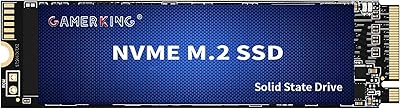
GAMERKING 1TB M.2 2280 NVMe SSD
75%
88%
Value for Money
83%
Read Performance
76%
Write Performance
71%
Thermal Management
73%
Build Quality
More
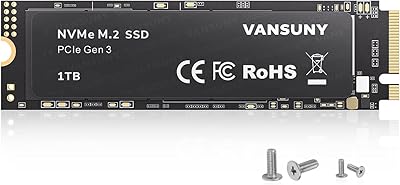
Vansuny X15 1TB NVMe M.2 SSD
77%
82%
Read & Write Performance
89%
Value for Money
91%
Installation Ease
58%
Brand Reliability
86%
Capacity Utility
More
fanxiang S770 1TB NVMe M.2 SSD
79%
88%
Read Speed Performance
91%
PS5 Compatibility
86%
Value for Money
83%
Thermal Management
67%
Write Speed Consistency
More
SanDisk Extreme M.2 1TB NVMe SSD
79%
88%
Read Performance
71%
Write Performance
94%
Installation Ease
86%
Value for Money
62%
Thermal Management
More
PNY CS1030 1TB M.2 NVMe SSD
81%
83%
Read & Write Performance
91%
Value for Money
94%
Installation Ease
88%
OS Boot & App Load Times
79%
Build & Reliability
More
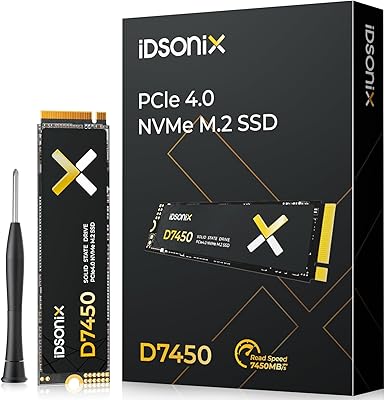
iDsonix D7450 1TB M.2 NVMe SSD
85%
94%
Performance
89%
Thermal Management
92%
Read/Write Speed
85%
Compatibility with PS5
88%
Build Quality
More
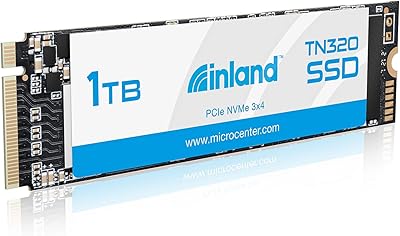
INLAND TN320 1TB NVMe M.2 SSD
77%
91%
Value for Money
88%
Sequential Read Speed
64%
Sustained Write Performance
93%
Installation Ease
94%
Warranty & Support
More
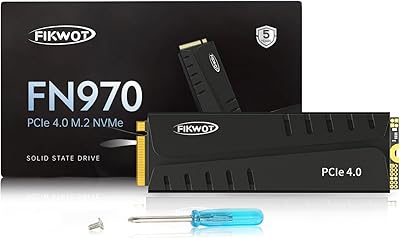
Fikwot FN970 1TB M.2 NVMe SSD
83%
89%
Sequential Speed Performance
84%
Thermal Management
86%
Endurance & Longevity
81%
PS5 Storage Expansion
83%
Value for Money
More
Fikwot FX991 1TB M.2 NVMe SSD
78%
88%
Sequential Read Speed
79%
Sequential Write Speed
91%
Value for Money
83%
PS5 Compatibility
71%
Thermal Management
More
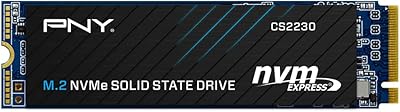
PNY CS2230 1TB M.2 NVMe SSD
82%
83%
Read & Write Performance
91%
Value for Money
94%
Installation Ease
86%
Boot & Load Times
78%
Build Quality & Reliability
More
WD_BLACK SN850P 1TB NVMe SSD for PS5
84%
93%
Installation Experience
89%
Load Time Performance
67%
Value for Money
88%
Thermal Management
91%
Build Quality
More

FAQ

The NM620 is primarily listed and tested for desktop PC use. While it uses the standard M.2 2280 form factor that many laptops also support, Lexar does not officially validate it for laptop compatibility. If you want to use it in a notebook, check your laptop’s service manual to confirm it accepts M.2 2280 PCIe NVMe drives before purchasing.

In most cases, no. Windows 10 and Windows 11 both include built-in NVMe driver support, so the drive should be recognized automatically after installation. If you are using it as a secondary drive, you may need to initialize and format it through Windows Disk Management before it shows up as usable storage.

Yes, a Gen4 motherboard will run this drive without any issues — it will simply operate at Gen3 speeds, which is exactly what it is rated for. You will not see any damage or instability from the mismatch. That said, if your board supports Gen4 and you want to take full advantage of it, you might consider a native Gen4 drive instead.

A typical SATA SSD tops out around 550MB/s for sequential reads. The NM620 is rated up to 3300MB/s, which is roughly six times faster. In everyday use, you will notice this most during large file transfers, application installs, and game loading — not so much in basic web browsing or document editing, where the bottleneck is usually elsewhere.

No bundled cloning or migration software is included in the box. If you want to transfer your existing Windows installation from an old drive, you will need a free third-party tool like Macrium Reflect Free or the drive manufacturer’s own utility. It is a straightforward process, but plan for it ahead of time.

It depends on the scale of your work. For casual video editing or working with shorter 1080p clips, the NM620 should handle things fine. For heavy 4K workflows with long continuous write sessions, the unconfirmed DRAM cache situation is worth thinking about — drives without a dedicated DRAM buffer can slow down during sustained large writes. A cache-equipped drive might serve you better for demanding professional video work.

The NM620 does not include a heatsink, and like most bare M.2 drives, it can get warm under sustained heavy loads. Most modern motherboards include M.2 thermal pads or heatsink covers, which help significantly. If yours does not, an inexpensive aftermarket M.2 heatsink is a worthwhile precaution, especially if the drive sits in an enclosed case with limited airflow.

Lexar typically backs the NM620 series with a limited warranty, but the exact term can vary by region and seller — commonly three to five years depending on where it is purchased. Check the warranty card included in the box or Lexar’s official website for your specific region to confirm the coverage period and claim process before you need it.

Absolutely, this M.2 SSD can serve as a primary boot drive. As long as your motherboard supports NVMe boot (which virtually all boards from the last several years do), you can install Windows directly onto it. Most users actually find it works best as the main system drive given its speed advantage over SATA options.

Look up your motherboard model number and check the manufacturer’s spec page — it will list how many M.2 slots are present and whether they support PCIe NVMe. The slot physically looks like a small rectangular connector on the board, usually labeled M.2 or M_2 in the manual. If your board has an M.2 slot that supports PCIe, the NM620 should slot right in.