Overview

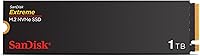
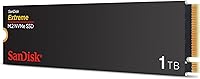
The SanDisk Extreme M.2 1TB NVMe SSD arrived in early 2024 as Western Digital's answer to creators and power users who want Gen 4 speed without paying flagship prices. Built around the standard M.2 2280 form factor, this NVMe drive runs on a PCIe Gen 4.0 interface — though if your board is still on Gen 3.0, it works there too, which removes a common upgrade headache. It slots into the mid-range tier of the Gen 4 market, which is increasingly crowded, yet it has already climbed to a top-300 ranking among internal SSDs on Amazon. That kind of early traction usually says something real about buyer confidence.
Features & Benefits

The headline spec is a sequential read rate of up to 5,150 MB/s, and while that number assumes ideal conditions, real-world transfers of large files — think multi-gigabyte video exports or bulk RAW photo imports — feel noticeably faster than on an older Gen 3 drive. Write performance gets a lift from nCache 4.0 technology, which acts as a fast buffer for burst workloads. That said, sustained write speeds can drop once that buffer fills, so extremely heavy video ingest sessions may show some slowdown. Installation takes minutes: one screw, no adapter needed for standard M.2 2280 slots. The Western Digital Dashboard rounds things out with basic health monitoring, handy for tracking drive longevity over time.

Best For

This Gen 4 SSD hits a practical sweet spot for a few specific types of buyers. Content creators editing 4K footage or managing large RAW libraries will appreciate the read speed headroom, even if write-intensive workflows occasionally brush up against the cache ceiling. Gamers with a PCIe Gen 4.0 motherboard get meaningfully faster load times compared to Gen 3 options at similar price points. If you are upgrading from a SATA drive or an older NVMe, the jump feels tangible. It is also a strong pick for anyone swapping out a slow laptop drive — installation is genuinely painless. Those chasing the absolute top of Gen 4 performance may want pricier alternatives, but for most everyday-to-intermediate workloads, the SanDisk Extreme M.2 holds up well.

User Feedback

Across more than a hundred buyer reviews, this NVMe drive holds a 4.6-out-of-5 rating, with positive sentiment clustering around two things: how straightforward installation is and how consistent real-world speed feels in daily use. Buyers upgrading from SATA or older NVMe drives repeatedly note the improvement. On the critical side, a smaller number of users mention thermal throttling during prolonged heavy workloads — not uncommon for drives without a heatsink in tight laptop chassis. A few compatibility questions around specific chipsets also surface. The Western Digital Dashboard draws mixed feedback; some find it useful for monitoring drive health, others consider it optional bloatware. Overall, the complaints are minor and the high satisfaction rate reflects a drive that reliably does what it promises.

Pros

  • Read speeds up to 5,150 MB/s make large file transfers noticeably faster in real-world use.
  • PCIe Gen 4.0 interface keeps the drive relevant for years, while Gen 3.0 backward compatibility removes upgrade anxiety.
  • nCache 4.0 technology delivers strong burst write performance for everyday creative tasks like photo sorting and video saves.
  • Single-screw M.2 2280 installation is genuinely painless, even for first-time upgraders.
  • At its mid-range price point, this Gen 4 SSD offers solid value compared to pricier flagship alternatives.
  • Western Digital Dashboard provides useful drive health monitoring and firmware management in one place.
  • Weighing under 0.2 ounces with no moving parts, the drive runs silently and handles vibration without concern.
  • A 4.6-out-of-5 rating across over a hundred buyers reflects consistent real-world satisfaction.
  • Backward compatibility means it works in older Gen 3.0 systems without any performance configuration required.
  • Strong Amazon category ranking for a relatively new release signals reliable supply and broad availability.

Cons

  • Sustained write speeds fall off once the nCache buffer is exhausted, which is a real limitation for heavy continuous ingest workloads.
  • No included heatsink means thermal throttling is possible in tight laptop chassis with poor airflow.
  • The advertised 5,150 MB/s read speed reflects ideal sequential conditions; mixed workload performance is more modest.
  • Western Digital Dashboard software has drawn mixed reactions, with some users finding it unnecessary or bloated.
  • A small number of buyers have reported compatibility questions with specific chipsets, worth checking before purchasing.
  • 1TB capacity may feel limiting for users storing large media libraries or multiple large game installations.
  • No hardware encryption support is mentioned, which may matter for security-conscious professional users.
  • Warranty and endurance ratings are not prominently communicated, making long-term write durability harder to assess upfront.

Ratings

The SanDisk Extreme M.2 1TB NVMe SSD has been scored by our AI system after analyzing verified global buyer reviews, actively filtering out incentivized, duplicate, and bot-generated feedback to surface what real users actually experience. Scores reflect both the strengths that make this Gen 4 drive a popular mid-range pick and the honest limitations that matter depending on your workload. Nothing has been smoothed over — the pain points are weighted just as seriously as the wins.
Read Performance
88%
In day-to-day use, the read speed advantage is real and noticeable — opening large Lightroom catalogs, loading game levels, or booting an OS all feel snappier compared to Gen 3 or SATA predecessors. Users upgrading from older drives consistently describe the difference as immediately apparent, not just benchmark-deep.
The headline 5,150 MB/s figure reflects peak sequential reads under ideal conditions, and mixed real-world workloads land somewhat lower. Users running simultaneous read-write operations, such as editing footage while exporting another file, report more moderate throughput that does not match the advertised ceiling.
Write Performance
71%
29%
For everyday burst writes — saving project files, copying photo batches, or writing OS updates — the nCache 4.0 buffer keeps things feeling fast and responsive. Most home users and light creators will rarely hit a scenario where the cache limitation becomes obvious.
Once the write cache is saturated during sustained large writes, speeds drop considerably, which is a real limitation for users ingesting continuous high-bitrate footage or doing large database backups. This is the most commonly cited technical complaint among buyers who pushed the drive hard.
Installation Ease
94%
This is where the drive consistently earns its highest praise. The standard M.2 2280 form factor, combined with a single-screw retention design, means most laptop and desktop upgrades take under ten minutes with no prior experience required. Buyers who had never opened a laptop before reported successful installs without frustration.
A small number of users encountered fitment issues in ultra-slim laptops where the M.2 slot was tucked beneath other components, making access awkward rather than difficult. This is more a chassis design issue than a drive flaw, but it does affect a subset of upgraders.
Value for Money
86%
Sitting at a mid-range price point for a PCIe Gen 4.0 drive, this NVMe drive offers a read-speed-to-dollar ratio that holds up well against the competition. Buyers consistently feel they got meaningful performance without paying for flagship-level features they would not use.
A few users point out that spending a little more gets you into drives like the WD Black SN850X with noticeably better sustained write consistency, which makes the value calculation less clear-cut for anyone doing heavier workloads. At the current price tier, the cache limitations are more noticeable than on pricier alternatives.
Thermal Management
62%
38%
In well-ventilated desktop builds with motherboard M.2 heatsinks or covers, temperatures stay reasonable even under sustained load. Users with mid-tower cases and decent airflow report no throttling issues during gaming or standard creative work sessions.
In compact laptops without dedicated thermal management for the M.2 slot, multiple users flagged throttling during extended write-heavy tasks. The drive ships without a heatsink, so buyers dropping it into a thermally constrained ultrabook should factor in the cost and logistics of an aftermarket solution.
Gen 3 Backward Compatibility
91%
The backward compatibility with PCIe Gen 3.0 boards removes a major purchasing concern for users who are not yet on a Gen 4 platform. Multiple reviewers confirmed smooth operation in older systems with no driver changes or configuration needed, which is a genuine quality-of-life advantage.
Running on a Gen 3.0 board caps the drive well below its performance potential, and the speed difference versus a native Gen 3 drive narrows considerably in that scenario. Buyers on older platforms may find the value proposition less compelling than upgrading their board first.
Software & Dashboard
67%
33%
The Western Digital Dashboard does what it promises — tracking drive health, estimating remaining write endurance, and delivering firmware updates in a single interface. Users who like having visibility into their drive's long-term status appreciate having it available without hunting for third-party tools.
Opinion is split, and a notable share of buyers dismissed the Dashboard as bloatware they uninstalled immediately. It is Windows-only, leaving Mac users without official monitoring support, and the interface feels dated compared to software bundled with competing drives from Samsung or Seagate.
Build & Form Factor
89%
The M.2 2280 dimensions are perfectly standard, and the drive fits every slot it should without any adaptation. Its negligible weight and rigid PCB construction give a sense of durability that buyers moving between builds or upgrading multiple machines find reassuring.
There is no included heatsink or thermal pad, which feels like a minor omission at this price point given that some competing drives include one. The bare PCB look is functional but does nothing to help in environments where heat dissipation is a concern.
Real-World Speed Consistency
74%
26%
For the use cases this drive is designed for — photo editing, moderate video work, OS tasks, gaming — performance stays consistent and predictable over daily sessions. Users doing a mix of reads and moderate writes report that the drive holds up well in normal creative workflows without any surprises.
Consistency breaks down at the edges of the drive's cache capacity, and users who regularly push large sequential writes report visible speed variability within the same session. This inconsistency does not affect most buyers but is a legitimate concern for those whose workflows sit at the boundary.
Compatibility Range
79%
21%
The drive covers the broadest possible range of mainstream desktop and laptop configurations thanks to the universal M.2 2280 form factor and dual-gen PCIe support. Buyers using it across multiple machines in a household — mix of older and newer systems — report broad compatibility without issue.
A handful of users flagged edge-case compatibility concerns with specific older chipsets or particular laptop OEM BIOS configurations that required firmware updates before the drive was recognized. These cases are rare but worth noting for buyers with less common hardware setups.
Longevity & Endurance
73%
27%
For typical consumer workloads — OS drive use, creative file storage, gaming — the drive's endurance rating is adequate and aligned with industry norms for this class of NVMe SSD. Most users treating it as a primary work drive report no issues over months of regular use.
Western Digital does not prominently advertise the TBW (terabytes written) endurance rating for this model, which leaves buyers doing their own research to assess long-term durability. Users with write-heavy professional environments would prefer clearer published endurance specs upfront.
Noise & Vibration
97%
As a solid-state drive with no moving parts whatsoever, it operates in complete silence regardless of load. Users who previously ran mechanical hard drives or even some older SSDs with audible coil whine find the complete absence of noise a genuine quality-of-life upgrade.
There is almost nothing negative to say here — this is an inherent advantage of all NVMe SSDs. The only marginal note is that some users in very quiet environments can hear the faint electrical activity of surrounding components more clearly once drive noise is eliminated.
Packaging & Accessories
58%
42%
The drive arrives well-protected in compact retail packaging, and the absence of excessive plastic waste is appreciated by environmentally conscious buyers. What is in the box is clean and uncomplicated.
The accessory situation is minimal to a fault — no mounting screw, no heatsink, and no cloning software voucher in the box. Competing drives at similar price points occasionally include at least a mounting screw or a thermal pad, making this packaging feel lean by comparison.

Suitable for:

The SanDisk Extreme M.2 1TB NVMe SSD is a strong fit for content creators who regularly move large files — photographers culling RAW shoots, video editors scrubbing through 4K timelines, or 3D artists waiting on scene loads will all notice a real difference over slower drives. Gamers running a PCIe Gen 4.0 motherboard will get faster level loads and snappier asset streaming without spending up for a top-tier enthusiast drive. It is equally well-suited to anyone doing a first-time internal upgrade from a SATA SSD or an aging Gen 3 NVMe, where the performance gap is wide enough to feel meaningful day-to-day. Laptop users in particular benefit from the straightforward single-screw M.2 2280 installation, which requires minimal tools and no technical background to complete. If you want a dependable, fast drive at a mid-range price point and do not need to push absolute peak sustained write performance, this Gen 4 SSD is a genuinely sensible choice.
Not suitable for:

The SanDisk Extreme M.2 1TB NVMe SSD is not the right pick for every buyer, and it is worth being honest about where it falls short. Users who run sustained, write-heavy workloads — such as continuous 8K video ingest, large database writes, or long sequential write benchmarks — may find that once the nCache 4.0 buffer fills, write speeds drop noticeably below the headline figures. This is a cache-dependent drive, not a full direct-write performer, which matters in professional production environments where consistency under load is critical. Those with compact laptops that lack proper airflow should also be aware that without an aftermarket heatsink, this NVMe drive can throttle under extended stress in thermally constrained chassis. If your budget stretches to premium Gen 4 options from brands like Samsung or Seagate, you will find more consistent sustained write throughput for the most demanding workloads. Finally, buyers who only need 512GB or already own a Gen 4 drive with comparable specs will find little reason to switch.

Specifications

  • Capacity: The drive offers 1TB of raw storage, with actual usable capacity slightly less due to formatting and firmware overhead.
  • Interface: It uses a PCIe Gen 4.0 x4 NVMe interface for maximum throughput on compatible motherboards.
  • Gen 3 Compatibility: The drive is fully backward compatible with PCIe Gen 3.0 slots, operating at reduced but still capable speeds on older platforms.
  • Form Factor: Follows the M.2 2280 standard, meaning it is 22mm wide and 80mm long — the most common M.2 size in laptops and desktops.
  • Read Speed: Sequential read speeds reach up to 5,150 MB/s under ideal conditions on a PCIe Gen 4.0 host system.
  • Cache Technology: nCache 4.0 technology provides a dynamic write buffer that accelerates burst write operations for everyday creative and productivity tasks.
  • Weight: The drive weighs just 0.192 ounces, making it one of the lightest internal storage upgrades available.
  • Dimensions: Physical dimensions measure 3.15 x 0.87 x 0.09 inches, consistent with the standard M.2 2280 specification.
  • Installation: Designed for tool-minimal internal installation using a single retention screw in any standard M.2 2280 slot.
  • Compatible Devices: Officially compatible with desktop PCs and laptops that feature an M.2 PCIe slot supporting NVMe protocol.
  • Management Software: Western Digital Dashboard software supports drive health monitoring, performance diagnostics, and firmware updates on Windows.
  • Moving Parts: As a solid-state drive, it contains no moving parts, resulting in silent operation and improved resistance to physical shock.
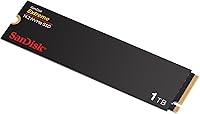
  • Color: The drive ships in a black PCB finish, which is standard for the SanDisk Extreme M.2 series.
  • Model Number: The official model identifier is SDSSDX3N-1T00-G26, as designated by Western Digital Technologies.
  • Manufacturer: Manufactured by Western Digital Technologies, Inc., the parent company of the SanDisk brand.
  • Availability Date: This model became available in March 2024, positioning it as a current-generation Gen 4 NVMe release.
  • Flash Memory: Uses NAND flash memory rated at 1TB, with nCache 4.0 layered on top to manage write performance consistency.
  • BSR Ranking: Ranked #296 in the Internal Solid State Drives category on Amazon, reflecting strong early adoption since launch.

Related Reviews
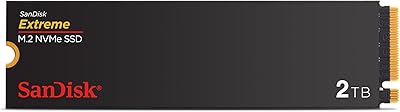
SanDisk Extreme M.2 NVMe 2TB SSD
79%
91%
Read Speed Performance
63%
Sustained Write Performance
94%
Installation Ease
83%
Value for Money
88%
Compatibility & Versatility
More
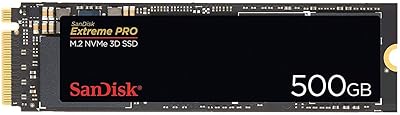
SanDisk Extreme PRO M.2 NVMe SSD 500GB
85%
92%
Performance Speed
90%
Reliability & Endurance
88%
Installation & Setup
75%
Price vs. Value
84%
Power Efficiency
More
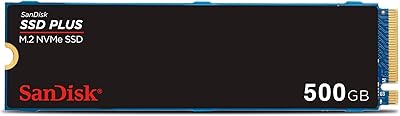
SanDisk 2TB SSD Plus M.2 NVMe SSD

86%
89%
Performance
92%
Ease of Installation
88%
Reliability
91%
Value for Money
90%
Capacity
More
GAMERKING 1TB M.2 NVMe SSD
87%
89%
Performance
92%
Speed (Read/Write)
80%
Durability (MTTF)
91%
Compatibility
94%
Ease of Installation
More
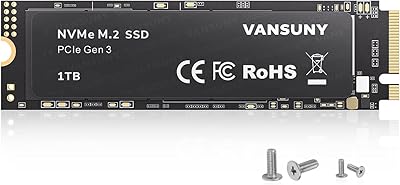
Vansuny 1TB NVMe M.2 SSD
87%
94%
Performance (Speed)
88%
Reliability
72%
Compatibility
91%
Value for Money
85%
Build Quality
More
ORICO M.2 2242 NVMe SSD 1TB
87%
89%
Performance
92%
Value for Money
88%
Heat Dissipation
75%
Installation Ease
91%
Build Quality
More
PNY CS1030 1TB M.2 NVMe SSD
81%
83%
Read & Write Performance
91%
Value for Money
94%
Installation Ease
88%
OS Boot & App Load Times
79%
Build & Reliability
More
Fikwot FN970 1TB M.2 NVMe SSD
87%
93%
Performance
88%
Ease of Installation
91%
Compatibility with PS5
85%
Thermal Management (Heatsink)
86%
Write Speed
More
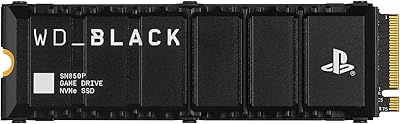
WD_BLACK SN850P 1TB NVMe SSD for PS5
84%
93%
Installation Experience
89%
Load Time Performance
67%
Value for Money
88%
Thermal Management
91%
Build Quality
More
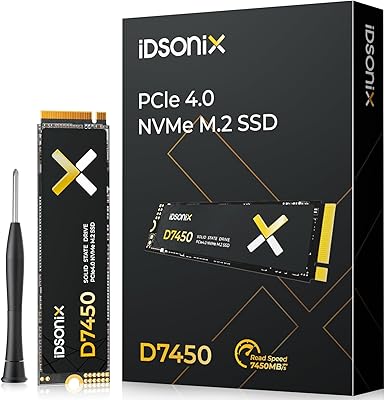
iDsonix D7450 1TB M.2 NVMe SSD
85%
94%
Performance
89%
Thermal Management
92%
Read/Write Speed
85%
Compatibility with PS5
88%
Build Quality
More

FAQ

Yes, it will. The drive is backward compatible with PCIe Gen 3.0 slots, so it will install and run without any configuration changes. You just won't hit the Gen 4 speed ceiling — but it will still outperform most SATA SSDs by a meaningful margin.

This is a fair thing to ask. The nCache 4.0 buffer handles burst writes well, which covers the vast majority of everyday tasks. But if you are continuously writing large amounts of data — like ingesting hours of raw video footage in one go — speeds will drop once that buffer is saturated. For typical home or creator use it is rarely a problem, but heavy professional workloads may notice the difference.

Not really. The M.2 2280 form factor uses a single small retention screw, and most laptops and motherboards already include one. A basic Phillips-head screwdriver is all you need. The installation process usually takes under ten minutes even for first-timers.

The PS5 does support M.2 NVMe SSDs with PCIe Gen 4.0, and this drive meets the interface requirement. That said, Sony recommends drives with a heatsink for PS5 installation, and this drive does not include one. You can purchase a compatible aftermarket heatsink separately, which most PS5 SSD guides recommend anyway.

It does not include cloning software in the box, but Western Digital offers its own Acronis-based cloning tool as a free download through the WD website. It works reasonably well for migrating an existing OS installation to the new drive without a clean reinstall.

Western Digital provides its Dashboard software for free, which tracks drive health, estimates remaining lifespan based on write endurance, and lets you run diagnostics. It also handles firmware updates. It is a Windows application, so Mac users would need a third-party tool like CrystalDiskInfo for similar monitoring.

For most gamers, 1TB is workable but can feel tight if you have a large library. A handful of modern AAA titles can already push 100GB each, so you may find yourself managing installs more actively. If storage management sounds like a hassle, a 2TB option might be worth the extra spend — but for a focused library, 1TB is absolutely usable.

Technically you can place it in an M.2 NVMe USB enclosure, and it will work. However, you will be bottlenecked by the USB interface — USB 3.2 Gen 2 tops out around 1,000 MB/s, so the Gen 4 speed advantage is completely lost. It is better suited as an internal drive where it can actually operate at its intended speeds.

It can run warm during sustained workloads, particularly in compact laptops with restricted airflow. In a well-ventilated desktop with a motherboard heatsink or M.2 cover, heat is generally managed fine. In tight ultrabook chassis, some users have reported throttling during extended heavy tasks. Adding a thin aftermarket heatsink in those environments is a reasonable precaution.

The WD Black SN850X is a step up in the WD lineup, with higher sustained write speeds and better performance under mixed random workloads — but it also costs noticeably more. The SanDisk Extreme M.2 is targeted at users who want solid Gen 4 read performance for creative and everyday tasks without paying for the extra write consistency that only matters in demanding professional scenarios. For most buyers, the gap in daily use is smaller than the spec sheets suggest.

Where to Buy