Overview

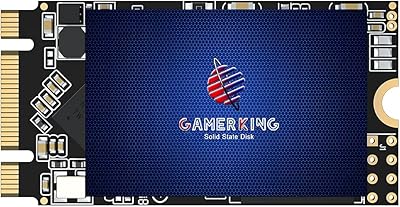
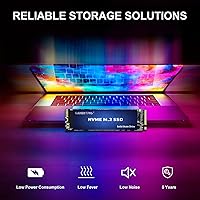
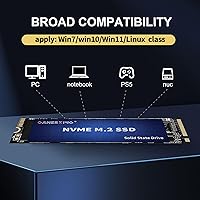
The GAMERKING 1TB M.2 2280 NVMe SSD arrived in mid-2025 as a budget-friendly PCIe 3.0 option for upgraders who want real NVMe performance without paying a premium for a recognized brand name. GAMERKING isn't a household name — you won't find it dominating enthusiast forums the way Samsung or Western Digital does — but it has gained traction, currently ranking inside the top 200 in its Amazon category. Its standard 2280 form factor means broad compatibility with most laptops, desktops, and the PS5. The specs look strong on paper, but with a newer brand, real-world consistency deserves as much attention as the spec sheet.

Features & Benefits

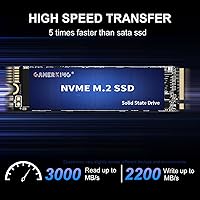
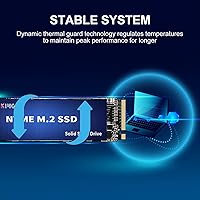
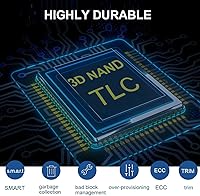
Rated at 3000 MB/s read and 2200 MB/s write, this M.2 SSD sits comfortably within the upper range of what PCIe 3.0 drives deliver. Worth noting: most Gen3 drives don't consistently hit those peaks in everyday use, so expect strong but not ceiling-level throughput during typical file transfers and game loads. The 3D NAND flash helps keep power consumption low, which is a real advantage if you're dropping this into a laptop. A nickel-plated controller paired with passive thermal design reduces the risk of speed throttling under sustained workloads. It also ships with a full suite of data-protection features — TRIM, ECC, S.M.A.R.T., and wear leveling among them — and carries a five-year limited warranty.

Best For

This budget NVMe drive makes the most sense for a few specific types of buyers. If you're building a gaming PC and want fast storage without the cost of a premium brand, it's a reasonable pick. PS5 owners should take note: Sony's console physically accepts PCIe 4.0 drives but runs them at Gen3 speeds, so spending more on a Gen4 SSD in that context is largely wasted money — this M.2 SSD fits that scenario well. Laptop upgraders swapping out an old SATA drive or a spinning hard disk will notice a dramatic improvement in boot times and app loading. Where it's less suitable: demanding professional workloads, NAS setups, or any use case where drive reliability is non-negotiable.

User Feedback

With a 4.4-star average across more than 600 ratings, the GAMERKING 1TB SSD has clearly found an audience. Buyers frequently mention how straightforward installation is and how noticeably faster their systems feel after the swap, which tracks for anyone coming from a SATA drive or older hardware. Where things get more nuanced is in the lower-star reviews. A handful of users report drives that failed within months or speeds that dipped under load, which — while not uncommon territory for value-tier brands — is worth factoring in. Thermal throttling during large transfers comes up occasionally, too. That said, the PS5 install experience draws mostly positive feedback, with users reporting stable, consistent performance without compatibility issues.

Pros

  • Read speeds up to 3000 MB/s make boot times and game load speeds noticeably faster than any SATA alternative.
  • The standard M.2 2280 form factor fits a wide range of laptops, desktops, and the PS5 without adapters.
  • 3D NAND flash helps reduce power draw, which translates to a tangible battery life improvement in laptops.
  • A nickel-plated controller with passive thermal management lowers the risk of speed throttling under sustained workloads.
  • PS5 owners get a cost-effective storage expansion since the console caps expansion drive speeds at Gen3 anyway.
  • Installation is straightforward — no screws, no proprietary drivers, just slot it in and the system detects it.
  • Includes a comprehensive error-correction suite covering TRIM, ECC, S.M.A.R.T., wear leveling, and bad block management.
  • At 1TB, there is ample room for an operating system, a full game library, and everyday working files.
  • A five-year limited warranty provides a reasonable safety net for a purchase at this price tier.
  • Strong sales ranking for a brand this new suggests genuine buyer uptake rather than purely marketing-driven visibility.

Cons

  • GAMERKING is a lesser-known brand with limited independent reliability data compared to Samsung, Crucial, or Western Digital.
  • Some lower-star reviewers report drives failing within the first few months of daily use.
  • Rated peak speeds are rarely sustained in practice — real-world throughput typically falls below the spec sheet ceiling.
  • Thermal throttling under prolonged large file transfers has been flagged by a portion of buyers.
  • No DRAM cache is listed in the specs, which is common for budget NVMe drives but can limit write consistency under heavy loads.
  • With the brand entering the market in mid-2025, minimal independent benchmark or long-term stress-test data exists yet.
  • Customer support responsiveness is unproven — actually enforcing a five-year warranty claim with a newer brand is an open question.
  • Not compatible with M.2 SATA slots, which could catch buyers with older motherboards off guard if they do not verify slot type first.
  • The current review pool of roughly 600 ratings is still relatively modest for drawing firm conclusions about durability over time.
  • Gen3 interface means buyers with PCIe 4.0-capable systems will leave significant bandwidth unused by choosing this M.2 SSD.

Ratings

Our AI rating engine analyzed verified buyer reviews for the GAMERKING 1TB M.2 2280 NVMe SSD across multiple global marketplaces, actively filtering out incentivized, repetitive, and bot-generated feedback to surface what real users actually experience. The scores below reflect both the genuine strengths buyers consistently report and the recurring pain points that appear across critical reviews. Nothing has been softened — the numbers tell the honest story.

Value for Money
88%
At this price point, landing PCIe 3.0 NVMe speeds with 1TB of capacity and a five-year warranty is genuinely hard to argue with. Budget builders and PS5 upgraders consistently report feeling they got more than their money's worth compared to pricier alternatives from household brands.
The value calculation shifts if the drive fails early — a real possibility flagged in a portion of negative reviews — since replacing lost data or the drive itself can easily cancel out the initial savings. Buyers factoring in long-term cost of ownership may find the math less compelling than the sticker price suggests.
Read Performance
83%
Everyday tasks like booting Windows, launching games, and opening large applications feel genuinely snappy after installing this M.2 SSD in place of an old SATA drive. Users upgrading from a 5400 RPM hard drive in a laptop consistently describe the speed difference as night and day.
The rated 3000 MB/s sequential read speed is rarely sustained in real-world conditions — benchmark results from buyers typically land 10 to 20 percent below that ceiling. Those coming from other NVMe drives rather than SATA may notice a less dramatic improvement than the marketing implies.
Write Performance
76%
24%
For typical home and gaming use — installing titles, saving files, moving folders — write speeds feel responsive and consistent. Users report no noticeable lag during normal desktop operations, and game installation times are competitive with other drives in this price tier.
Without a dedicated DRAM cache — not listed anywhere in the specifications — write speeds can dip noticeably during sustained large transfers, such as copying several hundred gigabytes in a single session. A small but consistent group of users specifically flags inconsistent write behavior during prolonged workloads like video rendering or large backups.
Thermal Management
71%
29%
During everyday computing and casual gaming sessions, the nickel-plated controller keeps temperatures within a normal operating range without requiring an aftermarket heatsink. Laptop users in particular report no unusual heat buildup during typical multitasking workloads.
A recurring complaint in lower-star reviews involves speed drops during extended high-intensity tasks like large file migrations or long PS5 gaming sessions. Passive-only cooling has clear limits, and users pushing the drive hard without a heatsink report more frequent throttling events than they anticipated.
Build Quality
73%
27%
The physical drive feels solid for its weight class, and the nickel-plated controller adds a layer of construction quality you would not always expect at this price. The M.2 2280 format is precisely standard, fitting snugly into every tested slot without loose tolerance issues.
No heatsink is included in the box, which matters more than it might seem — particularly for PS5 installations where Sony recommends one. The product labeling and packaging feel noticeably sparse compared to established brands, which can leave buyers momentarily uncertain they received a genuine unit.
Compatibility
91%
The M.2 2280 form factor is about as universal as it gets — it fits the overwhelming majority of modern desktops, laptops, and the PlayStation 5 without adapters or modifications. Buyers across a wide range of system configurations report straightforward, no-surprise compatibility right out of the box.
The M Key NVMe PCIe requirement is a genuine trap for buyers with older motherboards that only support M.2 SATA — the connector looks physically identical but the drive simply will not be detected. Verifying slot type before purchase is essential, and the product listing could do a far better job of making this warning prominent.
Installation Ease
89%
Almost every positive review specifically mentions how painless the physical installation was — slot it in, secure the screw, and the system recognizes it immediately with no driver installation required. First-time builders and PS5 owners with no prior hardware experience consistently report completing the install in under ten minutes.
The most common friction point is buyers discovering their slot is M.2 SATA rather than NVMe PCIe — a compatibility mismatch that requires a return rather than any workaround. A more detailed installation guide in the box, especially for PS5 users who need to factor in heatsink placement, would meaningfully reduce avoidable confusion.
Reliability & Longevity
58%
42%
The majority of buyers report no issues after initial installation, and many have logged several months of daily use without a single incident. The error-correction suite — covering ECC, wear leveling, and bad block management — does provide a credible technical foundation for maintaining data integrity under normal operating conditions.
A pattern of early failures — drives dying within the first few months — appears in enough negative reviews to be a credible concern rather than statistical noise. With GAMERKING having only a short track record and no independent long-term stress-test data, there is simply no multi-year reliability baseline to draw meaningful confidence from yet.
Brand Trust
52%
48%
The drive's strong Amazon category ranking — inside the top 200 for internal SSDs despite being available for under a year — signals real buyer uptake that goes beyond marketing. A five-year warranty, while unproven in practice, at least demonstrates the company is willing to formally stand behind its product.
GAMERKING has no meaningful presence in enthusiast communities, no independent stress-test history, and no established customer support reputation to fall back on. For buyers who have previously been let down by unknown-brand SSDs, this combination of unknowns is genuinely difficult to overlook regardless of how competitive the price-to-spec ratio appears.
Warranty Coverage
74%
26%
A five-year limited warranty is a genuinely competitive offering at this price point — most budget-tier SSDs from lesser-known brands offer two or three years at most. The extended term at least gives buyers a documented recourse window and keeps the brand formally accountable.
The warranty's real-world value hinges entirely on how responsive GAMERKING's support process is — something buyers cannot verify before purchasing. Community feedback on successfully completed warranty claims is virtually nonexistent for this brand, making the five-year figure more of a sales point than a reliable safety net at this stage.
Power Efficiency
82%
18%
The 3D NAND flash architecture draws less power during both active use and idle states compared to older planar NAND designs, which makes a real difference in laptop battery endurance during all-day work sessions. Users upgrading older laptops specifically mention improved battery life after swapping out legacy spinning drives.
Under sustained high-throughput workloads, power draw increases enough to generate noticeable heat, which in turn can trigger throttling and partially undercut the efficiency benefit. Desktop users in tight thermal configurations report that prolonged intensive operations run warmer than they expected from a drive marketed around low power consumption.
PS5 Performance
87%
PS5 users report consistently smooth installation experiences, with the drive detected on first boot after a system software update. Since Sony's console runs all M.2 expansion drives at Gen3 speeds regardless of PCIe generation, this budget NVMe drive delivers exactly the same practical performance ceiling as options costing significantly more.
A small number of PS5 users mention intermittent recognition issues following certain console firmware updates, though it is unclear whether the drive or the update itself was at fault. Sony recommends a heatsink for all M.2 drives installed in the PS5, and the absence of one in the box is a meaningful omission for this specific use case.
Data Protection
79%
21%
The full error-correction suite — ECC, TRIM, S.M.A.R.T., wear leveling, bad block management, and over-provisioning — mirrors what premium brands include, giving buyers legitimate technical reassurance around data integrity. S.M.A.R.T. support in particular lets users monitor drive health proactively using widely available free tools.
These features are only as effective as the underlying firmware and NAND implementation that powers them — and with no third-party validation of GAMERKING's firmware quality, there is no way to confirm how robustly they perform under real stress. Storing irreplaceable data on this drive without a separate backup in place is a risk not worth taking.
Customer Support
49%
51%
The five-year warranty does give buyers a formal channel for escalation if something goes wrong. For purchases made through Amazon, the platform's own return and replacement policies can serve as a practical substitute for direct manufacturer support when needed.
There is essentially no documented community track record of GAMERKING's support team responding promptly or resolving warranty claims fairly. Buyers who have run into issues report difficulty locating direct contact information and receiving timely responses, making weak customer support the single most consistent theme across the brand's negative reviews.

Suitable for:

The GAMERKING 1TB M.2 2280 NVMe SSD is a practical fit for budget-conscious buyers who want a meaningful performance upgrade without committing to a premium brand's pricing. PC builders assembling a mid-range gaming rig on a tight budget will find the PCIe 3.0 Gen3x4 speeds more than adequate for fast boot times and snappy game loads. PS5 owners are a particularly well-matched audience: since Sony's console runs expansion drives at Gen3 speeds regardless of their rating, there is little reason to pay significantly more for a Gen4 alternative. Laptop users stuck with a sluggish SATA SSD or an aging hard drive will notice a dramatic jump in responsiveness after swapping in this M.2 SSD. It also works well as a secondary desktop drive for storing games, media, or working files where cost per gigabyte matters more than absolute long-term reliability.

Not suitable for:

Anyone whose workflow depends on consistently fast, reliable storage day after day should approach the GAMERKING 1TB M.2 2280 NVMe SSD with caution. Professional video editors, photographers handling large RAW files, or anyone running a home server should look toward established brands with documented reliability records and proven customer support infrastructure. The manufacturer-quoted MTTF figure of 1.75 million hours is a claimed number, and without independent long-term testing or a substantial community track record, it carries limited practical weight. Buyers planning to use this as the sole drive for critical or irreplaceable data should weigh whether the cost savings justify the added uncertainty of a lesser-known brand. If your system already supports PCIe 4.0 and you want to take full advantage of that bandwidth, this budget NVMe drive is also a mismatch — it is hard-capped at Gen3 throughput and will leave performance on the table.

Specifications

  • Capacity: Provides 1TB of storage, enough to hold an operating system, a substantial game library, and a full set of everyday working files.
  • Form Factor: Uses the M.2 2280 standard (80mm in length), the most widely supported M.2 size across modern desktops, laptops, and the PlayStation 5.
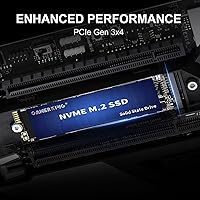
  • Interface: Connects via PCIe 3.0 Gen3x4 using the NVMe protocol, delivering substantially faster throughput than any SATA-based M.2 drive.
  • Read Speed: Rated sequential read speed reaches up to 3000 MB/s, though sustained real-world speeds during typical use typically fall somewhat below this peak.
  • Write Speed: Rated sequential write speed reaches up to 2200 MB/s, making large file transfers and game installations noticeably quicker than SATA alternatives.
  • NAND Type: Built with 3D NAND flash memory, which stacks memory cells vertically to improve density, reduce power draw, and help extend overall drive longevity.
  • Controller: Features a nickel-plated controller designed to dissipate heat passively, reducing the likelihood of performance throttling during sustained write operations.
  • Error Correction: Supports a full data-integrity suite covering TRIM, S.M.A.R.T., ECC, garbage collection, bad block management, over-provisioning, and wear leveling.
  • MTTF: Manufacturer-rated mean time to failure is 1.75 million hours, a claimed endurance benchmark that should be considered a marketing figure rather than a field-tested guarantee.
  • Warranty: Covered by a five-year limited warranty, which is on par with many established SSD brands and provides a baseline level of post-purchase protection.
  • Key Type: Uses an M Key edge connector, required for NVMe PCIe operation and incompatible with M.2 SATA-only slots found on some older or budget motherboards.
  • Compatible Devices: Designed for internal installation in desktop PCs, laptops, and the PlayStation 5, provided the host device includes an available M.2 NVMe PCIe slot.
  • Installation: Installed as a bare internal drive with no enclosure; a single M.2 mounting screw, typically supplied by the motherboard manufacturer or console, is all that is needed.
  • Weight: The drive weighs 0.96 ounces, light enough to have no meaningful impact on laptop portability or system balance.
  • Package Size: Ships in packaging measuring 4 × 3 × 0.4 inches, compact enough for standard postal delivery without special handling.

Related Reviews
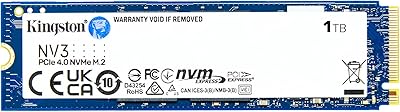
Kingston NV3 1TB NVMe SSD
87%
93%
Value for Money
88%
Boot and Load Times
94%
Ease of Installation
91%
Physical Compatibility
86%
Power Efficiency
More
Kingston NV2 1TB NVMe SSD
83%
93%
Value for Money
86%
Read Performance
61%
Sustained Write Performance
74%
Thermal Management
91%
Compatibility
More
Verbatim Vi7000 1TB NVMe SSD
80%
88%
Read Performance
83%
Write Performance
92%
PS5 Compatibility
79%
Thermal Management
91%
Installation Experience
More
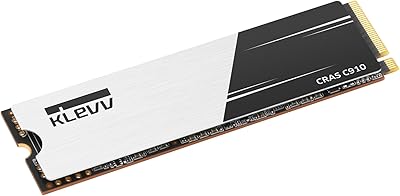
KLEVV CRAS C910 1TB NVMe SSD
80%
88%
Sequential Read Speed
85%
Sequential Write Speed
61%
Sustained Write Consistency
91%
Value for Money
83%
Thermal Management
More
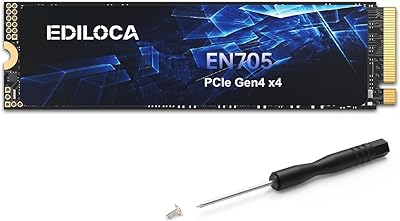
Ediloca EN705 1TB NVMe M.2 SSD
81%
88%
Sequential Read Performance
61%
Sustained Write Speed
93%
PS5 Compatibility
91%
Installation Experience
86%
Value for Money
More
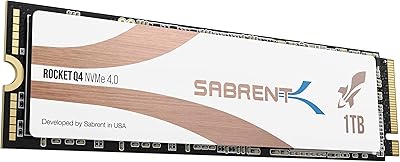
Sabrent Rocket Q4 1TB NVMe SSD
79%
91%
Sequential Read Performance
58%
Sustained Write Performance
84%
Value for Money
61%
Thermal Management
93%
Installation & Setup
More
GAMERKING M.2 2242 1TB SATA SSD
70%
93%
Form Factor Fit
76%
Value for Money
68%
Read & Write Performance
88%
Installation Experience
44%
Brand Transparency
More
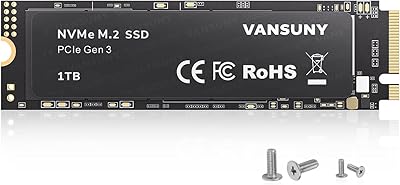
Vansuny X15 1TB NVMe M.2 SSD
77%
82%
Read & Write Performance
89%
Value for Money
91%
Installation Ease
58%
Brand Reliability
86%
Capacity Utility
More
GAMERKING 2TB M.2 NVMe Internal SSD

75%
78%
Read/Write Performance
82%
Value for Money
91%
Installation Experience
67%
Thermal Management
63%
Long-Term Reliability
More
PNY CS1030 1TB M.2 NVMe SSD
81%
83%
Read & Write Performance
91%
Value for Money
94%
Installation Ease
88%
OS Boot & App Load Times
79%
Build & Reliability
More

FAQ

Yes, it works in the PS5. Sony's console uses an M.2 2280 NVMe slot that accepts PCIe 3.0 and 4.0 drives, and this M.2 SSD meets both requirements. The PS5 runs all expansion drives at Gen3 speeds regardless of their rating, so you lose nothing by using a Gen3 drive here. A heatsink is recommended by Sony but not included in the box — affordable third-party options are widely available and easy to attach before installation.

The Samsung 970 Evo Plus has a longer track record, a DRAM cache that helps maintain consistent write speeds under heavy loads, and far more independent reliability data from years of community testing. This budget NVMe drive competes primarily on price and offers comparable rated sequential speeds on paper, but it cannot match Samsung's depth of proven real-world performance. If cost savings are the priority and the use case is relatively light, the GAMERKING is a reasonable pick; for anyone who needs consistent, dependable performance over years of daily use, the Samsung is worth the extra investment.

Not necessarily, and this is worth checking carefully before you buy. This drive requires an M.2 NVMe PCIe slot and will not function in an M.2 SATA-only slot, which is found in some older or budget laptops. Look up your laptop model's specifications or check your motherboard manual to confirm the slot type before purchasing — the physical connector may look identical, but the underlying interface is different.

The 3000 MB/s read figure is a peak measured under ideal benchmark conditions. In everyday tasks like booting Windows, loading games, or copying files, expect real sequential read speeds closer to 2200 to 2700 MB/s, which is still dramatically faster than any SATA drive. The practical difference between this drive and a slightly faster competing budget NVMe option is unlikely to be noticeable in daily use.

Yes, it works as a Windows 11 boot drive without any issues, provided your motherboard or laptop supports NVMe PCIe booting. You can either clone an existing drive to it or do a clean Windows installation. On a system with no bottlenecks elsewhere, NVMe boot drives typically bring Windows to the desktop in 10 to 20 seconds.

For typical workloads like gaming, everyday computing, or occasional file transfers, heat throttling is unlikely to be an issue. It becomes a real concern during prolonged, intensive operations like writing hundreds of gigabytes in a single session. The nickel-plated controller provides some passive heat dissipation, but if you plan on heavy sustained writes regularly, fitting a thin M.2 heatsink is an inexpensive way to keep temperatures in check.

The warranty covers defects in materials and workmanship under normal use conditions. The practical challenge is that GAMERKING is a newer brand with limited community feedback on how responsive their support process actually is. Keeping your original purchase receipt and order confirmation is essential. If you buy through Amazon, the platform's own buyer protection policies can serve as a useful backup if the manufacturer's claims process proves difficult.

For most gamers, yes — 1TB comfortably fits Windows alongside roughly 15 to 20 modern AAA titles, depending on their sizes. Storage-heavy games or large media libraries can fill it faster than expected, though. A common setup is to use this M.2 SSD as the primary boot and active games drive while pairing it with a larger, cheaper secondary hard drive for bulk storage and archiving.

No special drivers or companion software are required. Windows 10, Windows 11, and macOS on compatible hardware all detect NVMe drives automatically, and the PS5 does as well. Just physically install the drive, power on the device, and the operating system handles the rest.

Honestly, it is too early to say with confidence. The brand launched in mid-2025, and while its Amazon ratings are solid for a newcomer, the long-term reliability data that exists for brands like Crucial, WD, or Kingston simply does not exist yet for GAMERKING. The specs and warranty are competitive on paper, but buyers should factor in that choosing this drive involves a degree of brand risk that purchasing from a more established manufacturer does not.