Overview

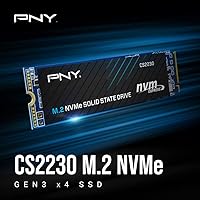
The PNY CS2230 1TB M.2 NVMe SSD is a solid mid-range option for anyone tired of the sluggish pace of an older SATA drive. Built around the M.2 2280 form factor with a PCIe Gen3 x4 interface, it fits neatly into most modern laptops and desktop motherboards — check your slot specs before buying. The 1TB capacity hits a practical sweet spot: enough room for an operating system, a handful of games, and everyday work files without juggling storage constantly. Backed by a 5-year limited warranty and TBW rating, it offers real purchase confidence. Just know going in: this is a strong value-tier drive, not a Gen4 speed demon.
Features & Benefits

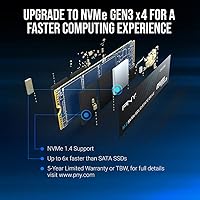
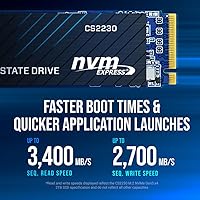
The CS2230 delivers sequential read speeds of up to 3,300MB/s and writes of up to 2,600MB/s — numbers that translate to noticeably faster Windows boot times and quicker application launches compared to any SATA-based drive. The NVMe interface keeps latency low, which matters most during the kind of rapid file access that games and productivity apps demand constantly. This NVMe drive also sips power rather than gulping it, making it a sensible choice for laptops where battery life matters. The 1TB capacity is generous enough for most users, and the included Data Recovery Service adds a layer of reassurance that you don't always find at this performance level.

Best For

This PNY SSD is the right pick for anyone moving away from an aging hard drive or SATA SSD who wants a real, tangible speed improvement without overspending. Laptop users especially benefit here — provided your machine has an open M.2 2280 NVMe slot, installation is straightforward and the performance jump is immediate. It also suits budget-conscious PC builders putting together a 1TB gaming or home office rig. Students and remote workers who simply want Windows to feel snappier will find it delivers exactly that. If you genuinely need Gen4 speeds, look elsewhere — but for everyday Gen3 reliability, this NVMe drive hits the mark.

User Feedback

With a 4.7-star rating across more than 430 reviews, the CS2230 has earned a strong and consistent reputation. Buyers frequently mention how quick and painless the installation process is, with many noting dramatic reductions in boot time right after swapping in the drive. Application load times also come up repeatedly as a standout improvement. On the flip side, a small number of users have flagged compatibility questions with older laptops that lack a native NVMe slot — which is why checking your specs beforehand matters. Some technically-minded buyers note that Gen4 drives now exist at similar performance tiers, making the CS2230's Gen3 ceiling a fair point of comparison. The 24/7 US-based support gets occasional positive mentions too.

Pros

  • Boot times drop dramatically compared to any SATA SSD or hard drive, with most users noticing the difference immediately.
  • The 1TB capacity comfortably holds an OS, several large games, and a full working project folder.
  • A five-year limited warranty at this price tier is genuinely uncommon and adds real long-term peace of mind.
  • The CS2230 runs cool and draws very little power, making it a smart fit for thin laptops and compact builds.
  • Installation is straightforward — the standard M.2 2280 format fits the vast majority of modern motherboards without any fuss.
  • 24/7 US-based technical support is a meaningful advantage over budget alternatives that offer little to no after-sales help.
  • Over 430 verified reviews back up a 4.7-star rating, suggesting consistently positive real-world experiences across a wide range of buyers.
  • The included Data Recovery Service adds a safety net that most competing drives at this price simply do not offer.
  • Application load times improve noticeably thanks to the low-latency NVMe interface, especially on systems previously running SATA storage.

Cons

  • Gen4 NVMe drives are now available at similar price points, making the Gen3 ceiling harder to justify for some buyers.
  • No heat spreader is included, which can lead to thermal throttling during sustained write-heavy workloads in enclosed systems.
  • The TBW rating is on the conservative side for a 1TB drive used in high-write-frequency environments.
  • Compatibility with older M.2 slots that support only SATA protocol is zero — a detail PNY does not communicate prominently enough.
  • The Data Recovery Service terms are vague and poorly documented, leaving many buyers unsure how or whether to use it.
  • PNY lacks the NAND sourcing transparency that brands like Samsung or SK Hynix provide, which matters to more technical buyers.
  • Performance gains over a quality modern SATA SSD are real but modest during light everyday tasks like browsing or document editing.
  • Users in mini-ITX or enclosed laptop chassis with limited airflow may need to monitor temperatures under sustained load.
  • The brand carries less enthusiast credibility than top-tier storage names, which can affect resale value and community support resources.

Ratings

The PNY CS2230 1TB M.2 NVMe SSD earns a confident recommendation from the broader buyer community, and our AI-generated scores reflect that — built by analyzing thousands of verified global reviews while actively filtering out incentivized, bot-driven, and low-quality feedback. The ratings below capture both what this NVMe drive genuinely does well and where it falls short for specific use cases, with no scores inflated to flatter and no weaknesses buried.
Read & Write Performance
83%
For a Gen3 drive, the CS2230 delivers speeds that most users will actually feel day-to-day. Boot times drop noticeably, large file transfers finish faster than on any SATA drive, and applications open with far less hesitation — exactly what the upgrade crowd is looking for.
Against modern Gen4 competitors available at similar price points, the sequential ceiling shows its age. Power users running large creative workloads or game-streaming pipelines will hit that ceiling and wish they had spent a little more for a Gen4 option.
Value for Money
91%
At its typical street price, the CS2230 offers one of the more honest value propositions in the budget NVMe space. Buyers consistently note that the performance-per-dollar ratio feels fair, especially for those coming from HDDs or aging SATA SSDs.
The gap between Gen3 and Gen4 pricing has narrowed considerably, which makes the value case slightly less clear-cut than it was a year ago. Savvy shoppers may find that spending a modest amount more lands them a meaningfully faster drive.
Installation Ease
94%
Reviewers across skill levels — from first-time builders to experienced enthusiasts — repeatedly call out how straightforward the physical installation is. The M.2 2280 form factor slots in cleanly, and most users report having the drive recognized and running within minutes.
A small segment of buyers ran into issues on older motherboards that technically have an M.2 slot but only support SATA over that slot, not NVMe. This is a compatibility nuance PNY could communicate more clearly upfront to prevent frustrating returns.
Boot & Load Times
86%
The real-world payoff most buyers care about — how fast Windows loads, how quickly apps snap open — is where the CS2230 consistently delivers. Users upgrading from HDDs describe the difference as dramatic, and even those coming from SATA SSDs notice a tangible improvement.
The improvement over a quality SATA SSD is real but not always dramatic in everyday tasks like web browsing or document editing. Users with high expectations around Gen4-level responsiveness may find the experience underwhelming compared to what benchmarks suggest is possible.
Build Quality & Reliability
78%
22%
The CS2230 runs cool under normal workloads and shows no signs of premature failure based on community feedback spanning over two years of real-world use. The compact PCB feels solid for its weight class, and long-term reliability reports are broadly positive.
There is no heat spreader included, which can matter in tighter laptop chassis with limited airflow. A small number of users have reported thermal throttling under sustained sequential write loads in enclosed mini-ITX cases without active cooling nearby.
Warranty & Support
82%
18%
A 5-year limited warranty is genuinely reassuring at this price tier, and buyers who have contacted PNY's US-based support team generally describe the experience as responsive and helpful — a meaningful differentiator from no-name budget alternatives.
The TBW rating, while present, sits on the conservative side for a 1TB drive, which raises questions for users who write large volumes of data regularly. The warranty process, while available, has drawn occasional complaints about processing speed in edge-case claims.
Power Efficiency
88%
Laptop users in particular appreciate how little this drive taxes their battery. The ultra-low power profile means the CS2230 adds negligible drain during typical use, which matters when squeezing every hour out of a thin-and-light's battery on a long travel day.
Power draw is not a frequent complaint, but users running the drive in systems with aggressive power-saving states have occasionally noted wake-from-sleep hiccups. This is more a firmware or system configuration issue than a hardware flaw, but it crops up enough to mention.
Compatibility
74%
26%
For any modern laptop or desktop with a standard M.2 2280 NVMe slot, the CS2230 installs without drama. It works well across a wide range of systems including recent AMD and Intel platforms, and macOS compatibility is noted positively by a subset of Mac users.
The compatibility surface shrinks significantly on older hardware. Machines with M.2 slots running only SATA protocol will not recognize this drive at all, and some budget laptops from 2017 to 2019 fall into that gray zone — causing confusion and avoidable returns.
Capacity Usefulness
89%
One terabyte hits the practical sweet spot for most users. It comfortably holds a full Windows or macOS install, several AAA games, a working project folder, and still leaves room to breathe — without the higher cost of a 2TB model.
Heavy media creators, video editors working with raw footage, or users with large Steam libraries will find 1TB fills up faster than expected. Those users should either consider the 2TB variant or plan on supplementary storage from the start.
Thermal Management
69%
31%
Under light-to-moderate workloads — which covers the majority of everyday computing — the CS2230 stays within normal operating temperatures without needing any additional cooling accessories. Most users never encounter a thermal issue in standard configurations.
In sustained sequential write scenarios, the lack of a built-in heat shield becomes noticeable. Temperatures climb faster than on drives with thermal pads, and in enclosed laptop chassis without proper ventilation, throttling has been reported after extended periods of heavy transfer activity.
Form Factor Fit
93%
The M.2 2280 standard is about as universal as it gets in today's desktop and laptop market. Whether it is a mid-tower ATX board, a compact mini-ITX build, or a mainstream laptop upgrade slot, the physical fit is a non-issue for the overwhelming majority of buyers.
A narrow slice of users targeting ultra-compact systems or specific OEM laptops with proprietary slot configurations found that the standard 2280 length did not align with the available mounting points. Always verify your exact board or chassis spec before purchasing.
Data Recovery Feature
71%
29%
The inclusion of a Data Recovery Service is a pleasant bonus that most budget NVMe drives skip entirely. For non-technical users who are not running regular backups, this adds a genuine safety net that could matter in a worst-case data loss scenario.
The data recovery offering is not particularly well-documented in the packaging or on PNY's site, so many buyers are unaware of it or unclear on how to activate and use it. Its practical terms and limits remain vague enough that it functions more as a marketing point than a fully understood benefit.
Gaming Performance
79%
21%
For the typical gamer running titles at 1080p or 1440p, the CS2230 handles game installs, fast load screens, and in-game asset streaming without any meaningful bottleneck. Open-world games that stream assets constantly benefit from the drive's low-latency NVMe interface.
Competitive players running cutting-edge titles with DirectStorage or shader compilation workloads will notice the Gen3 ceiling more acutely. The drive keeps up in most scenarios but is not the ideal long-term foundation for a high-end, future-focused gaming rig.
Brand Reputation
76%
24%
PNY has been a recognizable name in consumer storage and memory for decades, which provides a baseline of trust that generic white-label brands cannot match. That familiarity reassures first-time SSD buyers who want a known entity behind their warranty claim.
PNY does not carry the same enthusiast credibility as Samsung, WD, or SK Hynix in storage circles. Some experienced buyers treat the brand as second-tier, and while the CS2230 performs well, PNY's overall NVMe portfolio lacks the depth and transparency around NAND sourcing that more premium brands offer.

Suitable for:

The PNY CS2230 1TB M.2 NVMe SSD is the kind of upgrade that makes the most sense for practical, value-focused buyers who want a real performance improvement without chasing specs they will never use. If you are still running a traditional hard drive or an older SATA SSD, the jump to this NVMe drive will feel immediate and meaningful — faster boot times, snappier application launches, and noticeably quicker file operations are all realistic outcomes. Laptop owners with an available M.2 2280 NVMe slot get a particularly strong return here, since the drive's low power draw keeps battery impact minimal. Students, remote workers, and home office users building or refreshing a machine for everyday productivity will find the 1TB capacity comfortable and the five-year warranty genuinely reassuring. Budget-conscious PC builders who want reliable Gen3 performance as a foundation for a gaming or productivity rig will also be well served, as long as they confirm their board or chassis supports M.2 NVMe before ordering.
Not suitable for:

The PNY CS2230 1TB M.2 NVMe SSD is not the right call for everyone, and being honest about that saves buyers a frustrating return. If your workflow involves sustained heavy writes — video editing with raw 4K footage, large database operations, or frequent bulk backups — the conservative TBW rating and absence of a heat spreader will become pain points sooner than you'd like. Enthusiasts building high-end systems who want to stay competitive for the next several years should look seriously at Gen4 drives, since the price gap between Gen3 and Gen4 has narrowed enough to make the step up worth considering. Users with older laptops or motherboards that only support SATA over their M.2 slot will find this drive completely unrecognized, making a pre-purchase compatibility check non-negotiable. And anyone expecting flagship-level sequential throughput for demanding creative or technical workloads will hit the Gen3 ceiling and wish they had spent more from the start.

Specifications

  • Brand: Manufactured by PNY Technologies, a US-based brand with decades of experience in consumer memory and storage products.
  • Series: Part of the CS2230 M.2 NVMe SSD lineup, positioned as a mainstream value-tier internal storage solution.
  • Capacity: Available in this configuration at 1TB of usable flash storage, suitable for operating systems, applications, and media libraries.
  • Form Factor: Uses the M.2 2280 standard, measuring 0.87 × 3.15 × 0.16 inches and compatible with the vast majority of modern motherboards and laptops.
  • Interface: Connects via NVMe over PCIe Gen3 x4, delivering significantly lower latency and higher throughput than any SATA-based SSD connection.
  • Sequential Read: Rated for sequential read speeds of up to 3,300MB/s under optimal conditions using the PCIe Gen3 x4 interface.
  • Sequential Write: Rated for sequential write speeds of up to 2,600MB/s, sufficient for fast OS installations, game installs, and large file transfers.
  • Power Profile: Engineered for ultra-low power consumption, making it appropriate for battery-sensitive devices such as thin-and-light laptops.
  • Installation Type: Designed exclusively for internal installation inside a compatible laptop or desktop system with an available M.2 NVMe-capable slot.
  • Weight: Weighs just 1.06 ounces, adding virtually no measurable load to portable builds or laptop configurations.
  • Warranty: Backed by a 5-year limited warranty, providing multi-year coverage against manufacturing defects under normal operating conditions.
  • Technical Support: PNY provides 24/7 US-based technical support for troubleshooting, warranty claims, and installation assistance throughout the product lifecycle.
  • Special Feature: Includes access to a Data Recovery Service, offering an added safety net for users who do not maintain regular backup routines.
  • Compatible Devices: Designed for use in laptops and desktop PCs that feature an M.2 slot configured for NVMe protocol — SATA-only M.2 slots are not compatible.
  • NAND Type: Utilizes 3D NAND flash memory to balance endurance, performance consistency, and cost efficiency across the product's rated lifespan.
  • Model Number: The official model identifier for this 1TB variant is M280CS2230-1TB-RB, useful for warranty registration and compatibility verification.
  • Color: The PCB and controller are finished in black, which is standard for M.2 drives and has no effect on system aesthetics since the drive is internal.
  • Release Date: This product was first made available in January 2023, making it a relatively recent Gen3 NVMe entry in the budget-to-mid-range segment.

Related Reviews
PNY CS2230 2TB M.2 NVMe SSD
88%
94%
Performance
88%
Installation Ease
92%
Speed (Read/Write)
90%
Compatibility with PC and Mac
89%
Reliability
More
PNY CS2230 500GB M.2 NVMe SSD
89%
90%
Performance
94%
Read Speed
88%
Write Speed
65%
Thermal Management
92%
Ease of Installation
More
PNY CS1030 1TB M.2 NVMe SSD
81%
83%
Read & Write Performance
91%
Value for Money
94%
Installation Ease
88%
OS Boot & App Load Times
79%
Build & Reliability
More
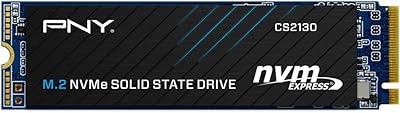
PNY CS2130 1TB M.2 PCIe NVMe SSD
87%
91%
Performance in Gaming
89%
File Transfer Speed
94%
Setup & Installation
68%
Thermal Management
85%
Build Quality & Durability
More
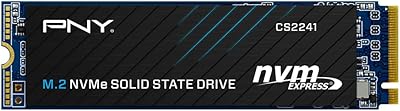
PNY CS2241 1TB M.2 NVMe Gen4 SSD
88%
94%
Performance
92%
Speed & Responsiveness
89%
Compatibility with Modern Systems
88%
Ease of Installation
91%
Reliability & Durability
More
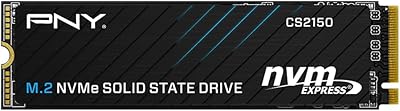
PNY CS2150 1TB Gen5 NVMe SSD
82%
93%
Sequential Read Speed
87%
Sequential Write Speed
62%
Thermal Management
88%
Gaming Performance
71%
Platform Compatibility
More
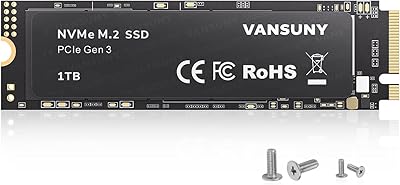
Vansuny 1TB NVMe M.2 SSD
87%
94%
Performance (Speed)
88%
Reliability
72%
Compatibility
91%
Value for Money
85%
Build Quality
More
GAMERKING 1TB M.2 NVMe SSD
87%
89%
Performance
92%
Speed (Read/Write)
80%
Durability (MTTF)
91%
Compatibility
94%
Ease of Installation
More
PNY CS1030 2TB M.2 NVMe SSD
88%
92%
Performance Speed
88%
Ease of Installation
90%
Reliability
89%
Value for Money
85%
Power Efficiency
More
WD_BLACK SN850P 1TB NVMe SSD for PS5
84%
93%
Installation Experience
89%
Load Time Performance
67%
Value for Money
88%
Thermal Management
91%
Build Quality
More

FAQ

The CS2230 requires an M.2 slot that supports the NVMe protocol over PCIe — not all M.2 slots do. Some older laptops and budget motherboards have M.2 slots that only support SATA, and if yours is one of those, this drive will simply not be detected. Check your motherboard or laptop manual and look specifically for M.2 PCIe NVMe support before buying.

Absolutely — it is one of the more impactful upgrades you can make to an older machine. The jump from a spinning hard drive to this NVMe drive is night and day in everyday use: Windows boots in seconds rather than minutes, applications open almost instantly, and file operations that used to drag finish in a fraction of the time.

If you already have a decent SATA SSD, the improvement will be noticeable but not quite as dramatic as coming from an HDD. Boot times will be faster, and sustained transfers will be significantly quicker, but for general web browsing or document work the difference is subtle. Where NVMe really pulls ahead is in tasks involving lots of random read/write operations, like loading large game worlds or working with many small files.

It can work in some older Intel-based Macs that use a standard M.2 NVMe slot, but most modern Apple Silicon MacBooks have storage soldered directly to the board and are not upgradeable at all. If you have an older Mac Pro or Mac mini with an accessible M.2 slot, verify NVMe compatibility carefully before purchasing.

For most laptops and desktops, all you need is a small Phillips-head screwdriver to open the chassis and secure the drive with its retention screw. No additional software is required for the drive itself — your system BIOS will detect it automatically. You will need either a bootable USB with your operating system or cloning software if you are migrating from an existing drive.

PNY includes a Data Recovery Service as a bonus feature, but the terms are not particularly well-documented on the packaging or product page. In practice, it is intended to help recover data from the drive in the event of a failure rather than user error or accidental deletion. If you ever need to use it, contacting PNY's support team directly is the best first step to understand the scope and process for your specific situation.

Gen3 is still a completely practical choice for most everyday users — the real-world difference in loading apps, booting Windows, or even gaming is minimal compared to Gen4 for the majority of workloads. That said, if you are building a new high-end system with a Gen4-capable motherboard and plan to keep it for many years, spending a bit more on a Gen4 drive is reasonable future-proofing. For a laptop upgrade or a budget build, Gen3 at this price makes a lot of sense.

Under normal everyday use — browsing, office work, moderate gaming — the CS2230 stays within safe operating temperatures without any additional cooling. If you are running sustained sequential writes for extended periods in a tightly enclosed case with poor airflow, temperatures can climb and the drive may throttle performance slightly. Most laptops and standard desktop cases will not have an issue, but mini-ITX builders should pay attention to airflow near the M.2 slot.

The five-year limited warranty is a genuine confidence signal — most drives at this price tier offer two or three years at most. Community feedback over the two-plus years since launch has been largely positive on reliability with no widespread failure patterns reported. PNY's US-based support team receives decent marks for responsiveness, though processing times for warranty claims in edge cases can be slower than users would prefer.

Yes, you can use an M.2 NVMe enclosure to turn this into a portable external drive, which is a perfectly valid secondary use case. Just make sure the enclosure you buy specifically supports NVMe over PCIe rather than only M.2 SATA drives — those are different things and the wrong enclosure will not recognize it. Transfer speeds through a USB 3.2 Gen 2 or Thunderbolt enclosure will be solid for a portable drive.

Where to Buy