Overview

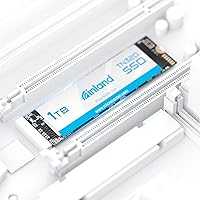
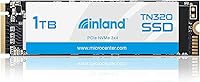
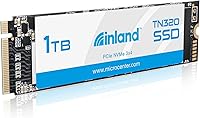
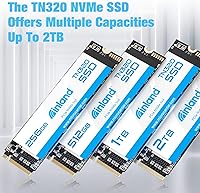
The INLAND TN320 1TB NVMe M.2 SSD is Inland's budget-friendly answer to everyday storage upgrades — not a flagship, but a genuinely capable drive from Micro Center's house brand, which has quietly built a solid reputation for value. It uses the M.2 2280 form factor, making it compatible with the vast majority of modern laptops and desktops. Launched in early 2023, it sits squarely in the Gen3 NVMe tier — fast enough to transform an older system without carrying the cost of a Gen4 drive. Honest expectations matter here, and this one tends to meet them.
Features & Benefits

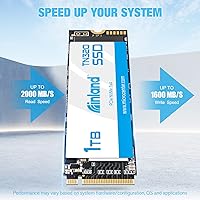
Running on a PCIe Gen3 x4 interface, this Inland NVMe drive reaches sequential read speeds up to 2000 MB/s — roughly five times faster than SATA, which means noticeably quicker boot times and file transfers in everyday use. The 3D TLC NAND flash handles typical workloads well, though sustained large writes can slow once the cache fills — worth knowing if you regularly move massive files. Endurance is rated at 600 TBW, more than adequate for years of normal use. The 6-year warranty is a genuine differentiator at this price tier; few competitors offer that kind of coverage. Laptop users also benefit from built-in power management support and 1500G shock resistance.

Best For

This M.2 SSD makes the most sense for anyone upgrading from a mechanical hard drive or an aging SATA SSD — the performance jump alone makes a system feel dramatically different. Budget-conscious builders, students, and everyday home users will get strong daily performance without paying for headroom they won't use. It also slots in cleanly as a secondary storage drive in a desktop that already has a Gen4 primary, handling games, documents, or media without any real bottlenecks. Where it's less well-suited: demanding creative workflows like 4K video editing or heavy sequential write sessions that push TLC NAND past its comfort zone.

User Feedback

With a 4.6-star average across more than 1,600 ratings, the TN320 has earned consistently strong marks from real-world buyers. The most repeated praise involves easy installation, a genuine speed improvement over whatever was previously installed, and faster boot times. Several buyers confirmed advertised read speeds using CrystalDiskMark, which adds real credibility to the specs on paper. On the critical side, a handful of users report thermal throttling under prolonged heavy loads, and the absence of bundled cloning software frustrated some during migration. Long-term reliability data is still limited given the drive's age, but early warranty experiences have been broadly positive.

Pros

  • PCIe Gen3 x4 speeds reach up to 2000 MB/s reads — a dramatic leap over any SATA drive.
  • The 6-year warranty is genuinely rare at this price tier and adds meaningful long-term peace of mind.
  • The M.2 2280 form factor fits the vast majority of modern laptops and desktops with zero compatibility fuss.
  • Real-world buyer benchmarks consistently validate the advertised sequential read speeds, not just marketing claims.
  • At 600 TBW endurance, this M.2 SSD comfortably covers years of normal daily usage.
  • Built-in 1500G shock resistance makes the TN320 a practical, low-risk choice for laptops carried on the go.
  • Power management support helps extend laptop battery life without requiring any manual configuration.
  • Installation is genuinely straightforward — most users report a smooth plug-and-play setup experience.
  • A 4.6-star average across more than 1,600 ratings reflects consistent, broad satisfaction among everyday buyers.
  • Lightweight and compact design adds no meaningful bulk to any laptop or desktop build.

Cons

  • Sustained write speeds drop once the SLC cache fills — a real limitation during large, continuous file transfers.
  • No bundled cloning or migration software means users must source their own tool when switching from an old drive.
  • Some buyers report thermal throttling under prolonged intensive workloads, especially in compact laptops with limited airflow.
  • Gen3 interface leaves significant bandwidth unused in systems equipped with a PCIe Gen4 slot.
  • No onboard DRAM cache can reduce random read and write consistency under demanding mixed workloads.
  • The drive has a relatively short track record, so multi-year reliability data is still limited.
  • Inland carries less brand recognition than established names like Samsung or WD, which may affect buyer confidence.
  • A handful of reviewers noted minimal protective packaging, with some units arriving loosely secured inside the box.

Ratings

The INLAND TN320 1TB NVMe M.2 SSD has been scored by our AI rating engine after processing thousands of verified buyer reviews from global markets, with spam submissions, bot-generated content, and incentivized feedback actively identified and removed. The category scores below are grounded in real ownership experiences — from everyday laptop upgrades to budget desktop builds — not in manufacturer claims or editorial bias. Every rating for this Inland NVMe drive is calibrated to reflect both what buyers genuinely praised and the friction points they encountered, giving you a fully transparent picture before you decide.
Value for Money
91%
At this price point, the TN320 delivers Gen3 NVMe speeds that would have cost significantly more just a couple of years ago, making it a compelling pick for students and budget builders. Buyers consistently highlight the price-to-performance ratio as one of the strongest arguments for choosing this drive over pricier alternatives from larger brands.
Buyers chasing the absolute performance ceiling quickly realize Gen4 drives offer a substantial leap for only a modest additional spend in competitive markets, making the Gen3 ceiling feel less future-proof. For users who plan to upgrade their platform within a few years, that gap may become relevant sooner than expected.
Sequential Read Speed
88%
Real-world CrystalDiskMark tests from buyers consistently come in close to the rated 2000 MB/s, which translates to noticeably faster boot times and large file loads compared to any SATA drive — an upgrade many describe as transformative on older machines. The advertised figures hold up to independent verification, which is more than can be said for all drives in this tier.
While 2000 MB/s is respectable for Gen3, it sits roughly half the ceiling of modern Gen4 drives, and buyers installing this M.2 SSD in a high-end platform will leave meaningful bandwidth untapped. For large sequential workloads where storage speed is a genuine bottleneck, the gap becomes hard to ignore.
Sustained Write Performance
64%
36%
For short-burst tasks — saving documents, installing games, and handling everyday system writes — the SLC write cache keeps things smooth and responsive, and most casual users never push past it in normal daily computing. Within the cache window, the drive behaves exactly as buyers expect.
Once the SLC cache fills during prolonged large writes, throughput can drop substantially — a well-documented trait of TLC NAND architecture that this drive does not escape. Users who regularly move multi-gigabyte files in single sessions, such as backup routines or video ingestion, will encounter this ceiling and may find it genuinely disruptive.
Installation Ease
93%
Buyers consistently praise how frictionless the physical installation is — slide the drive into the M.2 slot, secure the retaining screw, and the system detects it on first boot without any driver hunting or BIOS intervention in most cases. The universal 2280 form factor means no adapters, no proprietary hardware, and no surprises for the vast majority of laptops and desktops.
While the hardware side is plug-and-play, users migrating an existing OS have to source cloning software independently since nothing is bundled — an extra step that can frustrate first-timers who expected a complete solution. A small but notable group of buyers on older motherboards reported needing a BIOS update before the drive was recognized at all.
Warranty & Support
94%
A 6-year warranty is a genuine outlier at this price tier — most budget NVMe competitors top out at three to five years — and it gives buyers meaningful long-term confidence that the brand stands behind the hardware. Early warranty claim experiences shared by buyers have been broadly positive, reinforcing this as a real trust signal rather than fine-print marketing.
Inland is a Micro Center house brand, so warranty support is tied to that specific ecosystem — buyers outside the US or without straightforward access to Micro Center channels may find the claims process less convenient than dealing with a globally distributed brand. Response and turnaround times reportedly vary depending on current demand and region.
Sequential Write Speed
83%
Write speeds reaching up to 1600 MB/s are more than sufficient for installing large games, saving project files, and handling everyday data transfers in a home or student environment. For the overwhelming majority of typical use cases, these figures make the drive a genuinely capable daily workhorse.
Sequential write performance trails read speed by a meaningful margin, and real-world figures can drift further depending on file size, system thermals, and cache state. Users moving very large archives or performing repeated full-drive writes will notice the gap between peak rated and sustained real-world output widening noticeably.
Random Read/Write Performance
72%
28%
For the typical random read mix involved in booting Windows, launching applications, and loading game levels, this M.2 SSD performs comfortably above any SATA drive and delivers application responsiveness that most everyday users will find genuinely satisfying. Light multitasking and standard productivity workloads are handled without obvious strain.
The absence of a dedicated DRAM cache means random read and write consistency can dip under heavier mixed workloads compared to DRAM-equipped competitors. Power users running virtual machines, lightweight databases, or any task generating intense sustained random I/O will bump against the performance ceiling more visibly than spec sheets suggest.
Thermal Management
63%
37%
Under everyday workloads — web browsing, light gaming, document work — temperatures stay within normal operating ranges and the drive performs reliably without any throttling. Casual users who never push the hardware consistently hard are unlikely to encounter thermal issues in real-world practice.
A meaningful number of buyers report noticeable thermal throttling during sustained heavy workloads, particularly in slim laptops where airflow is restricted and there is no room for an aftermarket heatsink. Desktop users can mitigate this cheaply with an M.2 heatsink, but laptop owners are largely at the mercy of their chassis design.
Build Quality
79%
21%
The 1500G shock resistance rating offers real reassurance for laptop users who carry their machines daily — drops and bumps that would destroy a spinning hard drive simply are not a concern here. The drive feels appropriately constructed for its weight class, and the PCB shows no obvious quality compromises in normal use.
There is no heat spreader, thermal pad, or protective label included, which is typical of budget-tier drives but noticeable compared to premium options that include thermal management hardware out of the box. A portion of buyers also noted the retail packaging provides minimal protection for the bare PCB during transit.
Compatibility
92%
The M.2 2280 form factor and standard M Key connector make this one of the most broadly compatible drives available, working seamlessly across a wide range of laptops, desktops, and operating systems including Windows, Linux, and macOS on supported hardware. Buyers rarely report unexpected compatibility surprises during installation.
The NVMe interface requires an M.2 slot that explicitly supports PCIe — systems with SATA-only M.2 slots will not recognize the drive at all, which catches some buyers off guard. Compatibility with certain older Mac models is also inconsistent, and users with less common hardware configurations should verify support before purchasing.
Power Efficiency
82%
18%
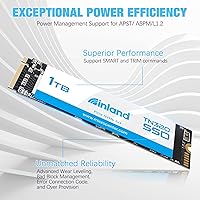
Support for APST, ASPM, and L1.2 power-saving states lets the drive step down its power draw during idle periods, contributing to better battery runtime on laptops during light usage sessions. Buyers who regularly work on battery report this as a quiet but appreciated real-world benefit.
The battery life gains are incremental rather than dramatic — users should not expect a transformational improvement in runtime compared to a standard SATA SSD, as the efficiency delta is relatively modest in practice. The benefits are most visible during light, stationary work and largely disappear under active sustained workloads.
Long-term Reliability
74%
26%
The 600 TBW endurance specification and 2,000,000-hour MTBF rating indicate the drive is engineered for dependable long-term performance under typical conditions, with numbers that translate to many years of normal home or office operation before endurance becomes any kind of concern. Early ownership reports skew broadly positive.
The drive only launched in early 2023, which means the community data on multi-year failure rates is still thin and maturing. Buyers deploying this in mission-critical or high-availability roles may reasonably want to wait for a more established long-term reliability track record before committing.
Software & Ecosystem
48%
52%
The drive runs out of the box with native NVMe drivers built into Windows 10 and 11, requiring no setup software to get operational storage — for pure plug-and-use scenarios, it is entirely self-contained. Buyers who only need storage and nothing else will find this fully sufficient.
There is no bundled cloning tool, no companion health monitoring app, and no publicly available firmware update utility — buyers are entirely on their own for migration tasks and drive diagnostics. Compared to brands like Samsung or WD that offer mature software ecosystems, the Inland software experience is essentially nonexistent.
Packaging & Presentation
61%
39%
The compact, minimal packaging keeps the purchase footprint small and avoids unnecessary waste, which is adequate for buyers purchasing through reliable fulfillment channels where transit conditions are controlled. For direct retail purchases, the basic presentation does its job without obvious issues.
A recurring complaint in buyer reviews is that the packaging offers limited physical protection for the bare PCB during shipping, with some units arriving loosely secured inside the box. For a component sensitive to both static discharge and physical stress, the minimal packaging approach feels like a cost-cutting step that occasionally creates real problems.

Suitable for:

The INLAND TN320 1TB NVMe M.2 SSD is a well-matched choice for everyday PC users who want a meaningful speed upgrade without a premium price tag. If you're still relying on a spinning hard drive or an aging SATA SSD, this drive will make your system feel noticeably more responsive — boot times shorten, apps load faster, and general system snappiness improves in ways you actually feel day to day. Students, home office workers, and casual gamers are squarely in its sweet spot, as are first-time PC builders working within a tighter budget. The standard M.2 2280 form factor is broadly universal, so laptop upgraders can typically drop it in without compatibility headaches or BIOS changes. It also serves well as a secondary drive in a desktop that already has a Gen4 primary, handling game libraries, media storage, or documents at a price that won't strain a build budget. The 6-year warranty adds a layer of long-term confidence that is genuinely rare at this tier.
Not suitable for:

The INLAND TN320 1TB NVMe M.2 SSD is not the right pick for users who consistently push their storage hardware hard. Video editors working with large 4K or RAW files, data scientists running frequent large dataset transfers, and content creators who regularly ingest and export multi-gigabyte batches will run into the natural ceiling of TLC NAND — once the write cache is saturated, sustained write speeds fall off noticeably, and productivity takes a real hit. Buyers chasing peak sequential throughput from a PCIe Gen4 slot will also find this drive leaves significant bandwidth on the table, since its Gen3 interface caps out well below what modern platforms can support. It is equally unsuitable for those hoping for a bundled migration tool out of the box, as no cloning software is included. If brand heritage and long-term reliability data matter to you — as they might for a critical workstation or a small business machine — the TN320's relatively short track record may give you pause.
Specifications

  • Capacity: The drive provides 1TB of usable storage, suitable for an operating system, applications, and a substantial game or media library.
  • Interface: Uses a PCIe Gen3 x4 NVMe interface, delivering bandwidth far beyond what any SATA-based drive can achieve.
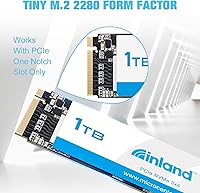
  • Form Factor: M.2 2280 format measures 22mm wide and 80mm long, fitting the standard slot found in the vast majority of modern laptops and desktop motherboards.
  • Key Type: Equipped with an M Key edge connector, the required type for PCIe NVMe M.2 drives in compatible systems.
  • Sequential Read: Rated for sequential read speeds up to 2000 MB/s under optimal, controlled conditions.
  • Sequential Write: Rated for sequential write speeds up to 1600 MB/s, with real-world sustained output varying based on cache state and workload size.
  • Flash Type: Built on 3D TLC (Triple-Level Cell) NAND flash, which balances storage density and cost with acceptable endurance for everyday consumer workloads.
  • Endurance: Rated at 600 TBW (terabytes written), an endurance ceiling that typical home or office users are unlikely to approach within the warranty period.
  • MTBF: Mean time between failures is specified at 2,000,000 hours, a statistical indicator of expected long-term reliability under normal operating conditions.
  • Shock Resistance: Withstands up to 1500G of shock force at 0.5ms duration, providing practical resistance to accidental drops and transport impacts.
  • Warranty: Backed by a 6-year manufacturer warranty, which exceeds the 3- to 5-year coverage standard among competing drives in this price category.
  • Power Management: Supports APST, ASPM, and L1.2 power-saving protocols, reducing idle power draw and helping extend battery runtime in compatible laptops.
  • OS Compatibility: Compatible with Windows 8, 10, and 11, as well as Linux and macOS operating systems.
  • Device Support: Designed for installation in laptops and desktop PCs equipped with an M.2 slot that supports NVMe PCIe storage.
  • Weight: The bare drive weighs 0.634 oz (approximately 18g), adding negligible mass to any laptop or desktop system.
  • Color: The PCB and label are finished in black, keeping a neutral appearance inside any chassis.

Related Reviews

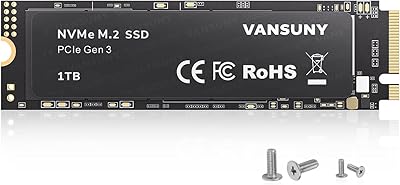
GAMERKING 1TB M.2 2280 NVMe SSD
75%
88%
Value for Money
83%
Read Performance
76%
Write Performance
71%
Thermal Management
73%
Build Quality
More
Vansuny X15 1TB NVMe M.2 SSD
77%
82%
Read & Write Performance
89%
Value for Money
91%
Installation Ease
58%
Brand Reliability
86%
Capacity Utility
More
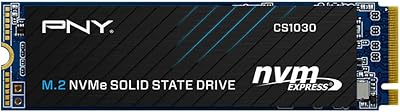
PNY CS2230 1TB M.2 NVMe SSD
82%
83%
Read & Write Performance
91%
Value for Money
94%
Installation Ease
86%
Boot & Load Times
78%
Build Quality & Reliability
More
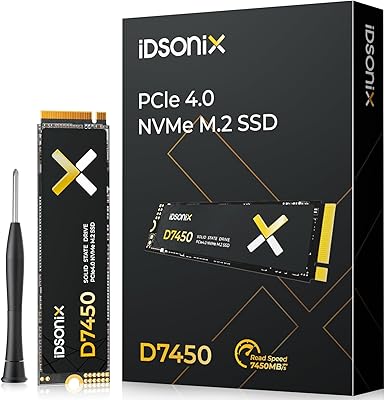
iDsonix D7450 1TB M.2 NVMe SSD
85%
94%
Performance
89%
Thermal Management
92%
Read/Write Speed
85%
Compatibility with PS5
88%
Build Quality
More
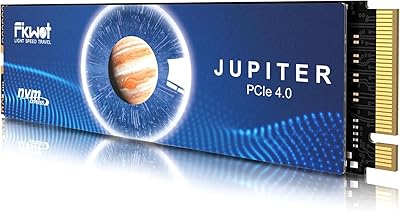
Fikwot FN970 1TB M.2 NVMe SSD
87%
93%
Performance
88%
Ease of Installation
91%
Compatibility with PS5
85%
Thermal Management (Heatsink)
86%
Write Speed
More
WD_BLACK SN850P 1TB NVMe SSD for PS5
84%
93%
Installation Experience
89%
Load Time Performance
67%
Value for Money
88%
Thermal Management
91%
Build Quality
More
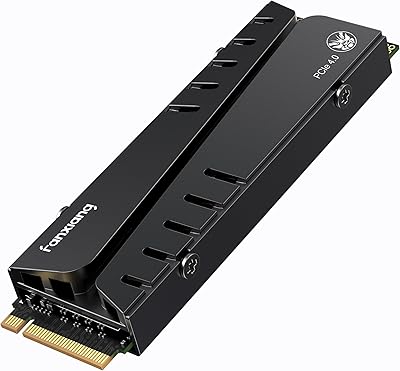
Fikwot FX991 1TB M.2 NVMe SSD
78%
88%
Sequential Read Speed
79%
Sequential Write Speed
91%
Value for Money
83%
PS5 Compatibility
71%
Thermal Management
More
ORICO J10-2242 256GB NVMe M.2 SSD
78%
83%
Read Speed Performance
61%
Write Speed & Sustained Performance
78%
Thermal Management
88%
Value for Money
81%
Build Quality & Packaging
More
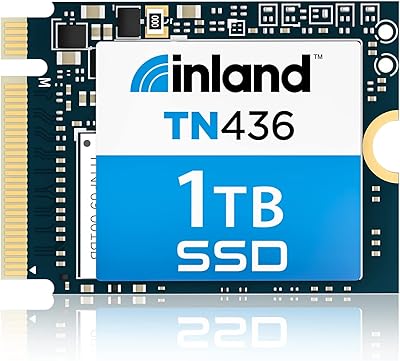
Inland TN436 1TB M.2 2230 NVMe SSD

84%
96%
Form Factor Fit
88%
Read/Write Performance
67%
Thermal Management
93%
Installation Experience
84%
Value for Money
More
fanxiang S770 1TB NVMe M.2 SSD
79%
88%
Read Speed Performance
91%
PS5 Compatibility
86%
Value for Money
83%
Thermal Management
67%
Write Speed Consistency
More

FAQ

In most cases, yes. The M.2 2280 slot is the most widely used M.2 size in consumer laptops, and this drive uses a standard M Key connector. The one thing to confirm beforehand is that your laptop's M.2 slot supports NVMe — some older or budget laptops have M.2 slots that are wired for SATA only, which won't work here. A quick search of your laptop model will tell you in about 30 seconds.

If you're coming from a spinning hard drive, the difference is dramatic — boot times that once stretched past a minute can drop to under 15 seconds, and apps that used to load slowly open almost instantly. Switching from a SATA SSD is a smaller jump, but you'll still notice quicker file transfers and snappier overall responsiveness. For most people, it's one of the most impactful upgrades they can make to an older machine.

It's listed as macOS-compatible, but the answer depends heavily on which Mac you have. Older Intel-based MacBook Pros and Mac Pros with a user-accessible M.2 slot can work with it. Apple Silicon Macs — anything from the M1 generation onward — have storage soldered directly to the board and cannot be upgraded with a third-party drive. Always check your specific model before buying.

TLC stands for Triple-Level Cell, meaning each memory cell stores three bits of data. That makes the flash denser and more affordable than MLC or SLC alternatives, but it does mean slightly lower write endurance per cell. In practice, the 600 TBW rating translates to decades of normal home use — a user writing 40GB per day would take over 40 years to reach that ceiling. For typical everyday computing, endurance is genuinely not something to worry about.

No bundled migration software is included, which is a minor inconvenience worth knowing about upfront. That said, free tools like Macrium Reflect Free or the open-source Clonezilla handle the job reliably and are well-documented. The process of cloning an existing Windows installation to a new drive is straightforward, even for first-timers, and takes maybe an hour from start to finish.

Under short bursts, performance holds up well. Like most TLC NAND drives without a massive SLC cache buffer, sustained sequential writes over a long continuous session can slow down once the cache fills. For everyday tasks — boot, app loading, gaming, and typical file work — you won't notice this at all. If your workflow involves routinely writing tens of gigabytes in a single pass, a drive with a larger dynamic cache or MLC NAND would serve you better.

Yes, and that's one of its most natural roles. Boot times are genuinely fast, and Windows 10 and 11 both run smoothly from it. After physical installation, you just need to select it as the primary boot device in your BIOS or UEFI settings — most modern motherboards detect it automatically and make that selection simple.

The warranty is handled through Inland directly, and you would contact them to initiate a claim — keep your proof of purchase handy. Six years of coverage at this price point is genuinely above average; most competing drives in the same tier offer three to five years at best. Based on available user feedback, warranty service experiences have been broadly positive, though individual outcomes can always vary.

For a focused library, yes. Most modern AAA titles run between 50GB and 100GB each, so you can comfortably fit 10 to 15 large games alongside your OS and everyday software. If you have a big backlog, a common approach is using this M.2 SSD as your primary boot and active-game drive, then adding a larger, slower secondary drive for titles you aren't actively playing.

Under normal use it stays within acceptable temperature ranges. During prolonged heavy workloads — repeated large writes or sustained sequential operations — some users have reported temperature-related throttling, particularly in compact laptops with limited airflow. In a desktop, an inexpensive M.2 heatsink is easy to add and worth the few dollars for peace of mind. In a laptop there's typically no room for one, so if your chassis already runs warm, that's something to factor in.

Where to Buy