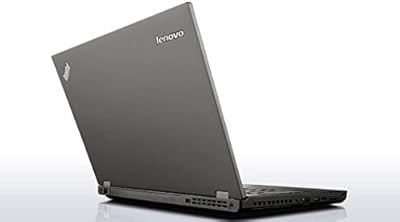
Lenovo Yoga C740 15.6″ 2-in-1 Touchscreen Laptop
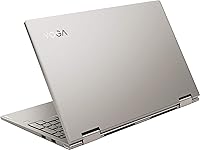
Overview
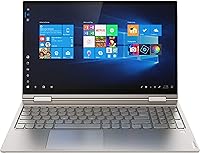
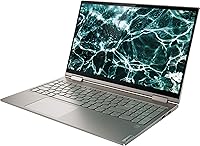
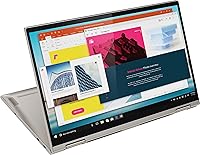
The Lenovo Yoga C740 15.6″ 2-in-1 Touchscreen Laptop sits comfortably in the mid-range convertible market, targeting students and remote workers who want flexibility without a flagship price tag. Its 360-degree hinge lets you flip between laptop, tent, stand, and tablet modes depending on the task at hand. That 15.6-inch FHD touchscreen is genuinely uncommon at this size — most convertibles top out at 14 inches, so the extra screen real estate is a real draw for anyone doing side-by-side document work. Just be aware upfront: with integrated Intel UHD graphics, this machine is built for productivity, not creative rendering or gaming.
Features & Benefits
The Core i7-10510U processor handles daily multitasking without complaint — switching between a dozen browser tabs, a video call, and a spreadsheet feels smooth in practice. Paired with 12GB of DDR4 RAM, you rarely hit a wall during a normal workday. The 512GB SSD means Windows loads fast and apps open without the lag that plagued older spinning-drive machines. The touchscreen displays content crisply at 1080p, with colors that hold up well for presentations and streaming. A backlit keyboard and fingerprint reader round out the daily experience nicely. Port-wise, you get two USB-A and two USB-C connections, though there is no SD card slot if that matters to you.
Best For
This 15.6-inch convertible makes the most sense for students and remote workers who spend their days in productivity tools — think Microsoft 365, Zoom, and web research. The flexible hinge and touchscreen open up genuinely useful workflows: folding into tent mode for presentations or stand mode for video calls takes seconds. If you prefer Windows touch apps or occasionally want an oversized tablet for reading and annotation, the C740 delivers on that front. What it is not built for is anything GPU-intensive — video editing, 3D modeling, or serious gaming will push it well past its comfort zone. Also worth noting: no optical drive is included.
User Feedback
Owners of the C740 tend to agree on a few things: the build quality feels solid, the display is bright enough for indoor use, and the keyboard is genuinely comfortable for long typing sessions. Those are consistent positives. On the flip side, the fan can get audible under sustained CPU load, which some users find distracting in quiet settings. Battery life draws mixed reactions — rated figures rarely match real-world hours, especially with brightness turned up. At 4.19 lbs, several buyers noted it feels heavier than expected when used as a tablet. Hinge durability and touchscreen responsiveness hold up well according to longer-term owners, which is a reassuring sign.
Pros
- The 10th-gen Core i7 processor handles multitasking confidently across productivity apps and video calls.
- 12GB of RAM gives you real breathing room when juggling multiple browser tabs and open documents.
- The 512GB SSD keeps boot times fast and the overall system feel snappy day to day.
- A 15.6-inch FHD touchscreen is a meaningful step up in screen real estate compared to most convertibles.
- The 360-degree hinge is well-built and opens up genuinely useful working positions beyond just laptop mode.
- Backlit keyboard makes it comfortable to type in low-light environments without hunting for keys.
- Fingerprint reader speeds up login and adds a practical layer of security with minimal setup.
- Two USB-C 3.1 ports future-proof the C740 for accessories and charging options.
- Build quality feels solid and premium relative to its price point, with no creaking or flex in regular use.
- The display produces accurate enough colors for document work, presentations, and everyday media consumption.
Cons
- Integrated Intel UHD graphics cannot handle video editing, 3D rendering, or modern gaming workloads.
- Fan noise becomes noticeable during sustained CPU-intensive tasks, which can be distracting in quiet spaces.
- Real-world battery life often falls short of rated figures, particularly at higher brightness settings.
- At 4.19 lbs, this 15.6-inch convertible feels heavy when used as a handheld tablet for extended periods.
- No SD card slot means photographers and content creators need a separate adapter for memory cards.
- No optical drive is included, which may matter to users who still work with physical discs.
- The port selection, while functional, lacks an HDMI port — connecting to an external display requires an adapter.
- 12GB RAM is not user-upgradeable on most configurations, limiting long-term flexibility.
- The Mica colorway shows fingerprints and smudges on the lid more readily than darker finishes.
- 802.11ac Wi-Fi is solid but does not support the newer Wi-Fi 6 standard found on more recent machines.
Ratings
The scores below reflect AI-driven analysis of verified global user reviews for the Lenovo Yoga C740 15.6″ 2-in-1 Touchscreen Laptop, with spam, incentivized submissions, and bot activity actively filtered out before scoring. Each category captures what real owners consistently praised or criticized over extended use — not just first impressions. Both strengths and recurring frustrations are weighted transparently, so the numbers reflect actual ownership experience rather than marketing claims.
Everyday Performance
Display Quality
Build Quality
Hinge & Convertible Mechanism
Keyboard Comfort
Touchscreen Responsiveness
Graphics Capability
Battery Life
Portability & Weight
Port Selection
Fan Noise & Thermals
Value for Money
Software & OS Experience
Webcam & Audio
Suitable for:
The Lenovo Yoga C740 15.6″ 2-in-1 Touchscreen Laptop is a strong match for students who want a single device that adapts to different settings — typing notes in class, propping into tent mode for a presentation, or kicking back in tablet mode to review a PDF. Remote workers who live in productivity apps will find the processor and RAM combination more than capable for video calls, spreadsheets, and browser-heavy research sessions running in parallel. The larger 15.6-inch FHD touchscreen is a genuine advantage over smaller convertibles, giving you more usable space for side-by-side windows without needing an external monitor. If you appreciate convenience features like a fingerprint reader for quick logins and a backlit keyboard for late-night work, this machine covers those bases without fuss. It also suits buyers who want a capable Windows convertible without stretching into premium territory.
Not suitable for:
The Lenovo Yoga C740 15.6″ 2-in-1 Touchscreen Laptop is not the right call for anyone whose work depends on graphical horsepower. Video editors, motion graphics artists, architects working in CAD, or anyone running GPU-accelerated software will hit a ceiling quickly with integrated Intel UHD graphics — this is a fundamental hardware constraint, not a minor quibble. Gamers should look elsewhere entirely. At 4.19 lbs, it also sits on the heavier end for a device you might want to hold as a tablet for extended periods; if lightweight portability is a top priority, lighter 13- or 14-inch convertibles will serve you better. Buyers who rely on an optical drive for discs should know there is no DVD drive included. Those who need an SD card slot for photography or media workflows will also find the port selection limiting without a hub.
Specifications
- Form Factor: 2-in-1 convertible design with a 360-degree hinge supporting laptop, tent, stand, and tablet modes.
- Display: 15.6″ FHD IPS touchscreen with a 1920x1080 pixel resolution for sharp, color-accurate visuals.
- Processor: Intel Core i7-10510U (10th generation) with a 1.8GHz base clock and up to 4.9GHz boost across 4 cores.
- RAM: 12GB DDR4 RAM running at 2666MHz, providing solid headroom for multitasking and productivity workflows.
- Storage: 512GB solid-state drive with an 8MB cache, delivering fast read/write speeds and quick system boot times.
- Graphics: Intel UHD integrated graphics — capable for everyday display output and light media, but not suited to GPU-intensive tasks.
- Wireless: 802.11ac Wi-Fi for reliable dual-band wireless connectivity on standard home and office networks.
- Ports: Two USB-A 3.0 ports, two USB-C 3.1 ports, and one combination headphone/microphone jack; no SD card slot or HDMI out.
- Security: Built-in fingerprint reader supports Windows Hello for fast, password-free login authentication.
- Keyboard: Full-size backlit keyboard designed for comfortable low-light typing with standard key travel for a laptop of this class.
- Battery: 3-cell lithium-ion polymer battery; real-world endurance varies by usage, typically falling below the rated maximum under mixed workloads.
- Weight: 4.19 lbs, which is on the heavier side for a convertible and worth considering if you plan to use it as a handheld tablet.
- Dimensions: 14.1 x 9.3 x 0.7 inches, keeping the overall footprint reasonably slim despite the larger 15.6″ screen.
- Operating System: Ships with Windows 10 Home, compatible with a free upgrade path to Windows 11 on supported configurations.
- Optical Drive: No DVD or CD optical drive is included; disc-based media requires a separately purchased external drive.
- Color: Available in Mica, a neutral grey-toned finish that reads as professional but does show fingerprints on the lid surface.
Related Reviews
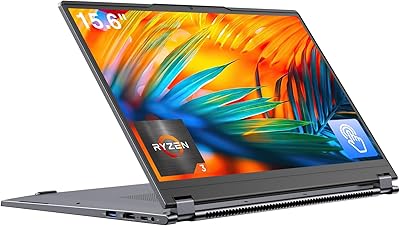
EYY Yoga 3200U 15.6″ 2-in-1 Laptop (16GB/512GB)
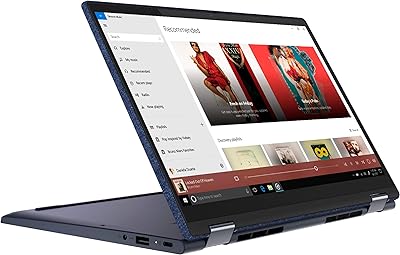
Lenovo Yoga 6 13.3″ 2-in-1 Laptop - Ryzen 5, 8GB RAM, 256GB SSD
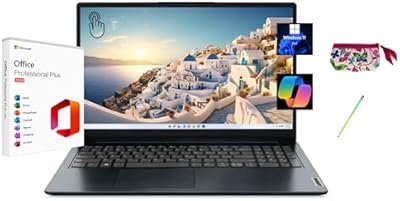
Lenovo IdeaPad 1 15.6″ Touchscreen Laptop
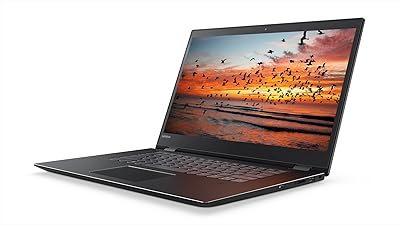
Lenovo Flex 5 15.6-inch 2-in-1 Laptop

Lenovo IdeaPad 1 Gen 7 15.6″ Laptop
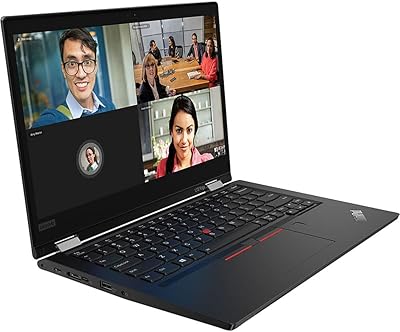
Lenovo ThinkPad L13 Yoga 2-in-1 Laptop
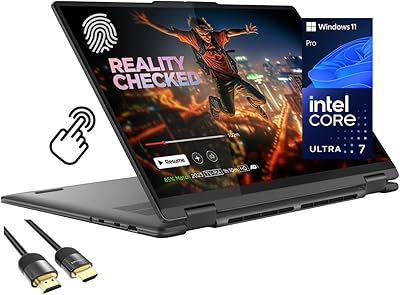
Lenovo Yoga 7i 16″ 2-in-1 Laptop, Core Ultra 7 155U, 16GB, 1TB
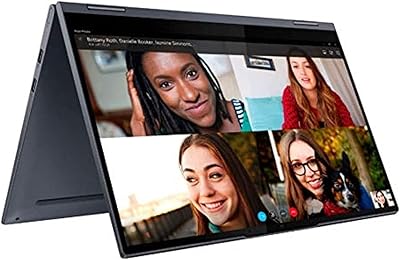
Lenovo Yoga 15.6″ Core i5 256GB Laptop
Lenovo IdeaPad 1 Gen 7 15.6″ Laptop