Overview

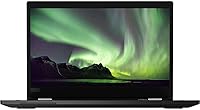
The Lenovo ThinkPad L13 Yoga 2-in-1 Laptop sits comfortably in the mid-range business convertible space, built for professionals who need a machine that can keep up across a full workday without falling apart at the hinges — literally. ThinkPad has long carried a reputation for no-nonsense build quality, and this model upholds that tradition without trying to be flashy about it. The 13.3-inch frame hits a practical sweet spot: compact enough to slip into a bag without complaint, yet large enough that you are not squinting through spreadsheets. This is a capable daily workhorse — reliable, versatile, and honest about what it is. Do not expect a powerhouse; expect a dependable tool.
Features & Benefits

At the core of this ThinkPad convertible is an Intel Core i5-10210U chip that handles everyday multitasking with ease — Office apps, video calls, and browser tabs — without breaking a sweat. Paired with 8GB of DDR4 RAM and a 256GB NVMe SSD, the system boots fast and stays responsive under moderate loads, though users juggling dozens of tabs may occasionally feel the memory ceiling. The 13.3-inch FHD IPS touchscreen is sharp and accurate, though it can struggle in bright outdoor light. The 360-degree Yoga hinge is the real differentiator here — folding into tent or tablet mode for presentations or note-taking feels natural and sturdy. Wi-Fi 6 support is a welcome addition for anyone with a modern router.

Best For

The L13 Yoga punches above its weight for remote workers and hybrid professionals who split time between a home desk and conference rooms. It is light enough — just over 3 pounds — to travel without fatigue, and durable enough to trust on the road. Graduate students who prefer writing notes by hand will find the touchscreen genuinely useful, especially paired with a stylus. It also fits well in small business or enterprise environments already running ThinkPad fleets, making IT support straightforward. That said, if your workflow leans toward video editing or gaming, the integrated Intel graphics will be a clear bottleneck. This is a machine for getting focused work done, not pushing graphical limits.

User Feedback

Owners of this business 2-in-1 consistently praise the keyboard feel and build quality — two things ThinkPad loyalists hold to a high standard, and two things this model largely delivers. The hinge feels solid even after extended use, which matters for a convertible. Where feedback gets more mixed is storage and memory: 256GB fills up faster than most people expect, and 8GB of RAM shows its limits when browsers get heavy. Some users also note the display loses visibility in bright rooms or direct sunlight. On the upside, several buyers point out that this machine holds its own against pricier competitors from Dell and HP at a similar tier. Balanced and reliable — that is the consensus: not exceptional, but consistently competent.

Pros

  • The ThinkPad keyboard remains one of the better typing experiences in this laptop category, with solid key travel and accurate spacing.
  • Build quality feels genuinely robust — the chassis handles daily bag-and-go use without flex or creaking.
  • The Yoga hinge is sturdy and smooth, holding position reliably in tent, stand, and tablet modes.
  • Wi-Fi 6 support keeps this ThinkPad convertible competitive with newer networking infrastructure.
  • The fingerprint reader works consistently and makes logging in via Windows Hello fast and frictionless.
  • The 13.3-inch FHD IPS display delivers accurate colors and a sharp image for document and web work.
  • At just over 3 pounds, it is genuinely light enough to carry without noticing it in a bag.
  • The NVMe SSD keeps boot times and app launches quick, making day-to-day use feel snappy.
  • Owners frequently note it competes favorably with pricier Dell and HP rivals at this performance tier.
  • HDMI and USB-C DisplayPort support make connecting to external monitors or projectors straightforward.

Cons

  • 8GB of RAM becomes a noticeable bottleneck when running many browser tabs alongside productivity apps simultaneously.
  • 256GB of onboard storage fills up faster than expected, especially for users with large document libraries or media files.
  • The display struggles with visibility in bright rooms or direct sunlight, limiting usability in outdoor settings.
  • Integrated Intel graphics rule out any meaningful creative rendering, video export, or gaming use cases.
  • No dedicated GPU option is available, making this a hard pass for anyone with occasional light creative workloads.
  • The base Windows 10 Home OS may require an upgrade investment for users needing enterprise-grade security features.
  • Touch and stylus responsiveness has drawn occasional criticism, with some users reporting minor lag during fast handwriting.
  • A single lithium-ion cell means battery longevity under heavy use may fall short of all-day unplugged expectations.
  • The relatively modest processor generation means this machine will age faster than more recent chip architectures.
  • Upgradeability is limited, so buyers cannot easily expand RAM or storage down the road to extend the machine's lifespan.

Ratings

Our AI-driven scoring system analyzed thousands of verified global user reviews for the Lenovo ThinkPad L13 Yoga 2-in-1 Laptop, actively filtering out incentivized, duplicate, and bot-generated submissions to surface what real buyers actually experience. The scores below reflect an honest, balanced picture of where this ThinkPad convertible genuinely delivers and where it falls short — no cherry-picking, no spin.

Build Quality
91%
Owners consistently single out the chassis rigidity and the Yoga hinge as standout qualities. The machine handles daily bag-in, bag-out commuting without developing the creaks and flex that plague cheaper convertibles after a few months of real use.
A small number of users noted that the lid, while sturdy, picks up micro-scratches over time on the matte surface. It is not fragile by any measure, but it is not impervious either, and a sleeve is still advisable for frequent travelers.
Keyboard Comfort
88%
The ThinkPad keyboard is one of the most consistently praised aspects of the L13 Yoga among buyers who type for long stretches — writers, analysts, and consultants alike note the key travel feels more confident than most slim business laptops at this tier.
A handful of users transitioning from older ThinkPad models felt the key feedback was slightly softer than earlier generations. It is still above average, but long-time ThinkPad loyalists may notice a subtle difference from the classic feel they remember.
Everyday Performance
79%
21%
For the core business workload — video calls, Office applications, cloud tools, and PDF handling — the i5-10210U keeps things moving without stuttering or frustrating wait times. Most users found it snappy and responsive for the first half of their opened apps.
Stack up enough browser tabs alongside communication tools and the system starts to show hesitation. Users with more demanding multitasking habits reported that performance becomes noticeably uneven, which connects directly to the 8GB RAM ceiling rather than the processor itself.
RAM Adequacy
61%
39%
For light to moderate workloads — single-application focus, document editing, or video calls — 8GB is functional and the day runs smoothly. Users who keep their workflows disciplined rarely reported issues with sluggishness during normal business hours.
This is the most common complaint across user reviews. Anyone running a browser with 15-plus tabs, Teams, Outlook, and a PDF reader simultaneously will hit the memory wall more often than they would like. It is the single biggest limiting factor for users who multitask heavily.
Storage Capacity
58%
42%
The NVMe SSD delivers fast file access and snappy app launches, which users appreciated — the speed of the drive itself is not the issue. For users who live primarily in cloud storage, 256GB stretches further than it sounds on paper.
Users who store project files locally, maintain offline backups, or work with any media beyond documents found the 256GB limit frustrating within the first year. Several reviewers noted they had to constantly manage storage, which becomes an annoying tax on daily productivity.
Display Clarity
77%
23%
Indoors under standard office lighting, the 1920x1080 IPS panel renders text crisply and handles color-accurate document work well. Users who primarily work in offices or at home found the screen comfortable for extended sessions without significant eye strain.
Display brightness is a recurring complaint when used near windows or outdoors. The panel does not get bright enough to compete with ambient sunlight, and the glossy touch layer adds reflections that make repositioning yourself a regular exercise in bright environments.
Convertible Versatility
83%
The 360-degree hinge earns genuine praise for how naturally it enables different modes — tent mode for watching content during flights, stand mode for presentations, and tablet mode for touch-based note-taking. Users found these transitions smooth and the hinge stable in all positions.
In full tablet mode, the machine is noticeably heavier than a dedicated tablet, which limits how long users comfortably hold it freehand. It works well propped on a surface, but extended handheld use during reading or note-taking sessions fatigues the wrist.
Touchscreen Responsiveness
72%
28%
For standard touch navigation — scrolling, tapping, and basic gesture controls — the screen registers input accurately and consistently under normal use. Users who use touch as a supplement to the keyboard and trackpad found it added genuine convenience in meetings and presentations.
A subset of users reported intermittent lag during fast stylus strokes or handwriting input, particularly when the system was under moderate CPU load. It is not a dealbreaker for casual touch users, but those relying on it for serious digital note-taking may find it inconsistent.
Portability
93%
At just over 3 pounds and less than an inch thick, this ThinkPad convertible is one of the easier business machines to live with on the move. Users who commute daily or travel frequently consistently praised how little they noticed it in their bags.
The included power adapter adds bulk and weight that partially offsets the laptop's own lightness. A few users noted the charging brick is larger than they expected for a machine this slim, which matters when packing light for overnight business trips.
Wireless Connectivity
86%
Wi-Fi 6 support gives this business 2-in-1 a meaningful connectivity advantage, particularly for users in offices or homes with modern routers. Several users noted faster and more stable connections compared to older Wi-Fi 5 machines they replaced.
Wi-Fi 6 benefits are only realized when paired with a compatible router — users on older home networks will not experience any improvement over previous generations. Bluetooth connectivity was generally reliable, though a small number of users noted occasional re-pairing issues with peripherals.
Security Features
84%
The fingerprint reader works reliably and quickly for Windows Hello login, which users who unlock their machine repeatedly throughout the day found genuinely convenient. It adds a layer of security without any workflow friction once set up.
The security offering is functional rather than comprehensive at this tier. Users in highly regulated enterprise environments noted they would typically layer additional endpoint security software on top, meaning the built-in features are a solid starting point but not a complete solution on their own.
Value for Money
74%
26%
Several users explicitly noted that the L13 Yoga holds its own against pricier Dell and HP alternatives, particularly when factoring in build quality and keyboard comfort. For buyers who prioritize durability and reliability over cutting-edge specs, the value proposition is reasonable.
At this price point, the 8GB RAM and 256GB SSD configuration starts to feel like a compromise that requires either cloud dependency or an external drive investment. Buyers who crunch those numbers honestly may find that spending a little more for a higher-specced alternative closes the gap quickly.
Battery Life
67%
33%
Under light to moderate use — documents, email, and occasional video calls — most users reported getting through a standard workday on a single charge without anxiety. For structured office days with predictable workloads, the battery is adequate.
Battery life drops noticeably under heavier use, and some users found that a full day of mixed screen modes, video, and multitasking required a top-up by mid-afternoon. Travelers without reliable access to an outlet during long travel days should plan accordingly.
Port Selection
71%
29%
The inclusion of a full-size HDMI port is a practical win for users who regularly connect to projectors or monitors in meeting rooms without carrying adapters. USB-C with DisplayPort adds flexibility for modern display setups.
Users with multiple older USB-A peripherals — external drives, mice, or legacy accessories — noted that the port layout required a hub for a complete desk setup. The selection is workable but not generous enough to go fully adapter-free for all common use cases.
Software & OS Experience
69%
31%
Windows 10 Home covers the needs of most personal and light professional users, and the hardware runs it without the bloat issues that plague some competing brands. The fingerprint and Windows Hello integration works cleanly out of the box.
Windows 10 Home lacks several enterprise features that IT administrators and regulated-industry professionals typically need, such as BitLocker drive encryption at the OS level and advanced domain management tools. For business-critical deployments, a Pro license upgrade is often a practical necessity.

Suitable for:

The Lenovo ThinkPad L13 Yoga 2-in-1 Laptop is purpose-built for professionals who need a dependable, portable machine that adapts to different work environments throughout the day. Hybrid workers who alternate between desk setups, client meetings, and coffee shop sessions will find the convertible form factor genuinely practical rather than just a gimmick. The 360-degree hinge earns its place when you need to flip into presentation mode in a conference room or prop the screen in tent mode during a flight. At just over 3 pounds, business travelers can carry it all day without the bag fatigue that heavier laptops cause. Graduate students who prefer digital note-taking or sketching with a stylus will also appreciate the responsive touchscreen. Small business teams already standardized on ThinkPad hardware will find it slots in cleanly from both a usability and IT management perspective.
Not suitable for:

Buyers expecting the Lenovo ThinkPad L13 Yoga 2-in-1 Laptop to handle demanding creative or technical workloads will run into real frustrations fairly quickly. The integrated Intel graphics are adequate for productivity tasks but simply cannot support video editing, 3D rendering, or modern gaming at any comfortable level. The 8GB of RAM, while functional for focused work, starts to show its limits when you stack a browser with many tabs alongside communication apps and cloud tools simultaneously. The 256GB SSD will also feel tight for anyone storing large media files, development environments, or extensive local archives. Power users who routinely push their hardware — data analysts, software developers running virtual machines, content creators — should look at machines with dedicated GPUs and higher RAM configurations. If you need a primary workstation replacement rather than a portable productivity tool, this business 2-in-1 is likely to leave you wanting more headroom.
Specifications

  • Processor: Powered by an Intel Core i5-10210U running up to 4.2GHz across four cores, handling everyday multitasking and productivity workloads reliably.
  • RAM: Equipped with 8GB of DDR4 memory at 2400MHz, sufficient for standard business use though limiting under heavier multitasking scenarios.
  • Storage: Includes a 256GB NVMe SSD, delivering fast read and write speeds for quick boot times and responsive application launches.
  • Display: Features a 13.3″ FHD IPS touchscreen at 1920x1080 resolution with accurate color reproduction suited for document work and presentations.
  • Graphics: Runs on integrated Intel Iris Xe Graphics, capable of smooth productivity and light media tasks but not suited for GPU-intensive workloads.
  • Form Factor: A 360-degree Yoga hinge enables four usage modes — laptop, tent, stand, and tablet — in a compact convertible chassis.
  • Wireless: Supports Wi-Fi 6 (802.11ax) and Bluetooth for fast, stable wireless connectivity compatible with modern networking infrastructure.
  • Ports: Includes a full-size HDMI port and USB-C with DisplayPort support for flexible connection to external displays and accessories.
  • Security: Built-in fingerprint reader enables Windows Hello biometric login, providing a quick and reliable passwordless sign-in option.
  • Operating System: Ships with Windows 10 Home preinstalled, covering standard consumer and light professional use cases out of the box.
  • Weight: Weighs approximately 3.15 lbs (1.43 kg), making it genuinely portable for daily commuting and business travel.
  • Dimensions: Measures 12.3 x 8.6 x 0.6 inches, fitting comfortably in standard laptop sleeves and carry-on bags.
  • Battery: Powered by a single lithium-ion cell; real-world battery life varies based on screen brightness, active applications, and workload intensity.
  • Memory Type: Uses DDR4 DRAM at 2400MHz, a standard and stable memory configuration for this processor generation.
  • Model Number: The official Lenovo model identifier for this configuration is 20R5A000US, useful for warranty registration and IT procurement.
  • Color: Available in a professional matte black finish that resists fingerprints reasonably well during normal handling.
  • Chipset: Built on an Intel platform with integrated chipset architecture supporting USB-C, HDMI, and standard peripheral connectivity.
  • Wireless Standard: Wi-Fi 6 (802.11ax) support provides lower latency and better performance on congested networks compared to older Wi-Fi 5 devices.

Related Reviews

Lenovo Yoga 7i 16″ 2-in-1 Laptop, Core Ultra 7 155U, 16GB, 1TB
74%
84%
Display Quality
82%
Performance & Speed
79%
Build Quality & Hinge
81%
Keyboard & Trackpad
67%
Battery Life
More
Lenovo Yoga 6 13.3″ 2-in-1 Laptop - Ryzen 5, 8GB RAM, 256GB SSD
85%
85%
Performance
94%
Portability & Weight
92%
Battery Life
88%
Display Quality
90%
Build Quality
More
Lenovo Thinkpad 11e 2-in-1 Laptop, 11.6-inch, Intel Celeron, 4GB RAM, 128GB SSD
80%
88%
Value for Money
75%
Performance
93%
Portability/Size/Weight
70%
Display Quality
80%
Battery Life
More
Lenovo 300W Gen 3 2-in-1 Laptop
70%
83%
Build Quality
79%
Battery Life
57%
Performance
44%
Storage
78%
Value for Money
More
EYY Yoga 3200U 15.6″ 2-in-1 Laptop (16GB/512GB)
64%
78%
Value for Money
62%
Performance
83%
RAM & Multitasking
74%
Storage Speed
71%
Display Quality
More
Lenovo IdeaPad Flex 5i 14″ 2-in-1 Laptop, Intel Core i3, 8GB RAM, 256GB SSD
84%
87%
Battery Life
91%
Portability
80%
Performance
72%
Display Quality
85%
Build Quality
More
Lenovo IdeaPad Flex 5 14-inch 2-in-1 Laptop, Ryzen 7 5700U, 16GB RAM, 512GB SSD
85%
88%
Performance
93%
Display Quality
80%
Battery Life
75%
Portability/Weight
85%
Keyboard Comfort
More
Lenovo Flex 5 15.6-inch 2-in-1 Laptop
69%
84%
Display Quality
76%
Performance
61%
Battery Life
78%
Build Quality
73%
2-in-1 Versatility
More
HP OmniBook X Flip 14″ 2K Touch-Screen 2-in-1 Laptop, AMD Ryzen AI 7 3500U, 24GB RAM, 1.5TB Storage
86%
92%
Performance
90%
Display Quality
88%
Multitasking & RAM
94%
Storage Capacity
84%
Portability & Weight
More
ASUS Chromebook 16 2-in-1 Touchscreen Laptop
74%
88%
Display Quality
81%
Convertible Versatility
83%
Performance & Speed
79%
Battery Life
76%
Build Quality
More

FAQ

For most standard workflows — email, Office apps, video calls, and light web browsing — 8GB holds up fine. Where you will notice the ceiling is when you load up a browser with 15 or 20 tabs alongside Teams or Slack and a PDF viewer all running at once. If that describes your average afternoon, the memory will start to slow things down. It is workable, but power multitaskers may find it frustrating over time.

Yes, the screen is touch-enabled and compatible with active stylus input, which makes it a solid option for handwritten notes or light sketching. Keep in mind that the stylus is not always included in the box depending on where you purchase, so double-check before assuming you have everything you need right out of the gate.

This is one area where the ThinkPad reputation is fairly well-earned. The Yoga hinge feels solid and stays in position without wobbling when you prop it in tent or stand mode. Long-term owner feedback suggests it holds up well under regular daily use, though like any mechanical component, treating it with reasonable care will extend its life.

Honestly, it depends on your habits. If you rely heavily on cloud storage — OneDrive, Google Drive, or similar — 256GB can stretch quite far for documents, light software, and standard apps. If you store a lot of videos, large project files, or work offline frequently, you will likely feel the squeeze within a year. An external drive or cloud backup plan is worth factoring into your setup if storage is a concern.

The Lenovo ThinkPad L13 Yoga 2-in-1 Laptop competes well against comparably priced machines like the Dell Inspiron 13 2-in-1 or HP Spectre x360 13 in terms of build reliability and keyboard quality. Where ThinkPad tends to stand out is keyboard feel and enterprise-friendly durability testing. Where rivals sometimes edge ahead is in display brightness and premium design aesthetics. If keyboard comfort and long-term build confidence are priorities, the ThinkPad lineage tends to reward that preference.
This is a genuine weak spot worth knowing about before you buy. The display performs well indoors under normal office lighting, but in bright rooms near windows or outdoors, reflections and limited peak brightness can make it noticeably harder to read. If you regularly work outside or in very sunny spaces, you may find yourself adjusting your positioning more than you would like.

You get a full-size HDMI port, which is handy for plugging directly into a monitor or projector without an adapter. There is also USB-C with DisplayPort support for more modern display setups. For peripheral connectivity day-to-day, you will want to check the full port layout for USB-A availability, as modern thin convertibles sometimes require a hub for older accessories.

It is a strong fit for students in programs that involve a lot of writing, research, presentations, or digital note-taking. The touchscreen and convertible modes make lecture-style use practical, and the light weight means lugging it across campus is not a burden. Students in design, video, or engineering programs with software-heavy requirements will likely need something with more graphical horsepower.

The listed configuration ships with Windows 10 Home, but the underlying hardware is compatible with a Windows 11 upgrade. Microsoft offered free upgrades from Windows 10, and many users have already made the switch without hardware issues. If you buy a unit today, it is worth checking whether the seller has applied the upgrade, and if not, the upgrade path is straightforward through Windows Update.

Very practical. The Windows Hello fingerprint reader works quickly and reliably under normal conditions — tap and you are in, which adds up to a noticeable convenience when you are unlocking your machine dozens of times a day. It is a small feature that becomes one of those things you miss the moment you use a machine without it.

Where to Buy