Overview

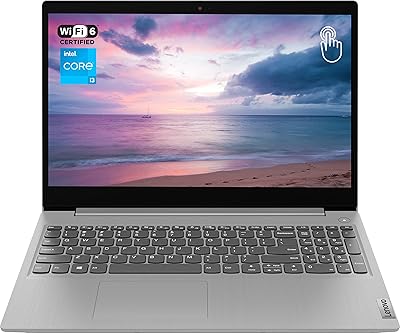
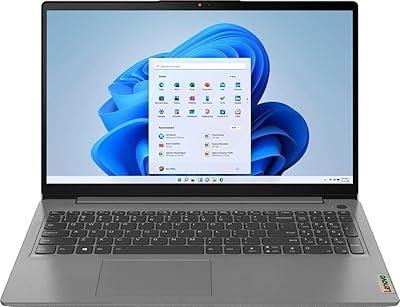
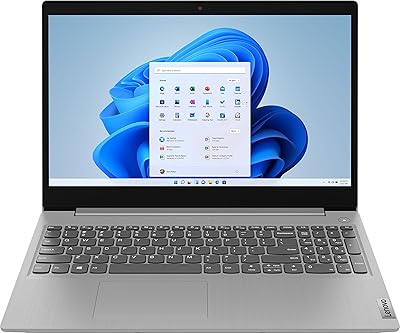
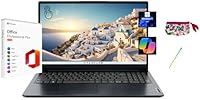
The Lenovo IdeaPad 1 15.6″ Touchscreen Laptop sits in a crowded budget segment, but a few things set it apart from the usual crowd. The most tangible differentiator is the lifetime Microsoft Office 2024 that comes pre-installed — no subscription, no activation code, just ready to use. That alone saves most buyers real money every year. The Abyss Blue chassis looks tidier than most budget laptops, though the build is expectedly plastic. Under the hood, the AMD Ryzen 5 7520U handles everyday tasks — browsing, documents, video calls — without hesitation. It's not a powerhouse, but it was never meant to be. For the audience it's targeting, it hits the right notes.
Features & Benefits

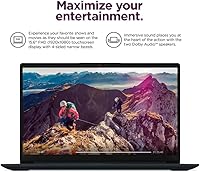
The 15.6″ FHD touchscreen is bright enough for indoor office use, but at 300 nits, you'll squint outdoors on a sunny day — worth knowing upfront. The Ryzen 5 7520U keeps up comfortably with spreadsheets, video calls, and a dozen browser tabs, though heavy multitasking can push it. On RAM: 8GB is workable but increasingly tight if you run many Chrome tabs simultaneously — it's the spec to watch. Storage, however, is genuinely generous: the 1TB NVMe SSD means you won't be hunting for external drives anytime soon. The bundled stylus feels like a thoughtful extra for annotating PDFs or jotting notes. One port is still USB-A 2.0, which feels dated, but Windows 11 Pro at this tier is a real bonus.

Best For

This budget Lenovo makes the most sense for college students who need reliable Office tools without paying a subscription each year. The large screen and touchscreen navigation also suit seniors or anyone who finds traditional laptops fiddly to use. Remote workers stuck at a kitchen table will appreciate the 15.6″ display for side-by-side document work. Light creative types — think digital journaling or PDF annotation — will find the included stylus genuinely useful rather than a gimmick. If you're upgrading from a five-year-old machine with a spinning hard drive and cramped storage, the 1TB SSD alone will feel transformative. Just don't buy it expecting to run Photoshop or play modern games.

User Feedback

Buyers tend to praise the storage and screen size most often — getting a terabyte and a large display at this price point genuinely surprises people. The Office 2024 setup draws mixed reactions: most are happy once it's running, but some find the initial configuration guide confusing, especially the restriction against resetting Windows, which can void the license. Build quality feedback is generally fair — it's plastic and feels it, but not cheap or flimsy. The keyboard gets decent marks for typing comfort. A recurring gripe is RAM under heavy use; eight tabs plus Zoom is about where things slow down noticeably. Stylus reviews are lukewarm — functional, but not a premium feel.

Pros

  • Lifetime Microsoft Office 2024 Professional Plus is pre-installed and fully activated — no subscription required.
  • The 1TB NVMe SSD offers genuinely generous storage at this price tier, with fast read and write speeds.
  • Windows 11 Pro includes business-grade features like BitLocker encryption that most budget laptops omit.
  • The 15.6″ FHD touchscreen is a rare inclusion at this price, making navigation more flexible and intuitive.
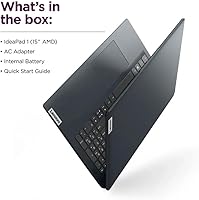
  • A stylus pen and carrying pouch are included in the box, adding real value for note-takers and annotators.
  • The Ryzen 5 7520U handles everyday workloads — email, documents, video calls — without breaking a sweat.
  • LPDDR5 RAM provides faster memory bandwidth than older DDR4 alternatives common in this segment.
  • The port selection covers most daily needs: USB-C, two USB-A ports, HDMI, and a media card slot.
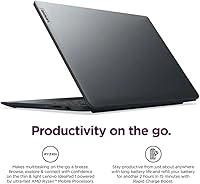
  • Abyss Blue finish looks more considered than the plain black or grey typical of budget Lenovo models.
  • USB-C 3.2 support allows modern peripheral connections and reasonable data transfer speeds.

Cons

  • 8GB of RAM becomes a bottleneck when running many browser tabs alongside communication apps simultaneously.
  • The Office license is permanently voided if Windows is reset or the Office version is changed — an inflexible restriction.
  • At 300 nits, the display is underwhelming in bright rooms and nearly unusable in direct sunlight.
  • Weighing 7 pounds, this touchscreen laptop is too heavy for comfortable daily commuting or bag-carrying.
  • The included stylus feels functional but plasticky — it lacks the premium feel some users expect.
  • One of the two USB-A ports is still version 2.0, which means slow transfer speeds for older flash drives and peripherals.
  • The plastic build, while acceptable, flexes noticeably under pressure and does not inspire confidence long-term.
  • Initial Office setup requires following a specific user guide carefully — skipping steps can cause activation issues.
  • The AMD Radeon 610M integrated graphics cannot handle modern games or GPU-accelerated creative software.
  • Fan noise under sustained load has been noted by some users as more audible than expected for light tasks.

Ratings

The scores below for the Lenovo IdeaPad 1 15.6″ Touchscreen Laptop were generated by our AI system after analyzing thousands of verified global buyer reviews, with spam, bot activity, and incentivized feedback actively filtered out. Each category score reflects genuine user sentiment — both the aspects buyers consistently praise and the frustrations that surface repeatedly in real-world use. Nothing is glossed over; where this budget Lenovo falls short, the scores say so plainly.
Value for Money
88%
Buyers consistently highlight how much hardware and software they receive relative to what they paid. The combination of a 1TB SSD, touchscreen, stylus, Windows 11 Pro, and a permanent Office 2024 license in a single purchase strikes most users as genuinely hard to beat at this price tier.
A small but vocal group feels the 8GB RAM ceiling and 300-nit display undercut the overall value proposition, particularly as competing machines at similar prices occasionally offer brighter panels or slightly more memory headroom.
Storage & Speed
91%
The 1TB NVMe SSD is the most praised hardware feature by a significant margin — users report fast boot times and snappy application launches that feel noticeably better than the spinning hard drives found in older budget laptops. Day-to-day file access is smooth and responsive.
A handful of users doing large media transfers noticed the USB-A 2.0 port bottlenecks speed when moving files externally, which somewhat undermines the internal drive's performance. There are no complaints about SSD longevity yet, though the product is relatively new.
Microsoft Office Inclusion
84%
The pre-installed lifetime Office 2024 Professional Plus is regarded as a standout inclusion — students and home office users particularly appreciate not facing annual subscription renewals. Having Word, Excel, and PowerPoint ready without any activation steps on arrival feels like a genuine bonus.
The setup process trips up a meaningful number of buyers who skip the included guide and proceed with a Windows reset or Office reinstall, permanently voiding the license. The restriction feels rigid to tech-savvy users who expect more flexibility with software they consider theirs.
Display Quality
67%
33%
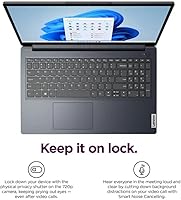
Indoors and under controlled lighting, the 15.6″ FHD IPS panel delivers clean, sharp text and comfortable viewing angles — ideal for document work and video calls from a home desk. The resolution is accurate and colours are satisfactory for productivity tasks.
At 300 nits, outdoor use and brightly lit rooms expose the display's limitations quickly, with glare and washed-out contrast frustrating users who work near windows. Several reviewers specifically wished the brightness ceiling were closer to 400 nits, especially given the touchscreen format.
Touchscreen & Stylus
73%
27%
The touchscreen is consistently appreciated by non-traditional users — seniors navigating menus by touch, students annotating lecture slides, and users filling digital forms all find it more intuitive than a trackpad alone. The stylus addition at this price point genuinely surprises buyers positively.
The stylus itself draws mixed feedback on build quality — most describe it as functional but plasticky, lacking the weighted feel of premium active pens. Pressure sensitivity is absent, which limits its appeal for anyone hoping to use it for detailed sketching or illustration work.
Performance
74%
26%
For the audience this machine targets — email, spreadsheets, video calls, web browsing, and occasional media consumption — the Ryzen 5 7520U keeps up without complaint. Users upgrading from older Intel Celeron or Pentium-based machines report a meaningful jump in responsiveness.
When workloads climb — multiple browser windows, a video call running alongside a document editor, background cloud sync — 8GB of RAM begins to show its limits with noticeable slowdowns. Heavy multitaskers and anyone running memory-hungry applications will hit the ceiling faster than expected.
Build Quality
63%
37%
The chassis is clean and presentable, with the Abyss Blue finish giving it a more considered look than the generic black plastic common at this tier. Most users find it sturdy enough for desk use and light handling around the home or office.
The all-plastic construction flexes perceptibly when the lid is held at corners, and the hinge feels adequate rather than confidence-inspiring. Users who have owned mid-range or premium laptops notice the quality gap immediately, and portability-focused buyers find the 7-pound weight a persistent frustration.
Keyboard & Trackpad
71%
29%
The keyboard receives generally positive marks for key spacing and typing comfort over longer sessions — students writing essays or drafting reports find the layout reasonable and fatigue-free. Key travel is acceptable for a budget 15.6″ chassis.
The trackpad is reported as functional but unremarkable, with occasional inconsistencies in palm rejection noted by users who type with their wrists resting on the deck. A few buyers also note that the keyboard flex under firm typing pressure is more noticeable than they expected.
Port Selection
61%
39%
The overall port mix is considered adequate for most home users — having HDMI, USB-C, two USB-A ports, a card reader, and a headphone jack covers the typical connectivity needs of students and remote workers without requiring a hub for basic tasks.
The inclusion of a USB-A 2.0 port is the most specific port-related complaint, with users frustrated by slow transfer speeds when using older flash drives or accessories. At a time when even budget competitors are moving to all USB-A 3.x configurations, this feels like a cost-cutting misstep.
Fan Noise & Thermals
69%
31%
Under light to moderate workloads — the conditions this machine will spend most of its life in — the fan stays quiet and largely unnoticeable. Users watching videos, writing documents, or attending video calls rarely report any distracting noise.
Under sustained load, such as large file operations or extended video calls, some users report the fan spinning up louder than expected for what is ostensibly a light-use machine. Thermal management is not a dealbreaker, but it is audible enough to be mentioned in a notable number of reviews.
Setup Experience
58%
42%
Out of the box, Windows 11 Pro initializes cleanly, the laptop connects to Wi-Fi without issue, and most buyers are up and running within twenty minutes. Users who follow the included Office setup guide report a smooth first-run experience overall.
The Office license setup guide is a required step that too many buyers skip, leading to frustrating license invalidation situations that Lenovo support cannot always reverse. The dependency on a printed guide for a digital license feels unnecessarily fragile and is a recurring source of one-star reviews from otherwise satisfied hardware users.
Portability
52%
48%
The slim 0.7-inch profile gives the impression of a lightweight machine on a desk, and for home users moving between rooms it poses no real issue. The carrying pouch included with the stylus is a thoughtful detail for protecting accessories.
At 7 pounds, this touchscreen laptop is one of the heavier options in the 15.6″ budget category, and students who carry it to campus daily report shoulder and back fatigue. It is realistically a desk-first device, and buyers expecting a portable daily carry often express post-purchase regret.
Software & OS
82%
18%
Windows 11 Pro is a meaningful upgrade over the Home edition that dominates this price tier, giving users access to BitLocker, Remote Desktop, and Hyper-V without paying extra. Most users are pleasantly surprised to find Pro-grade software on a budget machine.
Some users report pre-installed bloatware beyond Office that requires manual removal, which is a common but mildly annoying reality of consumer Lenovo laptops. A small number of buyers also found driver updates in the first week added minor friction before the system fully stabilized.
Display Size & Usability
83%
The 15.6″ screen size is consistently praised for making document work, spreadsheet editing, and side-by-side window management comfortable without needing an external monitor. Seniors and users transitioning from desktop setups find the generous screen real estate particularly welcoming.
The large panel contributes meaningfully to the laptop's weight and footprint, which makes desk placement a consideration in smaller workspaces. Users with compact desks or those who expected a more portable form factor occasionally note the machine takes up more physical space than anticipated.
Wireless Connectivity
76%
24%
Wi-Fi performance in everyday environments — home routers, office networks, coffee shop hotspots — is reported as stable and reliable by the majority of users, with no widespread complaints about dropped connections or range issues during video calls or cloud syncing.
The exact Wi-Fi standard is not clearly disclosed in official documentation, which leaves buyers uncertain whether they are getting Wi-Fi 5 or Wi-Fi 6 performance. In dense wireless environments, a small number of users report inconsistent speeds, though this is not a dominant complaint.

Suitable for:

The Lenovo IdeaPad 1 15.6″ Touchscreen Laptop is a strong fit for college students who need a capable, no-fuss machine that covers all the productivity bases without ongoing software costs. The pre-installed lifetime Microsoft Office 2024 is genuinely useful here — not a trial, not a subscription reminder, just Word, Excel, and PowerPoint ready to go from day one. Remote workers managing documents, emails, and video calls from a home setup will appreciate the large display and the comfort of Windows 11 Pro, which brings features like BitLocker and Remote Desktop that most budget laptops skip entirely. Seniors or less tech-savvy users benefit meaningfully from the touchscreen, which makes navigation feel more intuitive than a trackpad alone. The included stylus also adds real utility for anyone who annotates PDFs, fills out digital forms, or simply prefers writing notes by hand. And for someone upgrading from an older machine with a slow hard drive and minimal storage, the 1TB NVMe SSD will feel like a genuine quality-of-life upgrade.
Not suitable for:

The Lenovo IdeaPad 1 15.6″ Touchscreen Laptop is not the right call for anyone who pushes hardware hard — video editors, software developers running local environments, or even heavy multitaskers juggling many browser tabs alongside memory-hungry apps will find 8GB of RAM a real ceiling. The AMD Radeon 610M handles basic display output fine, but gaming beyond casual browser titles or older indie games is off the table entirely. The 300-nit display, while decent indoors, struggles in brighter environments, so if you regularly work near windows or outdoors, you may find yourself constantly adjusting angles. The Office license, while genuinely valuable, comes with a firm caveat: resetting Windows or changing the installed Office version will void it permanently, which is an unusual and inflexible restriction that tech-savvy users may find frustrating. The single USB-A 2.0 port is a dated inclusion that will slow down anyone transferring large files regularly. If portability is a priority, the 7-pound weight also makes this a desk-first machine rather than a comfortable daily carry.
Specifications

  • Display: 15.6″ IPS LCD touchscreen with 1920×1080 Full HD resolution and a 300-nit brightness rating.
  • Processor: AMD Ryzen 5 7520U quad-core processor with a 2.8GHz base clock and boost speeds up to 4.3GHz.
  • RAM: 8GB LPDDR5 RAM running at 5500MHz, soldered to the motherboard with no user-upgradeable slot confirmed.
  • Storage: 1TB PCIe NVMe SSD providing fast boot times and ample space for documents, media, and applications.
  • Graphics: AMD Radeon 610M integrated graphics, sharing system memory, suited for everyday display tasks only.
  • Operating System: Windows 11 Pro pre-installed, offering business-grade features including BitLocker encryption and Remote Desktop.
  • Office Software: Lifetime Microsoft Office 2024 Professional Plus pre-installed and activated, including Word, Excel, PowerPoint, Outlook, OneNote, Publisher, and Access.
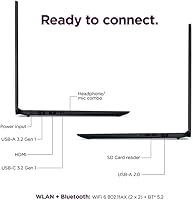
  • Ports: Connectivity includes 1× USB-A 2.0, 1× USB-A 3.2, 1× USB-C 3.2, 1× HDMI 1.4, 1× headphone/microphone combo jack, and 1× media card slot.
  • Wireless: Wi-Fi and Bluetooth are built in, though the specific Wi-Fi standard (e.g., Wi-Fi 5 or 6) is not explicitly confirmed in available documentation.
  • Stylus: A stylus pen and carrying pouch are included in the box, compatible with the touchscreen for writing and annotation tasks.
  • Battery: Specific battery capacity and rated life are not published in the available product data; real-world usage will vary by workload.
  • Weight: The laptop weighs 7 pounds, making it better suited as a desk-based machine than a daily commuting carry.
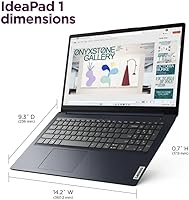
  • Dimensions: Physical footprint measures 14.18 × 9.29 × 0.7 inches, consistent with a standard 15.6″ consumer laptop chassis.
  • Color: Available in Abyss Blue, a muted navy-toned finish applied to the plastic outer chassis.
  • Optical Drive: No optical drive is included; disc-based media requires an external USB drive purchased separately.
  • Webcam: A built-in webcam is present for video calls, though exact resolution specification is not disclosed in available product data.
  • Audio: A headphone and microphone combo jack is provided; built-in speakers are present but audio quality specs are not published.
  • Model Number: Official Lenovo model number is 82VG00TYUS, useful for confirming compatibility with accessories and warranty registration.
  • ASIN: Amazon Standard Identification Number is B0FK397L6B, first listed on April 25, 2025.
  • Availability Date: This product was first made available for purchase on Amazon on April 25, 2025.

Related Reviews

Lenovo IdeaPad 1 Gen 7 15.6″ Laptop
71%
88%
Value for Money
67%
Performance
71%
Display Quality
91%
RAM & Storage
79%
Touchscreen
More
Lenovo IdeaPad 1 Gen 7 15.6″ Laptop 24GB RAM 1TB SSD
84%
88%
Performance
91%
Multitasking Capability
94%
Storage Speed
85%
Display Quality
89%
Portability
More
Lenovo Ideapad 3 15.6″ FHD Touchscreen Laptop, Intel Core i5-1135G7, 12GB RAM, 256GB SSD
82%
85%
Performance
91%
Display Quality
88%
Battery Life
80%
Build Quality
84%
Portability
More
Lenovo IdeaPad 15.6-inch Laptop, 12GB RAM, 512GB SSD, Intel Celeron N4500
82%
92%
Value for Money
89%
Battery Life
75%
Display Quality
85%
Performance for Basic Tasks
88%
Portability
More
Lenovo Ideapad 3 Laptop, 15.6″, Intel Core i3, 12GB RAM, 256GB SSD
84%
92%
Value for Money
85%
Performance for Everyday Tasks
90%
Portability and Weight
75%
Display Quality
80%
Battery Life
More
Lenovo IdeaPad 3 15.6″ Laptop, AMD Ryzen 5 5500U, 8GB RAM, 512GB SSD
81%
91%
Value for Money
87%
Performance for Daily Tasks
82%
Display Quality
79%
Battery Life
85%
Build Quality
More
Lenovo IdeaPad 3 Laptop, 15.6″, Intel Core i3-1115G4, 16GB RAM, 512GB SSD
83%
84%
Performance
91%
Value for Money
85%
Display Quality
76%
Battery Life
80%
Build Quality
More
Lenovo IdeaPad 3 15.6″ Laptop
70%
83%
Value for Money
67%
Performance
51%
Display Quality
54%
Battery Life
78%
Touchscreen
More
Lenovo Flex 5 15.6-Inch 2-in-1 Laptop, Intel Core i5-8250U, 8GB RAM, 256GB SSD
84%
86%
Performance
89%
Battery Life
91%
Display Quality
84%
Portability
80%
Build Quality
More
Lenovo IdeaPad Gaming 3 15.6″ FHD Laptop - Ryzen 5 6600H, RTX 3050, 8GB RAM, 256GB SSD
82%
91%
Value for Money
87%
Gaming Performance
74%
Battery Life
79%
Display Quality
82%
Build Quality
More

FAQ

The lifetime Office 2024 Professional Plus license is genuine — it is pre-installed and activated on the machine before it ships. The catch is a real one though: if you factory reset Windows or uninstall and reinstall a different version of Office, that license is permanently void. Lenovo includes a setup guide in the box specifically to help you configure the laptop correctly from the start, so read it before doing anything else.

Almost certainly not. The LPDDR5 memory in this budget Lenovo is soldered directly to the motherboard, which is standard practice at this price tier. If you anticipate needing more than 8GB regularly — for instance, if you run many browser tabs alongside communication apps — it is worth factoring that in before buying, since there is no upgrade path available.

It depends on how you work. For most everyday tasks, the trackpad is still faster. But if you annotate PDFs, fill out digital forms, or prefer tapping through menus rather than clicking, the touchscreen genuinely earns its place. Pair it with the included stylus and it becomes a legitimate note-taking tool, particularly for students.

Indoors under normal office lighting, 300 nits is adequate. Near a sunny window or in a café with lots of natural light, you will notice glare and washed-out colours. This touchscreen laptop is not designed for outdoor use, so if you frequently work in bright environments, you may find yourself adjusting the screen angle often.

Not really. The AMD Radeon 610M is an integrated GPU that shares system memory, which means it handles basic tasks and light media playback fine, but modern games are off the table. Older titles or casual browser-based games may run acceptably, but do not buy this expecting a gaming machine.

The main practical additions are BitLocker drive encryption, which protects your data if the laptop is lost or stolen, and Remote Desktop, which lets you connect to other computers on a network. For most students and home users these features go unused, but for small business owners or remote workers accessing office systems, they are genuinely valuable.

At 7 pounds, this budget Lenovo is on the heavier side for daily carrying. Most students will feel it after a full day in a backpack. It is comfortably used on a desk or moved between rooms at home, but if you need something lightweight for commuting, a smaller 13- or 14-inch machine would serve you better.

Based on the product specifications, the included stylus is a passive pen, meaning it requires no charging or Bluetooth pairing. It works directly on the touchscreen surface. This keeps things simple but also means it lacks pressure sensitivity features found in more advanced active stylus systems.

Yes. The HDMI 1.4 port lets you connect to any HDMI-equipped monitor or television. The USB-C 3.2 port may also support display output depending on the connected device, but HDMI is the more reliable route for most setups. Note that HDMI 1.4 supports up to 4K at 30Hz, which is fine for everyday extended display use.

Before anything else, read the Lifetime Office User Guide included in the box — it walks you through the correct setup sequence to ensure the Office 2024 license activates properly. Do not skip steps, and critically, do not reset Windows during or after setup. Once Office is confirmed and running, then personalise your settings, update Windows, and install any additional software you need.