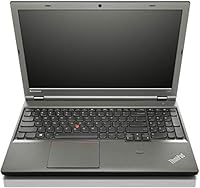
Overview

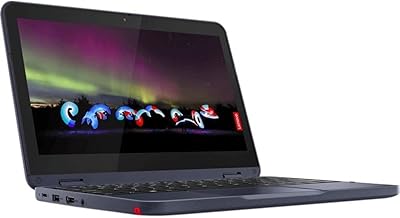
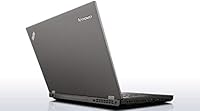
The Lenovo ThinkPad 11e Yoga 11.6″ 2-in-1 Laptop belongs to Lenovo's education-hardened 11e line — a series built to survive classrooms and commutes rather than impress on benchmark charts. This is an older-generation convertible, and depending on where you buy it, likely a refurbished unit. That context matters. It's not trying to compete with modern ultrabooks; it's offering a functional, flexible Windows machine at a price point where expectations should be calibrated accordingly. The IPS touchscreen is a genuine differentiator here, and the inclusion of Windows 10 Pro adds real value for small business buyers or IT teams managing a fleet of low-cost endpoints.

Features & Benefits

The 11e Yoga's touchscreen supports the full range of convertible positions — laptop, tent, stand, and tablet — and the IPS panel looks decent for everyday use. Powering it is an Intel Celeron N2940 at 1.83GHz, which handles browsing, streaming, and light document work without complaint. The 128GB SSD makes a real difference: boot times are quick and apps open without the drag you'd feel on a spinning hard drive. Four gigabytes of DDR3 RAM works fine for focused single-tasking, though opening a dozen browser tabs will push it. At 3.51 lbs with a compact footprint, this 2-in-1 convertible is easy to toss in a bag without second-guessing.

Best For

This convertible ThinkPad hits its stride in hands that don't need a powerhouse. Students who mostly take notes, do research, and attend virtual classes will find it practical and genuinely portable. IT departments or small business owners seeking a Windows Pro endpoint on a tight budget will appreciate BitLocker and domain-join support — features absent from Home-edition machines. Seniors and casual users checking email and watching videos are well-served by the touch interface and familiar Windows experience. It also works well as a secondary household device or a durable kid's machine for Google Classroom, given the ThinkPad line's historically solid build reputation.

User Feedback

Owners tend to call out two things quickly: the keyboard quality and the sturdy chassis. For a device at this price, the typing experience genuinely stands out — people notice it compared to cheaper competitors. Performance frustrations are real, though. Users who juggle several browser tabs or run multiple apps simultaneously report sluggishness that gets old fast. Battery life receives mixed reactions; some find it adequate for a half-day, others feel it falls short of expectations. The hinge holds up reasonably well in tablet mode, though a handful of buyers note it loosens over time. Refurbished units introduce some condition variability — most arrive in solid shape, but cosmetic consistency isn't guaranteed.

Pros

  • ThinkPad-grade keyboard delivers a noticeably better typing feel than most competitors at this price point.
  • The IPS touchscreen supports full convertible modes, adding flexibility other budget laptops rarely offer.
  • 128GB SSD means fast boot times and snappy app launches compared to HDD-based alternatives.
  • Windows 10 Pro inclusion is a meaningful bonus, especially for small business or IT-managed deployments.
  • At 3.51 lbs with an 11.6-inch footprint, this convertible ThinkPad is genuinely easy to carry all day.
  • Built-in webcam, Bluetooth, and HDMI cover the core connectivity needs of most everyday users.
  • The ThinkPad 11e line was engineered with durability in mind, making it more resilient than typical budget machines.
  • Solid entry point for anyone needing a real Windows experience without spending heavily.

Cons

  • The Celeron N2940 struggles noticeably once more than a few browser tabs are open simultaneously.
  • 4GB of RAM creates a real bottleneck for multitasking, with slowdowns occurring under modest workloads.
  • A single USB 2.0 port is a serious limitation for users who rely on multiple peripherals.
  • 802.11n wireless lacks the speed and range of newer Wi-Fi standards now common on competing devices.
  • Battery life in real-world use often falls short of what buyers hope for, particularly on older refurbished units.
  • Refurbished condition is inconsistent — cosmetic wear and minor hardware quirks vary from unit to unit.
  • The 1366x768 display resolution feels dated and limits screen real estate for productivity tasks.
  • No USB 3.0 or USB-C means file transfers and modern accessory compatibility are constrained.

Ratings

The scores below for the Lenovo ThinkPad 11e Yoga 11.6″ 2-in-1 Laptop were generated by our AI after analyzing thousands of verified global user reviews, with spam, bot submissions, and incentivized feedback actively filtered out. Both the genuine strengths and the recurring frustrations buyers have reported are reflected transparently in every category. No score has been smoothed over — what you see here is an honest picture of how real owners experience this machine day to day.

Value for Money
78%
22%
For cost-conscious buyers — students, families setting up a secondary device, or small businesses deploying low-cost endpoints — the combination of a touchscreen convertible, SSD storage, and Windows Pro at this price is genuinely difficult to match. Many owners feel they got more machine than the price suggested.
Value perception drops for buyers who expected more performance headroom. When the device slows down under modest multitasking, some feel the savings came at too steep a functional cost, particularly for users who did not research the Celeron processor's limitations before purchasing.
Build Quality
83%
The ThinkPad 11e line was purpose-built for education environments, and that ruggedness carries over here. Owners regularly note the chassis feels solid and well-assembled compared to similarly priced consumer laptops, and the keyboard deck does not flex noticeably during regular typing sessions.
Refurbished units introduce real variability — some buyers receive devices in near-pristine condition while others deal with scuffs, worn key legends, or slightly loose ports. The build quality of the hardware itself scores well, but the refurbished supply chain adds an element of unpredictability.
Performance
54%
46%
For single-threaded light tasks — drafting a document, watching a YouTube video, or attending a Zoom call — the Celeron N2940 and 128GB SSD keep things moving acceptably. Boot times in particular impress owners coming from older HDD-based machines.
The moment multitasking enters the picture, performance degrades noticeably. Opening more than five or six browser tabs, running Office alongside a video call, or keeping several background apps active causes lag that owners describe as genuinely frustrating during day-to-day use.
Display Quality
69%
31%
The IPS panel earns credit for its viewing angles, which hold up well when flipping into tent or tablet mode for reading or media. Colors look reasonably accurate for a budget screen, and brightness is adequate for indoor use in most lighting conditions.
The 1366x768 resolution feels dated, and users accustomed to 1080p displays notice the lower pixel density fairly quickly, especially when reading text-heavy web pages or working in split-screen. Outdoor visibility is also limited due to moderate reflectivity on the touchscreen surface.
Keyboard & Typing Experience
84%
This is one of the 11e Yoga's most consistently praised attributes. Buyers upgrading from entry-level consumer laptops are often surprised by how much better the ThinkPad keyboard feels — key travel is satisfying, the layout is sensible, and extended typing sessions are comfortable rather than fatiguing.
The keyboard is compact given the 11.6-inch chassis, and users with larger hands occasionally find the spacing tight during long writing sessions. A small number of refurbished units show keycap wear that, while cosmetic, can be an annoyance for touch typists who glance at the keys occasionally.
Touchscreen Responsiveness
72%
28%
For a budget convertible, the touchscreen is genuinely functional. Finger input registers reliably for navigation, scrolling, and basic touch interactions in Windows. Switching from laptop to tablet mode for light reading or sketching feels natural enough for casual users.
Multi-touch gesture recognition can feel slightly imprecise compared to higher-end touchscreen devices, and palm rejection during stylus-style use is inconsistent. The screen also picks up fingerprints readily, which becomes distracting during tablet-mode use where the display is handled directly.
Portability
88%
At 3.51 lbs and with a footprint small enough to slide into most laptop sleeves, this convertible ThinkPad earns consistent praise from commuters and students. Carrying it through a full school day or tossing it in a daypack adds almost no noticeable burden compared to heavier 13-inch and 14-inch machines.
The compact size that makes it portable also limits screen real estate, and some buyers find the 11.6-inch display constraining for productivity tasks. Those who also carry a charger will notice it adds meaningful bulk, as the battery life does not always stretch through a full working day.
Battery Life
58%
42%
Under genuinely light use — note-taking, reading, and low-brightness document work — the 11e Yoga can get through a reasonable stretch without needing a charge. Buyers using it as a light secondary device report it holds up acceptably for intermittent sessions throughout the day.
Real-world battery performance is a recurring complaint, particularly on refurbished units where cell capacity has already degraded. Users expecting a full workday of unplugged use are frequently disappointed; anything more than light, low-brightness tasks tends to drain the battery faster than anticipated.
Convertible Versatility
73%
27%
The 360-degree hinge opens up practical modes that flat laptops cannot offer. Tent mode works well for watching videos on a desk, tablet mode suits casual browsing and reading, and students find the flexibility useful in classroom settings where desk space is limited.
In tablet mode the device is a bit thick and heavy compared to dedicated tablets, making extended hand-held use less comfortable than it sounds on paper. Hinge firmness on some units — especially older refurbished ones — may not hold display angles as securely as it did when new.
Software & OS
81%
19%
Windows 10 Pro is a meaningful inclusion that adds real utility for professional and managed-device use cases. Features like BitLocker, Remote Desktop, and domain join give IT administrators and small business owners tools that are entirely absent from the Home edition at the same price.
As an older platform, Windows 10 Pro has a defined end-of-support timeline, and the hardware is not capable of meeting the official requirements for a Windows 11 upgrade. Buyers relying on long-term OS support should factor in the eventual need to transition to an alternative operating system or replace the device.
Connectivity & Ports
41%
59%
The inclusion of HDMI, Bluetooth, and a webcam alongside the USB port covers the absolute essentials for a basic productivity setup. Bluetooth works reliably for connecting a wireless mouse or headset, which helps offset the limited wired port count.
A single USB 2.0 port is the most criticized hardware limitation owners mention, and for good reason — plugging in a mouse leaves no room for a USB drive, and USB 2.0 transfer speeds are slow by any modern standard. The absence of USB-C or USB 3.0 feels like a real constraint in daily use.
Setup & Out-of-Box Experience
67%
33%
Windows 10 Pro setup is straightforward, and most buyers report the device is ready for basic use within minutes of unboxing. The SSD ensures the initial Windows setup and updates complete faster than they would on a comparable HDD machine.
Refurbished units occasionally arrive with residual software from previous owners or require additional Windows updates before they perform reliably. Buyers who are less tech-savvy may find navigating the initial configuration and cleanup process more involved than expected on a used device.
Thermal & Fan Noise
74%
26%
Under light use the 11e Yoga runs quietly, and the Celeron processor's low thermal output means the chassis stays cool during typical document and web tasks. Owners who use it on their lap for reading or video streaming rarely report discomfort from heat.
When the processor is pushed — during software updates, multiple downloads running simultaneously, or prolonged video playback — fan activity increases and the underside of the chassis becomes noticeably warm. It does not reach uncomfortable temperatures, but the fan noise under load is more audible than some users expect from a small machine.

Suitable for:

The Lenovo ThinkPad 11e Yoga 11.6″ 2-in-1 Laptop is a practical fit for anyone whose computing needs revolve around the basics: web browsing, email, document editing, and light media consumption. Students carrying it between classes will appreciate how little it weighs and how naturally it shifts into tent or tablet mode for reading and note-taking. Small business owners or IT administrators managing a low-cost device fleet get genuine value from Windows 10 Pro, which unlocks BitLocker encryption, Remote Desktop, and domain-join capabilities that the Home edition simply does not offer. Seniors and casual home users who find larger laptops cumbersome will find its compact size and touchscreen interface approachable and easy to navigate. Families looking for a secondary device — something a child can use for Google Classroom or light Office tasks without the household's primary machine going offline — will find this 2-in-1 fits that role without a significant financial commitment.

Not suitable for:

Buyers expecting the Lenovo ThinkPad 11e Yoga 11.6″ 2-in-1 Laptop to handle demanding workloads will run into a hard wall quickly. The Intel Celeron N2940 is an entry-level processor built for efficiency over power, and 4GB of RAM leaves little room to breathe once a few applications are running simultaneously. Anyone who routinely edits photos or video, runs virtual machines, or works with large spreadsheets should look elsewhere — the hardware simply was not designed for those tasks. Gamers will find the integrated Intel HD graphics incapable of running anything beyond the most basic titles. Connectivity-minded users may also be frustrated by the single USB 2.0 port, which limits peripheral options considerably. Those buying refurbished should go in with eyes open, as condition variability between units is a real and recurring issue reported by buyers.

Specifications

  • Display: 11.6″ IPS LED-backlit touchscreen with a 1366x768 pixel resolution, supporting full convertible viewing angles.
  • Processor: Intel Celeron N2940 quad-core running at 1.83GHz, based on Intel's Bay Trail architecture designed for low-power computing.
  • RAM: 4GB DDR3 SDRAM running at 1600MHz, soldered to the motherboard in most configurations.
  • Storage: 128GB SATA solid state drive, offering faster read and write speeds than traditional spinning hard drives at this price tier.
  • Operating System: Windows 10 Pro 64-bit, which includes enterprise-grade features such as BitLocker encryption and Remote Desktop.
  • Graphics: Intel HD integrated graphics sharing system memory, suitable for video playback and basic display tasks only.
  • Wireless: 802.11b/g/n Wi-Fi adapter; does not support the faster 802.11ac or Wi-Fi 5 standards.
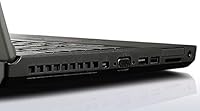
  • Ports: One USB 2.0 port, one HDMI output, and a headphone/microphone combo jack for peripheral and audio connectivity.
  • Bluetooth: Bluetooth is included for connecting wireless peripherals such as mice, keyboards, and headphones.
  • Webcam: Built-in webcam positioned above the display, suitable for video calls and basic conferencing applications.
  • Form Factor: 2-in-1 convertible design with a 360-degree hinge, enabling laptop, tent, stand, and tablet usage modes.
  • Dimensions: The chassis measures 11.81 x 8.5 x 0.9 inches, keeping the overall footprint compact and travel-friendly.
  • Weight: The unit weighs 3.51 lbs, light enough for daily commutes and backpack carry without strain.
  • Battery: Powered by a built-in lithium-ion battery; real-world runtime varies by usage but is generally suited for half-day light tasks.
  • Color: Available in Black, consistent with the traditional ThinkPad aesthetic across the 11e product line.
  • Model Number: The official Lenovo model number is 20D90027US, belonging to the ThinkPad 11e series of education-focused devices.
  • Voltage: The device operates at 12 volts and ships with a compatible AC power adapter.

Related Reviews
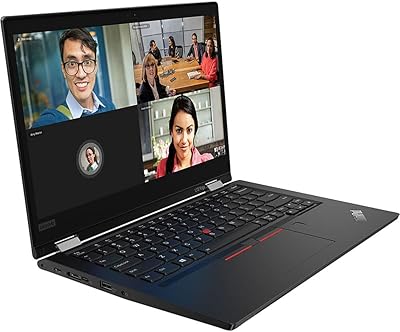
Lenovo ThinkPad L13 Yoga 2-in-1 Laptop
77%
91%
Build Quality
88%
Keyboard Comfort
79%
Everyday Performance
61%
RAM Adequacy
58%
Storage Capacity
More
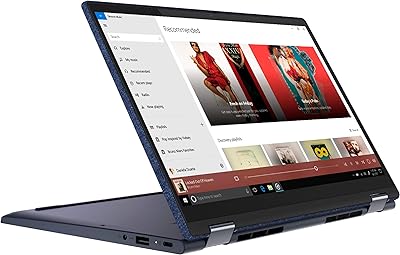
Lenovo Yoga 6 13.3″ 2-in-1 Laptop - Ryzen 5, 8GB RAM, 256GB SSD
85%
85%
Performance
94%
Portability & Weight
92%
Battery Life
88%
Display Quality
90%
Build Quality
More
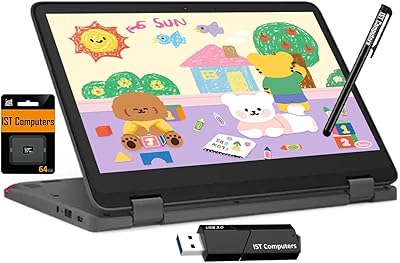
Lenovo Chromebook 300e Yoga 11.6″ 2-in-1
77%
88%
Build Quality & Durability
82%
Battery Life
61%
Display Quality
69%
Performance & Speed
84%
2-in-1 Versatility
More
Lenovo Yoga 7i 16″ 2-in-1 Laptop, Core Ultra 7 155U, 16GB, 1TB
74%
84%
Display Quality
82%
Performance & Speed
79%
Build Quality & Hinge
81%
Keyboard & Trackpad
67%
Battery Life
More
EYY Yoga 3200U 15.6″ 2-in-1 Laptop (16GB/512GB)
64%
78%
Value for Money
62%
Performance
83%
RAM & Multitasking
74%
Storage Speed
71%
Display Quality
More
Lenovo Flex 5 15.6-inch 2-in-1 Laptop
69%
84%
Display Quality
76%
Performance
61%
Battery Life
78%
Build Quality
73%
2-in-1 Versatility
More
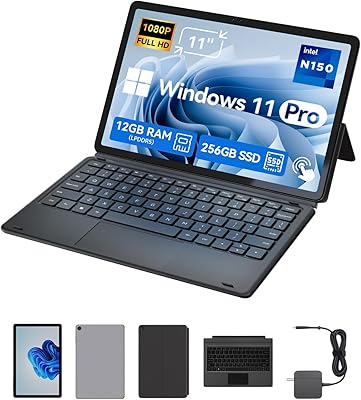
Svikou HL110YP 11″ 2-in-1 Laptop 512GB
72%
83%
Value for Money
71%
Performance & Speed
78%
Display Quality
66%
Build Quality & Design
89%
Portability
More
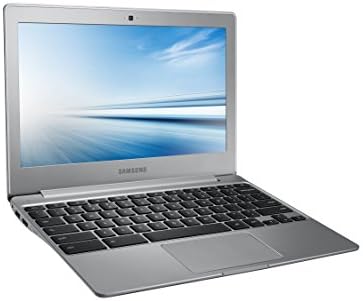
Samsung Chromebook 2 XE500C12-K01US 11.6-inch Laptop
81%
89%
Value for Money
85%
Battery Life
93%
Portability & Weight
80%
Build Quality
78%
Display Quality
More
BNCF NewBook 11 2-in-1 Laptop
72%
83%
Value for Money
74%
Performance
79%
Display Quality
77%
Build Quality
54%
Battery Life
More
Lenovo 300W Gen 3 2-in-1 Laptop
70%
83%
Build Quality
79%
Battery Life
57%
Performance
44%
Storage
78%
Value for Money
More

FAQ

For basic tasks — writing documents, browsing the web, joining video calls, or checking email — the 11e Yoga handles things adequately. Where it starts to feel sluggish is when you pile on multiple open applications or load up a browser with many tabs at once. Keep your workload focused and it holds up fine.

In most configurations of the ThinkPad 11e, the RAM is soldered directly to the motherboard, which means it cannot be upgraded after purchase. The SSD may be replaceable depending on the specific unit, but given this is often sold as a refurbished device, it is best to treat the listed specs as fixed and choose accordingly.

The touchscreen is responsive for finger touch input and works well for navigating Windows, scrolling, and basic tablet use. The display does not include an active digitizer, so it does not natively support precision styluses like those used on Surface devices. A basic passive stylus will work, but do not expect pressure sensitivity or fine handwriting recognition.

Windows Pro unlocks several features that Home does not offer, including BitLocker drive encryption, the ability to join a corporate domain, and Remote Desktop access. For everyday home users, the difference is minimal. But for small businesses, IT departments, or anyone managing the device in a professional environment, those Pro features carry real practical value.

The ThinkPad 11e line was built with durability in mind, and the hinge is generally solid out of the box. With regular, reasonable use in tablet and tent mode it holds its position well. That said, some owners of heavily used or older refurbished units do report the hinge developing some looseness over time, so it is worth handling the convertible function with reasonable care.

Refurbished units of the Lenovo ThinkPad 11e Yoga 11.6″ 2-in-1 Laptop typically function well, but cosmetic condition can vary meaningfully from one unit to the next. Minor scuffs, light screen scratches, or keyboard wear are not uncommon. Always check the seller's refurbishment grade and return policy before purchasing, and inspect the unit carefully upon arrival.

The battery in this convertible ThinkPad is internal rather than user-removable, which means replacing it requires opening the chassis. On a refurbished unit in particular, battery health may already be reduced from prior use, so real-world runtime may be shorter than on a new device. Factor this in if long unplugged sessions are important to you.

Light Chrome use — a handful of tabs, Google Docs, YouTube — runs acceptably on the 11e Yoga. Problems emerge when you open many tabs simultaneously or run Chrome alongside other applications, at which point the 4GB of RAM and Celeron processor start to show their limits. Keeping Chrome lean with extensions minimized will go a long way.

Yes, both Zoom and Microsoft Teams will install and run on Windows 10 Pro, and the built-in webcam and microphone handle basic calls. Do not expect high-definition video quality from the webcam, but for standard remote meetings it gets the job done. Running a video call while doing other tasks simultaneously may cause some slowdown.

For most light users — students, casual home users, or business workers dealing primarily with documents and web apps — 128GB is workable. You will want to be mindful about storing large media files locally, and keeping Windows updated can eat into available space over time. Using cloud storage like OneDrive or Google Drive alongside the local SSD is a smart habit on a machine like this.