Overview

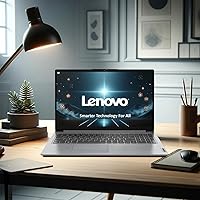
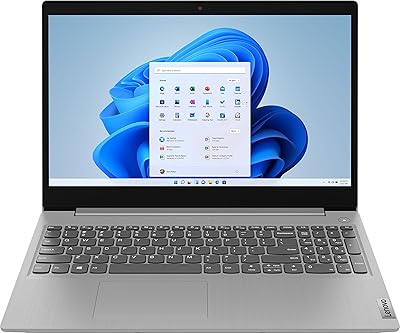
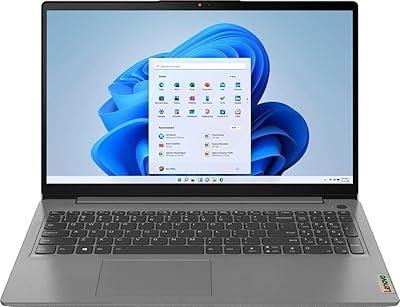
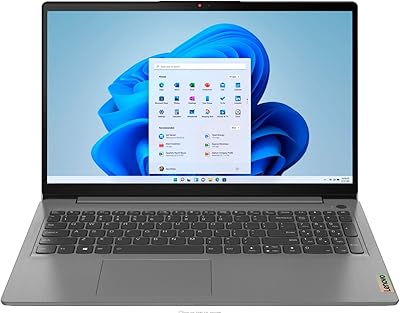
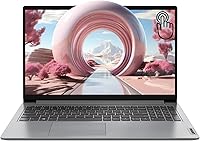
The Lenovo IdeaPad 1 Gen 7 15.6″ Laptop sits in a crowded budget segment, but it manages to stand out with a spec sheet that feels genuinely generous for the price. Most machines at this tier force you to choose between RAM and storage — this budget Lenovo laptop skips that compromise entirely. The Intel Core i3-1215U is a hybrid chip that handles everyday computing well but won't push through video editing or serious gaming. It's a productivity machine, full stop. The slim 0.7-inch profile and sub-four-pound weight make it easy to carry, and the inclusion of a 15.6-inch touchscreen is something you genuinely don't expect at this price point.

Features & Benefits

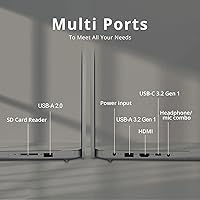
At 24GB of DDR4 RAM, this 15.6-inch Lenovo immediately separates itself from competitors offering half that amount. In practice, that translates to running a dozen browser tabs alongside a video call and a document editor without things grinding to a halt. The 1TB NVMe SSD rounds things out well — boot times are quick, file transfers feel snappy, and you won't be shopping for external drives anytime soon. The IPS touchscreen reaches 300 nits, which works fine indoors but can struggle in direct sunlight. Wi-Fi 6 is a welcome inclusion, the fingerprint reader is a genuine convenience, and the port selection — USB-C, full-size HDMI, and an SD card slot — covers most real-world needs without adapters.

Best For

This budget Lenovo laptop makes the most sense for students, home users, and remote workers whose computing lives revolve around browsing, documents, video calls, and occasional media consumption. The large display and touchscreen are particularly handy in a shared household where different people use the machine in different ways. If you're upgrading from an aging laptop that chokes on multiple open windows, the improvement will feel noticeable. What this Lenovo IdeaPad is not designed for is graphics-intensive work or gaming — integrated graphics have real limits and the i3 processor won't handle demanding creative workflows. Set the right expectations going in, and this machine delivers solidly on its promises.

User Feedback

Buyers consistently point to the RAM and storage value as the deciding factor over similarly priced rivals, and most feel it was the right call. Keyboard feedback earns decent marks for everyday typing, though the trackpad draws mixed opinions — some find it reliable, others less so after extended use. Battery life is a recurring discussion point: real-world usage typically lands in the four-to-six hour range depending on workload, which is serviceable but not a strong suit. The plastic chassis feels light, though it won't inspire confidence under rough handling. Several buyers note the touchscreen is adequately responsive but tends to go largely unused after the initial novelty wears off.

Pros

  • 24GB of RAM at this price is genuinely rare and makes multitasking noticeably smoother than most budget rivals.
  • The 1TB NVMe SSD means fast boot times and enough local storage to last years without worrying about space.
  • A touchscreen at this price tier is an uncommon bonus that adds real flexibility for casual and household use.
  • Wi-Fi 6 support keeps this Lenovo IdeaPad relevant on modern routers without needing any upgrades.
  • The fingerprint reader is a small but appreciated security feature you rarely see at this price point.
  • Port selection is practical and complete — HDMI, USB-C, SD card reader, and USB-A all included out of the box.
  • At under four pounds and 0.7 inches thin, the build is easy to move around the home or toss in a bag.
  • The 15.6-inch FHD IPS display offers a comfortable viewing experience for documents, streaming, and video calls.
  • Windows 11 Home comes pre-installed, so setup is straightforward with no extra OS costs to factor in.

Cons

  • Real-world battery life often falls short of all-day use, making a charger a near-constant travel companion.
  • The plastic chassis feels functional but not premium — it flexes slightly under pressure and won't impress on feel alone.
  • Integrated graphics rule out any serious gaming or GPU-accelerated creative work entirely.
  • The 300-nit display brightness struggles in bright rooms or near windows, limiting outdoor usability.
  • The trackpad divides user opinion — some find it reliable, others report inconsistent responsiveness after extended use.
  • The Core i3-1215U has a noticeable performance ceiling when running demanding or resource-heavy software simultaneously.
  • The touchscreen, while functional, is not particularly sensitive by modern standards and goes unused by many buyers after the first week.
  • Only one USB 2.0 port is included alongside the faster ports, which can feel limiting for older peripherals.
  • Hinge durability over time has been flagged by some buyers as a potential long-term concern with repeated opening and closing.

Ratings

The scores below were generated by our AI engine after analyzing thousands of verified global user reviews for the Lenovo IdeaPad 1 Gen 7 15.6″ Laptop, with spam, incentivized submissions, and bot activity actively filtered out before any scoring took place. Every category reflects the honest distribution of buyer sentiment — where this budget Lenovo laptop genuinely impresses and where real owners consistently ran into friction. Nothing has been softened or inflated to present a rosier picture than the data supports.

Value for Money
91%
This is where the machine earns its strongest marks by a wide margin. Buyers repeatedly call out the 24GB RAM and 1TB SSD combination as something they simply could not find elsewhere at this price, and that perception of getting more than you paid for drives overwhelmingly positive sentiment in this category.
A handful of buyers who expected premium build materials or longer battery endurance to match the generous internal specs felt the overall package fell slightly short of their value expectations. The trade-offs in chassis quality and battery capacity are real, even if the storage and memory story remains compelling.
Multitasking Performance
78%
22%
For the everyday workload this machine is built for — browser-heavy research sessions, video calls alongside open documents, and streaming in the background — the 24GB of RAM genuinely smooths out the experience in ways buyers notice immediately, especially those upgrading from 8GB machines. Switching between apps feels responsive rather than stuttery.
The Core i3-1215U starts showing its limits when users push beyond light productivity tasks. Opening resource-intensive software, running several demanding apps simultaneously, or working with large files can introduce noticeable lag that reminds you this is still an entry-level processor underneath the generous RAM.
Storage & Speed
88%
Boot times are quick and file operations feel snappy in daily use, which buyers coming from older HDD-based machines find particularly striking. The full terabyte of space means most users never feel pressured to offload files or manage storage anxiety, which is a genuine quality-of-life improvement over the 256GB options common at this price.
A small number of technically experienced users noted that the PCIe SSD, while fast for this tier, does not approach the sequential speeds of higher-end NVMe drives found in pricier laptops. For typical home and student use this is irrelevant, but it is worth flagging for buyers who move large files regularly.
Display Quality
67%
33%
The IPS panel delivers accurate-enough colors and wide viewing angles that make it comfortable for document work, video streaming, and casual browsing. Users who primarily work indoors in controlled lighting generally find the screen perfectly adequate for extended sessions without significant eye strain.
The 300-nit brightness ceiling draws the most consistent criticism of any display-related issue. Users working near windows or attempting any outdoor use report washed-out visuals that make the screen genuinely difficult to read. Color reproduction, while acceptable, does not satisfy anyone doing photo editing or design work.
Touchscreen Usability
63%
37%
Touch input registers accurately and without obvious lag, which makes the feature feel like a genuine inclusion rather than an afterthought. Buyers who use it for scrolling, pinch-to-zoom, and handing the laptop to children for interactive content report a consistently smooth experience.
A notable portion of owners stop using the touchscreen regularly within weeks of purchase and revert entirely to the trackpad and keyboard. The feature adds value in specific scenarios but is not transformative enough for most users to build new habits around, and the display's reflectivity when touched can become irritating in some lighting conditions.
Battery Life
54%
46%
For light, low-brightness tasks like reading documents or watching offline video with Wi-Fi disabled, some users stretch usage to around five or six hours. Buyers who work close to a power outlet and treat the battery as a convenience buffer rather than a primary power source find it acceptable for their situation.
Battery life is among the most frequently cited disappointments in owner reviews. Real-world mixed-use sessions typically deliver four to five hours, and heavier workloads push that lower. For students or remote workers hoping to go through a full day of classes or meetings untethered, this machine requires regular access to a charger.
Build Quality
58%
42%
The chassis is light without feeling dangerously thin, and the matte gray finish resists fingerprints reasonably well compared to glossy alternatives. For home and desk use, the build holds together without issues and does not rattle or creak under normal conditions.
The all-plastic construction draws consistent feedback about lid flex and a somewhat hollow feel when pressing on the keyboard deck. Hinge durability over prolonged ownership has been raised as a concern by buyers who open and close the lid frequently throughout the day, and the overall feel does not inspire confidence if the machine takes any bumps.
Keyboard & Typing Experience
72%
28%
The full-size keyboard layout across the 15.6-inch body gives comfortable key spacing, and most buyers report a satisfying enough typing experience for everyday writing, emails, and coursework. Key travel is adequate for this class of laptop, and the layout is intuitive without surprises.
Buyers who type heavily for long sessions note that the keyboard lacks the tactile feedback of more premium boards and can feel somewhat mushy after extended use. There is no keyboard backlight on this model, which some users discover only after purchase and find frustrating when working in dim environments.
Trackpad Responsiveness
61%
39%
Under normal single-finger navigation and basic two-finger scrolling, the trackpad performs adequately and does not produce the erratic jumping that plagues the worst budget trackpads. For casual browsing and document navigation, most users adapt to it without major complaints.
Multi-touch gesture recognition is inconsistent enough that several buyers specifically mention it as a frustration, particularly for pinch and three-finger gestures in Windows 11. Palm rejection also receives mixed marks, with some users reporting accidental inputs during typing sessions.
Connectivity & Ports
83%
The port layout covers the practical bases well — HDMI for an external monitor, an SD card slot for photographers, USB-C alongside standard USB-A, and a headphone jack all in one chassis is genuinely appreciated by buyers who have owned laptops that forced them into dongle life. Wi-Fi 6 performance on compatible routers receives strong praise.
The inclusion of one USB 2.0 port alongside the faster options feels dated, and buyers with multiple USB peripherals occasionally wish for a fourth port. There is no confirmation of USB-C charging support, which limits flexibility for users hoping to use a single cable for both data and power.
Webcam Quality
55%
45%
For standard video calls on Zoom, Teams, or Google Meet in a reasonably lit room, the built-in webcam produces an acceptable image that does not embarrass in professional or academic settings. Buyers who use it primarily for quick check-ins and occasional video chats find it functional without needing an external camera.
In anything less than ideal lighting, image quality degrades noticeably with increased grain and washed-out tones. Buyers who conduct frequent video calls in varied environments or anyone who streams find the webcam a clear weak point that often pushes them toward an external USB option.
Portability
79%
21%
At under four pounds and just 0.7 inches thick, this 15.6-inch Lenovo is lighter than many users expect from a laptop with a screen this size. Buyers who carry it between rooms at home or pack it for commutes report that the weight rarely becomes a burden.
The 15.6-inch footprint does not disappear into smaller bags, and users who prefer compact travel setups find that fitting this laptop alongside other gear requires a dedicated sleeve or a larger backpack. It is portable by its own standards but not compared to 13 or 14-inch alternatives.
Software & Out-of-Box Setup
74%
26%
Windows 11 Home runs smoothly at this RAM level, and the setup process is straightforward enough that less technical buyers can get up and running within an hour. The pre-installed Lenovo software suite is more restrained than some competitors, making the initial cleanup process relatively painless.
Some pre-installed apps appear in the start menu that most users will never use, and a handful of buyers express mild frustration at having to spend time uninstalling unwanted software on a brand-new machine. Microsoft-linked sign-in prompts during first setup are also a recurring minor irritant.
Fingerprint Reader
81%
19%
Buyers consistently describe the fingerprint reader as a genuinely useful inclusion that speeds up the login process noticeably in daily use. For a shared household machine or a student laptop that gets opened and closed repeatedly throughout the day, skipping the password screen adds up to a real convenience gain.
Occasional misreads are reported when fingers are slightly damp or cold, which forces a fallback to PIN entry. The sensor placement receives minor criticism from a few buyers who find it slightly awkward to reach in their typical hand position when opening the lid.

Suitable for:

The Lenovo IdeaPad 1 Gen 7 15.6″ Laptop was clearly built with a specific type of buyer in mind, and if you fall into that group, it delivers real value. Students who spend their days switching between research tabs, Google Docs, video lectures, and the occasional Zoom call will find the 24GB of RAM makes that juggling act feel genuinely comfortable rather than frustrating. Remote workers and home users who want a capable daily machine without spending premium-tier money will appreciate how much is packed in here for the price. Families sharing a single household laptop benefit from the large screen, the touchscreen flexibility, and the 1TB of storage that means no one is fighting over space. If you are coming from an older, sluggish machine, the performance jump — particularly in startup speed and multitasking — will feel substantial and immediately worthwhile.

Not suitable for:

Anyone expecting this budget Lenovo laptop to pull double duty as a creative workstation or a gaming machine will run into hard walls quickly. The integrated Intel UHD graphics are fine for watching video and light image work, but they simply cannot handle 3D rendering, video export pipelines, or any modern game that pushes graphical demands. The Core i3-1215U, while efficient, also has a performance ceiling that more demanding software — think complex spreadsheets with live data, heavy multitasking with resource-intensive apps, or audio production tools — will hit noticeably. Battery life in real-world use tends to be modest, so frequent travelers or people working untethered for long stretches may find themselves hunting for an outlet earlier than expected. If a slim, premium-feeling chassis matters to you, the plastic build of this 15.6-inch Lenovo may feel underwhelming compared to metal-bodied competitors, even at similar price points.

Specifications

  • Processor: Intel Core i3-1215U with 6 cores, 8 threads, and a maximum turbo frequency of 4.4 GHz handles everyday productivity tasks reliably.
  • RAM: 24GB of DDR4 memory running at 3200 MHz provides well above average multitasking headroom for this price category.
  • Storage: A 1TB PCIe NVMe M.2 SSD delivers fast read and write speeds along with generous local storage for files, apps, and media.
  • Display: The 15.6-inch FHD IPS touchscreen outputs at 1920x1080 resolution with a 300-nit brightness ceiling and an anti-glare coating for indoor use.
  • Graphics: Intel UHD Graphics are integrated into the processor and handle everyday display output, light media, and basic image tasks only.
  • Operating System: Windows 11 Home comes pre-installed, providing access to the Microsoft ecosystem, Android app compatibility, and modern security features.
  • Wireless: Wi-Fi 6 (802.11ax) and Bluetooth are built in, supporting faster and more reliable wireless connections on compatible modern routers.
  • Ports: Connectivity includes one USB-C 3.2 Gen 1, one USB 3.2 Gen 1, one USB 2.0, one full-size HDMI, one SD card reader, and one 3.5mm combo audio jack.
  • Security: A built-in fingerprint reader allows for fast, password-free login through Windows Hello without any additional hardware required.
  • Webcam: An integrated webcam is included for video calls and conferencing, positioned at the top of the display bezel.
  • Dimensions: The chassis measures 14.18 x 9.29 x 0.7 inches, keeping the footprint slim despite the larger 15.6-inch screen size.
  • Weight: At 3.59 pounds, this laptop is light enough to carry between rooms or pack in a bag without significant strain.
  • Battery: A built-in lithium-ion battery powers the system, with real-world usage typically ranging between four and six hours depending on workload.
  • Color: The laptop ships in a single Gray colorway with a matte plastic finish across the lid and keyboard deck.
  • Memory Type: System memory uses DDR4 SDRAM, a mature and stable standard that balances performance and power efficiency for everyday tasks.
  • Storage Interface: The SSD connects via a PCIe x4 interface, enabling the faster transfer speeds associated with NVMe drives over older SATA alternatives.
  • Optical Drive: No optical drive is included, which is standard for slim modern laptops at this size and category.
  • Power Source: The laptop supports both AC adapter charging and battery operation, with no USB-C charging confirmed from the available specifications.

Related Reviews

Lenovo IdeaPad 3 15.6″ Laptop
70%
83%
Value for Money
67%
Performance
51%
Display Quality
54%
Battery Life
78%
Touchscreen
More
Lenovo IdeaPad 1 15.6″ Touchscreen Laptop
73%
88%
Value for Money
91%
Storage & Speed
84%
Microsoft Office Inclusion
67%
Display Quality
73%
Touchscreen & Stylus
More
Lenovo V15 Gen 4 Business Laptop, 15.6″, AMD Ryzen 7 7730U, 40GB RAM, 1TB SSD
83%
91%
Performance
88%
Value for Money
90%
Build Quality and Durability
78%
Battery Life
85%
Display Quality
More
Lenovo IdeaPad 1 Gen 7 15.6″ Laptop
71%
88%
Value for Money
67%
Performance
71%
Display Quality
91%
RAM & Storage
79%
Touchscreen
More
Lenovo IdeaPad 15.6-inch Laptop, 12GB RAM, 512GB SSD, Intel Celeron N4500
82%
92%
Value for Money
89%
Battery Life
75%
Display Quality
85%
Performance for Basic Tasks
88%
Portability
More
Lenovo Ideapad 3 Laptop, 15.6″, Intel Core i3, 12GB RAM, 256GB SSD
84%
92%
Value for Money
85%
Performance for Everyday Tasks
90%
Portability and Weight
75%
Display Quality
80%
Battery Life
More
Lenovo IdeaPad 3 Laptop, 15.6″, Intel Core i3-1115G4, 16GB RAM, 512GB SSD
83%
84%
Performance
91%
Value for Money
85%
Display Quality
76%
Battery Life
80%
Build Quality
More
Lenovo IdeaPad 3 15.6-inch Laptop
70%
78%
Performance
74%
Display Quality
62%
Build Quality
57%
Battery Life
83%
Value for Money
More
Lenovo IdeaPad 3 15.6″ Touch Laptop
71%
83%
Touchscreen Usability
76%
Performance & Speed
54%
Storage Adequacy
78%
Display Quality
69%
Battery Life
More
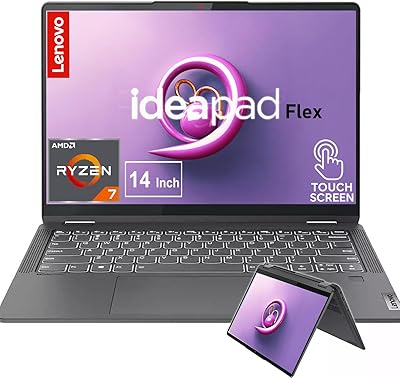
Lenovo IdeaPad Flex 5 14-inch 2-in-1 Laptop, Ryzen 7 5700U, 16GB RAM, 512GB SSD
85%
88%
Performance
93%
Display Quality
80%
Battery Life
75%
Portability/Weight
85%
Keyboard Comfort
More

FAQ

It is genuinely useful, not just a spec sheet highlight. At this price tier, most competitors ship with 8GB, which starts to feel tight when you have a video call open alongside a browser with multiple tabs and a document editor. The extra headroom means those everyday tasks run without the sluggishness that plagues lighter-specced machines. You likely won't use all 24GB routinely, but having it available prevents the bottlenecks that make budget laptops frustrating over time.

Light, older, or browser-based games will run without issues, but anything with modern 3D graphics will struggle. The integrated Intel UHD Graphics simply don't have the dedicated memory or processing power for titles released in the last few years. If gaming is a priority, even casual gaming on current releases, you would be better served by a laptop with a dedicated GPU, even a budget-tier one.

Expect somewhere between four and six hours on a typical mixed workload of browsing, documents, and occasional video. If you are streaming video continuously or keeping screen brightness high, you will land closer to the lower end. It is not a laptop that will comfortably last a full school or workday without a charger nearby, so plan to bring one if you are away from a desk for long stretches.

It works reliably and responds accurately to touch input, but whether you find it genuinely useful depends on your habits. Many buyers use it frequently in the first week and then settle back into using the trackpad. Where it tends to earn its keep is for things like scrolling through documents, pinching to zoom on images, or letting younger family members interact naturally with the screen. It adds flexibility without any real cost to the overall package.

The IPS panel produces decent color and good viewing angles, which makes it a comfortable screen for streaming. The 300-nit brightness is adequate in a typical indoor environment but will wash out if you are near a bright window or trying to use it outside. For couch viewing or a home office setup, it holds up well without eyestrain.

Like most Windows laptops, it ships with some pre-installed software from both Lenovo and Microsoft beyond the core operating system. The amount is generally not excessive compared to industry norms, and most of it can be uninstalled in a few minutes during initial setup. Running a quick cleanup pass when you first boot the machine is always a good practice regardless of brand.

User sentiment on the keyboard is mostly positive for everyday typing — key spacing is reasonable given the 15.6-inch chassis, and the travel is adequate for casual to moderate use. It is not a keyboard that will satisfy someone coming from a premium ThinkPad, but for students and home users typing documents and emails, it performs comfortably without fatigue over normal session lengths.

Upgradeability on budget Lenovo IdeaPad models in this generation is generally limited. In many configurations, the RAM is soldered to the motherboard, which means it cannot be expanded after purchase. The SSD slot may be accessible, but it is worth checking the specific service manual for this model before assuming upgrades are straightforward. Given that it ships with 24GB and 1TB already, most users will not hit that ceiling quickly.

The chassis is entirely plastic, which is par for the course at this price. It does not feel flimsy in hand, but there is some flex in the lid if you press on it, and the hinge action has drawn mixed comments from buyers over longer ownership periods. It won't feel like a premium machine, but it is sturdy enough for desk and home use. If you treat it carefully rather than tossing it in a bag unprotected, it holds together well.

For most users, the included ports cover the essentials without any extras needed. You get a full-size HDMI for an external monitor, an SD card reader for photographers and content creators, a USB-C port, two standard USB-A ports across different speeds, and a headphone jack. The only gap some users feel is the absence of Thunderbolt support and just one USB 2.0 port on the slower side, but day-to-day connectivity is genuinely well covered for the target audience.