Overview

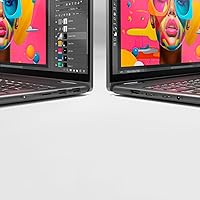
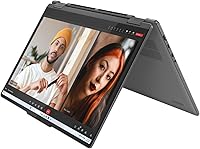
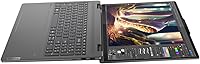
The Lenovo Yoga 7i 16″ 2-in-1 Laptop, Core Ultra 7 155U, 16GB, 1TB sits in a practical sweet spot for hybrid workers and students who want flexibility without paying premium ultrabook prices. Where most convertibles top out at 13 or 14 inches, the 16″ touchscreen gives you noticeably more room to work — spreadsheets, split-screen browsing, and reading documents all feel less cramped. The 360° flip-and-fold hinge lets you shift between laptop, tablet, tent, and stand modes depending on where you are. Intel's Core Ultra 7 155U is built around an efficiency-focused architecture, so expect solid everyday performance rather than workstation-class muscle. Integrated graphics is the main caveat going in.
Features & Benefits

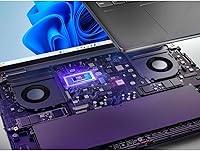
The Core Ultra 7 155U's 12-core design handles the demands of a typical work or school day without breaking a sweat — browser tabs, video calls, document editing — while pulling back power when the machine sits idle, which helps battery life more than older architectures did. Pairing that processor with 16GB of DDR5 memory keeps multitasking fluid even with a dozen apps open. The 1TB PCIe SSD loads programs quickly and leaves plenty of room for large project files. The 1920×1200 IPS display adds useful vertical height over standard 1080p. On the connectivity side, Wi-Fi 6E and a Gigabit LAN port cover both wireless and wired needs, and Thunderbolt 4 ports handle fast peripherals and external displays without fuss.

Best For

This Yoga 7i makes the most sense for people whose days don't fit neatly into one mode of working. Students who take notes in class, then switch to a desk setup at home, will appreciate having a large-format tablet mode that doesn't feel cramped for touch input. The Windows 11 Pro license adds real value for professionals who rely on BitLocker encryption or remote desktop connections — features that Home editions simply don't include. If you're coming from a several-year-old Core i5 or i7 machine, the jump to Intel's current efficiency architecture is meaningful. Just be clear-eyed: no discrete GPU means this 16″ 2-in-1 is not the right tool for serious video editing, 3D rendering, or modern gaming.

User Feedback

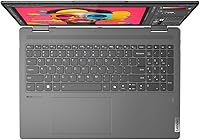
Buyers who've spent time with the Lenovo convertible tend to highlight two things right away: the display size and how comfortable the keyboard feels over long sessions — the numeric keypad in particular gets mentioned as a perk for spreadsheet-heavy work. Build quality and hinge durability come up positively in longer-term reviews, with most users reporting the mode-switching mechanism still feels solid after months of use. The recurring criticism is fan behavior under sustained load — some users notice the machine getting audible during demanding tasks. Battery life draws mixed commentary; the large screen draws power, and getting through a full workday depends heavily on workload. Integrated graphics remains the other consistent limitation flagged by buyers hoping to tackle more GPU-intensive work.

Pros

  • The 16″ touchscreen gives you noticeably more working space than most 2-in-1 convertibles on the market.
  • A 1TB PCIe SSD means fast boot times and room for large project files without immediate storage pressure.
  • The numeric keypad is a practical bonus that spreadsheet and data-entry users genuinely appreciate.
  • Thunderbolt 4 ports support fast external drives, docks, and high-resolution displays without an adapter.
  • Windows 11 Pro is included, covering BitLocker, remote desktop, and enterprise features at no extra cost.
  • Wi-Fi 6E and a physical Gigabit LAN port handle both wireless and wired high-demand network scenarios.
  • The 360° hinge feels solid after extended use, with buyers reporting no loosening or wobble over months of switching modes.
  • 16GB DDR5 RAM keeps multitasking fluid across a heavy mix of apps without stuttering.
  • The fingerprint reader is reliable and fast, making daily logins quick and consistent.
  • The Lenovo Transition feature adapts the interface automatically when switching modes, making the convertible experience feel purposeful.

Cons

  • Integrated graphics create a hard ceiling for GPU-dependent tasks — no workaround exists for this limitation.
  • Battery life under moderate workloads falls short of all-day unplugged use for many buyers.
  • The fan becomes audibly noticeable in quiet environments when the processor is under sustained load.
  • No stylus is included in the box, which is a frustrating omission for a touch-first convertible.
  • The Micro SD slot limits photographers and content creators who work with full-size SD cards.
  • Pre-installed Lenovo bloatware requires time to clean up before the machine feels properly lean.
  • The webcam underperforms in low-light conditions, producing grainy footage during evening video calls.
  • At nearly five pounds, daily commuters and frequent travelers will feel the weight over a full day out.
  • The matte finish picks up fine scratches and shows fingerprints more visibly than expected at this price tier.
  • No IR camera means face unlock is unavailable — fingerprint is the only biometric login option.

Ratings

Our scores for the Lenovo Yoga 7i 16″ 2-in-1 Laptop, Core Ultra 7 155U, 16GB, 1TB are generated by AI after analyzing thousands of verified global buyer reviews, with spam, bot-submitted, and incentivized feedback actively filtered out. The result is a transparent picture of where this convertible genuinely excels and where real owners have run into frustration. Both the praise and the pain points are reflected honestly in every category below.
Display Quality
84%
The 16″ IPS touchscreen earns consistent appreciation from buyers who work across multiple document windows or use the machine in tablet mode for reading and annotation. The 1920×1200 resolution adds meaningful vertical space compared to standard 1080p screens, and color accuracy gets positive remarks from users doing casual photo editing or consuming media.
A handful of buyers note that peak brightness can feel limiting in bright office environments or near a sunny window. The display is not OLED, and users upgrading from higher-end panels sometimes find the contrast ratio underwhelming for movie watching in dark rooms.
Performance & Speed
82%
18%
Day-to-day responsiveness is a recurring positive — buyers report snappy app switching, fast browser sessions with many tabs open, and smooth video conferencing without throttling. The Core Ultra 7 155U architecture handles the kind of mixed workload that defines most work-from-home setups noticeably better than older-generation Core i5 machines it commonly replaces.
Under sustained workloads like prolonged compilation or batch file exports, some users notice performance stepping back as thermals build up. The efficiency-first design of the 155U means it is not a speed demon by any measure, and buyers expecting desktop-class throughput will find themselves waiting on heavier tasks.
Build Quality & Hinge
79%
21%
The chassis earns solid marks for feeling sturdy without being excessively heavy. Buyers who use the hinge frequently — switching between laptop and tent mode during presentations or tablet mode on the couch — report that the mechanism stays firm and does not develop wobble over several months of regular use.
A few long-term owners mention that the plastic-feeling surfaces around the lid pick up fine scratches more visibly than they expected at this price point. The Storm Grey finish also tends to show fingerprints, which bothers users who like to keep their gear looking clean.
Keyboard & Trackpad
81%
19%
The inclusion of a numeric keypad on a 16″ laptop is genuinely appreciated by accountants, analysts, and students who live in spreadsheets. Key travel and feedback get described as comfortable for long writing sessions, and the backlit layout makes late-night work far less error-prone.
The trackpad occasionally draws criticism for feeling slightly less precise than the keyboards on competing devices in the same bracket. A small number of users report palm rejection being inconsistent when typing quickly, requiring occasional manual adjustment to cursor sensitivity settings.
Battery Life
67%
33%
Under light productivity use — writing, browsing, and video calls — the battery holds up reasonably well through a mid-length workday for many buyers. Users who work primarily in power-efficient modes and dim the large screen get noticeably better endurance than those running it at full brightness.
The 16″ display and the Core Ultra 7 under moderate load are a demanding combination, and buyers doing anything heavier than document work report needing to reach for the charger before the end of an eight-hour day. This is one of the most common complaints in longer reviews, particularly from students expecting all-day unplugged use.
Graphics & Visual Output
54%
46%
For productivity-focused buyers, Intel integrated graphics handles 4K video playback, dual-monitor output via Thunderbolt 4, and casual image editing without any real issues. The hardware is adequate when the workload stays within the bounds of office and light creative tasks.
This is the most consistent point of buyer disappointment. Users who purchased the machine hoping to run even moderately demanding creative software or entry-level games quickly discover the limitations of integrated graphics. Video editors processing high-resolution footage and gamers trying modern titles will find the experience frustrating, and several reviewers feel this limitation was not obvious enough at the point of purchase.
Connectivity & Ports
88%
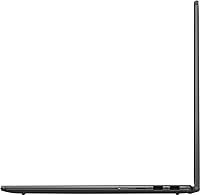
The port layout is one of the most praised practical aspects of this machine. Having two USB-A ports alongside two Thunderbolt 4 USB-C ports means buyers rarely need to carry a hub, and the combination of Wi-Fi 6E and a physical Gigabit LAN port makes it unusually versatile for hotel rooms, offices, and home desks alike.
The Micro SD card slot is appreciated but noted as a minor step down from a full-size SD slot, which matters to photographers or content creators who regularly offload camera footage. A small number of buyers also expected a second HDMI port given the size of the device.
Touchscreen & Stylus Experience
71%
29%
Touch responsiveness in tablet and tent mode is described as accurate and natural for basic annotation, document signing, and navigation. Users who use the machine primarily as a reading device or for light note-taking with a compatible stylus find the 16″ canvas genuinely useful.
The Yoga 7i does not include a stylus in the box, which frustrates buyers who assumed one would be bundled at this price. Without an active pen, precision tasks like detailed sketching or handwritten notes feel less polished, and finding a compatible stylus requires additional research and spending.
Fan Noise & Thermals
66%
34%
During routine tasks — email, light web browsing, video calls — the machine runs quietly enough that most users do not notice the fan at all. The efficiency architecture does a reasonable job of keeping the system cool during low-demand periods, which represents a genuine improvement over earlier Lenovo Yoga generations.
When the processor is pushed harder, fan spin-up is noticeable and draws repeated mention in user reviews. In quiet environments like libraries or meeting rooms, the fan noise becomes conspicuous enough to be distracting, and a portion of buyers feel the thermal management could be more aggressive in keeping noise under control.
Value for Money
78%
22%
Buyers generally feel the combination of a large touchscreen, modern processor architecture, 1TB of storage, and Windows 11 Pro license adds up to a credible package at the mid-range price point. Compared to competing 2-in-1 machines with similar specs, most owners consider the purchase defensible.
A subset of buyers feel that integrated graphics and middling battery life hold back the overall value proposition, especially when discrete GPU options are available at only slightly higher prices. Users who stretched their budget to buy this machine and then discovered its graphics limitations feel the value calculation shifts noticeably.
Software & Out-of-Box Experience
73%
27%
Windows 11 Pro is a meaningful inclusion, and buyers who need BitLocker, remote desktop, or enterprise management features appreciate not paying extra for an upgrade. The Lenovo Transition feature, which automatically adjusts apps when modes change, gets positive remarks for making the convertible experience feel considered rather than bolted on.
Pre-installed Lenovo software draws the usual complaints about bloatware, with several reviewers noting they spent time uninstalling applications before the machine felt clean. A few buyers also report that Lenovo companion apps occasionally generate pop-up notifications that interrupt workflow until disabled.
Weight & Portability
69%
31%
For a 16″ machine with a 360° hinge, the weight sits within an acceptable range for most buyers who commute or carry the device between rooms. Users upgrading from compact 13-inch laptops find it manageable, particularly when the larger screen reduces the need to carry an external monitor.
At 4.63 pounds, this is not a machine you will comfortably carry one-handed for extended periods, and buyers who travel frequently or carry a heavy backpack already describe it as the first thing they notice after a full day out. Compared to 13 or 14-inch ultrabooks in the same category, the portability trade-off is real.
Webcam & Audio
62%
38%
The built-in webcam covers basic video call needs adequately, and users on standard video conferencing platforms report that image quality is acceptable in well-lit rooms. The HD audio setup handles casual media consumption without needing external speakers for everyday use.
Buyers accustomed to high-resolution webcams on competing devices note that the camera underperforms in low-light conditions, producing noticeably grainy footage. The built-in speakers, while passable for background music, lack bass depth and volume that users of larger laptops tend to expect.
Security Features
83%
The fingerprint reader receives consistent positive feedback for reliability and login speed. Buyers who use the machine in professional settings appreciate being able to unlock quickly without typing a password, and pairing it with Windows Hello creates a login experience that feels polished relative to the price.
There is no IR camera for face unlock, which some buyers note as an omission given that competing devices at similar price points offer both biometric options. For users who frequently pick up the device in tablet mode where the fingerprint reader position is less convenient, the absence of facial recognition becomes a minor daily friction.

Suitable for:

The Lenovo Yoga 7i 16″ 2-in-1 Laptop, Core Ultra 7 155U, 16GB, 1TB is genuinely well-matched to people whose days involve shifting between different working contexts — moving from a home desk to a couch, a classroom to a library, or a meeting room to a coffee shop. Students who annotate lecture slides or sign digital documents will find the large-format touchscreen far more practical than the 13-inch convertibles that dominate this category. Remote professionals who rely on Windows 11 Pro features like BitLocker encryption or remote desktop access get those capabilities included out of the box without paying extra for an OS upgrade. Anyone coming from a several-year-old Core i5 or i7 machine will notice a real generational improvement in how the system handles a busy mix of browser tabs, video calls, and background tasks simultaneously. The comprehensive port layout — including Thunderbolt 4, Gigabit LAN, and USB-A — also makes it a strong fit for users who connect to external monitors, wired networks, or legacy peripherals without wanting to carry a hub everywhere.
Not suitable for:

The Lenovo Yoga 7i 16″ 2-in-1 Laptop, Core Ultra 7 155U, 16GB, 1TB is the wrong purchase for anyone whose primary workload involves GPU-intensive tasks. Video editors cutting high-resolution footage, 3D modelers, animators, or gamers hoping to run modern titles will hit a hard ceiling with Intel integrated graphics — this is not a limitation that software updates or workarounds can fix. Buyers who need all-day unplugged battery life should also temper their expectations, as the combination of a large 16″ display and a processor that can ramp up under load means endurance is adequate rather than exceptional. If ultra-portability is a priority — think frequent flyers or students who carry a heavy backpack across campus — the nearly five-pound weight will become noticeable quickly compared to lighter 13 or 14-inch alternatives. Finally, users hoping for a premium visual experience closer to an OLED panel, or those who rely on a high-quality webcam for professional streaming, may find the hardware in those specific areas falls short of their expectations.
Specifications

  • Processor: Intel Core Ultra 7 155U with 12 cores (4 Performance + 8 Efficiency) and a maximum Turbo Boost frequency of 4.80 GHz.
  • RAM: 16GB DDR5 SO-DIMM memory installed, supporting faster throughput and lower power consumption compared to previous DDR4 generations.
  • Storage: 1TB PCIe NVMe SSD provides fast read and write speeds alongside ample capacity for large file libraries and installed applications.
  • Display: 16″ IPS touchscreen with a 1920×1200 resolution, LED backlight, and wide viewing angles suited to both laptop and tablet use.
  • Graphics: Intel integrated graphics are built into the Core Ultra 7 155U processor, with no discrete GPU included in this configuration.
  • Operating System: Windows 11 Pro is pre-installed, including enterprise-grade features such as BitLocker encryption and Remote Desktop functionality.
  • Form Factor: 360° flip-and-fold 2-in-1 convertible chassis supporting laptop, tablet, tent, and stand modes via a single continuous hinge.
  • Wireless: Wi-Fi 6E (802.11ax) supports tri-band connectivity for lower latency and improved performance in congested wireless environments.
  • Wired Network: An integrated Gigabit LAN port enables stable, high-throughput wired connections for demanding tasks or unreliable wireless environments.
  • Ports: Port layout includes 2× USB-A, 2× USB-C with Thunderbolt 4, 1× HDMI, 1× Micro SD card reader, and 1× headphone/microphone combo jack.
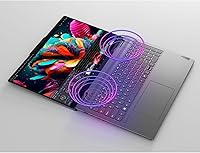
  • Keyboard: Full-size backlit keyboard includes a dedicated numeric keypad, improving input efficiency for data entry and financial work.
  • Security: A fingerprint reader is built into the device and integrates with Windows Hello for fast, password-free biometric authentication.
  • Webcam: Built-in HD webcam supports standard video conferencing use, with performance best suited to well-lit environments.
  • Weight: The device weighs 4.63 pounds (approximately 2.1 kg), which is typical for a full-size 16″ convertible laptop in this category.
  • Dimensions: Physical footprint measures 14.24 × 9.84 × 0.75 inches, keeping the profile reasonably slim given the 16″ chassis size.
  • Color: Available in Storm Grey, a neutral matte-finish colorway suited to both professional and academic environments.
  • Power Source: The device runs on AC power via the included adapter and an internal rechargeable battery for portable use.
  • Optical Drive: No optical drive is included, consistent with current thin-and-light laptop design standards for this form factor.

Related Reviews
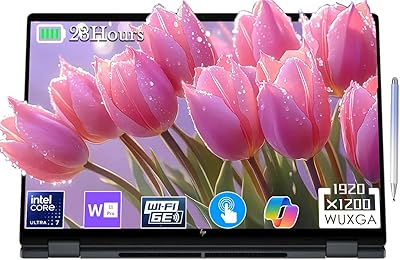
HP 2025 OmniBook X Flip 16″ 2-in-1 Laptop, Intel Core Ultra 7, 16GB RAM, 1TB SSD
86%
91%
Performance
94%
Battery Life
88%
Display Quality
75%
Portability
87%
Build Quality
More
LG gram Pro 16T90SP-G 16-inch 2-in-1 Laptop Intel Core Ultra 7 16GB RAM 1TB SSD
86%
91%
Performance
93%
Portability
88%
Display Quality
77%
Battery Life
89%
Build Quality
More
HP Envy x360 16-inch 2-in-1 Laptop (Core Ultra 5 125U, 16GB, 1TB)

76%
88%
Display Quality
83%
Performance & Speed
79%
Build Quality & Design
61%
Portability & Weight
67%
Battery Life
More
Dell 14 Plus Laptop DB14250-14-inch 2.5K, Intel Core Ultra 7, 16GB RAM, 1TB SSD
85%
91%
Performance
94%
Display Quality
85%
Battery Life
88%
Build Quality
86%
Keyboard Usability
More
Lenovo ThinkPad E16 16″ Laptop, Intel Core Ultra 5, 64GB RAM, 1TB SSD
84%
91%
Performance
89%
Build Quality
88%
Display Quality
74%
Portability
85%
Keyboard Comfort
More
HP Envy x360 14″ 2-in-1 Laptop, Intel Core i7-1355U, 16GB RAM, 1TB SSD
85%
91%
Performance
70%
Battery Life
93%
Display Quality
88%
Portability & Weight
86%
Build Quality
More
Acer Swift X 14 Laptop | Intel Core Ultra 7 | 16GB RAM | 1TB SSD | RTX 4060
85%
91%
Performance
94%
Display Quality
75%
Battery Life
88%
Portability
90%
Gaming Performance
More
Lenovo IdeaPad Flex 5 14-inch 2-in-1 Laptop, Ryzen 7 5700U, 16GB RAM, 512GB SSD
85%
88%
Performance
93%
Display Quality
80%
Battery Life
75%
Portability/Weight
85%
Keyboard Comfort
More
Lenovo Legion Pro 7i Gaming Laptop 2025, Intel Ultra 9, RTX 5080 16GB, 32GB RAM, 1TB SSD
86%
94%
Gaming Performance
92%
Display Quality
89%
Cooling Efficiency
88%
Build Quality
91%
Multitasking Performance
More
ASUS ROG Zephyrus 2024 16″ OLED Gaming Laptop, Intel Core Ultra 9 185H, 16GB RAM, 1TB SSD, NVIDIA RTX 4070
85%
93%
Performance
97%
Display Quality
89%
Build Quality
82%
Portability
68%
Thermal Management
More

FAQ

Unfortunately, no. The 16GB DDR5 memory in this machine is soldered directly to the motherboard as SO-DIMM, which means it cannot be replaced or expanded after the fact. If you think you might need more than 16GB down the line, this is worth factoring into your buying decision before committing.

Not in any meaningful way. The Core Ultra 7 155U relies entirely on Intel integrated graphics, which can handle older or very lightweight titles at reduced settings, but will struggle with modern AAA games. If gaming is a priority, you would be better served by a machine with a dedicated GPU.

No, a stylus is not included in the box. The touchscreen does support compatible active pens, but you would need to purchase one separately. If pen input is important to your workflow, make sure to budget for a compatible stylus when pricing out your purchase.

It depends heavily on what you are doing. Light tasks like writing, browsing, and video calls will get you through a moderate-length day, but if you are running the display at full brightness or pushing the processor harder, expect to reach for the charger before the end of an eight-hour stretch. Keeping brightness around 50 to 60 percent makes a real difference.

Yes, and it handles that well. Both USB-C ports support Thunderbolt 4, which means you can connect a high-resolution external display, a docking station, or both simultaneously. The HDMI port gives you an additional wired video output option for projectors or older displays without needing an adapter.

The 1TB PCIe SSD is typically accessible in this chassis, though Lenovo's specific configuration can vary by model revision. That said, 1TB is generous enough for most users that an upgrade is unlikely to be necessary soon. If you plan to store large video libraries or RAW photo archives, an external drive over USB-C or Thunderbolt 4 is a practical and easy alternative.

During everyday tasks — emails, browsing, video calls — the fan is barely noticeable and often inaudible. When you push the processor harder with sustained workloads, the fan does spin up and becomes audible, which some users find distracting in quiet settings like libraries or quiet offices. It is not unusually loud, but it is something to be aware of.

The hinge is one of the more positively reviewed aspects of this machine. Most buyers report it holds its position firmly across all four modes and does not develop noticeable loosening after months of regular use. Tent and stand modes in particular feel stable on a flat surface.

For personal use, the difference is modest. But if you work in an organization that uses Active Directory, need BitLocker drive encryption, or rely on Remote Desktop to connect to office computers from home, Pro is worth having and saves you the cost of a separate upgrade license. Students and freelancers who work with sensitive client data will also appreciate BitLocker.

The trade-off is straightforward: the Lenovo convertible gives you significantly more screen real estate and a larger keyboard layout, but you are carrying a noticeably heavier and wider machine in exchange. If you commute daily or travel light, the size difference is real and worth considering. If you mostly move between a desk and a couch at home, the larger form factor rarely feels like a burden.