Overview

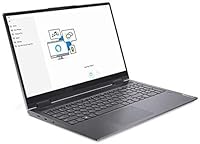
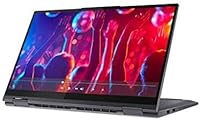
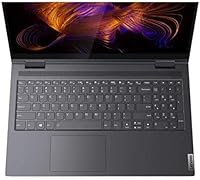
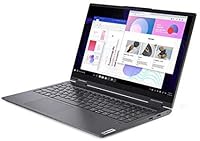
The Lenovo Yoga 15.6″ Core i5 256GB Laptop sits squarely in the mid-range, targeting students and everyday users who want a capable machine without paying premium-tier prices. What sets it apart in this crowded segment is the 15.6-inch Full HD touchscreen — a feature more commonly found on pricier models. The aluminum chassis feels solid and well-finished, punching above its weight class in terms of build quality. That said, expectations should stay grounded: this is a confident daily driver for browsing, productivity, and light creative work, not a machine built for heavy rendering or serious gaming. Lenovo's Yoga line has long balanced touch-first usability with portability, and this entry continues that tradition.

Features & Benefits

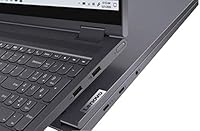
The 11th Gen Core i5-1135G7 handles everyday workloads with ease — browser tabs, Office documents, video calls, and light photo editing all run without frustration. The Intel Iris Xe graphics are a genuine step up from older integrated solutions, making HD video playback smooth and casual image work manageable, though anyone expecting demanding creative software or gaming will hit a real wall. The 10-point multitouch display is genuinely useful, not just a checkbox feature; navigating Windows 11 with touch feels natural. Two Thunderbolt 4 ports give this touchscreen laptop serious connectivity muscle for docking setups, and the Dolby Atmos speakers deliver audio noticeably richer than most competitors offer at this price tier.

Best For

This Lenovo Yoga makes the most sense for college students who need a versatile, touch-enabled machine for note-taking, research, and occasional light creative projects. Remote workers who spend long hours on documents or video calls will appreciate the larger screen real estate without lugging around something uncomfortably heavy at just over four pounds. It is also a solid pick for anyone coming from a tablet lifestyle who wants a full Windows 11 experience with touch interaction built in. Professionals relying on docking stations or external monitors will value the dual Thunderbolt ports, and home users who stream regularly will find the built-in audio a genuinely pleasant bonus.

User Feedback

Owners consistently praise the display quality and touchscreen responsiveness, and the build quality frequently gets called out as a positive surprise. The recurring criticism, though, deserves serious attention: 8GB of RAM starts showing its limits when running multiple browser tabs alongside heavier applications, and the 256GB SSD fills up faster than expected for users storing videos or large project files. Battery life reactions are mixed — some get through a full workday comfortably, others find it falls short during intensive use. Keyboard feedback earns generally positive marks, though a handful of users noted the trackpad accuracy could be sharper for precise work.

Pros

  • The 15.6-inch Full HD touchscreen is sharp, responsive, and genuinely useful for everyday navigation.
  • Build quality feels notably solid for the price tier, with an aluminum chassis that does not flex or creak.
  • Intel Iris Xe graphics handle HD video playback and casual photo work better than older integrated chips.
  • WiFi 6 support delivers faster, more stable wireless performance on compatible routers.
  • Two Thunderbolt 4 ports make docking setups and external display connections effortless.
  • The Dolby Atmos speaker system sounds richer and fuller than what most competitors offer at this level.
  • The built-in fingerprint reader makes logging into Windows fast and convenient daily.
  • At just over four pounds, the Yoga 15.6 is portable enough to carry between home, office, and campus without strain.
  • Windows 11 touch integration feels natural and polished on this form factor.
  • The 11th Gen i5 processor handles typical productivity workloads without perceptible lag.

Cons

  • 8GB of RAM shows real strain when running multiple apps and a browser with many tabs open simultaneously.
  • 256GB of internal storage fills up quickly, especially for users with photos, videos, or large project files.
  • Integrated graphics make this touchscreen laptop unsuitable for gaming or any serious GPU-dependent software.
  • Battery life in real-world use can fall short of expectations during heavier or mixed-use sessions.
  • No dedicated GPU option means creative professionals will quickly outgrow what this machine can handle.
  • The trackpad has drawn occasional criticism for imprecision during fine cursor work.
  • No SD card slot limits quick media transfers for photographers shooting on cards.
  • The absence of an optical drive may inconvenience users still working with physical media.
  • Upgrading RAM post-purchase may not be straightforward depending on configuration, limiting long-term flexibility.

Ratings

The scores below for the Lenovo Yoga 15.6″ Core i5 256GB Laptop were generated by our AI system after analyzing thousands of verified purchase reviews from buyers worldwide, with spam, bot activity, and incentivized feedback actively filtered out before scoring. Each category reflects the honest distribution of real user sentiment — strengths and frustrations weighted equally — so you get a clear, unvarnished picture of where this touchscreen laptop excels and where it falls short.
Display Quality
86%
Users consistently praise the Full HD panel for its sharpness and color accuracy during everyday tasks like streaming, browsing, and light photo review. The 15.6-inch size hits a sweet spot for working without an external monitor, and the brightness holds up reasonably well in moderately lit rooms.
Some users note the glossy panel picks up reflections in brighter environments, making outdoor or window-adjacent use uncomfortable. A handful of buyers expected better peak brightness given the price tier and felt let down in well-lit office settings.
Touchscreen Responsiveness
83%
The 10-point multitouch input draws consistent praise for its accuracy and low latency during everyday Windows 11 navigation, scrolling through documents, and pinch-to-zoom interactions. Users transitioning from tablets specifically call out how natural the touch experience feels on this Lenovo Yoga.
Without active stylus support out of the box, precision tasks like handwriting or detailed annotation feel limited compared to competitors that bundle a pen. A minority of users noted occasional touch drift near the screen edges after extended use.
Build Quality
81%
19%
The aluminum chassis earns genuine appreciation from buyers who expected a plasticky feel at this price point. Many describe it as feeling more premium than machines costing significantly more, with minimal flex in the lid and keyboard deck during everyday handling.
The slate grey finish, while attractive, tends to show fingerprints and light surface scratches over time with regular backpack use. A small number of users reported that hinge stiffness varied between units, which introduced inconsistency in the unboxing experience.
Performance & Speed
74%
26%
For the workloads this machine is designed for — web research, Office suite tasks, video calls, and casual media editing — the 11th Gen i5 processor delivers a responsive, lag-free experience that satisfied the majority of everyday users. Boot times are fast thanks to the NVMe SSD.
Heavy multitaskers and users running memory-intensive workflows regularly hit the ceiling imposed by 8GB of RAM, with noticeable slowdowns when browser tabs multiply alongside communication apps. Anyone expecting to push this beyond everyday productivity will find the ceiling arrives sooner than expected.
RAM Adequacy
61%
39%
For single-focus tasks and moderate browsing sessions, 8GB is sufficient and keeps the system feeling responsive. Students using it for one or two apps at a time generally reported no frustration during normal academic workflows.
This is the most polarizing specification on the Yoga 15.6, and for good reason. Power users, Chrome-heavy workers, and anyone running Slack, a browser, and an Office app simultaneously report tangible slowdowns that make the machine feel underpowered for its price tier.
Storage Capacity
58%
42%
The NVMe SSD delivers fast read and write speeds that keep the system snappy for app launches and file transfers within the drive. Users with lean, cloud-first workflows reported the 256GB felt adequate for their day-to-day needs.
Buyers with local media libraries, large project folders, or those who download software regularly find 256GB fills up alarmingly fast. Multiple reviewers noted they needed to purchase an external drive within weeks of ownership, which feels like an avoidable inconvenience at this price.
Battery Life
67%
33%
Under light-to-moderate use — document editing, occasional video streaming, and standard browsing — many users comfortably reached six to seven hours on a charge, which covers a standard half-day without hunting for an outlet.
Battery endurance under sustained heavier loads drops noticeably, and some users report struggling to get through a full workday on a single charge. Variability in real-world results is higher than expected, making it hard to rely on without a charger nearby for all-day trips.
Connectivity & Ports
88%
Two Thunderbolt 4 ports are a genuine differentiator at this price, giving users access to high-speed docking stations, fast external storage, and multi-monitor setups through a single cable. Remote workers setting up home office docks found this feature alone worth the consideration.
The overall port selection, while strong on the Thunderbolt side, is limited in total count — only one USB Type-A port means older peripherals can compete for that single slot. Users with multiple legacy devices noted they needed a hub for full desktop-replacement setups.
Audio Quality
79%
21%
The Dolby Atmos speaker system genuinely surprises users accustomed to tinny laptop audio. Streaming movies and music on this touchscreen laptop produces fuller, more spatially interesting sound than the competition at this tier, which multiple reviewers flagged as an unexpected highlight.
At maximum volume, some users detected distortion in bass-heavy content, and the speaker grille placement means audio projection changes noticeably depending on how the laptop is positioned on a surface. It is good for casual listening, but audiophiles will still reach for headphones.
Keyboard Comfort
72%
28%
The keyboard earns mostly positive marks for key travel and layout, with most users finding extended typing sessions comfortable enough for academic writing or office document work. Key spacing is well-suited to the 15.6-inch chassis.
A subset of users found the key feedback slightly shallow compared to dedicated productivity laptops, and the keyboard does not stand out as a strong point relative to competitors in the segment. Backlight uniformity also drew occasional criticism from users who type in low-light environments.
Trackpad Accuracy
66%
34%
For everyday navigation — scrolling, clicking, and casual cursor movement — the trackpad performs reliably and covers a reasonable surface area. Most users working within standard productivity apps reported no notable frustration.
Fine cursor precision drew recurring criticism, with some users noting that small, deliberate movements felt less controlled than expected for a mid-range machine. A few reviewers mentioned palm rejection inconsistencies during fast typing sessions as a minor but persistent irritation.
WiFi Performance
82%
18%
WiFi 6 support translates into noticeably stable and fast wireless connections for users with compatible routers, particularly in congested environments like apartment buildings or shared office spaces. Video calls and large file transfers benefit most from this upgrade.
The improvement is conditional on having a WiFi 6 router, which not all buyers have at home. Users on older network hardware reported no meaningful upgrade over previous-generation machines, making this a future-proof feature that delivers full value only in the right environment.
Value for Money
71%
29%
The combination of a Thunderbolt 4 port set, a large touchscreen, a solid aluminum build, and WiFi 6 in one package represents genuine value for buyers whose needs align with what this Lenovo Yoga is designed to do. The premium-feeling chassis especially punches above its weight.
The 8GB RAM and 256GB SSD feel like deliberate cost-cutting measures that undermine long-term value, particularly given the price point. Buyers who later need to supplement storage externally or find the RAM ceiling limiting may feel the overall value proposition weakens over time.
Portability
77%
23%
At 4.19 lbs, this is a manageable daily carry for students and commuters, especially considering the larger 15.6-inch form factor. Most users found it comfortable enough to transport in a backpack between home, campus, or co-working spaces without strain.
It is noticeably heavier than 13 or 14-inch alternatives in the same category, and buyers who prioritize ultralight portability above screen size will find better options elsewhere. The footprint is also large enough to be a tight fit on smaller desks or airline tray tables.
Setup & Out-of-Box Experience
76%
24%
Windows 11 comes pre-installed and most users reported a smooth initial setup process, with the fingerprint reader enrolled and functional quickly for Windows Hello login. Touch calibration worked well without additional configuration for the majority of buyers.
Some users noted the pre-installed bloatware added friction to the initial experience and required manual removal before the system felt clean. A small number of buyers also reported inconsistency in included accessories across units, which created minor frustration at unboxing.

Suitable for:

The Lenovo Yoga 15.6″ Core i5 256GB Laptop is a well-rounded choice for students, remote workers, and everyday users who want a touch-enabled Windows machine without crossing into premium pricing territory. College students will find it especially capable for juggling research tabs, note-taking apps, and occasional light creative work, all on a display large enough to actually enjoy using. Remote workers who spend their days in browser-based tools, video calls, and Office applications will get through their tasks without feeling bottlenecked, and the dual Thunderbolt 4 ports mean connecting a dock or external monitor is straightforward. Anyone transitioning from a tablet who wants the full Windows 11 experience with touch interaction baked in will feel right at home here. The above-average built-in audio also makes this a genuinely enjoyable machine for streaming content at home after work hours.
Not suitable for:

The Lenovo Yoga 15.6″ Core i5 256GB Laptop is not the right call for buyers who push their machines hard. If your workflow involves video editing, 3D rendering, running virtual machines, or any GPU-intensive software, the integrated Intel Iris Xe graphics will become a bottleneck quickly — this is not a creative workstation. The 8GB of RAM, while sufficient for moderate use, starts struggling noticeably under heavy multitasking loads, particularly for users who keep dozens of browser tabs open alongside communication and productivity apps simultaneously. The 256GB SSD is another practical limitation: photographers, videographers, or anyone with a large media library will fill it fast and need to rely on external storage from day one. Gamers should look elsewhere entirely, as even mid-tier titles will run poorly or not at all at acceptable settings.
Specifications

  • Display: 15.6-inch Full HD IPS panel with a 1920x1080 resolution and 10-point multitouch support.
  • Processor: 11th Gen Intel Core i5-1135G7 running at a base clock of 2.4 GHz with burst capability across 4 cores.
  • Graphics: Intel Iris Xe integrated graphics, sharing system memory, suitable for HD video and light image editing.
  • RAM: 8GB DDR4 SDRAM running at 3200 MHz, soldered to the motherboard in most configurations.
  • Storage: 256GB NVMe SSD providing fast boot times and responsive application launches compared to traditional hard drives.
  • Ports: Includes 2x Thunderbolt 4, 1x USB 3.2 Type-A, 1x USB Type-C charging port, and 1x headphone/microphone combo jack.
  • Wireless: WiFi 6 (802.11ax) for faster throughput and improved performance on congested networks.
  • Audio: Dolby Atmos-certified stereo speaker system tuned for richer, more spatial sound than standard laptop speakers.
  • Battery: 65W 4-cell lithium-polymer battery charged via USB Type-C, with real-world endurance varying by workload intensity.
  • Build: Aluminum chassis construction in slate grey, offering a sturdy, premium feel at a mid-range price point.
  • Security: Built-in fingerprint reader integrated into the chassis for fast Windows Hello biometric sign-in.
  • Operating System: Ships with Windows 11 Home pre-installed, optimized for touch interaction and modern hardware.
  • Weight: 4.19 lbs (approximately 1.9 kg), making it manageable for daily commutes and campus carry.
  • Dimensions: Product dimensions are 20.46 x 11.98 x 3.89 inches, reflecting its full-size 15.6-inch laptop footprint.
  • Webcam: Built-in webcam suitable for standard video conferencing applications and remote meetings.
  • Bluetooth: Bluetooth 5.0 support for connecting wireless peripherals including mice, keyboards, and headphones.
  • Power Adapter: Charges via a 65W USB Type-C adapter, which also allows use of compatible third-party chargers.
  • Optical Drive: No optical drive is included, so external USB solutions are required for DVD or Blu-ray playback.

Related Reviews
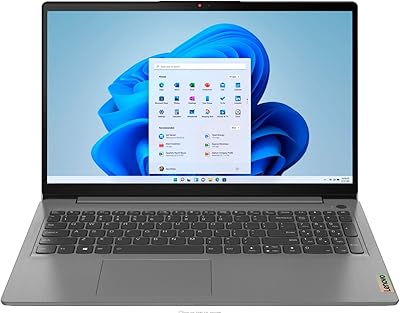
Lenovo IdeaPad 3 15.6″ Touch Laptop
71%
83%
Touchscreen Usability
76%
Performance & Speed
54%
Storage Adequacy
78%
Display Quality
69%
Battery Life
More
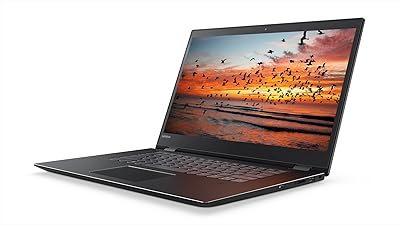
Lenovo Flex 5 15.6-inch 2-in-1 Laptop

69%
84%
Display Quality
76%
Performance
61%
Battery Life
78%
Build Quality
73%
2-in-1 Versatility
More
Dell Inspiron 3593 15.6-inch Laptop
68%
74%
Everyday Performance
81%
SSD Speed & Storage
52%
Display Quality
63%
Battery Life
57%
Build Quality
More
Lenovo Ideapad 3 Laptop, 15.6″, Intel Core i3, 12GB RAM, 256GB SSD
84%
92%
Value for Money
85%
Performance for Everyday Tasks
90%
Portability and Weight
75%
Display Quality
80%
Battery Life
More
Lenovo ThinkPad E15 15.6″ Laptop, Intel Core i5-10210U, 16GB RAM, 512GB SSD
84%
92%
Value for Money
88%
Performance for Everyday Tasks
85%
Display Quality
90%
Build Quality & Durability
75%
Battery Life
More
Lenovo V15 G3 15.6″ FHD Laptop, Intel Core i5-1235U, 24GB RAM, 1TB SSD
83%
88%
Performance
91%
Display Quality
84%
Build Quality
90%
Multitasking Ability
77%
Battery Life
More
Lenovo IdeaPad 3 15.6″ Laptop
70%
83%
Value for Money
67%
Performance
51%
Display Quality
54%
Battery Life
78%
Touchscreen
More
ASUS VivoBook 15.6″ Touchscreen Laptop
70%
74%
Everyday Performance
66%
Display Quality
82%
Touchscreen Responsiveness
88%
SSD Boot and Load Speed
47%
Battery Life
More
MSI GV15 15.6″ Gaming Laptop - Intel Core i5-11400H, GTX 1650, 8GB RAM, 256GB SSD
83%
92%
Value for Money
80%
Gaming Performance
88%
Display Quality
85%
Portability
67%
Battery Life
More
HP 15-DY1031WM 256GB 15.6″ Refurbished Laptop
67%
83%
Value for Money
88%
SSD Performance
74%
Everyday Performance
41%
Battery Life
53%
Display Quality
More

FAQ

For typical daily tasks — web browsing, Office apps, video calls, and light media consumption — 8GB is workable. Where it starts to show strain is when you pile on 20-plus browser tabs, run multiple productivity apps simultaneously, or use memory-hungry tools like Slack alongside a browser. If your workflow leans heavy, you may find yourself hitting slowdowns more often than you would like.

The 256GB NVMe SSD can technically be replaced on many Yoga configurations, but it is not a simple consumer-friendly upgrade. You would need to open the chassis, which may affect your warranty. A more practical solution for most users is a high-speed external SSD via one of the Thunderbolt 4 ports, which gives you fast extra storage without voiding anything.

The 10-point multitouch screen is finger-touch capable, but this model does not natively include an active stylus or come bundled with a pen. Users who want pen-like precision for drawing or note-taking should verify compatibility with third-party styluses before purchasing, as support varies.

Quite a lot. You can connect a Thunderbolt dock to expand your ports in one cable, drive an external 4K monitor, or plug in an ultra-fast external SSD for storage overflow. For remote workers running a multi-monitor desk setup, those two Thunderbolt ports are genuinely one of the strongest features on the Yoga 15.6.

Like any glossy touchscreen, yes, fingerprints show up, especially on a 15.6-inch panel where your hands are frequently in contact with the display. Keeping a microfiber cloth nearby is a practical habit. The touch response itself is accurate and smooth, which users consistently rate as a positive.

Honestly, no. The Intel Iris Xe integrated graphics can handle very light, older titles at low settings, but modern games will either run poorly or not at all at playable frame rates. If gaming is a priority, you need a dedicated GPU, and this machine simply does not have one.

It varies more than the spec sheet implies. Light use — document editing, occasional video calls, moderate brightness — can get you through a full workday. Under heavier loads like streaming video continuously or running multiple applications, expect noticeably shorter endurance. Keeping the charger nearby for longer days is a reasonable precaution.

Yes, the built-in fingerprint reader integrates well with Windows Hello and unlocks the machine quickly in most conditions. Users generally report it as a convenient, low-friction way to skip typing a PIN every time they open the laptop.

It is one of the more sensible choices in this segment for students. The large touchscreen is useful in classes where annotating slides or using touch-based apps helps, the build quality feels durable enough for daily backpack life, and the performance handles typical academic workloads without complaint. Just be aware that 256GB fills up fast if you save a lot of media or large project files locally.

It can open and run these applications, but calling it a capable video editing machine would be misleading. Without a dedicated GPU, rendering times are slow, and working with high-resolution footage will test the patience of anyone used to a more powerful system. For casual clip trimming and basic edits it is manageable, but professional or semi-professional video work is better served by a machine with discrete graphics.