



Overview

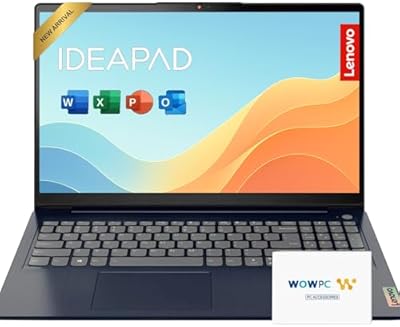
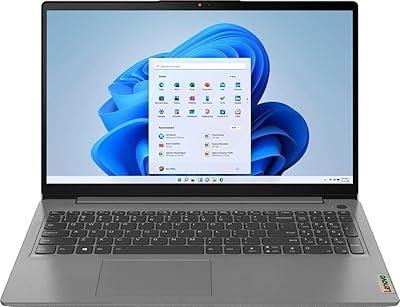
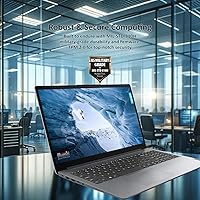
The Lenovo IdeaPad 1 Gen 7 15.6″ Laptop arrived in August 2024 as one of the more thoughtfully spec'd machines at the entry-level end of the Windows market. What stands out immediately is the pairing of a touchscreen display and 16GB of RAM at a price point where most rivals trim one or both. The chassis is slim — just 0.7 inches thick — and at 3.63 pounds, it's reasonably portable for a 15.6-inch machine. That said, honest expectations matter: this is a productivity-focused machine, not a device built for video rendering, gaming, or anything that puts sustained pressure on the processor.

Features & Benefits

The i3-1215U is a hybrid-architecture processor — 6 cores, 8 threads, scaling up to 4.4 GHz — which handles multitasking noticeably better than the older dual-core i3s that filled budget laptops for years. The 16GB of DDR4 RAM (configured as two 8GB modules) is the real differentiator at this price; most competing machines come with half that, and the difference shows when juggling browser tabs and productivity apps simultaneously. Storage is a 512GB NVMe SSD, so bootups are quick and everyday file access feels responsive. The IPS panel is anti-glare and touch-enabled, though its 300-nit brightness suits indoor environments far better than direct sunlight. Wi-Fi 6 and a well-rounded port selection — including USB-C, HDMI, and an SD card reader — keep connectivity practical for home and campus use alike.

Best For

This budget Lenovo laptop makes the most sense for college students who need a reliable daily driver for notes, research, and video calls without stretching their budget. The touchscreen adds real value in a campus setting — annotating PDFs or tapping through slides feels intuitive rather than awkward. Remote workers handling documents, spreadsheets, and back-to-back calls will find the RAM headroom comfortable for a full workday. Families can also get solid use from this touchscreen IdeaPad as a shared machine for homework, streaming, and casual browsing. It's a particularly good fit for anyone upgrading from an older machine running on a spinning hard drive — the move to NVMe storage alone will feel like a meaningful improvement in everyday responsiveness.

User Feedback

Buyers who've picked up this Lenovo IdeaPad frequently praise the memory and storage combo as well above what you'd expect at this price — it's the kind of configuration that usually appears on machines costing significantly more. The most common complaints center on the display: several users note the 300-nit panel becomes hard to read near bright windows, worth factoring in if you regularly work in naturally lit spaces. Keyboard comfort earns decent marks for casual typing, though the trackpad draws occasional criticism for inconsistent responsiveness. Real-world battery life tends to fall in the five-to-seven-hour range depending on workload — adequate for most days but not exceptional. Build quality is described as functional and lightweight, which aligns with what you'd reasonably expect from a plastic-chassis laptop at this tier.

Pros

  • 16GB of RAM at this price tier is rare and makes a real difference for everyday multitasking.
  • The 512GB NVMe SSD boots fast and keeps the whole experience feeling responsive.
  • A touchscreen at this price point is an uncommon and genuinely useful bonus for Windows 11 users.
  • Wi-Fi 6 support keeps connectivity future-ready on modern home and campus networks.
  • The slim, lightweight build makes it easy to pack into a bag without much thought.
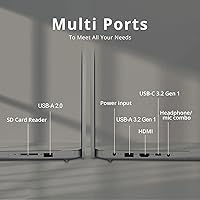
  • The port lineup is practical — HDMI, USB-C, SD card reader, and multiple USB-A ports cover most needs.
  • The fingerprint reader adds a convenient, secure login option that feels premium for the category.
  • The i3-1215U handles light multitasking noticeably better than older dual-core budget processors.
  • Anti-glare IPS panel reduces eye strain during long indoor work or study sessions.

Cons

  • Display brightness tops out at 300 nits, which becomes a real problem in bright or sunlit rooms.
  • The i3-1215U will throttle noticeably under sustained workloads beyond basic productivity tasks.
  • Real-world battery life tends to land well short of all-day use on heavier workloads.
  • The plastic chassis feels functional but not particularly solid under pressure or flex.
  • The trackpad can be inconsistent, with some users reporting unreliable responsiveness.
  • No dedicated graphics mean this touchscreen IdeaPad is a non-starter for even casual modern gaming.
  • The single USB 2.0 port is noticeably slow for transferring large files with older peripherals.
  • Speaker quality is underwhelming for media consumption without headphones or an external speaker.
  • The RAM listing in the product specs references 8GB DDR4, which may cause confusion despite the total being 16GB.

Ratings

The scores below for the Lenovo IdeaPad 1 Gen 7 15.6″ Laptop were generated by our AI after analyzing thousands of verified global buyer reviews, with spam, bot-submitted, and incentivized feedback actively filtered out. Each category reflects the honest balance of what real users praised and what genuinely frustrated them — nothing is softened to protect the score. Whether this budget Lenovo laptop earns a recommendation depends heavily on your use case, and these ratings are designed to make that call easier.

Value for Money
88%
Buyers consistently point to the 16GB RAM and NVMe SSD combination as punching well above the typical spec sheet at this price tier. Students and home users who compared alternatives before purchasing frequently noted they could not find a touchscreen machine with this much memory for less.
A handful of buyers who needed more processing muscle felt the i3-1215U undercut the overall value proposition for anything beyond light work. If your workload regularly involves video editing or large datasets, the CPU becomes a ceiling that the generous RAM cannot compensate for.
Performance
67%
33%
For its intended audience — students writing papers, remote workers on video calls, families browsing and streaming — the i3-1215U handles the day-to-day workload without stalling. The hybrid core architecture manages multitasking noticeably better than the older dual-core i3 chips that were common in this segment just two years ago.
Push this touchscreen IdeaPad into anything sustained and demanding — large Lightroom catalogs, long video exports, or running multiple resource-heavy apps simultaneously — and performance drops off quickly. Thermal throttling under extended load is a recurring complaint, and users expecting consistent speed during intensive tasks were regularly disappointed.
Display Quality
71%
29%
The IPS panel earns credit for accurate-enough colors and wide viewing angles that make sharing the screen with someone sitting beside you comfortable. The anti-glare coating genuinely reduces eyestrain during long indoor study or work sessions, and the 1080p resolution looks clean at 15.6 inches.
The 300-nit ceiling is the most recurring display complaint by a clear margin. Users who work near windows or occasionally take the laptop to a cafe regularly reported fighting with washed-out visuals. This is not a brightness issue you can fully offset through software adjustments.
RAM & Storage
91%
The 16GB DDR4 configuration is genuinely the headline strength of this machine relative to its competition, and users feel it in practice — keeping thirty browser tabs open alongside a streaming video and a document editor no longer causes the slowdowns they experienced on previous 8GB laptops. The NVMe SSD means bootups and app launches are crisp rather than sluggish.
Some technically informed buyers noted that the RAM configuration may be soldered on certain units, limiting upgrade options down the line. A small number of users also flagged confusion over the product listing — which references both 8GB and 16GB DDR4 in different places — and wished the specification had been presented more clearly upfront.
Touchscreen
79%
21%
For a machine at this price, having a responsive touchscreen at all is still uncommon enough that buyers notice and appreciate it. Students annotating lecture PDFs and home users navigating Windows 11 by touch both report the interaction feels natural rather than tacked on.
The screen does not fold flat or rotate into tent or tablet mode, which limits how useful the touch input can be for extended hands-on tasks. A few users also noted that the glossy touch layer picks up fingerprints quickly, requiring more frequent cleaning than a standard matte display.
Battery Life
62%
38%
For lighter workloads — document editing, casual browsing, or low-demand video calls — some users managed to stretch use to around six or seven hours on a full charge, which is workable for a half-day classroom or coffee shop session.
The consensus across more demanding users is that real-world battery life falls well below what the spec sheet implies. Those running video calls back-to-back or keeping the screen brightness higher routinely reported needing to plug in before the five-hour mark, which limits true all-day portability.
Keyboard & Trackpad
69%
31%
The keyboard layout is full-size and the key travel is acceptable for everyday typing — students and remote workers handling moderate volumes of text generally found it comfortable enough for note-taking and emails without significant fatigue.
The trackpad draws more criticism than the keyboard. Inconsistent palm rejection and occasional unresponsive taps were recurring pain points, particularly for users coming from more premium machines. Writers and anyone doing precision work with the cursor frequently resorted to an external mouse.
Build Quality
63%
37%
The slim 0.7-inch profile and sub-four-pound weight make the chassis easy to live with on a daily carry, and for casual home or campus use the build holds up reasonably well inside a sleeve or padded bag compartment.
The all-plastic construction is the most polarizing aspect of the physical design. Buyers coming from older but sturdier machines noticed flex in the lid and base under light pressure. It is not a machine that inspires confidence if accidentally dropped or handled roughly in a crowded backpack.
Connectivity & Ports
83%
The port lineup is notably practical for a budget machine — having a full-size HDMI, a USB-C 3.2, an SD card reader, and multiple USB-A ports means most users can connect their peripherals without immediately reaching for a hub. Wi-Fi 6 support is a genuine upgrade over what many competing machines offer at the same price.
The inclusion of a USB 2.0 port alongside faster connections is a minor but real inconvenience when transferring large files using older peripherals — the speed gap is noticeable. There is also no Thunderbolt 4 support, which limits docking options for users building a more complete home-office setup.
Webcam Quality
58%
42%
The built-in webcam covers the basics for video calls on Zoom, Teams, or Google Meet, and remote workers report that their image is clear enough for professional calls under decent lighting conditions at home.
In low-light environments or rooms without direct overhead lighting, the webcam image quality degrades noticeably — graininess and washed-out tones are common complaints. Users who care about video quality for content creation or regular client-facing calls will likely want an external webcam.
Setup & Out-of-Box Experience
76%
24%
Windows 11 Home comes pre-installed and the initial setup process is straightforward, with most users reporting they were up and running within twenty minutes of opening the box. The fingerprint reader works reliably from the first login, which buyers appreciated as a convenient security feature.
Like most consumer Windows laptops, this budget Lenovo laptop ships with a layer of pre-installed software and trial applications that slow down the first boot and require manual removal. A handful of users also noted the included charger cable feels lightweight and less durable than expected.
Audio
54%
46%
The built-in speakers are serviceable for casual use — background music, quick video clips, or low-volume video calls in a quiet room are manageable without reaching for headphones immediately.
For media consumption, the speaker output is a consistent disappointment. Volume limits out too low for noisy environments like dorm rooms or shared living spaces, and the sound profile is thin with minimal bass. Most users who watch a lot of video content ended up using wired or Bluetooth audio accessories almost exclusively.
Thermal Management
61%
39%
During light to moderate workloads — the kind of everyday use this machine is designed for — fan noise stays low and the chassis remains cool to the touch, making it comfortable to use on a lap for extended periods.
Under sustained loads, the fan ramps up audibly and the bottom of the chassis gets noticeably warm. Users who pushed the processor during long video exports or resource-intensive tasks also noted performance dips consistent with thermal throttling, suggesting the cooling system has limited headroom.
Software & OS Experience
74%
26%
Windows 11 Home is a polished and capable operating system for everyday productivity, and the Android app compatibility via the Amazon Appstore adds a layer of flexibility that some users found genuinely useful for accessing mobile apps on a full-size screen.
The amount of pre-loaded bloatware — Lenovo-branded utilities alongside third-party trial software — was a recurring frustration for buyers who wanted a clean start. Removing unwanted programs requires some time and familiarity with Windows settings, which less technical users found tedious.

Suitable for:

The Lenovo IdeaPad 1 Gen 7 15.6″ Laptop is a strong match for college students who need a dependable, no-fuss machine to carry through lectures, library sessions, and late-night study marathons without blowing their budget. The 16GB of RAM means browser-heavy workflows — twenty tabs open, a document in progress, a video call running in the background — stay manageable without the machine grinding to a halt. Remote workers handling emails, spreadsheets, and video conferencing will find it perfectly capable as a home-office companion. Families shopping for a shared secondary computer will appreciate the touchscreen, the fingerprint reader for quick logins, and the generous storage headroom for multiple users. Anyone still running an older machine with a mechanical hard drive or just 8GB of RAM will notice a real, day-to-day difference switching to this touchscreen IdeaPad.

Not suitable for:

Buyers with demanding workloads should look elsewhere — the i3-1215U and its integrated Intel UHD Graphics simply are not built for sustained pressure. Video editing, 3D rendering, serious photo work, and modern gaming will push this budget Lenovo laptop well past its comfort zone, resulting in sluggish performance and thermal throttling under load. Content creators who work extensively in apps like Premiere Pro, DaVinci Resolve, or Lightroom with large file libraries will find the hardware frustrating rather than helpful. The 300-nit display, while decent indoors, is a genuine limitation for anyone who frequently works near bright windows or outdoors on a patio. If you need a primary workhorse for computationally intensive tasks, or if thin-and-light portability for frequent travel is your top priority, the build quality and battery range of this machine may leave you wanting more.

Specifications

  • Display: 15.6″ IPS touchscreen panel with a 1920x1080 Full HD resolution and an anti-glare coating for reduced reflections.
  • Brightness: The display reaches a maximum brightness of 300 nits, suitable for indoor and low-light environments.
  • Processor: Powered by an Intel Core i3-1215U with 6 cores, 8 threads, a base frequency of 0.9 GHz, and a maximum turbo frequency of 4.4 GHz.
  • RAM: 16GB of DDR4 SDRAM running at 3200 MHz, configured as dual 8GB modules for everyday multitasking.
  • Storage: 512GB PCIe NVMe M.2 Solid State Drive for fast boot times and quick access to files and applications.
  • Graphics: Intel UHD Graphics integrated into the processor, sharing system memory with no dedicated GPU.
  • Operating System: Ships with Windows 11 Home pre-installed, including access to the Microsoft Store and Android app compatibility.
  • Wireless: Wi-Fi 6 (802.11ax) for high-speed wireless connectivity, paired with Bluetooth for peripheral connections.
  • Ports: Includes one USB-C 3.2 Gen 1, one USB-A 3.2 Gen 1, one USB-A 2.0, one full-size HDMI, one SD card reader, and one 3.5mm combo audio jack.
  • Webcam: Built-in webcam supports standard video calls for platforms such as Zoom, Teams, and Google Meet.
  • Security: Integrated fingerprint reader enables Windows Hello biometric login without entering a password.
  • Weight: The laptop weighs 3.63 pounds, making it manageable to carry in a backpack for daily commutes.
  • Dimensions: Measures 14.18 x 9.29 x 0.7 inches, keeping the footprint slim despite the 15.6″ screen size.
  • Battery: Powered by an internal lithium-ion battery with AC adapter charging; real-world runtime varies by workload.
  • Color: Available in a neutral Gray finish with a plastic chassis construction.
  • Audio: Features a 3.5mm combination headphone and microphone jack for wired audio accessories.
  • Optical Drive: No optical drive is included; disc-based media requires an external USB DVD or Blu-ray drive.
  • Availability: First listed for sale in August 2024, positioning it as a current-generation entry-level Windows laptop.

Related Reviews

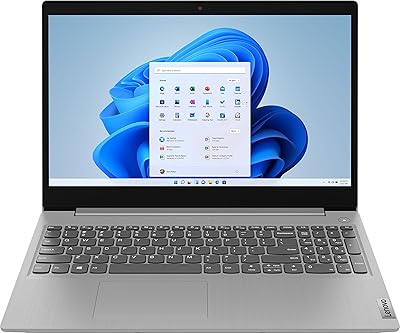
Lenovo IdeaPad 1 Gen 7 15.6″ Laptop 24GB RAM 1TB SSD
84%
88%
Performance
91%
Multitasking Capability
94%
Storage Speed
85%
Display Quality
89%
Portability
More
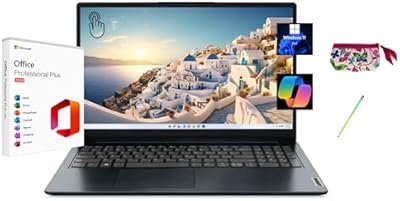
Lenovo IdeaPad 3 15.6″ Laptop
70%
83%
Value for Money
67%
Performance
51%
Display Quality
54%
Battery Life
78%
Touchscreen
More
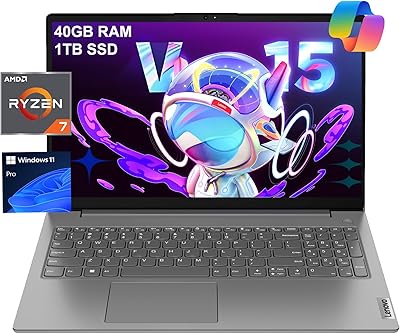
Lenovo V15 Gen 4 Business Laptop, 15.6″, AMD Ryzen 7 7730U, 40GB RAM, 1TB SSD
83%
91%
Performance
88%
Value for Money
90%
Build Quality and Durability
78%
Battery Life
85%
Display Quality
More
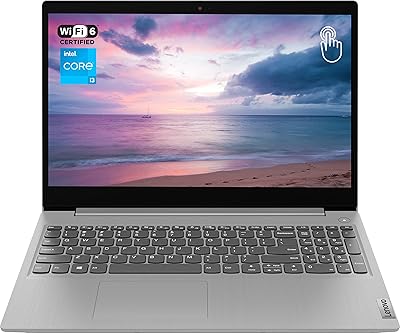
Lenovo IdeaPad 1 15.6″ Touchscreen Laptop
73%
88%
Value for Money
91%
Storage & Speed
84%
Microsoft Office Inclusion
67%
Display Quality
73%
Touchscreen & Stylus
More
Lenovo IdeaPad 15.6-inch Laptop, 12GB RAM, 512GB SSD, Intel Celeron N4500
82%
92%
Value for Money
89%
Battery Life
75%
Display Quality
85%
Performance for Basic Tasks
88%
Portability
More
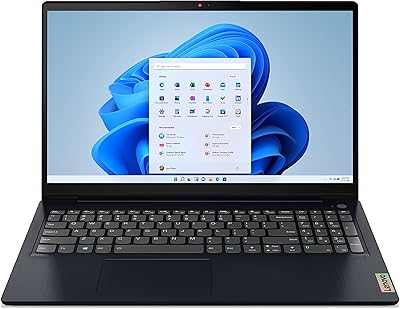
Lenovo Ideapad 3 Laptop, 15.6″, Intel Core i3, 12GB RAM, 256GB SSD
84%
92%
Value for Money
85%
Performance for Everyday Tasks
90%
Portability and Weight
75%
Display Quality
80%
Battery Life
More
Lenovo IdeaPad 3 Laptop, 15.6″, Intel Core i3-1115G4, 16GB RAM, 512GB SSD
83%
84%
Performance
91%
Value for Money
85%
Display Quality
76%
Battery Life
80%
Build Quality
More
Lenovo IdeaPad 3 15.6″ Laptop, AMD Ryzen 5 5500U, 8GB RAM, 512GB SSD
81%
91%
Value for Money
87%
Performance for Daily Tasks
82%
Display Quality
79%
Battery Life
85%
Build Quality
More
Lenovo Ideapad 3 15.6″ FHD Touchscreen Laptop, Intel Core i5-1135G7, 12GB RAM, 256GB SSD
82%
85%
Performance
91%
Display Quality
88%
Battery Life
80%
Build Quality
84%
Portability
More
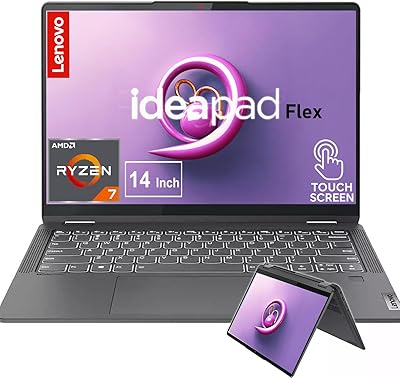
Lenovo IdeaPad Flex 5 14-inch 2-in-1 Laptop, Ryzen 7 5700U, 16GB RAM, 512GB SSD
85%
88%
Performance
93%
Display Quality
80%
Battery Life
75%
Portability/Weight
85%
Keyboard Comfort
More

FAQ

Yes, the total installed RAM is 16GB. The confusion comes from the product listing referencing individual module sizes — the machine ships with two 8GB DDR4 sticks for a combined 16GB. That is the correct and verified configuration.

Casual or older games with low graphical demands — think Minecraft, indie titles, or browser-based games — should run acceptably. However, this budget Lenovo laptop relies entirely on Intel UHD integrated graphics, so modern AAA titles or anything requiring a dedicated GPU will either run poorly or not at all. It is not designed with gaming in mind.

Expect somewhere in the five-to-seven-hour range under typical use — web browsing, documents, and video calls with the screen at moderate brightness. If you push it harder with streaming video or multiple demanding applications, you will land closer to the lower end. It is adequate for a half-day away from an outlet but not a true all-day machine.

It is genuinely useful for Windows 11, where touch works well for scrolling, tapping tiles, and annotating PDFs or documents. If you have ever used a tablet and missed that interaction style on a laptop, you will appreciate it here. It is not a replacement for a stylus-equipped 2-in-1, but for casual touch interaction it works well.

This is an important question to research carefully before buying. Budget IdeaPad models often have soldered RAM with limited or no upgrade paths, and while the NVMe SSD slot may be accessible, opening the chassis can void the warranty. Given the Lenovo IdeaPad 1 Gen 7 15.6″ Laptop ships with 16GB and 512GB already, most users will find the base configuration sufficient without needing to upgrade.

For indoor streaming — Netflix, YouTube, or similar — the 1080p IPS panel looks reasonably good with decent color and wide viewing angles. The anti-glare coating helps cut down reflections. The 300-nit brightness is the main limitation; in a bright room near a window, the image can look washed out. For a dimmer or controlled environment it is perfectly watchable.

Yes, this is actually one of its strongest use cases. The built-in webcam, combo microphone jack, Wi-Fi 6 connectivity, and 16GB of RAM make it a comfortable machine for back-to-back Zoom or Teams calls alongside open documents and a full browser. It handles the kind of mixed multitasking that defines a typical remote workday without bogging down.

User feedback on the keyboard is generally positive for casual and moderate typing — it has reasonable key travel and a comfortable layout for a budget machine. Writers or heavy typists putting in long sessions may find it less satisfying than higher-end keyboards, but for note-taking, emails, and documents it is functional and not fatiguing.

No, it ships with Windows 11 Home but does not include a licensed copy of Microsoft Office. You will need to purchase a Microsoft 365 subscription separately or use the free web versions of Word, Excel, and PowerPoint through a browser, which work well on this touchscreen IdeaPad.

It is a plastic chassis, which is standard at this price tier, and it holds up fine for normal daily use in a padded laptop sleeve or backpack compartment. It is not ruggedized and will not survive drops or rough handling. A protective sleeve or case is a worthwhile investment if it is going in and out of a bag every day.