

Overview
The Lenovo WL500 Wireless Silent Mouse is Lenovo's answer to the quiet, no-fuss office mouse — priced accessibly enough to sit firmly in the budget tier without pretending to be anything else. What sets it apart from similarly priced rivals is the USB-C rechargeable battery, a genuine convenience upgrade over devices that still rely on disposable AAs. Setup is plug-and-play: slot in the nano receiver and you're working within seconds. The ambidextrous shape means left- and right-handed users are both covered. Sitting at a 4.3-star average across nearly 800 buyers, it carries enough real-world validation to take seriously — though it's a productivity workhorse, not a precision instrument.
Features & Benefits
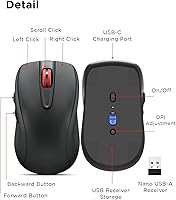
The clicks on this silent wireless mouse use an internal dampening system that meaningfully reduces that sharp snapping sound — not completely inaudible, but quiet enough to go unnoticed in a shared office. Battery life is a practical highlight: the built-in 380mAh cell covers around 45 hours before it needs a USB-C top-up, meaning most people won't be charging it more than once a week. The nano receiver stows neatly inside the mouse body, so there's no risk of leaving it behind at a coffee shop. DPI toggles between 800, 1200, and 1600 — the mid-range 1200 setting handles most day-to-day tasks well, while 800 helps slow things down for careful text work. Forward and back buttons add a small but genuinely useful layer to browser navigation.
Best For
The WL500 is a natural fit for anyone who works somewhere silence actually matters — shared offices, library study areas, co-working spaces, or just an apartment where a partner is on a call nearby. It's also an easy recommendation for frequent laptop travelers: USB-C charging means one less cable type to carry, and the receiver tucks inside the mouse so it won't rattle loose in a bag. The symmetric shape genuinely works for both hands, which is a small detail that makes a real difference if you're left-handed and tired of searching. Budget-conscious buyers and students will find solid Lenovo reliability here without the premium price tag that sometimes comes attached to the brand name.
User Feedback
Most buyers highlight quiet clicks and fast setup as the standout positives — people appreciate not needing to install drivers or fiddle with software before getting to work. The USB-C charging earns consistent praise, particularly from users who found older AA-battery mice frustrating to maintain. On the downside, reviewers with larger hands find the low profile uncomfortable during longer sessions; the mouse is compact by design, and that trade-off is real. The 1600 DPI ceiling also comes up: it handles everyday office tasks fine, but it's a hard limit that creative professionals or anyone needing fine cursor control will bump into quickly. A number of buyers also flag that a USB-C cable is not included in the box — worth knowing before ordering. Lenovo's rechargeable office mouse earns its rating through consistent reliability, not standout specs.
Pros
- Silent clicks are genuinely quiet — noticeably less disruptive in shared offices or quiet home environments.
- USB-C charging is a practical advantage over budget mice that still require disposable AA batteries.
- The nano receiver stores inside the mouse body, so there is no realistic way to lose it while traveling.
- Plug-and-play setup works across Windows, macOS, and Linux without installing any drivers.
- Up to 45 hours of battery life per charge means most users only plug in once or twice a week.
- The ambidextrous design works equally well for left- and right-handed users — genuinely, not just technically.
- Five-button layout with forward and back navigation adds real value for browser-heavy and file-management workflows.
- Lenovo's durability rating of up to 3 million clicks suggests the hardware is built to outlast typical budget-tier competition.
- At roughly 5.3 ounces, the WL500 is light enough to carry daily without adding noticeable weight to a laptop bag.
Cons
- A USB-C charging cable is not included in the box, which is an oversight at any price.
- The 1600 DPI ceiling rules out any precision-heavy task beyond standard office and web use.
- The shallow profile can feel uncomfortable for users with larger hands during extended work sessions.
- Only three DPI levels with no software to customize sensitivity, button behavior, or polling rate.
- Optical tracking may be unreliable on glass, glossy, or reflective desk surfaces.
- The scroll wheel click requires slightly more deliberate force than the main buttons, which some users find inconsistent.
- No dedicated power toggle is visible, meaning battery drain during transport depends entirely on the mouse going idle.
- The understated all-black design blends in but offers no visual cue for current DPI level after switching.
Ratings
The Lenovo WL500 Wireless Silent Mouse was evaluated by our AI system after analyzing verified buyer reviews from around the world, with automated filtering applied to remove spam, incentivized submissions, and bot-generated feedback. The scores below reflect a transparent, balanced picture of how this mouse performs across real daily-use scenarios — capturing what buyers consistently praise and the pain points that surface frequently enough to genuinely affect the ownership experience. Every category score is grounded in the full spectrum of real buyer input, not just the highlights.
Noise Reduction
Battery Life
Value for Money
Ergonomics & Comfort
DPI & Precision
Wireless Reliability
Ease of Setup
Build Quality
Portability
Surface Compatibility
Charging Experience
Button Layout
Software & Customization
Cross-Platform Use
Suitable for:
The Lenovo WL500 Wireless Silent Mouse is built for the kind of everyday user who wants a reliable, low-maintenance peripheral that doesn't demand attention — and that describes a surprisingly wide group of people. Remote workers and open-office regulars will appreciate the dampened clicks most, since even modest noise reduction matters when you're sitting three feet from a colleague on a video call. Laptop users who travel light will find the USB-C charging genuinely useful, especially now that most modern laptops share the same port, cutting down on the number of cables you need to carry. Left-handed users often get overlooked at this price tier, so the ambidextrous shape is a real differentiator rather than a marketing footnote. Students, home office upgraders, and anyone stepping away from a wired mouse for the first time will get a well-rounded, plug-and-play experience backed by a brand that has a long track record in PC hardware.
Not suitable for:
Anyone who needs more than basic cursor precision should look elsewhere — the Lenovo WL500 Wireless Silent Mouse tops out at 1600 DPI, which is adequate for documents and web browsing but noticeably limiting for photo editing, illustration, or any task where fine cursor movement matters. Users with large hands may also find the shallow, compact profile uncomfortable during long sessions; the form factor is designed for portability, not ergonomic all-day grip. Gamers should skip this entirely — the DPI range, response characteristics, and button layout are built around office productivity, not fast-paced input. If you work primarily on glass or high-gloss surfaces, the optical sensor may struggle with reliable tracking, which is a known limitation of most optical mice in this class. Power users who rely on custom button mapping or adjustable polling rates will also hit a wall quickly, as this mouse offers no software configuration layer whatsoever.
Specifications
- Brand & Model: Manufactured by Lenovo under the model designation WL500, released for retail in January 2024.
- Connectivity: Connects wirelessly via a 2.4GHz nano USB receiver included in the box.
- Receiver Storage: The nano USB receiver fits into a dedicated compartment inside the mouse body when not in use.
- Battery: Powered by a built-in 380mAh lithium-ion battery; the cell is non-removable and recharged via USB-C.
- Battery Life: Rated for up to 45 hours of active use on a single full charge under typical office conditions.
- Charging Port: Uses a USB-C charging port; no charging cable is included in the retail package.
- DPI Settings: Offers three selectable sensitivity levels — 800, 1200, and 1600 DPI — cycled via an on-board button.
- Button Layout: Features 5 buttons: left click, right click, scroll wheel click, and dedicated forward and backward navigation buttons.
- Silent Mechanism: Left click, right click, and scroll wheel click all use internal dampening to reduce audible click noise.
- Grip Style: Fully ambidextrous form factor, designed to accommodate both left- and right-handed users without adjustment.
- Dimensions: Measures approximately 4.01 x 2.28 x 1.5 inches (length x width x height).
- Weight: Weighs 5.3 oz, making it light enough for daily portability in a laptop bag or backpack.
- OS Compatibility: Compatible with Windows, macOS, and Linux operating systems; no driver installation is required.
- Surface Compatibility: The optical sensor tracks reliably on wood, leather, fabric, paper, and resin surfaces.
- Click Durability: Left and right buttons are rated for up to 3 million click cycles by the manufacturer.
- Scroll Durability: The scroll wheel mechanism is rated for up to 300,000 rotation cycles.
Related Reviews
HP 280M Silent Mouse
Lenovo Professional Wireless Keyboard and Mouse Combo
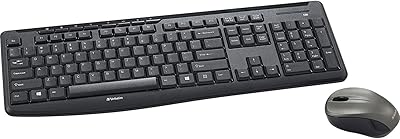
Verbatim Wireless Silent Mouse & Keyboard Combo
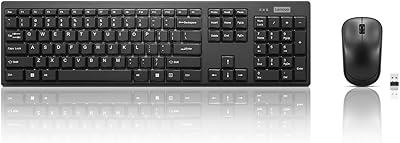
Lenovo 100 Wireless Keyboard and Mouse Combo
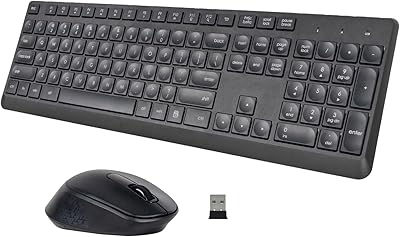
HUO JI Silent Wireless Keyboard Mouse Combo
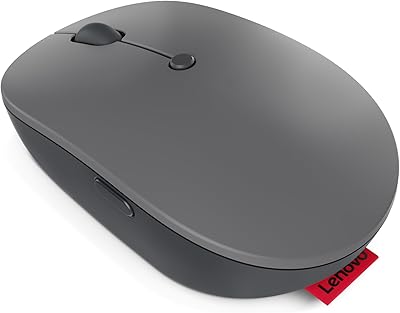
Lenovo Go USB-C Wireless Mouse
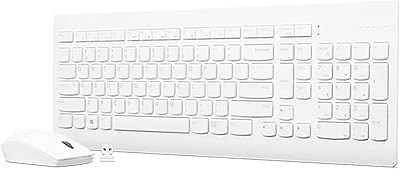
Lenovo 510 Wireless Keyboard and Mouse Combo

Arteck HW192 Wireless Keyboard and Mouse Combo

Logitech M510