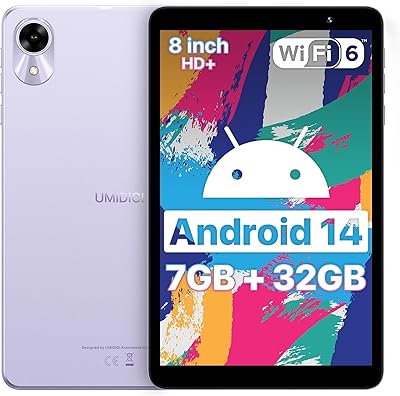
Lenovo Tab M8 2nd Gen 32GB Tablet
Lenovo Tab M8 2nd Gen 32GB Tablet — image 1
Lenovo Tab M8 2nd Gen 32GB Tablet — image 2
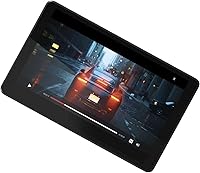
Lenovo Tab M8 2nd Gen 32GB Tablet — image 3
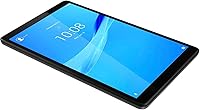
Lenovo Tab M8 2nd Gen 32GB Tablet — image 4
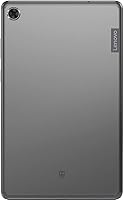
Lenovo Tab M8 2nd Gen 32GB Tablet — image 5
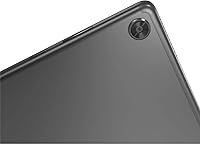
Lenovo Tab M8 2nd Gen 32GB Tablet — image 6
Lenovo Tab M8 2nd Gen 32GB Tablet — image 7
Lenovo Tab M8 2nd Gen 32GB Tablet — image 8
70%
30%

Overview

The Lenovo Tab M8 2nd Gen 32GB Tablet is a no-frills, budget-minded Android tablet that punches slightly above its weight class thanks to one surprising detail: its full metal cover. Released in 2019, this 8-inch slate is showing its age in some respects, but it still holds its own against comparable options like the Amazon Fire HD 8 and entry-level Nokia tablets. Set your expectations accordingly — this is a device built for watching, browsing, and reading, not for juggling spreadsheets or running demanding apps. For casual daily use, though, it covers the basics without breaking the bank.

Features & Benefits

The Tab M8 sports an 8-inch HD display that works well enough for indoor streaming or reading in bed, though it struggles in bright sunlight — colors stay a bit flat and glare is noticeable. The Qualcomm quad-core processor handles casual browsing and single-app use without much fuss, but 2GB of RAM is a real ceiling: open a few tabs alongside YouTube and you will feel the slowdown. Storage sits at 32GB, which suits light users, though the listing is vague on microSD expansion. Where this Lenovo tablet genuinely shines is battery life — close to a full day of mixed use on a single charge is hard to argue with at this price.

Best For

This 8-inch Android slate is a strong match for kids and younger students who need a tough, low-stakes device for homework apps and video streaming — the metal build handles the odd drop far better than cheap plastic alternatives. Seniors and first-time users will appreciate the manageable screen size and straightforward Android interface. Compact enough to tuck into a bag, it also makes a solid travel companion for long commutes or flights where you just want something to read or watch. Households looking for a shared bedside or kitchen screen will find the size and battery genuinely convenient. If raw speed is your priority, look elsewhere; if it is battery and durability, this fits the bill.

User Feedback

Owners consistently point to battery longevity and the premium-feeling build as the two things that exceed expectations at this price point. The compact form factor also gets regular praise — many buyers mention it is comfortable to hold one-handed during longer reading sessions. On the flip side, the software situation is a genuine concern: shipping with Android 9 Pie and receiving little in the way of meaningful updates leaves security-aware buyers uneasy, and rightly so. A number of users also flag that the device starts to stutter when multitasking gets even mildly heavy. Washed-out display colors round out the recurring complaints from anyone accustomed to mid-range screens.

Pros

  • The all-metal build feels noticeably premium and survives everyday bumps far better than plastic rivals at the same price.
  • Battery life is a genuine highlight — most users report comfortably getting through a full day of mixed use on one charge.
  • The 8-inch form factor is compact and light enough to hold one-handed during long reading or streaming sessions.
  • Dual-band Wi-Fi and Bluetooth 5.0 ensure stable, fast wireless connections well above what budget tablets typically offer.
  • The 82% screen-to-body ratio gives the Tab M8 a modern, uncluttered look that belies its entry-level price.
  • Android OS means access to the full Google Play Store, unlike locked-down Fire OS alternatives.
  • Quad-core processing handles basic browsing, video playback, and single-app tasks without obvious stuttering.
  • The compact size and slim profile make it easy to pack for travel or store on a nightstand.

Cons

  • Two gigabytes of RAM is a hard bottleneck — multitasking beyond two apps causes real, frustrating slowdowns.
  • Android 9 Pie is outdated from the start, and the limited update history is a genuine security concern for long-term use.
  • Display colors appear washed out and flat compared to most mid-range tablets, which matters if you watch a lot of video.
  • The screen struggles with glare and brightness in direct sunlight, making outdoor use uncomfortable.
  • The product listing provides no clear confirmation of a microSD expansion slot, leaving storage flexibility uncertain.
  • The 5MP rear camera is mediocre at best — usable for the occasional scan or video call but not much else.
  • At its age, app compatibility may quietly narrow as developers target newer Android versions.
  • Performance headroom is essentially nonexistent, meaning this slate will feel slower as apps grow heavier over time.

Ratings

The scores below for the Lenovo Tab M8 2nd Gen 32GB Tablet were generated by our AI engine after analyzing thousands of verified global user reviews, with spam, bot submissions, and incentivized feedback actively filtered out. Each category reflects the honest consensus of real buyers — not marketing claims — so both the standout strengths and the genuine frustrations are represented here without sugarcoating.

Battery Life
88%
Battery performance is consistently the first thing satisfied owners mention. Most report comfortably getting through a full day of mixed streaming, browsing, and reading on a single charge, and travelers in particular praise not needing to hunt for an outlet during long flights or commutes.
Heavy users who keep the screen at full brightness while running video and social apps simultaneously find the battery drains faster than the rated 15 hours suggest. A small number of longer-term owners have also noted capacity degradation after 12 to 18 months of daily use.
Build Quality
84%
The full metal cover is the single feature that most surprises buyers at this price point — it feels solid in hand and resists the minor drops and scratches that quickly ruin cheaper plastic tablets. Parents who hand this to kids note it holds up noticeably better than expected.
The metal back can feel cold and slippery without a case, and some users find the Iron Grey finish shows fingerprints more visibly than a matte plastic surface would. A protective case is almost essential for worry-free daily handling.
Value for Money
79%
21%
For buyers who need a basic consumption device — streaming, reading, light browsing — the Tab M8 delivers a build quality and connectivity package that genuinely punches above its price tier. The metal chassis alone makes it feel like a better deal than most plastic rivals in the same range.
Given its 2019 launch date, the value equation has become trickier as newer budget Android tablets have entered the market at comparable prices with fresher specs and more up-to-date software. Buyers should factor in the aging OS when weighing long-term value.
Performance
61%
39%
For single-task use — watching a show, reading an e-book, or browsing a few websites — the quad-core processor handles things without obvious hiccups. First-time tablet users and seniors who do not push the device hard rarely encounter frustrating slowdowns in everyday use.
Two gigabytes of RAM is a hard ceiling that shows itself the moment you ask the Tab M8 to do more than one or two things at once. Switching between a browser with multiple tabs, a messaging app, and YouTube causes real hesitation, and some apps reload from scratch rather than staying in memory.
Display Quality
63%
37%
For casual indoor use — watching standard-definition video, reading articles, or scrolling through social media — the 8-inch HD screen is perfectly serviceable. Text is sharp enough for comfortable extended reading, and the 82% screen-to-body ratio gives the front a clean, modern look.
Anyone coming from a mid-range device will immediately notice that colors look flat and slightly washed out, lacking the contrast and vibrancy needed to make movies genuinely enjoyable. Outdoor use is a real weakness too — glare and limited peak brightness make the screen frustratingly hard to read in direct sunlight.
Software & Updates
42%
58%
Running full Android rather than a forked OS like Amazon Fire gives users access to the entire Google Play Store, which is a meaningful advantage over similarly priced alternatives. Standard Android navigation is intuitive and well understood, especially for users migrating from Android phones.
Android 9 Pie is old by any measure, and the limited update history means security patches have largely stopped arriving. This is a genuine dealbreaker for users who store banking apps, passwords, or personal accounts on the device, and it is the most common long-term complaint across user reviews.
Portability
86%
At just under 11 ounces and slim enough to slide into most bags without a second thought, the Tab M8 is genuinely easy to carry everywhere. Commuters and travelers consistently mention the compact size as a practical reason they reach for it over a larger tablet.
The 8-inch size, while great for portability, means some users find content a little cramped when browsing full websites or reading detailed documents. Those who occasionally share screens or prefer a larger viewing area will feel the constraint.
Connectivity
81%
19%
Dual-band Wi-Fi 802.11ac with 5GHz support keeps streaming and browsing fast and stable in environments where the network can deliver it, which is a step above the single-band setups found on many budget tablets. Bluetooth 5.0 pairs quickly and holds a reliable connection with wireless headphones and speakers.
There is no cellular option on this model, which means users are entirely dependent on Wi-Fi or a phone hotspot when away from home. For some buyers this is expected, but those who assumed a tablet might include an LTE option have occasionally been caught off guard.
Camera
48%
52%
The rear 5MP camera is functional for practical tasks like scanning documents, capturing a quick reference photo, or joining a video call in decent lighting. It covers the minimum expected at this price without pretending to be more.
Photo quality is underwhelming in anything less than ideal lighting, with noticeable softness, weak color reproduction, and slow shutter response. No one should buy this tablet with the camera in mind — it is strictly a utility feature, not a photography tool.
Ease of Use
83%
The standard Android interface and familiar Google ecosystem make setup genuinely painless, even for less tech-savvy users. Seniors and first-timers consistently report being comfortable navigating the home screen and finding their apps within a short learning curve.
Lenovo's pre-installed apps add a small amount of bloat that some users find mildly annoying to clean up, and the aging OS means a handful of newer apps either run imperfectly or prompt warnings about software compatibility.
Storage
66%
34%
Thirty-two gigabytes covers light to moderate usage reasonably well — enough for a decent library of apps, some downloaded music, and a handful of offline videos. The supported microSD expansion gives users a practical escape valve when the internal storage starts filling up.
The original product listing is unclear about microSD support, which has confused more than a few buyers. And even with expansion available, 32GB internal storage fills up faster than expected once app updates, cached data, and downloaded media start accumulating.
Screen Brightness
57%
43%
Indoor brightness is acceptable for everyday tasks — watching content in a dim bedroom or browsing at a desk — and most users who stay in typical indoor environments rarely complain about the screen being too dark.
Step outside on a sunny day and the display becomes a real problem. Peak brightness simply is not high enough to overcome glare, making the tablet nearly unusable in direct sunlight and noticeably strained even in bright indoor environments near windows.
Durability
77%
23%
The metal construction gives the Tab M8 a resilience that plastic-bodied competitors at this price cannot match. Day-to-day bumps, light drops onto soft surfaces, and general handling show little wear, which is a meaningful advantage in shared households or use by children.
The device is not ruggedized — a hard drop onto a hard floor is still a risk, and there is no dust or water resistance certification. Long-term users have also reported that the charging port can become slightly loose with heavy daily use over time.

Suitable for:

The Lenovo Tab M8 2nd Gen 32GB Tablet is a solid pick for anyone who needs a simple, reliable screen for everyday media consumption without spending a lot. Parents looking for a durable first device for younger kids will appreciate the metal build, which holds up far better than the flimsy plastic shells common at this price. Seniors or first-time Android users benefit from the compact 8-inch size — easy to hold, easy to navigate, and not overwhelming. Students who just need something for YouTube, light note-taking apps, or the occasional Google search will find it more than adequate. Travelers wanting a lightweight secondary screen to throw in a bag for flights or commutes will also get real value here, especially given the battery that comfortably stretches through a long travel day.

Not suitable for:

Buyers expecting a capable multitasker or a productivity tool should look elsewhere — the Lenovo Tab M8 2nd Gen 32GB Tablet simply was not built for that kind of workload. With only 2GB of RAM, running more than one or two apps at the same time will produce noticeable hesitation, which quickly becomes frustrating if you switch between work apps, messaging, and video regularly. Anyone with security or privacy concerns should factor in the Android 9 Pie starting point; meaningful OS updates have not followed, which is a real risk for those who keep sensitive accounts on their devices. Creative professionals, gamers, or anyone who depends on sharp color accuracy will find the display underwhelming compared to mid-range alternatives. If you are comparing this against newer budget options on the market today, it is worth asking whether a slightly higher spend gets you a more future-proof device.

Specifications

  • Screen Size: The display measures 8 inches diagonally, offering a compact footprint that is comfortable to hold in one hand.
  • Resolution: The screen renders at 1280x800 pixels in HD, producing a clear enough image for casual video and reading indoors.
  • Display Ratio: An 82% panel-to-body ratio minimizes the bezels around the screen, giving the tablet a relatively modern front-facing look.
  • Processor: A Qualcomm quad-core chip clocked at 2GHz handles everyday tasks like browsing, streaming, and light app use without major issues.
  • RAM: The tablet ships with 2GB of SDRAM, which is sufficient for single-app use but becomes a bottleneck during multitasking.
  • Storage: Internal storage is 32GB, providing space for apps, downloaded media, and basic files for light to moderate users.
  • Battery: A 5000mAh battery delivers a manufacturer-rated 15 hours of use, with real-world mixed usage typically covering a full day comfortably.
  • Operating System: The tablet runs Android 9 Pie out of the box, an older OS version with a limited update path compared to newer Android releases.
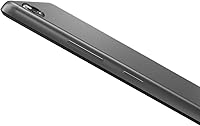
  • Build Material: The rear and frame use a full metal cover construction, which significantly improves durability and perceived quality over plastic-bodied rivals at this price.
  • Wireless: Dual-band Wi-Fi 802.11ac supports both 2.4GHz and 5GHz bands, enabling faster and more stable connections than single-band budget tablets.
  • Bluetooth: Bluetooth 5.0 provides reliable short-range connectivity for wireless headphones, speakers, and peripheral devices.
  • Rear Camera: A 5MP rear-facing camera is included, suitable for basic document scanning and video calls but not recommended for photography.
  • Dimensions: The tablet measures 4.8 x 7.84 x 0.32 inches, making it genuinely slim and easy to slip into a bag or jacket pocket.
  • Weight: At 10.8 ounces, the Tab M8 is light enough to hold comfortably during extended reading or streaming sessions without fatigue.
  • Color: The reviewed unit ships in Iron Grey, a neutral tone that complements the metal finish and resists showing minor scratches.
  • Graphics: An integrated IMG graphics coprocessor handles display rendering and light media playback without requiring a dedicated GPU.
  • Voltage: The charging system supports a universal 100-240V input range, making it compatible with power outlets in most countries worldwide.

Related Reviews
Lenovo Tab M8 4th Gen 8″ Tablet
74%
83%
Value for Money
91%
Battery Life
88%
Parental Controls
57%
Performance
68%
Display Quality
More
Lenovo Tab M9 2023 9-inch 32GB Tablet
71%
88%
Battery Life
84%
Value for Money
71%
Display Quality
67%
Performance & Speed
58%
Storage & Expandability
More
PRITOM TAB 10 Lite 32GB Kids Tablet
72%
83%
Build Quality & Durability
58%
Display Quality
61%
Performance & Speed
74%
Battery Life
77%
Parental Controls
More
UMIDIGI G1 Tab Mini 8-Inch Android Tablet
73%
83%
Value for Money
61%
Performance
67%
Display Quality
63%
Battery Life
88%
Wi-Fi Connectivity
More
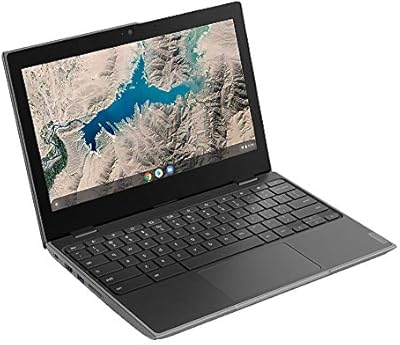
Lenovo 100e Chromebook 2nd Gen
71%
83%
Value for Money
78%
Build Quality
87%
Battery Life
61%
Performance
67%
Display Quality
More
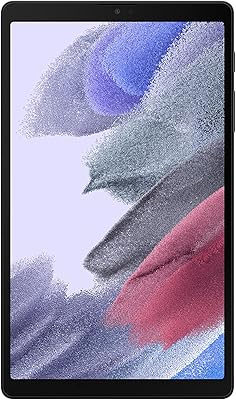
Samsung Galaxy Tab A7 Lite 8.7″ Tablet
76%
83%
Build Quality
61%
Performance
88%
Battery Life
67%
Display Quality
91%
Portability & Size
More
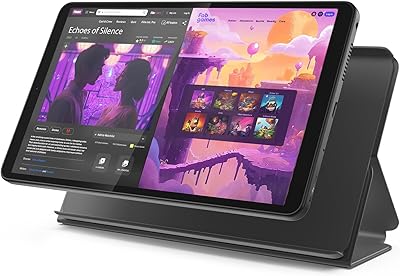
Lenovo Tab One 8.7-inch Android Tablet
74%
88%
Battery Life
84%
Value for Money
91%
Portability & Form Factor
71%
Display Quality
67%
Performance & Speed
More
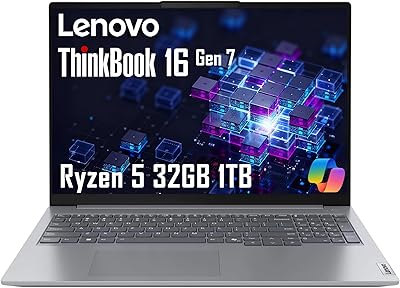
Lenovo ThinkBook 16 Gen 7 Business Laptop
74%
88%
Value for Money
84%
Performance
67%
Display Quality
58%
Battery Life
81%
Build Quality
More
Lenovo ThinkPad E16 Gen 2 (AMD Ryzen 7 7735HS, 32GB, 1TB)
81%
88%
Performance & Multitasking
91%
Memory & Storage
74%
Display Quality
93%
Keyboard & Typing Experience
76%
Build Quality & Chassis
More
Lenovo ThinkPad E16 Gen 3 Business Laptop, Intel Core Ultra 7, 32GB RAM, 2TB SSD
88%
94%
Overall Performance
96%
Processing Speed
95%
Storage Capacity
89%
Display Quality
75%
Portability
More

FAQ

Yes, for indoor streaming it does the job well. The 8-inch HD screen is clear enough for casual watching, and the battery easily gets you through several hours of video. Just do not expect the color accuracy or brightness you would get from a mid-range tablet — it is adequate, not impressive.

The Tab M8 (2nd Gen) does support microSD expansion up to 128GB, though the original product listing is frustratingly vague about this. It is a useful feature for anyone planning to store movies, music, or offline content, so it is worth confirming with the seller before purchasing if storage is a concern.

The full metal build makes it noticeably more durable than the plastic-shell tablets common at this price. That said, no tablet is drop-proof, and pairing it with a protective case is still a smart move for younger kids. Overall, it is one of the tougher options in this budget category.

The two tablets are very close in size and price, but they trade different strengths. The Tab M8 runs full Android with access to the Google Play Store, which is a significant advantage over Amazon's locked-down Fire OS. The Fire HD 8 tends to get more consistent software updates, though, which is something to weigh if long-term support matters to you.

It depends on how you use it. For streaming, browsing, and casual apps, Android 9 still functions fine day to day. Where it becomes a genuine concern is security — older OS versions stop receiving critical patches, which is a real risk if you store sensitive accounts or payment info on the device. If that matters to you, it is a fair reason to consider a newer model.

The rated 15 hours is optimistic, but most users report the battery is still one of this tablet's strongest points in practice. Light use — reading, some video, and occasional browsing — typically gets you through a full day without needing to charge. Heavier use with the screen on full brightness will bring that down noticeably.

It is actually a reasonable choice for that use case. The 8-inch size is manageable without feeling too small, and standard Android is intuitive enough for checking email, video calling, or watching content. Setting up a simple launcher app can make navigation even easier for someone less comfortable with technology.

This model is Wi-Fi only — there is no built-in cellular option. It connects via dual-band Wi-Fi 802.11ac, which is fast and stable for a home network or public hotspot, but you will need a phone hotspot if you want internet access away from Wi-Fi.

It works for video calls, yes. There is a front-facing camera and a microphone built in, and apps like Google Meet or Zoom run on Android 9. The camera quality is basic, but it is more than usable for family calls or occasional work check-ins. Just keep in mind that running video call apps alongside other open apps can slow the device down given its 2GB of RAM.

Outdoor use is where this slate shows its limits. The display lacks the brightness to compete with direct sunlight, and glare can make it genuinely hard to read outside. In a bright indoor room it manages reasonably well, but if you spend a lot of time using a tablet outside, this is one trade-off worth knowing about before you buy.

Where to Buy