Overview

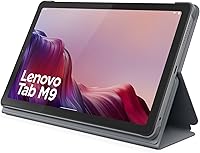
The Lenovo Tab M9 2023 9-inch 32GB Tablet is Lenovo's answer to the growing demand for no-fuss, affordable Android slates that don't require a big investment. The 2023 refresh brought modest but meaningful updates over its predecessor, and the included folio case alone makes it feel like a genuine value at this price point — most competitors charge extra for that kind of bundle. Don't walk in expecting a workhorse. This is squarely aimed at casual users and families who want something reliable for streaming, light browsing, or handing to a kid without much anxiety. Lenovo isn't trying to compete with premium tablets here, and that clarity of purpose is actually refreshing.
Features & Benefits

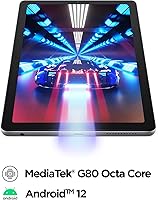
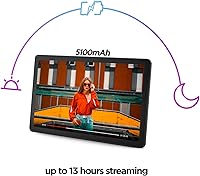
The 9-inch HD display at 1340×800 gets the job done for Netflix or YouTube on the couch — colors are decent and the screen size hits a sweet spot for portability. Where the Tab M9 really stands out is battery endurance: the 5100 mAh cell regularly delivers close to that 13-hour claim during casual video use, which means less hunting for chargers mid-day. The Helio G80 processor handles everyday tasks without much trouble, though don't push it with heavy gaming or too many tabs open simultaneously. Storage is the tightest constraint — 32GB fills quickly, especially once Android 12 and a handful of apps settle in. The cameras are serviceable for video calls, and little else.

Best For

This budget Android slate makes a lot of sense for specific types of buyers. Parents looking for a first tablet for kids will appreciate the bundled case and a price that doesn't sting much if it gets dropped. Seniors and light users who mainly stream content, browse, or read will find everything they need here. Students wanting an inexpensive secondary device for class notes or video lessons won't feel underserved. It also works well as a compact travel companion for anyone who doesn't want to risk a pricier device on the road. That said, if you rely on a tablet for demanding work tasks or heavy multitasking, this isn't the right fit.

User Feedback

Real-world owners broadly align with what the specs suggest. Battery life gets praised consistently — many users report comfortably getting through a full day of casual use without reaching for a charger. The screen size and the value of having a case thrown in also earn frequent mentions in positive reviews. On the flip side, limited storage and occasional sluggishness when multitasking come up often in critical feedback. A handful of users note the plastic build feels light rather than sturdy. Some mention pre-installed apps consuming storage right out of the box, and a few flag that charging is slow compared to competing devices at a similar price. Facial recognition, however, tends to get unexpectedly positive marks for daily convenience.

Pros

  • Battery life is a genuine highlight — most users comfortably get through a full day of casual use on a single charge.
  • The bundled folio case adds real protective value that most competing tablets at this price do not include.
  • At 13.4 ounces and under a third of an inch thin, the Tab M9 travels light without any inconvenience.
  • The 9-inch screen hits a practical sweet spot for streaming video — big enough to enjoy, small enough to hold comfortably.
  • Android 12 with Lenovo's restrained UI is easy to navigate, even for first-time tablet users or older adults.
  • Facial recognition login works reliably in everyday lighting and adds a small but appreciated layer of daily convenience.
  • Google Lens integration is functional and genuinely useful for students translating text or quickly identifying objects.
  • The Helio G80 processor handles streaming, browsing, and social apps without obvious stuttering during single-task use.
  • MicroSD support gives users a practical way to extend storage beyond the base 32GB when needed.
  • Setup is fast and straightforward — most buyers report being up and running within minutes right out of the box.

Cons

  • 32GB of base storage fills up quickly once system apps, Android itself, and a few downloads settle in.
  • Pre-installed bloatware consumes storage and cannot always be fully removed, shrinking usable space further.
  • Charging is noticeably slow — topping up from low battery takes longer than most competing devices at this price.
  • Multitasking with three or more apps open causes real hesitation and lag that becomes a recurring frustration.
  • The plastic chassis feels noticeably flexible under pressure and lacks the solidity buyers may expect even at budget pricing.
  • Display bezels are thick by current standards, giving the hardware a visibly dated appearance compared to newer rivals.
  • Low-light performance on both cameras is poor, making video calls in dim rooms look grainy and unflattering.
  • Long-term software update support from Lenovo at this tier is not clearly communicated, which concerns some buyers.
  • Wi-Fi signal can weaken at longer distances from a router, with occasional drops reported on busier networks.
  • The folio case fit loosens with heavy regular use, eventually requiring a replacement for adequate long-term protection.

Ratings

Our AI rating engine analyzed thousands of verified global purchases of the Lenovo Tab M9 2023 9-inch 32GB Tablet, actively filtering out incentivized, duplicate, and bot-generated feedback to surface what real everyday users actually experience. The scores below reflect both the genuine strengths that keep buyers satisfied and the recurring frustrations that show up across multiple markets. Nothing is smoothed over — if a weakness appears consistently, it's reflected in the number.

Battery Life
88%
The 5100 mAh battery is the single most praised aspect of this tablet across user reviews. People consistently report getting through a full day of casual streaming, browsing, and reading without needing to recharge — a meaningful advantage for parents managing kids' screen time or travelers on long flights.
Charging speed is a recurring complaint. Several users note that topping the battery back up takes noticeably longer than they expected, especially compared to some rival devices at a similar price. If you drain it heavily, you may be waiting a while before it's ready again.
Value for Money
84%
For buyers shopping on a tight budget, the Tab M9 delivers a solid package — a functional 9-inch display, usable performance, and a bundled folio case that competitors charge extra for. Many reviewers specifically mention feeling like they got more than expected given the price point.
The value equation gets shakier for users who push the device beyond light tasks. Those who bought it expecting a versatile everyday tablet often find the storage and RAM limitations force compromises that feel frustrating over time, making the deal feel less generous in hindsight.
Display Quality
71%
29%
The 9-inch 1340×800 HD screen is genuinely comfortable for YouTube, Netflix, and casual browsing. Colors are warm enough for video content, and the screen size hits a practical sweet spot — big enough to enjoy media, compact enough to hold one-handed without fatigue.
Users coming from higher-resolution devices will notice the pixel density is not particularly sharp. Text-heavy reading apps and fine graphic detail in games reveal the display's limitations clearly. Outdoor visibility also draws some criticism, with glare making it hard to use in bright conditions.
Performance & Speed
67%
33%
The Helio G80 octa-core chip handles the basics — streaming, light browsing, social media — without obvious stuttering in most everyday scenarios. For its intended audience of casual users, it rarely feels underpowered during straightforward single-app use.
Open three or four apps at once and the 3GB of RAM starts to show its limits, with noticeable hesitation when switching between them. Users who like keeping a browser, a video app, and messaging running simultaneously report frustrating slowdowns that become a regular annoyance over time.
Storage & Expandability
58%
42%
32GB gets you started, and for users who rely mainly on streaming services rather than downloading content locally, it can stretch reasonably far. The ability to add a microSD card is a practical relief valve that many buyers take advantage of early on.
32GB fills up faster than most buyers anticipate once Android 12, system apps, and a handful of downloaded titles settle in. Multiple users report needing to manage storage actively within the first few weeks, and the pre-installed bloatware makes the usable space feel even tighter.
Build Quality
63%
37%
The Tab M9 is lightweight and easy to carry around the house or toss in a bag. For users who just need a functional everyday slate and aren't expecting a premium feel, the construction holds up reasonably well for daily light use.
The all-plastic body is the most divisive aspect of build quality in user reviews. Many describe it as feeling noticeably cheap when held, with some flexibility in the chassis under pressure. It's functional, but it does not inspire confidence when handing it to younger kids without the included case.
Included Folio Case
82%
18%
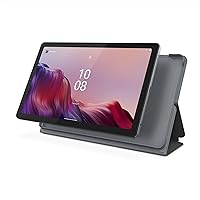
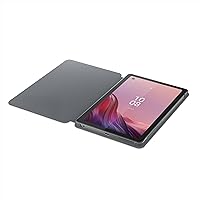
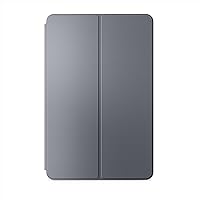
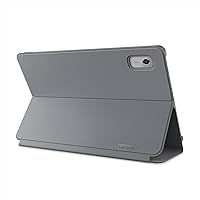
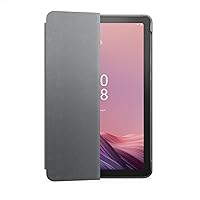
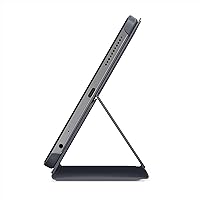
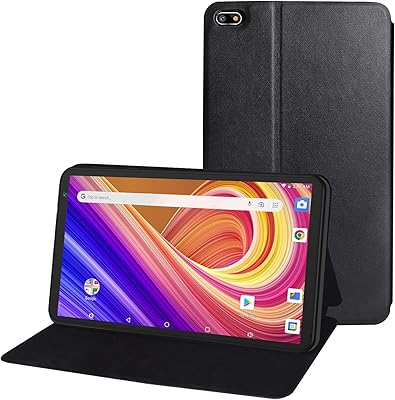
The bundled folio case is consistently highlighted as a genuine plus, especially for families and budget shoppers. It wraps the device securely, adds a layer of drop protection, and includes a stand function that makes video watching on a desk or nightstand much more comfortable.
The case material feels basic and some users report the fit loosening after a few months of regular use. It offers meaningful protection for light bumps and drops, but anyone planning heavy daily use — particularly with kids — may want to eventually upgrade to something sturdier.
Camera Quality
52%
48%
The front 2MP camera is adequate for quick video calls on Zoom or Google Meet in decent lighting. For its intended purpose — keeping in touch with family or joining a school video lesson — it clears the minimum bar without much trouble.
The rear 8MP camera consistently disappoints users who hoped for anything beyond basic snapshots. Photos in anything less than bright natural light come out soft and noisy, and the front camera looks visibly grainy in low-light video calls. Neither lens is suited for capturing memories or serious content.
Software & User Interface
66%
34%
Android 12 with Lenovo's relatively restrained UI layer is easy to navigate for users of all ages. Setup is straightforward, Google Lens integration works reliably for translating text or identifying objects, and the interface doesn't overwhelm less tech-savvy buyers.
Pre-installed apps take up a noticeable portion of the limited storage and several cannot be fully uninstalled. Some users also flag concerns about long-term software support, noting that update commitments from Lenovo at this price tier are less clear than they would like.
Facial Recognition
74%
26%
Facial recognition for login earns surprisingly positive feedback for a budget device. Most users report it works quickly and consistently in reasonable lighting, making unlocking the tablet feel convenient rather than cumbersome — a small but appreciated quality-of-life feature.
Performance drops noticeably in low-light environments, where the recognition can fail repeatedly before falling back to a PIN. A few users also raise basic privacy concerns about biometric login on a shared household device, preferring a traditional PIN for simplicity.
Portability & Form Factor
81%
19%
At 13.4 ounces and just 0.31 inches thin, the Tab M9 is genuinely easy to carry. It slips into a backpack or handbag without adding much weight, making it a comfortable travel companion for commutes, flights, or moving between rooms at home.
The compact 9-inch size that makes it so portable also limits it for users who want a larger canvas for content or productivity. A few users note they would have preferred a 10-inch version, and the size can feel slightly cramped when reading documents or using split-screen.
Wi-Fi & Connectivity
69%
31%
802.11ac Wi-Fi performs solidly for typical home use — streaming HD video, video calls, and general browsing all work without issues on a standard home network. Most users don't encounter any connectivity problems in normal daily scenarios.
On crowded networks or at longer distances from a router, a handful of users report intermittent drops and slower-than-expected speeds. There is no cellular option available, which limits its usefulness for users who travel frequently and rely on connectivity outside of Wi-Fi zones.
Setup & Ease of Use
79%
21%
First-time tablet owners and less tech-savvy buyers frequently mention how painless the initial setup process is. The familiar Android environment and clear Lenovo UI make getting started approachable, and Google account integration pulls in apps and settings quickly.
Some users encounter pre-loaded apps and account prompts during setup that feel intrusive and slow down the onboarding experience. A handful of reviewers also mention that certain default settings around privacy and notifications needed to be manually adjusted right out of the box.
Screen-to-Body Ratio & Bezels
61%
39%
The display fills the device reasonably well for a budget tablet, and for casual media consumption the bezels are not distracting in everyday use. Most users in the target audience do not flag this as a concern at all.
The bezels are visibly thicker than what mid-range and premium tablets offer, which gives the Tab M9 a slightly dated appearance. Users upgrading from a more modern device will notice the difference immediately, and it contributes to the overall feeling that the hardware is from a tier below current market standards.

Suitable for:

The Lenovo Tab M9 2023 9-inch 32GB Tablet is a strong fit for anyone whose tablet needs are straightforward and budget is a real constraint. Parents shopping for a first device for a younger child will appreciate that a protective folio case is already in the box, removing one immediate extra cost and worry. Seniors or less tech-savvy users who mainly want to stream shows, video call family, or browse casually will find the interface approachable and the battery life genuinely reassuring. Students looking for an inexpensive secondary screen for online classes or light note-taking get solid value here without overcommitting financially. It also works well as a shared household device — something to leave on the coffee table for anyone to pick up — or as a lightweight travel companion when you'd rather not risk a more expensive slate on the road.

Not suitable for:

The Lenovo Tab M9 2023 9-inch 32GB Tablet is simply not built for buyers who plan to push a tablet beyond casual use. If you regularly juggle multiple apps, edit documents, manage spreadsheets, or rely on a tablet as a productivity tool, the 3GB of RAM will become a source of daily frustration rather than a minor footnote. Creative users — anyone who cares about photo quality, video recording, or graphic-intensive apps — will find both cameras and the display underwhelming compared to what mid-range alternatives offer. Heavy gamers will hit the processor and RAM ceiling quickly on anything beyond light titles. And if local storage matters to you — offline video libraries, large app collections, downloaded music — 32GB runs out faster than you'd expect, even with a microSD card as a backup plan. Anyone upgrading from a modern mid-range or premium tablet should also temper expectations around build feel and display sharpness.

Specifications

  • Screen Size: The tablet features a 9″ HD IPS display with a resolution of 1340×800 pixels, suitable for everyday video streaming and browsing.
  • Processor: Powered by a MediaTek Helio G80 octa-core processor, the chip handles casual tasks, light gaming, and media playback without significant slowdowns under normal use.
  • RAM: 3GB of LPDDR4X RAM is onboard, which is functional for single-app use but can show strain during heavier multitasking sessions.
  • Storage: 32GB of internal eMMC storage is included; actual usable space is reduced by the operating system and pre-installed applications.
  • Expandable Storage: A microSD card slot supports storage expansion, allowing users to add additional capacity for media files and downloaded content.
  • Battery: A 5100 mAh non-removable battery delivers up to 13 hours of continuous video playback under standard conditions.
  • Operating System: The tablet ships with Android 12 and runs Lenovo's lightly customized UI layer on top of the standard Google Android experience.
  • Rear Camera: An 8MP rear-facing camera is included, capable of basic photos and short video clips in well-lit environments.
  • Front Camera: A 2MP front-facing camera supports video calling applications such as Google Meet and Zoom under adequate lighting conditions.
  • Wireless: Wi-Fi connectivity uses the 802.11ac (Wi-Fi 5) standard, supporting dual-band operation for stable home network streaming.
  • Biometrics: Facial recognition is supported for device unlock, functioning reliably in standard lighting but with reduced accuracy in low-light conditions.
  • Dimensions: The tablet measures 8.48 × 5.38 × 0.31 inches, making it compact enough to fit in a standard bag or large coat pocket.
  • Weight: At 13.4 ounces, the Tab M9 is light enough for extended handheld use without significant fatigue during casual sessions.
  • Color: The device is available in Gray, with a polycarbonate plastic chassis that keeps weight low across the full unit.
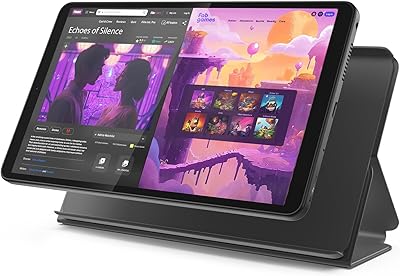
  • Included Accessories: A folio-style protective case is included in the box, providing front cover protection and a basic stand function for hands-free viewing.
  • Charging Port: The device charges via a USB-C port, though the included adapter and cable support only standard charging speeds, not fast charging.
  • Audio: A built-in speaker delivers mono audio output, which is adequate for personal media consumption but lacks stereo depth or high volume output.
  • Google Services: Google Lens is pre-integrated, enabling real-time text translation, object identification, and homework assistance directly through the camera interface.
  • ASIN: The Amazon Standard Identification Number for this product is B0BYPHZWZK, which can be used to verify the exact listing.
  • Warranty: Lenovo typically offers a one-year limited hardware warranty on the Tab M9, covering manufacturer defects but not accidental physical damage.

Related Reviews
Samsung Galaxy Tab A 9.7-Inch 16GB Tablet
70%
74%
Display Quality
61%
Performance
83%
Battery Life
79%
Build Quality
53%
Storage & Expandability
More
Lenovo Tab One 8.7-inch Android Tablet
74%
88%
Battery Life
84%
Value for Money
91%
Portability & Form Factor
71%
Display Quality
67%
Performance & Speed
More
PRITOM P7 7-Inch Android Tablet
67%
74%
Value for Money
51%
Performance
66%
Display Quality
71%
Battery Life
53%
Build Quality
More
TWTNVOF Kids Tablet 10 inch, 32GB
86%
89%
Educational Features
94%
Parental Controls
90%
Durability & Build Quality
82%
Battery Life
85%
Performance (Processor Speed)
More
Lenovo Tab M8 2nd Gen 32GB
82%
91%
Value for Money
88%
Battery Life
85%
Display Quality
92%
Portability
80%
Performance for Everyday Tasks
More
WUIUHOU WUQ2 7-inch Android Tablet
63%
72%
Value for Money
88%
Portability
67%
Display Quality
41%
RAM & Performance
81%
Storage Flexibility
More
NEWISION K7 7-inch Kids Tablet 32GB
84%
88%
Build Quality & Durability
94%
Parental Controls
90%
Educational Value
63%
Battery Life
80%
Display Quality
More
Aheadthink AHAT81K 8-inch Kids Tablet
68%
83%
Value for Money
78%
Parental Controls
74%
Battery Life
69%
Display Quality
63%
Performance & Speed
More
Lenovo Tab M8 4th Gen 8″ Tablet
74%
83%
Value for Money
91%
Battery Life
88%
Parental Controls
57%
Performance
68%
Display Quality
More
YosaToo ZIDS701 7-inch Kids Tablet
67%
83%
Value for Money
86%
Parental Controls
74%
Durability
51%
Display Quality
62%
Performance & Speed
More

FAQ

Yes, it has a dedicated microSD card slot. Most users insert a 128GB or 256GB card to compensate for the tight 32GB built-in storage — just be aware the card is best used for media files, not for installing apps, since Android restricts app installation to internal storage.

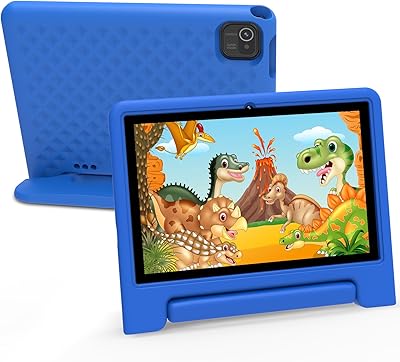
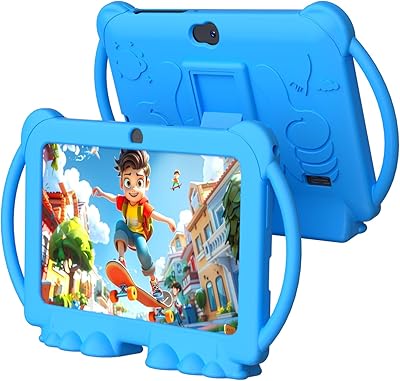
It's a reasonable choice for younger children, especially because a folio case ships in the box, which handles everyday drops and bumps well. Parental controls through Google Family Link work fine on it, and the battery holds up through a full day of kids' content. Just be aware the 32GB fills up quickly if your child downloads a lot of games.

Yes, both apps are available through the Google Play Store and run without issues on the Tab M9. HD streaming looks decent on the 9″ screen for personal viewing, though the single speaker means you'll want headphones for a more immersive audio experience.

This is one of the more common frustrations buyers mention. Charging from near-empty to full typically takes around 3 to 3.5 hours with the included adapter, which feels slow compared to some rivals. There is no fast charging support, so if the battery runs out mid-day, plan for a long recharge window.

No, this version is Wi-Fi only — there is no cellular or SIM card support. If you need internet access away from a home or office network, you'd need to use a mobile hotspot from your phone.

Lenovo has not made strong public commitments about long-term OS update support for the Tab M9 at this price tier. It shipped with Android 12, and while minor security patches have been issued, buyers shouldn't count on a full Android version upgrade. If long-term software support matters to you, this is a legitimate concern worth factoring in.

It's an all-plastic device, so the feel is functional rather than premium. It won't feel as solid as a metal-chassis tablet, and there's a small amount of flex if you apply pressure to the back. That said, with the included folio case on, it holds up fine for everyday household use and light travel.

Absolutely — that's actually one of its better use cases. Google Meet, Zoom, WhatsApp, and FaceTime alternatives all work fine, and the 2MP front camera is adequate for casual calls in a well-lit room. Just move toward natural light if possible, since video quality drops noticeably in dim environments.

For single-app use — watching a show, browsing, reading — 3GB is generally fine. Where it starts to struggle is when you have several apps open at once, like a browser with multiple tabs, a messaging app, and a video in the background. You'll notice hesitation and occasional app reloads when switching between them. It's manageable, but power users will find it limiting.

It covers the front and back adequately for everyday handling and light drops. There's also a fold-out stand built in, which is genuinely useful for propping it up on a desk or nightstand. The main caveat is that the material feels basic and the fit can loosen after several months of heavy use — at that point, a third-party case might be worth picking up.

Where to Buy