
Overview
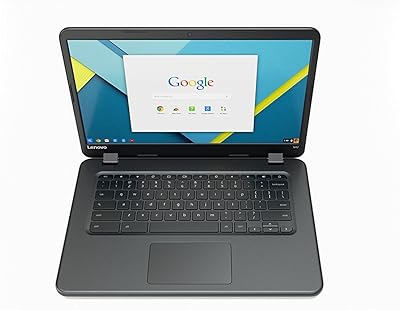
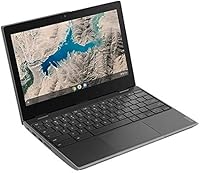
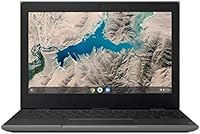
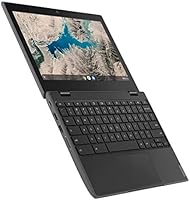
The Lenovo 100e Chromebook 2nd Gen is a certified refurbished classroom machine that has found a second life as one of the more practical budget picks for families and students. Built originally for K-12 environments, it sports a rugged 11.6-inch chassis paired with Chrome OS — a combination that keeps things simple and cloud-dependent by design. Under the hood, a MediaTek ARM processor handles the basics alongside 4GB of RAM and 16GB of onboard storage. Don't expect Windows-level versatility; this is a focused device built around Google's ecosystem, and within those boundaries, it holds up surprisingly well for the price.
Features & Benefits
What stands out most in day-to-day use is how well this student laptop handles real classroom conditions. The spill-resistant keyboard and drop-resistant build aren't just marketing language — they translate into genuine peace of mind when a child is lugging it around. Battery life is a genuine strong suit; the 100e Chromebook regularly lasts through a full school day without hunting for an outlet. The 11.6-inch antiglare screen is comfortable enough in bright rooms, and at just 2.7 lbs, it barely registers in a backpack. The 720p front camera handles video calls adequately, and the dual-band Wi-Fi keeps connections stable. Two USB 2.0 ports cover basic accessory needs, though power users will notice the limits quickly.
Best For
This refurbished Chromebook hits a sweet spot for a fairly specific type of buyer. K-12 students who live inside Google Classroom will find it handles assignments, video calls, and research without friction. Parents who need a secondary laptop for a child — one they won't stress about if it gets dropped or dinged — will appreciate the rugged design at this price tier. Light adult users who browse, stream, or draft documents in Google Docs will also get solid mileage out of it. Schools and nonprofits equipping multiple students on limited budgets are probably its most natural fit. It's equally approachable for seniors or first-time users who find Chrome OS simplicity refreshing compared to a full Windows setup.
User Feedback
Buyers who have lived with the 100e Chromebook tend to praise its portability and battery most consistently — it genuinely delivers on both. The recurring criticisms, though, are worth knowing upfront. The 16GB of local storage fills up fast, and ARM-based Chromebooks can run into compatibility hiccups with certain Android apps from the Play Store. A handful of buyers also noted cosmetic wear consistent with refurbished units — light scratches or minor scuffs — though functional issues appear rare when purchased through reputable sellers. The bigger long-term question is Chrome OS's auto-update support window; depending on when you buy, this model may have limited years of guaranteed security updates remaining, which affects overall value compared to a newer entry-level Chromebook.
Pros
- All-day battery life regularly holds up through a full school or work day on a single charge.
- The rugged chassis and spill-resistant keyboard make it genuinely child-resistant in daily use.
- At 2.7 lbs, this student laptop is light enough to carry all day without noticing the weight.
- Chrome OS boots in seconds and stays fast for web browsing, video calls, and Google Workspace tasks.
- The antiglare screen is comfortable in bright classrooms or near windows where glare is common.
- Certified refurbished status means it has passed functional testing, reducing the risk of dead-on-arrival issues.
- Dual-band Wi-Fi keeps connections reliable in congested school or home network environments.
- The front-facing 720p camera is adequate for video classes, parent-teacher calls, and standard conferencing.
- Chrome OS requires minimal maintenance — no antivirus software, no manual updates, no bloatware to manage.
- The price point makes it one of the more defensible options for equipping multiple students without breaking a budget.
Cons
- 16GB of onboard storage fills up quickly once apps, downloads, and offline files start accumulating.
- ARM processor architecture causes compatibility issues with select Android apps from the Google Play Store.
- Chrome OS auto-update support may be nearing expiration on older units, limiting long-term security coverage.
- Refurbished units can arrive with cosmetic wear — scratches, scuffs, or minor marks are not uncommon.
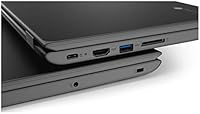
- No USB-C or USB 3.0 ports; the two USB 2.0 ports feel dated for modern accessories and faster data transfers.
- Performance noticeably degrades when running several browser tabs simultaneously with media-heavy content.
- The 1366x768 screen resolution looks soft compared to modern budget laptops now shipping with 1080p displays.
- No Windows software support means popular desktop tools in education, like certain testing platforms, may not run natively.
- Accessories like a charger may not always be included with refurbished units — worth confirming before purchasing.
- Resale value is low, and the narrow use case makes it harder to repurpose if the user outgrows Chrome OS.
Ratings
Our AI rating engine analyzed thousands of verified global user reviews for the Lenovo 100e Chromebook 2nd Gen, actively filtering out incentivized, bot-generated, and duplicate submissions to surface what real buyers actually experience. The scores below reflect an honest, data-driven synthesis of both the genuine strengths that keep buyers satisfied and the recurring pain points that lead to regret — nothing is glossed over. Whether you are a parent, educator, or budget-conscious adult, these ratings are designed to help you make a fully informed decision.
Value for Money
Build Quality
Battery Life
Performance
Display Quality
Keyboard & Trackpad
Webcam Quality
Portability
Software & OS Experience
Storage & Expandability
Connectivity
Refurbished Condition
Long-term Reliability
Setup & Ease of Use
Suitable for:
The Lenovo 100e Chromebook 2nd Gen was built for the classroom, and that origin story tells you exactly who benefits most from owning one. K-12 students who spend their school day inside Google Classroom, writing docs, joining video calls, and submitting assignments will find it handles all of that without complaint. Parents looking for a durable, low-stakes device for a child — something that can survive a backpack toss without causing a financial crisis — will appreciate both the rugged build and the accessible price point. Light adult users who primarily browse the web, manage email, or stream video on a secondary machine will also get real daily value here. Chrome OS is genuinely beginner-friendly, making this student laptop a sensible pick for seniors or first-time computer users who want something simple, fast to boot, and hard to accidentally break with a bad software install. Schools and nonprofits sourcing multiple units on tight budgets will find the per-unit cost compelling when weighed against the build quality.
Not suitable for:
The Lenovo 100e Chromebook 2nd Gen has clear limits, and ignoring them will lead to disappointment. Anyone expecting Windows or macOS-style flexibility will run into Chrome OS walls almost immediately — there is no native support for desktop software like Photoshop, Microsoft Office desktop apps, or most Windows-based tools. The ARM-based processor handles browser tasks well but stumbles with demanding Android apps, media editing, or more than a handful of active tabs loaded simultaneously. With only 16GB of onboard storage, anyone who downloads files locally, stores photos, or installs many apps will hit capacity faster than expected. The refurbished condition means some units arrive with cosmetic wear — light scratches or scuffs are a realistic possibility, not a remote one. Perhaps the most practical concern for long-term buyers is Chrome OS auto-update expiration: depending on when the unit was manufactured, guaranteed security and software updates may have a limited runway remaining, which makes this a weaker investment for anyone expecting five or more years of use. Power users, creative professionals, and anyone who needs offline-heavy workflows should look elsewhere.
Specifications
- Display Size: The screen measures 11.6 inches diagonally with an HD antiglare coating designed to reduce reflections in bright indoor environments.
- Resolution: Native screen resolution is 1366x768 pixels, which is standard for budget and classroom-tier 11.6-inch displays.
- Processor: Powered by a MediaTek MT8173C quad-core ARM-based chip running at 2.1 GHz, suited for everyday Chrome OS tasks and light multitasking.
- RAM: Equipped with 4GB of onboard memory, which handles routine web browsing, video streaming, and Google Workspace applications adequately.
- Storage: Includes 16GB of eMMC solid-state storage for the operating system and local files, with Chrome OS relying heavily on cloud storage for expanded capacity.
- Operating System: Ships with Chrome OS, Google's browser-centric operating system that is maintained automatically and designed for cloud-first workflows.
- Battery Life: Rated for up to 10 hours of use on a single charge, making it capable of lasting through a standard school or workday under typical usage conditions.
- Weight: The unit weighs approximately 2.7 lbs, keeping it light enough for students and commuters to carry comfortably in a bag throughout the day.
- Camera: A front-facing 720p HD webcam supports video calls, virtual classes, and basic video conferencing without an external camera.
- Wireless: Supports dual-band 802.11ac Wi-Fi for faster, more stable wireless connectivity compared to older single-band standards.
- USB Ports: Includes two USB 2.0 ports for connecting peripherals such as mice, flash drives, or USB headsets.
- Graphics: Integrated PowerVR GX6250 GPU handles standard Chrome OS rendering and light media playback without dedicated video memory.
- Build Quality: The chassis is built to military-inspired drop-resistance standards and the keyboard is designed to resist minor liquid spills common in classroom settings.
- Dimensions: The unit measures approximately 11.6 inches wide by 8 inches deep by 0.87 inches thick in its closed position, consistent with compact 11.6-inch laptop form factors.
- Color: Available exclusively in black, consistent with the utilitarian, classroom-focused design philosophy of the original product line.
- Condition: Sold as certified refurbished, meaning units have been inspected and tested for functional performance, though cosmetic wear may be present.
- Memory Type: System memory uses DDR3 SDRAM architecture integrated into the ARM-based platform rather than user-upgradeable DIMM slots.
- Expandability: RAM and internal storage are not user-upgradeable, as both are soldered directly to the motherboard in this model.
Related Reviews
Lenovo Tab M8 2nd Gen 32GB Tablet
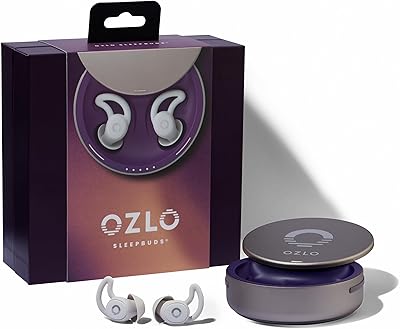
Ozlo Sleepbuds (2nd Generation)
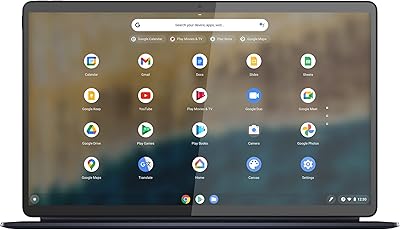
Lenovo IdeaPad Duet 5 Chromebook
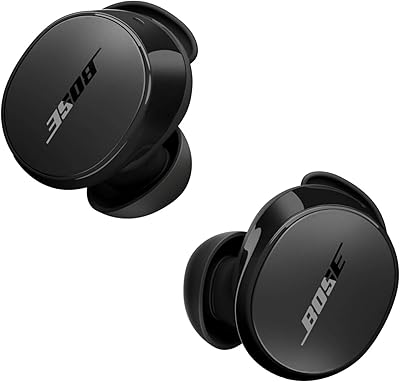
Bose QuietComfort Earbuds 2nd Gen
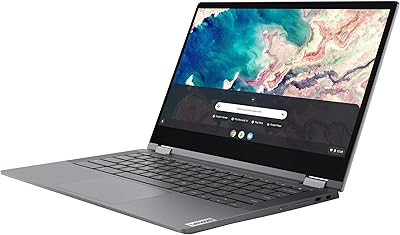
Lenovo Chromebook Flex 5 13″ i3 64GB
Apple AirPods Pro 2nd Gen Wireless Earbuds
Bose QuietComfort Ultra Earbuds (2nd Gen)
Lenovo Chromebook C340 15.6″ 2-in-1 Laptop
Razer Hammerhead True Wireless 2nd Gen