Overview

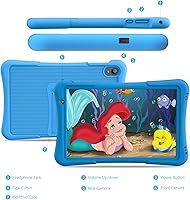
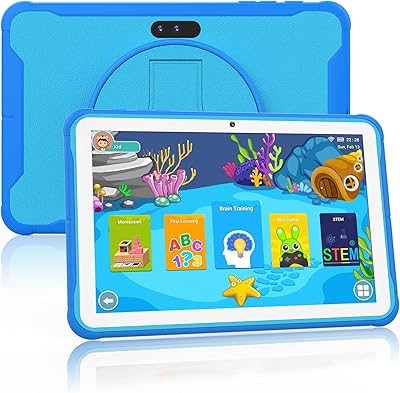
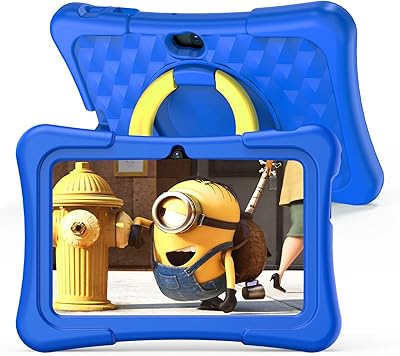
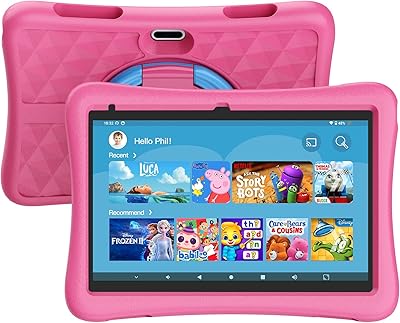
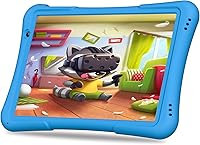
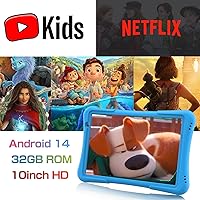
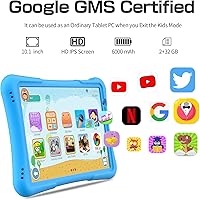
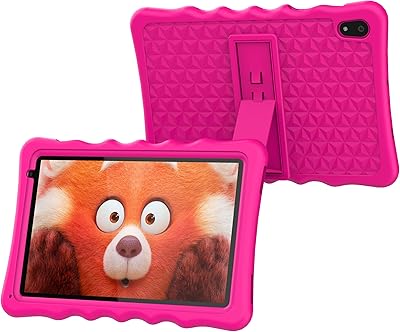
The PRITOM TAB 10 Lite 32GB Kids Tablet is a straightforward, no-frills option for parents who want to hand their young child a dedicated device without spending a lot. It ships with a chunky EVA foam case already attached and the iWawa kids platform pre-loaded, so there is almost nothing to configure before handing it to a three-year-old. Under the hood sits an Allwinner quad-core chip at 1.6GHz paired with 2GB of RAM — enough for YouTube Kids and simple learning apps, but do not expect it to multitask gracefully. The 32GB of internal storage is modest, though a microSD card can expand that considerably. The 6000mAh battery is a genuine strength, especially on long travel days.
Features & Benefits

The built-in parental control dashboard is probably the most practically useful thing about this toddler tablet. You can set daily screen time limits, lock kids into age-appropriate apps, and block open web browsing without needing a third-party app or paid subscription. The iWawa launcher handles most of this in a reasonably intuitive way, though parents who want granular controls may find it a bit basic. The 10.1-inch IPS screen displays decent colors for its price tier, but the 1024x600 resolution is noticeably soft — images look perfectly fine to a five-year-old, considerably less so to an adult. An eye health mode dims the backlight for reading, and dual cameras let kids snap photos or join simple video calls.

Best For

This kids tablet makes the most sense as a first device for younger children — think ages three to seven — where raw performance matters less than durability and safe content. The rugged foam case is genuinely tough, making it a reasonable pick for car trips, waiting rooms, or any situation where a dropped device is nearly inevitable. Families who want something self-contained, with controls built in and no monthly fee, will appreciate how little fuss is involved. It also works well as a gift when you need something that looks and feels substantial. It is decidedly less ideal for older kids who want to run heavier apps or expect sharper visuals.

User Feedback

Parents who have picked up the PRITOM 10-inch tablet tend to split into two camps fairly quickly. Those with younger children — especially toddlers — are generally satisfied, and the case consistently draws praise for holding up to rough handling. Where opinions shift is around performance: a noticeable number of buyers report lag when switching between apps, and some mention frustration with pre-installed software consuming storage straight out of the box. Battery life draws mixed reactions too — some families comfortably get through a full day of moderate use, while others find it drains faster than the specs suggest. Parental controls satisfy most, though a few parents wish the filtering options offered a bit more depth.

Pros

  • The included EVA foam case absorbs drops reliably, making it one of the sturdier budget options for young kids.
  • Built-in parental controls let parents set screen time limits and filter content with no extra subscription needed.
  • The 10.1-inch screen is genuinely large for this price range, giving kids a comfortable viewing experience.
  • A 6000mAh battery provides enough charge for several hours of continuous use during travel or long days out.
  • Storage can be expanded via microSD card, which prevents the 32GB base from becoming a hard ceiling.
  • The iWawa kids launcher is largely self-contained, reducing the need for parents to configure third-party apps.
  • Android 14 keeps the software current, which helps with basic app compatibility and security updates.
  • The adjustable stand built into the case makes hands-free viewing practical for younger children.
  • At its price point, the package feels complete — case, platform, and warranty all included from day one.
  • Setup time is short enough that most parents have it ready for a child within twenty minutes of opening the box.

Cons

  • The 1024x600 screen resolution looks noticeably soft compared to competing kids tablets in the same price range.
  • Pre-installed apps consume a meaningful portion of base storage before a child even starts using the device.
  • Performance lag becomes apparent when switching apps quickly or running anything more demanding than simple games.
  • The WiFi 6 claim in the product listing is misleading — actual hardware only supports older 802.11b/g/n standards.
  • Camera quality indoors is poor, with soft focus and weak low-light performance even by budget tablet standards.
  • Battery life in real-world heavy use falls short of the advertised estimate, especially with brightness and WiFi both running high.
  • The parental control dashboard lacks depth for parents who want granular app-by-app restrictions or detailed usage reports.
  • At 2.38 pounds with the case, smaller toddlers will struggle to hold it comfortably for extended periods.
  • Warranty support experiences are inconsistent, with some buyers reporting slow or unresolved claims.
  • The app library available through the kids platform is narrower than what families used to Fire or iPad ecosystems will expect.

Ratings

The PRITOM TAB 10 Lite 32GB Kids Tablet has been evaluated by our AI rating system after processing thousands of verified global buyer reviews, with spam, bot activity, and incentivized feedback actively filtered out. The scores below reflect a transparent picture of where this toddler tablet genuinely delivers and where real families have run into friction. Both the strengths that keep parents coming back and the shortcomings that prompt complaints are represented honestly.
Build Quality & Durability
83%
The bundled EVA foam case is a consistent highlight among parents of younger kids — it absorbs drops from table height without cracking the screen, and the rubbery texture makes it easy for small hands to grip. Families report the casing still looks intact after months of daily use by toddlers.
The tablet body itself, underneath the case, feels noticeably plastic and lightweight in a way that raises long-term durability questions. A few buyers noted that the power and volume buttons feel loose after several weeks of regular use.
Display Quality
58%
42%
For a child watching cartoons or running simple educational apps, the 10.1-inch IPS panel delivers adequate brightness and reasonably vivid colors. Young kids in the three-to-six age range rarely complain, and the screen size itself is genuinely generous for the price.
At 1024x600 pixels, the resolution is a real limitation that parents notice immediately, even if kids do not. Text looks soft, and HD video never appears truly sharp — competing options at a similar price point, like Amazon Fire HD tablets, offer noticeably crisper panels.
Performance & Speed
61%
39%
For its core audience of young children running iWawa apps, simple games, and YouTube Kids, the Allwinner quad-core chip handles the basics without constant crashing. Light multitasking — switching between a learning app and a video — works acceptably during shorter sessions.
With only 2GB of RAM, the tablet struggles when kids try to run heavier apps or when multiple things are open simultaneously. Parents of older children in the eight-to-twelve range report noticeable lag and occasional freezing, which becomes a real frustration over time.
Battery Life
74%
26%
A good number of parents found the 6000mAh battery genuinely useful on road trips and flights, reporting four to six hours of continuous video and app use before needing a charge. For families using it in shorter daily sessions, a single charge can last a couple of days.
The real-world battery figures fall short of the advertised estimate for heavier users, particularly when WiFi, brightness, and sound are all running high simultaneously. Some buyers reported battery degradation becoming noticeable within six months of regular use.
Parental Controls
77%
23%
Having content filtering, screen time scheduling, and profile management built directly into the iWawa launcher — with no subscription required — is a genuine convenience for parents who do not want to configure third-party apps. Basic daily limits and app restrictions work reliably once set up.
Parents who want more granular control, like blocking specific websites individually or getting usage reports by app, will find the dashboard a bit shallow. Setup can also confuse less tech-savvy parents, and the instructions included in the box offer limited guidance.
Value for Money
81%
19%
At its price point, this kids tablet bundles together a protective case, a dedicated kids platform, Android 14, and a large screen in a way that feels like a reasonable trade-off for families who need a low-risk first device. Gift-givers especially appreciate how complete the package feels out of the box.
Buyers who compare it directly against Amazon Fire Kids tablets start to notice the gaps in display quality and app ecosystem fairly quickly. If a child outgrows the iWawa launcher and wants access to a broader range of Android apps, the hardware starts to feel limiting sooner than expected.
Ease of Setup
72%
28%
Most parents report having the tablet ready for a child within fifteen to twenty minutes of opening the box, which is a reasonable expectation for a plug-and-play kids device. The iWawa launcher guides new users through initial configuration in a fairly logical sequence.
Some buyers flagged that the initial Android setup — before reaching the kids launcher — feels cluttered with prompts and account requests that can confuse less experienced users. A handful also noted that pre-installed apps take up a surprising portion of the 32GB storage right away.
Software & App Ecosystem
63%
37%
The iWawa platform provides a decent curated library of learning games and creative apps for younger children, and the AR Zoo feature adds a fun interactive element that kids in the three-to-seven range genuinely enjoy. Google Play access is available outside the kids mode for parents.
The Google Play library available on this tablet is not fully open, and some popular kids apps are missing or run poorly due to hardware limitations. Parents of children who have already used a Fire or iPad find the app selection noticeably narrower and less polished.
Screen Size & Ergonomics
86%
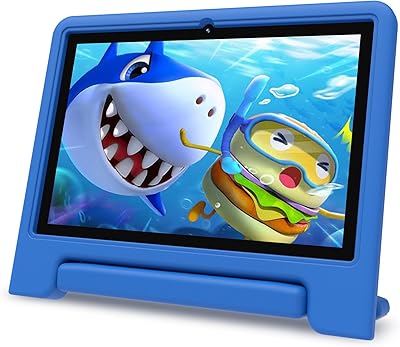
The 10.1-inch display is a real advantage for this price tier — kids can watch videos or follow along with learning apps without squinting, and the screen feels appropriately sized for lap or tabletop use. The adjustable stand on the case also gets positive mentions for propping the tablet up at a comfortable viewing angle.
At 2.38 pounds with the case on, it is on the heavier side for smaller toddlers to hold for extended periods. A few parents noted that their three-year-olds needed to rest it on a surface rather than hold it comfortably in both hands.
Camera Quality
49%
51%
For basic video calls with grandparents or snapping silly photos during creative play, the cameras get the job done in good lighting conditions. Kids in the target age range do not have high expectations, and the cameras satisfy that bar reasonably well.
Image quality is noticeably poor in anything less than bright natural light, and the cameras lack autofocus, resulting in soft and blurry photos in typical indoor environments. Parents hoping to use this tablet for any real photography or video recording will be disappointed.
Audio Quality
67%
33%
The built-in speaker gets loud enough to fill a small room, which matters when a child is watching educational videos or playing a game without headphones. Volume levels are adequate for travel use in the backseat of a car with typical road noise.
Audio clarity at higher volumes tends to get tinny and distorted, especially during music or content with a wide sound range. There is no stereo separation to speak of, and the single speaker placement means sound can be muffled when the tablet is lying flat.
Connectivity
71%
29%
Bluetooth pairing with headphones and speakers works reliably, which parents appreciate for keeping household noise down during long trips. WiFi connectivity is generally stable for streaming at home, and kids rarely encounter mid-video dropouts during normal use.
The WiFi 6 claim in the product title is misleading — the actual hardware supports 802.11b/g/n, which is standard WiFi 4. This does not significantly impact everyday use for kids, but it is a transparency issue that some technically aware buyers have called out.
Protective Case
88%
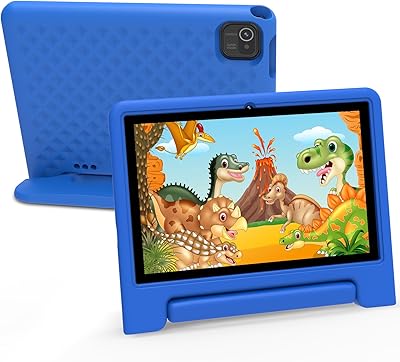
The included EVA foam case is one of the most consistently praised aspects of this toddler tablet across buyer feedback. It fits snugly, the built-in stand is sturdy enough to hold the tablet upright without tipping, and the material is genuinely non-toxic and safe for young children to chew or handle.
The case does not offer full wraparound screen protection, which leaves the display somewhat exposed during certain fall angles. A few parents also mentioned that the case shows dirt and scuff marks fairly easily, particularly in lighter colorways.
Storage & Expandability
78%
22%
The ability to expand storage via microSD up to 512GB is a practical advantage for families who download a lot of offline content for travel. Parents who add a card early report having no real storage complaints throughout their child's use of the device.
The base 32GB fills up faster than expected once pre-installed apps, iWawa content, and a few downloaded videos are on board. Parents who do not buy a microSD card right away often run into storage warnings within a few months of active use.
Warranty & Customer Support
66%
34%
A one-year manufacturer warranty provides a baseline level of reassurance, and buyers who have contacted PRITOM support for straightforward issues generally report getting a response within a reasonable timeframe.
Experiences with warranty claims are inconsistent — some buyers report smooth replacements while others describe drawn-out back-and-forth with limited resolution. Support responsiveness appears to vary considerably depending on the nature of the issue and timing.

Suitable for:

The PRITOM TAB 10 Lite 32GB Kids Tablet is a practical choice for parents buying a first dedicated device for children between the ages of three and seven, where durability and safe content matter far more than raw performance. Families who want built-in parental controls without paying a monthly subscription will appreciate how the iWawa launcher handles content filtering and screen time limits right out of the box. The bundled EVA foam case makes it a reasonable option for households where drops and rough handling are simply part of daily life — think backseat car trips, waiting rooms, or handing it to a toddler on the living room floor. Gift-givers looking for something that feels complete and ready to use without extra purchases will find the all-in-one packaging appealing. It also works well for households that want a dedicated kids device so that younger children are not borrowing a parent's phone or a shared family tablet.
Not suitable for:

The PRITOM TAB 10 Lite 32GB Kids Tablet is not the right fit for older children in the eight-to-twelve range who want to run demanding games, stream in high definition, or multitask across multiple apps — the 2GB of RAM and entry-level Allwinner processor will frustrate them within a few months. Parents who prioritize display sharpness should look elsewhere; the 1024x600 resolution is noticeably soft compared to what Amazon Fire HD tablets or LeapFrog options offer at a comparable price. Buyers expecting full access to the Google Play app ecosystem may also be disappointed, as the available app library is more limited than a standard Android device. Anyone hoping to use the cameras for anything beyond casual snapshots will find the image quality underwhelming, particularly indoors. If long-term hardware durability is the primary concern, the plastic build underneath the foam case may not inspire confidence for years of use.

Specifications

  • Screen Size: The display measures 10.1 inches diagonally, using an IPS panel for consistent color and viewing angles.
  • Resolution: Native screen resolution is 1024x600 pixels, which is adequate for basic video and apps but falls below HD standards.
  • Processor: An Allwinner quad-core CPU running at 1.6GHz handles everyday tasks like streaming, learning apps, and light games.
  • RAM: The tablet includes 2GB of DDR4 SDRAM, which supports straightforward single-app use but limits heavy multitasking.
  • Storage: Internal flash storage is 32GB, with microSD card expansion supported up to 512GB for additional content and apps.
  • Battery: A 6000mAh lithium polymer battery is built in, providing an estimated four to six hours of real-world use per charge.
  • Operating System: The device ships with Android 14 pre-installed, offering a current software base with standard Android app compatibility.
  • Wireless: WiFi connectivity uses the 802.11b/g/n standard, which supports typical home and public network speeds for streaming and browsing.
  • Bluetooth: Bluetooth is included for pairing wireless headphones, speakers, and other compatible accessories without cables.
  • Cameras: Dual cameras are included — one front-facing and one rear-facing — for basic video calls and casual photo capture.
  • Case Material: The bundled protective case is made from EVA foam, a child-safe and non-toxic material that absorbs impact from drops.
  • Dimensions: The tablet measures 13 x 7 x 0.42 inches, making it a full-sized 10-inch slate rather than a compact or mini form factor.
  • Weight: With the protective case attached, the total unit weighs approximately 2.38 pounds, which is on the heavier side for toddler use.
  • Kids Platform: The iWawa kids launcher comes pre-loaded, providing a curated library of learning apps, games, and AR interactive features.
  • Parental Controls: Built-in parental control tools allow parents to create child profiles, filter content by age, and set daily screen time limits.
  • Target Age: PRITOM positions this tablet for children aged 3 to 12, though it is best suited to younger children in the three-to-seven range.
  • Eye Health Mode: A software-based eye health mode reduces backlight intensity to lower eye strain during extended reading or video sessions.
  • Warranty: PRITOM includes a one-year manufacturer warranty covering hardware defects, with customer support accessible via email.

Related Reviews
TWTNVOF Kids Tablet 10 inch, 32GB
86%
89%
Educational Features
94%
Parental Controls
90%
Durability & Build Quality
82%
Battery Life
85%
Performance (Processor Speed)
More
Maxsignage K109B 10″ Kids Android Tablet
72%
88%
Parental Control Setup
83%
Value for Money
81%
Kids Content & Apps
78%
Durability & Case
62%
Performance & Speed
More
PRITOM K7 Pro 7-inch Kids Tablet
66%
83%
Value for Money
71%
Parental Controls
88%
Ease of Setup
58%
Performance
43%
Battery Life
More
okulaku K12 10.1-inch Kids Tablet
66%
81%
Value for Money
74%
Display Quality
53%
Performance
58%
Battery Life
77%
Parental Controls
More
YINOCHE Y101 10-inch 32GB Kids Tablet
72%
88%
Value for Money
83%
Parental Controls
79%
Build Quality & Durability
74%
Display Quality
61%
Performance & Speed
More
CFVOCUY TS-K109B 10.1″ Kids Tablet

67%
83%
Value for Money
79%
Ease of Setup
71%
Battery Life
66%
Durability & Build
74%
Parental Controls
More
Fivahiva FF10A-R Kids Tablet 10.1-inch, 32GB
83%
91%
Value for Money
88%
Build Quality & Durability
85%
Battery Life
78%
Performance
83%
Display Quality
More
KYASTER KPad U4 Kids Tablet 10.1-inch 32GB
84%
90%
Battery Life
88%
Parental Controls
91%
Build Quality / Durability
82%
Display Quality
85%
Ease of Setup
More
Samsung Galaxy Tab A7 Lite 8.7″ Tablet
76%
83%
Build Quality
61%
Performance
88%
Battery Life
67%
Display Quality
91%
Portability & Size
More
BYYBUO A70W 10.1-inch Kids Tablet
73%
88%
Value for Money
76%
Build Quality
58%
Performance
71%
Display Quality
79%
Battery Life
More

FAQ

The case is included in the box — no separate purchase needed. It is a chunky EVA foam shell that clips snugly around the tablet and has a fold-out stand built into the back. Most parents find it ready to use straight out of the packaging.

You can access Google Play outside of the kids mode, so installing additional Android apps is possible. That said, not every app on the Play Store runs smoothly given the 2GB of RAM and the entry-level processor, so more demanding apps may lag or perform poorly.

Once you set up the kids mode through the iWawa launcher, you can create a child profile, choose which apps are accessible, and set a daily screen time limit. When the time is up, the tablet locks until a parent enters a PIN. It is reasonably straightforward for most parents, though the controls are fairly basic compared to more premium platforms.

In real-world use with moderate brightness and WiFi active, most parents report getting roughly four to five hours of continuous use per charge — less than the maximum estimate, but enough to cover a flight or a long car ride. Heavy video streaming with high brightness tends to drain it faster.

At 2.38 pounds with the case on, it is on the heavier side for a small child to hold with both hands for long stretches. Most four-year-olds end up resting it on their lap or propping it up with the built-in stand rather than holding it like a book. For that age, it works better as a tabletop or lap device than a handheld one.

Honestly, the Fire HD has a sharper display — Amazon uses higher resolutions at comparable price points. The PRITOM 10-inch tablet has a 1024x600 panel, which looks noticeably softer, especially for text or HD video. For a young child watching cartoons it is fine, but parents used to better screens will notice the difference right away.

Yes, the tablet has a microSD card slot that supports cards up to 512GB. Given that pre-installed apps take up a chunk of the base storage from day one, picking up a microSD card at the same time as the tablet is a smart move if your child likes downloading videos or games for offline use.

The EVA foam case is made from child-safe, non-toxic material, so it is safe for young children to handle and grip. The iWawa kids mode keeps content filtered and age-appropriate, and there is no open browser access unless a parent deliberately enables it. The eye health mode also helps reduce screen strain for shorter sessions.

Yes, the front-facing camera and the microphone support video calling apps. In good lighting conditions, the call quality is acceptable for casual family catch-ups. Apps like Google Meet or WhatsApp can be installed through the Play Store, though you will need to set those up from the parent mode rather than the kids launcher.

PRITOM offers a one-year manufacturer warranty, and their support team is reachable by email. Experiences vary — some buyers report smooth and prompt resolutions, while others have found the process slow or required significant back-and-forth. It is worth keeping your proof of purchase handy and documenting any issues with photos to speed things along if you ever need to make a claim.