Overview

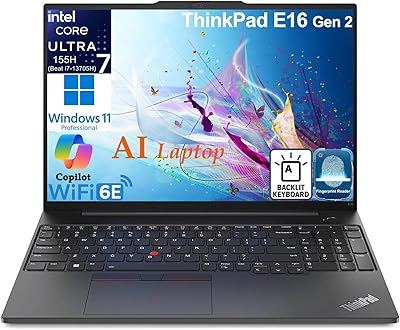
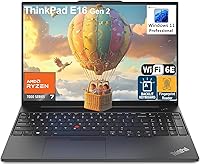
The Lenovo ThinkPad E16 Gen 2 (AMD Ryzen 7 7735HS, 32GB, 1TB) sits squarely in the mid-range business laptop space, carrying a name that IT departments and working professionals have trusted for decades. The E-series has always prioritized reliable, no-nonsense computing over flashy premium trappings, and this generation continues that approach. At 3.9 pounds with a 16-inch screen, it is roomier than a typical ultrabook but still manageable for occasional travel. Realistic expectations matter here: this is a productivity workhorse built for spreadsheets, video calls, and document-heavy workflows — not creative rendering, color grading, or gaming. Think of it as a capable daily driver for professionals who want substance over style.
Features & Benefits

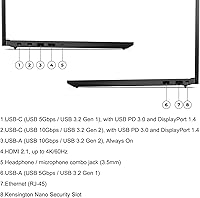
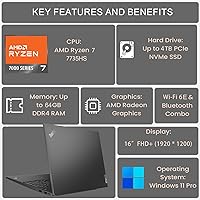
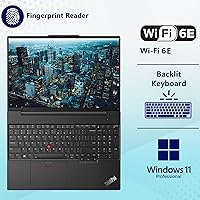
The 8-core Ryzen 7 7735HS handles heavy multitasking confidently — running browser tabs, video calls, and background sync simultaneously without much protest. Paired with 32GB of DDR5 RAM, even users running virtual machines or large data sets will rarely feel squeezed. The 1TB NVMe SSD keeps boot times short and file transfers quick. The 16-inch IPS panel is comfortable for long work sessions, though its 45% NTSC color gamut makes it a poor choice for serious color-sensitive work — photo editors should look elsewhere. The security feature set is genuinely practical: fingerprint reader on the power button, physical webcam shutter, TPM 2.0, and a Kensington Nano slot. Port selection rounds things out well, with dual USB-C supporting DisplayPort and Power Delivery, plus HDMI 2.1 and a physical Ethernet jack.

Best For

This business laptop is a natural fit for remote and hybrid workers who need a dependable machine that handles daily productivity without fuss. Small business owners and IT-managed environments will find the Windows 11 Pro license a genuine practical benefit, enabling domain join, BitLocker encryption, and remote management out of the box. Users stepping up from an older ThinkPad will notice the jump to DDR5 memory and a larger display without spending flagship-tier money. At 3.9 pounds, it suits professionals who travel a few days a week rather than road warriors living out of a backpack. Anyone taking frequent video calls in shared or open spaces will also appreciate the physical webcam privacy shutter far more than they might initially expect.

User Feedback

Buyers consistently praise the keyboard feel and key travel, which holds up to the ThinkPad reputation for tactile, well-spaced typing. Display clarity also earns positive marks for everyday reading and video conferencing. On the downside, some users report noticeable fan noise under sustained loads, and a few note the chassis has slightly more flex than pricier T-series models. Battery life draws mixed reactions — the combination of a large screen and a power-hungry processor means you may not comfortably clear a full workday without a charger nearby. Setup is generally smooth, with Windows 11 Pro ready to configure on first boot. Overall, satisfaction trends positive, with most complaints targeting thermal behavior rather than the core productivity experience.

Pros

  • 32GB DDR5 RAM is rare at this price tier and gives the E16 Gen 2 serious multitasking headroom.
  • The ThinkPad keyboard remains one of the best typing experiences in any business laptop under $1,000.
  • Windows 11 Pro ships preactivated, saving businesses the hassle and cost of upgrading licenses.
  • A physical webcam shutter is a small but genuinely useful privacy feature for open-office or remote workers.
  • Wi-Fi 6E support keeps this business laptop relevant as newer routers become standard in offices and homes.
  • Dual USB-C ports both support DisplayPort and Power Delivery, enabling cleaner single-cable desk setups.
  • A physical Ethernet jack removes the need for an adapter in wired office environments.
  • The 1TB NVMe SSD keeps boot times short and local storage pressure off for most professional workloads.
  • The fingerprint reader on the power button speeds up login reliably throughout a busy workday.
  • The anti-glare IPS panel holds up well in mixed lighting without the reflections that plague glossy screens.

Cons

  • Fan noise becomes clearly audible under sustained loads, which can be disruptive in quiet environments.
  • Battery life under real workloads often falls short of a full workday, making charger dependency likely.
  • The chassis has noticeable flex compared to premium ThinkPad lines, especially around the keyboard deck.
  • The 45% NTSC color gamut limits the display for any work where accurate color reproduction matters.
  • Only two USB-A ports may not be enough for users with several legacy peripherals or accessories.
  • There is no SD card reader, which creates friction for users who regularly work with camera media.
  • Some units have shown intermittent Wi-Fi drops after waking from sleep, requiring driver updates to resolve.
  • The Ryzen 7 7735HS is not the latest generation chip, so benchmark comparisons with 2024-era processors show a gap.
  • A handful of preinstalled Lenovo utilities add minor bloat that clean-install users will want to remove.
  • Fingerprint reader occasionally requires a second press to register, which breaks the login flow at inconvenient moments.

Ratings

The scores below for the Lenovo ThinkPad E16 Gen 2 (AMD Ryzen 7 7735HS, 32GB, 1TB) were generated by our AI engine after analyzing thousands of verified global user reviews, with spam, bot-submitted, and incentivized responses actively filtered out. This business laptop earns solid marks in several areas that matter most to daily professional users, though a few recurring pain points keep it from sweeping every category. Both the genuine strengths and the honest frustrations are reflected in the numbers below.
Performance & Multitasking
88%
The 8-core Ryzen 7 7735HS handles demanding workdays with real confidence — users running multiple browser sessions, cloud sync tools, and video calls simultaneously report smooth, responsive behavior throughout. The DDR5 memory pairing keeps everything feeling fluid even when workflows get messy.
Under heavy sustained loads like large file compression or extended video encoding, some users observe throttling after several minutes. The chip is also not the newest generation, so buyers comparing benchmarks against late-2024 processors will notice a modest gap.
Memory & Storage
91%
Shipping with 32GB DDR5 at this price tier is a genuine differentiator — most competing business laptops still default to 16GB. Users upgrading from older machines report a noticeable jump in how many applications they can keep open without any slowdown.
While 1TB is sufficient for most users, the SSD brand and exact read/write speeds vary by unit and are not clearly disclosed in product listings. A small number of buyers have noted the drive felt slower than expected for a PCIe NVMe configuration.
Display Quality
74%
26%
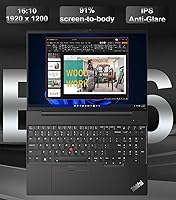
The 16-inch WUXGA IPS panel delivers a comfortable, sharp experience for reading documents, spreadsheets, and video calls. The anti-glare coating genuinely helps in bright office environments or near windows, reducing reflections that plague glossy screens.
The 45% NTSC color gamut is a real limitation that color-sensitive professionals will feel immediately. Graphic designers, photo editors, or anyone doing visual review work should treat this as a disqualifier — the colors look noticeably flat compared to wide-gamut panels.
Keyboard & Typing Experience
93%
ThinkPad keyboards have a loyal following for good reason, and this generation does not disappoint. Users consistently praise the key travel, spacing, and tactile feedback — particularly those switching from chiclet-style keyboards on competing brands who find the adjustment immediately positive.
A small subset of users note the keyboard layout uses an EU English configuration, which can cause minor friction for North American typists expecting a standard US layout. The differences are subtle but worth knowing before purchase.
Build Quality & Chassis
76%
24%
The matte black plastic construction feels solid enough for office and occasional travel use, and the overall rigidity holds up well in everyday handling. Most users report no alarming creaks or weak points around the hinge or base after months of regular use.
Compared to the T-series or X1 Carbon ThinkPads, the E16 Gen 2 chassis has a noticeable amount of flex, particularly around the keyboard deck and display lid. Users who press firmly while typing or frequently pick up the machine by one corner will feel this difference.
Security Features
89%
The fingerprint reader on the power button works reliably and speeds up login considerably for users who unlock their machine dozens of times a day. The physical webcam shutter is a small but appreciated feature, especially for professionals in shared or open office environments.
While the security stack is comprehensive on paper, a few users note the fingerprint reader occasionally fails to register on the first press, requiring a second attempt. TPM 2.0 and the Kensington slot are solid additions but offer no differentiation from most competitors in this segment.
Port Selection & Connectivity
87%
The dual USB-C ports both support DisplayPort 1.4 and Power Delivery, which means users can run an external monitor and charge simultaneously from a single side — a practical detail many budget laptops skip. The inclusion of a physical RJ-45 Ethernet jack is a meaningful bonus for office environments.
With only two USB-A ports, users who rely on legacy peripherals like wireless mice, USB-A hubs, or older external drives may find themselves reaching for a dock sooner than expected. There is no SD card reader, which occasionally frustrates users who work with camera media.
Wireless Performance
84%
Wi-Fi 6E support gives this machine forward compatibility with modern routers, and users in offices with congested 2.4GHz or 5GHz bands report noticeably cleaner connections. Bluetooth 5.3 handles wireless headsets and peripherals without pairing headaches in most tested environments.
A handful of users report intermittent Wi-Fi drops after waking from sleep, requiring a driver update or manual reconnect to resolve. The issue is not universal, but it appears often enough in feedback threads to be worth flagging for IT administrators.
Webcam Quality
78%
22%
The 1080p front camera is a genuine step above the 720p webcams still found on many competing business laptops. Video call participants on the other end consistently describe the image as clear and well-lit under standard indoor lighting conditions.
Low-light performance softens noticeably in dim rooms or evening calls without supplemental lighting. The automatic exposure adjustments can also make the image look washed out when users are backlit by a window, which is a common scenario in home office setups.
Thermal Management & Fan Noise
66%
34%
Under light to moderate workloads — email, browsing, document editing — the E16 Gen 2 runs quietly and the chassis stays cool to the touch. Most users who stick to typical office tasks rarely hear the fans spin up noticeably during a regular workday.
When the processor is pushed hard, the fan noise becomes clearly audible and some users describe it as disruptive in quiet environments. Sustained performance tasks can also cause the bottom of the chassis to become warm, which is uncomfortable for lap use over extended periods.
Battery Life
62%
38%
Users performing light tasks — document editing, email, occasional video calls — can reasonably expect around 6 to 7 hours before needing to plug in, which covers a half-day of untethered work at a coffee shop or in a meeting room.
For a machine marketed toward all-day professional use, battery endurance is a consistent weak point in user feedback. The combination of the large IPS display and the Ryzen 7 TDP draws power quickly under real workloads, and many users report needing to carry the charger for any full workday.
Software & Out-of-Box Setup
83%
Windows 11 Pro ships preloaded and activates cleanly, with most users reporting a straightforward initial setup experience. IT administrators particularly appreciate that the machine is domain-join ready and BitLocker-compatible without any additional licensing steps.
Some users note a handful of Lenovo-bundled utilities and preinstalled software that they consider unnecessary. While not excessive compared to competitors, it adds minor friction to the first-day experience for users who prefer a clean software environment.
Value for Money
86%
At its price point, landing 32GB DDR5, a 1TB NVMe SSD, and Windows 11 Pro in a single package is genuinely competitive. Users comparing it against similarly priced business laptops with half the RAM consistently flag the memory configuration as the strongest value argument.
The display color gamut and thermal behavior are the two areas where the lower price tier shows most visibly. Buyers who stretch the budget expecting flagship build quality or display performance may come away mildly disappointed, as some compromises are clearly part of how this price is achieved.
Weight & Portability
79%
21%
At 3.9 pounds, this ThinkPad is manageable enough for professionals who commute to an office a few days a week or pack it for occasional business trips. Tossed in a backpack alongside a charger and accessories, it does not become the anchor that some 16-inch machines do.
Compared to ultrabooks in the same price range, the additional bulk is noticeable during daily carry. Users who prioritize a featherlight travel setup and don't need a large screen may find the weight and 14-inch footprint a deciding factor against the E16 Gen 2.

Suitable for:

The Lenovo ThinkPad E16 Gen 2 (AMD Ryzen 7 7735HS, 32GB, 1TB) is a strong match for professionals whose daily work revolves around productivity — think remote workers managing heavy browser sessions, analysts running local data tools, or small business owners who need a machine that handles everything from video calls to spreadsheet-heavy workflows without complaint. IT administrators and managed environments will find real value in the Windows 11 Pro license, which enables domain join, BitLocker encryption, and remote management policies straight out of the box. Users upgrading from aging ThinkPads — especially those stuck on 8GB or 16GB machines — will notice an immediate difference with 32GB DDR5 on board. The physical webcam shutter and fingerprint reader make it a comfortable choice for anyone working from shared spaces, open offices, or coffee shops where privacy matters. It also suits occasional travelers who want a 16-inch display without hauling a machine that weighs over five pounds.
Not suitable for:

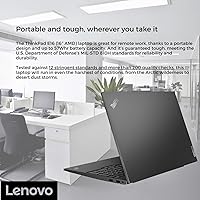
The Lenovo ThinkPad E16 Gen 2 (AMD Ryzen 7 7735HS, 32GB, 1TB) is not the right tool for creative professionals whose work depends on color accuracy — the 45% NTSC display gamut is simply too limited for photo editing, graphic design, or video color grading. Buyers expecting to run GPU-intensive workloads like 3D rendering, machine learning training, or even casual gaming will hit a wall quickly with the integrated Radeon 680M, which lacks the horsepower those tasks demand. If all-day battery life is a firm requirement and you cannot guarantee access to an outlet during your workday, this business laptop will likely frustrate you — real-world endurance under actual workloads tends to fall short of all-day claims. Road warriors who fly frequently and obsess over every ounce in their carry-on may also find the 3.9-pound footprint less appealing than a compact ultrabook with a smaller screen. Finally, buyers expecting T-series or X1-level chassis rigidity will notice the difference; the E-series is built to a price point, and the materials reflect that.

Specifications

  • Processor: AMD Ryzen 7 7735HS with 8 cores and 16 threads, running at a base clock of 3.2GHz and boosting up to 4.75GHz, with 4MB L2 and 16MB L3 cache.
  • RAM: 32GB DDR5 SDRAM running at 4800MHz, providing ample headroom for demanding multitasking, virtual machines, and memory-intensive business applications.
  • Storage: 1TB PCIe NVMe M.2 SSD with a PCIe x4 interface, delivering fast boot times and responsive file access for everyday professional workloads.
  • Display: 16″ WUXGA (1920x1200) IPS panel with a 300-nit brightness rating, anti-glare coating, and 45% NTSC color gamut coverage.
  • Graphics: AMD Radeon 680M integrated graphics handles standard display output and light multimedia tasks but is not suited for GPU-intensive creative or gaming workloads.
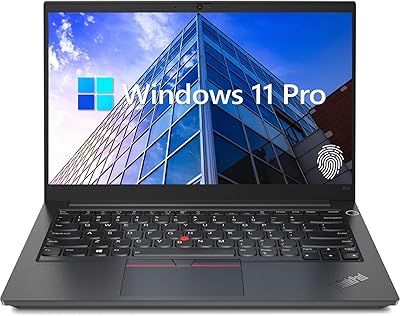
  • Operating System: Windows 11 Pro (64-bit) ships preactivated, supporting domain join, BitLocker encryption, and enterprise device management policies out of the box.
  • Wireless: Wi-Fi 6E (802.11ax, 2x2) and Bluetooth 5.3 are built in, offering fast and reliable wireless connectivity on modern 6GHz-capable routers and peripherals.
  • Webcam: A 1080p front-facing camera with a physical privacy shutter is built into the display bezel for video conferencing and secure visual privacy.
  • Ports: Connectivity includes 2x USB-A (one USB 3.2 Gen 1, one USB 3.2 Gen 2 Always On), 2x USB-C (both with USB PD 3.0 and DisplayPort 1.4), HDMI 2.1 up to 4K/60Hz, RJ-45 Ethernet, and a 3.5mm headphone/microphone combo jack.
  • Security: Security features include a discrete TPM 2.0 chip, a touch-style fingerprint reader integrated into the power button, and a Kensington Nano security slot for physical cable locking.
  • Keyboard: A backlit keyboard with English (EU) layout is standard, designed for comfortable typing in dim environments without compromising key travel or spacing.
  • Weight: The laptop weighs 3.9 pounds, making it manageable for office commutes and occasional travel without being as lightweight as a dedicated ultrabook.
  • Dimensions: The chassis measures 14.02 x 9.75 x 0.78 inches, reflecting a slim but full-featured 16″ business laptop form factor.
  • Color: The device ships in a matte black finish consistent with the traditional ThinkPad aesthetic used across Lenovo's business laptop lineup.
  • Audio Jack: A single 3.5mm combo headphone and microphone jack supports both headsets and standard audio accessories without requiring an adapter.
  • HDMI Output: The HDMI 2.1 port supports external displays at resolutions up to 4K at 60Hz, suitable for connecting modern monitors or presentation screens.
  • Optical Drive: No optical drive is included, which is standard for this class of modern business laptop and keeps the chassis slim and lightweight.

Related Reviews

Lenovo ThinkPad E14 Gen 5 Business Laptop, 24GB RAM, 1TB SSD, AMD Ryzen 7 7730U
88%
92%
Performance
88%
Battery Life
90%
Display Quality
94%
Build Quality
84%
Portability
More
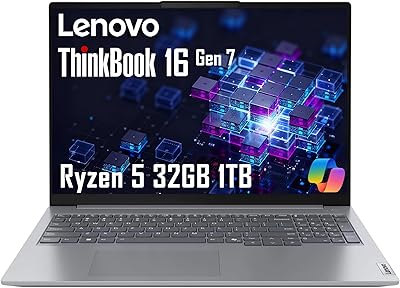
Lenovo ThinkBook 16 Gen 7, Ryzen 5 7533HS, 32GB RAM, 1TB SSD
87%
90%
Performance
88%
Battery Life
85%
Build Quality
92%
Display Quality
86%
Portability
More
Lenovo ThinkBook 16 G6 AMD Ryzen 7 7730U 32GB RAM 1TB SSD
86%
92%
Performance
88%
Display Quality
90%
Security Features
89%
Build Quality
84%
Battery Life
More
Lenovo ThinkPad E16 Gen 3 Business Laptop, Intel Core Ultra 7, 32GB RAM, 2TB SSD
88%
94%
Overall Performance
96%
Processing Speed
95%
Storage Capacity
89%
Display Quality
75%
Portability
More
Lenovo V15 Gen 4 Business Laptop, 15.6″, AMD Ryzen 7 7730U, 40GB RAM, 1TB SSD
83%
91%
Performance
88%
Value for Money
90%
Build Quality and Durability
78%
Battery Life
85%
Display Quality
More
Lenovo Legion Tower 5 Gen 10 Gaming Desktop, AMD Ryzen 7 7700X, NVIDIA RTX 5070, 64GB RAM, 1TB SSD
87%
94%
Gaming Performance
90%
Build Quality
88%
Cooling Efficiency
85%
Value for Money
92%
Multitasking Performance
More
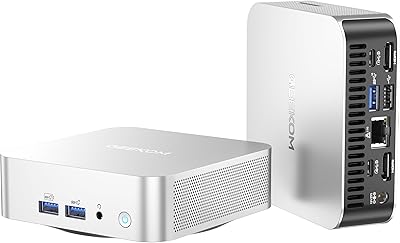
GEEKOM A6 Mini PC 32GB/1TB
83%
88%
CPU Performance
67%
Thermal Management
91%
Build Quality
86%
RAM & Memory Performance
89%
Storage Speed
More
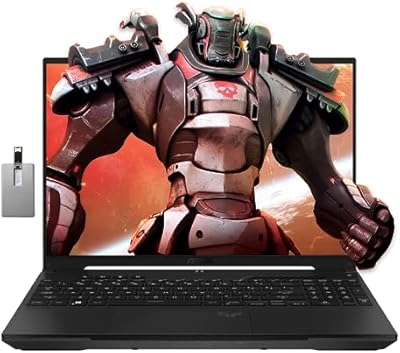
ASUS TUF A16 Gaming Laptop, Ryzen 7 7735HS, 32GB RAM, 1TB SSD
84%
91%
Performance
88%
Display Quality
74%
Battery Life
86%
Build Quality
92%
Gaming Experience
More
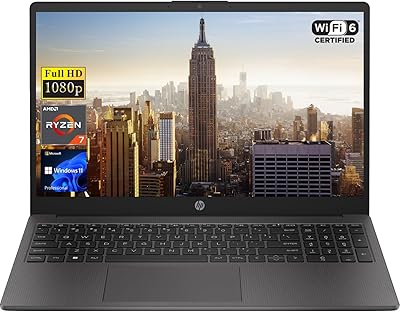
HP 255 G10 15.6″ Ryzen 7 7730U 32GB 1TB
78%
88%
Processing Performance
91%
RAM & Multitasking
87%
Storage Speed & Capacity
62%
Display Quality
93%
Value for Money
More
Beelink SER8 Mini PC AMD Ryzen 7 8745HS 32GB RAM 1TB SSD
87%
91%
Performance
88%
Build Quality
84%
Cooling Efficiency
87%
Upgrade Flexibility
82%
Portability
More

FAQ

For most office tasks it is more than enough, but the extra memory genuinely matters if you keep dozens of browser tabs open, run virtual machines, or work with large Excel files. Users upgrading from 16GB machines consistently notice that things just stay responsive longer without slowdowns. Think of it as future-proofing rather than overkill.

Yes, with some planning. Both USB-C ports support DisplayPort 1.4, and the HDMI 2.1 port adds a third display output, so multi-monitor setups are achievable. You may need a compatible USB-C hub or docking station depending on your desk configuration, but the hardware supports it natively.

Realistically, expect around 6 to 7 hours under moderate use — things like document editing, email, and occasional video calls. If you are doing heavier work or keeping the screen bright, that number drops. Most users recommend keeping the charger handy for any full-day session, as this ThinkPad is not built with extreme battery efficiency as a primary goal.

The anti-glare coating helps quite a bit in bright environments, reducing reflections that can make glossy screens unusable in sunlight. At 300 nits, brightness is acceptable for indoor use near a window, though working in direct outdoor sunlight will still be a challenge. It is a solid office and coffee shop screen rather than a true outdoor display.

The E16 Gen 2 does offer some upgradeability — the SSD is a standard M.2 slot that can be swapped, and the RAM may be accessible depending on the specific motherboard configuration. That said, Lenovo's service documentation should be consulted before opening the chassis, as some configurations solder components. Check the Hardware Maintenance Manual for your exact model before attempting any upgrades.

Most users find it works well and noticeably speeds up the login process. There are occasional reports of it needing a second press to register, particularly if fingers are very dry or if the sensor has accumulated residue. A quick wipe of both the sensor and your finger usually resolves it — it is a minor quirk rather than a consistent problem.

It handles video calls well. The 1080p webcam produces a noticeably sharper image than the 720p cameras still found on many competitors in this price range, and the built-in microphone array performs adequately for standard calls. The physical webcam shutter is a genuinely useful addition for privacy between meetings.

Under light workloads — email, browsing, document work — the fans are quiet and rarely noticeable. Push the processor with extended tasks like large file compression or software compilation, and the fan noise becomes clearly audible. It is not extreme, but in a silent room or library environment it is the kind of noise that reminds you the machine is working hard.

The Lenovo ThinkPad E16 Gen 2 (AMD Ryzen 7 7735HS, 32GB, 1TB) ships with Windows 11 Pro rather than Home, which alone adds tangible value for IT-managed environments. The security stack — TPM 2.0, fingerprint reader, physical webcam shutter, and Kensington lock slot — goes well beyond what most consumer laptops offer. The ThinkPad keyboard quality and the reliable build heritage are also differentiators that consumer-tier machines at similar prices rarely match.
It can handle light editing tasks in tools like Lightroom for basic adjustments, but two things work against it for serious creative work. The integrated Radeon 680M GPU lacks the dedicated VRAM that speeds up rendering and effects, and the 45% NTSC display gamut means colors on screen do not accurately represent how images will look in print or on other displays. For occasional casual editing it is fine — for professional creative work, it is the wrong tool.