
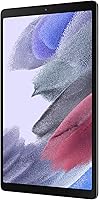

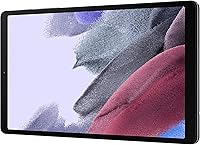
Overview

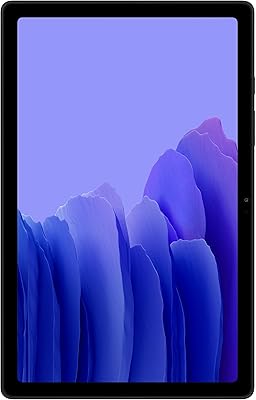
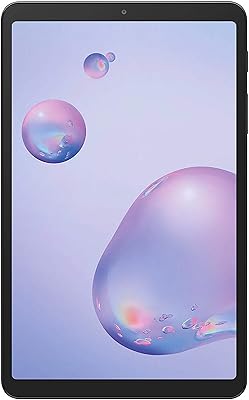
The Samsung Galaxy Tab A7 Lite 8.7″ Tablet sits in a comfortable middle ground — bigger than a phone but far easier to carry than a full 10-inch slate. Released in 2021, it was built with families and casual users in mind, and it still makes a reasonable case for itself in the budget tier today. What stands out immediately is the metal frame construction — that is not something you typically see at this price point, and it genuinely makes the device feel more substantial than plastic rivals. That said, expectations should be set accordingly: this is not a performance machine, and it was never meant to be.

Features & Benefits

The Tab A7 Lite runs on a MediaTek octa-core chip with 3GB of RAM — more than capable for streaming, light browsing, and kids apps, though you will notice the ceiling if you push it hard. The 32GB of built-in storage is modest, but the microSD slot supports up to 1TB of expansion, which is genuinely practical for families loading up on offline videos. Battery life is one of its strongest suits, with up to 11 hours of real-world use and fast charging to recover quickly. Samsung Kids mode gives parents meaningful control over content and screen time, while One UI lets Galaxy phone users hand off content between devices without friction.

Best For

This compact Android tablet hits a sweet spot for a fairly specific type of buyer. Parents shopping for a manageable first tablet for younger children will appreciate its light weight and the durability that metal frame provides during inevitable drops. Frequent travelers who want something compact for flights or commutes will find the size and battery life more than adequate. It also suits existing Samsung Galaxy phone users who value the cross-device continuity One UI offers. First-time tablet owners and older adults who find larger slates unwieldy are a natural fit too — this is a device that prioritizes ease of use and portability over raw horsepower.

User Feedback

Owners of this Samsung kids tablet consistently point to two things: physical durability and overall value. The metal build earns real appreciation, with multiple buyers noting it survived drops and rough handling without visible damage. Battery satisfaction is another recurring positive — most users report it lasting through a full day without anxiety. The criticisms are honest and worth knowing: the 3GB of RAM starts to show its limits when several apps are open at once, with occasional lag and app reloads that can frustrate adults using it for multitasking. The display resolution is also adequate rather than impressive — fine for casual use, but noticeable if you are used to sharper screens.

Pros

  • Metal frame construction genuinely holds up against drops and rough daily handling by children.
  • Battery regularly lasts a full day of use, reducing the need to hunt for a charger mid-trip.
  • Samsung Kids mode gives parents granular content controls without needing any third-party apps.
  • Lightweight and compact enough to slip into a jacket pocket or small bag without bulk.
  • MicroSD expansion up to 1TB means storage limitations are easy and affordable to fix.
  • Bluetooth 5.0 ensures fast, stable pairing with headphones and portable speakers.
  • The 3.5mm headphone jack is a practical inclusion that many competing tablets have quietly removed.
  • One UI lets Samsung phone owners hand content between devices without extra setup.
  • Genuinely competitive build quality compared to plastic-bodied rivals at the same price.
  • Straightforward setup makes this compact Android tablet accessible even for non-technical users.

Cons

  • 3GB of RAM causes noticeable slowdowns when switching between multiple apps simultaneously.
  • Pre-installed Samsung and third-party bloatware eats into the already modest 32GB base storage.
  • Display sharpness lags behind comparably priced competitors, making text and fine detail look soft.
  • No cellular option limits usability in locations without a reliable Wi-Fi connection.
  • Front-facing camera produces soft, grainy video even in typical indoor lighting conditions.
  • Built-in speakers distort at higher volumes and lack depth for serious media consumption.
  • Software update support has been limited, raising long-term compatibility concerns with newer apps.
  • Performance sluggishness tends to worsen over time as apps grow heavier than the hardware can handle.
  • Screen brightness struggles in direct sunlight, reducing usability for outdoor settings.
  • The Tab A7 Lite charges slowly by current standards, making full recovery from near-empty a patient wait.

Ratings

The Samsung Galaxy Tab A7 Lite 8.7″ Tablet has been evaluated by our AI system after processing thousands of verified global user reviews, with spam, bot-generated, and incentivized submissions actively filtered out. What emerges is a nuanced picture: this compact Android tablet earns genuine praise for portability and durability, while real trade-offs in performance and display sharpness are reflected transparently in the scores below.

Build Quality
83%
The metal frame is a genuine surprise at this price tier, and buyers notice it immediately. Families report that the Tab A7 Lite has survived drops from tables, backseats, and small hands without cracking or warping — feedback that stands out clearly compared to plastic-bodied rivals in the same bracket.
A few users noted that while the frame holds up well, the back panel shows fine scratches over time with daily bag use. The device is sturdy but not ruggedized, so heavier drops onto hard floors have occasionally resulted in cracked screens.
Performance
61%
39%
For the tasks this tablet was designed around — YouTube, Netflix, basic web browsing, and Samsung Kids apps — the MediaTek octa-core chip handles things well enough day to day. Light users, particularly children using educational apps, rarely run into friction during normal use.
The 3GB of RAM is where things get tight, and users who push beyond single-app use feel it. Switching between a browser, a streaming app, and a messaging thread causes noticeable reload delays, and a handful of reviewers flagged that the device struggles with newer, heavier Android apps.
Battery Life
88%
Battery performance is consistently one of the most praised aspects across user reviews. Parents report sending kids off on long car trips or flights with a full charge and arriving without needing a top-up, and commuters who use it for an hour or two daily comfortably go multiple days between charges.
Fast charging is present but not particularly fast by current standards — users expecting rapid recovery from near-empty will find it underwhelming. A small number of long-term owners also reported noticeable battery degradation after 18 to 24 months of regular use.
Display Quality
67%
33%
For casual content consumption — streaming shows at standard quality, reading, or browsing — the 8.7-inch screen does its job without complaint. Kids using it for videos and games rarely have issues, and the screen size itself is widely praised as easy to hold and view comfortably.
The 1340 x 800 resolution is a clear weak point for anyone coming from a mid-range phone with a sharper display. Text edges look slightly soft, and fine details in movies are noticeably less crisp than on competing tablets even within the same budget tier.
Portability & Size
91%
At just under 0.82 lbs and with dimensions that fit comfortably in most jacket pockets or small bags, this is one of the easiest tablets to carry daily. Travelers and commuters consistently call out the form factor as a primary reason they chose it over larger alternatives.
The compact size that makes it so portable also limits the viewing experience for some adults, particularly those who use tablets for reading longer documents or watching wide-format content regularly. A few buyers wished the screen were just slightly larger without adding weight.
Value for Money
84%
Buyers who bought this as a kids tablet or as a secondary travel device consistently feel they got fair value. The metal build, Samsung brand reliability, and Kids mode functionality together justify the asking price in the eyes of most reviewers when compared to similar-priced alternatives.
Those who purchased expecting near-mid-range performance came away disappointed. The value proposition weakens considerably if you need a do-everything tablet — for that use case, spending more on a step-up model makes more sense than stretching what this device can realistically handle.
Storage & Expandability
78%
22%
The microSD expansion support up to 1TB is genuinely practical, and parents who load the device up with offline videos and apps for kids appreciate not being locked into the base 32GB. The expandability is a real-world benefit that avoids constant storage management headaches.
The 32GB starting capacity fills up faster than most buyers expect, particularly on Android 11 where the OS and pre-installed Samsung apps consume a meaningful chunk upfront. Users who do not buy a microSD card alongside the tablet often find themselves clearing storage within a few months.
Software & UI Experience
72%
28%
Samsung Kids mode is a genuine standout feature — parents appreciate the granular parental controls, the curated app environment, and the ability to set time limits without needing third-party apps. One UI also adds useful cross-device functionality for Samsung phone owners that feels thoughtfully integrated.
The device ships with a notable amount of pre-installed Samsung and third-party apps that cannot be fully removed, which eats into storage and adds minor clutter to the home screen. Some users also flagged that software update support for this model has been limited given its entry-level status.
Kid-Friendliness
86%
Beyond just the Samsung Kids app, the overall package works well for children — the size is right for smaller hands, the build tolerates rough treatment, and the parental controls give caregivers meaningful oversight. Multiple reviewers specifically bought a second unit after the first held up so well.
The screen, while adequate, is not bright enough for easy outdoor use during sunny days, which some parents flagged as a limitation during outdoor trips. Additionally, the front-facing camera quality is quite basic, which matters to kids who use tablets for video calls with family.
Camera Quality
44%
56%
The 8MP rear camera is functional for quick snapshots in decent lighting conditions, and for a kids tablet where the camera is used incidentally rather than intentionally, it gets the job done without much fuss.
Image quality falls off noticeably in low light, and the overall camera system feels like an afterthought on this device — which is fair for its intended use case, but buyers expecting anything beyond basic snapshots will be let down. The front camera in particular produces soft, grainy video in typical indoor lighting.
Connectivity
79%
21%
Bluetooth 5.0 pairs quickly and holds stable connections with headphones and speakers, which matters during longer streaming sessions. Wi-Fi performance on 5GHz networks is solid for HD streaming without stuttering under normal household conditions.
This is a Wi-Fi-only model with no cellular option, which limits its usefulness in settings without a reliable wireless network. A small number of users also reported that Wi-Fi range drops off more noticeably than expected when moving further from their router.
Audio Experience
68%
32%
The 3.5mm headphone jack is genuinely appreciated — especially for parents who want kids using headphones without dealing with Bluetooth pairing. Speaker volume is adequate for personal use in quiet environments and holds up reasonably during outdoor use at full volume.
Stereo depth and bass response from the built-in speakers are underwhelming, and at higher volumes some users noticed slight distortion. For a tablet primarily used for media consumption, the audio output is functional but far from impressive compared to tablets with dedicated dual-speaker setups.
Ease of Setup & Use
87%
Out of the box, setup is straightforward — particularly for existing Samsung account holders. The interface is clean enough for first-time tablet users and older adults to navigate without frustration, and Samsung Kids mode walks parents through configuration with minimal steps.
First-time Android users without prior Samsung experience occasionally found the default interface busier than expected, with multiple duplicate apps for similar functions. The initial setup also requires agreeing to several Samsung service agreements that some privacy-conscious users found excessive.
Long-Term Durability
74%
26%
The metal frame continues to earn praise even from owners who have been using the device for two or three years, with many reporting no structural issues despite regular daily handling by children. The physical hardware appears to outlast the software support timeline.
Long-term users have flagged increasing performance sluggishness over time as apps and Android processes grow heavier than the hardware was optimized for. Battery degradation after the two-year mark is also a recurring theme among users who charge the device daily.

Suitable for:

The Samsung Galaxy Tab A7 Lite 8.7″ Tablet was built for buyers who need a reliable, portable device without paying mid-range prices — and it genuinely delivers for that audience. Parents shopping for a first tablet for younger children will find the combination of a metal frame, Samsung Kids mode, and manageable size hard to beat at this price point. The compact 8.7-inch form factor is also a natural fit for frequent travelers and commuters who want something lighter than a full-size slate for streaming or reading on the go. Existing Samsung Galaxy phone users get added value through One UI continuity features, making it a practical companion device rather than a standalone purchase. Older adults or first-time tablet users who find larger devices unwieldy will appreciate how easy this one is to hold, navigate, and carry daily.

Not suitable for:

Buyers expecting a do-everything personal computer replacement should look elsewhere — the Samsung Galaxy Tab A7 Lite 8.7″ Tablet was never designed to handle demanding workloads, and pushing it beyond its comfort zone leads to frustration rather than productivity. With only 3GB of RAM, anyone who regularly multitasks across several apps at once will notice lag and forced app reloads, which becomes genuinely disruptive during work tasks or heavier app use. The display resolution, while acceptable for casual viewing, will disappoint users accustomed to sharper smartphone or tablet screens — fine details in films and small text in documents look noticeably soft. Photography enthusiasts should also look elsewhere, as the camera system is basic and falls apart quickly in anything less than bright outdoor lighting. If cellular connectivity matters for your use case — commuting through areas with no Wi-Fi, for example — this Wi-Fi-only model is an immediate dealbreaker.

Specifications

  • Screen Size: The display measures 8.7 inches diagonally, using TFT LCD technology with a resolution of 1340 x 800 pixels (WXGA+).
  • Processor: Powered by a MediaTek octa-core chipset, paired with 3GB of RAM for handling everyday tasks and light multitasking.
  • Internal Storage: Comes with 32GB of built-in flash storage, a portion of which is occupied by the operating system and pre-installed apps.
  • Expandable Storage: Supports microSD cards up to 1TB, allowing users to significantly extend storage for offline media, photos, and apps.
  • Operating System: Ships with Android 11 and Samsung's One UI overlay, which includes the Samsung Kids mode and cross-device continuity features.
  • Battery: Houses a lithium polymer battery rated for up to 11 hours of use, with fast charging support via the included USB connection.
  • Rear Camera: Equipped with an 8MP rear-facing camera suitable for basic photography and document scanning in well-lit environments.
  • Wireless Connectivity: Supports Wi-Fi 802.11a/b/g/n/ac (dual-band) and Bluetooth 5.0 for reliable wireless streaming and peripheral pairing.
  • Ports & Audio: Includes one USB 2.0 port for charging and data transfer, plus a 3.5mm stereo headphone jack for wired audio output.
  • Dimensions: Measures 8.37 x 4.91 x 0.31 inches (LxWxH), making it slim enough to hold comfortably in one hand for extended periods.
  • Weight: Weighs approximately 0.81 lbs (around 13 oz), light enough for casual one-handed use and easy bag packing.
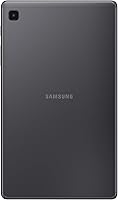
  • Frame Material: Built with a metal frame that provides structural rigidity and improved resistance to everyday knocks compared to fully plastic-bodied alternatives.
  • Model Number: The US version carries model number SM-T220NZAAXAR and was first made available in June 2021.
  • Color Options: Available in Gray as the primary color option for the US market version reviewed here.
  • Cellular Support: This is a Wi-Fi-only model with no cellular or LTE variant available in the US configuration.
  • Display Tech: Uses a TFT LCD panel without an in-plane switching design, which limits viewing angle performance compared to IPS or AMOLED alternatives.
  • USB Standard: The single USB port operates at USB 2.0 speeds, which limits data transfer rates compared to USB 3.0 or USB-C devices.

Related Reviews
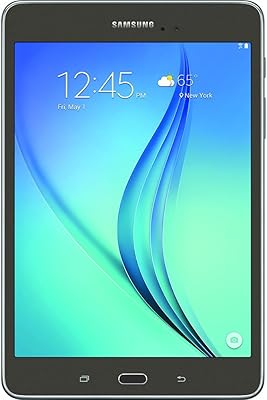
Samsung Galaxy Tab A 9.7-Inch 16GB Tablet
70%
74%
Display Quality
61%
Performance
83%
Battery Life
79%
Build Quality
53%
Storage & Expandability
More
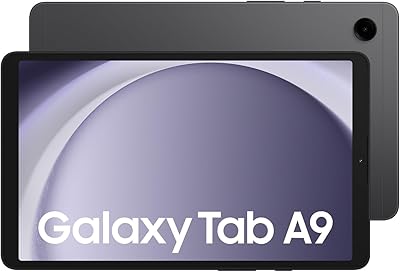
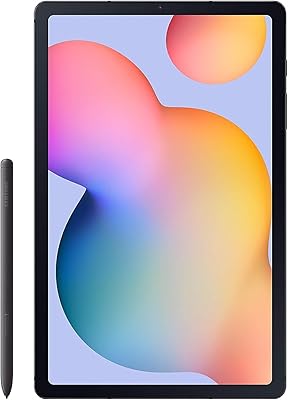
Samsung Galaxy Tab A9 8.7″ 64GB Tablet
73%
83%
Value for Money
61%
Display Quality
78%
Performance
86%
Connectivity
79%
Build Quality
More
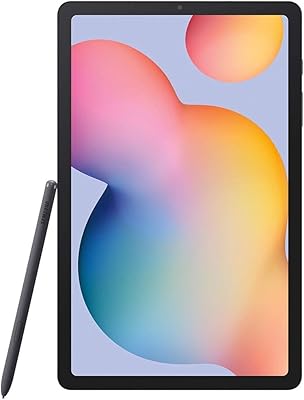
Samsung Galaxy Tab S6 Lite (2024) Tablet
73%
83%
Value for Money
81%
Display Quality
79%
S Pen Experience
63%
Performance & Speed
88%
Battery Life
More
Samsung Galaxy Tab S6 Lite 10.4″ Tablet
72%
83%
Display Quality
88%
S Pen Experience
91%
Battery Life
67%
Performance
84%
Value for Money
More
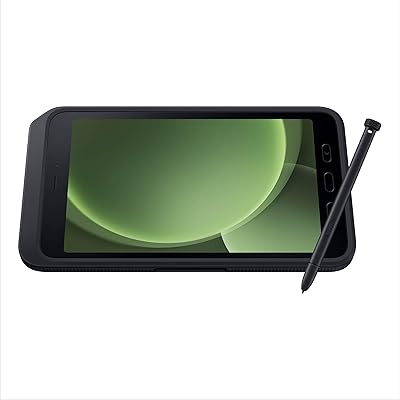
Samsung Galaxy Tab Active5 128GB Android Tablet
80%
93%
Build Quality & Durability
91%
Battery Life & Replaceability
74%
Display Visibility
88%
Glove-Touch Performance
81%
Processing Performance
More
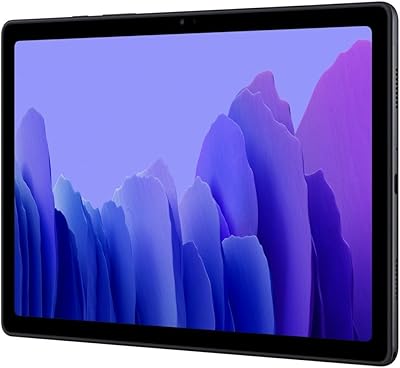
Samsung Galaxy Tab A7 10.4 64GB
82%
91%
Value for Money
89%
Battery Life
75%
Display Quality
83%
Performance for Everyday Use
87%
Storage Expansion
More
Samsung Galaxy Tab A7 32GB 10.4-inch Tablet
75%
83%
Display Quality
88%
Audio Performance
63%
Performance & Speed
76%
Build Quality
79%
Battery Life
More
Samsung Galaxy Tab A7 10.4″ Tablet
74%
83%
Display Quality
62%
Performance
87%
Battery Life
88%
Voice Calling
79%
Value for Money
More
Samsung Galaxy Tab S7 FE 64GB Tablet
76%
84%
Display Quality
88%
S Pen Experience
91%
Battery Life
71%
Performance
58%
Storage Value
More
Lenovo Tab One 8.7-inch Android Tablet
74%
88%
Battery Life
84%
Value for Money
91%
Portability & Form Factor
71%
Display Quality
67%
Performance & Speed
More

FAQ

It works well for both, honestly. Younger children benefit most from Samsung Kids mode, which locks them into a curated app environment parents control. Older kids who want to browse freely or use more demanding apps may start brushing against the performance ceiling, but for ages 4 through 10 it is a solid fit.

Yes, and this is one of the Tab A7 Lite's practical strengths. The microSD card slot supports cards up to 1TB, so you can load it up with offline videos, music, and apps without worrying about running out of space. Just budget for a decent microSD card alongside your purchase — you will likely want one fairly quickly.

There is no native stylus support or official Samsung keyboard accessory for this model. It was not designed as a productivity device, so Samsung did not build in S Pen compatibility. Third-party Bluetooth keyboards will work, but do not expect a laptop-replacement experience.

Better than most people expect at this price. Casual users who stream video, browse, or let kids play games for a few hours a day comfortably go multiple days between charges. Heavy users will get through a full day on a single charge, which aligns well with what Samsung advertises.

Yes. Android 11 includes its own built-in digital wellbeing and parental control settings accessible through the device settings menu. That said, Samsung Kids mode is more comprehensive and easier to configure for younger children, offering app restrictions, content filters, and usage timers all in one place.

Netflix and YouTube run without problems. Roblox and similar games will run, but you may notice occasional frame drops or longer load times compared to a more powerful device. For light gaming and streaming, the experience is acceptable — just do not expect buttery-smooth performance on graphically intensive titles.

It is Wi-Fi only in the US version. There is no SIM card slot or cellular capability on this model, so you will need a stable Wi-Fi connection or a mobile hotspot to get online when away from home.

Quite well for an entry-level device. The metal frame absorbs impact better than plastic alternatives, and many parents report the tablet surviving repeated drops onto hardwood or tile without cracking the frame. The screen is the vulnerable point — a drop on a corner can still crack the display, so a protective case is genuinely worth buying.

Yes, and this is one of the more useful features for Samsung ecosystem users. One UI lets you start something on your phone — a video, a website, or a document — and pick it up on the tablet with minimal friction. It is not magic, but it works reliably and makes the tablet feel more integrated than a standalone purchase.

Samsung provided limited software updates for this model given its entry-level status, and it has not received major Android version upgrades beyond what it shipped with. Security patches were released for a period, but buyers should be aware that long-term OS support is not a strong suit of budget tablets in this tier.

Where to Buy