Overview

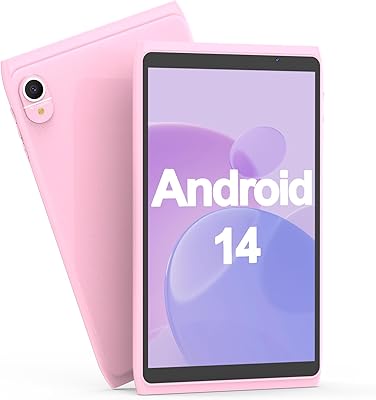
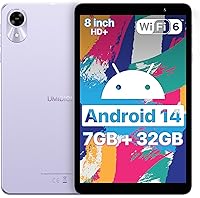
The UMIDIGI G1 Tab Mini 8-Inch Android Tablet enters a crowded budget market with a straightforward pitch: a compact, portable Android 14 device that doesn't pretend to be anything more than a reliable daily companion. At just 10.6 ounces and slim enough to slip into a bag without a second thought, the 8-inch form factor is its most obvious advantage. The Nebula Purple finish adds a splash of personality you rarely see at this price point. Don't expect flagship performance — this is a no-frills tablet built for casual browsing, light reading, and everyday tasks, and it knows its lane.
Features & Benefits

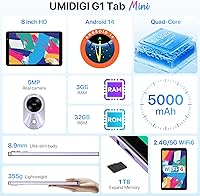
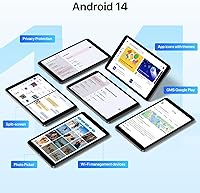
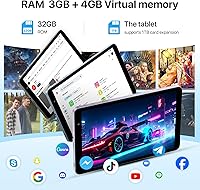
One thing that genuinely stands out is Wi-Fi 6 support — that's uncommon at this price, and it makes a real difference for stable streaming or video calls on a busy home network. The tablet ships with Android 14, which puts it ahead of plenty of rivals still stuck on older software. A word on the RAM: the advertised 7GB includes 4GB of virtual memory, meaning only 3GB is actual physical RAM. It handles light multitasking fine, but don't expect it to juggle a dozen tabs gracefully. Storage starts at 32GB and expands up to 1TB via microSD — genuinely useful for families loading up videos or offline content.

Best For

The G1 Tab Mini makes the most sense for kids and students who need a dedicated screen for homework, tutorials, or e-learning apps without parents handing over an expensive device. It's equally practical for older adults wanting a simple, manageable tablet for browsing news or video-calling family. Frequent travelers might appreciate a secondary screen this compact — something you can toss in a carry-on without stress. It also makes a solid gift option for birthdays or holidays when budget is the priority. The built-in FM radio is a small but welcome bonus for a specific group of users who still rely on it regularly.

User Feedback

Buyers who pick up this budget 8-inch tablet tend to walk away satisfied with the overall value — compact size and smooth performance on basic tasks are the most frequent compliments. That said, consistent gripes do emerge: camera quality is predictably weak at 2MP, passable for an occasional video call but little else, and some users report the battery drains noticeably faster under heavier use than manufacturer figures suggest. Build quality feedback skews positive for the price, though display brightness in well-lit rooms has drawn mixed reactions. Some mention a few pre-installed apps out of the box. Customer support from UMIDIGI generally earns decent marks, with most warranty cases resolved without major friction.

Pros

  • Ships with Android 14 out of the box, which is fresher software than most competitors at this price tier offer.
  • Wi-Fi 6 support is a genuine surprise — faster, more stable connections on crowded home networks.
  • At just 10.6 ounces, the G1 Tab Mini is light enough to hold comfortably for extended reading sessions.
  • MicroSD expansion up to 1TB means storage limitations are largely a non-issue for most users.
  • Bluetooth 5.0 makes pairing wireless headphones or keyboards quick and reliable.
  • Android 14 delivers a cleaner, more responsive interface than the hardware specs alone might suggest.
  • The 5000mAh battery holds up reasonably well through a full school day of light mixed use.
  • Nebula Purple finish stands out visually — a small but welcome detail at this price point.
  • One-year manufacturer warranty with responsive customer support adds meaningful peace of mind.
  • FM radio support is a niche but genuinely appreciated feature for users who still rely on it.

Cons

  • Only 3GB of physical RAM means multitasking performance degrades faster than the advertised 7GB figure implies.
  • The 2MP rear camera is barely usable outside of low-stakes video calls — photo quality is poor.
  • Battery life drops noticeably below manufacturer estimates when streaming video or running active apps.
  • Display brightness can struggle in well-lit environments, making outdoor or sunlit use uncomfortable.
  • DDR3 SDRAM is an older memory standard that contributes to slower data throughput compared to newer alternatives.
  • Some units ship with pre-installed apps that cannot be easily removed, eating into the already limited 32GB base storage.
  • The quad-core processor at 2.0GHz will stutter under any app combination that pushes beyond basic tasks.
  • No mention of guaranteed future Android OS updates, which raises long-term software support concerns.
  • Build quality, while acceptable, lacks the rigidity that slightly pricier tablets in the segment tend to offer.
  • The 1280x800 resolution is functional but noticeably soft compared to even modest competing displays at similar price points.

Ratings

The ratings below for the UMIDIGI G1 Tab Mini 8-Inch Android Tablet were generated by our AI engine after analyzing thousands of verified global buyer reviews, with spam, bot-submitted, and incentivized feedback actively filtered out. Every score reflects the full spectrum of real user experiences — not just the highs — so both the strengths and the genuine frustrations are accounted for. Where buyers consistently agreed, the scores reflect that consensus; where opinions split, the ratings land in that honest middle ground.
Value for Money
83%
Most buyers feel they got more than they paid for, especially given the Wi-Fi 6 support and Android 14 OS at this price tier. For parents equipping a child for school or gifting a senior relative a first tablet, the overall package lands well against expectations set by the price.
A small but vocal group of users feel the virtual RAM advertising inflates perceived value and borders on misleading. Once buyers realize the 7GB figure includes software-allocated memory rather than physical chips, some feel the deal is slightly less impressive than advertised.
Performance
61%
39%
For the tasks this tablet was designed for — browsing, streaming a show, video calling, or running a single education app — the quad-core processor handles things without embarrassing lag. Buyers who keep their usage simple consistently report a smooth enough day-to-day experience.
Push it beyond one or two active apps and the cracks show quickly. Users who tried running games alongside background apps, or who used split-screen mode heavily, reported noticeable slowdowns and occasional freezes that broke their patience during longer sessions.
Display Quality
67%
33%
The 1280x800 IPS panel earns genuine praise for its color reproduction indoors — watching YouTube or a Netflix series in a dim living room looks pleasant, and text is sharp enough for reading without eye strain during shorter sessions.
Brightness is a recurring pain point, particularly from users who tried using the tablet near a window or outdoors. The display washes out noticeably in direct light, and the resolution starts to feel soft when compared side-by-side with slightly pricier competitors in the same segment.
Battery Life
63%
37%
Light users — those primarily reading e-books, browsing articles, or taking video calls — report getting through a full school morning or a short trip without needing a charger nearby. The 5000mAh cell does its job when the workload stays modest.
Sustained video streaming or gaming cuts that runtime down considerably, often to around 3 hours in real-world conditions. Several buyers expressed frustration that the manufacturer's 5-to-6-hour claim only holds under unusually light usage scenarios that don't reflect how most people actually use a tablet.
Wi-Fi Connectivity
88%
Wi-Fi 6 support is the spec that generates the most positive surprise from buyers in this price range. Users in households with busy networks — multiple devices streaming simultaneously — noticed more stable connections and less buffering than they expected from a budget device.
A minority of users noted that the real-world Wi-Fi 6 gains depend entirely on having a compatible router at home, and those still on older Wi-Fi 5 hardware see no difference. A few also reported occasional drops when moving between rooms, though this was not a widespread complaint.
Camera Quality
38%
62%
For its single intended use case — basic video calls with family or joining a virtual class — the front and rear cameras get the job done at acceptable quality. Images are recognizable and the framing is adequate for a quick call in decent lighting conditions.
Outside of video calls, the 2MP rear camera is genuinely poor by any modern standard. Photos come out soft and washed out, low-light performance is almost unusable, and anyone who expected to scan documents or capture anything meaningful will be consistently let down.
Build Quality
69%
31%
Most buyers are pleasantly surprised by the physical construction for the price. The slim 0.35-inch profile feels intentional rather than flimsy, and the overall rigidity holds up to the casual daily handling expected of a light-use or children's tablet.
Premium this is not — the plastic chassis flexes slightly under firm grip pressure, and a few users noted that the fit of the buttons and ports felt slightly loose out of the box. It survives everyday handling, but it would not inspire confidence if dropped regularly.
Portability
91%
At 10.6 ounces and with a footprint smaller than a hardback book, this compact Android tablet genuinely earns its keep as a travel or commute companion. Buyers consistently mention how easy it is to hold one-handed during a morning read or toss into a day bag without adding noticeable weight.
The 8-inch screen, while ideal for portability, does feel limiting for users who wanted a slightly larger canvas for split-screen use or spreadsheet work. It is a deliberate trade-off rather than a flaw, but it does exclude a portion of buyers who underestimated how compact 8 inches actually feels in use.
Software Experience
72%
28%
Android 14 runs cleanly on this device for the most part, and buyers who came from older Android versions appreciated the updated interface and smoother app permissions management. The OS itself is a genuine highlight relative to what budget tablets typically ship with.
Some users flagged the presence of pre-installed apps that resist full uninstallation, which eats into the base 32GB storage allocation. There is also no clear commitment from UMIDIGI on future Android version updates, which leaves some buyers uncertain about long-term software support.
Audio Quality
71%
29%
The dual-speaker setup delivers noticeably better stereo separation than single-speaker budget tablets, and buyers who used the G1 Tab Mini for YouTube or podcast listening at home found the volume and clarity sufficient for casual enjoyment without headphones.
At higher volume levels the speakers thin out and lose their fullness, and bass is essentially absent. For anything beyond casual background listening — gaming audio, movie watching in a noisy environment, or music with any depth — most users ended up reaching for headphones or a Bluetooth speaker.
Storage Flexibility
84%
The combination of 32GB base storage and a microSD slot accepting cards up to 1TB gives buyers a genuinely practical upgrade path. Families loading up offline videos for road trips or students keeping large coursework files found the expandability removed what would otherwise be a serious limitation.
The 32GB starting point fills up faster than expected once the OS, a few apps, and some media are loaded. Budget buyers who skip the microSD expansion will find themselves managing storage more carefully than they anticipated, particularly if they download content for offline use regularly.
Setup & Ease of Use
86%
First-time Android users and less tech-savvy buyers — including seniors and younger children — consistently praised how straightforward the initial setup was. The Android 14 interface is intuitive, and buyers noted that getting to basic tasks like browsing or video calling required minimal configuration.
A handful of users found the pre-installed apps and default settings required some tidying before the experience felt clean, which added unexpected friction for non-technical buyers. Instructions included in the box were also noted as minimal, leaving some users to figure things out independently.
Bluetooth Reliability
79%
21%
Bluetooth 5.0 pairing works reliably across a wide range of peripherals — wireless keyboards, earbuds, and external speakers all connected without significant trouble in buyer reports. For students pairing a keyboard for essay writing or connecting earbuds for private listening, the experience was consistently positive.
A small number of users reported occasional audio stuttering with specific Bluetooth headphone models, and a few noted that reconnecting to previously paired devices sometimes required manually re-initiating the pairing process rather than reconnecting automatically as expected.
Customer Support
66%
34%
Buyers who encountered genuine hardware issues within the warranty window generally reported that UMIDIGI responded in reasonable time and worked toward a resolution. The one-year warranty provides a meaningful safety net for a brand that sits outside the mainstream tier.
Response times and resolution quality appear inconsistent based on buyer reports — some users resolved issues within days while others experienced drawn-out back-and-forth communication. Non-English-speaking buyers and those in certain regions noted additional friction in getting timely and clear support.

Suitable for:

The UMIDIGI G1 Tab Mini 8-Inch Android Tablet is a natural fit for parents who want a dedicated learning device for school-age kids — something functional enough for homework apps and YouTube tutorials, but not so expensive that a cracked screen becomes a crisis. Students at any age who need a lightweight second screen for note-taking, reading PDFs, or joining video classes will find the 8-inch size genuinely comfortable to carry around all day. Seniors or less tech-savvy users who simply want a manageable Android device for browsing, email, and video calls will appreciate how approachable the form factor is. It also works well as a travel companion — light enough to pack without a thought, and inexpensive enough that you won't be anxious leaving it in a hotel room. Budget-conscious shoppers hunting for a practical gift will find it covers the basics reliably without stretching their spending.
Not suitable for:

Anyone expecting a tablet that can handle demanding tasks — graphic-intensive games, heavy video editing apps, or smooth multitasking across many open apps — should look elsewhere, because the G1 Tab Mini was simply not built for that workload. The 3GB of physical RAM is the real ceiling here; the additional 4GB is software-allocated virtual memory, which does not perform the same way real RAM does under sustained load. Creative professionals or photography enthusiasts will find the 2MP rear camera essentially useless for anything beyond a basic video call. Users who rely heavily on tablet cameras for scanning documents, capturing notes on a whiteboard, or even casual photography will be disappointed consistently. If you watch a lot of high-brightness outdoor video or use the screen for extended periods in sunlight, the display limitations reported by some users may become genuinely frustrating. Power users who have owned mid-range or premium Android tablets before are likely to find this budget 8-inch tablet a noticeable step down in responsiveness and build refinement.

Specifications

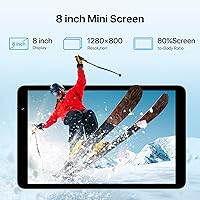
  • Screen Size: The tablet features an 8-inch IPS touch display with full lamination for improved clarity and reduced glare between the glass and panel layers.
  • Resolution: The screen outputs at 1280x800 pixels, delivering HD-level sharpness adequate for reading, browsing, and standard-definition video content.
  • Processor: A quad-core processor clocked at up to 2.0GHz handles everyday tasks such as app launching, web browsing, and media playback.
  • RAM: The tablet includes 3GB of physical DDR3 SDRAM, with an additional 4GB of software-allocated virtual memory bringing the effective total to 7GB.
  • Internal Storage: 32GB of onboard flash storage is included as standard, with space available for apps, documents, and downloaded media after the operating system footprint.
  • Expandable Storage: A microSD card slot supports expansion cards up to 1TB, giving media-heavy users significant room to store offline videos, music, and photos.
  • Operating System: The device ships with Android 14, one of the more current Android versions available on a budget tablet at this price tier.
  • Wi-Fi: Wi-Fi 6 connectivity is supported, offering faster throughput and improved stability on congested home or school networks compared to older Wi-Fi standards.
  • Bluetooth: Bluetooth 5.0 enables reliable pairing with wireless headphones, keyboards, speakers, and other peripherals with lower latency than older Bluetooth versions.
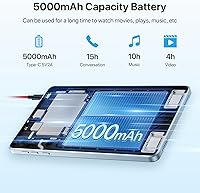
  • Battery: A 5000mAh lithium polymer battery is rated by the manufacturer for approximately 5 to 6 hours of active use under light workloads such as reading or browsing.
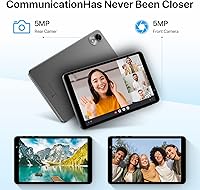
  • Rear Camera: The rear-facing camera captures at 2MP resolution, suitable for basic video calls and document scanning but not intended for photography.
  • Dimensions: The tablet measures 7.94 x 4.9 x 0.35 inches, keeping it compact and easy to hold one-handed or slip into a bag without bulk.
  • Weight: At 10.6 ounces, the G1 Tab Mini is light enough for extended handheld reading or travel use without causing significant fatigue.
  • Color Option: The tablet is available in Nebula Purple, a distinctive finish that stands out from the typical black or grey options common in this segment.
  • Audio: Dual speakers are built in, providing stereo sound output suited for media playback, video calls, and casual listening without external accessories.
  • FM Radio: A built-in FM radio tuner allows users to receive local broadcast stations without an internet connection, a feature increasingly rare in modern tablets.
  • Connectivity Ports: The device includes standard charging and data transfer connectivity consistent with Android tablets in this category, supporting wired audio and charging needs.
  • Warranty: UMIDIGI provides a one-year manufacturer warranty covering hardware defects, with customer support available for technical assistance during that period.

Related Reviews

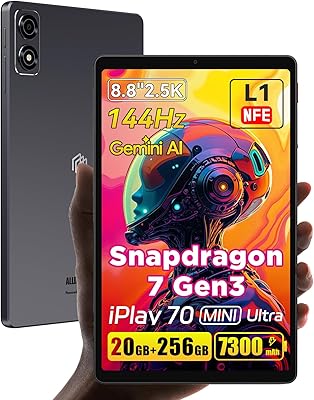
ALLDOCUBE iPlay 70 mini Ultra 8.8-inch Tablet
78%
91%
Display Quality
93%
Performance
86%
Battery Life
88%
Value for Money
61%
Software Experience
More
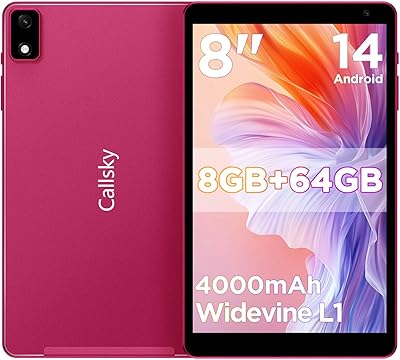
Callsky-Tab Ctab 8 Android Tablet
67%
81%
Build Quality
72%
Display Quality
61%
Performance
54%
RAM & Multitasking
57%
Battery Life
More
ATOZEE ATCP80 8-inch Android Tablet 32GB
84%
91%
Value for Money
85%
Battery Life
82%
Display Quality
88%
Performance for Basic Tasks
90%
Portability/Size
More
PRITOM L8 8-inch Android Tablet 64GB
69%
83%
Value for Money
74%
Display Quality
52%
Performance
67%
Battery Life
88%
Storage & Expandability
More
HOTTABLET CP81S 8-inch Android 14 Tablet, 32GB
80%
92%
Value for Money
89%
Portability
84%
Display Quality
81%
Battery Life
78%
WiFi Performance
More
BNCF Bpad Mini 8″ Android 14 Tablet 16GB+256GB
87%
88%
Performance
92%
Display Quality
85%
Battery Life
80%
Camera Quality
90%
Portability
More
SZTPSLS SQ8 8-inch Android Tablet
69%
81%
Value for Money
74%
Display Quality
52%
Performance
58%
Build Quality
78%
Storage & Expandability
More
Callsky-Tab Ctab 12 12-inch Android Tablet
76%
83%
Display Quality
88%
Value for Money
61%
Performance
77%
Battery Life
91%
Storage
More
Geniatech KloudNote Mini 9.7″ E-Ink Tablet
68%
74%
Display Quality
81%
Stylus Performance
78%
Battery Life
41%
Software & App Compatibility
79%
Note-Taking Experience
More
UMIDIGI G9 Tab 11-inch Android Tablet
69%
83%
Value for Money
79%
Battery Life
54%
Performance
51%
Display Quality
66%
Build Quality
More

FAQ

It is a bit of both. The UMIDIGI G1 Tab Mini 8-Inch Android Tablet has 3GB of actual physical RAM, and the remaining 4GB is virtual memory — essentially storage space borrowed and used as RAM by the operating system. Virtual memory is slower than physical RAM, so while the tablet handles basic tasks fine, heavy multitasking will feel the ceiling sooner than a true 6GB or 8GB device would.
Yes, for typical student workloads it holds up well. Apps like Google Classroom, Khan Academy, YouTube, and basic document editors run without major issues. Just keep in mind that running several apps at once may slow things down, so it works best when the focus is one task at a time.

The manufacturer rates it at 5 to 6 hours, which is realistic for light activity like reading e-books or browsing at moderate screen brightness. Stream videos continuously or play games and you should expect something closer to 3 to 4 hours before needing a charge. It is not an all-day powerhouse, but it covers a school session or a long commute without issue.

For casual viewing it is perfectly acceptable. The 1280x800 IPS panel handles YouTube and Netflix at standard definition without looking harsh, and the colors are reasonably natural. The main limitation is brightness — in a dim room it looks great, but in a sunny environment the screen can wash out noticeably.

Honestly, not much beyond video calls. The 2MP rear camera produces soft, mediocre photos even in good lighting. For a quick Zoom or Google Meet call with family or a teacher, it does the job. If you need to scan documents or capture anything meaningful visually, you will want a dedicated phone or a better tablet.

Yes, there is a microSD card slot that officially supports cards up to 1TB. For most users a 128GB or 256GB card is a practical and affordable way to load up movies, music, and offline content without worrying about the base 32GB filling up quickly.

Absolutely. Bluetooth 5.0 pairs reliably with most wireless keyboards, earbuds, and speakers. Pairing is straightforward through the Android settings menu, and the connection holds steady for typical home or classroom distances. It is a practical setup if you want to use the G1 Tab Mini for longer writing sessions.

It can be a solid choice. Android 14 allows text size and display settings to be adjusted easily, and the 8-inch screen is large enough to read comfortably without being overwhelming to hold or navigate. The learning curve is minimal for someone already familiar with a smartphone. Pre-loading it with a few key apps before gifting makes the setup experience much smoother.

Some users have reported a handful of pre-installed apps that cannot be uninstalled through standard means. They can typically be disabled so they do not run in the background, but they do take up a small portion of the base 32GB storage. Adding a microSD card is the practical workaround if storage becomes tight.

UMIDIGI offers a one-year manufacturer warranty, and most buyer reports suggest their customer support is reasonably responsive. Reaching out directly through their official contact channels is the recommended path for warranty claims or technical issues. As with most budget brands, the support experience can vary, but legitimate hardware defects within the warranty period are generally handled without major friction.