Overview
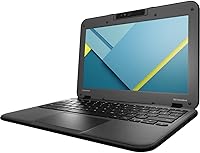
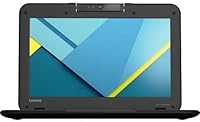
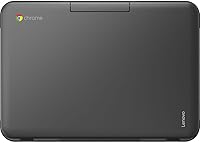
The Lenovo N22-20 11.6″ Chromebook is a certified refurbished machine pitched squarely at students and light users who need a functional laptop without spending much. Buying refurbished always carries some uncertainty, but at this price tier, you are essentially trading cosmetic perfection for genuine value — and that is a reasonable deal if you go in with clear expectations. Lenovo has long been a trusted name in education computing, supplying classrooms with durable, no-nonsense devices for years. The 11.6-inch form factor and Chrome OS together define what this device is: compact and cloud-centric, designed for everyday tasks rather than heavy lifting.
Features & Benefits
The Celeron N3050 dual-core processor handles web browsing, Google Docs, and YouTube without complaint — just don’t expect it to multitask aggressively. The bigger constraint is the 2GB of RAM. Chrome OS is leaner than Windows, but two gigabytes still feels tight the moment you have eight or nine tabs open; things start to slow noticeably. Storage is equally modest at 16GB eMMC, which fills up fast if you rely on local files, so leaning on Google Drive is not optional here — it is essential. On the upside, the compact display is perfectly readable for text and video, and at 3.64 pounds the device slips into a bag effortlessly. Chrome OS boots in seconds and stays updated automatically.
Best For
This Chromebook makes the most sense for a specific kind of buyer. K-12 students will find it covers everything school demands — note-taking, research, Google Classroom, video calls — without the distraction of a full desktop OS. It also works well as a secondary laptop for someone who already owns a more powerful machine and just needs something light to carry around the house or toss in a bag for travel. Seniors and casual users who stick to email, streaming, and the occasional video call will feel right at home; Chrome OS keeps things simple. Just keep in mind this budget laptop is not a fit for anyone who needs local software, gaming, or serious content creation.
User Feedback
Buyers who picked up the refurbished Lenovo N22-20 for basic schoolwork or browsing tend to walk away satisfied — the praise usually centers on how quickly it sets up and how well it holds up given what was paid. That said, the 2GB RAM ceiling is the most consistently mentioned frustration; users report that keeping more than five or six tabs open causes noticeable sluggishness. Cosmetic condition is hit-or-miss: some units arrive looking practically new, others show scratches or scuff marks — typical for refurbished stock. Battery life draws mixed reactions, with lighter users reporting solid all-day performance while heavier users note it fades faster. Display brightness in sunlight also comes up as a recurring shortcoming worth noting before you buy.
Pros
- Exceptional value for the price, especially for households on a tight budget.
- Chrome OS boots in seconds and requires virtually zero maintenance from the user.
- At 3.64 pounds and under an inch thick, this Chromebook is genuinely easy to carry anywhere.
- Automatic system updates and built-in security make it a safe, worry-free choice for kids.
- The Google ecosystem integration — Drive, Docs, Meet — works flawlessly right out of the box.
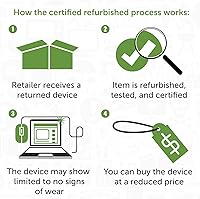
- Certified refurbished status means the device has been tested and verified functional before shipping.
- The 11.6-inch display is perfectly readable for schoolwork, video streaming, and casual browsing.
- Setup is fast and beginner-friendly, with no complicated configuration required.
- A solid backup or travel laptop that you won't stress about losing or damaging.
Cons
- 2GB of RAM causes noticeable slowdowns when more than five or six tabs are open simultaneously.
- 16GB of local storage fills up quickly if you rely on downloading files rather than using cloud storage.
- The display struggles in bright or sunny environments due to limited brightness output.
- Refurbished units vary in cosmetic condition — scratches and scuffs are a real possibility.
- Chrome OS offline functionality is limited; most tasks require a stable internet connection.
- The Celeron N3050 processor, while adequate for basics, shows its age with anything more demanding.
- No upgrade path exists for RAM or storage — what you get is what you are stuck with.
- Battery longevity under heavier use falls short of all-day expectations some buyers anticipate.
- Not compatible with Windows or Mac software, which can be a dealbreaker for some students.
Ratings
The scores below for the Lenovo N22-20 11.6″ Chromebook were generated by our AI system after analyzing thousands of verified global buyer reviews, with spam, bot activity, and incentivized feedback actively filtered out. Each category reflects a balanced synthesis of what real users praised and what genuinely frustrated them — nothing is glossed over. From everyday portability to the hard limits of 2GB RAM, the numbers tell an honest story.
Value for Money
Performance
Portability
Display Quality
Build Quality
Keyboard & Trackpad
Battery Life
Setup & Ease of Use
Storage Adequacy
Connectivity & Ports
Refurbished Condition Reliability
Chrome OS Experience
Audio Quality
Suitable for:
The Lenovo N22-20 11.6″ Chromebook was built for a very specific kind of user, and if you fall into that group, it genuinely delivers. K-12 students are the most natural fit — this budget laptop handles Google Classroom, Docs, Slides, and video calls without breaking a sweat, and its compact size makes it easy to carry between home and school. Parents looking for an affordable, low-maintenance device for their kids will appreciate that Chrome OS keeps things locked down and automatically updated, with no virus headaches to manage. It also works well as a secondary machine for adults who already own a primary computer and just need something lightweight for couch browsing, travel, or casual email. Seniors who live inside a browser and rely on Google services will find the simple interface refreshingly stress-free. If you are comfortable keeping your files in the cloud and your expectations are calibrated to light, everyday tasks, this refurbished Chromebook is a genuinely smart buy at its price.
Not suitable for:
The Lenovo N22-20 11.6″ Chromebook is not the right call for anyone whose computing needs extend beyond the basics. The 2GB of RAM becomes a real problem the moment you push past five or six browser tabs, and users who rely on multitasking will find the experience frustrating rather than functional. Chrome OS also depends heavily on an internet connection — if you need robust offline capability, or if you rely on Windows or Mac software for work or school, this is not the device for you. Creative professionals, students in programs requiring specialized desktop applications, or anyone who does light gaming should look elsewhere entirely. The 16GB of local storage is also a hard limit that cannot be expanded, so buyers who habitually store large files locally will hit that ceiling fast. Finally, anyone sensitive to cosmetic imperfections should weigh the refurbished nature carefully — some units show visible wear, and there is no guarantee of a pristine exterior.
Specifications
- Brand: This Chromebook is manufactured by Lenovo, a brand with a long-standing track record in education-focused computing.
- Model Number: The unit carries the model designation 80KF0000US, corresponding to the N22-20 product line.
- Condition: The device is sold as Certified Refurbished, meaning it has been tested and verified to be fully functional prior to resale.
- Processor: It runs on an Intel Celeron N3050 dual-core processor clocked at 1.6GHz, suited for light to moderate everyday computing tasks.
- RAM: The system includes 2GB of DDR3 SDRAM, which is adequate for Chrome OS under light use but can feel constrained when many browser tabs are open.
- Storage: Internal storage is 16GB eMMC flash, a solid-state format that is faster than a traditional hard drive but not expandable.
- Display Size: The screen measures 11.6 inches diagonally, making the overall footprint compact and well-suited for portability.
- Resolution: The LCD panel outputs at 1366x768 pixels, delivering standard HD-class clarity appropriate for documents, video streaming, and general browsing.
- Operating System: The laptop ships with Chrome OS, Google's cloud-centric operating system that offers fast boot times and automatic security updates.
- Graphics: Graphics are handled by integrated Intel HD Graphics, which is sufficient for video playback and standard web content but not designed for gaming or rendering.
- Dimensions: The physical footprint measures 11.6 x 8 x 0.8 inches, keeping the profile slim enough to slide easily into most bags and sleeves.
- Weight: At 3.64 pounds, this budget laptop is light enough for daily commutes and classroom carry without causing fatigue.
- Color: The unit is finished in black, offering a clean and professional appearance typical of Lenovo's education line.
- Battery: The device is powered by a single included Lithium Ion battery designed to support a full day of light use on a single charge.
- Storage Type: Storage uses eMMC technology rather than a traditional spinning hard drive or standard SSD, offering a balance of speed and reliability at a lower cost.
- Processor Cores: The Celeron N3050 features two processing cores, which handles sequential tasks well but shows limitations under heavy multitasking workloads.
- Memory Type: System memory uses DDR3 SDRAM, an older but stable memory standard compatible with the N3050 platform.
- Chipset: The device is built on an Intel chipset, providing integrated management of processor, graphics, and memory functions in a single low-power package.
Related Reviews
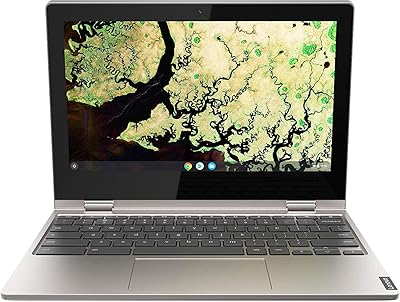
Lenovo Chromebook C340 11.6″ 2-in-1 Laptop
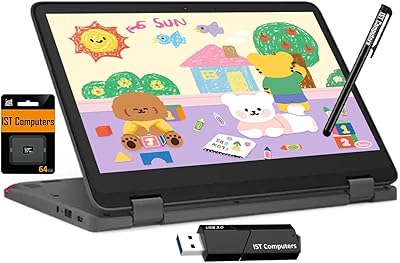
Lenovo Chromebook 300e Yoga 11.6″ 2-in-1
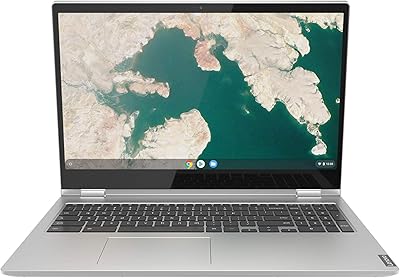
Lenovo Chromebook C340 15.6″ 2-in-1 Laptop
Lenovo IdeaPad N42-20 14″ Chromebook
Acer Spin 311 2H

Samsung Chromebook 2 XE500C12-K01US 11.6-inch Laptop
Samsung Chromebook 3 11.6″ Laptop
Dell 3100 11.6-inch Touchscreen Chromebook
Lenovo 15.6-inch N4120 Chromebook