Overview

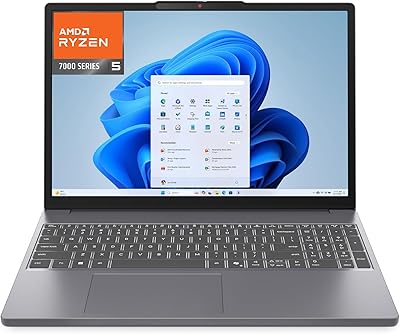
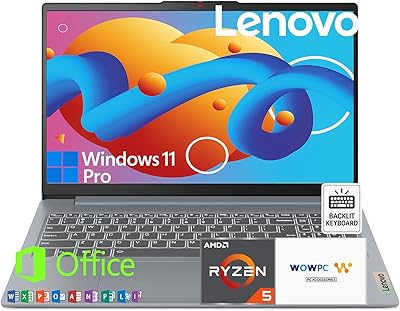
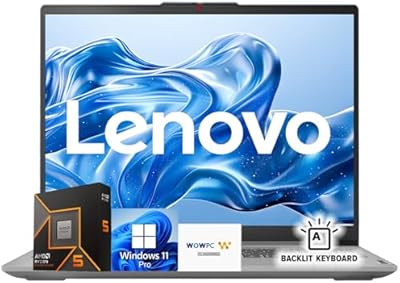
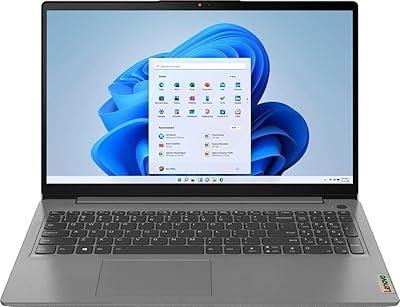
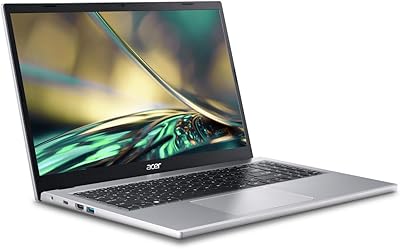
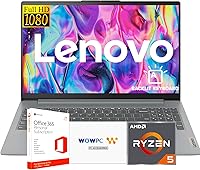
The Lenovo IdeaPad Slim 3 15.6″ Ryzen 5 5625U 16GB 512GB sits squarely in the practical mid-range, built for students and everyday business users who want capable hardware without overspending. The AMD Ryzen 5 5625U is a Zen 3 chip that punches noticeably harder than comparable Intel options at this tier — you feel it in faster app launches, smoother tab juggling, and less waiting around. The Arctic Grey plastic chassis won't turn heads, but it carries MIL-STD-810H certification, meaning it has been tested against drops, dust, and temperature swings. The included Microsoft Office 365 subscription and recovery USB drive mean you're genuinely productive straight out of the box, and Windows 11 Pro adds BitLocker encryption and remote desktop — features typically reserved for pricier machines.
Features & Benefits

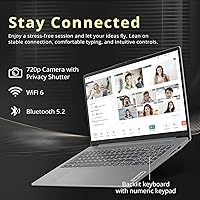
The Slim 3's 6-core Ryzen processor handles the kind of workloads most buyers throw at a laptop daily — multiple browser tabs, Office documents, video calls, and occasional photo editing — without breaking a sweat. Paired with 16GB of RAM and a 512GB PCIe SSD, boot times are fast and the system stays responsive even when you're juggling several applications. On the connectivity side, Wi-Fi 6 and Bluetooth 5.2 keep things current, while the port lineup — USB-C with DisplayPort, HDMI, SD card reader, and two full-size USB-A ports — covers most desk setups without needing a hub. The backlit keyboard, FHD webcam with privacy shutter, and Dolby Audio speakers all feel like thoughtful inclusions rather than afterthoughts. One honest note: the integrated AMD Radeon graphics handle everyday tasks fine but won't run demanding games or GPU-heavy creative software.

Best For

This mid-range Lenovo makes the most sense for students and remote workers who want a complete, ready-to-work package without piecing together software licenses separately. The bundled Office 365 subscription alone removes a meaningful upfront cost, which matters when you're on a tight budget. It also works well as a reliable secondary machine for professionals who travel light and need something that handles email, documents, and video calls dependably. If you're upgrading from an aging Intel Core i5 or i7 machine from a few years back, the Ryzen 5 5625U will feel like a real step forward in responsiveness. What it isn't, to be clear, is a laptop for video editors, 3D designers, or gamers — the integrated graphics draw a firm line there.

User Feedback

Buyers tend to appreciate how quickly the Slim 3 is up and running — Office 365 activation reportedly goes smoothly, and the WOWPC recovery USB is a genuinely useful safety net most reviewers don't mention until they actually need it. Battery life, however, surfaces as the most consistent gripe: real-world use often falls short of marketing estimates, especially under heavier workloads. Some users flag the display as adequate but unremarkable — fine for indoor work, but lacking brightness for sunlit environments. There's also a recurring question about RAM upgradeability that prospective buyers should investigate before purchasing. On the positive side, build quality and keyboard comfort draw consistent praise, and most reviewers agree the overall package delivers solid value for a machine in this price range.

Pros

  • The Ryzen 5 5625U delivers noticeably snappier multitasking than older Intel-based rivals at the same price point.
  • Bundled Microsoft Office 365 subscription adds genuine, immediate value straight out of the box.
  • 16GB of RAM keeps the system comfortable through heavy browser sessions and simultaneous productivity apps.
  • Windows 11 Pro inclusion offers BitLocker encryption and remote desktop features rarely found at this price tier.
  • The 512GB PCIe SSD means fast boot times and quick file access from day one.
  • Full port selection — HDMI, USB-C with DisplayPort, SD card reader, and two USB-A ports — covers most desk setups without a hub.
  • MIL-STD-810H certification provides real-world confidence for students and commuters who carry their machine daily.
  • The backlit keyboard with numeric keypad is a practical, comfortable choice for long typing sessions.
  • FHD webcam with privacy shutter is a thoughtful feature for remote workers and students on frequent video calls.
  • Wi-Fi 6 support keeps wireless performance competitive with modern home and campus network infrastructure.

Cons

  • Battery life under moderate workloads regularly disappoints, often falling short of a full academic or work day.
  • The display is dim by modern standards, making outdoor or bright-room use noticeably uncomfortable.
  • Plastic chassis construction feels budget in hand and shows minor flex under firm keyboard pressure.
  • A spec inconsistency in the listing — DDR4 versus DDR5 — creates unnecessary confusion for buyers comparing options.
  • The cooling system becomes audible under sustained CPU load, which can be distracting in quiet environments.
  • At 6 pounds, the Slim 3 is heavier than several competing 15-inch laptops and adds pack weight over long days.
  • RAM upgradeability is not confirmed, which limits long-term flexibility as software demands grow.
  • The single USB-C port cannot simultaneously charge and output to an external display without an adapter.
  • No IR camera means Windows Hello facial recognition is unavailable despite running Windows 11 Pro.
  • Color accuracy on the FHD panel is average, making it unsuitable for any color-sensitive design or editing work.

Ratings

The ratings below for the Lenovo IdeaPad Slim 3 15.6″ Ryzen 5 5625U 16GB 512GB were generated by our AI system after analyzing thousands of verified global user reviews, with spam, incentivized, and bot-driven submissions actively filtered out. The scores reflect the honest consensus of real buyers — students, remote workers, and everyday users — across multiple markets. Both the genuine strengths and the recurring frustrations are factored in transparently, so you get a clear picture before you commit.

Processor Performance
88%
The Ryzen 5 5625U handles a busy workday without complaint — multiple browser tabs, Office apps, video calls, and light photo editing all run simultaneously without noticeable slowdown. Users upgrading from older Intel Core i5 or i7 machines consistently report a tangible improvement in responsiveness and app launch speed.
Under sustained heavy workloads like long rendering tasks or large spreadsheet calculations, some users notice the fan spinning up and occasional thermal throttling. It is not a chip built for extended CPU-intensive sessions, and performance can dip slightly after prolonged stress.
Value for Money
91%
Buyers repeatedly point out that the bundled Microsoft Office 365 subscription alone meaningfully offsets the purchase price, making the overall package feel like exceptional value. Getting Windows 11 Pro, a capable Ryzen processor, 16GB of RAM, and a recovery USB at this price tier is difficult to beat among competitors.
A small number of users feel the display and battery hold the overall value proposition back slightly — spending less elsewhere to cut corners on these components is a choice that not everyone appreciates once they are using the machine daily.
Build Quality & Durability
74%
26%
The MIL-STD-810H certification gives buyers genuine confidence for everyday carry — it has been tested against drops, humidity, and temperature extremes. Most users describe the chassis as solid enough for a backpack lifestyle, and the hinge feels stable through repeated open-and-close cycles.
The plastic Arctic Grey body is functional but feels noticeably budget in hand compared to aluminum-chassis rivals. Some buyers mention minor flex in the keyboard deck and lid, and a few WOWPC-bundled units received mixed feedback on out-of-box cosmetic quality.
Display Quality
67%
33%
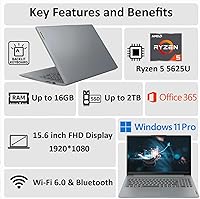
The 15.6-inch FHD anti-glare panel gets the job done for document work, video calls, and casual media consumption indoors. Text is sharp at 1080p, and the anti-glare coating genuinely reduces eye strain during long study or work sessions under office lighting.
Brightness is a recurring complaint — the panel struggles in well-lit rooms or near windows, making outdoor use impractical. Color accuracy is average at best, which matters to anyone doing photo editing or design work, and viewing angles are noticeably limited compared to IPS panels at higher price points.
RAM & Storage
86%
16GB of RAM at this price is genuinely useful — it means the system handles multitasking without constant page file activity, and users report smooth performance even with a dozen browser tabs open alongside Office apps. The 512GB PCIe SSD makes boot and load times quick enough to impress anyone coming from an HDD or older SATA SSD machine.
There is a spec inconsistency in the product listing — some pages describe the RAM as DDR5 while others confirm DDR4, which has caused confusion among buyers. Additionally, prospective upgraders should verify whether the RAM is soldered before purchasing, as expandability is not guaranteed on this model.
Battery Life
58%
42%
Under light use — browsing, note-taking, and occasional video streaming — some users report getting through a half-day of classes or meetings on a single charge. For low-intensity tasks with screen brightness turned down, the battery holds up reasonably well as a supplementary workhorse.
Battery life is the single most consistent complaint across user reviews. Real-world usage under moderate workloads frequently falls well short of manufacturer claims, with many buyers reporting four to six hours at best. For a full day on campus or at a coffee shop without a charger, this machine requires careful power management.
Keyboard & Typing Experience
82%
18%
The full-size backlit keyboard with numeric keypad draws consistent praise from users who spend hours typing reports, emails, or code. Key travel feels comfortable for extended sessions, and the backlight is a practical feature that students working late genuinely appreciate.
The buttonless Mylar touchpad divides opinion — some users find it smooth and accurate, while others wish for dedicated physical buttons. A small number of buyers note that the keyboard flex under firm typing pressure is occasionally distracting on a hard desk.
Webcam & Video Call Quality
76%
24%
The FHD webcam delivers noticeably cleaner video than the 720p cameras found on many competing laptops at this price. The privacy shutter is a small but meaningful feature that remote workers and students on video calls genuinely use and appreciate.
In lower-light environments, the image quality degrades more than expected for an FHD sensor, with grain becoming visible. There is no IR sensor for Windows Hello facial recognition, which some buyers consider a miss given the Windows 11 Pro operating system included.
Connectivity & Ports
89%
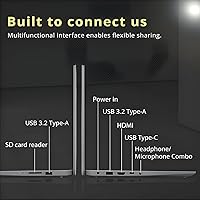
The port selection is one of the Slim 3's quiet strengths — two USB-A ports, a USB-C with DisplayPort output, HDMI, and an SD card reader cover virtually every scenario without needing a hub. Wi-Fi 6 delivers fast, stable connections on modern routers, and Bluetooth 5.2 pairs accessories quickly and reliably.
There is only one USB-C port, which means you cannot simultaneously charge via USB-C and use it for an external display without a hub. A few users also note the absence of a Thunderbolt port, though that is expected at this price tier.
Audio Quality
72%
28%
Dolby Audio processing gives the stereo speakers more clarity and presence than typical budget laptop speakers, making video calls and YouTube content genuinely pleasant at moderate volume. Most users are surprised by the audio quality relative to expectations for this price range.
Maximum volume lacks punch for larger spaces, and bass response is thin — music sounds fine for background listening but is not satisfying for dedicated media consumption. The speaker grille placement means sound quality can muffle slightly when the laptop sits on soft surfaces like a bed or couch.
Software & Out-of-Box Setup
84%
The Microsoft Office 365 subscription activates smoothly according to most buyers, and Windows 11 Pro is ready to use with minimal bloatware interference. The included WOWPC recovery USB is a practical safety net that users tend to overlook until they actually need it during a system issue.
A handful of users report confusion distinguishing the WOWPC bundle from a standard retail Lenovo unit, and occasionally question the provenance of the included software licenses. Pre-installed software beyond Office is minimal, which most buyers appreciate, but setup still requires the usual Windows update cycle on first boot.
Thermal Management & Fan Noise
63%
37%
During typical office and student workloads — browsing, documents, video streaming — the Slim 3 runs quietly and stays cool enough for comfortable lap use. Casual users who never push the machine hard may rarely notice the cooling system at all.
Under sustained load, the single cooling fan becomes audible and the bottom of the chassis warms up noticeably. Users who run longer compile jobs, video exports, or large data processes report the system becoming warm enough to be uncomfortable on a lap, and performance throttling has been noted in these scenarios.
Weight & Portability
71%
29%
At 0.7 inches thin, the Slim 3 slides easily into a backpack sleeve, and the overall footprint is manageable for a 15.6-inch machine. Students who carry it between classes or commuters who take it on public transit generally find it acceptable for daily transport.
At 6 pounds, it sits on the heavier end for its screen size category — lighter 15-inch competitors exist, and buyers who prioritize ultralight portability may find the weight adds up over a long day of carrying. The power brick adds further weight to your bag.
Graphics Capability
44%
56%
The integrated AMD Radeon graphics handle everyday tasks without issue — 4K video playback, basic image editing, and casual 2D games run adequately. For the target audience of students and office users, the GPU is more than sufficient for everything the machine is actually designed to do.
This is not a machine for gaming or GPU-accelerated creative work, full stop. Users who attempt modern 3D titles or run GPU-heavy applications like video encoding or 3D rendering quickly hit a ceiling that no amount of CPU performance can compensate for. The integrated graphics are the Slim 3's hardest limitation.

Suitable for:

The Lenovo IdeaPad Slim 3 15.6″ Ryzen 5 5625U 16GB 512GB is an excellent fit for college students who need a dependable, ready-to-work machine from day one — the bundled Microsoft Office 365 subscription removes one of the most common first-semester headaches, and 16GB of RAM means the laptop won't buckle under heavy browser sessions and simultaneous coursework apps. Remote workers and home-office users who want a reliable daily driver without obsessing over specs will find the Ryzen 5 5625U more than capable for video calls, document-heavy workflows, and cloud-based tools. First-time laptop buyers benefit particularly from the complete out-of-box experience: Windows 11 Pro, Office, and a recovery USB mean there is very little to figure out before getting productive. It also makes a strong case as a secondary travel machine for professionals who want something sturdy enough to survive a bag, with a port selection broad enough to connect to hotel monitors or conference room displays. Anyone coming from a laptop that is four or more years old — especially older Intel Core i5 or i7 machines — will notice a genuine, meaningful jump in day-to-day responsiveness.
Not suitable for:

The Lenovo IdeaPad Slim 3 15.6″ Ryzen 5 5625U 16GB 512GB draws a firm line for buyers who expect gaming performance or GPU-accelerated creative work — the integrated AMD Radeon graphics simply cannot handle modern 3D titles, video encoding pipelines, or software like DaVinci Resolve at any practical level. Graphic designers, video editors, and 3D modelers should look elsewhere, as no amount of RAM or CPU speed compensates for the absence of a dedicated GPU. Power users who need all-day battery life without access to an outlet will also find the Slim 3 frustrating — real-world battery performance under moderate workloads consistently underwhelms, and a six-pound machine with a power brick is not the lightest combination to carry. Buyers who prioritize display quality for color-sensitive work should note that the panel is average in brightness and color accuracy, which is fine for general use but not for anyone who needs accurate color reproduction. Finally, those hoping to upgrade RAM down the line should verify soldering details before purchasing, as expandability on this model is not guaranteed.
Specifications

  • Processor: AMD Ryzen 5 5625U with 6 cores and 12 threads, based on Zen 3 architecture, clocking up to 4.3GHz boost speed.
  • RAM: 16GB of DDR4 memory installed (some listing pages reference DDR5 — buyers should confirm with the seller prior to purchase).
  • Storage: 512GB PCIe NVMe SSD providing fast read and write speeds for quick boot times and responsive file access.
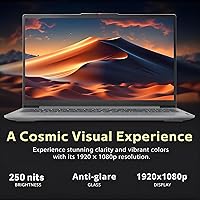
  • Display: 15.6″ Full HD IPS-level panel with 1920x1080 resolution and an anti-glare coating to reduce reflections under indoor lighting.
  • Graphics: AMD Radeon integrated graphics sharing system memory, suitable for everyday tasks and video playback but not dedicated GPU workloads.
  • Operating System: Windows 11 Pro pre-installed, including BitLocker device encryption, remote desktop capability, and enhanced security features.
  • Wireless: Wi-Fi 6 (802.11ax) and Bluetooth 5.2 provide fast, low-latency wireless connectivity for modern networks and accessories.
  • Ports: Two USB 3.2 Type-A ports, one USB-C with DisplayPort output, one full-size HDMI port, and one SD card reader.
  • Webcam: FHD webcam with a physical privacy shutter built into the lid for quick, hardware-level camera blocking.
  • Keyboard: Full-size backlit keyboard with a numeric keypad, designed for comfortable extended typing in low-light environments.
  • Audio: Dolby Audio-tuned stereo speakers delivering enhanced clarity and presence relative to typical speakers found at this price tier.
  • Durability: MIL-STD-810H military-grade certification, tested against temperature extremes, humidity, vibration, and drop conditions.
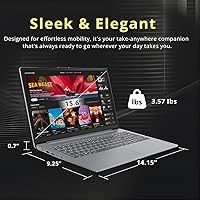
  • Dimensions: 14.15 x 9.25 x 0.7 inches, offering a slim profile that fits comfortably in most standard laptop sleeves and backpacks.
  • Weight: 6 pounds (approximately 2.72kg), placing it on the heavier end for a 15.6″ laptop in this category.
  • Color: Arctic Grey plastic chassis finish, a neutral matte tone that resists visible fingerprints better than glossy alternatives.
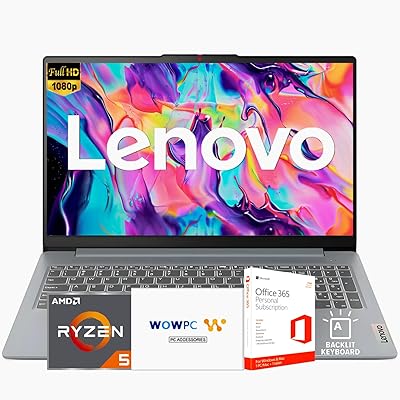
  • Bundle Contents: Includes a Microsoft Office 365 subscription and a WOWPC Recovery USB drive for system restoration and troubleshooting.
  • Processor Brand: AMD, with the Ryzen 5 5625U belonging to the Ryzen 5000 series mobile lineup based on the 6nm Zen 3 core design.
  • Connectivity Standard: USB-C port supports DisplayPort output for connecting external monitors, though Thunderbolt is not supported on this model.

Related Reviews

Lenovo Ideapad Slim 3 Laptop, AMD Ryzen 5 5625U, 16GB RAM, 2TB SSD, 15.6″ FHD, Windows 11 Pro
86%
92%
Value for Money
88%
Battery Life
85%
Display Quality
90%
Performance (General)
93%
Storage Capacity
More
Lenovo IdeaPad Slim 3 15″ Ryzen 5 7535HS 16GB 256GB SSD
86%
94%
Performance
91%
Multitasking Capability
88%
Display Quality
85%
Build Quality
90%
Portability
More
Lenovo IdeaPad Slim 3 Ryzen 5 5625U 16GB RAM 256GB SSD
84%
88%
Performance
85%
Display Quality
90%
Keyboard Comfort
82%
Portability
78%
Build Quality
More
Lenovo IdeaPad Slim 3 Business Laptop, Ryzen 5 5625U, 16GB RAM, 1TB SSD
86%
88%
Performance
90%
Multitasking Capability
85%
Display Quality
86%
Keyboard Comfort
65%
Battery Life
More
Lenovo IdeaPad 3 15.6″ Laptop, AMD Ryzen 5 5500U, 8GB RAM, 512GB SSD
81%
91%
Value for Money
87%
Performance for Daily Tasks
82%
Display Quality
79%
Battery Life
85%
Build Quality
More
Lenovo IdeaPad 3 Laptop, 15.6″, Intel Core i3-1115G4, 16GB RAM, 512GB SSD
83%
84%
Performance
91%
Value for Money
85%
Display Quality
76%
Battery Life
80%
Build Quality
More
Lenovo IdeaPad Gaming 3 15.6″ FHD Laptop - Ryzen 5 6600H, RTX 3050, 8GB RAM, 256GB SSD
82%
91%
Value for Money
87%
Gaming Performance
74%
Battery Life
79%
Display Quality
82%
Build Quality
More
Lenovo IdeaPad Slim 3 15.3″ Laptop, Intel Core i5-13420H, 16GB RAM, 1TB SSD
85%
88%
Performance
81%
Display Quality
89%
Multitasking Capabilities
85%
Build Quality
77%
Battery Life
More
HP Pavilion 15.6″ Laptop, AMD Ryzen 5 5500U, 16GB RAM, 512GB SSD
83%
87%
Overall Performance
91%
Display Quality
89%
Multitasking Efficiency
78%
Battery Life
85%
Build Quality
More
Acer Aspire 3 A315-44P-R7GS 15.6″ Ryzen 7 5700U 16GB 512GB SSD
86%
91%
Performance
88%
Multitasking Capability
94%
Storage Speed
90%
Display Quality
70%
Graphics Performance
More

FAQ

The Slim 3 includes a genuine Microsoft Office 365 subscription, not a trial version. Activation is straightforward and most buyers report it working without any issues. Just make sure to register the product key promptly after setting up the machine.

This is one of the more important questions to clarify before buying. The IdeaPad Slim 3 may have soldered RAM depending on the specific production batch, which would make memory upgrades impossible without professional board-level work. There is typically one M.2 SSD slot available, but confirm the exact configuration with the seller if storage expandability matters to you.

For the kinds of tasks most people use a laptop for daily — browsing, Office apps, video calls, light multitasking — the Ryzen 5 5625U holds up very well against Intel Core i7 processors from the same generation tier, particularly older 10th and 11th Gen i7 chips. The 6-core, 12-thread configuration handles multitasking efficiently, and the Zen 3 architecture gives it a solid efficiency advantage. That said, single-threaded workloads on newer Intel 12th or 13th Gen chips may outpace it in specific benchmarks.

Honestly, battery life is where the Slim 3 draws the most criticism from real buyers. Under moderate workloads — browsing, documents, occasional streaming — expect somewhere between four and six hours. If you are a student or remote worker who needs an all-day machine without a charger nearby, plan to carry the power brick or manage your screen brightness and background apps carefully.

No, and it is worth being direct about this. The Lenovo IdeaPad Slim 3 15.6″ Ryzen 5 5625U 16GB 512GB uses integrated AMD Radeon graphics, which means there is no dedicated GPU. Casual 2D games and older titles may run acceptably at low settings, but modern 3D games will either run poorly or not at all. If gaming is a priority, this is not the right machine.
The included recovery USB is essentially a bootable restore tool that lets you reinstall or repair Windows if the system develops a serious software issue. It is a genuinely useful safety net, particularly for less experienced users who might otherwise need to download recovery media separately. Keep it somewhere safe and accessible after setup.

The display is adequate for indoor use under controlled lighting, but brightness is one of its weaker points. Working near a bright window or in direct sunlight will make the screen difficult to read comfortably. If most of your work happens at a desk away from direct light, it is perfectly fine day to day.

The Slim 3 does not include an IR camera, so Windows Hello facial recognition is not available. Depending on the specific unit, a fingerprint reader may or may not be present — this is worth confirming before purchase if fast biometric login matters to you. Standard PIN and password login work as expected with Windows 11 Pro.

Connecting a single external monitor works well through either the HDMI port or the USB-C DisplayPort output. Running two external monitors simultaneously is more limited — it would require a USB-C hub or dock that supports multi-display output, and the integrated graphics may impose additional constraints. For most home-office setups with one external screen, you will have no issues.

This mid-range Lenovo is genuinely well-suited for students. The included Office 365 covers Word, Excel, and PowerPoint right away, the 16GB of RAM handles research-heavy browser sessions without complaint, and the backlit keyboard is practical for late-night study sessions. The MIL-STD-810H certification also adds a layer of reassurance for a machine that will spend a lot of time in a backpack. Battery life is the one area where students may need to adjust expectations.