Overview

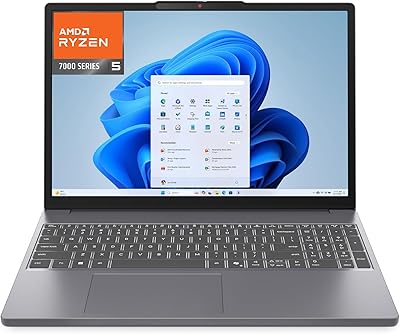
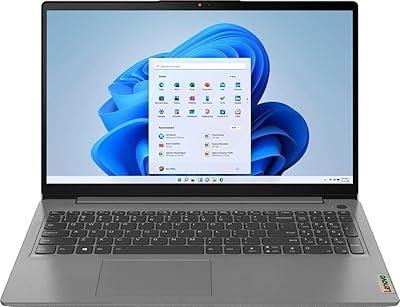
The Lenovo IdeaPad Slim 3 15.6-inch 256GB Laptop sits squarely in the budget Windows laptop space, targeting students and light business users who need everyday reliability without a premium price tag. The real story here is the AMD Ryzen 5 5625U — a 6-core processor that genuinely punches above its weight class compared to older Intel options at similar price points. Microsoft Office 365 comes bundled, which is a practical saving rather than a gimmick, and a recovery USB is included for peace of mind. The 256GB SSD is workable for most tasks, though anyone with a large photo or video library will feel the pinch. This is a solid daily machine, not a powerhouse.
Features & Benefits

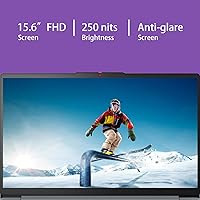
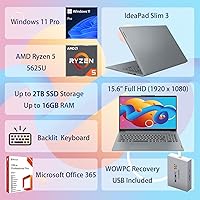
At the core of this budget Windows laptop is the Ryzen 5 5625U, and day-to-day it shows — browser tabs, spreadsheets, video calls, and light creative work run without complaint. The 16GB of DDR4 RAM is generous for the price, but there is one catch buyers need to know upfront: it is soldered to the motherboard, so you cannot upgrade it later. The 15.6-inch Full HD display is sharp enough for productivity, though its TN panel and 250-nit brightness make it a poor choice for bright outdoor environments. On the upside, the backlit keyboard with a numeric pad is comfortable for extended typing, and three USB 3.0 ports plus an upgradeable SSD slot give reasonable room to grow. Windows 11 Pro is a genuine perk for business users who need BitLocker or remote desktop access.

Best For

This Slim 3 is a natural fit for college students who spend most of their time in Word, Google Docs, or video calls — the CPU and RAM handle that load with ease. It also works well for remote workers and freelancers who need Windows 11 Pro features like BitLocker encryption or remote desktop access without spending more. If you prioritize processing power and memory over display quality, this is your machine. It is light enough at six pounds to carry daily without strain. The bundled Office 365 subscription is a practical bonus for anyone who would otherwise pay for it separately. One caveat: if you store large media files locally, 256GB fills up quickly.

User Feedback

Most owners of this Lenovo IdeaPad are pleasantly surprised by how quickly it boots and how responsive it feels for everyday tasks — fast startup times come up repeatedly in positive reviews. The keyboard gets consistent praise for being comfortable and well-spaced, making it a favorite among students and writers who type for long stretches. Where feedback turns critical, two issues surface reliably: display brightness disappoints anyone working near a window, and the soldered RAM is a genuine frustration for users who later want more headroom. The WOWPC recovery USB earns mixed reactions — useful for some, ignored by most. A handful of buyers also mention hinge stiffness developing over time, worth factoring in if you plan to own this budget Windows laptop long term.

Pros

  • The Ryzen 5 5625U handles everyday multitasking — docs, calls, browsing — with genuine confidence.
  • 16GB of RAM is unusually generous at this price point, reducing the need to close tabs constantly.
  • Windows 11 Pro inclusion is a real perk, especially for users who need BitLocker or remote desktop.
  • Microsoft Office 365 comes bundled, saving buyers the cost of a separate subscription.
  • The backlit keyboard with a full numeric pad is comfortable for long typing sessions.
  • The SSD slot supports upgrades up to 2TB, giving storage flexibility down the road.
  • At six pounds and under an inch thick, this Lenovo IdeaPad travels without being a burden.
  • Boot times are fast, and the system feels responsive for daily productivity tasks.
  • Three USB 3.0 ports cover most peripheral needs without requiring a hub.
  • The anti-glare coating on the display reduces reflections in typical indoor lighting.

Cons

  • The RAM is soldered and cannot be upgraded — 16GB is your permanent ceiling.
  • At 250 nits, the display is too dim for comfortable use near windows or in bright spaces.
  • The TN panel produces narrower viewing angles and weaker color accuracy than IPS alternatives.
  • 256GB of storage fills up quickly for anyone storing media, large projects, or multiple applications.
  • The WOWPC recovery USB adds little practical value for users comfortable with standard Windows recovery tools.
  • Some owners report the hinge stiffening noticeably after several months of regular use.
  • Integrated graphics rule out any meaningful gaming or GPU-accelerated creative work.
  • No Thunderbolt port limits high-speed peripheral and external display options.
  • The soldered RAM means the machine has a shorter useful lifespan for users whose workloads grow over time.
  • Speaker output is thin and underwhelming for media consumption without headphones.

Ratings

The Lenovo IdeaPad Slim 3 15.6-inch 256GB Laptop scores below are generated by AI after analyzing thousands of verified global user reviews, with spam, bot submissions, and incentivized feedback actively filtered out. Ratings reflect the full picture — where this budget Windows laptop genuinely earns its keep and where real buyers have run into frustration — so you can make a confident, eyes-open decision.
Everyday Performance
83%
The Ryzen 5 5625U consistently earns praise for handling the kind of multitasking most students and remote workers throw at it daily — a dozen browser tabs open alongside a video call and a Word document rarely slows things down. Boot times are fast, and the system stays responsive under typical productivity loads.
Users doing anything beyond standard office tasks — light video editing, running virtual machines, or heavy spreadsheet modeling — notice the machine working harder and occasionally lagging. It is not built for demanding workloads, and sustained performance under load can fluctuate.
RAM & Memory
71%
29%
Having 16GB of RAM at this price tier is genuinely above average, and day-to-day users benefit from it noticeably — fewer forced app closures, smoother multitasking, and no need to constantly manage what is running in the background.
The soldered configuration is a real sticking point for buyers who plan to keep a laptop for several years. Once your workload grows beyond what 16GB can handle, there is no upgrade path — the only option is buying a new machine, which undercuts the long-term value argument.
Display Quality
58%
42%
The 1920x1080 resolution is crisp enough for reading documents, watching lectures, and video calls, and the anti-glare coating does reduce reflections compared to glossy panels at a similar price point.
At 250 nits, the TN panel is noticeably dim in any well-lit room, and users who sit near windows often report straining to see the screen clearly. Color accuracy and viewing angles are also limited by the TN technology, which makes this a weak choice for anyone doing color-sensitive creative work.
Storage Capacity
61%
39%
For users who primarily work in the cloud — syncing files to OneDrive or Google Drive and streaming media rather than downloading it — 256GB holds up reasonably well for day-to-day use alongside the operating system and Office apps.
Students who store project files, recordings, or downloaded lecture videos locally will find the drive filling up faster than expected. Several reviewers flagged running low within the first few months, and while the SSD is user-replaceable, that adds cost and effort most buyers did not anticipate.
Value for Money
78%
22%
When you factor in the Ryzen 5 processor, 16GB of RAM, Windows 11 Pro, and a bundled Office 365 subscription, the overall package punches above what the price tag suggests — particularly for students or budget-conscious professionals who would otherwise pay separately for the software alone.
The value calculation shifts if you account for the soldered RAM and the modest SSD, both of which limit how long the laptop stays useful as your needs grow. Buyers who plan to hold onto a machine for four or more years may find the effective cost-per-year less competitive than it first appears.
Keyboard & Typing
81%
19%
The full-size backlit layout with a numeric keypad is consistently one of the most praised aspects of this Slim 3 among writers, students, and accountants who do a lot of data entry. The backlight works well in dim environments without being distracting.
Key travel is on the shallower side, and users coming from a mechanical keyboard or a premium laptop keyboard notice the difference fairly quickly. A small number of reviewers also mention that keycaps can feel slightly hollow under heavy typing.
Build Quality
63%
37%
The chassis is slim and light enough to feel modern, and for everyday use — carried to class or moved between a desk and a couch — it holds up fine without any immediate structural concerns.
The all-plastic construction flexes noticeably under pressure, and several longer-term owners report the hinge developing stiffness or looseness after six to twelve months of regular use. It does not feel premium, and the build quality reflects the budget price point honestly.
Portability
79%
21%
At six pounds and under an inch thick, this Lenovo IdeaPad slides into most standard backpacks without bulk, making it a practical choice for students commuting between campus buildings or professionals moving between home and a coworking space.
It is not as light as a true ultrabook, and users who carry their laptop for long stretches on foot may notice the weight by the end of the day. There is also no dedicated carrying handle or protective bumpers, so a padded sleeve is essentially mandatory.
Connectivity & Ports
74%
26%
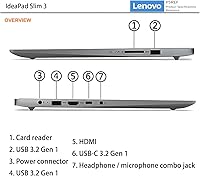
Three USB 3.0 ports cover the basics for most users — mouse, external drive, and a USB hub or dongle — and the memory card slot adds a handy option for photographers or users moving files from cameras or drones.
There is no Thunderbolt port, no USB-C Power Delivery, and no HDMI 2.0, which starts to feel limiting for users who want to connect a high-refresh external monitor or use a modern docking station. Power users will likely need a hub.
Audio Quality
54%
46%
The stereo speakers are adequate for video calls and occasional background music during work, and HD Audio support means the output is cleaner than the tinny sound found on some budget competitors.
Bass is virtually absent, and at higher volumes the speakers distort noticeably. Reviewers consistently recommend using headphones or an external Bluetooth speaker for any media consumption where audio quality actually matters.
Software Bundle
69%
31%
Microsoft Office 365 is a genuinely useful inclusion — students especially save real money by not purchasing it separately, and having it ready out of the box removes a setup friction point that other budget laptops leave you to handle yourself.
The WOWPC recovery USB divides opinion sharply. Some users are glad it is there for emergencies, but many experienced buyers see it as an afterthought that adds minimal real-world utility over standard Windows recovery tools already built into the OS.
Operating System
82%
18%
Windows 11 Pro is a meaningful differentiator at this price — features like BitLocker encryption and Remote Desktop are not available on the Home tier, and for small business users or remote workers, these tools have practical day-to-day value.
Some users report that Windows 11 feels slightly heavier on resources than Windows 10 did, which can occasionally be felt on lower-priority tasks. A handful of reviewers also noted pre-installed software bloat that required cleanup on first setup.
Thermal Management
62%
38%
During light to moderate use — documents, browsing, video calls — the laptop stays quiet and relatively cool, which makes it comfortable to use on a lap or a desk for extended sessions without fan noise becoming a distraction.
Under sustained heavier loads, the fan ramps up audibly and the bottom of the chassis gets warm enough to be uncomfortable on bare skin. The cooling system is clearly sized for light workloads, and it shows when you push the machine harder.
Setup Experience
76%
24%
Most buyers report a straightforward out-of-box setup, with Windows 11 Pro and Office 365 largely ready to go with minimal configuration required — a genuine time-saver for users who just want to get to work without an IT background.
Some reviewers were confused by the WOWPC branding on the bundle, initially unsure whether the machine was an original Lenovo product or a repackaged unit. Clearer documentation inside the box would help reduce that uncertainty for first-time buyers.

Suitable for:

The Lenovo IdeaPad Slim 3 15.6-inch 256GB Laptop is well matched for college students who spend most of their day juggling browser tabs, writing papers, joining video lectures, and working through Office apps — tasks this machine handles without breaking a sweat. The AMD Ryzen 5 5625U gives it more processing muscle than most competitors at this price, so it does not feel sluggish even under moderate multitasking. Remote workers and small business owners who specifically need Windows 11 Pro will find genuine value here, since BitLocker encryption and remote desktop access are not available on Home editions. The included Office 365 subscription removes one more line item from a tight budget. Commuters and students who carry their laptop daily will appreciate the sub-7-pound weight and slim profile, which makes it easy to pack without second-guessing.
Not suitable for:

Buyers who expect to upgrade components over time should look elsewhere — the 16GB of RAM in this Slim 3 is permanently soldered to the board, meaning there is no path to more memory if your needs grow. Creative professionals working with video editing, photo libraries, or design software will run into two walls quickly: the 256GB SSD fills up faster than expected, and the integrated AMD Radeon graphics are not built for rendering-heavy work. The TN display, while sharp in resolution, tops out at 250 nits, which makes it uncomfortable to use in bright rooms or near windows. Gamers will find the hardware underwhelming for anything beyond light indie titles. If you need a laptop that will serve demanding workloads for four or five years without hitting a ceiling, this budget Windows laptop is not the right long-term investment.

Specifications

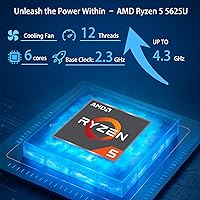
  • Processor: AMD Ryzen 5 5625U with 6 cores, 12 threads, and a maximum boost clock of 4.3GHz provides capable performance for productivity and multitasking workloads.
  • RAM: 16GB of DDR4-3200 memory is soldered directly to the motherboard and cannot be upgraded after purchase.
  • Storage: A 256GB PCIe NVMe M.2 SSD is included, with the slot supporting aftermarket drives up to 2TB for future expansion.
  • Display: A 15.6-inch Full HD (1920x1080) TN anti-glare panel delivers sharp resolution with a brightness rating of 250 nits.
  • Graphics: Integrated AMD Radeon graphics are built into the Ryzen 5 processor and handle everyday visual tasks without a dedicated GPU.
  • Operating System: Windows 11 Pro comes pre-installed, offering business-grade features including BitLocker encryption and remote desktop capability.
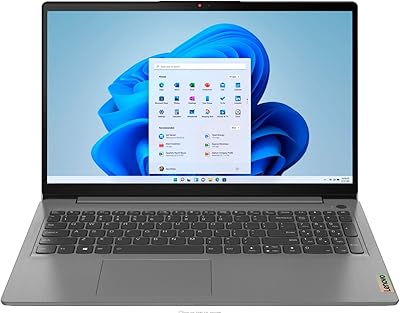
  • Keyboard: A full-size backlit English keyboard includes a dedicated numeric keypad, supporting comfortable typing in low-light environments.
  • Connectivity: Three USB 3.0 ports provide wired peripheral connections, and a memory card slot adds flexible storage expansion options.
  • Audio: Stereo speakers with HD Audio support deliver standard multimedia sound suitable for calls, video playback, and casual listening.
  • Dimensions: The laptop measures 14.15 x 9.25 x 0.7 inches, keeping the profile slim enough for most standard backpacks and laptop sleeves.
  • Weight: At 6 pounds, this machine is portable enough for daily commuting without being unusually heavy for a 15.6-inch form factor.
  • Color: The chassis is finished in gray, offering a neutral, professional appearance suitable for both academic and workplace settings.
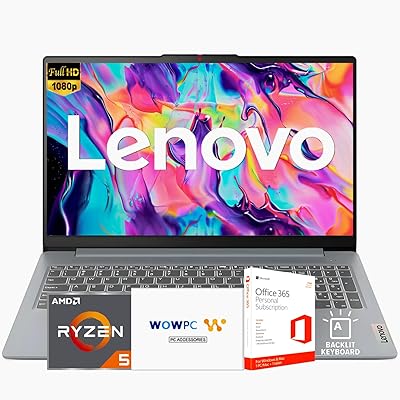
  • Included Software: A Microsoft Office 365 subscription is bundled with the purchase, covering Word, Excel, PowerPoint, and other productivity applications.
  • Recovery Tool: A WOWPC Recovery USB drive is included to assist with system backup, restore, or reinstallation if Windows needs to be rebuilt.
  • Chipset Brand: The platform is AMD-based, pairing the Ryzen 5 CPU with integrated Radeon graphics on a unified architecture.
  • SSD Interface: The internal drive uses a PCIe x4 NVMe interface, delivering faster read and write speeds compared to older SATA-based SSDs.
  • Memory Type: The system uses DDR4 SDRAM operating at 3200MHz, which supports responsive everyday computing across typical workloads.
  • Release Date: This product was first made available on Amazon on September 2, 2025, placing it among recently released budget laptop options.

Related Reviews
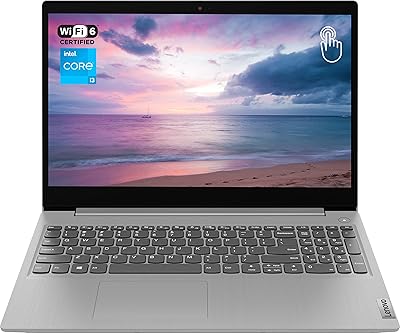
Lenovo Ideapad 3 Laptop, 15.6″, Intel Core i3, 12GB RAM, 256GB SSD
84%
92%
Value for Money
85%
Performance for Everyday Tasks
90%
Portability and Weight
75%
Display Quality
80%
Battery Life
More
Lenovo IdeaPad 3 15.6″ Laptop
70%
83%
Value for Money
67%
Performance
51%
Display Quality
54%
Battery Life
78%
Touchscreen
More
Lenovo IdeaPad 3 15.6″ Touch Laptop
71%
83%
Touchscreen Usability
76%
Performance & Speed
54%
Storage Adequacy
78%
Display Quality
69%
Battery Life
More
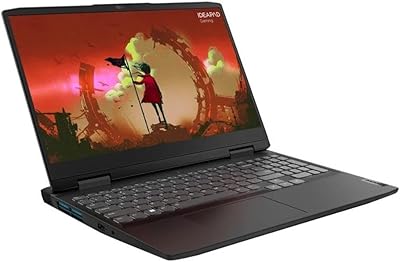
Lenovo IdeaPad Gaming 3 15.6″ FHD Laptop - Ryzen 5 6600H, RTX 3050, 8GB RAM, 256GB SSD
82%
91%
Value for Money
87%
Gaming Performance
74%
Battery Life
79%
Display Quality
82%
Build Quality
More
Lenovo Ideapad Slim 3 Laptop, AMD Ryzen 5 5625U, 16GB RAM, 2TB SSD, 15.6″ FHD, Windows 11 Pro

86%
92%
Value for Money
88%
Battery Life
85%
Display Quality
90%
Performance (General)
93%
Storage Capacity
More
HP 15.6-inch Laptop 15-ef0021nr, Ryzen 3 3200U, 8GB RAM, 256GB SSD
82%
92%
Value for Money
85%
Performance
83%
Build Quality
89%
Portability
81%
Battery Life
More
Lenovo IdeaPad Slim 3 15.3″ Laptop, Intel Core i5-13420H, 16GB RAM, 1TB SSD
85%
88%
Performance
81%
Display Quality
89%
Multitasking Capabilities
85%
Build Quality
77%
Battery Life
More
Lenovo IdeaPad Slim 3 15 Laptop
74%
88%
Value for Money
83%
Performance
79%
Display Quality
86%
Build Quality
71%
Keyboard & Typing Experience
More
Lenovo IdeaPad 15.6-inch Laptop, 12GB RAM, 512GB SSD, Intel Celeron N4500
82%
92%
Value for Money
89%
Battery Life
75%
Display Quality
85%
Performance for Basic Tasks
88%
Portability
More
Lenovo IdeaPad 3 15″ Touch Laptop
70%
83%
Value for Money
67%
Performance
54%
Display Quality
76%
Build Quality
79%
Keyboard & Trackpad
More
Lenovo IdeaPad 3 Laptop, 15.6″, Intel Core i3-1115G4, 16GB RAM, 512GB SSD
83%
84%
Performance
91%
Value for Money
85%
Display Quality
76%
Battery Life
80%
Build Quality
More

FAQ

Unfortunately, no. The 16GB of RAM in this Slim 3 is soldered directly to the motherboard, which means there is no slot to add or swap memory modules. What you buy is what you get, so if you think you might need more than 16GB down the road, that is worth factoring into your decision now.

It depends on how you work. For documents, browser use, and most coursework apps, 256GB is manageable. If you store a lot of video files, large creative projects, or game installs locally, you will likely run short within a year. The good news is the M.2 slot supports drives up to 2TB, so replacing the SSD yourself is a realistic option if you are comfortable with basic hardware work.

Microsoft Office 365 is a subscription service, meaning it runs on a recurring billing cycle rather than being a permanent license. The bundled version typically covers an initial subscription period — check the specific terms included in the box, as the duration can vary. After the initial period, you would need to renew directly through Microsoft.

For indoor use at a desk or in a classroom, the 15.6-inch Full HD screen is clear and sharp enough for reading, writing, and video calls. The main limitation is brightness: at 250 nits, it struggles in well-lit rooms or near windows. If you plan to use it mostly indoors under controlled lighting, it works fine. If you often work outside or by bright windows, expect some eye strain.

Windows 11 Pro includes features that matter for business and power users — most notably BitLocker drive encryption for protecting sensitive data, and Remote Desktop, which lets you connect to your work computer from another location. For a student or home user, the difference is rarely noticeable, but for small business owners or remote workers, Pro is a meaningful upgrade that would otherwise cost extra.

Yes, it handles remote work well. The Ryzen 5 processor and 16GB of RAM keep video calls, browser tabs, and productivity apps running smoothly at the same time. Windows 11 Pro also supports remote desktop access if you need to connect to an office computer. Just keep in mind that the built-in speakers are adequate but not great — a headset makes calls noticeably better.

It is a recovery drive that can be used to reinstall or restore Windows if something goes wrong with the system. Think of it as a safety net. Most users will never touch it, but it can be handy if Windows becomes corrupted or you want to do a clean reinstall without searching for installation media online.

Most users find it comfortable for extended use. The full-size layout with a numeric keypad gives you a proper keyboard experience rather than a cramped budget feel, and the backlight is genuinely useful for typing in dim environments. Key travel and feedback are decent for the price, though enthusiasts used to premium keyboards will notice it is not exceptional.

It can run software like Lightroom or Canva, but with some caveats. The integrated AMD Radeon graphics are not designed for GPU-heavy workloads, so export times and preview rendering will be slower than on a dedicated GPU machine. The TN display also has limited color accuracy, which is a real drawback for any work where color fidelity matters. For occasional light edits it is usable, but not ideal.

At six pounds and just 0.7 inches thick, this budget Windows laptop fits comfortably in most backpacks and is easy enough to carry daily without it becoming a burden. It is not ultrabook-light, but for a 15.6-inch laptop with a full numeric keyboard, the weight is reasonable. Just make sure your bag has a padded laptop sleeve since the chassis is plastic and standard care applies.

Where to Buy