Overview

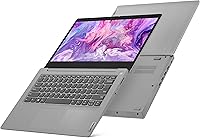
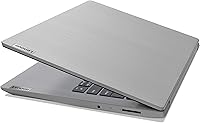
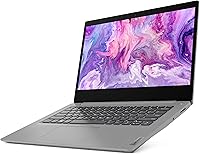
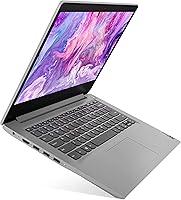
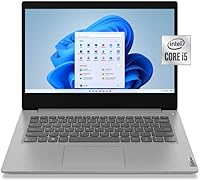
The Lenovo IdeaPad 3i 14″ i5-10210U 8GB 512GB is a straightforward, no-frills laptop aimed at everyday users who need reliable performance without a premium price tag. At just 3.3 lbs and 0.7 inches thin, it's genuinely portable — the kind of machine you grab without thinking twice. The 14-inch FHD display with its anti-glare coating and narrow bezels makes for comfortable screen time, whether you're working through a document or watching a lecture. Windows 11 Home comes preloaded, so you're ready immediately out of the box. That said, keep expectations honest: this is an entry-level machine, designed for light to moderate workloads, not heavy lifting.
Features & Benefits

The i5-10210U is a 10th-gen Intel chip — and it's worth being upfront that this is aging hardware by current standards. For web browsing, spreadsheets, and video calls, it handles things well enough, but don't expect it to breeze through demanding software. The 512GB NVMe SSD is the standout feature here: boot times are snappy and file access feels responsive compared to HDD-based machines in this range. With 8GB of RAM and a free DIMM slot, there's room to upgrade down the line. The privacy shutter on the 720p webcam is a small, practical touch that's easy to overlook. Battery life is listed at nine hours, but real-world use typically lands noticeably lower.

Best For

This 14-inch Lenovo makes the most sense for a fairly defined set of buyers. Students balancing coursework, browser tabs, and the occasional Zoom call will find it capable for day-to-day study tasks. Home office workers whose days revolve around email, documents, and web tools will also get solid value out of it. It doubles as a capable travel or backup laptop — light enough to carry without stress, and priced modestly enough that you're not constantly worried about it. Just be clear about what it isn't: not a gaming rig, not a creative workstation. If raw compute power or dedicated graphics are on your list, the IdeaPad 3i is not your machine.

User Feedback

Buyers tend to appreciate the build quality for the price point — the chassis feels more solid than expected at this tier, and the display regularly draws compliments for its clarity. The flip side is that fan noise is a common gripe; under any sustained load, the cooling system becomes audible sooner than most users would like, and the machine can run warm. Keyboard feel gets mixed marks — fine for light typing, but the shallow key travel disappoints those coming from sturdier notebooks. The advertised battery life is the most consistent complaint, with many owners reporting real-world numbers well below nine hours. Webcam quality is passable for basic video calls, though no one calls it impressive.

Pros

  • The 512GB NVMe SSD delivers genuinely fast boot and load times for a laptop at this price level.
  • Weighing just 3.3 lbs, the IdeaPad 3i is easy to carry daily without shoulder fatigue.
  • The 14-inch FHD anti-glare display is comfortable for long work sessions and holds up well in bright rooms.
  • A free DIMM slot means RAM can be upgraded later, extending the machine's useful lifespan.
  • The privacy shutter on the webcam is a practical security feature that many budget laptops skip entirely.
  • Windows 11 Home comes preloaded, so there is no extra OS cost or setup required out of the box.
  • Build quality feels sturdier than expected for the price tier, with minimal chassis flex during normal use.
  • Bluetooth 5.0 and 802.11ac Wi-Fi handle everyday wireless connectivity reliably and without dropped connections.

Cons

  • Real-world battery life regularly falls well short of the advertised nine hours under normal mixed workloads.
  • The i5-10210U is aging 10th-gen hardware that struggles noticeably once workloads go beyond light multitasking.
  • Fan noise kicks in quickly and audibly under any sustained load, which can be distracting in quiet environments.
  • The underside and keyboard area heat up uncomfortably during extended use, making lap use less pleasant.
  • Trackpad multi-finger gestures misfire occasionally, and palm rejection is inconsistent during active typing.
  • The single USB 2.0 port feels outdated, and the lack of USB-C limits compatibility with modern accessories.
  • Keyboard key travel is shallow, which frustrates touch typists during longer writing sessions.
  • Bloatware pre-installed on the machine consumes background resources and requires cleanup before the laptop feels fully responsive.
  • The 720p webcam produces grainy, washed-out video in anything less than ideal lighting conditions.
  • No Wi-Fi 6 support puts this Lenovo IdeaPad at a disadvantage in environments optimized for newer wireless standards.

Ratings

The scores below reflect an AI-driven analysis of verified global user reviews for the Lenovo IdeaPad 3i 14″ i5-10210U 8GB 512GB, with spam, bot-generated, and incentivized feedback actively filtered out before scoring. Each category captures what real buyers experienced after extended use — not just first impressions — and the results are deliberately balanced, calling out genuine strengths alongside the friction points that repeatedly surfaced in honest owner accounts.

Value for Money
83%
For buyers who simply need a dependable machine for email, documents, and light web use, the IdeaPad 3i delivers a reasonable package at its price point. The inclusion of a fast NVMe SSD and Windows 11 Home out of the box means you are not immediately paying to upgrade anything critical.
The processor is a 10th-gen chip that was already mid-range at launch, which means the hardware ages faster than the price tag might suggest. Buyers comparing it to newer competitors in the same bracket may feel the value proposition has weakened over time.
Performance
61%
39%
Day-to-day tasks like browsing a dozen browser tabs, drafting documents, and joining video calls are handled without obvious hesitation. The NVMe SSD contributes meaningfully here, keeping app launches and file access snappy even when the CPU is not breaking any records.
Anything beyond light multitasking — running multiple demanding applications simultaneously, editing photos, or using software with heavier CPU demands — quickly exposes the limits of this chip. Users who pushed it with heavier workloads reported sluggishness and longer-than-expected processing times.
Build Quality
74%
26%
Most owners were pleasantly surprised by how solid the chassis feels given the price tier. The Platinum Gray finish resists minor scuffs reasonably well, and the overall rigidity of the lid and keyboard deck holds up better than some cheaper rivals.
The plastic construction does show its budget origins on closer inspection — flex in the display panel and around the keyboard area was noted by several reviewers. It is not fragile, but it does not inspire the same confidence as a metal-bodied machine.
Display Quality
78%
22%
The 14-inch FHD anti-glare panel earned consistent praise for text clarity and comfortable long-session viewing. Students and remote workers particularly appreciated the matte finish in bright office environments, where glossy screens would create distracting reflections.
Color accuracy and peak brightness are merely adequate rather than impressive — content creators or anyone doing color-sensitive work will find this screen limiting. Viewing angles also narrow noticeably off-center, which makes side-by-side collaboration slightly awkward.
Battery Life
54%
46%
Under very light use — reading documents, low-brightness streaming, or casual browsing with Wi-Fi — some users did approach the six-to-seven hour range on a charge, which is workable for a half-day away from an outlet.
The manufacturer's nine-hour claim does not survive contact with realistic use. Most owners reported four to six hours under normal mixed workloads, and those running video calls or heavier tasks saw it drop further. Several buyers explicitly flagged battery life as the single biggest disappointment.
Keyboard & Typing Experience
66%
34%
The key layout is sensible and the spacing is comfortable enough for extended typing sessions. Casual typists — students writing essays or workers answering emails — found it adequate without a significant adjustment period.
Key travel is noticeably shallow, which divides opinion: touch typists who prefer tactile feedback often found it unsatisfying over long writing sessions. A few users also noted that the keyboard flexes slightly under heavier typing pressure, which feels cheap.
Trackpad Responsiveness
63%
37%
Basic navigation, scrolling, and click actions are accurate enough for everyday use. For users who rely primarily on a mouse anyway, the trackpad causes no real friction.
Multi-finger gestures occasionally misfire, and the surface texture lacks the smooth precision of trackpads found on higher-end machines. A handful of reviewers mentioned palm rejection issues during typing, leading to accidental cursor jumps mid-sentence.
Thermal Management & Fan Noise
49%
51%
During light tasks like document editing or low-demand browsing, the machine runs quietly and does not generate uncomfortable surface heat. In genuinely idle or low-load scenarios it performs calmly enough.
Under any sustained load — prolonged video calls, background updates, or running multiple apps — the fan spins up quickly and audibly. Chassis temperatures on the underside and keyboard area climb to levels that make lap use uncomfortable, which was a recurring complaint across owner reviews.
Webcam Quality
58%
42%
The 720p camera with its privacy shutter is a genuinely practical inclusion that many users specifically called out as a thoughtful touch for security-conscious buyers. Dual array microphones capture voice clearly enough for standard calls.
Image quality is mediocre in anything less than ideal lighting — low-light performance in particular produces noticeably grainy, washed-out video. For regular video conferencing, most users considered it barely acceptable, and anyone prioritizing call quality may want an external webcam.
Portability
84%
At 3.3 lbs and under an inch thick, this is a machine that genuinely disappears in a bag. Students commuting between classes or remote workers moving between rooms appreciated not having to think about the weight.
The power adapter adds bulk and is not particularly compact, which slightly undermines the portability story when you need to carry the full kit. Battery endurance also limits how truly untethered you can be on longer days out.
Storage & Speed
81%
19%
The 512GB NVMe SSD is one of the standout features at this price level. Boot times are fast, application launches are responsive, and having that much storage space removes the anxiety of constantly managing files that plagues smaller-capacity budget laptops.
The SSD uses TLC NAND, which performs excellently under typical workloads but can see write speeds dip during sustained large file transfers once the cache fills. For most users this is invisible, but heavy file movers will occasionally notice.
Wireless Connectivity
76%
24%
802.11ac Wi-Fi handles video streaming, cloud syncing, and video conferencing without dropped connections or speed complaints in standard home and office environments. Bluetooth 5.0 pairs reliably with peripherals like wireless mice and headphones.
There is no Wi-Fi 6 support, which is increasingly a gap as newer routers and environments optimize for it. Users in congested wireless environments occasionally noted inconsistent speeds compared to Wi-Fi 6 capable devices on the same network.
Port Selection
67%
33%
The combination of two USB 3.2 ports, HDMI output, a headphone jack, and a card reader covers the basic connectivity needs of most everyday users without requiring an immediate hub purchase. Having HDMI built in is genuinely useful for external monitor setups.
The single USB 2.0 port feels out of place given the rest of the spec sheet, and the absence of USB-C or Thunderbolt support is a real limitation for users who rely on modern accessories or faster data transfer. Power users will likely need a dongle or hub.
Software & Out-of-Box Experience
71%
29%
Windows 11 Home preloaded means buyers are ready to work quickly without an immediate OS purchase or setup headache. For new laptop buyers in particular, having a current operating system already configured is a meaningful convenience.
Like most retail Windows laptops, the IdeaPad 3i ships with bloatware that requires a cleanup session before the machine feels fully snappy. A few owners noted that the preloaded Lenovo software suite occasionally ran background processes that added unnecessary load on an already modest CPU.
Upgradeability
62%
38%
The presence of a free DIMM slot means RAM can be expanded relatively easily, which extends the useful lifespan of the machine meaningfully. For budget buyers willing to add RAM later, this is a legitimate future-proofing option.
The processor is soldered and cannot be upgraded, and the integrated graphics are permanently fixed. Once the CPU becomes the bottleneck — which with a 10th-gen chip may come sooner than expected — the only path forward is a new machine entirely.

Suitable for:

The Lenovo IdeaPad 3i 14″ i5-10210U 8GB 512GB is a solid pick for buyers whose daily computing needs revolve around the basics: writing papers, browsing the web, managing spreadsheets, and jumping on video calls. College students who need a dependable, lightweight machine to carry between classes and dorms will find it fits that role without straining a tight budget. Remote workers handling email, cloud-based tools, and document editing will likely get through a standard workday without significant frustration. It also makes a compelling secondary laptop for households that want a spare machine for casual use, travel, or light tasks — somewhere a premium device feels like overkill. If your computing habits are genuinely light and you prioritize storage space and portability over raw speed, this 14-inch Lenovo earns its place.
Not suitable for:

The Lenovo IdeaPad 3i 14″ i5-10210U 8GB 512GB is a poor match for anyone expecting meaningful performance headroom beyond everyday tasks. The i5-10210U is 10th-generation hardware, which was mid-range at release and has aged considerably — buyers running video editing software, data-heavy applications, or creative tools will hit the ceiling quickly and feel it. Gamers should look elsewhere entirely, as the integrated Intel UHD graphics cannot handle modern titles at any comfortable setting. Those who work untethered for long stretches should also be cautious: real-world battery life consistently falls short of the nine-hour manufacturer claim, meaning a power outlet needs to stay within reach. Anyone who relies heavily on USB-C accessories or Thunderbolt connectivity will find the port lineup frustrating without a hub. In short, if your work demands consistent performance under load or you need hardware that will stay competitive for the next four or five years, the IdeaPad 3i is not the right investment.
Specifications

  • Processor: Intel Core i5-10210U quad-core processor clocked at 1.6GHz base with a boost up to 4.2GHz.
  • RAM: 8GB DDR4 2666MHz memory configured as 4GB onboard plus one 4GB DIMM module in the upgradeable slot.
  • Storage: 512GB NVMe TLC Solid State Drive with no optical drive included.
  • Display: 14-inch Full HD (1920x1080) LED-backlit anti-glare non-touch IPS panel with narrow bezels on two sides.
  • Graphics: Intel UHD integrated graphics sharing system memory, with no dedicated GPU.
  • Operating System: Windows 11 Home comes preloaded from the factory.
  • Battery: Built-in lithium-ion battery rated by Lenovo at up to 9 hours; real-world endurance under mixed workloads is typically shorter.
  • Weight: The laptop body weighs 3.3 lbs (approximately 1.5 kg), excluding the power adapter.
  • Dimensions: The chassis measures 13 x 8.8 x 0.7 inches (330 x 224 x 17.8mm).
  • Webcam: 720p front-facing camera with a physical privacy shutter and dual array microphones built into the display bezel.
  • Wireless: 802.11a/b/g/n/ac (Wi-Fi 5) dual-band wireless with Bluetooth 5.0 integrated.
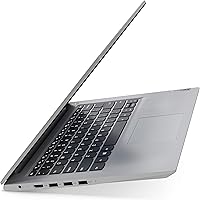
  • Ports: Connectivity includes 1x USB 2.0, 2x USB 3.2 Gen 1 Type-A, 1x HDMI 1.4b, 1x 3.5mm combo headphone/microphone jack, and 1x SD card reader.
  • Audio: Two 1.5W stereo speakers with Dolby Audio support for basic built-in sound output.
  • Color & Finish: Available in Platinum Gray with a matte plastic finish on both the lid and the keyboard deck.
  • Memory Type: DDR4 SDRAM at 2666MHz with one slot occupied and one DIMM slot available for a future upgrade.
  • Processor Generation: The i5-10210U belongs to Intel’s 10th-generation Comet Lake-U architecture built on a 14nm process.
  • Optical Drive: No optical drive is included; external USB optical drives can be connected via the available USB ports.
  • Power Input: The laptop runs on AC power via the included adapter and also operates on its built-in lithium-ion battery.

Related Reviews
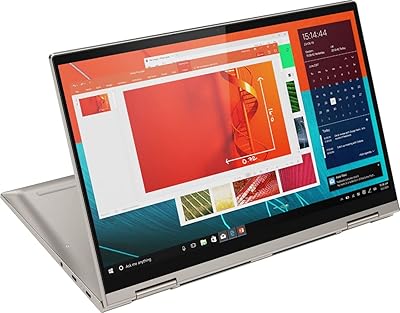
Lenovo Yoga C740-14 10th Gen i5-10210U 8GB 256GB SSD
84%
88%
Performance
94%
Build Quality
90%
Portability
91%
Display Quality
80%
Battery Life
More
Dell Inspiron 14 5440 Laptop, 14-inch, Intel Core i5, 8GB RAM, 512GB SSD
86%
88%
Performance
91%
Build Quality
94%
Portability
81%
Battery Life
75%
Display Quality
More
Acer Chromebook Spin 514 i5-1334U 8GB 512GB SSD 14-inch
86%
88%
Performance
92%
Battery Life
85%
Build Quality
87%
Display Quality
91%
Portability
More
Lenovo IdeaPad 3 14 Laptop, AMD Ryzen 5 5500U, 8GB RAM, 256GB SSD
83%
88%
Performance
89%
Battery Life
84%
Build Quality
75%
Display Quality
67%
Keyboard Comfort
More
Dell Inspiron 14 5420 Laptop, Intel Core i5-1235U, 8GB RAM, 512GB SSD
85%
88%
Performance
91%
Portability
84%
Display Quality
82%
Battery Life
90%
Build Quality
More
Lenovo IdeaPad 3i Chromebook 15.6″ (8GB RAM, 64GB eMMC)
81%
83%
Display Quality
88%
Multitasking Performance
86%
Battery Endurance
67%
Build & Portability
91%
Value for Money
More
Lenovo ThinkPad E15 15.6″ Laptop, Intel Core i5-10210U, 16GB RAM, 512GB SSD
84%
92%
Value for Money
88%
Performance for Everyday Tasks
85%
Display Quality
90%
Build Quality & Durability
75%
Battery Life
More
Lenovo IdeaPad 3 15.6″ Laptop, AMD Ryzen 5 5500U, 8GB RAM, 512GB SSD
81%
91%
Value for Money
87%
Performance for Daily Tasks
82%
Display Quality
79%
Battery Life
85%
Build Quality
More
Lenovo IdeaPad Flex 3i Chromebook 15″
71%
84%
Value for Money
62%
Performance
78%
Display Quality
74%
Touchscreen Responsiveness
61%
Build Quality
More
Lenovo IdeaPad Flex 5i 14″ 2-in-1 Laptop, Intel Core i3, 8GB RAM, 256GB SSD
84%
87%
Battery Life
91%
Portability
80%
Performance
72%
Display Quality
85%
Build Quality
More

FAQ

Yes, partially. The IdeaPad 3i has 4GB of RAM soldered directly onto the motherboard, but the second 4GB stick sits in a standard DIMM slot, which means you can swap it out for a larger module. Most users upgrade to 16GB total by replacing the 4GB DIMM with an 8GB or 12GB stick, which makes a noticeable difference for multitasking.

For most college use cases, yes. Writing papers, attending online lectures, managing research across browser tabs, and video calling professors are all well within its capabilities. Just do not expect it to handle intensive engineering software, 3D modeling tools, or anything that demands real GPU power.

Lenovo rates it at up to nine hours, but in practice most users land between four and six hours under typical mixed workloads involving web browsing, streaming, and light document work. If you plan to use it away from a charger for a full day, bringing the adapter along is a smart habit.

No, it does not. The port lineup is limited to two USB 3.2 Gen 1 Type-A ports, one USB 2.0 port, HDMI, a headphone jack, and a card reader. If you rely on USB-C accessories or want to charge via USB-C, you will need an adapter or a different machine.

Absolutely. Word, Excel, PowerPoint, and the full suite of Google Workspace tools all run comfortably on this hardware. You can keep several of those apps open simultaneously without hitting obvious slowdowns, as long as you are not running a dozen other things at the same time.

It is quite decent for casual viewing. The 1080p anti-glare panel produces sharp enough text and video that most users will be satisfied, and the matte coating makes it much easier to watch in bright rooms compared to glossy screens. Color accuracy and brightness are adequate but not impressive — it is not a content creator’s display by any measure.

During light tasks like writing, browsing, or streaming, the fan is either quiet or completely inaudible. However, once you push the CPU harder — running multiple apps, doing a video call while other things run in the background, or installing updates — the fan ramps up noticeably and can become distracting in a quiet room.

Yes, easily. The built-in HDMI 1.4b port lets you connect to most external monitors or TVs without any adapter. If you need to drive a 4K display at full resolution and refresh rate, the HDMI 1.4b spec does have some limits, but for standard 1080p or 1440p external monitors it works without issue.

For standard home office work, this 14-inch Lenovo holds up well. The dual microphones pick up voice clearly, the 720p webcam is passable in good lighting, and the Wi-Fi handles video conferencing platforms reliably. The privacy shutter on the webcam is a genuinely useful feature if you are security conscious. The main caveat is that in dim lighting, the camera quality drops noticeably.

Like most retail Windows laptops, the IdeaPad 3i ships with a handful of preloaded apps — some Lenovo-branded utilities and a few third-party trial programs. None of it is impossible to remove, and a cleanup session through the Windows Apps settings takes around fifteen to twenty minutes. After that, the machine feels noticeably more responsive.