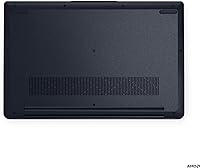
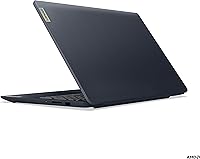
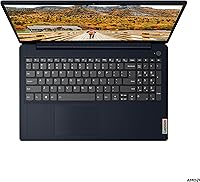
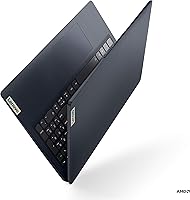
Overview

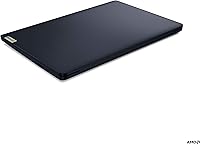
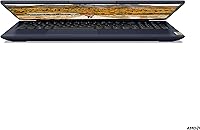
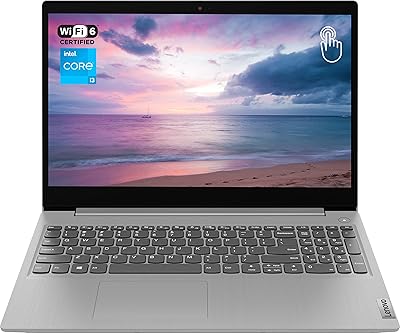
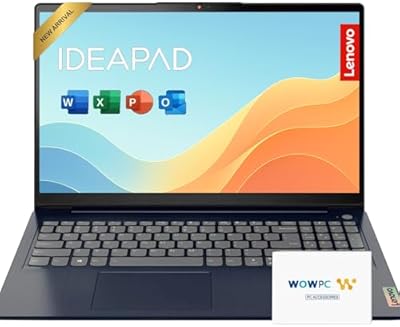
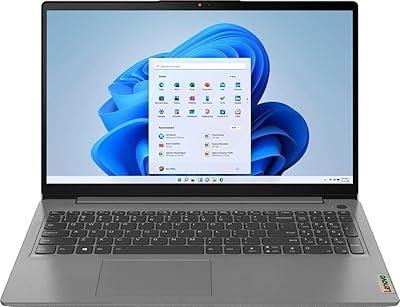
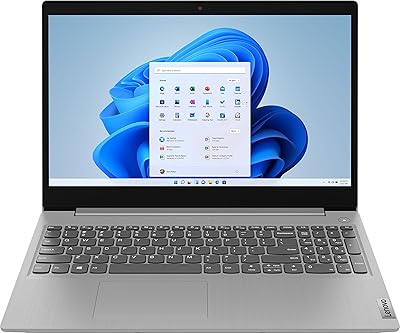
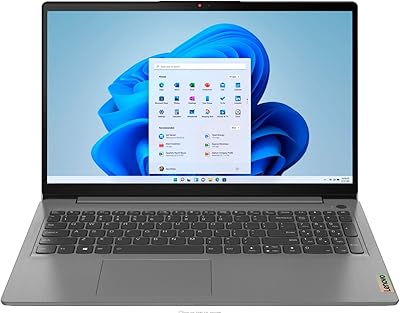
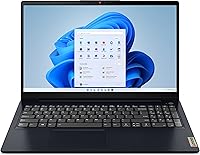
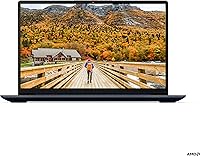
The Lenovo IdeaPad 3 15.6-inch Laptop sits in a crowded but important part of the market — the everyday budget machine that has to do real work without real compromises. Powering it is AMD's Ryzen 5 5500U, a 6-core chip that puts meaningful distance between this machine and bargain-bin options loaded with slower, older processors. The 15.6-inch FHD screen is a practical size that works at a desk or on a kitchen table without feeling cramped or oversized. Windows 11 comes pre-installed, so setup is straightforward for most buyers. That said, this is a capable daily driver, not a machine you'd lean on for video editing or gaming sessions.
Features & Benefits

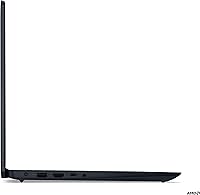
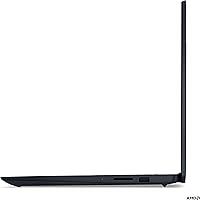
The IdeaPad 3's 6-core Ryzen 5 5500U handles the kind of multitasking most people actually do — a dozen browser tabs, a spreadsheet in the background, a video call running. The 512GB SSD makes a real difference day-to-day: boot times are quick, and apps open without the waiting you get with older hard-drive machines. The anti-glare display is easy on the eyes during long study or work sessions, which matters more than people realize until they've stared at a glossy screen for six hours. The physical webcam shutter is one of those small details that actually earns its place. And the port selection — USB-C, HDMI, SD card reader — means most people won't need a separate hub.

Best For

This Lenovo IdeaPad is a natural fit for college students — the combination of a capable processor, fast storage, and Windows 11 covers coursework, research, and late-night video calls without issue. Remote workers who spend their days in Google Docs, Zoom, or Excel will find it more than adequate. Families wanting a shared browsing and streaming machine also get a lot of value here. If you do light photo editing, the integrated Radeon graphics can handle basic adjustments in something like Lightroom, but this isn't a machine for rendering video or running design software at full tilt. Know what you're buying it for, and it'll serve you well.

User Feedback

Buyers consistently point to snappy everyday performance as the IdeaPad 3's biggest strength — things just feel responsive in normal use. The keyboard and trackpad get good marks for the price, and daily typing feels comfortable enough for long sessions. Where people run into friction is battery life: real-world results tend to land noticeably below what the spec sheet suggests, so keeping a charger handy is worth planning for. Some owners also wish the 8GB RAM were more accessible to upgrade, since the laptop can show strain with many apps open simultaneously. Speaker volume is another mild complaint — the audio works fine for calls or background music, but don't expect it to fill a room.

Pros

  • The 6-core Ryzen 5 5500U keeps everyday multitasking fast and responsive without noticeable lag.
  • A 512GB SSD delivers quick boot times and snappy app launches compared to older hard-drive machines.
  • The anti-glare FHD display is genuinely comfortable during long study or work sessions.
  • WiFi 6 and Bluetooth 5.0 ensure modern, reliable connectivity for home and office use.
  • The physical webcam privacy shutter is a practical, thoughtful feature for frequent video callers.
  • Port selection punches above its weight — USB-C, HDMI, SD card reader, and more are all included.
  • Windows 11 Home comes pre-installed, keeping setup simple and straightforward for most buyers.
  • The numeric keypad is a welcome addition for spreadsheet work or regular data entry.
  • Keyboard feel and trackpad responsiveness exceed what you would typically expect at this price point.

Cons

  • Battery life in real-world use often falls noticeably short of the manufacturer's rated figures.
  • 8GB of RAM can feel limiting when juggling many browser tabs alongside other open applications.
  • RAM is not easily upgradeable on all configurations, restricting long-term flexibility for power users.
  • Integrated graphics rule out gaming, video rendering, and any GPU-intensive creative workloads entirely.
  • The plastic chassis feels light but shows some flex in the lid when handled firmly.
  • Speaker volume tops out quickly, making the audio inadequate for filling even a modest-sized room.
  • Weighing over five pounds, it is not the most practical choice for commuters or frequent travelers.
  • Display brightness may feel insufficient in well-lit rooms or near windows during daytime use.

Ratings

The scores below were generated by AI after analyzing thousands of verified buyer reviews for the Lenovo IdeaPad 3 15.6-inch Laptop across global marketplaces, with spam, bot-generated content, and incentivized submissions actively filtered out to ensure only genuine user experiences shaped the results. Every category reflects both the real strengths owners consistently praise and the frustrations they repeatedly flag — nothing has been softened or smoothed over. Whether this mid-range laptop earns a place in your setup or falls short of your needs, these ratings give you an honest, data-grounded picture of what actual buyers experience day to day.
Performance
78%
22%
Users consistently praise the Ryzen 5 5500U for handling everyday workload mixes — browser tabs, video calls, spreadsheets — without slowing down noticeably. For students and remote workers, the six-core processor feels meaningfully faster than the entry-level chips that populate this price tier, and day-to-day responsiveness earns positive mentions across the board.
Where the processor reveals its limits is anything beyond the basics — running multiple demanding applications simultaneously or any GPU-accelerated workload quickly exposes the ceiling. A number of buyers who attempted light gaming or video rendering found the experience underwhelming, though those users were arguably expecting more than this category is designed to deliver.
Display Quality
74%
26%
The anti-glare FHD panel earns genuine appreciation from buyers who spend long hours reading, writing, or attending online lectures — the coating noticeably reduces eye fatigue compared to glossy alternatives at this price. The 1920x1080 resolution is sharp enough for everyday content, and the narrow bezels give the screen a cleaner, less cluttered look.
The display's main shortcoming is brightness — several buyers noted it struggles in well-lit rooms or near sunny windows, where the image washes out and becomes harder to read comfortably. Color accuracy and viewing angles are acceptable but not impressive, making it unsuitable for color-critical photo or video production work.
Build Quality
62%
38%
The slim profile and plastic chassis keep the weight reasonable for a 15.6-inch machine, and the finish holds up to everyday handling without obvious scuffing under normal desk use. Buyers who use it primarily at a fixed location find the build entirely acceptable for the price bracket and report no structural failures under typical conditions.
The lid flexes noticeably when pressed or when the laptop is lifted from a corner, which makes some buyers uneasy about long-term durability. Those who carry it in and out of bags daily report that the plastic construction feels considerably less reassuring than metal-chassis competitors, even budget ones at a comparable price point.
Battery Life
57%
43%
Under light use — basic browsing, writing, or streaming at moderate brightness — some buyers get close to six or seven hours, which is workable for a half-day away from a power outlet. Students who use it for morning lectures with the charger available at home generally report getting through their core study block without stress.
The recurring complaint across buyer reviews is that real-world battery life consistently underdelivers relative to Lenovo's rated figures — most users report four to six hours under mixed use. Anyone planning to work untethered for a full eight-hour day will need to pack the charger along, which limits how genuinely liberating this machine feels away from a desk.
Value for Money
83%
For what you pay, the combination of a 6-core Ryzen processor, SSD storage, FHD display, WiFi 6, and a solid port selection is a genuinely strong package. Most buyers in this budget feel they are getting more than their money's worth, and those upgrading from older machines consistently describe it as a meaningful and satisfying step forward.
The value calculation wobbles slightly when you factor in the non-upgradeable RAM, modest battery life, and plastic build — buyers planning to keep a laptop for five or more years may find these trade-offs add up over time. Competing machines at a similar price occasionally offer better battery endurance or a more durable chassis, so comparing before committing is worthwhile.
Keyboard & Trackpad
77%
23%
The keyboard earns consistently warm feedback — key travel is adequate, the layout avoids any frustrating shortcut placements, and the included numeric keypad is a genuine daily convenience for anyone doing data entry or spreadsheet work. Students writing long papers and remote workers on extended sessions appreciate that it does not become uncomfortable over time.
The trackpad receives more mixed feedback than the keyboard — a number of buyers find the click action slightly stiff, and palm rejection during typing is inconsistent for some users. Neither input surface will impress anyone transitioning from a premium machine, though adjusted expectations for the price tier make both more than functional for daily use.
Storage & Speed
86%
The 512GB SSD is the most universally praised aspect of the day-to-day experience — buyers upgrading from HDD-equipped machines are often genuinely surprised by how quickly the system boots and how snappy app launches feel. Opening a browser, loading documents, or switching between apps happens without any noticeable waiting, which makes a tangible difference in a work or study environment.
The SSD is quick for everyday tasks but is not in the same league as the faster NVMe drives found in pricier machines — for most users the difference is imperceptible day-to-day, though it is worth noting. Some buyers also flag that 512GB can start feeling tight after a year or two of software installs, media, and file accumulation.
Connectivity
81%
19%
WiFi 6 support means the IdeaPad 3 takes full advantage of modern routers, and buyers with compatible home networks report noticeably more stable and faster wireless connections than older 802.11ac machines. The port lineup — USB-C, HDMI, SD card reader, and multiple USB-A ports — covers most daily connection needs without requiring a separate hub.
The USB-C port does not universally support video or power delivery across all configurations, which catches some buyers off guard when attempting to connect monitors or docks. There is also no Thunderbolt support, which limits high-speed peripheral options for users who need fast external storage or a robust multi-monitor workstation setup.
Audio Quality
53%
47%
The Dolby Audio processing does meaningful work for a budget 15.6-inch machine — voices on video calls come through clearly, and background music or podcast audio is pleasant enough at moderate volume. The dual-microphone array performs reliably in quiet environments, which buyers who spend significant time on calls genuinely appreciate.
At higher volume, the 1.5W speakers lose clarity quickly and distort noticeably — a recurring frustration for buyers who stream music or watch films without headphones. Bass response is essentially absent, and the speakers cannot fill even a medium-sized room comfortably, making external speakers or headphones a near-necessity for any serious or extended listening.
Webcam & Privacy
71%
29%
The physical webcam privacy shutter is a well-received feature — buyers who work from home or attend online classes appreciate being able to mechanically confirm the camera is blocked rather than relying on software indicators alone. For everyday Zoom or Teams calls, the webcam quality is adequate and gets the job done without consistent complaints from contacts on the other end.
Image quality is decidedly average, and in lower-light environments the webcam produces grainy, washed-out footage that can look unprofessional on client-facing calls. Buyers who regularly appear on screen for formal meetings or who create any kind of video content consistently recommend pairing it with an external webcam for a noticeably better result.
RAM & Upgradability
54%
46%
For buyers who stay within typical everyday tasks — browsing, writing, streaming, and the occasional video call — 8GB is genuinely sufficient and the machine runs without obvious memory strain under normal workloads. Windows 11 manages memory allocation reasonably well, and most casual users never encounter the ceiling during standard daily use.
The most pointed long-term criticism is that 8GB RAM is not easily expandable — on many configurations it is soldered in place, creating a permanent ceiling with no future upgrade path. As browser workloads grow and software becomes more demanding over time, buyers running many apps simultaneously consistently flag available memory as the machine's single most limiting factor.
Portability
63%
37%
At 0.78 inches thick, the IdeaPad 3 sits flat and slim on a desk or inside a bag without taking up excessive space, and its footprint fits in most standard laptop sleeves and backpack compartments without issue. Buyers who use it primarily at one or two fixed locations find the form factor entirely manageable for their routine.
At 5.29 pounds, it is heavier than many modern 15.6-inch competitors — commuter students hauling it between multiple classes daily consistently report noticeable fatigue by the afternoon. It is not a machine you will pick up without a second thought, and frequent travelers will want a well-padded, dedicated bag to carry it without discomfort.
Software & OS
73%
27%
Windows 11 Home arrives pre-installed and ready to use, which buyers new to Lenovo machines appreciate — there is no lengthy configuration hurdle before the machine becomes functional. The interface feels modern and the built-in security features represent a meaningful step forward from older Windows versions for users who care about day-to-day protection.
Several buyers flag that Lenovo includes a handful of pre-installed applications — commonly called bloatware — that consume storage and can slow down the first-use experience until manually removed. A small subset of users also report occasional compatibility hiccups with specific peripherals or legacy software under Windows 11, though most issues resolve with driver updates.

Suitable for:

The Lenovo IdeaPad 3 15.6-inch Laptop is well-matched to buyers who need a dependable everyday machine without stretching into premium price territory. College students will find it handles the full range of academic demands — research, writing, video lectures, and Zoom calls — without missing a beat. Remote workers managing email, spreadsheets, and web conferencing tools like Microsoft Teams or Google Meet will get through a full workday comfortably on a single charge in moderate use. Families looking for a shared home computer for browsing, streaming, and light productivity will appreciate the spacious FHD display and fast SSD storage. The physical webcam shutter is a small but genuinely useful detail for anyone who cares about privacy during video calls. If your daily computing stays within the realm of office apps, cloud tools, and web browsing, this machine earns its place.
Not suitable for:

If you're counting on this IdeaPad 3 to double as a gaming rig or a video editing workstation, the Lenovo IdeaPad 3 15.6-inch Laptop will disappoint — the integrated AMD Radeon graphics simply are not built for that kind of work, and expecting otherwise leads to frustration. Buyers who routinely run several memory-hungry applications simultaneously may find 8GB of RAM starts feeling constraining over time, particularly as software requirements grow and browser tabs multiply. Anyone chasing genuine all-day battery life away from a desk should temper their expectations, since real-world results consistently fall short of the rated figures. Creative professionals who require color-accurate display output, high-refresh-rate panels, or dedicated GPU performance for rendering or design work will need to look elsewhere. And if portability is a top priority, the 5.29-pound weight and 15.6-inch chassis put it firmly in the stays-on-a-desk category rather than the slips-into-a-backpack one.
Specifications

  • Processor: Powered by the AMD Ryzen 5 5500U, a 6-core chip with a 2.1GHz base clock that handles everyday multitasking, web browsing, and productivity workloads without bottlenecking.
  • RAM: Equipped with 8GB of DDR4 memory running at 2400MHz, adequate for standard daily tasks including document editing, video conferencing, and light media consumption.
  • Storage: Features a 512GB solid-state drive that delivers noticeably faster boot times and application launches compared to traditional hard-disk-drive machines.
  • Display: 15.6-inch FHD IPS-type panel with a 1920x1080 resolution and an anti-glare coating to reduce reflections during extended work or study sessions.
  • Graphics: Integrated AMD Radeon graphics handle everyday video playback, basic photo adjustments, and casual visual tasks without any discrete GPU capability.
  • Operating System: Ships with Windows 11 Home pre-installed, providing immediate access to the Microsoft Store, built-in security tools, and the latest interface updates out of the box.
  • Wireless: Supports WiFi 6 (802.11ax) for faster and more reliable wireless performance on compatible routers, alongside legacy network compatibility.
  • Bluetooth: Bluetooth 5.0 enables stable, low-latency wireless pairing with peripherals including headphones, mice, and external keyboards.
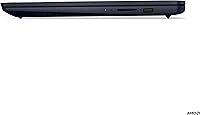
  • Ports: Connectivity includes USB-C, one USB 3.2 Gen 1 port, one USB 2.0 port, a full-size HDMI output, an SD card reader, and a 3.5mm combo audio jack.
  • Webcam: Built-in camera includes a physical privacy shutter that mechanically blocks the lens, providing a hardware-level privacy solution independent of any software or driver settings.
  • Audio: Dual 1.5W stereo speakers with Dolby Audio processing and a built-in dual-array microphone optimized for voice calls and video conferencing clarity.
  • Weight: Weighs 5.29 pounds, placing it firmly in desktop-replacement territory rather than the ultraportable or travel-laptop category.
  • Dimensions: Measures 14.14 x 9.31 x 0.78 inches, offering a standard 15.6-inch footprint that fits most home desks and padded laptop compartments in bags.
  • Battery: Runs on a built-in Lithium Polymer battery; real-world endurance under mixed daily use typically falls below manufacturer-rated figures, so access to a charger is advisable for full-day use.
  • Special Features: Includes a full numeric keypad integrated into the right side of the keyboard deck, adding practical value for data entry, spreadsheet work, and accounting tasks.

Related Reviews

Lenovo Ideapad 3 Laptop, 15.6″, Intel Core i3, 12GB RAM, 256GB SSD
84%
92%
Value for Money
85%
Performance for Everyday Tasks
90%
Portability and Weight
75%
Display Quality
80%
Battery Life
More
Lenovo IdeaPad 15.6-inch Laptop, 12GB RAM, 512GB SSD, Intel Celeron N4500
82%
92%
Value for Money
89%
Battery Life
75%
Display Quality
85%
Performance for Basic Tasks
88%
Portability
More
Lenovo IdeaPad 3 Laptop, 15.6″, Intel Core i3-1115G4, 16GB RAM, 512GB SSD
83%
84%
Performance
91%
Value for Money
85%
Display Quality
76%
Battery Life
80%
Build Quality
More
Lenovo IdeaPad 3 15.6″ Laptop
70%
83%
Value for Money
67%
Performance
51%
Display Quality
54%
Battery Life
78%
Touchscreen
More
Lenovo IdeaPad 3 15.6″ Touch Laptop
71%
83%
Touchscreen Usability
76%
Performance & Speed
54%
Storage Adequacy
78%
Display Quality
69%
Battery Life
More
Lenovo IdeaPad Gaming 3 15.6″ FHD Laptop - Ryzen 5 6600H, RTX 3050, 8GB RAM, 256GB SSD
82%
91%
Value for Money
87%
Gaming Performance
74%
Battery Life
79%
Display Quality
82%
Build Quality
More
Lenovo Ideapad Slim 3 Laptop, AMD Ryzen 5 5625U, 16GB RAM, 2TB SSD, 15.6″ FHD, Windows 11 Pro
86%
92%
Value for Money
88%
Battery Life
85%
Display Quality
90%
Performance (General)
93%
Storage Capacity
More
HP 15.6-inch Laptop 15-ef0021nr, Ryzen 3 3200U, 8GB RAM, 256GB SSD
82%
92%
Value for Money
85%
Performance
83%
Build Quality
89%
Portability
81%
Battery Life
More
Lenovo IdeaPad Slim 3 15.3″ Laptop, Intel Core i5-13420H, 16GB RAM, 1TB SSD
85%
88%
Performance
81%
Display Quality
89%
Multitasking Capabilities
85%
Build Quality
77%
Battery Life
More
Lenovo IdeaPad 1 Gen 7 15.6″ Laptop
72%
91%
Value for Money
78%
Multitasking Performance
88%
Storage & Speed
67%
Display Quality
63%
Touchscreen Usability
More

FAQ

On most configurations of this model, the memory is soldered directly to the motherboard, which means upgrading it after the fact is not possible. If you think you might need more than 8GB down the road, it is worth confirming the exact memory configuration before buying. For typical everyday use the 8GB is fine, but heavy multitaskers may eventually feel the ceiling.

The rated figures look appealing, but most users find the actual battery life lands closer to five to seven hours under mixed use — browsing, video calls, and document work with moderate screen brightness. It is not a laptop you can comfortably go all day on without a charger nearby. Keeping screen brightness down and closing unused background apps helps stretch things a bit further.

The Lenovo IdeaPad 3 15.6-inch Laptop can handle casual and older titles reasonably well — think Minecraft, older strategy games, or lightweight indie releases. Anything graphically demanding from the last few years will struggle, since integrated AMD Radeon graphics have real limits when it comes to modern rendering workloads. If gaming is a meaningful part of what you want a laptop for, a model with dedicated graphics is a better fit.
No, Office is not bundled in the purchase. On first setup you will likely see a prompt to try Microsoft 365, but a paid subscription is required for full access. If you would rather not pay for Office, Google Docs, Sheets, and Slides work excellently for most student and home-office needs and are completely free.

The anti-glare coating does a solid job of cutting reflections, but the panel's peak brightness is modest, so direct sunlight or a very bright environment can make it harder to see clearly. For typical indoor lighting conditions — a classroom, home office, or bedroom — it performs perfectly well. If you frequently work near windows during the day, angling the screen or using blinds helps considerably.

Yes, the full-size HDMI port makes it easy to connect to an external monitor or television for a larger display or a dual-screen setup. It is straightforward enough that most people will have it working within a minute or two. The USB-C port may also support video output depending on the display and cable, but the HDMI route is the most reliable for most setups.

It is adequate for daily Zoom, Teams, or Meet calls — the image quality is functional rather than impressive, but nobody on the other end is going to complain. The real highlight is the physical privacy shutter, which slides over the lens mechanically so you always know the camera is genuinely off. The dual microphone array picks up voice clearly in quiet spaces, though it is not ideal for noisy environments.

For casual photo editing in tools like Lightroom or GIMP — adjustments, cropping, color correction — the IdeaPad 3 handles it without major issues. Where things get uncomfortable is anything GPU-dependent, like heavy filters, batch processing, or video rendering. Short video clips at modest resolutions are possible, but sustained video editing is not a comfortable experience on this hardware.

The keyboard is one of this machine's quiet strengths — key travel is reasonable, the layout is clean, and the included numeric keypad is a genuinely useful bonus for anyone working with numbers or spreadsheets. It is not on par with a premium laptop keyboard, but it holds up well for extended typing without becoming fatiguing. Most buyers in this category find it comfortable enough for daily academic or work use.

It works fine as a campus or office machine, but at 5.29 pounds it is on the heavier side for daily commuting. Sliding it into a padded laptop bag is no problem, but carrying it around all day between classes may get tiring. If you primarily use it at a desk and only transport it occasionally, the size and weight are perfectly manageable.