

Overview

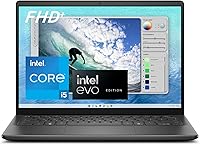
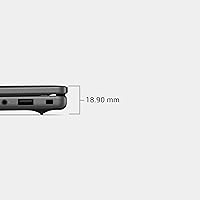
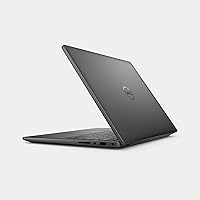
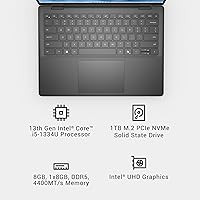
The Dell Inspiron 14 5440 Laptop is a lightweight productivity machine that punches above its weight class for everyday users and remote workers who don't want to overspend. What sets it apart from most rivals at this price tier is the 16:10 FHD+ display — that taller aspect ratio gives you noticeably more vertical space when scrolling through documents or web pages. The Carbon Black chassis is slim at just 0.71 inches thick, and the whole package comes in under four pounds. It also carries MIL-SPEC durability testing and a one-year onsite warranty, which are genuinely reassuring extras at this price point.

Features & Benefits

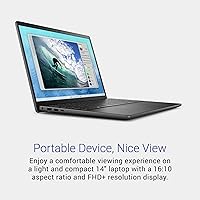
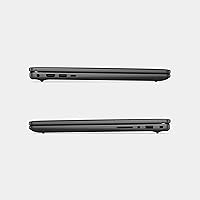
The 16:10 FHD+ panel deserves a closer look — most budget laptops ship with a 16:9 screen that clips the bottom of long documents and spreadsheets. That extra vertical real estate makes a real difference in day-to-day reading and writing tasks. Under the hood, the Intel Core i5-1334U handles browser-heavy workloads, video calls, and multi-tab office work without much strain. The DDR5 memory adds a speed edge over older machines at this tier. Dell ComfortView Plus filters low blue light without washing out colors — useful for long work sessions. Wi-Fi 6 and three USB 3.0 ports round out a practical connectivity setup, and the adaptive thermal system keeps fan noise reasonable under moderate load.

Best For

This budget productivity laptop is a natural fit for students and remote workers who spend their days in Google Docs, Zoom calls, and browser tabs — not pushing pixels in video editors or running demanding games. If you're upgrading from a five-year-old machine with a slow hard drive and a dim 1080p screen, the jump feels substantial. The sub-4-pound build makes it easy to slip into a bag without thinking twice. That said, anyone who regularly runs memory-intensive apps — heavy multitasking, virtual machines, or large datasets — may find 8GB of RAM limiting within a year or two. It suits buyers who prioritize reliability and support over bleeding-edge specs.

User Feedback

Buyers consistently praise the display quality and compact build relative to what the Inspiron 5440 costs — the screen earns particular attention from people upgrading from lower-resolution machines. The keyboard draws mostly positive reactions for all-day typing, though the trackpad can feel a bit stiff straight out of the box. Battery life is a recurring discussion point: most users report around six to seven hours of mixed use, which is decent but not class-leading. The 8GB RAM ceiling surfaces regularly in longer-term reviews, with some wishing they had chosen a higher-spec configuration. Dell's onsite support earns strong marks from buyers who actually needed it — faster and far less frustrating than shipping a machine off for repairs.

Pros

  • The 16:10 FHD+ display gives noticeably more vertical screen space than most budget rivals, making reading and document work more comfortable.
  • DDR5 memory at this price point is a genuine upgrade over what most competitors offer in the same tier.
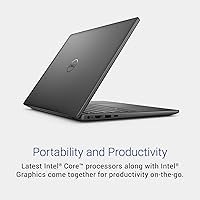
  • Weighing under four pounds with a 0.71-inch profile, this Dell Inspiron 14 is easy to carry anywhere without a second thought.
  • Dell ComfortView Plus reduces eye strain during long sessions without making the screen look washed out.
  • Wi-Fi 6 support keeps the machine relevant for modern home and office networks for years to come.
  • MIL-SPEC durability testing adds real confidence for users who are not always careful with their gear.
  • The onsite warranty means a technician comes to you — no shipping delays, no lost-laptop anxiety.
  • The 512GB SSD handles most users' storage needs and keeps the system feeling quick for everyday tasks.
  • Dolby Atmos audio support makes video calls and streaming noticeably better than typical budget laptop speakers.
  • EPEAT Climate+ certification appeals to buyers who care about environmental responsibility in their tech purchases.

Cons

  • 8GB of RAM is the ceiling here, and heavy multitaskers will likely feel constrained within a year or two.
  • Integrated Intel UHD graphics rule out any serious gaming or GPU-accelerated creative work entirely.
  • Real-world battery life tends to land around six to seven hours — solid but not class-leading for a portable machine.
  • The trackpad can feel stiff and less responsive straight out of the box, which some users find frustrating early on.
  • No discrete GPU option is available in this configuration, limiting upgrade paths for users whose needs grow.
  • Sustained workloads can cause the fan to ramp up noticeably, which may bother users in quiet environments.
  • The port selection covers the basics but lacks a Thunderbolt port or HDMI out, which some users will miss.
  • The Carbon Black finish, while clean-looking, tends to show fingerprints and smudges fairly easily with regular use.

Ratings

The Dell Inspiron 14 5440 Laptop has been rated across thousands of verified global purchases, with our AI filtering out incentivized reviews and bot activity to surface what real everyday buyers actually experienced. Scores reflect both where this budget productivity machine genuinely shines and where it falls short of expectations — nothing is glossed over.

Display Quality
88%
The 16:10 FHD+ panel consistently draws praise from buyers who notice more content on screen without scrolling compared to the 16:9 screens most competitors ship at this price. Writers and students especially appreciate the extra vertical space during long reading or editing sessions.
A handful of users note the panel lacks the brightness needed for comfortable outdoor use in direct sunlight. Color coverage is decent for everyday tasks but falls short for anyone who works with photos or design and cares about accuracy.
Performance
74%
26%
For the workloads this machine was built for — web browsing, spreadsheets, video calls, and cloud-based apps — the i5-1334U keeps things moving without obvious lag. The DDR5 memory gives it a real-world edge over older budget machines that still run DDR4.
Push it past a dozen browser tabs or run multiple demanding apps simultaneously and the cracks show. Users with heavier workflows report noticeable slowdowns, and the integrated graphics make any GPU-reliant task a non-starter.
RAM & Multitasking
61%
39%
For single-focus tasks — a video call here, a document there — 8GB of DDR5 handles things well enough and feels snappier than older DDR4-based budget machines in the same class.
This is the most recurring complaint across long-term owner reviews. Heavy multitaskers regularly hit the ceiling, and future-proofing concerns are legitimate — 8GB will feel genuinely limiting as Windows overhead and browser memory demands continue to grow.
Build Quality
82%
18%
MIL-SPEC 810H testing gives buyers real confidence that this machine can survive the bumps and knocks of daily commuting or campus life. The slim chassis feels solid in hand without any worrying flex in the lid or keyboard deck.
The Carbon Black plastic finish attracts fingerprints quickly, and some users feel the hinge and bottom panel materials don't quite match the premium impression the design promises at first glance.
Battery Life
67%
33%
For a typical mixed-use day of emails, light browsing, and occasional video calls, most users get through five to seven hours before needing a charger — adequate for a standard working day with moderate screen brightness.
Advertised figures are optimistic compared to real-world reports. Users who keep screen brightness up and run multiple apps simultaneously often find themselves reaching for the charger well before the end of a full workday.
Keyboard & Typing
78%
22%
Writers and students who spend full days typing generally find the keyboard comfortable, with enough key travel to make longer sessions less fatiguing than the shallow decks found on ultra-thin rivals in this tier.
Key feedback is consistent but not particularly satisfying — it lacks the tactile punch that enthusiast typists prefer. A few users also report minor flex in the center of the keyboard deck during harder keystrokes.
Trackpad
69%
31%
The trackpad is accurate enough for everyday navigation and handles basic gestures like two-finger scrolling and pinch-to-zoom reliably. It covers a reasonable surface area for a 14-inch laptop.
Out of the box it tends to feel stiff and slightly resistant, which frustrates users who are used to smoother precision trackpads. Click feedback is underwhelming, and some owners report it loosening up only after several weeks of regular use.
Portability
91%
At 3.68 pounds and 0.71 inches thin, this Dell Inspiron 14 disappears into a bag without adding noticeable weight. Students and frequent travelers consistently call it one of the easier machines to carry through a full day without shoulder fatigue.
The power adapter adds bulk and is not the most compact travel companion. A few users also wish the chassis were slightly more rigid when carried one-handed by the corner, though this is a minor gripe at this weight class.
Thermal Management
72%
28%
Under light to moderate workloads the machine stays genuinely cool on both a desk and a lap, and the fan is quiet enough to use in a library or shared office without drawing attention.
Sustained tasks — long video streams, large file transfers, or extended calls — push the fan to audible levels and generate noticeable warmth on the bottom chassis. It never gets alarming, but it is a consistent pattern in owner reports.
Connectivity
71%
29%
Wi-Fi 6 support keeps this machine relevant for modern routers, and three USB 3.0 ports cover the basics for most users connecting a mouse, external drive, or USB hub.
The absence of a native HDMI port or Thunderbolt connector is a real limitation for users who regularly connect to external monitors or docks. An adapter is required, which adds cost and a point of failure.
Audio
66%
34%
Dolby Atmos processing gives the built-in speakers more clarity and perceived depth than typical budget laptop audio, making video calls and casual streaming noticeably better than expected at this price.
Bass is essentially absent, and at higher volumes the sound can feel thin or slightly harsh. For serious music listening or movie watching, external speakers or headphones are strongly preferred by most owners.
Value for Money
83%
When buyers weigh the 16:10 FHD+ display, DDR5 memory, MIL-SPEC certification, and onsite warranty together, the value proposition holds up well against similarly priced rivals that often compromise on more of these features simultaneously.
The 8GB RAM ceiling and lack of a dedicated GPU mean buyers who need more headroom will inevitably spend more to get it elsewhere. For its intended audience it represents solid value, but it leaves little room for workload growth.
Eye Comfort
84%
Dell ComfortView Plus is a hardware-level implementation, not just a software filter toggle, which users who spend eight or more hours a day at a screen genuinely notice in terms of reduced end-of-day eye fatigue.
Some users with color-sensitive work find that even this relatively natural low-blue-light approach subtly shifts white balance over time, which is a minor but real trade-off compared to manually adjusting display settings.
Warranty & Support
86%
Buyers who have actually used the onsite warranty report positive experiences — Dell dispatches technicians promptly, and avoiding the mail-in process is a meaningful quality-of-life advantage that competitors at this price rarely offer.
Coverage is limited to one year, and renewing extended onsite support adds cost that some buyers overlook at purchase. Remote support quality before an onsite visit is considered adequate but not exceptional based on user accounts.
Software & Bloatware
63%
37%
Dell's own utilities — particularly SupportAssist for driver updates — are genuinely useful and not purely decorative additions. Windows 11 Home runs cleanly on the hardware without obvious performance penalties.
Third-party trial software ships pre-installed and requires manual cleanup out of the box, which irritates buyers who prefer a lean setup from day one. It is not excessive by industry standards, but it is not clean either.

Suitable for:

The Dell Inspiron 14 5440 Laptop is built for people whose daily computing revolves around documents, spreadsheets, video calls, and browser-based work — not pushing hardware to its limits. Students who carry their machine between classes and a home desk will appreciate the under-four-pound weight and slim profile that fits in almost any bag. Remote workers who spend long hours reading emails or reviewing reports will notice the 16:10 display immediately — that taller screen shows more content per scroll compared to the standard 16:9 screens most rivals ship at this price. If you're coming from a machine that's five or more years old with a spinning hard drive and a dim screen, this budget productivity laptop will feel like a meaningful step forward. The included onsite warranty is a genuine bonus for anyone who has ever had the headache of mailing a laptop in for repairs and waiting weeks to get it back.

Not suitable for:

Buyers expecting to run demanding workloads should look elsewhere before committing to the Inspiron 5440. The integrated Intel UHD graphics are simply not equipped for gaming beyond casual browser titles, and video editing timelines will crawl on this machine — that's not a knock on the design, just an honest reality of integrated graphics at this price tier. The 8GB of RAM is the most common long-term complaint from owners, and if you regularly run more than a dozen browser tabs alongside communication apps and office software, you may start feeling the squeeze sooner than expected. Power users who need to run virtual machines, compile code, or process large datasets should step up to a higher-spec configuration. Anyone prioritizing all-day battery life — eight hours or more of real-world use — may also want to compare alternatives before buying.

Specifications

  • Display: 14-inch FHD+ IPS panel with a 1920x1200 resolution and a 16:10 aspect ratio, providing more vertical screen space than standard 16:9 displays.
  • Processor: Intel Core i5-1334U with 10 cores (2 performance, 8 efficiency) and a boost clock up to 3.4 GHz, built on Intel's 13th-generation architecture.
  • Memory: 8GB DDR5 RAM running at 4400 MHz, offering faster data throughput than the DDR4 found in most competing budget laptops.
  • Storage: 512GB solid-state drive with no optical drive included, delivering fast boot times and ample space for everyday files and applications.
  • Graphics: Intel UHD integrated graphics share system memory and are suited for productivity, video playback, and light photo browsing — not gaming or GPU-intensive tasks.
  • Operating System: Windows 11 Home comes pre-installed, with built-in support for modern security features including TPM 2.0.
  • Wireless: Wi-Fi 6 (802.11ax) with Bluetooth support provides fast and reliable wireless connectivity on modern home and office networks.
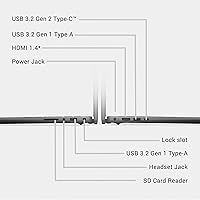
  • Ports: Three USB 3.0 Type-A ports handle most peripheral connections, though no Thunderbolt or dedicated HDMI port is included in this configuration.
  • Dimensions: The chassis measures 12.36 x 8.9 x 0.71 inches (LxWxH), keeping the footprint compact enough to fit comfortably in most standard laptop bags.
  • Weight: At 3.68 pounds, this machine sits firmly in lightweight territory and is comfortable to carry for full days of travel or campus use.
  • Eye Care: Dell ComfortView Plus is a hardware-level low-blue-light solution that reduces eye strain during extended screen sessions without altering color accuracy.
  • Audio: Dolby Atmos software processing delivers spatial sound for improved clarity on video calls and streaming content through the built-in speakers.
  • Security: A built-in Trusted Platform Module (TPM) protects sensitive data and encryption keys at the hardware level, supporting business and personal security needs.
  • Durability: The chassis has passed MIL-SPEC 810H testing, meaning it has been evaluated against standard military reliability benchmarks for drops, vibration, and temperature variation.
  • Certifications: Holds ENERGY STAR 8.0 certification, EPEAT Silver registration, and the EPEAT Climate+ designation for meeting industry decarbonization standards.
  • Warranty: Includes one year of onsite service, where a Dell technician will travel to your location to resolve hardware issues covered under the limited warranty.
  • Camera: The built-in webcam supports up to HD resolution with wide dynamic range adjustment, adapting image quality to varying lighting conditions during video calls.
  • Color: Available in Carbon Black, a matte finish that keeps the profile understated and professional, though it does attract fingerprints with regular handling.

Related Reviews
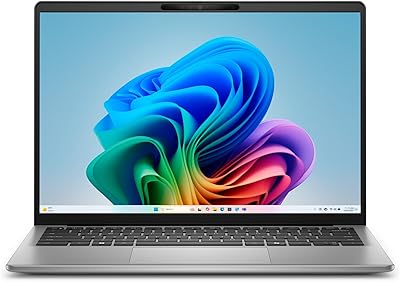
Dell Inspiron 14 5441 1TB Laptop
74%
91%
Battery Life
88%
Portability
84%
Performance (Everyday)
57%
App Compatibility
67%
Display Quality
More
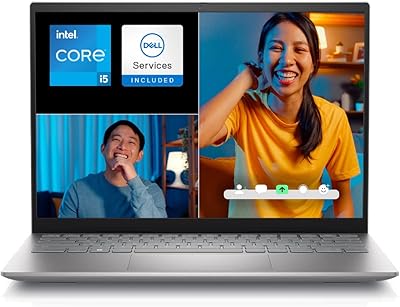
Dell Inspiron 14 5420 Laptop
78%
88%
Display Quality
84%
Screen Ergonomics
81%
CPU Performance
57%
RAM Performance
86%
Storage Speed
More
Dell 14 Plus Laptop DB14250-14-inch 2.5K, Intel Core Ultra 7, 16GB RAM, 1TB SSD
85%
91%
Performance
94%
Display Quality
85%
Battery Life
88%
Build Quality
86%
Keyboard Usability
More
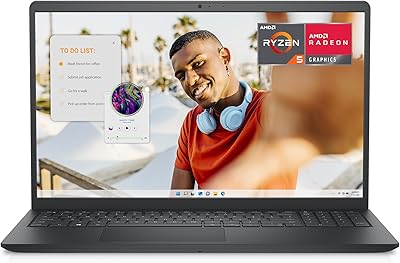
Dell Inspiron 15 3535
68%
83%
Value for Money
76%
Performance & Speed
78%
Display Quality
81%
Keyboard & Typing Experience
58%
Battery Life
More
Dell 14 Plus 1TB Laptop
75%
91%
Display Quality
88%
Build Quality
86%
Performance
74%
Battery Life
84%
Keyboard & Typing
More
Dell Inspiron 15 Ryzen 7 7730U 32GB/1TB Touchscreen
74%
84%
Performance & Multitasking
91%
RAM & Memory Headroom
88%
Storage Speed & Capacity
79%
Touchscreen Display
63%
Build Quality & Chassis
More
Dell Inspiron 3511 15.6″ Touchscreen Laptop
72%
88%
Value for Money
81%
Multitasking Performance
91%
Storage & Speed
73%
Display Quality
79%
Touchscreen Usability
More
Dell Inspiron 15 Laptop, Intel Core i3, 64GB RAM, 2TB SSD
85%
92%
Performance
91%
Storage Capacity
88%
Display Quality
94%
Multitasking
58%
Battery Life
More
Dell Inspiron 15 5505 Laptop, Ryzen 7 4700U, 16GB RAM, 512GB SSD
81%
88%
Performance
75%
Battery Life
85%
Build Quality
81%
Display Quality
90%
Portability
More
Dell Inspiron 16 5645 Laptop
76%
83%
Performance
86%
Display Quality
67%
Build Quality
74%
Battery Life
88%
Value for Money
More

FAQ

For typical daily tasks — web browsing, video calls, Office apps, and streaming — 8GB is workable. That said, if you routinely run many apps simultaneously or keep dozens of browser tabs open, you may start noticing slowdowns. This configuration does not leave much headroom for future-proofing, so if you expect your workload to grow, it's worth considering a higher-spec model from the start.

Not meaningfully. The integrated Intel UHD graphics can handle very basic browser-based games and older low-demand titles, but anything modern will struggle to run at acceptable frame rates. This machine was not designed for gaming, and trying to use it that way will lead to frustration. If gaming is a priority, a laptop with a dedicated GPU is the right choice.

Most laptops use a 16:9 screen ratio, which is wide but short — optimized for watching video rather than doing work. A 16:10 screen is slightly taller, so you see more of a document, webpage, or spreadsheet without scrolling as often. It sounds like a small difference, but after a full day of working with it, most people notice a genuine improvement in comfort and flow.

If your laptop develops a covered hardware fault and Dell cannot resolve it remotely, they'll send a technician to your home, office, or wherever you prefer — you don't need to ship anything. The one-year coverage kicks in from the purchase date. It's a meaningful perk at this price tier, especially compared to budget rivals that require you to mail the machine in and wait.

Most users report somewhere between six and seven hours of mixed real-world use — think a blend of writing, browsing, and occasional video calls with screen brightness at a comfortable level. Advertised figures are typically higher and assume lighter conditions. It's enough to get through a standard workday with a charger nearby, but you'll likely want to plug in for longer sessions.

Under light to moderate workloads, the adaptive thermal system keeps things comfortable. The bottom of the chassis stays reasonably cool during document work and web browsing. Under sustained heavier loads — like prolonged video streaming or large file transfers — you'll notice more warmth and fan noise, but it doesn't get uncomfortable for typical use.

Most users find the keyboard comfortable enough for extended writing sessions, with reasonable key travel and a consistent feel across the board. The trackpad is functional but can feel a bit stiff when the machine is new — it tends to loosen up with use. Neither the keyboard nor the trackpad is exceptional, but both are solid for the price.

Yes, though the port setup requires an adapter for most modern monitors. This laptop has USB 3.0 Type-A ports but no native HDMI or DisplayPort output, so you'll need a USB-C hub or a compatible adapter to connect to external displays. It's a workable setup, but worth knowing upfront if dual-screen productivity is part of your workflow.

The Inspiron 5440 stands out mainly on its display — the 16:10 FHD+ panel is uncommon at this price point, where most rivals still ship 16:9 1080p screens. The DDR5 memory is another edge. Where it's more average is in battery life and port selection. If the screen quality and Dell's support structure matter to you, it's a strong option in this tier.

Like most consumer Windows laptops from major brands, this budget productivity laptop does ship with some pre-installed Dell utilities and a handful of trial apps. The Dell-specific tools — such as SupportAssist — are generally useful for keeping drivers updated, but some of the third-party trials are easy to uninstall and don't impact day-to-day performance once removed.