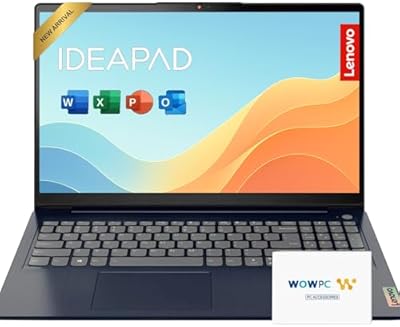
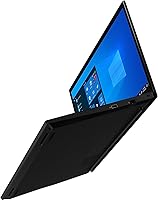
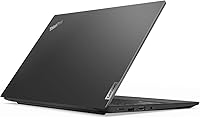
Lenovo ThinkPad E15 15.6″ Business Laptop
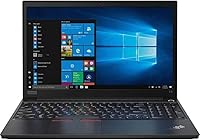
Lenovo ThinkPad E15 15.6″ Business Laptop — image 1
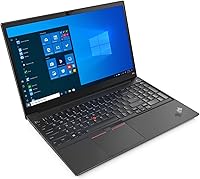
Lenovo ThinkPad E15 15.6″ Business Laptop — image 2
Lenovo ThinkPad E15 15.6″ Business Laptop — image 3
Lenovo ThinkPad E15 15.6″ Business Laptop — image 4

Lenovo ThinkPad E15 15.6″ Business Laptop — image 5

Lenovo ThinkPad E15 15.6″ Business Laptop — image 6
Lenovo ThinkPad E15 15.6″ Business Laptop — image 7
Lenovo ThinkPad E15 15.6″ Business Laptop — image 8
Lenovo ThinkPad E15 15.6″ Business Laptop — image 9
71%
29%

Overview

The Lenovo ThinkPad E15 15.6″ Business Laptop sits in Lenovo's E-series lineup as the follow-up to the E590 — a practical, no-frills workhorse aimed at professionals and small business buyers. Launched in 2020, it carries a 10th Gen Core i5-10210U, 16GB DDR4 RAM, and a 512GB PCIe NVMe SSD, which is a solid spec sheet for the price bracket. Windows 11 Pro comes pre-installed, which matters for businesses that need Group Policy controls or remote management tools. A bundled HDMI cable is a small but thoughtful touch. The display is a 15.6-inch FHD TN panel at 220 nits — enough for indoor use, but not the kind of screen you'd want near a sunny window.

Features & Benefits

The i5-10210U quad-core processor handles the workloads most business users actually care about — spreadsheets, video calls, browser tabs by the dozen, and the occasional large file transfer. It won't set any speed records, but it keeps up without complaint. What genuinely helps day-to-day is the 16GB of DDR4 RAM, which means you're unlikely to hit a wall unless you're running something truly demanding. The 512GB PCIe NVMe SSD makes boot times and app launches feel snappy. Port variety is solid for a laptop at this size and price: USB-C with DisplayPort, HDMI 1.4b, wired Ethernet via RJ-45, and multiple USB-A ports. You can push a 4K external monitor through either the USB-C or HDMI output, which is genuinely useful for desk setups.

Best For

This ThinkPad E15 makes the most sense for remote workers and small business professionals who need a dependable Windows Pro machine without spending a fortune. Students in business, computing, or engineering programs will appreciate the multitasking headroom that 16GB of RAM provides. It's also a strong fit for home office users who want a large 15.6-inch screen without the price tag of a premium build. IT-managed environments will value the wired Ethernet port, Windows Pro compatibility, and the range of USB options. One group that should probably look elsewhere: creative professionals, gamers, or anyone who needs a discrete GPU. Integrated Intel UHD 620 is fine for general use, but it's not built for rendering or gaming workloads.

User Feedback

Buyers consistently praise the build quality and keyboard comfort — classic ThinkPad strengths that hold up even in this more affordable tier. The SSD's speed also gets regular mentions as a highlight. That said, the complaints worth paying attention to are the display brightness and battery life. At 220 nits, the TN panel struggles in well-lit rooms, and real-world battery runtime tends to fall well short of what the listing implies. There are also some reports of thermal throttling during sustained CPU loads, which is worth knowing if you plan to run intensive tasks for extended periods. One more thing to watch: the listing mentions a backlit keyboard, but multiple buyers report receiving a unit without backlighting. Worth verifying before you buy.

Pros

  • 16GB of DDR4 RAM out of the box handles multitasking without requiring an immediate upgrade.
  • The PCIe NVMe SSD makes boot times and app launches noticeably faster than older SATA-based systems.
  • Windows 11 Pro pre-installed adds real value for business deployments and IT-managed environments.
  • Comprehensive port selection covers USB-C with DisplayPort, HDMI, RJ-45 Ethernet, and multiple USB-A ports in one chassis.
  • Supports 4K external monitor output via USB-C or HDMI, making it practical for desk setups.
  • ThinkPad build quality holds up — the chassis feels solid and the keyboard is comfortable for long typing sessions.
  • The i5-10210U handles everyday productivity tasks, video calls, and light data work without breaking a sweat.
  • Wired Ethernet port is a practical inclusion rarely found on consumer-oriented laptops at this price tier.
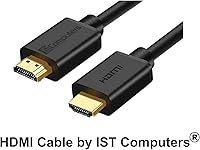
  • The bundled HDMI cable is a small but thoughtful addition for buyers setting up a new workstation.

Cons

  • The 220-nit TN panel is noticeably dim in bright rooms and lacks the color accuracy needed for media work.
  • Real-world battery life falls short of marketing claims — plan on keeping the charger within reach.
  • Some buyers report receiving a unit without keyboard backlighting despite listing language that suggests otherwise.
  • Thermal throttling under sustained CPU loads has been reported, which limits performance during longer intensive tasks.
  • The 10th Gen platform dates to 2020, putting it behind current-generation chips in both performance and power efficiency.
  • Intel UHD 620 integrated graphics cannot handle GPU-intensive workloads such as video editing or 3D rendering.
  • 802.11ac Wi-Fi lacks Wi-Fi 6 support, which may be a drawback in dense or high-demand wireless environments.
  • The 1.2MP webcam produces mediocre image quality — a noticeable limitation for users on frequent video calls.

Ratings

The Lenovo ThinkPad E15 15.6″ Business Laptop scores below were produced by our AI review engine after analyzing thousands of verified buyer reviews from global markets, with spam, bot submissions, and incentivized feedback actively identified and removed. The resulting ratings reflect a balanced, data-driven picture of both where this machine earns genuine praise and where it consistently frustrates real users. Every score and explanation is here to help you make a fully informed decision, with no promotional spin applied.

Build Quality
84%
ThinkPad's reputation for durability carries real weight here, and buyers consistently back it up. The chassis feels rigid with minimal lid and deck flex, and the keyboard draws frequent praise for its tactile response, making it noticeably more comfortable during extended writing and data-entry sessions than most competitors at this price point.
While the build holds up well in daily use, some buyers feel the all-plastic construction lacks the premium feel of magnesium-alloy chassis found on competing business laptops. The hinge mechanism, though functional, has drawn occasional comments about feeling less refined than expected for a machine marketed at professional users.
Display Quality
51%
49%
The 1920x1080 resolution is sharp enough for reading documents, spreadsheets, and web content at a normal viewing distance. The anti-glare coating does a reasonable job of reducing reflections under controlled indoor lighting, and the generous 15.6-inch screen size gives users ample visual workspace when juggling multiple windows simultaneously.
At 220 nits, the TN panel is genuinely dim in bright rooms or near windows, making comfortable extended use difficult in many real-world environments. Color accuracy and off-axis viewing angles are also limited — a well-known TN weakness — meaning content looks visibly washed out when the display is not viewed straight on.
Performance
76%
24%
For the workloads most business users run daily — Office apps, browser-heavy sessions, Zoom calls, and light data processing — the i5-10210U delivers a reliably responsive experience. Users upgrading from older Core i3 or 7th Gen i5 systems consistently report a meaningful and immediately noticeable improvement in everyday task responsiveness.
The 10th Gen platform is showing its age against current-generation alternatives, and the processor throttles noticeably under sustained heavy workloads such as large file exports or prolonged multitasking bursts. Buyers expecting consistent peak-clock performance during intensive tasks will occasionally encounter frustrating slowdowns that break their workflow rhythm.
RAM & Multitasking
88%
Shipping with 16GB of DDR4 out of the box is a genuine advantage at this price tier. Remote workers who habitually keep twenty-plus browser tabs open alongside communication apps and multiple documents report the system handles the load without slowing down or triggering the memory pressure warnings common on 8GB configurations.
While 16GB covers the vast majority of business use cases today, the DDR4 memory type and speed are not the latest available, and future-proofing for heavier workloads may require an upgrade sooner than buyers of newer platforms would need. RAM expandability also varies by configuration and should be confirmed with Lenovo before assuming additional slots are accessible.
Storage Speed
83%
The PCIe NVMe M.2 SSD makes a tangible real-world difference that users notice from day one. Boot times are quick, applications launch without the drag typical of older SATA drives, and large file transfers feel genuinely snappy — something buyers upgrading from budget laptops with spinning hard drives call out as one of the most immediately appreciated improvements.
While the NVMe SSD is fast relative to older storage technologies, sustained write speeds under heavy data loads can dip compared to higher-performance drives in the same category. The 512GB capacity is adequate for typical business use but fills up faster than expected for users who store large local media libraries or maintain local backups.
Battery Life
47%
53%
Under genuinely light workloads — reading documents in a single app or attending the occasional short video call — some users manage to get through a reasonable chunk of the morning before needing to plug in. The USB-C charging option adds at least some flexibility around where and how users top up the battery during the day.
Battery life is the single most consistently flagged complaint across global buyer reviews. Under mixed real-world workloads — video calls, browser tabs, and document editing running simultaneously — most users report four to six hours before the laptop needs charging, which is underwhelming for a professional machine. Carrying the charger becomes a daily necessity rather than an occasional precaution.
Port Selection
87%
The port layout is one of this machine's strongest practical selling points. USB-C with DisplayPort, dual USB-A 3.1 ports, HDMI, and a physical RJ-45 Ethernet jack mean most users can configure a complete desk workstation without reaching for a hub or adapter, and IT professionals particularly value the wired Ethernet port for stable, secure network connectivity.
The HDMI port is limited to version 1.4b, which caps 4K output at 30Hz — a real frustration for users who want smooth high-resolution external display performance and expected better from a business-focused machine. The single USB 2.0 port also feels like a leftover from an older design generation and is significantly slower than the USB 3.1 ports beside it.
Keyboard Comfort
79%
21%
The typing experience is a consistent highlight in buyer feedback across markets. ThinkPad keyboards are widely recognized for their key travel and tactile response, and this model lives up to that standard — writers and data-entry users report noticeably less fatigue during long sessions compared to the shallower keyboards found on many similarly priced consumer laptops.
The most significant recurring complaint involves the backlighting discrepancy: some listing variations describe a backlit keyboard, but multiple buyers worldwide received units without any backlighting at all, creating genuine frustration for those who work in dim environments or travel frequently. The trackpad also draws occasional criticism for being less precise than alternatives in competing business laptops.
Value for Money
73%
27%
For buyers focused on specs per dollar, the combination of 16GB RAM, a PCIe NVMe SSD, and Windows 11 Pro pre-installed at this price tier is genuinely competitive. Most users feel the overall package — particularly the ThinkPad build quality and business-ready port selection — represents fair value compared to consumer-oriented laptops in the same bracket.
The 2020 hardware generation is the central value concern. Buyers comparing this against current-generation mid-range laptops will find newer platforms offering better power efficiency, longer battery life, and improved integrated graphics at comparable or lower street prices. The value case holds primarily for buyers who specifically need Windows Pro and ThinkPad reliability rather than the latest silicon.
Thermal Management
58%
42%
Under light to moderate workloads — the kind most office workers sustain throughout a standard day — the laptop stays quiet and surface temperatures remain comfortable. For spreadsheet work, video calls, and standard document editing, the cooling system is adequate and the fan is rarely heard, which keeps the working environment unobtrusive.
Sustained heavier workloads expose the limits of the thermal design clearly. Multiple buyers report the processor throttles back noticeably during extended tasks like compiling code or processing large file batches, resulting in slower-than-expected throughput. Fan noise also increases meaningfully under load, becoming disruptive in quiet office or library settings where others are working nearby.
Wireless Connectivity
62%
38%
802.11ac Wi-Fi handles the majority of home and small office network environments without problems. Most users working from standard dual-band routers report stable connections and adequate throughput for video calls, cloud syncing, and general business browsing throughout a typical workday without needing to fall back on wired Ethernet.
The absence of Wi-Fi 6 (802.11ax) is a tangible limitation for users on congested networks or those who have already upgraded their home or office routers to take advantage of newer wireless standards. Bluetooth version details are notably vague in the listing, which frustrates buyers who rely heavily on wireless peripherals and need to confirm compatibility before purchasing.
Webcam Quality
44%
56%
The webcam is positioned conveniently above the display and handles basic video call scenarios adequately in well-lit indoor conditions. For a quick internal Teams or Zoom check-in from a bright home office, it produces an image that is recognizable and functional without requiring any additional setup, drivers, or software adjustments.
At 1.2MP, the webcam produces noticeably soft and grainy video in anything less than ideal lighting, and it lacks autofocus or noise-reduction capabilities that have become standard on dedicated webcams and many competing laptops. Users who are regularly on camera for client-facing calls or remote presentations frequently end up purchasing a separate external webcam to fill the gap.
Software & OS
86%
Windows 11 Pro pre-installed is a meaningful inclusion that business buyers and SMB teams genuinely appreciate. Features like BitLocker drive encryption, Remote Desktop Protocol support, and domain join capabilities make this laptop immediately deployable in IT-managed environments without any additional licensing costs, activation steps, or software procurement delays.
Some users report the initial setup experience includes a cluster of Lenovo-installed utilities and bloatware that slow down the out-of-box experience and require manual removal before the system feels clean. Occasional compatibility concerns with legacy enterprise software have also been flagged by users in more traditional IT environments running older internal tools.
Portability
71%
29%
At under an inch thick and with a relatively lean profile for its screen class, this ThinkPad E15 fits comfortably into most standard laptop bags and backpacks without issue. The large 15.6-inch display is a genuine productivity advantage for users who work primarily from a desk, home office, or fixed location throughout their day.
The 15.6-inch footprint is simply large for commuters or frequent travelers who need to work in tight spaces like train seats, coffee shop tables, or economy airline tray tables. The weight listed in the product description is clearly a data error, but the real-world carry weight of this class of business laptop does add up noticeably on longer travel days.

Suitable for:

The Lenovo ThinkPad E15 15.6″ Business Laptop is a strong pick for professionals and small business owners who need a dependable Windows Pro machine for everyday office work without spending premium-laptop money. Remote workers who spend their days in spreadsheets, video calls, and browser-heavy workflows will find the 16GB of RAM and PCIe NVMe SSD more than adequate for their daily routine. IT administrators will appreciate the wired RJ-45 Ethernet port, Windows 11 Pro compatibility for domain joining and Group Policy management, and a port layout that covers most desk setup needs without a hub. Students in business, engineering, or computing programs who want multitasking headroom from day one — without needing to upgrade RAM immediately — will also land well here. If you are coming from an older Core i3 or a 7th Gen i5 system, the performance jump is meaningful and noticeable in real daily use.

Not suitable for:

The Lenovo ThinkPad E15 15.6″ Business Laptop is a poor fit for anyone whose work pushes beyond what integrated graphics can deliver. Video editors, 3D designers, and anyone running GPU-accelerated software will hit a hard ceiling with the Intel UHD 620 quickly and frustratingly. The 220-nit TN display is a genuine concern for users who work near windows or in brightly lit environments — it is simply not bright or color-accurate enough for media professionals or anyone who depends on display fidelity. Battery life is another limiting factor; buyers who need reliable all-day unplugged performance should manage expectations carefully, as real-world runtime consistently falls short of marketing language. Finally, if keyboard backlighting is non-negotiable for you — whether you work in dim settings or simply prefer it — be aware that despite some listing ambiguity, the keyboard on this unit is non-backlit.

Specifications

  • Processor: Intel Core i5-10210U quad-core processor with 8 threads, a 1.6GHz base clock, and a turbo boost speed of up to 4.2GHz, paired with 6MB of L3 cache.
  • Memory: 16GB of DDR4 SDRAM provides ample headroom for multitasking, browser-heavy workflows, and standard business applications without requiring an immediate upgrade.
  • Storage: 512GB PCIe NVMe M.2 SSD delivers meaningfully faster boot times and file access speeds compared to traditional SATA-based hard drives.
  • Display: 15.6-inch FHD (1920x1080) TN anti-glare panel with a brightness rating of 220 nits, suitable for indoor use but limited in brightly lit environments.
  • Graphics: Intel UHD Graphics 620 integrated GPU handles standard display output and basic visual tasks, with no discrete graphics card included.
  • Operating System: Windows 11 Pro 64-bit comes pre-installed, supporting business features such as BitLocker encryption, Remote Desktop, and domain join.
  • Ports: Port layout includes 1x USB-C 3.1 Gen1 with Power Delivery and DisplayPort, 2x USB-A 3.1 Gen1, 1x USB-A 2.0, 1x HDMI 1.4b, and 1x RJ-45 Ethernet.
  • Wireless: 802.11ac (Wi-Fi 5) wireless networking is built in, covering standard dual-band network environments.
  • Webcam: An integrated 1.2MP fixed-focus webcam is positioned above the display for video conferencing and basic video calls.
  • Dimensions: The chassis measures 14.48 x 9.64 x 0.74 inches, reflecting a standard footprint for a 15.6-inch class business laptop.
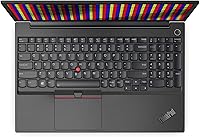
  • Keyboard: The keyboard is non-backlit per the product description, featuring the traditional ThinkPad key layout with dedicated function row.
  • Monitor Output: External display support extends up to 4K (3840x2160) resolution via the USB-C (DisplayPort) or HDMI 1.4b port.
  • Warranty: A one-year manufacturer warranty is provided directly by Lenovo, covering hardware defects under standard terms.
  • Power: The laptop is powered by a built-in Lithium Ion battery and also supports charging via the USB-C port using a compatible Power Delivery adapter.

Related Reviews
Lenovo V15 Gen 4 Business Laptop, 15.6″, AMD Ryzen 7 7730U, 40GB RAM, 1TB SSD
83%
91%
Performance
88%
Value for Money
90%
Build Quality and Durability
78%
Battery Life
85%
Display Quality
More
Lenovo V15 G2 15.6″ Business Laptop
66%
81%
Value for Money
52%
Performance
47%
Display Quality
74%
Build Quality
77%
Keyboard & Typing Experience
More
BOPAI Expandable Anti-Theft 15.6-inch Laptop Backpack
76%
83%
Build Quality
88%
Organization & Layout
81%
Expandability
79%
Anti-Theft Design
63%
Comfort & Ergonomics
More
Lenovo Yoga 15.6″ Core i5 256GB Laptop
75%
86%
Display Quality
83%
Touchscreen Responsiveness
81%
Build Quality
74%
Performance & Speed
61%
RAM Adequacy
More
Lenovo IdeaPad 1 Gen 7 15.6″ Laptop
72%
91%
Value for Money
78%
Multitasking Performance
88%
Storage & Speed
67%
Display Quality
63%
Touchscreen Usability
More
Lenovo Ideapad 3 Laptop, 15.6″, Intel Core i3, 12GB RAM, 256GB SSD
84%
92%
Value for Money
85%
Performance for Everyday Tasks
90%
Portability and Weight
75%
Display Quality
80%
Battery Life
More
HP 15-DY5033DX 15.6″ Laptop (16GB, 1TB)
83%
96%
Software Value
93%
Storage Capacity
88%
Portability & Weight
84%
Multitasking Performance
67%
Display Quality
More
Lenovo S145 15.6″ Laptop
64%
78%
Value for Money
54%
Processing Performance
47%
RAM & Multitasking
74%
Storage Capacity
41%
Boot & Load Speed
More
Lenovo IdeaPad 15.6-inch Laptop, 12GB RAM, 512GB SSD, Intel Celeron N4500
82%
92%
Value for Money
89%
Battery Life
75%
Display Quality
85%
Performance for Basic Tasks
88%
Portability
More
Lenovo ThinkPad E16 Business Laptop, Intel Core i5-1335U, 16GB RAM, 512GB SSD
83%
88%
Performance
80%
Battery Life
90%
Build Quality
85%
Display Quality
70%
Portability
More

FAQ

The Lenovo ThinkPad E15 15.6″ Business Laptop ships with Windows 11 Pro 64-bit pre-installed, so there is no separate license to purchase. This makes it genuinely useful for small business buyers and IT teams who need Pro-tier features like BitLocker, Remote Desktop, and domain join right out of the box.

This is one of the more confusing aspects of this listing, and it is worth being upfront about it. The product description states the keyboard is non-backlit, but some listing variations mention backlighting as a feature. Multiple buyers have reported receiving units without a backlit keyboard, so it is safest to assume non-backlit and confirm with the seller before purchasing if backlighting matters to you.

The SSD is accessible and can be swapped out, though the listing notes the chassis should be opened for upgrades only, which may affect your warranty coverage. On the RAM side, this generation of ThinkPad E15 has at least one upgradeable DIMM slot in many configurations, but it is worth checking with Lenovo support before assuming expandability. Since 16GB is already included, most users will not need to touch it anytime soon.

It is adequate for indoor office tasks but nothing more. The 15.6-inch FHD TN panel at 220 nits looks fine for documents, spreadsheets, and video calls in a controlled environment, but it struggles near windows or under strong overhead lighting. Color accuracy is also limited compared to IPS panels, so anyone doing photo editing or design work will find it falls short.

Yes, the E15 business laptop supports external displays up to 4K (3840x2160) through either the USB-C port, which carries a DisplayPort signal, or the HDMI 1.4b port. One thing to keep in mind: HDMI 1.4b caps out at 4K at 30Hz, so if smooth high-resolution output matters to you, routing through USB-C is the better option.

For the vast majority of remote work scenarios, this ThinkPad E15 holds up well. The quad-core i5-10210U with 16GB of RAM means you can run video calls, a handful of Office documents, and multiple browser tabs simultaneously without things grinding to a halt. It is not built for creative or computational heavy lifting, but for typical day-to-day remote work it is more than capable.

Real-world battery life is one of the weaker points here, and buyer feedback reflects this consistently. Despite optimistic marketing figures, most users report getting somewhere in the 4 to 6 hour range under mixed use before needing to plug back in. If you are on video calls and working in a browser all day, plan on keeping the charger accessible.

It has a built-in RJ-45 Ethernet port, no dongle required. This is one of the genuinely practical advantages of Lenovo's E15 over a lot of consumer-oriented laptops at this size and price, and it matters a great deal in office environments, IT-managed networks, or anywhere that wired connectivity is preferred for stability and security.

Comfortably, yes. The i5-10210U is not the newest platform around, but it handles Microsoft 365, Teams video calls, Outlook, and standard business software without noticeable sluggishness under normal workloads. Where you might feel the age of the hardware is in more demanding tasks like running multiple virtual machines, processing large datasets, or compiling code — but for everyday business use, it keeps pace well.

That depends on what you are paying and what you need it to do. The i5-10210U platform is behind current-generation chips in efficiency and raw performance, and it lacks the AI-accelerated features found in newer processors. That said, for standard business productivity tasks the real-world performance gap is not dramatic, and if the pricing reflects the hardware generation honestly, this ThinkPad E15 can still offer solid value for buyers who prioritize build quality, port variety, and Windows Pro over cutting-edge specs.