

Overview
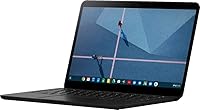
The Google Pixelbook Go 13.3″ Chromebook is built for people who want a capable daily driver without lugging around a heavy bag. At barely 1kg and just 13mm thin, it genuinely disappears into a backpack. That physical lightness is backed by a fanless, silent design that stays cool on your lap — no fan noise, no heat discomfort. One thing worth stating upfront: Chrome OS is not Windows or macOS. If your workflow depends on specific desktop software, this isn't your machine. But if you live in a browser and Google's ecosystem, portability and battery life are where this Chromebook earns its keep.
Features & Benefits
The Intel Core m3-8100Y processor won't win benchmarks against a modern Windows ultrabook, but for tabs, docs, and video calls, it handles things without hesitation. The 12-hour battery life is the real headline here — and the fast-charge capability, roughly two hours of use from a 20-minute top-up, makes forgetting your charger far less stressful. The backlit Hush Keys keyboard is noticeably quieter than typical laptop keyboards, which matters in shared spaces. A 13.3-inch 1080p touchscreen and dual stereo speakers make casual video watching genuinely enjoyable. Security runs quietly in the background via the Titan C chip and automatic OS updates — nothing you need to actively manage.
Best For
The Pixelbook Go is a natural fit for students who live inside Google Workspace — Docs, Sheets, Meet, and Drive cover most of what they need, and all-day battery life means one charge carries them through lectures, libraries, and commutes. Remote workers who bounce between coffee shops and co-working spaces will appreciate how fast it wakes and how little it weighs. It also suits home users who mainly stream, browse, and video chat. Where it falls short: anyone relying on professional creative apps, offline tools, or anything Windows-only will hit a wall fast. Chrome OS is a commitment, not a Windows replacement.
User Feedback
Owners of Google's lightweight laptop tend to land in one of two camps. Those who understand Chrome OS going in love the keyboard comfort and how reliably the battery delivers through a full day — both earn consistent praise. The build feels solid, though a few buyers note the hinge could be stiffer. Screen brightness gets mixed marks; indoors it performs fine, but direct sunlight is a struggle. The sharper frustration comes from users who expected a full laptop experience and found app compatibility limiting. On value, opinion splits on whether the Google name justifies the premium over lesser-known competing Chromebooks at similar price points.
Pros
- All-day battery life holds up in real-world use, not just in ideal lab conditions.
- The fast-charge feature delivers meaningful use time from a short plug-in — practical for busy days.
- At roughly 1kg, the Pixelbook Go is among the lightest machines in its class.
- The backlit Hush Keys keyboard is noticeably quieter than most laptop keyboards — a real plus in shared spaces.
- Chrome OS updates and security run automatically, so there is nothing to configure or babysit.
- The 13.3-inch 1080p touchscreen produces a sharp, clear image well-suited to documents and video calls.
- Fanless design means the chassis stays cool and silent even during extended use on your lap.
- Startup time is nearly instant — no waiting around while the system boots up.
- The Titan C security chip provides hardware-level protection that budget Chromebooks typically skip.
Cons
- Chrome OS app compatibility is a genuine barrier — many professional and creative tools simply do not exist on this platform.
- 802.11n Wi-Fi is an older wireless standard; buyers in Wi-Fi 6 households may notice the limitation.
- Outdoor screen visibility in direct sunlight is a recurring complaint among owners.
- Only two ports total — one USB-A and one USB-C — which can feel restrictive for desk setups.
- 64GB of onboard storage fills up faster than expected if you store media or work offline.
- The hinge has been noted by some users as less rigid than expected for a laptop at this price point.
- Value perception is mixed — competing Chromebooks offer similar specs for less from less-recognized brands.
- The Intel Core m3-8100Y is an aging processor by current standards, which may affect longevity.
- No cellular or LTE option means you are entirely dependent on Wi-Fi connectivity when out of the office.
Ratings
The Google Pixelbook Go 13.3″ Chromebook scores below are generated by AI after analyzing thousands of verified global user reviews, with spam, bot activity, and incentivized feedback actively filtered out. Both the strengths that keep buyers satisfied and the friction points that generate complaints are reflected honestly in every category. The result is a transparent, balanced picture of where this Chromebook genuinely delivers and where it falls short.
Battery Life
Portability
Keyboard & Typing
Display Quality
Performance
Build Quality
Value for Money
Audio Quality
Touchpad
Software & OS Experience
Connectivity & Ports
Security
Screen Size & Usability
Setup & Ease of Use
Suitable for:
The Google Pixelbook Go 13.3″ Chromebook is a strong match for anyone whose daily computing revolves around a browser and Google's ecosystem. Students juggling Google Docs, Slides, and Meet across long campus days will appreciate a machine that holds its charge through an entire schedule without hunting for an outlet. Remote workers and commuters who have grown tired of hauling heavy laptops will find the sub-1kg weight a genuine quality-of-life upgrade — it barely registers in a bag. Families looking for a shared home device for browsing, streaming, and video calls get a low-maintenance machine that handles security and updates automatically, without requiring much technical know-how. Anyone who values a quiet working environment — libraries, open-plan offices, shared apartments — will also benefit from the silent, fanless design that never interrupts with fan noise or heat.
Not suitable for:
The Google Pixelbook Go 13.3″ Chromebook is the wrong tool for buyers who need a traditional desktop software experience. If your work depends on the full Microsoft Office suite installed locally, Adobe Creative Cloud, or any industry-specific Windows or macOS application, Chrome OS will stop you in your tracks — there are no workarounds that fully bridge that gap. Gamers will find the integrated Intel graphics completely inadequate for anything beyond light browser-based titles. Power users who need significant offline capability — those who travel to areas with spotty connectivity and rely on robust local apps — will find the 64GB of storage limiting and the OS constraining. Developers who need local environments beyond basic Linux tools may also find the experience frustrating compared to a full-featured laptop.
Specifications
- Display: The 13.3″ touchscreen delivers a 1920x1080 pixel resolution, providing a sharp and clear image suitable for everyday productivity and media viewing.
- Processor: An 8th Gen Intel Core m3-8100Y running at 1.1GHz handles browser-based multitasking and cloud workflows without noticeable lag.
- RAM: 8GB of DDR4 SDRAM keeps multiple browser tabs and web applications running smoothly without slowdowns under typical use conditions.
- Storage: A 64GB SSD provides fast file access and quick boot times, though available space fills up faster if you store media locally.
- Operating System: Chrome OS comes pre-installed and updates automatically in the background, requiring no manual maintenance or separate antivirus software purchases.
- Battery Life: Google rates battery life at up to 12 hours on a single charge, making it a viable all-day companion for students and commuters.
- Fast Charge: A 20-minute charge via USB-C delivers approximately 2 hours of additional use, reducing dependency on always having a charger nearby.
- Weight: The chassis weighs approximately 1kg (2.3 lbs), placing it among the lighter options in the 13-inch laptop category.
- Dimensions: At 12.25 x 8.12 x 0.57 inches (312 x 206 x 13mm), the slim profile slides easily into most slim laptop sleeves and backpacks.
- Keyboard: The backlit keyboard features Hush Keys technology, producing noticeably quieter keystrokes compared to standard laptop keyboards.
- Security: A dedicated Titan C security chip provides hardware-level data protection, complementing Chrome OS's built-in software security architecture.
- Ports: Connectivity includes one USB-A port and one USB-C port, covering basic peripheral and charging needs with minimal flexibility for power users.
- Wireless: Wi-Fi connectivity uses the 802.11n standard, which is compatible with most home and office routers but does not support Wi-Fi 6.
- Audio: Dual stereo speakers are built into the chassis, delivering better-than-average sound quality for a laptop in this size class.
- Cooling: The fanless design eliminates active cooling entirely, keeping the machine silent during use and preventing heat buildup during lap use.
- Graphics: Integrated Intel graphics handle everyday display rendering, video playback, and video calling but are not suitable for gaming or GPU-intensive work.
- Touchpad: A spacious, responsive touchpad supports light-touch input and multitouch gestures without requiring firm pressure for accurate tracking.
- Chipset: The Intel integrated chipset supports the Core m3-8100Y processor and handles all graphics output with no dedicated GPU present.
Related Reviews
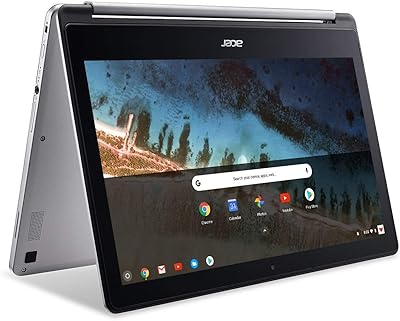
Acer Chromebook R 13 Convertible CB5-312T-K40U, 13.3-inch, 64GB eMMC, 4GB RAM
Insta360 GO 3 64GB Mini Action Camera
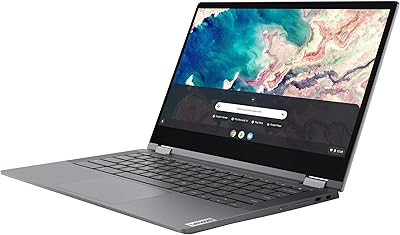
Lenovo Chromebook Flex 5 13″ i3 64GB
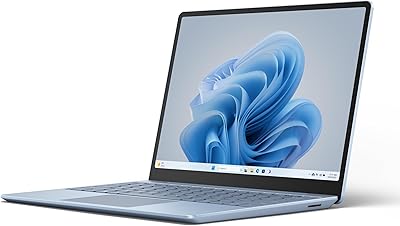
Microsoft Surface Laptop Go 3 Notebook
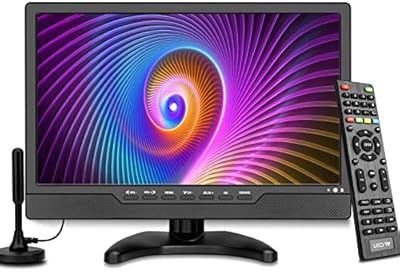
OAKCHA 13.3-Inch Portable Battery TV
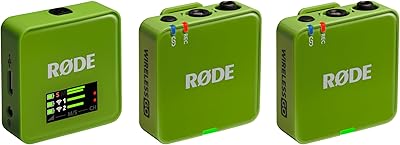
RØDE Wireless GO Gen 3
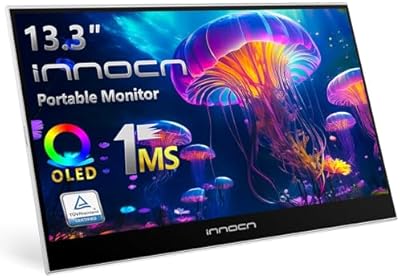
INNOCN 13K1F 13.3″ OLED Portable Monitor
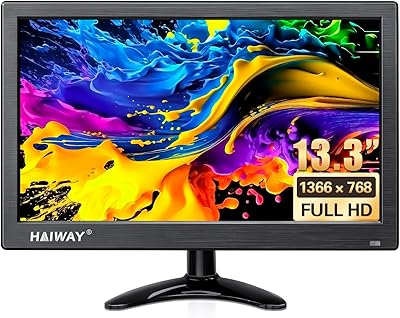
Haiway 13.3-inch Security Monitor
Samsung Galaxy Chromebook Go 14-inch 128GB Laptop