Overview

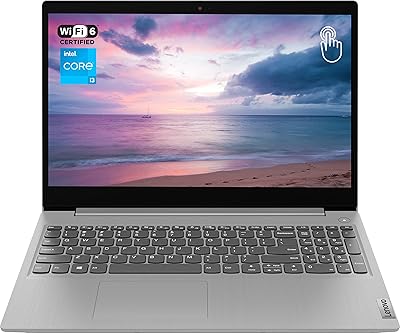
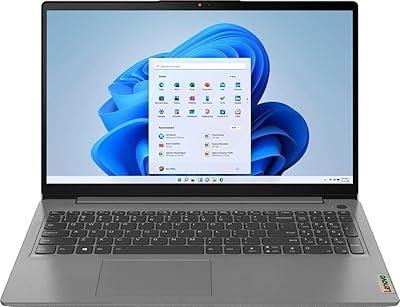
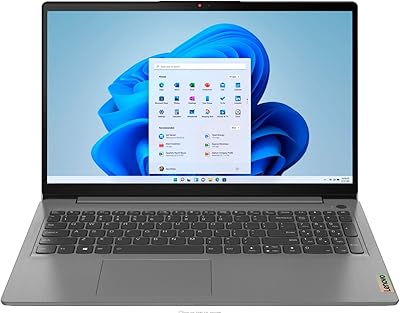
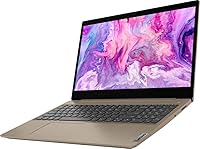
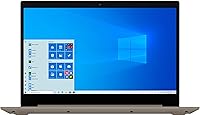
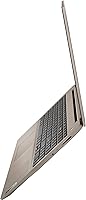
The Lenovo IdeaPad 3 15″ Touch Laptop sits firmly in the budget-friendly tier, designed for students and everyday home users who need a dependable machine without spending a fortune. The IdeaPad 3 line has earned a solid reputation as an entry-level workhorse — reliable, widely available, and backed by a brand most buyers already trust. The 15.6-inch touchscreen is a genuine perk at this price point; most comparable machines skip touch entirely. That said, set expectations accordingly — this is built for productivity like browsing, writing, and video calls, not heavy multitasking or creative work. One critical note: it ships with Windows 10 S mode, which limits app installs to the Microsoft Store only, something many buyers don't realize until after unboxing.

Features & Benefits

The Intel Core i3-1005G1 processor handles daily tasks reliably — web browsing, document editing, and streaming video without frustrating lag. Paired with 8GB of DDR4 RAM, this budget Lenovo manages multiple browser tabs and apps simultaneously with reasonable ease, which is more than you can say for many machines at this price. The 256GB PCIe SSD is arguably the most impactful spec here; boot times are fast, and everyday file access feels snappy compared to older HDD-based laptops. The built-in webcam and microphone combo is adequate for Zoom classes or remote meetings, though don't expect crisp 1080p clarity. WiFi 5 and Bluetooth round out a connectivity package that covers everything most users need day-to-day.

Best For

This touch-screen laptop makes the most sense for students and remote learners who spend their days in Google Docs, online portals, and video conferencing tools. It's also a natural fit for home users who browse, stream, and occasionally manage spreadsheets — people who don't need raw processing power, just something reliable that starts fast and doesn't overheat on the couch. First-time laptop buyers will appreciate the Lenovo brand familiarity and a straightforward out-of-box setup experience. The touchscreen adds a layer of casual usability that feels intuitive without any real learning curve. If you're a video editor, gamer, or developer, though, look elsewhere — this machine knows exactly what it is.

User Feedback

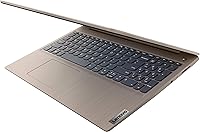
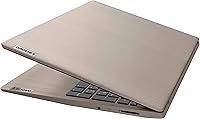
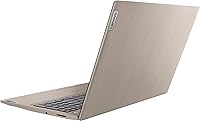
Buyers tend to appreciate the keyboard comfort and battery life on this Lenovo IdeaPad 3, with many noting it holds up well through a full school or workday. The almond finish draws praise for looking fresh and distinctive, though some owners mention it attracts fingerprints more readily than expected. Build quality earns consistent approval for the price bracket. On the downside, the display resolution draws repeated criticism — 1366x768 feels noticeably soft to anyone accustomed to a sharper screen. Windows 10 S mode is another recurring sticking point; buyers frequently discover post-purchase that installing everyday apps like Chrome requires switching out of S mode entirely, which caught many off guard.

Pros

  • The PCIe SSD makes boot times and everyday file access noticeably faster than older HDD-based budget laptops.
  • 8GB of RAM handles multitasking well for the price tier — juggling browser tabs and a video call is no problem.
  • A touchscreen at this price point is a genuine rarity and adds convenient, intuitive navigation for casual use.
  • The IdeaPad 3 line has a strong reputation for reliability, and Lenovo's brand backing adds peace of mind.
  • At roughly 4 pounds, this touch-screen laptop is light enough to carry between classes or rooms without hassle.
  • The built-in webcam and microphone combo is adequate for Zoom, Google Meet, and remote learning sessions.
  • WiFi 5 support means stable, modern wireless performance in homes and campus environments alike.
  • The almond color finish looks fresh and distinctive compared to the typical grey or black budget laptop crowd.
  • HDMI output makes it easy to connect to an external monitor or TV when a larger screen is needed.
  • The keyboard receives consistent praise from everyday users for its comfortable feel during extended typing sessions.

Cons

  • The 1366x768 screen resolution looks soft and dated — anyone used to a full HD display will notice the difference immediately.
  • Windows 10 S mode restricts app installs to the Microsoft Store only, which surprises and frustrates many buyers post-purchase.
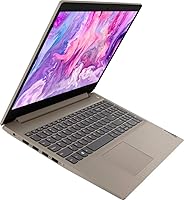
  • Only two USB 2.0 ports is a tight selection — no USB 3.0 means slower transfer speeds for external drives.
  • The Intel UHD integrated graphics cannot handle modern games or GPU-accelerated creative software in any meaningful way.
  • The i3-1005G1 processor shows its limits when running multiple demanding applications or browser-heavy workflows simultaneously.
  • The almond finish, while attractive, is a fingerprint magnet and requires regular wiping to stay looking clean.
  • 256GB of storage fills up faster than expected once apps, downloads, and media accumulate over time.
  • No USB-C port limits future-proofing and rules out faster charging or modern display connectivity options.
  • The 720p webcam produces acceptable but not great video quality — lighting conditions make a noticeable difference.
  • Some buyers report the speakers are tinny and low-volume, making media consumption less enjoyable without headphones.

Ratings

The ratings below for the Lenovo IdeaPad 3 15″ Touch Laptop were generated by our AI system after analyzing thousands of verified purchase reviews collected globally, with spam, bot-submitted, and incentivized feedback actively filtered out. Scores reflect the full spectrum of real buyer experiences — from genuine praise to recurring frustrations — so you get an honest picture of where this budget Lenovo truly delivers and where it falls short.

Value for Money
83%
For buyers on a tight budget, this touch-screen laptop punches above its weight — an SSD, 8GB of RAM, and a touchscreen in one package is genuinely hard to find at this price tier. Students and first-time buyers consistently note feeling like they got more than they paid for in terms of core usability.
A handful of buyers feel the value calculation shifts once they account for the display resolution and S mode restrictions, which require workarounds right out of the box. Those who needed to purchase accessories like a USB hub to compensate for the limited port selection felt the effective cost crept upward.
Performance
67%
33%
For the intended audience — students writing papers, home users browsing and streaming — the i3-1005G1 keeps things moving without noticeable stalling during typical sessions. Buyers who stay within its sweet spot of light multitasking report a smooth and predictable experience day to day.
Push it beyond its comfort zone — multiple heavy browser tabs, a video call running alongside downloads, or any media editing — and the dual-core processor starts to show its limits with lag and occasional slowdowns. Users who underestimated these constraints found themselves frustrated relatively quickly after purchase.
Display Quality
54%
46%
The 15.6-inch panel is a comfortable size for working at a desk or watching content from a normal viewing distance, and the touchscreen functionality adds genuine ease of use that most rivals at this price skip entirely. Casual users streaming shows or reading articles on websites generally find it acceptable.
The 1366x768 resolution is the single most criticized aspect of this laptop — text lacks sharpness, images look soft, and anyone accustomed to a full HD screen will notice the downgrade immediately. Several buyers specifically flagged the display as the biggest reason they would hesitate to recommend it to others.
Build Quality
76%
24%
For an entry-level machine, the chassis feels more solid than expected — the lid and keyboard deck do not flex excessively, and the overall construction gives a sense of durability that holds up well in student backpack use. Lenovo's reputation for reliable build consistency in this line comes through in buyer feedback.
The plastic construction, while sturdy, does creak slightly under pressure at the screen hinges according to some longer-term owners. A few buyers also noted that the almond finish, though attractive, showed wear and micro-scratches more visibly than darker finishes would over months of regular use.
Keyboard & Trackpad
79%
21%
The keyboard is one of the most consistently praised aspects of this budget Lenovo — key travel feels comfortable for extended typing sessions, and students who write lengthy assignments report significantly less fatigue than with competing budget models. The layout is sensible and easy to adapt to quickly.
The trackpad draws more mixed feedback — it works reliably for basic navigation but lacks the precision and responsiveness that users of premium laptops expect. Multi-finger gestures occasionally misfire, and a few buyers noted the surface felt slightly sticky after extended use in warm environments.
Storage Speed & Space
78%
22%
The PCIe SSD is a meaningful real-world upgrade over the HDD alternatives still common at this price — boot times are fast, apps open without the painful delays many budget laptop buyers have come to expect, and everyday file operations feel snappy. This single spec does a lot to make the machine feel more modern than its price suggests.
256GB fills up faster than most buyers anticipate once Windows updates, apps, downloads, and media accumulate over a few months of regular use. Users who did not set up cloud storage from the start frequently found themselves managing disk space as an ongoing chore.
RAM & Multitasking
74%
26%
8GB of DDR4 is a comfortable baseline for the target audience — keeping a video call open alongside a document and a few browser tabs does not cause the machine to buckle, which is genuinely useful for students in online-heavy study environments. Buyers coming from older 4GB machines especially notice and appreciate the difference.
Those who habitually run heavier workloads — many browser tabs open simultaneously, streaming while downloading large files, or running background software — will find the system starting to slow and stutter. RAM is not user-upgradeable in a straightforward way, making this a fixed constraint rather than a fixable one.
Battery Life
66%
34%
Battery life holds up reasonably well for shorter school sessions or home use stints — most buyers report getting through a typical half-day of light work comfortably without reaching for the charger. For commuting students with access to outlets at school, this is adequate.
A full workday unplugged is not realistic for most users — real-world battery duration clusters around 5 to 6 hours under mixed use, which falls short of expectations set by many competing budget laptops that advertise all-day battery. Buyers who needed to work long stretches without a power source expressed clear disappointment.
Touchscreen Usability
77%
23%
The touchscreen is responsive and adds a layer of casual interaction that buyers genuinely appreciate — tapping to scroll, pinching to zoom on maps, and navigating touch-friendly apps all work reliably without lag. At this price tier, having touch at all is unusual and earns consistent positive mentions.
The lower display resolution means touch targets on some desktop-oriented websites and older interfaces can feel cramped and imprecise. Additionally, finger smudges accumulate quickly on the glossy panel surface, which bothers users who care about display cleanliness during extended daily use.
Webcam & Audio
61%
39%
The built-in 720p webcam and microphone get the job done for video calls, remote classes, and basic video conferencing — most participants on the other end of a Zoom call report the image as clear and recognizable. For the target use case of online learning, it clears the minimum bar without needing external accessories.
In anything less than ideal lighting, the webcam image turns grainy and washed out noticeably fast. The built-in speakers are consistently described as thin and low-volume — fine for private listening at a desk but inadequate for sharing audio in a room or watching media without headphones.
Connectivity & Ports
55%
45%
WiFi 5 delivers stable, modern wireless performance in home and campus settings, and Bluetooth connectivity for pairing peripherals works without issues. The HDMI port is a practical addition that lets users connect to an external display or projector with no adapter needed.
Two USB 2.0 ports is a tight and dated selection — no USB 3.0 means slower transfer speeds for external drives, and no USB-C leaves the machine feeling behind the curve for a 2020 release. Users with more than one USB peripheral to connect simultaneously found the port count genuinely limiting.
Software & OS Experience
58%
42%
Windows 10 Home is a familiar and reliable operating system for most buyers, and the out-of-box setup process is relatively straightforward for first-time users. Those who discovered and switched out of S mode quickly found the software experience opened up considerably.
Windows 10 S mode is the most polarizing software issue — many buyers did not realize the restriction existed until they tried to install Chrome or another everyday app and hit a wall. Even after switching out of S mode, some buyers noted the system came with pre-installed bloatware that required time to clean up.
Portability
81%
19%
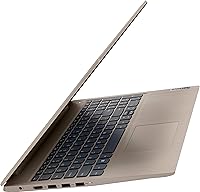
At roughly 4 pounds and just under an inch thin, this touch-screen laptop is easy to slide into a backpack without feeling burdensome — students who carry it between classes daily find the weight manageable for extended periods. The footprint is compact enough for most standard laptop sleeves and desk setups.
It is not the most portable machine in its class — some rival 15-inch budget laptops shave off another half pound, which matters after a long day of carrying. The charging brick adds additional weight to the carry load, which a few frequent commuters flagged as a minor but real inconvenience.
Design & Aesthetics
73%
27%
The almond color finish stands out positively in a sea of generic black and grey budget laptops — buyers frequently mention that it draws compliments and looks more premium than the price suggests. The clean, minimalist aesthetic aligns well with Lenovo's broader IdeaPad design language.
The light finish is a fingerprint magnet that requires regular wiping to maintain its fresh appearance, which bothers buyers who prefer a low-maintenance laptop exterior. Some users also noted that the almond tone showed minor discoloration around heavily touched areas like the palmrest after extended months of use.

Suitable for:

The Lenovo IdeaPad 3 15″ Touch Laptop is a strong match for students who need a dependable daily driver for classes, research, and video calls without breaking the bank. If your routine revolves around Google Docs, browser-based tools, streaming lectures, or light spreadsheet work, this touch-screen laptop delivers exactly what you need without unnecessary overhead. First-time laptop buyers will find the setup straightforward and the Lenovo name reassuring — it is a brand with an established track record in the entry-level space. Home users who want a shared family machine for browsing, email, and occasional document editing will also get solid value here. The touchscreen is a genuine convenience bonus for casual navigation, and the PCIe SSD means the machine feels responsive in everyday use rather than sluggish.

Not suitable for:

Buyers with more demanding needs should look elsewhere before committing to this budget Lenovo. The Lenovo IdeaPad 3 15″ Touch Laptop is not designed for video editing, graphic design, gaming, or any workload that demands sustained processing power or a sharp display. The 1366x768 resolution will feel noticeably soft to anyone accustomed to a full HD or higher screen — content creators and detail-oriented users in particular will find this frustrating daily. The dual USB 2.0 port selection is also limited for users who rely on multiple peripherals simultaneously. Additionally, buyers who want to install third-party software like Chrome, Spotify, or productivity apps outside the Microsoft Store must manually switch out of Windows 10 S mode first — an easy step, but one that trips up many users who were never warned about it.

Specifications

  • Display Size: The screen measures 15.6 inches diagonally with touchscreen support, making it a comfortable size for everyday work and media consumption.
  • Resolution: The panel runs at 1366x768 pixels (HD), which is functional for everyday tasks but falls short of the full HD clarity many modern users expect.
  • Processor: Powered by an Intel Core i3-1005G1 (10th Gen) dual-core processor with a 1.2GHz base clock, suitable for light productivity workloads.
  • RAM: Equipped with 8GB of DDR4 SDRAM running at 2666MHz, providing adequate headroom for everyday multitasking such as browsing and document editing.
  • Storage: Includes a 256GB PCIe solid-state drive, which offers faster read and write speeds compared to traditional hard disk drives.
  • Operating System: Ships with Windows 10 Home in S mode, which limits software installation to Microsoft Store apps unless the user manually switches out of S mode.
  • Graphics: Uses Intel UHD integrated graphics, which handles standard video playback and light image tasks but is not suitable for gaming or GPU-intensive applications.
  • Webcam: Features a built-in 720p HD webcam with an integrated microphone, adequate for video calls and online classes.
  • Wireless: Supports WiFi 5 (802.11ac) for modern wireless connectivity along with Bluetooth for pairing peripherals like headphones and mice.
  • Ports: Connectivity includes two USB 2.0 ports and one HDMI output for connecting an external display or projector.
  • Dimensions: The chassis measures 14.26 x 9.98 x 0.78 inches, keeping the footprint manageable for a 15-inch class laptop.
  • Weight: Weighs approximately 4 pounds, which is reasonable for daily carrying between classes or rooms in a home.
  • Color & Finish: Available in an Almond finish, a warm off-white tone that looks distinctive compared to typical grey or black budget laptops.
  • Battery: Powered by a built-in lithium metal battery pack; exact rated capacity is not officially disclosed in the product listing.
  • Model Number: The official model identifier is 81WE00KVUS, useful for verifying compatibility when sourcing accessories or replacement parts.

Related Reviews
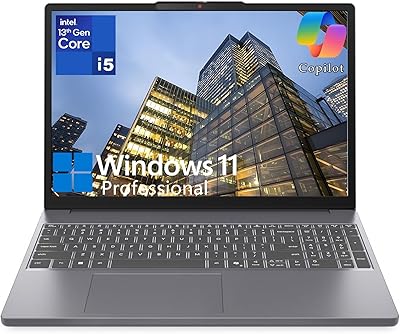
Lenovo IdeaPad Slim 3 15.3″ Laptop, Intel Core i5-13420H, 16GB RAM, 1TB SSD
85%
88%
Performance
81%
Display Quality
89%
Multitasking Capabilities
85%
Build Quality
77%
Battery Life
More
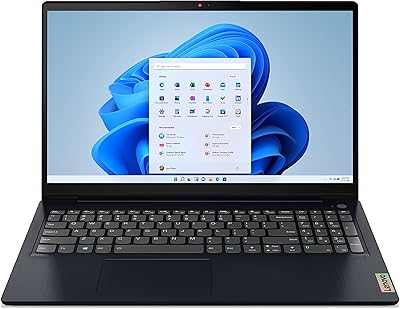
Lenovo Ideapad 3 Laptop, 15.6″, Intel Core i3, 12GB RAM, 256GB SSD
84%
92%
Value for Money
85%
Performance for Everyday Tasks
90%
Portability and Weight
75%
Display Quality
80%
Battery Life
More
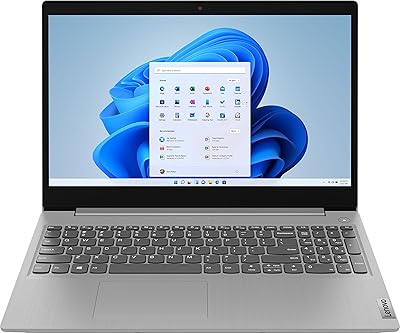
Lenovo IdeaPad 3 Laptop, 15.6″, Intel Core i3-1115G4, 16GB RAM, 512GB SSD
83%
84%
Performance
91%
Value for Money
85%
Display Quality
76%
Battery Life
80%
Build Quality
More
Lenovo IdeaPad 3 15.6-inch Laptop
70%
78%
Performance
74%
Display Quality
62%
Build Quality
57%
Battery Life
83%
Value for Money
More
Lenovo IdeaPad 3 15.6″ Laptop
70%
83%
Value for Money
67%
Performance
51%
Display Quality
54%
Battery Life
78%
Touchscreen
More
Lenovo IdeaPad 3 15.6″ Touch Laptop
71%
83%
Touchscreen Usability
76%
Performance & Speed
54%
Storage Adequacy
78%
Display Quality
69%
Battery Life
More
Lenovo IdeaPad Gaming 3 15.6″ FHD Laptop - Ryzen 5 6600H, RTX 3050, 8GB RAM, 256GB SSD
82%
91%
Value for Money
87%
Gaming Performance
74%
Battery Life
79%
Display Quality
82%
Build Quality
More
Lenovo Ideapad Slim 3 Laptop, AMD Ryzen 5 5625U, 16GB RAM, 2TB SSD, 15.6″ FHD, Windows 11 Pro
86%
92%
Value for Money
88%
Battery Life
85%
Display Quality
90%
Performance (General)
93%
Storage Capacity
More
Lenovo IdeaPad Slim 3 15 Laptop
74%
88%
Value for Money
83%
Performance
79%
Display Quality
86%
Build Quality
71%
Keyboard & Typing Experience
More
Lenovo IdeaPad Slim 3 15.6″ Ryzen 5 5625U 16GB 512GB
75%
88%
Processor Performance
91%
Value for Money
74%
Build Quality & Durability
67%
Display Quality
86%
RAM & Storage
More

FAQ

Yes, the Lenovo IdeaPad 3 15″ Touch Laptop ships with Windows 10 Home in S mode enabled out of the box. In practical terms, this means you can only install apps from the Microsoft Store — so browsers like Chrome, apps like Spotify, and most third-party software will not install until you switch out of S mode. The good news is that switching is free and takes only a few minutes through the Windows settings menu, and you only need to do it once.

Not directly while Windows 10 S mode is active — Chrome is not available through the Microsoft Store. You will need to exit S mode first, which is a one-way, free process done through Windows Settings. Once you have switched out, Chrome and virtually any other Windows-compatible browser or app will install normally.

For casual streaming it works fine — the 15.6-inch display is a comfortable size, and 1366x768 resolution looks acceptable at normal viewing distances. That said, if you are used to a full HD (1920x1080) screen, the difference in sharpness is noticeable, especially with text and detailed imagery. For binge-watching shows or YouTube, most users find it perfectly usable.

256GB is workable for everyday use, but it fills up faster than you might expect once Windows, system updates, apps, and personal files accumulate. Students who rely primarily on cloud storage like Google Drive or OneDrive will stretch it further. If you plan to store a large media library, many large games, or extensive video files locally, you may want to supplement with an external drive.

The touchscreen is a genuine convenience for casual navigation — scrolling web pages, tapping links, and pinching to zoom all work reliably. It is not a replacement for a stylus-driven creative workflow, and the 1366x768 resolution means touch targets on some older interfaces can feel slightly cramped. For students and home users, though, it adds a layer of ease that most budget laptops at this price simply do not offer.

Upgradeability on the IdeaPad 3 series varies by specific configuration, and Lenovo does not officially advertise this model as user-upgradeable. Some technically inclined users have successfully upgraded the RAM or swapped the SSD, but doing so typically voids any remaining warranty. If expandable storage is a priority from day one, plan around cloud storage or an external USB drive as the safer, warranty-friendly route.

Real-world battery life tends to land somewhere between 5 and 7 hours with typical use — browsing, document work, and occasional video streaming. Lenovo does not publish an official rated battery life figure for this specific model in the listing, so actual results vary based on screen brightness, WiFi use, and the apps running. It is not an all-day powerhouse, so keeping a charger accessible for longer work sessions is a good habit.

For most students, this budget Lenovo covers the essentials well — writing papers, attending virtual classes, researching online, and managing coursework apps. It is lightweight enough to carry around, the keyboard is comfortable for extended typing, and the SSD keeps things responsive. Students who need to run specialized software like heavy engineering tools, video editing suites, or development environments may find the i3 processor and integrated graphics limiting.

No, this touch-screen laptop does not include a built-in Ethernet port. Connectivity relies on WiFi 5 (802.11ac) for internet access, which is reliable for home and campus networks. If you need a wired connection — for example, in a dorm room or for more stable speeds — a USB to Ethernet adapter would work through one of the two USB 2.0 ports.

The almond finish is a warm, creamy off-white tone that looks more premium than the typical matte black budget laptop. Most owners find it refreshingly different and appealing. The downside is that it shows fingerprints and smudges more visibly than darker finishes, so you may find yourself wiping it down more often. A microfiber cloth handles that easily, though.