Overview

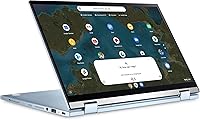
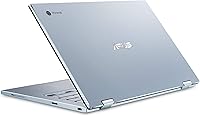
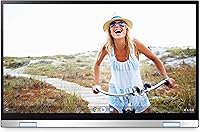
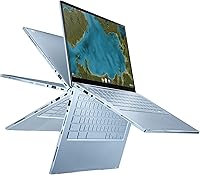
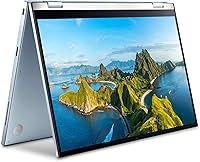
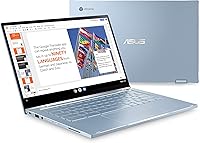
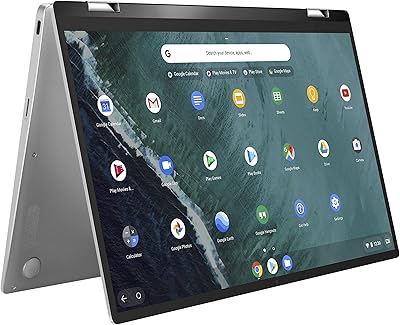
The ASUS Chromebook Flip C433 14″ 2-in-1 Laptop sits in a comfortable mid-range spot — practical enough for students and remote workers, without pretending to be something it's not. One of its most noticeable design wins is fitting a 14-inch NanoEdge display into a body closer to a 13-inch laptop, thanks to those slim 5mm bezels. The 360-degree hinge lets you flip between laptop, tent, stand, and tablet modes depending on what you're doing. Chrome OS keeps things fast, low-maintenance, and virus-resistant, but it does mean you're largely living in the cloud and the browser. If you're expecting a Windows replacement, recalibrate.
Features & Benefits

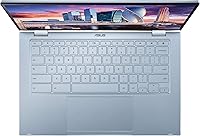
The 14-inch FHD touchscreen is genuinely sharp for everyday use — watching videos, annotating documents, or just scrolling through tabs all feel comfortable on that 1920×1080 panel. The Intel Core m3-8100Y handles multitasking and streaming without breaking a sweat, and the 8GB of RAM means you can keep a dozen browser tabs open without things slowing down. Storage is the honest caveat here: 64GB eMMC fills up faster than you'd expect, so leaning on Google Drive isn't optional, it's the plan. On the connectivity side, Wi-Fi 6 support is a nice touch, and the backlit keyboard makes late-night use far more practical.

Best For

This 2-in-1 Chromebook is a strong fit for students and remote workers who spend most of their day in Google Docs, Slides, and a browser full of research tabs. Anyone relying on web-based tools — think Google Workspace, Zoom, or Slack in the browser — will find the ASUS C433 handles that workload comfortably. The flip hinge also makes it a reasonable pick for anyone who occasionally wants tablet-mode convenience without carrying a separate device. It makes a solid secondary family device too. Where it falls short is for anyone needing local software, heavy creative apps, or a full Windows experience — that's simply not what this machine is designed for.

User Feedback

Buyers who use this Chromebook flip regularly tend to highlight display and keyboard quality as genuine standouts — the screen looks better than expected at this price range, and the keyboard has a satisfying feel for extended typing. Build quality earns consistent praise, with most users finding it solid and travel-worthy. The main friction points center on local storage limits and a handful of Android apps that don't always behave well. Battery life is generally reported as decent, though the full 10-hour claim depends on usage. A few buyers have raised questions about long-term OS support, which is worth checking before committing.

Pros

  • Sharp 14-inch FHD touchscreen looks noticeably better than similarly priced competitors.
  • The slim NanoEdge bezels give this Chromebook flip a premium feel that punches above its tier.
  • 8GB of RAM handles heavy browser multitasking without slowdowns or dropped tabs.
  • 360-degree hinge feels solid in practice and makes switching between modes genuinely useful.
  • Chrome OS boots fast, updates silently, and requires almost zero maintenance over time.
  • Backlit keyboard is comfortable for extended typing sessions, even in dim environments.
  • Wi-Fi 6 support keeps the ASUS C433 relevant as router hardware continues to improve.
  • At roughly 3.3 pounds, it travels light enough for a daily bag without feeling flimsy.
  • Built-in virus protection and Google account integration make setup and security straightforward.
  • Dual USB-C ports plus a USB-A port cover most everyday connectivity needs without adapters.

Cons

  • 64GB of local storage fills up fast and forces near-total reliance on cloud storage.
  • Chrome OS app ecosystem still has gaps — some Android apps run poorly or feel unpolished.
  • Intel HD Graphics 400 is not capable enough for any serious gaming or GPU-intensive tasks.
  • No optical drive and limited offline functionality can be frustrating in low-connectivity situations.
  • Long-term Chrome OS software support has an expiration date that buyers often overlook.
  • eMMC storage is noticeably slower than SSD alternatives available on competing devices.
  • Only one USB-A port limits older peripheral connections if both USB-C slots are in use.
  • Battery life varies considerably under real-world workloads and rarely matches the 10-hour claim.
  • Users migrating from Windows may face a learning curve adjusting to Chrome OS limitations.
  • No headphone jack placement or microSD slot, which limits local media and audio flexibility.

Ratings

The scores below for the ASUS Chromebook Flip C433 14″ 2-in-1 Laptop were generated by our AI engine after analyzing thousands of verified buyer reviews from global markets, with spam, bot-submitted, and incentivized feedback actively filtered out. Each category reflects the honest distribution of real user sentiment — strengths and frustrations weighted equally. Where buyers consistently praised something, the score climbs; where recurring pain points surfaced, the score reflects that too.
Display Quality
88%
Buyers consistently call out the FHD panel as a genuine highlight, especially for a mid-range Chromebook. The ultra-narrow bezels make the screen feel larger than it technically is, and colors come through clean and bright enough for streaming, video calls, and everyday productivity without eye strain.
A handful of users note that glare under direct sunlight or bright indoor lighting can be distracting, particularly in tablet mode. It also does not approach the color accuracy that creative users or photo editors would need.
Build Quality
84%
The chassis earns consistent praise for feeling solid and travel-worthy without being heavy. Students who carry it daily in a backpack report that it holds up well over months of regular use, and the hinge in particular draws positive comments for staying firm across all four modes.
It is not metal throughout, and some users detect flex in the keyboard deck when typing firmly. For buyers used to premium aluminum unibody laptops, the build feels competent but not exceptional.
Keyboard & Typing Experience
83%
The backlit chiclet keyboard gets strong marks for key travel and overall feel — many users say it is one of the better keyboards they have used on a Chromebook at this price level. The backlighting is genuinely useful for late-night studying or working in dim conference rooms.
The key layout takes some adjustment for users coming from Windows, particularly around the function row and caps lock placement. A few buyers mention the trackpad, while functional, can feel inconsistent with multi-finger gestures.
Performance & Speed
81%
19%
For its intended workload — browser tabs, Google Workspace, streaming, and light app use — the ASUS C433 feels snappy and responsive day to day. The 8GB of RAM means you can keep a full slate of tabs open without the sluggishness that plagues lower-spec Chromebooks.
Push it toward more demanding tasks like running multiple Android apps alongside heavy browser sessions, and you will start to notice lag. Users who expected Windows-level versatility from the Core m3 chip tend to be disappointed.
Storage & Local Space
51%
49%
For users who have fully committed to cloud-based workflows, 64GB is technically sufficient as a local buffer. Lightweight Chromebook users who primarily work in Google Drive report that they rarely feel the pinch in normal daily use.
This is the single most common complaint across buyer reviews. Sixty-four gigabytes fills up faster than most people expect once Android apps, offline files, and downloads accumulate. Users who are not comfortable relying almost entirely on cloud storage should consider this a serious limitation before purchasing.
Battery Life
72%
28%
Under light to moderate use — writing documents, browsing, and occasional video calls — most buyers comfortably get through a full workday without reaching for the charger. For students moving between classes, that real-world endurance is genuinely practical.
The 10-hour marketing claim is optimistic. Heavy users report figures closer to 6 to 7 hours, especially with screen brightness up and multiple apps running. Battery drain during video streaming is noticeably faster than during basic browsing.
Touchscreen Responsiveness
77%
23%
Finger touch input is accurate and fluid for scrolling, tapping, and basic navigation. Users who use it in tablet mode for reading, browsing, or casual note-taking find the responsiveness adequate and comfortable for extended sessions.
Without a dedicated stylus, precision tasks like drawing or detailed annotation feel imprecise. A few reviewers also note that the screen picks up fingerprints quickly, which becomes noticeable during tablet-mode use.
2-in-1 Hinge Versatility
79%
21%
The 360-degree hinge delivers on its promise for most users, with tent and stand modes holding steady during video playback without drifting. Buyers who use it regularly for presentations or hands-free video calls appreciate having the flexibility without carrying a separate device.
A minority of users report that after extended use the hinge loosens slightly, reducing the firmness in stand mode. In tablet mode the device is also slightly heavier than purpose-built tablets, which some find tiring during long reading sessions.
Portability & Weight
86%
At 3.31 pounds and a slim 0.65-inch profile, this Chromebook flip disappears easily into a backpack alongside textbooks and gear. Students and commuters consistently mention that carrying it all day is not a burden, which is not always the case with 14-inch laptops.
It is not quite as light as some 13-inch Chromebook competitors, and the slight extra weight becomes noticeable if you are comparing it directly to ultralight options. The power adapter adds bulk that some buyers wish was more compact.
Wi-Fi & Connectivity
82%
18%
Wi-Fi 6 support is a meaningful inclusion at this price tier, keeping the ASUS C433 competitive on modern home and campus networks. Users with Wi-Fi 6 routers report noticeably stable and fast wireless performance even with many devices sharing the network.
The USB port selection, while adequate, means older peripheral users will need adapters. There is no native HDMI port, no SD card reader, and only one USB-A port, which can feel limiting when connecting multiple accessories simultaneously.
Chrome OS Experience
74%
26%
Buyers who embrace Chrome OS as intended — cloud-first, browser-centric, low maintenance — are generally satisfied. Automatic updates, fast boot times, and built-in Google account integration make setup and daily use straightforward, especially for less tech-savvy users.
The platform gap remains a real friction point for users who expected Windows-style software compatibility. Certain Android apps from the Play Store behave inconsistently, and professional tools simply do not exist in Chrome OS form, which frustrates buyers who did not fully research the OS before purchasing.
Value for Money
69%
31%
For a buyer squarely within the target use case — student, casual home user, browser-first remote worker — the feature set relative to price is reasonable, particularly given the display quality and build. Many satisfied buyers feel they got more than they paid for compared to cheaper Chromebook alternatives.
When benchmarked against similarly priced Windows laptops or even competing Chromebooks with SSD storage, the value proposition is less clear. Buyers who discover the storage limitation or OS constraints after purchase often feel the pricing was too optimistic for what the machine can actually do.
Software Update Longevity
58%
42%
Chrome OS updates automatically and silently in the background, which keeps the device running cleanly throughout its supported lifespan without the user doing anything. For buyers within the update support window, the OS experience stays consistent and secure.
Chromebooks carry a fixed Auto Update Expiration date, after which Google stops delivering security patches and new features. For a device at this price point, the remaining support window at time of purchase is something buyers need to actively verify — several reviewers flagged this as an unwelcome surprise.
Webcam & Audio
63%
37%
The built-in webcam covers the basics for Google Meet, Zoom calls, and remote learning sessions without requiring an external camera. Integrated speakers are clear enough for casual video consumption and voice calls in quiet environments.
The webcam resolution is average and shows its limitations in lower-light conditions. Integrated speaker volume tops out at a level that many users find insufficient for louder environments, and audio quality lacks the depth you would want for music or immersive media.
Android App Compatibility
61%
39%
Access to the Google Play Store meaningfully extends what this 2-in-1 Chromebook can do, covering use cases like offline reading apps, media players, and productivity tools that do not have web equivalents. For casual app use, it adds real value.
Inconsistent Android app behavior is a recurring frustration — some apps are not optimized for larger screens or Chrome OS, leading to UI scaling issues and occasional crashes. Power users trying to replace Windows workflows with Android apps will find the experience patchy at best.

Suitable for:

The ASUS Chromebook Flip C433 14″ 2-in-1 Laptop is built for people whose daily computing revolves around a browser, a cloud drive, and a reliable keyboard — and for that crowd, it genuinely delivers. College students juggling Google Docs assignments, Slides presentations, and research tabs will find it capable and easy to maintain, with Chrome OS handling updates automatically and staying fast over time. Remote workers who live in web-based tools like Google Workspace, Zoom, or project management platforms will appreciate the solid performance and the Wi-Fi 6 connectivity keeping things snappy. The 360-degree hinge is a real bonus for anyone who occasionally wants to prop it up in tent mode for video calls or flip it into tablet mode for reading and annotating. Households shopping for a shared secondary device — something the kids can use for schoolwork that won't slow down or get cluttered — will find it holds up well in that role too.
Not suitable for:

The ASUS Chromebook Flip C433 14″ 2-in-1 Laptop is the wrong machine if you're expecting it to replace a Windows or Mac laptop for professional or creative work. Anyone who depends on desktop software — Adobe Premiere, Microsoft Office installed locally, specialized industry tools — will hit a wall quickly, since Chrome OS simply doesn't run those applications. The 64GB of onboard storage is genuinely limited, and users who aren't comfortable relying on Google Drive or cloud storage for most of their files will find it frustrating fast. Power users who run virtual machines, do local video editing, or need strong offline capabilities should look elsewhere. Additionally, buyers concerned about long-term software support should verify the Auto Update Expiration date before purchasing, as older Chromebook models eventually stop receiving Chrome OS updates.
Specifications

  • Display Size: The screen measures 14 inches diagonally with a Full HD 1920×1080 resolution touchscreen panel.
  • Bezel Design: Ultra-narrow 5mm NanoEdge bezels surround all four sides, fitting a 14″ display into a 13-inch laptop footprint.
  • Hinge: A 360-degree flip hinge enables laptop, tent, stand, and tablet usage modes.
  • Processor: Powered by an Intel Core m3-8100Y dual-core processor with a boost speed of up to 3.4 GHz.
  • RAM: 8GB of LPDDR3 system memory supports smooth multitasking across browser-heavy and app-based workflows.
  • Storage: 64GB eMMC internal storage is included; no traditional hard drive or SSD slot is present.
  • Operating System: Runs Chrome OS, Google's cloud-first operating system with built-in virus protection and automatic updates.
  • Graphics: Intel HD Graphics 400 integrated GPU handles everyday display rendering, video playback, and light visual tasks.
  • Wireless: Wi-Fi 6 (802.11ax) is supported for fast, low-latency wireless connectivity on compatible routers.
  • Ports: Connectivity includes 2× USB-C Gen 1, 1× USB-A Gen 1, and a headphone/microphone combo jack.
  • Keyboard: A backlit chiclet-style keyboard with full-sized keys makes low-light typing comfortable for extended sessions.
  • Battery: Rated for up to 10 hours of battery life on a single charge under typical usage conditions.
  • Weight: The laptop weighs 3.31 pounds, keeping it light enough for daily commutes and backpack carry.
  • Dimensions: Physical footprint measures 12.64 × 8.15 × 0.65 inches, giving it a slim and compact profile.
  • Color: Available in a Silver finish with an aluminum-feel chassis construction.
  • Bluetooth: Bluetooth is included for connecting wireless peripherals such as mice, headphones, and keyboards.
  • Camera: A built-in webcam supports video conferencing through browser-based platforms such as Google Meet and Zoom.
  • Audio: Integrated stereo speakers provide audio output suitable for casual media consumption and video calls.
  • Power: Charges via USB-C, allowing use of standard USB-C chargers and power banks with compatible wattage.
  • Android Apps: Supports Android app installation through the Google Play Store, expanding functionality beyond the browser.

Related Reviews
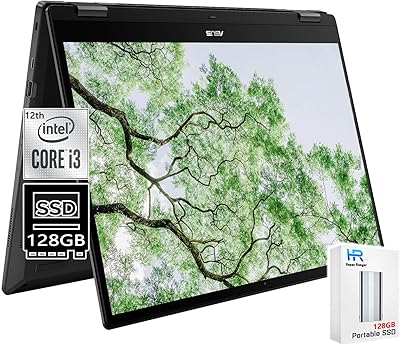
ASUS Chromebook Flip C434 2-In-1 Laptop
86%
91%
Build Quality
87%
Display Quality
90%
Battery Life
89%
Portability
83%
Performance (General Use)
More
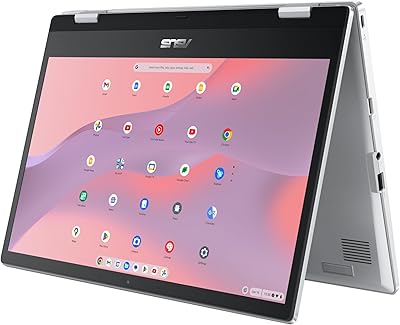
ASUS Chromebook 16 2-in-1 Laptop
82%
91%
Value for Money
87%
Display Quality
88%
Battery Life
82%
Performance for Everyday Use
85%
Portability
More
HP OmniBook X Flip 14″ 2K Touch-Screen 2-in-1 Laptop, AMD Ryzen AI 7 3500U, 24GB RAM, 1.5TB Storage
86%
92%
Performance
90%
Display Quality
88%
Multitasking & RAM
94%
Storage Capacity
84%
Portability & Weight
More
ASUS Chromebook Flip CX1 14″ 8GB/128GB

73%
84%
Value for Money
78%
Build Quality & Durability
71%
Display Quality
67%
Performance & Everyday Speed
54%
Storage & Local Capacity
More
ASUS Chromebook CM14 (CM1402CM2A-DS44)
72%
83%
Value for Money
88%
Build Quality & Durability
74%
Performance & Speed
58%
Display Quality
84%
Battery Life
More
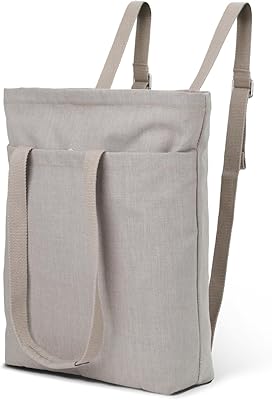
2-in-1 Waterproof Tote Backpack 14″
72%
83%
Convertible Design
76%
Laptop Protection
61%
Water Resistance
79%
Interior Organization
52%
Strap Comfort
More
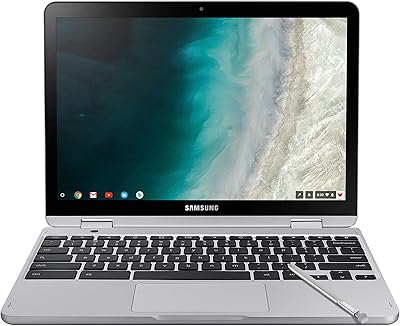
Samsung Chromebook Plus V2 64GB
74%
88%
Portability & Build Quality
83%
Display Quality
91%
Built-in Stylus
67%
Performance for Everyday Tasks
74%
Chrome OS Experience
More
Dell Inspiron 14 2-in-1 Chromebook - Core i3, 4GB RAM, 128GB eMMC
83%
82%
Performance
89%
Display Quality
86%
Build Quality
78%
Battery Life
90%
Portability
More
Lenovo IdeaPad Flex 5i 14″ 2-in-1 Laptop, Intel Core i3, 8GB RAM, 256GB SSD
84%
87%
Battery Life
91%
Portability
80%
Performance
72%
Display Quality
85%
Build Quality
More
HP Envy x360 14″ 2-in-1 Laptop
75%
82%
Build Quality
79%
Display Quality
76%
Performance
77%
Keyboard & Trackpad
68%
Battery Life
More

FAQ

Not the traditional desktop versions. Chrome OS does not run Windows software, but you can use Microsoft 365 through a web browser or install the Android versions of Word and Excel from the Google Play Store. For most everyday document work, they get the job done, though advanced formatting features may behave differently than the desktop apps.

It depends entirely on how you work. If you save most things to Google Drive and stream your media rather than downloading it, 64GB is workable. If you prefer keeping large files locally — videos, big project folders, offline media — you will likely feel the squeeze within a few months. Treat cloud storage as your primary drive, not a backup.

Yes, it handles Zoom, Google Meet, and Microsoft Teams in the browser without issues. The built-in webcam and microphone are adequate for regular calls, and the Wi-Fi 6 support helps keep the connection stable as long as your router supports it.

Most users find it solid and well-built — it holds position in tent and stand modes without flopping around. It does not feel flimsy for a laptop at this price range, though it is worth handling carefully over time like any mechanical hinge.

Partially. Some apps and Google Docs files can be set up for offline access, but Chrome OS is fundamentally designed around cloud connectivity. If you regularly work in areas with no internet, you may find the offline experience more limited than a traditional laptop.

The screen is touch-responsive for finger input and basic stylus use, but this Chromebook flip does not include a dedicated stylus and does not officially support USI styluses out of the box. For casual annotation it works fine; for serious digital art or precision note-taking, a dedicated stylus-first device would serve better.

Chrome OS devices have an Auto Update Expiration date set by Google, after which they no longer receive security or feature updates. Before buying any Chromebook, it is worth checking Google's official AUE list to confirm how many years of support remain for this specific model.

Yes, but you will need a USB-C to HDMI adapter or a USB-C hub since there is no native HDMI port. Most standard USB-C adapters work reliably with the ASUS C433, and it supports external display output through the USB-C ports.

Real-world battery life varies quite a bit depending on screen brightness, the number of open tabs, and whether you are streaming video. Under moderate use — browsing, writing, video calls — most users report somewhere between 7 and 9 hours, which is still solid for a full workday.

It is a reasonable pick for older kids and teens who use it primarily for schoolwork, Google Classroom, and light browsing. Chrome OS is low-maintenance and harder to accidentally break than Windows. Younger children might find the 14-inch form factor a bit large, but for middle school and up it fits the use case well.