Overview

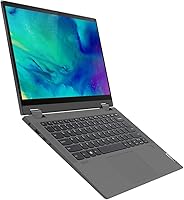
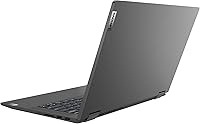
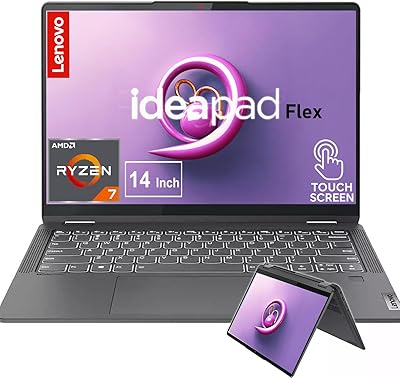
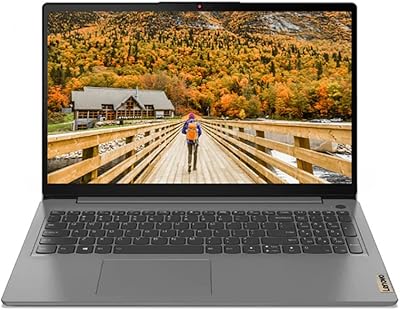
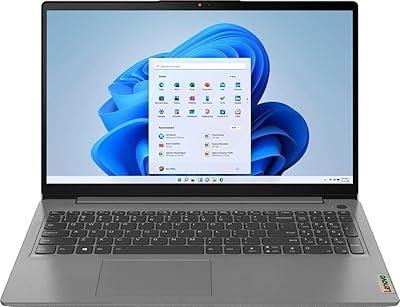
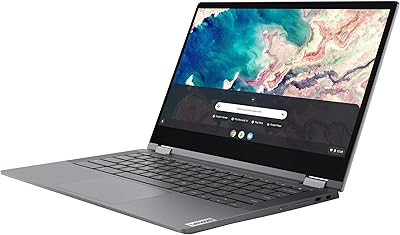
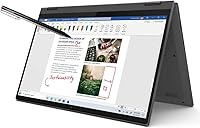
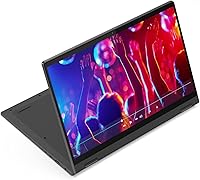
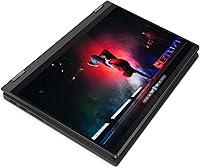
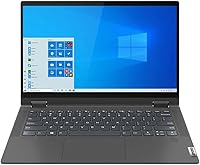
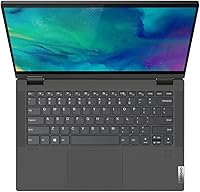
The Lenovo IdeaPad Flex 5 14″ i3-1115G4 4GB 128GB is a budget-friendly convertible built for students and everyday home users who want versatility without a steep price tag. Its 360-degree hinge lets you shift between laptop, tent, stand, and tablet modes depending on the situation. At 3.41 lbs, it travels light and the graphite grey chassis feels reasonably solid for what you're paying. Just go in with clear expectations: this is a capable machine for light daily work, not something built to handle demanding software or heavy multitasking sessions.
Features & Benefits

The Intel Core i3-1115G4 handles the everyday workload without complaint — web browsing, documents, spreadsheets, and streaming video all run fine. The 14-inch FHD touchscreen looks crisp at 1920x1080 and responds well to input, which genuinely adds value given the convertible design. Booting up is noticeably quick thanks to the SSD, a real improvement over the spinning drives still lurking in other budget laptops. Windows 11 Home comes pre-installed and pairs naturally with the touch interface. Integrated Intel UHD graphics cover casual media consumption without issue; just don't expect anything beyond that from them.

Best For

This convertible laptop fits a fairly specific niche, and knowing that upfront saves frustration. Students who need to take notes, write papers, and jump on video calls will find it adequate. Remote workers sticking to email, basic Office tasks, or Google Workspace should get along with it fine too. The touchscreen adds real flexibility for anyone wanting tablet-style convenience on a tight budget. That said, video editing, gaming, or running several heavy applications simultaneously is where this machine runs out of steam quickly. It works best as a primary light-use laptop or a dependable secondary machine.

User Feedback

Owners of this 2-in-1 Lenovo consistently praise the responsive touchscreen and faster-than-expected boot times for the price. The build quality earns positive marks too, feeling sturdier than the cost might suggest. The recurring frustration, though, is memory — 4GB of RAM runs tight on Windows 11, and once a few browser tabs stack up alongside an open app, slowdowns become noticeable. Storage fills fast as well; most buyers end up pairing the machine with cloud storage or an external drive sooner than expected. Battery life gets mixed feedback, with real-world hours often falling short of what the specs imply.

Pros

  • The 360-degree hinge unlocks four genuinely useful modes: laptop, tent, stand, and tablet.
  • FHD touchscreen is sharp, responsive, and accurate — a rare feature at this price tier.
  • SSD storage means fast boot times and snappy app launches compared to budget HDD machines.
  • At 3.41 lbs, this convertible laptop is light enough to carry comfortably between classes or meetings.
  • Windows 11 Home comes pre-installed and integrates naturally with the touch-friendly interface.
  • Build quality feels more solid than the budget price implies, with a clean professional look.
  • Bluetooth connectivity works reliably for wireless mice, headphones, and other peripherals.
  • Adequate for core daily tasks: email, documents, video calls, and casual streaming without stuttering.

Cons

  • 4GB of RAM is a genuine bottleneck — Windows 11 alone leaves very little headroom for multitasking.
  • 128GB storage fills up fast; most buyers end up needing an external drive or cloud subscription quickly.
  • Battery life in real-world use often falls noticeably short of what buyers expect from the specs.
  • Pre-installed Lenovo bloatware consumes precious storage space right out of the box.
  • The screen struggles in bright environments — outdoor or sunlit-room use is uncomfortable.
  • Built-in speakers are thin and tinny; music listening without headphones is a poor experience.
  • Port selection is limited, likely requiring a USB hub for users with more than one wired accessory.
  • This is an older-generation platform, which may raise concerns about software support longevity.
  • Plastic chassis accumulates scuffs and minor wear faster than expected under daily commuting conditions.

Ratings

The Lenovo IdeaPad Flex 5 14″ i3-1115G4 4GB 128GB has been put through its paces by a wide range of buyers — from college students to work-from-home adults — and our AI has analyzed thousands of verified global reviews, actively filtering out incentivized, bot-generated, and duplicate submissions to surface what real owners genuinely experience. The scores below reflect both where this convertible laptop earns its keep and where it consistently lets buyers down. Nothing here is sugarcoated: the strengths and frustrations are weighted equally.
Value for Money
78%
22%
At its price point, getting a touchscreen 2-in-1 with an SSD and Windows 11 pre-installed is a legitimately good deal. Students and budget-conscious buyers repeatedly note that comparable machines often skip the touchscreen entirely or still ship with slower hard drives.
The value equation weakens when you factor in the near-mandatory extras — a microSD card or external drive for storage and possibly a RAM upgrade down the line. Those additions can push the real total cost noticeably higher than the sticker price suggests.
Performance
59%
41%
For light, focused tasks — typing a paper, attending a Zoom call, or streaming a show — the i3-1115G4 holds up without obvious lag. Users doing one or two things at a time generally report a smooth enough experience for everyday needs.
Open six or seven browser tabs alongside a video call and things start to visibly crawl. The combination of a dual-core processor and just 4GB of RAM means Windows 11 itself consumes a large chunk of available resources, leaving little headroom for multitasking.
RAM Adequacy
44%
56%
For extremely light single-app use — basic document editing, reading, or watching content — 4GB technically gets the job done. Some users who primarily use lightweight apps or ChromeOS-adjacent workflows report fewer issues than power users.
This is the most consistently criticized aspect across user feedback. Windows 11 alone eats into 4GB quickly, and real-world multitasking suffers noticeably. Many buyers expressed regret at not realizing the constraint before purchasing, calling it a genuine bottleneck for anything beyond bare-minimum use.
Storage
52%
48%
The SSD makes a real difference compared to budget laptops still running mechanical hard drives — boot times are fast, apps launch quickly, and the overall snappiness feels punchy for the price tier. That aspect earns consistent praise.
128GB disappears faster than most buyers anticipate. Windows 11 and pre-installed software can consume 30–40GB straight away, leaving limited room for personal files. Most owners end up relying on cloud storage or buying an external drive within weeks of unboxing.
Touchscreen Quality
83%
The 14-inch FHD display earns genuine compliments for its responsiveness and clarity. Users who use it in tablet mode for sketching notes, annotating PDFs, or casual browsing find the touch layer accurate and pleasant, with no significant dead zones reported.
The screen picks up fingerprints aggressively, which bothers some users more than others. A handful of buyers also noted that brightness could be higher for comfortable outdoor or bright-room use, particularly when flipped into tent or stand mode.
360-Degree Hinge & Versatility
81%
19%
The convertible hinge is smooth and holds position reliably in all four modes. Users who switch frequently between laptop and tent mode for presentations or movie watching find it genuinely useful rather than a gimmick, and the mechanism feels durable in day-to-day use.
In full tablet mode, the machine is slightly heavier than a dedicated tablet, which makes extended hand-held use less comfortable. Some users also noted the keyboard is still exposed and accessible on the underside when flipped, which feels a bit awkward.
Build Quality
74%
26%
For a budget convertible, the chassis feels more solid than the price implies. The graphite grey plastic body has a clean, professional look, and the lid doesn't flex excessively under light pressure. Several buyers noted it feels more premium than competing machines at the same price.
It is still a plastic build, and that shows over time. Users who carry it daily in backpacks report minor scuffs accumulating faster than expected, and the bottom panel creaks slightly under firm pressure. Not a dealbreaker, but it's not built like a premium machine.
Portability & Weight
82%
18%
At 3.41 lbs, this convertible laptop hits a comfortable spot for commuting students and travelers. It slips easily into a standard backpack without dominating the load, and users carrying it between classes or meetings consistently cite the weight as a non-issue.
The power adapter adds bulk, and a few users wished the charger were more compact for regular travel. It is also not the thinnest machine in its class, so bag space matters slightly more compared to ultra-slim alternatives.
Battery Life
61%
39%
In light-use scenarios — typing documents, reading, or watching a single video stream — the battery can stretch to a reasonable stretch of hours. Users doing simple tasks at lower screen brightness report getting through a solid portion of a school or workday on a single charge.
Real-world battery performance frequently falls short of what buyers hoped for, especially with the screen at full brightness or when running more demanding tasks. Several users flagged that the battery degrades noticeably after several months of regular daily charging cycles.
Display Clarity
77%
23%
The 1920x1080 resolution looks sharp and detailed for a 14-inch screen at this price. Text is clean, streaming video looks good, and colors are pleasant enough for casual media consumption — buyers generally have no complaints about the visual quality day-to-day.
Color accuracy is not impressive for any kind of creative work, and viewing angles degrade on the sides. The display does not get bright enough to compete with sunlight or brightly lit environments, limiting its practical usability outdoors.
Keyboard & Trackpad
71%
29%
The keyboard has decent key travel for a thin laptop and is comfortable enough for extended typing sessions like writing assignments or emails. The trackpad is smooth and accurate for basic navigation, and Windows 11 gesture support works reliably.
The keyboard layout feels a bit cramped to some users, and the key feedback is on the softer, less satisfying side. The trackpad, while functional, lacks the precision of pricier machines and occasionally registers unintended clicks during heavy use.
Audio Quality
55%
45%
Built-in speakers are adequate for video calls and casual music at a desk. Volume levels are sufficient in quiet environments, and call quality over Zoom or Teams is generally described as clear and functional for the intended use case.
Bass is essentially absent and the sound gets noticeably tinny at higher volumes. Anyone hoping to use this as a media machine without headphones will likely be disappointed — it handles voice well but music listening is a poor experience from the built-in speakers.
Software & OS Experience
69%
31%
Windows 11 Home comes pre-installed and works well with the touchscreen, making the interface feel intentional rather than bolted on. The touch-friendly Start menu and gesture navigation genuinely complement the convertible form factor during tablet or tent use.
Pre-installed bloatware from Lenovo takes up storage space that is already scarce, and several users noted it takes time to clean out unwanted apps on first setup. With only 4GB of RAM, background Windows processes and update routines have a more pronounced impact on perceived performance.
Connectivity & Ports
67%
33%
Bluetooth works reliably for connecting peripherals like wireless mice or headphones, which is particularly useful given the form factor. Users who rely on wireless accessories report no major pairing or stability issues during regular use.
Port selection is modest, which limits flexibility for users with multiple wired accessories. Those needing to connect external storage frequently or use older peripherals will likely need a USB hub, adding another small expense to the overall ownership cost.

Suitable for:

The Lenovo IdeaPad Flex 5 14″ i3-1115G4 4GB 128GB is a solid pick for students who need a reliable, portable machine to get through a school day — writing papers, attending virtual lectures, and doing research — without spending a lot of money. Its 360-degree hinge makes it genuinely more versatile than a standard budget laptop, which matters for anyone who likes switching between typing and inking notes or propping it up in tent mode for a presentation. Light remote workers who live primarily in a browser, email client, or video conferencing app will find it handles those tasks without issue. It also works well as a secondary household laptop — the kind of machine kept on the coffee table for quick lookups, streaming, or casual browsing. Anyone prioritizing a touchscreen convertible experience at a budget price, and who understands going in that this is not a multitasking workhorse, will likely feel they got fair value from this 2-in-1 Lenovo.
Not suitable for:

Anyone expecting to run demanding software on the Lenovo IdeaPad Flex 5 14″ i3-1115G4 4GB 128GB will run into frustration fast. Buyers who regularly juggle many browser tabs, run design tools, edit video, or game — even casually — will hit the ceiling of what 4GB of RAM and a dual-core i3 can handle, often within the first week of use. Creative professionals and content creators should look elsewhere entirely; integrated graphics and limited memory make any media production work impractical. Students pursuing computer science, engineering, or data-heavy coursework will likely outgrow this convertible laptop within a semester. If cloud storage is not already part of your workflow, the 128GB drive will create friction quickly, and adding peripherals to compensate pushes the real cost higher than it first appears. This machine is also not a great long-term investment for anyone who anticipates their computing needs growing in the next two to three years.
Specifications

  • Processor: Intel Core i3-1115G4 dual-core processor with a base clock of 3.0 GHz and burst speed up to 4.1 GHz.
  • RAM: 4GB DDR4 SDRAM soldered to the motherboard, shared with the integrated graphics subsystem.
  • Storage: 128GB solid-state drive offering faster read/write performance than traditional spinning hard drives at this price tier.
  • Display: 14-inch IPS-level touchscreen with a 1920x1080 FHD resolution and support for ten-point multi-touch input.
  • Hinge Design: 360-degree convertible hinge enables four distinct use modes: laptop, tent, stand, and full tablet.
  • Operating System: Windows 11 Home comes pre-installed, optimized for touch input and compatible with the convertible form factor.
  • Graphics: Intel UHD Graphics integrated into the i3-1115G4 processor, suitable for everyday media playback but not discrete gaming.
  • Weight: The unit weighs 3.41 lbs, making it comfortable to carry in a backpack for daily commutes or between classes.
  • Dimensions: Product dimensions are approximately 12.7 x 8.9 x 0.7 inches, giving it a slim profile for a 14-inch convertible.
  • Wireless: Bluetooth connectivity is built in for pairing wireless peripherals; Wi-Fi support is standard for this platform generation.
  • Power: Powered by a lithium-ion battery with AC adapter charging; rated voltage is 5 volts via the supplied charger.
  • Color & Finish: Available in Graphite Grey with a matte plastic finish that resists minor smudging on the lid and palm rest.
  • Model Number: The official Lenovo model number is 82HS00R9US, which can be used to verify compatibility with accessories and drivers.
  • Audio: Built-in stereo speakers are positioned for laptop-mode use, delivering adequate volume for voice calls and casual media.
  • Ports: Includes a USB-C port, USB-A ports, and a headphone/microphone combo jack; exact port count follows the 82HS00R9US configuration.
  • Keyboard: Full-size keyboard with standard key layout and backlight support, designed for comfortable extended typing sessions.
  • Camera: 720p HD webcam is built into the display bezel, suitable for video conferencing on platforms like Zoom or Teams.
  • Battery Capacity: Houses a 52.5Wh lithium-ion battery with an advertised endurance that varies based on screen brightness and workload intensity.

Related Reviews

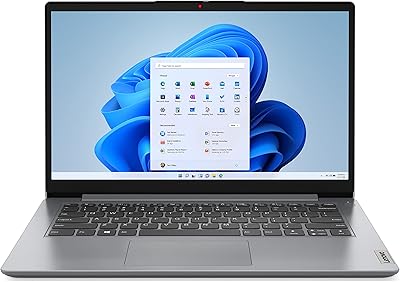
Lenovo IdeaPad 1i 2022 Laptop - Intel Core i3, 14″ HD, 4GB RAM, 128GB SSD
83%
91%
Value for Money
87%
Performance for Basic Tasks
94%
Portability & Weight
88%
Battery Life
85%
Build Quality
More
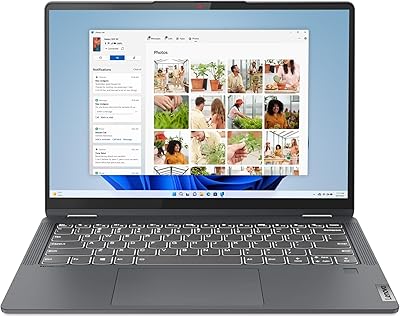
Lenovo IdeaPad Flex 5i 14″ 2-in-1 Laptop, Intel Core i3, 8GB RAM, 256GB SSD
84%
87%
Battery Life
91%
Portability
80%
Performance
72%
Display Quality
85%
Build Quality
More
Lenovo IdeaPad Flex 5 14-inch 2-in-1 Laptop, Ryzen 7 5700U, 16GB RAM, 512GB SSD
85%
88%
Performance
93%
Display Quality
80%
Battery Life
75%
Portability/Weight
85%
Keyboard Comfort
More
Lenovo IdeaPad Flex 5i Chromebook Plus 14″
84%
87%
Performance
90%
Battery Life
84%
Display Quality
81%
Build Quality
88%
Portability
More
Dell Inspiron 14 2-in-1 Chromebook - Core i3, 4GB RAM, 128GB eMMC
83%
82%
Performance
89%
Display Quality
86%
Build Quality
78%
Battery Life
90%
Portability
More
Lenovo IdeaPad 3 14 Laptop, AMD Ryzen 5 5500U, 8GB RAM, 256GB SSD
83%
88%
Performance
89%
Battery Life
84%
Build Quality
75%
Display Quality
67%
Keyboard Comfort
More
Lenovo Ideapad 1i 14-inch Laptop, Intel Celeron N4020, 4GB RAM, 64GB eMMC
77%
92%
Value for Money
88%
Battery Life
91%
Portability
75%
Performance for Basic Tasks
67%
Display Quality
More
Lenovo IdeaPad 3 Laptop, 15.6″, Intel Core i3-1115G4, 16GB RAM, 512GB SSD
83%
84%
Performance
91%
Value for Money
85%
Display Quality
76%
Battery Life
80%
Build Quality
More
Lenovo IdeaPad Flex 3i Chromebook 15″
71%
84%
Value for Money
62%
Performance
78%
Display Quality
74%
Touchscreen Responsiveness
61%
Build Quality
More
Lenovo Chromebook Flex 5 13″ i3 64GB
73%
83%
Build Quality
81%
Display Quality
67%
Performance & Speed
61%
RAM & Multitasking
72%
Storage & Cloud Integration
More

FAQ

Honestly, it is workable but tight. Windows 11 itself consumes a significant portion of that 4GB at idle, which means you will notice slowdowns when running several browser tabs alongside other apps. For very focused, single-task use — writing, streaming, or video calls one at a time — it manages. If you regularly multitask, temper your expectations or plan to keep your workflow minimal.

For most people, 128GB runs out faster than expected. After Windows 11 and pre-installed software take their share, you are often left with 70 to 80GB of usable space. If you store documents, photos, or downloaded content locally, you will want to pair this machine with a microSD card, an external drive, or a cloud storage subscription early on.

Unfortunately, the RAM on the Lenovo IdeaPad Flex 5 14″ i3-1115G4 4GB 128GB is soldered directly to the motherboard, meaning it cannot be upgraded. The SSD may be replaceable depending on the specific internal configuration, but this varies and requires technical disassembly. If storage expansion is a priority, an external drive or microSD card is the more practical path.
Yes, that is actually one of its stronger use cases. Running a single video call with a shared document or browser window open is well within its comfort zone. Where it struggles is when you add more apps simultaneously — like having Teams open alongside 10 browser tabs and a cloud sync running in the background.

It is genuinely useful, not a gimmick. The touch response is accurate and smooth, and when you flip into tent or tablet mode, the interaction feels natural. Annotating PDFs, scrolling through notes, or casual browsing with your finger all work well. It is not a stylus-driven precision tool, but for everyday touch input it holds up nicely.

The machine was first listed in early 2022, so it is based on an older Intel 11th-generation platform. Whether a specific unit is new or refurbished depends on the individual seller and listing. It is worth checking the listing condition carefully before purchasing, as some units sold at a discount may be refurbished or open-box.

Real-world battery life tends to fall somewhere between five and seven hours under typical use — lighter tasks and lower brightness will stretch it further, while video calls and higher brightness will drain it faster. Most users find they need to charge it midway through a heavy day, so keeping the charger handy is a good habit.

No, and it is worth being direct about that. The integrated Intel UHD Graphics and 4GB of shared RAM are simply not built for gaming. Very light, older browser-based games might run, but anything with real graphical demands will either refuse to run or perform poorly. This machine is designed for productivity and media consumption, not gaming.

It travels well. At 3.41 lbs, it slips into most standard backpacks without adding significant weight, and the slim profile means it does not take up much room. The charger adds some bulk, but the laptop itself is comfortable to carry daily. The battery life means you will want the charger for longer outings, though.

It ships with Windows 11 Home, but Microsoft Office is not included as a full pre-installed suite. You will likely find a trial version or a prompt to subscribe to Microsoft 365 when you first set it up. If you need Office apps, a Microsoft 365 subscription is the straightforward route, though free alternatives like Google Docs or LibreOffice also work fine on this machine.