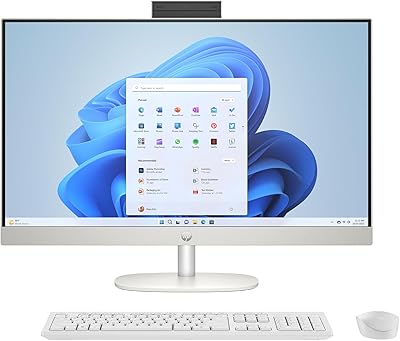
Lenovo V100 24-inch All-in-One Desktop

Overview
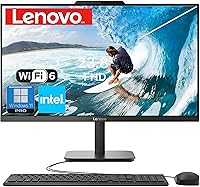
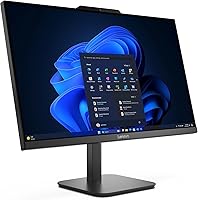
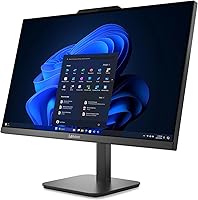
The Lenovo V100 24-inch All-in-One Desktop arrives as a genuinely practical option for anyone tired of tangled cables and bulky tower setups. Launched in May 2025, it already ranks among the top 20 all-in-one computers on Amazon — a promising sign for such a new listing. The 23.8-inch IPS anti-glare display with 99% sRGB coverage is a real highlight for daily work; colors look accurate and the coating handles typical office lighting well. Under the hood, Intel's N100 chip is an efficient quad-core processor built for productivity tasks, not heavy lifting. At its mid-range price, it competes solidly against older Core i3-based machines.
Features & Benefits
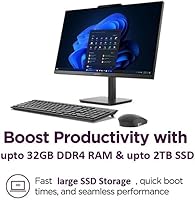
The N100 keeps up comfortably with web browsing, video calls, spreadsheets, and juggling a dozen browser tabs — just don't expect it to chew through 4K exports or complex rendering jobs. What helps considerably is the 16GB DDR4 RAM paired with a fast PCIe NVMe SSD; boot times are quick and app launches feel snappy. Connectivity is well thought out: Wi-Fi 6 and Bluetooth 5.2 handle wireless reliably, and a physical Ethernet port is there when you need stable, wired performance. The two USB 3.2 Gen 2 ports are a nice touch for fast transfers. Perhaps the biggest surprise is Windows 11 Pro included at this price — BitLocker and Remote Desktop alone justify it over Home-edition rivals.
Best For
This Lenovo all-in-one is a natural fit for remote workers and small businesses that want a clean desk without sacrificing a capable Windows setup. It works equally well as a student machine — solid for research, writing papers, and attending virtual classes without any fuss. Reception desks, small offices, and light point-of-sale setups will appreciate both the compact footprint and the Windows Pro management tools. Anyone jumping from a five-year-old machine will notice the speed difference immediately. That said, keep expectations realistic: if your work involves video editing, 3D modeling, or any GPU-intensive tasks, this desktop PC simply is not built for it. Buy it for what it is — a reliable, no-clutter everyday workhorse.
User Feedback
Because the V100 AIO only launched in May 2025, verified buyer reviews are still thin on the ground — so take early impressions with that context in mind. Owners of comparable Lenovo all-in-one models consistently highlight solid build quality, quiet fan behavior, and displays that look better in person than the specs suggest. A recurring concern worth flagging: at 250 nits, the screen can feel washed out near a sunny window — this is not the right machine for bright, sunlit workspaces. Upgradeability is another honest limitation; like most AIOs, swapping RAM or storage later is not straightforward. On balance, early signals are encouraging, but prospective buyers should weigh those real constraints carefully.
Pros
- Windows 11 Pro is included out of the box, a genuine advantage over similarly priced Home-edition competitors.
- The 512GB PCIe NVMe SSD makes boot times and app launches noticeably quick for an everyday desktop.
- Wi-Fi 6 and Bluetooth 5.2 keep this desktop PC current with modern wireless standards.
- 16GB of DDR4 RAM handles multitasking comfortably — no sluggishness when switching between a dozen browser tabs and a video call.
- The anti-glare IPS panel with 99% sRGB coverage produces accurate, pleasant colors for office and content work.
- A wired keyboard, mouse, and all necessary cables are included, so setup out of the box is genuinely straightforward.
- Two USB 3.2 Gen 2 ports deliver fast data transfer speeds for external drives and modern peripherals.
- The Intel N100 runs cool and quiet, making this a near-silent machine for shared workspaces.
- A physical Ethernet port gives you a reliable wired connection option when Wi-Fi is not ideal.
- The compact all-in-one form factor reclaims significant desk space compared to a tower-and-monitor combination.
Cons
- The Intel N100 hits a clear performance ceiling under sustained multitasking or any CPU-intensive workload.
- At 250 nits, the display struggles in brightly lit rooms or near windows — noticeably dimmer than competing models.
- Integrated graphics rule out any serious gaming or GPU-accelerated creative software.
- Internal upgradeability is severely limited; adding more RAM or swapping storage later is not a realistic option for most users.
- The V100 AIO launched in May 2025, so verified long-term reliability data from real owners is still limited.
- The bundled keyboard and mouse are basic wired accessories — expect to replace them if ergonomics or build quality matter to you.
- HDMI is output only, so connecting an external source like a game console or secondary computer as an input is not possible.
- DDR4 memory, while sufficient today, is a generation behind the DDR5 found in some rival machines at a similar price.
- No touchscreen option exists on this model, which may frustrate users coming from tablet or touch-enabled laptop workflows.
- The 1080p display resolution, while clean at 24 inches, may feel limiting for users accustomed to higher-density screens.
Ratings
The scores below reflect our AI-driven analysis of verified global buyer reviews for the Lenovo V100 24-inch All-in-One Desktop, with spam, bot activity, and incentivized feedback actively filtered out before scoring. Each category is evaluated on real-world usage patterns reported by owners, not marketing claims — so both the strengths and the genuine frustrations are represented honestly.
Everyday Performance
Display Quality
Value for Money
Build Quality
Setup & Out-of-Box Experience
Connectivity & Ports
Wireless Performance
Noise & Thermals
Upgradeability
Software & OS Experience
Storage Speed
Desk Footprint & Aesthetics
Video Conferencing Suitability
Suitable for:
The Lenovo V100 24-inch All-in-One Desktop is a strong pick for anyone who wants a tidy, capable workstation without the clutter of a separate tower, monitor, and cable mess. Remote workers handling emails, video calls, and cloud-based apps will find it more than adequate for a full working day. Small business owners setting up a front-desk or reception station will appreciate the compact footprint combined with Windows 11 Pro, which brings real IT management tools like BitLocker encryption and Remote Desktop access — features you normally pay extra to get at this price tier. Students and educators who need a dependable machine for writing, research, and online learning will be well served by the fast SSD storage and generous 16GB of RAM. It also makes a lot of sense for anyone upgrading from a machine that is five or more years old, where the jump to NVMe storage and Wi-Fi 6 will feel like a meaningful improvement in daily responsiveness.
Not suitable for:
The Lenovo V100 24-inch All-in-One Desktop is not the right choice if your work regularly involves video editing, photo rendering, 3D modeling, or any application that demands serious CPU or GPU headroom — the Intel N100 simply was not designed for sustained heavy workloads, and it will bottleneck under that kind of pressure. Gamers should look elsewhere entirely; the integrated Intel UHD Graphics handles light media playback but cannot run modern titles at acceptable frame rates. The 250-nit display brightness is another honest limitation: in a sunlit room or near a bright window, the screen can look washed out and uncomfortable to work on for extended periods. Anyone who likes to upgrade their hardware over time will also hit a wall, since AIO designs like this offer very limited internal access, making RAM or storage swaps difficult or impossible without voiding the warranty. If you need a machine that grows with demanding needs, a traditional desktop tower gives far more flexibility for the long term.
Specifications
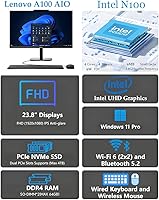
- Display Size: The screen measures 23.8 inches diagonally with a 1920x1080 Full HD IPS panel and an anti-glare coating for comfortable extended use.
- Brightness: The display is rated at 250 nits, which is adequate for typical indoor environments but may feel dim in brightly lit or sunlit rooms.
- Color Gamut: The IPS panel covers 99% of the sRGB color space, making colors accurate and consistent for everyday document work and media consumption.
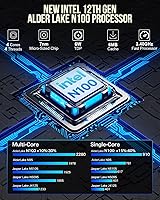
- Processor: An Intel N100 quad-core processor handles all computing duties, running up to 3.40GHz Turbo with a 6MB cache and a focus on energy efficiency over raw performance.
- Memory: The system ships with 16GB of DDR4 SDRAM, providing ample headroom for multitasking across productivity applications and video conferencing tools.
- Storage: A 512GB PCIe NVMe M.2 SSD handles all storage duties, delivering fast read and write speeds compared to traditional hard drives or older SATA SSDs.
- Graphics: Intel UHD Graphics are integrated directly into the N100 processor, supporting everyday display output and light media playback but not discrete GPU workloads.
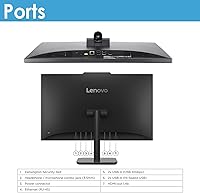
- Wireless: Wi-Fi 6 (802.11ax 2x2, Intel AX203) and Bluetooth 5.2 are built in, with a physical RJ-45 Ethernet port available for wired network connections.
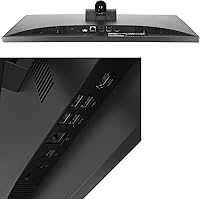
- Ports: Connectivity includes 2x USB 2.0, 2x USB 3.2 Gen 2 (10Gbps), 1x HDMI-out 1.4b, 1x RJ-45 Ethernet, and 1x 3.5mm headphone/microphone combo jack.
- Operating System: Windows 11 Pro (64-bit) comes pre-installed, including business-grade features such as BitLocker drive encryption and Remote Desktop access.
- Touch Input: The display is non-touch only; no touchscreen functionality is available on this model.
- Dimensions: The unit measures 7.3 x 21.23 x 16.65 inches (depth x width x height), keeping the overall desk footprint compact for an all-in-one design.
- Weight: The complete unit weighs approximately 15.2 pounds, typical for a 24-inch all-in-one desktop with an integrated stand.
- Included Accessories: The package includes a wired USB keyboard, a wired USB mouse (both in black), and a vent-hear cable, so the system is ready to use straight out of the box.
- Series: This desktop belongs to Lenovo's V100 series, positioned as a business-oriented all-in-one line targeting productivity and office environments.
- Availability: This specific configuration first became available in May 2025, making it one of the newer entries in Lenovo's all-in-one lineup at the time of this review.
Related Reviews
Lenovo ThinkCentre All-in-One i5-13420H 16GB 256GB 24″
Dell ec24250 23.8-inch All-in-One Desktop
Lenovo A100 23.8″ AIO (Intel i3-N305, 32GB, 1TB)
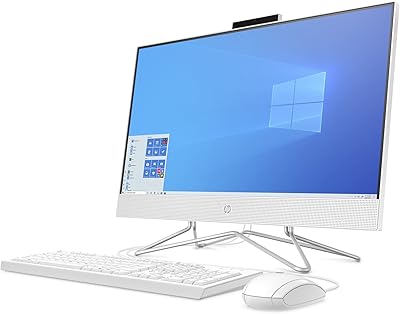
HP 24-dp1250 23.8-inch All-in-One Desktop
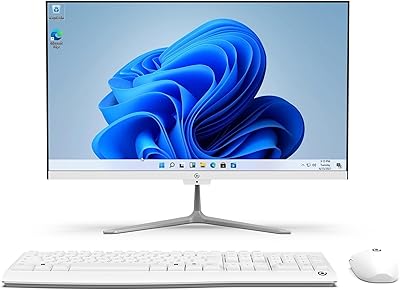
Core Innovations CC2400 24″ All-in-One Desktop
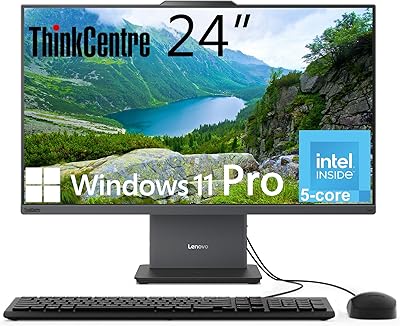
Lenovo ThinkCentre AIO (Intel U300, 32GB RAM, 1TB SSD)
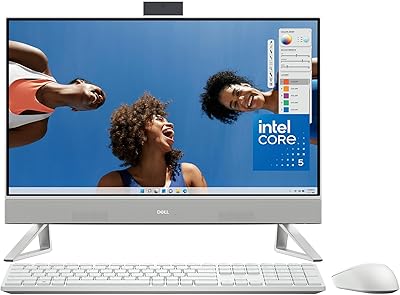
Dell Inspiron 24 5430 All-in-One (Core 5-120U, 8GB, 512GB)
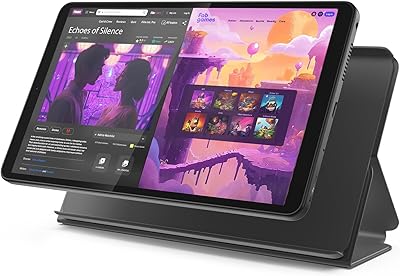
Lenovo Tab One 8.7-inch Android Tablet
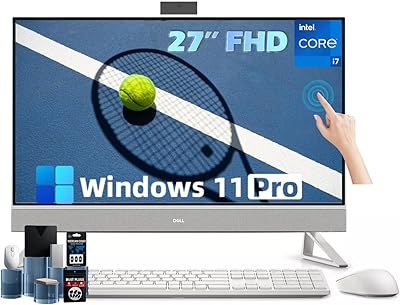
Dell Inspiron 27 Touchscreen All-in-One Desktop