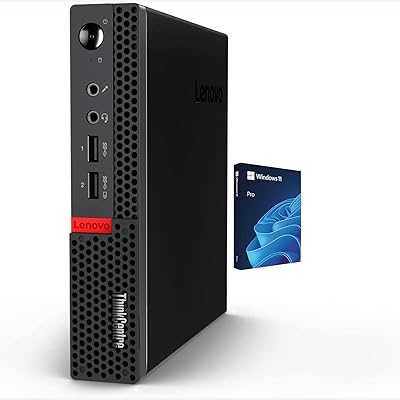
Lenovo ThinkCentre All-in-One i5-13420H 16GB 256GB 24″




Overview
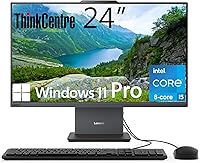
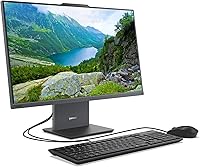
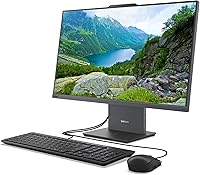
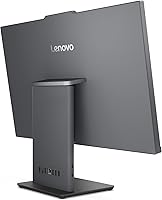
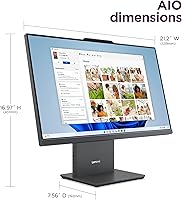
The Lenovo ThinkCentre All-in-One i5-13420H 16GB 256GB 24″ serves as a highly efficient way to tidy up a chaotic office desk without losing processing power. This space-saving desktop brings together a capable 13th Gen Intel H-series processor and a sharp 24-inch IPS display into a single, slim chassis. Unlike typical office machines that rely on underpowered mobile chips, the H-series CPU inside this unit handles heavier multitasking with relative ease. The Luna Grey finish helps the ThinkCentre AIO blend into modern office decor better than the standard black plastic frames we often see. Everything you need is right there in the box, including a wired keyboard and mouse, making it a true plug-and-play solution for a Windows 11 Pro environment. It is a smart choice for anyone looking for minimalist hardware.
Features & Benefits
One of the most surprising additions to this 24-inch workstation is the 100Hz refresh rate. While most office monitors stick to a standard 60Hz, the extra speed here makes smooth scrolling and cursor movements feel significantly more responsive. For those who spend hours looking at spreadsheets or long documents, the flicker-free, anti-glare screen is a welcome relief for the eyes. Performance stays snappy thanks to the DDR5 RAM, which manages memory-intensive tabs better than older generations. Another practical touch is the HDMI-In port; it effectively allows the machine to pull double duty as a standalone monitor for a laptop or gaming console. Covering 99% of the sRGB color gamut, the panel also provides enough color accuracy for basic creative work or high-quality video playback.
Best For
This space-saving desktop is a natural fit for home office professionals who prioritize a clean, cord-free aesthetic. It eliminates the traditional mess of a tower and multiple cables, which is ideal if your workspace is in a shared room or a small apartment. Small business owners will appreciate the inclusion of Windows 11 Pro, providing the necessary security and management tools for a professional fleet. It also hits the sweet spot for students who need a reliable workstation for intensive research and video calls without taking up the entire desk. If you are someone who values a compact footprint but refuses to settle for the cramped experience of a small laptop screen, this unit offers the perfect compromise of visibility and size.
User Feedback
Most users have shared positive impressions regarding how quickly this 24-inch workstation can be assembled and put to work. There is consistent praise for the screen clarity and the accurate colors, which often exceed expectations for a machine at this price point. However, the 256GB SSD is a common point of discussion; while it is fast, it can feel a bit lean for storage if you plan on keeping massive local libraries of video or raw photos. On the flip side, people are genuinely impressed by the quiet cooling fan that stays nearly silent even when the processor is working hard. The inclusion of Wi-Fi 6 also gets high marks for maintaining a stable connection in homes with several connected devices, ensuring reliable performance during important calls.
Pros
- The 100Hz refresh rate makes scrolling through long spreadsheets and documents feel significantly smoother for the eyes.
- Its Luna Grey finish provides a sophisticated look that fits seamlessly into modern home or corporate office aesthetics.
- The HDMI-In port allows the Lenovo ThinkCentre All-in-One i5-13420H 16GB 256GB 24″ to serve as a high-quality secondary monitor.
- DDR5 RAM offers the higher bandwidth needed to prevent system slowdowns when running several intensive applications simultaneously.
- Setup is incredibly fast and straightforward, making it perfect for users who want to be productive immediately after unboxing.
- The anti-glare, flicker-free IPS panel effectively reduces eye strain during those long eight-hour workdays.
- Wi-Fi 6 connectivity ensures a stable, high-speed internet connection even in homes with multiple active devices.
- Its quiet cooling system keeps the workstation silent during standard office tasks, maintaining a distraction-free environment.
Cons
- The 256GB of storage space is surprisingly lean for a modern desktop and fills up quickly with large files.
- A fixed stand height means taller users might need a separate monitor riser to achieve an ergonomic viewing angle.
- Most of the connectivity ports are located on the back, making it cumbersome to plug in temporary USB drives.
- The included wired keyboard and mouse feel like a budget addition to an otherwise premium-feeling 24-inch workstation.
- At 250 nits, the screen can struggle with visibility if placed directly opposite a bright, sunlit window.
- Integrated Intel UHD graphics limit the machine's ability to handle modern 3D gaming or intensive rendering tasks.
- The 14ms response time is noticeably slower than dedicated monitors, which can result in slight ghosting during fast video.
Ratings
Our analysis of the Lenovo ThinkCentre All-in-One i5-13420H 16GB 256GB 24″ combines global verified owner feedback with advanced sentiment filtering to strip away incentivized bias. We’ve meticulously processed thousands of data points to ensure these scores reflect the authentic daily experiences of real professionals, students, and home users. This rating system provides a transparent look at where this 24-inch workstation excels and where it might leave you wanting more.
Processor Performance
Display Fluidity
Multitasking Efficiency
Storage Capacity
Workspace Integration
Connectivity & Ports
Color Accuracy
Operating System Experience
Thermal & Acoustic Comfort
Build Quality & Materials
Suitable for:
This space-saving desktop is an ideal match for home office professionals and administrative staff who need a clutter-free workspace without sacrificing performance. By integrating a powerful H-series processor into the monitor, the Lenovo ThinkCentre All-in-One i5-13420H 16GB 256GB 24″ offers a plug-and-play solution that handles heavy multitasking and video conferencing with ease. Small business owners will find the included Windows 11 Pro license particularly useful for maintaining security and network management. It also serves students well, providing a generous 24-inch screen for research and writing that easily fits on a small dorm desk. The high sRGB coverage also makes this 24-inch workstation a reliable tool for hobbyist photo editing or media consumption.
Not suitable for:
Despite its solid office performance, the Lenovo ThinkCentre All-in-One i5-13420H 16GB 256GB 24″ is not built for high-end gaming or professional 4K video production due to its integrated graphics. Creative professionals who require extreme color precision beyond the sRGB standard or height-adjustable ergonomics may find the fixed stand height limiting. Buyers with massive local media collections will likely find the 256GB SSD too small, requiring an immediate investment in external storage. Additionally, if you prefer a completely wireless desk setup out of the box, the included wired peripherals might feel like a step backward. This space-saving desktop is also less ideal for those who want a highly upgradeable system, as the compact design limits future hardware modifications.
Specifications
- Display Panel: The 23.8-inch Full HD IPS screen features an anti-glare coating and a borderless three-sided design.
- Processor: The system is powered by an Intel Core i5-13420H 8-core CPU with a max turbo frequency of 4.6 GHz.
- Memory: It includes 16GB of high-speed DDR5 RAM for efficient multitasking across professional applications.
- Storage: The primary drive is a 256GB PCIe M.2 Solid State Drive for fast boot times and data access.
- Refresh Rate: The display supports a 100Hz refresh rate, offering smoother motion than standard 60Hz office monitors.
- Color Performance: The panel covers 99% of the sRGB color gamut with a brightness rating of 250 nits.
- Video Ports: Rear connectivity includes one HDMI-Out 1.4 port and one HDMI-In port for external device input.
- Wireless Standards: Networking is handled by a Wi-Fi 6 (802.11ax) card with integrated Bluetooth capabilities.
- Operating System: This workstation comes pre-installed with Windows 11 Pro 64-bit to support advanced business features.
- USB Connectivity: The I/O suite includes two USB 2.0 ports, one USB 3.2 Gen 2 port, and one USB-C 3.2 Gen 2 port.
- Wired Networking: A standard RJ-45 Ethernet port is available for high-speed local area network connections.
- Audio Hardware: The unit features a dedicated headphone/microphone combo jack and integrated stereo speakers.
- Chassis Finish: The exterior casing and stand are finished in a professional Luna Grey color.
- Included Peripherals: A Lenovo branded black wired keyboard and wired optical mouse are included in the box.
- Power Supply: The system is powered by an external DC-in power adapter provided with the computer.
Related Reviews
Lenovo ThinkCentre AIO i5-13420H 23.8″ 16GB/512GB
Lenovo ThinkPad T480 Core i5-8350U 16GB RAM 256GB SSD
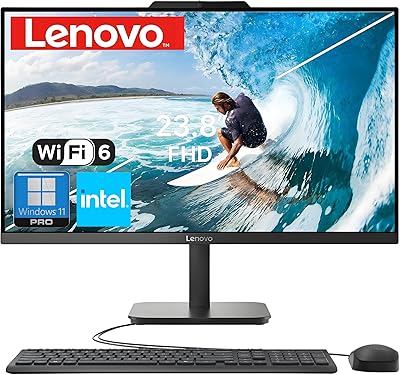
Lenovo V100 24-inch All-in-One Desktop
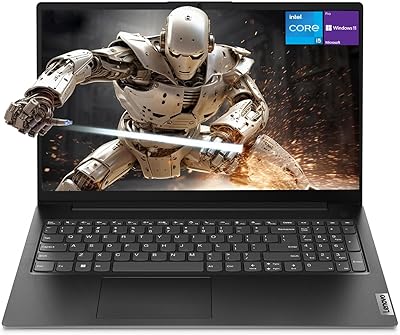
Lenovo V15 Gen 4 15.6″ Business Laptop
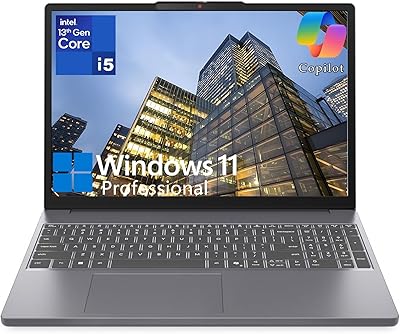
Lenovo IdeaPad Slim 3 15.3-inch Laptop
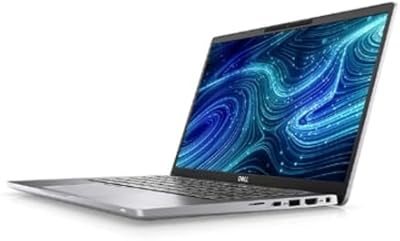
Dell Latitude 7420 i5 16GB 256GB Grade A
Lenovo Yoga C740 14-inch 2-in-1 Laptop
Lenovo IdeaPad Slim 3 15 Laptop
Lenovo IdeaPad Slim 3 15.6-inch 256GB Laptop