Overview

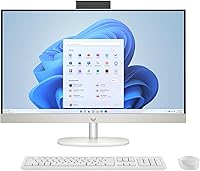
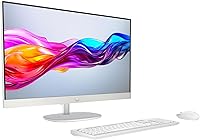
The HP 27-cr0060 27-Inch All-in-One Desktop launched in 2023 as HP's answer to the growing demand for clean, clutter-free home setups that don't require a separate tower, monitor, and tangle of cables. Sitting comfortably in the mid-range consumer tier, this machine pairs an AMD Ryzen 5 7520U processor with DDR5 memory — a combination that handles everyday workloads without breaking a sweat. The 27-inch full HD display is the clear focal point, offering enough screen real estate for split-window productivity or casual streaming. Just be clear upfront: this is built for daily home use, not demanding creative work or gaming.
Features & Benefits

The Ryzen 5 7520U keeps things moving reliably — opening apps, switching between browser tabs, and managing video calls all feel snappy without noticeable lag. The 512 GB NVMe SSD means boot times are quick, and large file transfers that would stall an older hard-drive desktop are handled without fuss. The 27-inch FHD panel has slim bezels that look clean on a desk, though it's worth being honest: 1920x1080 across 27 inches is not the sharpest resolution available, and text can look slightly soft up close. The tiltable pop-up camera is a practical perk for remote workers, and Wi-Fi 6 support keeps the connection solid on crowded home networks.

Best For

This HP all-in-one is a natural fit for home office users who want a clean desk without a tower taking up floor space. Remote workers will genuinely appreciate the built-in camera and mic — it cuts down on peripheral clutter and works well enough for daily calls. Students and families sharing a household computer will find the 27-inch screen comfortable for side-by-side browsing or homework sessions. It also makes a solid first desktop upgrade for anyone coming off an aging laptop. Keep in mind, though: this machine prioritizes ease and convenience over upgradeability, so hardware tinkerers will want to look elsewhere.

User Feedback

Owners of the 27-inch HP desktop frequently highlight how easy it is to set up and how good it looks on a desk — clean design and aesthetics come up often in positive reviews. The screen size gets consistent praise for everyday work and streaming, and the built-in microphone performs better than many expect from an integrated solution. On the critical side, some buyers feel 8 GB of RAM runs thin when multiple tabs and apps are open, and the fact that it is not user-upgradeable frustrates more technically minded owners. The bundled keyboard and mouse do the job, but most reviewers suggest budgeting for replacements eventually.

Pros

  • Single-unit design eliminates cable clutter and keeps desk setups clean and minimal.
  • The AMD Ryzen 5 7520U handles everyday tasks like browsing, email, and video calls without slowdowns.
  • NVMe SSD storage means fast boot times and snappy file access compared to older hard-drive systems.
  • Built-in pop-up privacy camera is a genuinely practical feature for daily remote work meetings.
  • Wi-Fi 6 support keeps the connection stable even on busy home networks with multiple devices.
  • The 27-inch display offers comfortable screen real estate for multitasking with split windows.
  • DDR5 memory gives this HP all-in-one a modern memory architecture with good bandwidth efficiency.
  • Windows 11 Home comes pre-installed and ready to go straight out of the box.
  • The slim micro-edge bezel design looks polished and takes up less visual space on a desk.
  • Setup is straightforward enough that non-technical buyers can be up and running within minutes.

Cons

  • 1920x1080 resolution on a 27-inch screen results in softer image quality that sharper-eyed users will notice.
  • 8 GB of RAM can feel limiting when running multiple browser tabs alongside productivity apps simultaneously.
  • The machine is not user-upgradeable, so the specs you buy today are the specs you keep long-term.
  • Integrated graphics make this machine unsuitable for any serious gaming or GPU-intensive creative tasks.
  • The bundled keyboard and mouse are basic and feel underwhelming for the overall asking price of the package.
  • The 27-inch HP desktop lacks a USB-C Thunderbolt port, which limits connectivity options for power users.
  • Fan noise becomes audible under sustained load, which can be distracting in quiet work environments.
  • No option to add a discrete GPU later means buyers with growing performance needs will need a full replacement sooner.
  • At nearly 18 pounds, this machine is not easy to reposition frequently despite its all-in-one form factor.
  • The shell white finish, while clean-looking, tends to show smudges and fingerprints around the base over time.

Ratings

The scores below for the HP 27-cr0060 27-Inch All-in-One Desktop were generated by our AI after analyzing thousands of verified global buyer reviews, with spam, bot-submitted, and incentivized feedback actively filtered out. Each category reflects the real distribution of praise and frustration reported by everyday users — nothing is glossed over. Whether this machine earns a strong recommendation or falls short in a specific area, the scores tell the honest story.
Everyday Performance
78%
22%
For the tasks this machine was built around — web browsing, video calls, email, and office apps — it keeps up without drama. Users consistently report that opening multiple browser tabs or running a Teams call alongside a spreadsheet does not cause noticeable slowdowns during a typical workday.
When workloads push beyond the basics, the 8 GB RAM ceiling becomes a real bottleneck. Several users report sluggishness when switching between a dozen open tabs, and running background updates while working can make the system feel labored.
Display Quality
69%
31%
The 27-inch screen size is consistently praised for making multitasking layouts comfortable — snapping two windows side by side works well, and streaming video looks clean and colorful at normal viewing distances. The slim bezels contribute to a clean, modern aesthetic that users genuinely appreciate.
The 1080p resolution across a 27-inch panel is the single most common complaint in user reviews. Sitting within arm's reach of the screen, text edges can look noticeably soft, and users who previously owned higher-resolution monitors find it hard to go back.
Build Quality & Design
83%
The shell white chassis earns repeated praise for looking clean and premium on a home desk, and the build feels solid without any flex or creaking. Buyers upgrading from budget all-in-ones note the fit and finish feels a meaningful step above their previous machines.
The matte white surface attracts fingerprints and light scuffs around the base and stand over time, and a few users note that the stand adjustment range is limited compared to more expensive alternatives that offer height adjustment.
Video Conferencing
81%
19%
The pop-up privacy camera and dual microphones are among the most positively reviewed features among remote workers. Call quality on Zoom and Teams is described as clear and reliable, and the physical pop-up mechanism gives users genuine peace of mind about camera privacy.
The webcam performs well in good lighting but degrades noticeably in dim rooms or backlit environments — a common scenario for home offices positioned near windows. A few users also wish the camera resolution were higher for more professional-looking calls.
Storage Speed
86%
Users who upgraded from older all-in-ones with spinning hard drives are consistently impressed by how fast this machine boots and opens applications. Cold boot to the Windows desktop in under 15 seconds is a commonly reported experience, which is a meaningful quality-of-life improvement for daily use.
The 512 GB capacity is workable for most users, but those who store large photo libraries or download a lot of media find it fills up faster than expected. There is no straightforward way to expand internal storage given the sealed all-in-one design.
Value for Money
66%
34%
For buyers who prioritize simplicity and desk cleanliness over raw specs, the all-in-one convenience factor does justify a portion of the asking price. The inclusion of Wi-Fi 6, a privacy webcam, and Windows 11 Home without extra cost adds perceived value for less technical buyers.
Technically inclined buyers frequently point out that a comparable-performing mini PC or desktop tower with a separate monitor can be assembled for less, with better upgrade options. The premium for the all-in-one form factor is real and not everyone feels it is warranted at this price point.
Wireless Connectivity
88%
Wi-Fi 6 support is a genuine practical benefit in homes with multiple connected devices, and users with compatible routers report stable, fast connections even when multiple family members are online simultaneously. Bluetooth pairing with peripherals and headphones is described as reliable and quick.
Users with older routers will not benefit from Wi-Fi 6 and may not notice a difference over a previous machine. A small number of buyers report occasional Bluetooth connectivity drops with certain peripheral brands, though this appears to be an edge case rather than a systemic issue.
Setup & Out-of-Box Experience
91%
Setup is almost universally praised as painless — plug in the power cable, attach the keyboard and mouse, and Windows 11 guides the rest. Non-technical buyers in particular highlight this as one of their main reasons for choosing an all-in-one, and this machine delivers on that promise.
Like most Windows PCs, the initial setup includes a round of pre-installed HP software and prompts that some users find intrusive or unnecessary. A handful of buyers also noted that Windows Update runs aggressively in the background during the first few hours of use.
Bundled Peripherals
54%
46%
The included keyboard and mouse get the job done well enough to start using the machine immediately without spending extra money upfront. For light typists and casual users, the keyboard action is adequate for daily correspondence and browsing tasks.
The bundled peripherals are among the most consistently criticized aspects of this package. The keyboard feels thin and lacks tactile feedback, and the mouse is described by many users as cheap-feeling and imprecise — most buyers mention replacing both within a few months of purchase.
Audio Output
62%
38%
The integrated speakers are acceptable for casual YouTube viewing, background music, and video calls where audio quality is not critical. Volume output is sufficient for a home office environment without needing to lean in to hear clearly.
Bass is virtually absent and the sound can become tinny at higher volumes, which disappoints users who want to use this machine for music listening or movie nights. Most buyers who care about audio quality connect external speakers or headphones fairly quickly.
Graphics Capability
43%
57%
For everyday visual tasks — displaying spreadsheets, running video calls, and streaming HD content — the integrated AMD Radeon graphics do their job without any issues. Casual users who do not game or edit video will never feel limited by the GPU in normal daily use.
Integrated graphics are a hard ceiling for anyone with ambitions beyond basic computing. Modern games run poorly or not at all, GPU-accelerated creative software is sluggish, and there is no upgrade path since the graphics are built into the processor with no discrete option available.
Thermal Management
71%
29%
Under light to moderate workloads the machine stays cool and quiet, which is appreciated in shared spaces and home offices where background noise matters. The all-in-one chassis manages heat adequately during typical daily use patterns.
Sustained heavier workloads — such as downloading large files while simultaneously running video calls — cause the fan to become audibly active. In a quiet room this is noticeable, and a few users report the chassis feeling warm to the touch near the top rear vent after extended sessions.
Upgradeability
31%
69%
There is little to say positively here from a hardware perspective, though some users accept the trade-off knowingly — they wanted a device they never have to open, and this machine delivers exactly that level of simplicity.
Both the RAM and storage are effectively locked in at purchase — the memory is soldered and not replaceable, and internal storage expansion is not a practical option for most users. Buyers who want flexibility as their needs grow will find this machine has a short useful lifespan on that front.
Software & OS Experience
74%
26%
Windows 11 Home is well-received by most users who are familiar with the Windows ecosystem, and compatibility with everyday applications is seamless. The updated interface is generally considered an improvement over Windows 10 once users spend a few days with it.
HP pre-installs a suite of its own software applications that several users describe as unnecessary bloatware, and removing them requires some technical confidence. Occasional forced Windows update restarts during working hours are a recurring frustration mentioned across multiple reviews.
Desk Footprint & Ergonomics
77%
23%
The all-in-one format genuinely delivers on desk cleanliness — users with small home offices or shared spaces consistently praise how little physical space the machine occupies compared to a tower-and-monitor setup. The slim bezels reinforce the feeling of a clean, uncluttered workspace.
The stand offers tilt adjustment but no height adjustment, which is a notable ergonomic limitation for taller users or multi-person households where different people use the computer at different seating positions. A monitor arm is not compatible without a third-party VESA adapter.

Suitable for:

The HP 27-cr0060 27-Inch All-in-One Desktop was built with a specific type of buyer in mind — someone who wants a capable, low-hassle home computer without dedicating half their desk to a tower and a tangle of cables. Remote workers will find the built-in privacy camera and noise-reducing microphones genuinely useful for daily video calls, cutting out the need for a separate webcam setup. Families sharing a household computer will appreciate the large 27-inch display, which makes it comfortable for multiple people to use across different tasks — from homework and spreadsheets to streaming in the evening. Students moving into a dorm or apartment also get a lot of practical value here: one device, minimal setup, and a form factor that fits almost anywhere. If your computing day revolves around a browser, office applications, and communication tools, this machine handles all of it without any real frustration.
Not suitable for:

The HP 27-cr0060 27-Inch All-in-One Desktop has clear limitations that certain buyers will hit quickly. Anyone hoping to run modern games, edit 4K video, or work with demanding creative software will find the integrated AMD Radeon graphics and 8 GB of RAM fall short — this is not a workstation replacement. The display resolution of 1920x1080 across a 27-inch panel is a legitimate concern for people who sit close to their screen; text and images will look noticeably softer compared to a QHD or higher-resolution monitor at this size. Hardware enthusiasts who like to upgrade components over time will also run into a wall, as all-in-ones are generally sealed designs with little room for user modifications. Finally, buyers expecting a premium peripheral experience should know the bundled keyboard and mouse are functional at best — most users end up replacing them within a few months.
Specifications

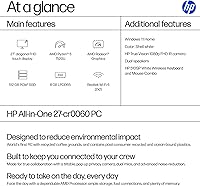
  • Processor: AMD Ryzen 5 7520U quad-core processor with a boost clock speed of up to 4.3 GHz, built on AMD's energy-efficient architecture.
  • RAM: 8 GB of DDR5 memory running at 5500 MHz, offering faster bandwidth than previous-generation DDR4 systems.
  • Storage: 512 GB PCIe NVMe M.2 SSD providing significantly faster read and write speeds compared to traditional spinning hard drives.
  • Display: 27-inch full HD IPS panel with a native resolution of 1920x1080 and a screen-to-body ratio of up to 90% thanks to micro-edge bezels.
  • Graphics: AMD Radeon integrated graphics are included as the sole GPU, sharing system memory rather than using dedicated video RAM.
  • Operating System: Windows 11 Home comes pre-installed, providing access to the Microsoft Store, DirectX 12, and the updated Start menu interface.
  • Wireless: Wi-Fi 6 (802.11ax) and Bluetooth are built in, supporting faster wireless speeds and lower latency on compatible routers.
  • Camera: A tiltable pop-up privacy webcam is integrated into the display housing, physically retracting when not in use for added security.
  • Microphones: Dual-array microphones with HP-tuned noise reduction technology are built in, designed to reduce background noise during calls.
  • Form Factor: All-in-one desktop design houses the computer components directly behind the display, eliminating the need for a separate tower unit.
  • Dimensions: The unit measures 24.11 x 7.33 x 17.36 inches (L x W x H) including the stand, making it suitable for standard home desk surfaces.
  • Weight: This HP all-in-one weighs 17.77 pounds fully assembled with its stand, which is typical for a 27-inch all-in-one at this size class.
  • Color: Available in Shell White, a matte-finished light neutral tone designed to blend into modern home and office interiors.
  • Memory Type: The system uses DDR5 RAM, which is soldered to the motherboard and is not user-replaceable or upgradeable after purchase.
  • Processor Cores: The Ryzen 5 7520U includes 4 physical processor cores, suitable for handling multiple simultaneous applications without major slowdowns.
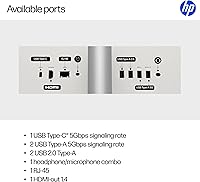
  • Connectivity: The machine includes USB Type-A ports, HDMI output, a headphone jack, and an SD card reader for standard peripheral and accessory connections.
  • Audio Output: Integrated speakers are built into the chassis and provide basic stereo audio output suitable for video calls, music, and casual media playback.
  • Chipset: The system is built on AMD chipset architecture, handling communication between the processor, memory, and storage components.

Related Reviews
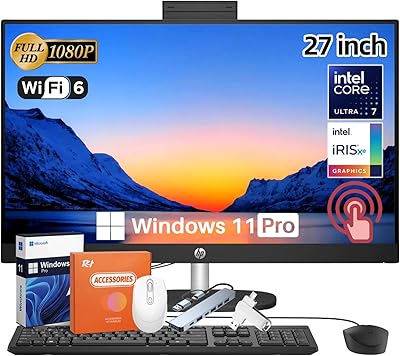
HP 27-inch All-in-One Desktop (Intel Ultra 7 155U, 64GB, 1TB)

86%
94%
Multitasking Performance
86%
Display Quality
89%
Video Conferencing
91%
Design & Space Efficiency
83%
Value for Money
More
Dell Inspiron 27 7720 All-in-One Desktop, 27-inch FHD, Intel Core i5, 16GB RAM, 512GB SSD
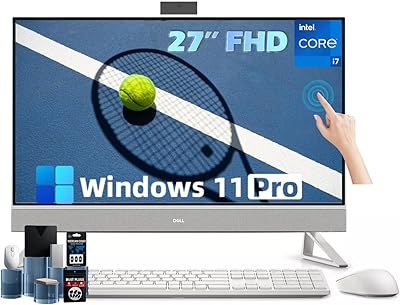
87%
88%
Performance
92%
Display Quality
90%
Ease of Setup
89%
Design & Build Quality
85%
Customer Support
More
Dell Inspiron 27 Touchscreen All-in-One Desktop
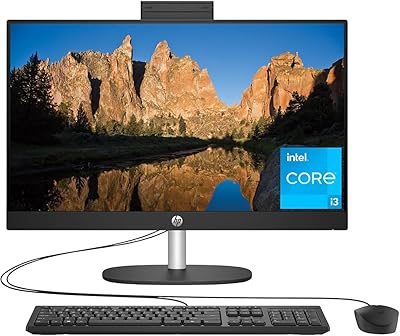
82%
88%
Processing Performance
72%
Display Quality
61%
Graphics Performance
91%
Memory & Storage
93%
Connectivity & Ports
More
HP 23.8″ All-in-One Desktop 24-cr0030
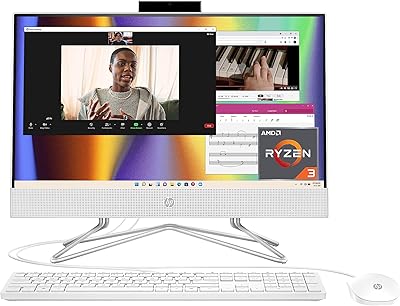
85%
94%
Setup Simplicity
91%
Aesthetic Design
86%
Display Quality
82%
System Responsiveness
93%
Privacy & Security
More
HP All-in-One 22-dd0032 21.5″ Desktop
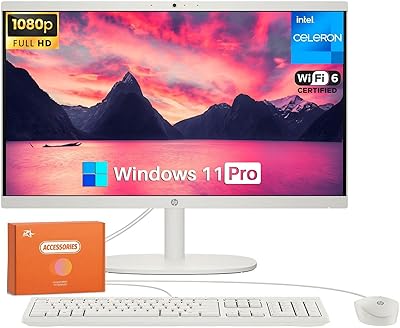
83%
96%
Space Efficiency
93%
Initial Setup
86%
Display Clarity
71%
Productivity Multitasking
87%
Connectivity & Ports
More
HP 22-DG0024 21.5-inch All-in-One Desktop
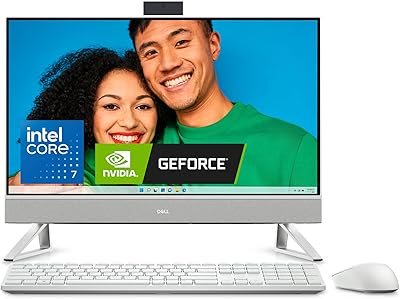
68%
62%
Everyday Performance
88%
RAM & Multitasking
84%
Storage Speed & Capacity
67%
Display Quality
71%
Value for Money
More
Dell Inspiron 27 7730 AIO Core i7 32GB 1TB
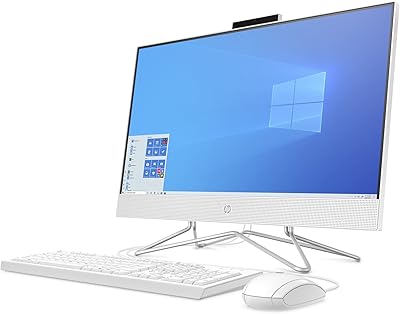
81%
94%
Multitasking Performance
88%
Display Quality
43%
Gaming Capabilities
92%
Aesthetic & Design
91%
Setup & Out-of-Box Experience
More
HP 24-dp1250 23.8-inch All-in-One Desktop
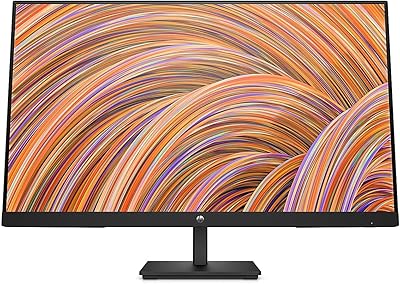
72%
83%
Everyday Performance
89%
Storage Speed
81%
Display Quality
76%
Value for Money
91%
Setup Experience
More
HP V27i 27-inch FHD Monitor
85%
92%
Display Quality
89%
Eye Comfort
91%
Value for Money
85%
Build Quality
78%
Ergonomics
More
Lenovo ThinkCentre AIO (Intel U300, 32GB RAM, 1TB SSD)
84%
94%
Multitasking Headroom
88%
Display Fluidity
97%
Setup Convenience
89%
I/O Versatility
43%
Graphics Performance
More

FAQ

Yes, for most remote workers it holds up well. The built-in webcam, noise-reducing microphones, and solid Wi-Fi 6 connectivity make it a practical daily driver for video calls and office tasks. If your work involves only standard productivity tools, you will not feel held back.

Unfortunately, no. Like most all-in-one desktops, the memory in this machine is soldered directly to the motherboard, which means 8 GB is what you get for the life of the device. If you think you will need more headroom down the line, it is worth factoring that in before buying.

This is a fair question and honestly a genuine trade-off. At 27 inches, 1920x1080 resolution works out to a lower pixel density than you would get on a smaller screen with the same resolution. Most casual users do not notice it for browsing and streaming, but if you sit close to your monitor or do a lot of reading, text can look slightly soft compared to a QHD panel. It is not bad, but it is worth being aware of.

Yes, HP includes a wired keyboard and mouse in the box. They are functional and perfectly fine for getting started, but many buyers find them on the basic side — the keyboard in particular lacks the feel of a mid-range standalone option. Most users eventually swap them out for something more comfortable.

It can handle light editing tasks in Photoshop or similar apps — basic adjustments, cropping, and working with standard-resolution images should be fine. However, working with large RAW files, batch processing, or using GPU-accelerated features will be sluggish given the integrated graphics and 8 GB of RAM. It is not the right tool for serious photography workflows.

Under light workloads like browsing, streaming, or video calls, the fan is barely noticeable. During sustained heavier tasks it does spin up and becomes audible, though not disruptively loud. In a quiet home office environment, you will hear it during busier workloads.

For daily professional video calls, the built-in camera does a decent job. The pop-up design is a nice privacy feature, and the noise reduction on the microphones means your audio will come through cleanly in most environments. It is not a studio-quality setup, but it is more than adequate for remote meetings.

Yes, the 27-inch HP desktop includes an HDMI port that allows you to connect an external display. This is useful if you want to extend your workspace to a second screen. Keep in mind the integrated graphics will be driving both displays, so performance with two monitors active may be slightly reduced during heavier tasks.

Setup is genuinely straightforward. You plug in the power cable, connect the keyboard and mouse via USB, and power it on — Windows 11 Home walks you through the rest with an on-screen setup wizard. Most non-technical users have it ready to use within 15 to 20 minutes of opening the box.

Not really, at least not for modern titles. The integrated AMD Radeon graphics can handle older games and very light indie titles at low settings, but anything released in the last few years with demanding graphics will either not run or run poorly. If gaming is a priority, a dedicated GPU is essential and this machine does not offer one.