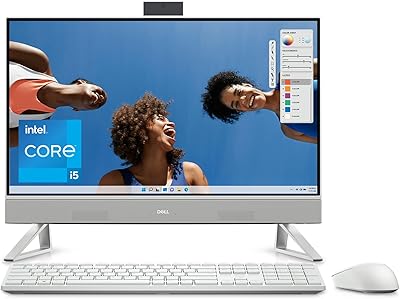
Core Innovations CC2400 24″ All-in-One Desktop

Overview
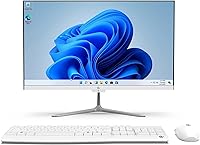
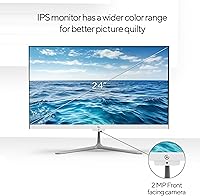
The Core Innovations CC2400 24″ All-in-One Desktop is a straightforward, no-frills Windows 11 machine built for everyday tasks at an entry-level price. Core Innovations isn't a household name like HP or Lenovo, but that's part of the pitch — you're paying for function, not brand prestige. The slim white chassis takes up almost no desk space, and the 24-inch IPS display is genuinely the headline feature here. Colors are reasonably consistent, viewing angles hold up well, and for a budget-tier screen, it handles documents, video streaming, and video calls without complaint. Just don't walk in expecting workstation-class performance.
Features & Benefits
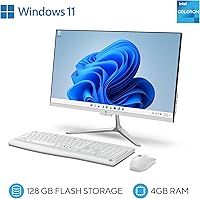
The Intel Celeron N5095 quad-core chip running at up to 2.9 GHz keeps things moving when you're juggling a handful of browser tabs or drafting a document — but ask it to do much more simultaneously and it starts to show its limits. The IPS panel delivers solid color consistency for its class, making reading and casual streaming genuinely comfortable. Storage is where reality bites hardest: 128 GB fills fast, especially once Windows 11 updates take their cut, so plan on cloud storage or an external drive from day one. On the plus side, the connectivity options are surprisingly generous — six USB ports, HDMI out, dual-band Wi-Fi, and Bluetooth all included.
Best For
This budget AIO PC fits a specific kind of buyer, and knowing whether you're that person matters more than any spec sheet. It's a natural pick for home users and students who need a clean, space-saving desktop for browsing, word processing, video calls, or streaming — with no hardware assembly required. Seniors and first-time PC users will appreciate the plug-in-and-go setup; Windows 11 Home launches ready to use right out of the box. Small offices can put it to good use at a reception desk or shared workstation. That said, if you run demanding software, edit video, or routinely keep 20 browser tabs open, look elsewhere.
User Feedback
Buyers who get the most from the CC2400 tend to have modest, well-matched expectations. The large screen size draws consistent praise — a 24-inch display at this price genuinely surprises people in a good way. Setup earns points too; most users report being ready to go within minutes. Where things turn, though, is performance under any real load: sluggish multitasking appears repeatedly in critical reviews, particularly from users running several browser tabs or background applications. Storage runs out faster than expected, catching some buyers off guard. Long-term reliability feedback is mixed but generally acceptable for the price tier, with no widespread hardware failure patterns reported.
Pros
- A 24-inch FHD IPS display at this price point is a genuine value highlight — colors hold up well for everyday use.
- The all-in-one form factor keeps cables minimal and desk clutter low.
- Windows 11 Home comes pre-installed, so setup is quick and straightforward right out of the box.
- Six USB ports total — four of which are USB 3.0 — give you plenty of room to connect peripherals.
- Dual-band Wi-Fi support means you can connect to a 5 GHz network for faster, more stable wireless performance.
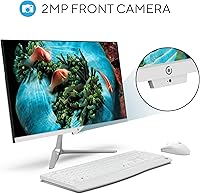
- The built-in 2MP front camera and microphone make it video-call ready without any extra accessories.
- At just over 12 pounds, it is easy to reposition on a desk or move between rooms.
- The CC2400 includes an HDMI output, giving you the option to connect a second screen if needed.
- Bluetooth compatibility lets you add a wireless keyboard, mouse, or headset without eating into your USB ports.
Cons
- 128 GB of storage fills up fast — Windows 11 updates alone can consume a significant chunk right away.
- 4 GB of RAM is the practical minimum for Windows 11 and leaves very little headroom for multitasking.
- The Celeron processor noticeably slows down when more than a few browser tabs or applications are open.
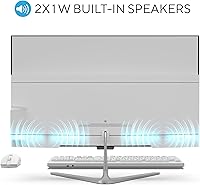
- The built-in speakers produce weak, thin sound that is barely adequate for casual video calls.
- Core Innovations is a lesser-known brand with limited long-term reliability data and a smaller support footprint than major manufacturers.
- The Amazon product listing contains conflicting spec figures, which makes it harder for buyers to know exactly what they are getting.
- Integrated Intel HD Graphics 630 limits the machine to basic display tasks — no creative or gaming software to speak of.
- There is no optical drive, which may matter to users who still rely on CDs or DVDs for software or media.
- Upgrading RAM or storage is not a realistic option for most users, so the hardware ceiling is essentially fixed at purchase.
Ratings
The scores below for the Core Innovations CC2400 24″ All-in-One Desktop were generated by our AI engine after analyzing verified purchase reviews from buyers worldwide, with spam, bot activity, and incentivized feedback actively filtered out. The results reflect real ownership experiences — not manufacturer claims — and transparently capture both what users genuinely appreciated and where this machine consistently fell short.
Value for Money
Display Quality
Processing Performance
Storage Adequacy
Ease of Setup
RAM & Multitasking
Build Quality
Webcam Quality
Audio Performance
Connectivity & Ports
Wi-Fi Reliability
Noise & Heat
Brand Reliability
Form Factor & Space Saving
Suitable for:
The Core Innovations CC2400 24″ All-in-One Desktop was built with a very specific kind of user in mind, and for that audience it genuinely delivers. If your daily computing involves browsing the web, sending emails, joining video calls, streaming shows, or writing documents, this machine handles all of it without fuss. Students on a tight budget will find it a capable companion for research papers and virtual classes, especially given the generous screen size that makes reading and multitasking across two windows comfortable. Seniors or first-time PC owners who want something they can plug in and start using immediately — without configuring hardware or dealing with tower setups — will appreciate how little friction is involved. It also makes a sensible choice for small businesses that need a tidy, space-efficient workstation at a front desk or shared station where the workload stays light.
Not suitable for:
Anyone who pushes a computer beyond basic tasks should think carefully before committing to this budget AIO PC. The Celeron N5095 processor and 4 GB of RAM hit a wall quickly when you open several browser tabs simultaneously, run memory-hungry applications, or try to keep multiple programs active at once — this is not a machine for productive multitaskers. Creative professionals who work with photo editing, video rendering, or design software will find the integrated graphics and limited RAM a constant bottleneck. Gamers should look elsewhere entirely; even casual modern titles are largely out of reach. The 128 GB SSD also makes this a poor fit for users who store media files locally or install large applications. If your computing needs are growing rather than staying static, this machine is likely to feel underpowered sooner than you'd like.
Specifications
- Processor: Intel Celeron N5095 quad-core processor clocked at up to 2.9 GHz handles light computing tasks adequately.
- RAM: 4 GB of DDR4 SDRAM running at 3200 MHz provides the baseline memory needed for everyday Windows 11 operation.
- Storage: A 128 GB SSD handles the operating system and essential applications, though available space fills up quickly in practice.
- Display: A 24-inch IPS panel delivers a 1920x1080 FHD resolution with consistent colors and usable viewing angles for everyday tasks.
- Graphics: Intel HD Graphics 630 integrated graphics handle standard display output, web content, and video streaming without dedicated VRAM.
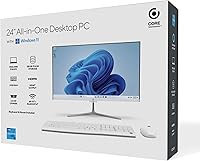
- Operating System: Windows 11 Home comes pre-installed, requiring no separate purchase or installation from the buyer.
- Wi-Fi: Dual-band 802.11 a/b/g/n/ac wireless supports both 2.4 GHz and 5 GHz network connections for flexible home or office networking.
- Bluetooth: Bluetooth connectivity is supported, allowing wireless pairing with compatible peripherals such as keyboards, mice, and headsets.
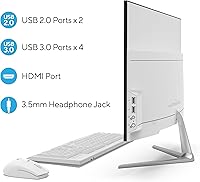
- USB Ports: Six USB ports are included in total: four USB 3.0 ports for fast data transfer and two USB 2.0 ports for standard peripherals.
- Video Output: One HDMI output port allows the unit to connect to an external monitor or display if a second screen is needed.
- Camera: A 2.0 MP front-facing camera is built into the display bezel for video conferencing and online calls.
- Audio: Two built-in 1W speakers provide basic audio output, complemented by a 3.5mm headphone jack for private listening.
- Dimensions: The unit measures 21.49 x 12.64 x 2.38 inches, keeping a slim profile that suits tight desk spaces well.
- Weight: At 12.32 pounds, the all-in-one is light enough to reposition easily but substantial enough to stay stable on a desk.
- Color: The chassis ships in white, giving it a clean, neutral look that suits most home and office environments.
- Power Supply: The unit is powered by an external 12V 5A adapter included in the box.
Related Reviews
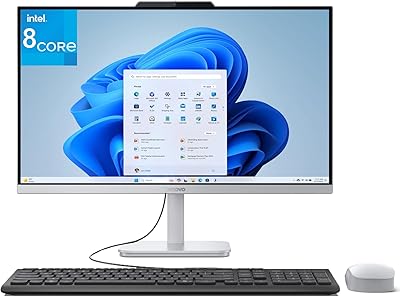
Lenovo A100 23.8″ AIO (Intel i3-N305, 32GB, 1TB)
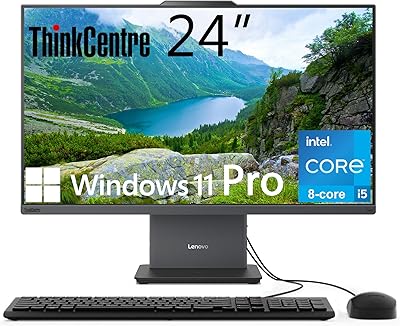
Lenovo ThinkCentre All-in-One i5-13420H 16GB 256GB 24″
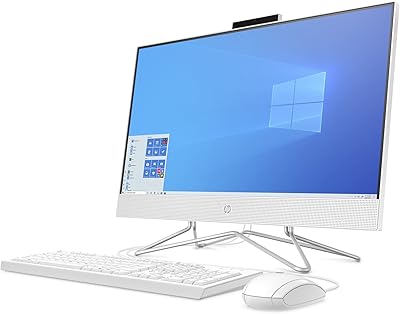
HP 24-dp1250 23.8-inch All-in-One Desktop
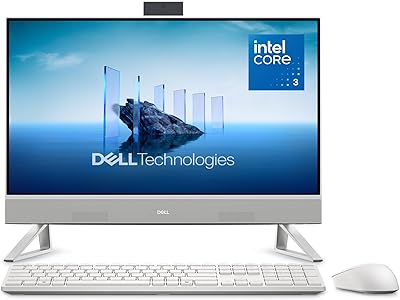
Dell ec24250 23.8-inch All-in-One Desktop
Lenovo V100 24-inch All-in-One Desktop
Dell Inspiron 27 Touchscreen All-in-One Desktop
HP 27-inch All-in-One Desktop (Intel Ultra 7 155U, 64GB, 1TB)
HP 23.8″ All-in-One Desktop 24-cr0030

Dell Inspiron 27 7720 All-in-One Desktop, 27-inch FHD, Intel Core i5, 16GB RAM, 512GB SSD