Overview

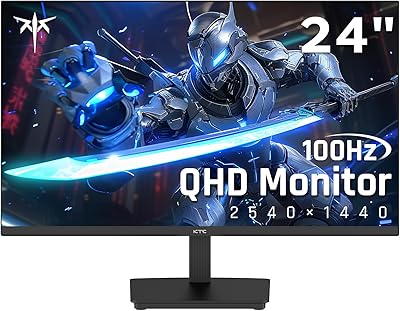
The KTC H24T7 24-inch QHD Gaming Monitor enters a crowded segment where every dollar is scrutinized, and it largely holds its own. KTC isn't a household name in North America or Europe, but the hardware speaks louder than brand recognition here. The Fast IPS panel is a meaningful choice — it avoids the washed-out viewing angles of TN and the sluggish response of VA, landing somewhere genuinely useful for both gaming and everyday work. The stand offering height, tilt, and pivot adjustment is rare at this price tier. Expect solid color accuracy out of the box; just temper expectations around HDR, which is entry-level at best.
Features & Benefits

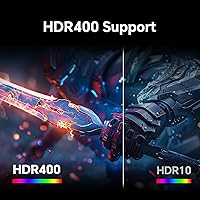
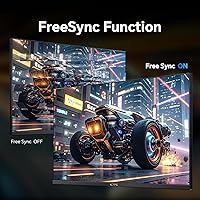
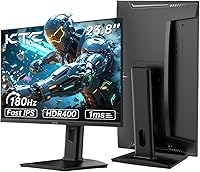
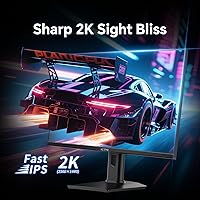
At 2560x1440 on a 23.8-inch screen, pixel density is noticeably tighter than 1080p — text is crisper, game environments show more detail, and you don't need to sit particularly close to appreciate it. The 180Hz refresh rate is accessible via DisplayPort; connecting through HDMI caps things at 144Hz, so GPU and console compatibility is worth checking in advance. Adaptive-Sync covers both G-Sync Compatible and FreeSync, keeping screen tearing out of the picture for mid-range GPU owners. The HDR400 certification adds some highlight punch but won't replicate deep blacks or dramatic contrast — think of it as a modest brightness boost rather than true HDR. A flicker-free backlight supports long gaming sessions.

Best For

This 24-inch 1440p panel hits a practical sweet spot for PC gamers running mid-range hardware — an RTX 3060 or RX 6700 can push this resolution at genuinely high frame rates without the strain of driving a larger screen. Competitive players stepping up from 1080p will feel the sharpness difference immediately, especially in fast-paced shooters where target clarity matters. It also doubles well as a home office display, with pivot and height adjustment making it easy to dial in a comfortable position — something many similarly priced panels skip entirely. Anyone planning a VESA arm setup will find the 100x100mm mount compatibility a welcome inclusion.

User Feedback

Buyers who've spent time with the H24T7 tend to highlight out-of-box color accuracy as a pleasant surprise — most report not needing significant calibration before the image looks good. Stand rigidity and build quality also get consistent positive mentions, which isn't always the case at this price level. On the downside, the OSD interface draws frustration for being less intuitive than expected, and some users note mild backlight bleed in dark corners. One recurring point: the DisplayPort cable is not always included, which matters for hitting the full 180Hz. Long-term users generally report comfortable extended sessions, crediting the flicker-free backlight for reducing eye fatigue noticeably.

Pros

  • QHD 1440p resolution delivers noticeably sharper visuals than 1080p on a compact 24-inch screen.
  • Fast IPS panel provides wide viewing angles and solid color accuracy without the sluggish response of VA.
  • 180Hz refresh rate via DisplayPort gives competitive gamers genuine high-frame-rate headroom at 1440p.
  • Adaptive-Sync covers both G-Sync Compatible and FreeSync, suiting a wide range of GPU brands and generations.
  • Height, tilt, and pivot adjustment on the stand is uncommon and genuinely useful at this price point.
  • Flicker-free backlight and low blue light mode help reduce eye fatigue during extended gaming or work sessions.
  • 100x100mm VESA support makes upgrading to a monitor arm or wall mount straightforward.
  • Out-of-box color accuracy earns consistent praise from buyers, with most reporting little need for manual calibration.
  • The stand feels well-constructed and stable relative to similarly priced competing panels.
  • 99% sRGB coverage makes this 24-inch 1440p panel usable for everyday photo editing and general content work.

Cons

  • Both HDMI ports cap at 144Hz — the full 180Hz is only accessible via DisplayPort.
  • HDR400 is underwhelming in real use; limited contrast means dark scenes still look flat.
  • The OSD menu is less intuitive than competing monitors and requires a learning curve to navigate comfortably.
  • A DisplayPort cable is not reliably included in the box, which is a frustrating omission given it is needed for peak refresh.
  • No USB-C port rules this out for laptop users who prefer a single-cable docking setup.
  • Some units show mild backlight bleed that becomes noticeable during dark-room gaming or film watching.
  • KTC has limited service and support infrastructure in Western markets, which may concern long-term reliability buyers.
  • The 185Hz overclock mode offers marginal practical benefit and is not consistently stable across all systems.
  • At 10.53 pounds, the H24T7 is not especially light if you need to reposition it frequently.
  • A 1000:1 contrast ratio is standard IPS territory; buyers switching from VA panels may find blacks look noticeably gray.

Ratings

Our scores for the KTC H24T7 24-inch QHD Gaming Monitor were produced by AI after analyzing thousands of verified purchase reviews collected globally, with spam, bot-generated content, and incentivized feedback actively filtered out before scoring. The resulting ratings reflect what real buyers consistently experienced across competitive gaming rigs, home office desks, and dual-purpose setups alike. Every category score transparently captures both what this panel genuinely delivers and where it falls short.

Image Sharpness & Clarity
88%
Upgrading from a 1080p panel to QHD at this screen size is a genuinely noticeable improvement. Text looks considerably crisper in productivity work, and game environments show real added detail — foliage, distant textures, and fine UI elements all read more cleanly. Most users report this sharpness gain as the single biggest reason they are satisfied with their purchase.
At 23.8 inches, a small number of users accustomed to 27-inch 1440p panels find the pixel density slightly tight for comfortable extended text reading without display scaling enabled. The matte coating, while effective at controlling glare, introduces a very subtle surface grain that occasionally registers as mild softness in high-contrast content for particularly discerning buyers.
Refresh Rate & Responsiveness
86%
Competitive players consistently report a real improvement in tracking fast-moving targets compared to their previous 60Hz or 144Hz displays. Motion in shooters and racing games feels fluid at 180Hz, the 1ms response time keeps ghosting from becoming a visible issue, and Adaptive-Sync smooths out frame drops during GPU-intensive scenes without introducing noticeable input lag.
The 180Hz headline rate requires a DisplayPort connection, which catches buyers off guard when they assume HDMI will deliver the same result. Both HDMI 2.0 ports cap at 144Hz at 1440p, and a DisplayPort cable is not consistently included in the box, meaning some users miss the full refresh rate experience until they source the correct cable separately.
Color Accuracy
83%
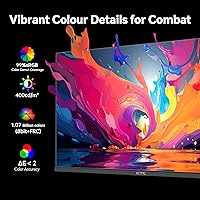
Out-of-box color accuracy is one of the most consistently praised aspects of this panel among buyers who use it for both gaming and light creative work. Skin tones, gradients, and general color balance read naturally without manual correction, and the 99% sRGB coverage makes the display genuinely versatile across photo browsing, video consumption, and everyday content creation.
Users working in DCI-P3 or AdobeRGB color spaces will quickly encounter the limits of an sRGB-focused panel — this is not a wide-gamut display suitable for professional print or video production. A portion of reviewers also noted mild unit-to-unit variation in factory calibration, with some panels arriving with a slightly warm or cool color cast compared to others.
HDR Performance
47%
53%
HDR400 does provide a mild brightness boost and basic tone mapping when playing HDR-flagged content, delivering a marginal visual lift over SDR in moderately lit rooms. A small segment of users found the added luminance headroom useful for daytime viewing of HDR streaming content on platforms that recognize the certification.
HDR performance is widely described as underwhelming by buyers who expected meaningful visual impact. Without local dimming and with a native contrast ratio of just 1000:1, dark scenes look flat and the characteristic highlight-versus-shadow contrast of real HDR simply is not present. Buyers comparing this to any OLED or high-end mini-LED display will find the HDR implementation a significant step backward.
Build Quality & Stand
81%
19%
Stand rigidity draws genuine praise relative to the price point — it feels noticeably more substantial than the thin plastic bases common on competing budget monitors. Adjustment mechanisms move smoothly, lock into position without creep, and the overall chassis conveys a level of construction care that surprises buyers expecting a more cost-cut build at this tier.
The monitor body is predominantly plastic, and while it holds up well in daily desk use, it does not carry the premium tactile feel of higher-tier displays. Several buyers noted that cable routing through the stand neck is somewhat restrictive, making it difficult to keep wiring organized neatly when multiple devices are connected simultaneously.
Ergonomics & Adjustability
87%
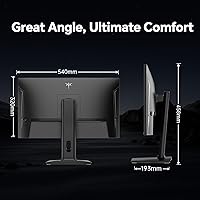
The combination of 110mm height adjustment, 90-degree portrait pivot, and tilt range is a genuine differentiator at this price tier, where many competing panels offer tilt and nothing else. Home office users particularly appreciate being able to set a proper ergonomic viewing position without a monitor arm, and the pivot capability adds real utility for coding sessions or document-heavy workflows.
No swivel rotation is built into the stand base, so left-right repositioning requires moving the entire monitor — a minor but recurring annoyance for users at shared desks or those who frequently reconfigure their setup. The tilt range of -5° to 20° is functional, but not the widest available among competitors in this category.
Connectivity & Ports
74%
26%
Two HDMI ports offer practical flexibility for users connecting both a desktop PC and a secondary device such as a laptop or console without a manual switch. The built-in headphone jack is a small but appreciated detail for wired headset users who prefer routing audio directly through the monitor rather than managing a separate desktop audio solution.
The absence of USB-C is a meaningful gap for modern laptop users who rely on single-cable connectivity for both display and power delivery. The sole USB 2.0 downstream port is underwhelming in an era where even some budget monitors include a small hub. Needing DisplayPort specifically to reach the full refresh rate adds a setup step many buyers do not anticipate.
Value for Money
89%
The combination of 1440p QHD resolution, 180Hz Fast IPS panel, full ergonomic stand adjustability, and dual-platform Adaptive-Sync support at this price is genuinely difficult to match among named competitors. Buyers consistently describe this 24-inch 1440p panel as punching above its weight, especially when cross-shopping against established brands charging noticeably more for equivalent or lesser specifications.
Value perception takes a small hit from omissions that only surface after purchase — no USB-C, no DisplayPort cable in the box, and HDR that underdelivers on its implied promise. Buyers who need those features must factor in accessory costs, which partially erodes the price advantage this panel otherwise holds over the competition.
Eye Comfort
84%
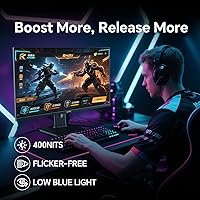
Long-session users — those putting in six-to-eight-hour stretches across work and gaming — consistently report less eye fatigue compared to previous panels they have owned. The flicker-free backlight and low blue light filter appear to make a tangible difference, and the matte surface reduces reflective glare effectively in mixed ambient lighting conditions common in home offices.
Low blue light mode shifts white balance perceptibly toward warmer tones, which some users find unsuitable for color-sensitive work and prefer to disable. A small segment of long-term users report residual eye strain even with all comfort features active, a reminder that individual ocular sensitivity varies in ways no panel-level feature can fully compensate for.
OSD & Menu Navigation
58%
42%
The OSD does offer a useful range of adjustments including a crosshair overlay, black level control, FPS and RTS game presets, and refresh rate tuning options — more functional depth than several competing panels at this tier. Once users invest time learning the button layout, routine tasks like input switching and brightness adjustment become workable.
OSD navigation is one of the most frequently cited frustrations in buyer reviews. The physical button layout is unintuitive, and reaching specific settings like adaptive sync toggle or refresh rate override requires navigating multiple menu layers with limited on-screen guidance. Multiple buyers described needing the manual open beside them during initial setup just to find basic options.
Setup & Assembly
79%
21%
Stand assembly takes most buyers under five minutes, requires no tools, and the snap-together construction holds securely once complete. The packaging generally does a good job protecting the panel during shipping, and very few buyers report dead-on-arrival units or transit damage — a reassuring sign for those ordering from a less-established brand.
Included documentation is minimal, which becomes a real friction point when buyers encounter the less-obvious OSD settings or try to understand the DisplayPort versus HDMI refresh rate difference without prior knowledge. A segment of first-time monitor buyers end up turning to online forums rather than the box contents to complete a fully optimized configuration.
Adaptive Sync Performance
82%
18%
G-Sync Compatible and FreeSync Premium both operate reliably in real-world use, and buyers with mid-range GPUs from both NVIDIA and AMD report smooth frame delivery across the variable refresh rate window. In competitive titles where frame rates fluctuate during team fights or heavy particle effects, the adaptive sync visibly reduces tearing without introducing perceptible input latency.
When frame rates drop below the lower bound of the variable refresh rate range, brief screen tearing can return — a situation more common for users pushing high graphical settings on mid-range hardware. A number of buyers also found they needed to manually enable adaptive sync through the OSD rather than it activating automatically, a step that is not clearly communicated anywhere in the setup materials.
Brightness & Visibility
76%
24%
At 400 cd/m² peak output, this KTC monitor holds up reasonably well under normal indoor lighting conditions, and the matte panel surface does effective work managing reflections from overhead fixtures or nearby windows. In a typical home office or living room setup, most users do not need to push brightness to its maximum to maintain comfortable visibility.
Users working in very bright environments or near uncovered windows find the 400 cd/m² ceiling limiting for comfortable daytime use, particularly when comparing it to competing panels at higher brightness tiers. Backlight uniformity at elevated brightness levels is also occasionally flagged, with some buyers noticing the panel center appearing marginally brighter than the corners under sustained high-brightness conditions.
Viewing Angles
83%
Fast IPS panel technology delivers on viewing angle performance — colors, contrast, and perceived sharpness remain consistent when the screen is viewed from off-axis positions. This makes the H24T7 a comfortable shared display for side-by-side viewing, informal presentations, or home setups where the monitor is not perfectly centered relative to the viewer's seated position.
A small number of users have noted mild IPS glow — a subtle corner brightening visible at steep viewing angles in a darkened room. This is an inherent characteristic of IPS panel technology rather than a specific defect of this model, but buyers who are particularly sensitive to this phenomenon, especially during late-night movie watching, should factor it into their decision.

Suitable for:

The KTC H24T7 24-inch QHD Gaming Monitor is a strong match for PC gamers who have outgrown 1080p but are not ready to spend heavily on a large-format premium display. If you are running a mid-range GPU — an RTX 3060 or RX 6700 class card — this is a resolution your hardware can realistically push at high frame rates, which means the 180Hz specification is actually within reach rather than a purely aspirational figure. The Fast IPS panel and wide viewing angles also make this a capable dual-purpose screen for home office workers who need reliable color accuracy during the day and responsive performance in the evening. Buyers who care about ergonomics will particularly appreciate the height, tilt, and pivot adjustment, since panels at this price tier frequently skip those features entirely. Anyone planning a monitor arm or multi-display setup will also be glad VESA compatibility is built in.
Not suitable for:

The KTC H24T7 24-inch QHD Gaming Monitor won't satisfy buyers chasing a truly impactful HDR experience — HDR400 is an entry-level certification, and a contrast ratio of 1000:1 means dark scenes lack the depth you would get from a VA panel or an OLED display. Content creators who require wide gamut coverage beyond sRGB, or who need strict accuracy for print production work, should look at purpose-built monitors with factory calibration and DCI-P3 support. Console gamers should take note as well: both HDMI ports cap at 144Hz, so the 180Hz headline figure is only reachable over DisplayPort, which most current consoles do not support natively. Buyers who rely on USB-C for single-cable laptop connectivity will find that port absent entirely. Those who prefer a larger canvas for spreadsheet work, multi-window productivity, or cinematic gaming may also find a 24-inch panel limiting over longer stretches.
Specifications

  • Panel Type: The display uses a Fast IPS panel, offering wider viewing angles and quicker pixel transitions than standard IPS or VA alternatives.
  • Screen Size: The active display area measures 23.8 inches diagonally, commonly marketed and sold as a 24-inch screen.
  • Resolution: Native resolution is 2560x1440 pixels (QHD), delivering a pixel density of approximately 123 PPI on the 23.8-inch panel.
  • Refresh Rate: The panel runs at up to 180Hz natively via DisplayPort 1.4, with an optional overclock to 185Hz; HDMI 2.0 connections are capped at 144Hz.
  • Response Time: Rated at 1ms GtG under overdrive conditions; the manufacturer also lists a 3ms figure reflecting a broader range of pixel transition measurements.
  • Brightness: Maximum backlight brightness is rated at 400 cd/m², providing adequate visibility in well-lit room environments.
  • HDR Support: Carries HDR400 certification, indicating a peak brightness of 400 cd/m² with basic tone mapping; full-array local dimming is not included.
  • Color Gamut: Covers 99% of the sRGB color space, making it suitable for general content consumption and everyday photo editing work.
  • Sync Technology: Supports both NVIDIA G-Sync Compatible and AMD FreeSync Premium variable refresh rate standards to reduce screen tearing during gameplay.
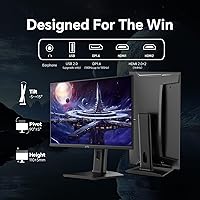
  • Connectivity: Input options include 2x HDMI 2.0 (144Hz max each), 1x DisplayPort 1.4 (180Hz), 1x USB 2.0 downstream port, and a 3.5mm headphone jack.
  • Ergonomics: The stand supports -5° to 20° tilt, 110mm of height adjustment range, and 90° pivot rotation for portrait orientation use.
  • VESA Mount: The rear panel includes a standard 100x100mm VESA mounting pattern, compatible with most third-party monitor arms and wall-mount brackets.
  • Aspect Ratio: The screen uses a standard 16:9 widescreen aspect ratio across its full 2560x1440 native resolution.
  • Contrast Ratio: Static contrast ratio is rated at 1000:1, which is typical performance for IPS-class display panels.
  • Power Input: The monitor operates via a DC 12V/4A external power supply, with a maximum rated power draw of 48W under full load.
  • Weight: The complete unit with stand attached weighs 10.53 pounds (approximately 4.78 kg).
  • Dimensions: With the stand assembled, the monitor measures approximately 21 inches wide, 18 inches tall, and 7 inches deep.

Related Reviews

KTC 24-inch 190Hz Gaming Monitor
76%
88%
Refresh Rate Performance
76%
Color Accuracy
83%
Motion Clarity
54%
HDR Quality
91%
Value for Money
More
KTC 24-inch 1500R Curved Gaming Monitor
86%
94%
Gaming Performance
89%
Display Quality
92%
Value for Money
87%
Build Quality
83%
Ergonomics
More
KTC H24T27 24-inch QHD Gaming Monitor
68%
88%
Image Clarity
84%
Color Accuracy
74%
Gaming Performance
41%
HDR Quality
46%
Ergonomics & Adjustability
More
KTC H25X7 24.5-inch 400Hz Gaming Monitor
75%
92%
Refresh Rate Performance
84%
Panel Color Quality
91%
Value for Money
88%
Input Lag & Responsiveness
86%
Connectivity Options
More
KTC M27T6 27-inch Mini LED Gaming Monitor
76%
84%
HDR Performance
88%
Contrast & Black Levels
86%
Peak Brightness
57%
Color Accuracy
71%
Motion Handling
More
SANSUI ES-G25F6Q Pro 24.5-inch QHD Gaming Monitor
78%
91%
Refresh Rate Performance
88%
Image Sharpness
79%
Color Accuracy
93%
Value for Money
76%
Motion Clarity
More
Samsung S60A 24-inch QHD Monitor
74%
88%
Image Clarity
83%
Color Accuracy
86%
Ergonomics & Stand
84%
Eye Comfort
79%
Build Quality
More
STGAubron LCD2401 24-Inch Gaming Monitor
71%
83%
Value for Money
76%
Image Quality
79%
Color Accuracy
47%
Gaming Performance
43%
Screen Glare & Reflections
More
memzuoix 27-inch QHD 165Hz Gaming Monitor
70%
88%
Image Clarity
84%
Refresh Rate Performance
91%
Value for Money
82%
Adaptive Sync (FreeSync/G-Sync)
77%
Color Accuracy
More
Sealan 24-Inch Curved Gaming Monitor
86%
92%
Gaming Performance
88%
Visual Quality
91%
Refresh Rate Smoothness
85%
Design & Build
87%
Eye Care Features
More

FAQ

Yes — you will need a DisplayPort 1.4 cable to reach 180Hz or the 185Hz overclock mode. Both HDMI ports top out at 144Hz at 1440p, so if high refresh rate is your priority, plan ahead. A DisplayPort cable is not always included in the box, so it is worth sourcing one before your monitor arrives.

It will connect and display a picture, but with some caveats. Both HDMI ports are HDMI 2.0, so 1440p gaming at up to 144Hz is supported — the PS5 and Xbox Series X both output 1440p natively. You will not hit 180Hz from a console since that requires DisplayPort, which current-generation consoles do not support. For console use it is still a sharp, responsive panel; just go in with realistic expectations about the refresh rate ceiling.

It is entry-level. HDR400 certification means the panel can hit 400 cd/m² of peak brightness with basic tone mapping applied, but there is no local dimming, so dark areas of the image are not independently controlled. The result is a modest improvement over standard SDR rather than the dramatic contrast you would see on an OLED or mini-LED display. If HDR performance is a priority, you will need to look at a higher-tier panel.

Yes, the H24T7 has a standard 100x100mm VESA pattern on the back, so it is compatible with the vast majority of desk-clamp and wall-mount arms available. Factor in the weight at around 10.5 pounds when choosing an arm, and remove the stock stand before mounting — the two are mutually exclusive.

Most buyers report the stand assembles in just a few minutes without any tools. The base attaches to the column, which then clicks onto the monitor neck in a fairly standard fashion. The height adjustment mechanism feels solid once assembled, and the stand does not exhibit noticeable wobble during normal desk use.

Yes. G-Sync Compatible is NVIDIA's own certification for monitors that pass their variable refresh rate testing, so adaptive sync will work with any modern NVIDIA GPU that supports G-Sync. AMD FreeSync Premium is also supported for Radeon GPU owners. Just make sure variable refresh rate is enabled both in your GPU control panel and in the monitor OSD settings.

Buyer feedback is generally positive here. Most people find the image looks natural and reasonably well-balanced without needing manual adjustments. The panel covers 99% of sRGB, which is solid for a gaming monitor at this price. It is not a factory-calibrated professional display, so demanding color-critical work may benefit from a quick calibration pass, but for gaming and everyday use it performs well from the moment you power it on.

A portion of users have reported mild backlight bleed, most often visible in the corners when displaying a dark or black screen. This is not unusual for IPS panels at this price point, and panel-to-panel variance means some units are better than others. For the majority of gaming and productivity use it will not be distracting, but if you regularly watch films in a very dark room, it is worth keeping in mind.

Both figures are technically accurate but measure different things. The 1ms GtG number is measured under overdrive conditions at the fastest setting, representing a best-case pixel transition. The 3ms figure reflects a broader average across various pixel transitions under more typical settings. For gaming purposes, both numbers indicate a fast panel with minimal ghosting, and the difference between them is not perceptible in day-to-day play.

KTC is a Chinese display manufacturer with over a decade of production history but relatively low visibility in North American and European retail markets. The KTC H24T7 24-inch QHD Gaming Monitor earns its credibility more through its verifiable hardware choices — Fast IPS panel, full-adjustment stand, Adaptive-Sync support — than through brand reputation alone. Buyer feedback has been broadly positive regarding build quality and out-of-box performance. The main practical concern is that after-sales support infrastructure in Western markets is more limited than you would find with mainstream brands, so weigh that against the specification-to-price ratio when deciding.