
Overview

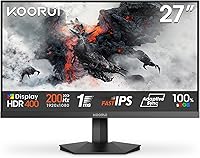
The KOORUI G2711P 27″ Gaming Monitor launched in May 2025 and has quickly climbed into the top tier of budget gaming displays. It targets casual to mid-level PC gamers who want speed and color quality without spending a lot. The Fast IPS panel is the real differentiator here — at this price, most competitors offer TN or VA panels, which typically sacrifice either color accuracy or viewing angles. The slim frame and lightweight build make it practical for tighter desks or wall-mounted setups via VESA. One honest caveat: this is a 1080p screen on a 27-inch chassis, and at that size, pixel density is lower than on a 24-inch display. Worth knowing before you buy.

Features & Benefits

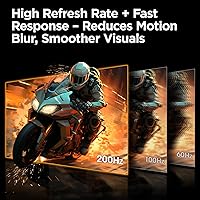
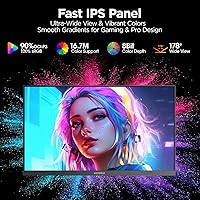
The 200Hz refresh rate is where this Fast IPS screen genuinely delivers. Games feel responsive and fluid — a noticeable step up from standard 144Hz panels, especially if you are coming from a 60Hz display. The 90% DCI-P3 color gamut means colors look rich and consistent whether you are in a competitive shooter or an open-world RPG. Adaptive Sync keeps things tear-free regardless of whether you are on AMD or Nvidia hardware. Connectivity covers both HDMI 2.0 and DisplayPort 1.4, so switching between a PC and a console requires no extra adapters. The Blue Light Filter and Flicker-Free technology may not feel dramatic day-to-day, but during marathon sessions, the reduced eye strain genuinely adds up. HDR400 is present, but keep expectations modest — this is not premium HDR.

Best For

This gaming monitor hits a sweet spot for a specific kind of buyer. Competitive and casual gamers who prioritize frame rate over pixel count will find it easy to recommend. Students using the screen for both work and gaming will appreciate the accurate colors and eye-care features during long sessions. Multi-platform users — those who switch between a PC and a console — will find the dual-input setup genuinely convenient. The VESA compatibility and slim profile also make it a practical choice for wall-mounted or compact desk arrangements. It is probably not the right call for creative professionals who need fine pixel detail, or for anyone counting on a meaningful HDR boost from their display.

User Feedback

Since the KOORUI 27-inch panel only hit shelves in May 2025, verified buyer reviews are still relatively limited — take early impressions accordingly. Buyers tend to highlight smooth motion and vibrant color output as standout positives, which reflects what the Fast IPS hardware is genuinely capable of. The most frequently raised concern is pixel density — at 27 inches with a 1080p signal, individual pixels are more visible than on a smaller screen, and detail-focused users will notice. The tilt-only stand is another recurring gripe; without height adjustment or swivel, ergonomic flexibility is limited. On the upside, KOORUI's 3-year parts warranty and accessible support team come up consistently as genuine positives among buyers.

Pros

  • 200Hz refresh rate delivers genuinely smooth motion in fast-paced competitive games.
  • The Fast IPS panel produces vibrant, consistent colors across a wide viewing angle.
  • Adaptive Sync works with both AMD and Nvidia cards, covering most gaming setups.
  • HDMI 2.0 and DisplayPort 1.4 allow easy switching between a PC and a console.
  • At under 6 pounds, this gaming monitor is easy to reposition or mount without help.
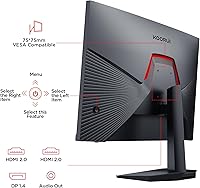
  • The 5-way joystick makes navigating on-screen display settings quick and frustration-free.
  • Blue Light Filter and Flicker-Free tech make extended work or gaming sessions noticeably easier on the eyes.
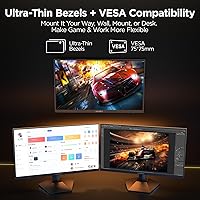
  • VESA compatibility gives flexible placement options beyond the included stand.
  • The 3-year parts warranty and 12-month replacement policy offer solid post-purchase peace of mind.
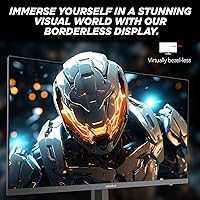
  • Slim bezel design keeps the setup looking clean, especially in multi-monitor arrangements.

Cons

  • At 27 inches with 1080p resolution, pixel density is low enough that text and fine detail look noticeably soft.
  • The stand offers only tilt adjustment, with no height, swivel, or pivot options included.
  • HDR400 at 300 nits delivers only a modest visual improvement over standard dynamic range content.
  • Early buyer review volume is limited given the May 2025 release, so long-term reliability data is still thin.
  • No USB hub or built-in speakers means additional peripherals are needed for a fully functional desk setup.
  • Color accuracy, while solid for gaming, is not calibrated for professional creative work out of the box.
  • The OSD power button doubles as the screen on/off toggle, which can be counterintuitive at first.
  • No height-adjustable or rotating stand limits ergonomic customization for taller users or shared workspaces.

Ratings

The KOORUI G2711P 27″ Gaming Monitor has been evaluated by our AI rating system after analyzing verified global buyer reviews, with spam, bot activity, and incentivized feedback actively filtered out. Scores reflect a transparent picture of where this Fast IPS screen genuinely excels and where real-world buyers have run into frustrations. Both the strengths and the trade-offs you see below are drawn directly from patterns in authentic user experience data.

Refresh Rate Performance
93%
Buyers who upgraded from 60Hz or 75Hz displays consistently describe the 200Hz experience as transformative in fast-paced shooters and racing titles. Motion feels fluid and controlled, with no perceptible judder even during rapid camera panning or high-speed combat sequences.
Reaching 200fps at 1080p requires a capable GPU, and users with mid-range or older cards report they rarely push the panel to its ceiling in demanding titles. The high refresh rate is most impactful in esports-style games rather than graphically intensive open-world releases.
Panel Color Quality
88%
The 90% DCI-P3 color gamut delivers noticeably richer, more saturated visuals than typical TN panels in the same price range. Colors hold consistency across wide viewing angles, which buyers who share their screen or work in collaborative setups find genuinely useful.
Out of the box, some users note that color calibration needs minor adjustment for the most accurate results. The panel is not aimed at professional color-critical work, and those comparing it to calibrated IPS monitors used in design workflows will spot the difference.
Motion Clarity
91%
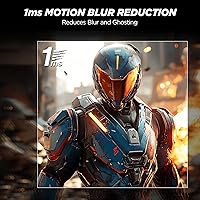
The 1ms response time effectively eliminates ghosting during gameplay, a problem that plagues many VA panels at this price tier. Buyers running competitive titles like tactical shooters report sharp, clean edges on moving targets with no trailing artifacts.
In very dark scenes at maximum refresh rate, a small number of users have observed mild inverse ghosting — a common Fast IPS trade-off where overshoot in the response time circuit creates faint bright halos. It is not widespread, but it is worth knowing.
Value for Money
89%
For a budget-tier display, the combination of Fast IPS panel technology, 200Hz refresh rate, and Adaptive Sync in one package represents strong value. Buyers repeatedly note they expected to pay significantly more to get these specifications together.
The value story softens slightly when you factor in the tilt-only stand and absence of USB ports or built-in speakers, extras that competing monitors in adjacent price brackets sometimes include. The core display hardware is competitive; the peripheral features less so.
Resolution & Sharpness
61%
39%
For gaming at typical desk distances, most buyers find 1080p perfectly playable and satisfying. Casual gamers and those coming from older 1080p monitors do not feel shortchanged by the resolution in practice.
At 27 inches, the 1080p pixel density of around 82 ppi is a genuine trade-off that divides buyers clearly. Users who browse the web, read documents, or work close to the screen frequently mention that text appears softer than they expected, and some regret not choosing a 1440p display.
HDR Performance
54%
46%
HDR400 certification means compatible games and media do render with slightly expanded highlight detail and improved contrast relative to SDR mode. For buyers who have never used HDR before, the toggle provides a visible, if modest, upgrade in bright outdoor game environments.
At 300 nits peak brightness, this is among the weakest HDR implementations available, and experienced buyers who have used HDR600 or OLED displays find the improvement negligible. Several users recommend simply leaving HDR off and relying on the panel's native SDR color output instead.
Adaptive Sync Compatibility
86%
Adaptive Sync works reliably across both AMD FreeSync and Nvidia systems without requiring manual configuration beyond enabling it in the GPU driver. Buyers consistently report that tearing disappears entirely across a wide frame rate range, including the variable output typical of gaming PCs.
The sync range boundaries are not officially documented in detail, and a small number of Nvidia users report occasional micro-stutter at very low frame rates below the sync floor. This is an edge case, but worth awareness for users gaming on older or weaker hardware.
Build Quality
78%
22%
The slim bezel and lightweight chassis give this gaming monitor a clean, modern appearance that looks well above its price point. At under 6 pounds, it feels easy to reposition, and the build does not produce flex or creaking when adjusted.
The plastic construction, while smooth-finished, does not feel premium under close inspection, and the stand base has a slightly lightweight feel compared to heavier metal-footed competitors. For a desk-bound display this rarely matters, but it does reflect the cost tier.
Stand & Ergonomics
47%
53%
The stand assembles in roughly three minutes without tools, which buyers appreciate on first setup. The tilt range of -5° to 20° is adequate for a fixed desk position where the monitor height is already close to ideal.
The absence of height adjustment, swivel, and portrait rotation is the most consistent complaint in user feedback. Taller users, those who share a monitor between seated and standing arrangements, or anyone with ergonomic sensitivities will find the stand limiting and will likely need to invest in a separate arm.
Connectivity
82%
18%
Having both HDMI 2.0 and DisplayPort 1.4 available simultaneously is genuinely practical for users who run a PC and a console side by side. Input switching is handled cleanly through the OSD without needing to physically swap cables.
There is no USB hub, no headphone jack, and no additional video inputs beyond the two ports provided. For a busy multi-device desk setup, the connectivity options cover the basics but nothing beyond, which can feel restrictive compared to monitors with more fully featured I/O panels.
OSD & Controls
84%
The 5-way joystick for on-screen display navigation is a practical advantage that buyers who have used button-based OSD systems genuinely appreciate. Adjusting brightness, color presets, and the built-in crosshair overlay takes seconds rather than the frustrating multi-press sequences common on cheaper controls.
The joystick doubles as the power toggle, which trips up new users who accidentally turn the screen off while trying to exit a menu. The learning curve is short, but the initial confusion is a recurring theme in early feedback from first-time KOORUI owners.
Eye Comfort
81%
19%
The combination of a matte anti-glare coating, Flicker-Free backlight, and adjustable Blue Light Filter makes extended sessions noticeably more comfortable than older monitors with glossy or high-flicker panels. Students and work-from-home users highlight these features as meaningful quality-of-life improvements.
The Blue Light Filter visibly warms the color temperature when engaged at higher settings, which can affect color accuracy in games or media. Users who need accurate color reproduction and eye comfort simultaneously find themselves toggling back and forth depending on the task.
Setup Experience
87%
Unboxing and assembly takes around three minutes with no tools required, and the included cables mean most buyers are at their desktop without additional purchases. The packaging is reported to be solid, with no damage on arrival issues flagged in early reviews.
The OSD instruction quirk — pressing and holding the joystick to power off — is not immediately obvious and causes confusion for some users during initial configuration. The included quick-start guide is brief and could do more to explain the dual-function controls upfront.
Warranty & Support
79%
21%
The 3-year spare parts warranty combined with a 12-month full replacement policy is stronger than many brands offer at this price tier. Buyers who have contacted KOORUI support report responsive service and a straightforward claims process.
Since the monitor launched in May 2025, long-term reliability data from real users is not yet available in meaningful volume. The warranty terms are reassuring on paper, but the true test of KOORUI's support quality will come as the product ages and more edge-case issues surface over time.

Suitable for:

The KOORUI G2711P 27″ Gaming Monitor is a strong fit for budget-conscious gamers who care more about smooth, responsive gameplay than pixel-perfect detail. If you are coming from a 60Hz or 75Hz display, the jump to 200Hz will be immediately noticeable — fast-paced shooters, racing games, and action titles feel genuinely more fluid and controlled. Students who need a do-it-all screen for coursework during the day and gaming at night will find the accurate color reproduction and eye-care features well-suited to long hours. The dual-input setup with both HDMI 2.0 and DisplayPort 1.4 makes it easy to connect a PC and a console simultaneously without cable-swapping hassle. Compact desk users and anyone planning a wall-mounted setup will also appreciate the VESA compatibility and the slim, lightweight frame that does not dominate a small workspace.

Not suitable for:

The KOORUI G2711P 27″ Gaming Monitor is not the right choice for buyers who prioritize sharpness above all else. At 27 inches with a 1080p resolution, pixel density sits around 82 ppi — noticeably softer than a 24-inch 1080p screen or any 1440p panel at this size. Graphic designers, video editors, or anyone working with fine visual detail will likely find the image quality too soft for professional use. The HDR400 certification is also worth managing expectations around — at 300 nits of brightness, the contrast boost is mild at best, and it falls well short of what dedicated HDR displays deliver. Buyers who need full ergonomic flexibility, such as height adjustment or screen rotation into portrait mode, should look elsewhere, since the stand only tilts. If your workflow or game library leans heavily on cinematic visuals or high-resolution assets, a 1440p monitor at a slightly higher price point would serve you considerably better.

Specifications

  • Screen Size: The display measures 27 inches diagonally, offering a wide viewing area suitable for both gaming and everyday desktop use.
  • Resolution: Native resolution is 1920x1080 pixels (Full HD), delivering a standard 1080p image across the 16:9 aspect ratio panel.
  • Panel Type: Uses a Fast IPS panel, which combines the color accuracy and wide viewing angles of IPS technology with improved pixel response speeds.
  • Refresh Rate: Runs at a maximum of 200Hz, meaning the display can render up to 200 frames per second for noticeably smoother motion in fast-paced content.
  • Response Time: Rated at 1ms response time, minimizing ghosting and motion blur during high-speed gameplay sequences.
  • Color Gamut: Covers 90% of the DCI-P3 color space, producing over 16.7 million colors with strong saturation and consistency across viewing angles.
  • HDR Support: Certified HDR400 with a peak brightness of 300 nits, offering a mild improvement in contrast and highlight detail over standard dynamic range.
  • Sync Technology: Supports Adaptive Sync, which reduces screen tearing and stuttering when frame output does not perfectly match the display refresh rate.
  • Connectivity: Equipped with one HDMI 2.0 port and one DisplayPort 1.4 port, supporting high-bandwidth video input from PCs, laptops, and modern gaming consoles.
  • VESA Compatibility: The monitor is VESA mount compatible, allowing the included stand to be replaced with a third-party arm or wall bracket for flexible placement.
  • Stand Adjustment: The included stand supports tilt adjustment between -5° and 20°, but does not offer height, swivel, or pivot (portrait mode) adjustments.
  • Surface Finish: The screen uses a matte anti-glare coating, which reduces reflections from ambient light sources during daytime or brightly lit room use.
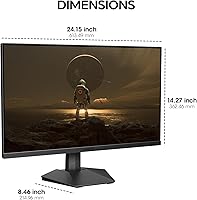
  • Dimensions: The assembled monitor measures 23.5 x 8.5 x 17.3 inches (width x depth x height) with the stand attached.
  • Weight: Total unit weight with stand is 5.5 pounds, making it easy to reposition or mount without requiring additional assistance.
  • Eye-Care Features: Includes a built-in Blue Light Filter and Flicker-Free backlight technology to reduce eye fatigue during extended work or gaming sessions.
  • OSD Navigation: On-screen display settings are controlled via a 5-way joystick located on the rear of the monitor for quick and precise menu navigation.
  • Warranty: Backed by a 3-year spare parts replacement warranty and a 12-month full unit replacement service, supported by KOORUI technical phone support.
  • Availability: The monitor was first listed for sale in May 2025 and reached the top 250 in the Computer Monitors category shortly after launch.

Related Reviews
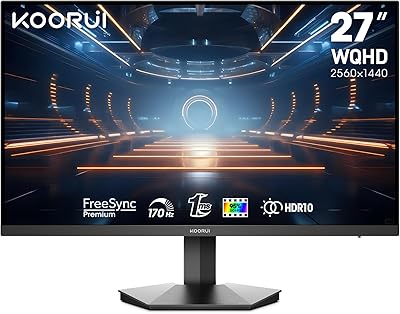
KOORUI 27E3Q 27-inch QHD Gaming Monitor
76%
88%
Value for Money
83%
Image Quality
76%
Refresh Rate Performance
91%
Stand & Ergonomics
47%
HDR Performance
More
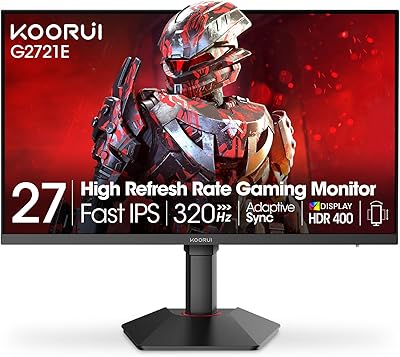
KOORUI G2721E 27-inch Gaming Monitor
78%
93%
Refresh Rate Performance
88%
Image Clarity & Resolution
84%
Color Accuracy
81%
Motion Handling
52%
HDR Quality
More
KOORUI GN10 27-inch 1440P Gaming Monitor
80%
88%
Image Quality
74%
HDR Performance
93%
Refresh Rate & Smoothness
86%
Color Accuracy
81%
Contrast & Black Levels
More
KOORUI GN02 27-inch 240Hz Gaming Monitor
87%
91%
Gaming Performance
89%
Display Quality
88%
Color Accuracy
93%
Response Time
85%
Ergonomics and Design
More
KOORUI S2741LM 27″ 4K Gaming Monitor

80%
88%
Image Quality
83%
HDR Performance
91%
Color Accuracy
86%
Gaming Performance
74%
Mini LED Blooming Control
More
Skytech Gaming Moonshadow 27-inch Curved Gaming Monitor
83%
88%
Image Quality
91%
Refresh Rate Performance
86%
Adaptive-Sync
83%
VA Panel Contrast
84%
Stand & Ergonomics
More
GIGABYTE GS27FC 27-inch Gaming Monitor
76%
93%
Refresh Rate Performance
88%
Contrast & Black Levels
91%
Value for Money
84%
Motion Clarity
74%
Color Accuracy & Vibrancy
More
MSI G273QPF 27-inch QHD Gaming Monitor
78%
88%
Image Clarity
91%
Refresh Rate Performance
86%
Response Time
79%
Panel Quality
84%
Ergonomics & Stand
More
CRUA CR270F 27-inch 540Hz Gaming Monitor
76%
91%
Motion Clarity
83%
Refresh Rate Value
74%
Image Quality
56%
Pixel Density
86%
Ergonomics & Stand
More
Raywego Z270B13 27-inch Gaming Monitor
70%
88%
Value for Money
83%
Picture Quality
84%
Refresh Rate Performance
62%
Build Quality
81%
Eye Comfort
More

FAQ

The 200Hz refresh rate is real and accessible, but your GPU does need to output enough frames to take advantage of it. Most modern mid-range graphics cards can push 200+ fps in less demanding titles at 1080p, so you will feel the difference in practice. In heavier games, even if you cap out at 120 or 150fps, Adaptive Sync will keep the experience smooth without tearing.

It is a fair concern. At 27 inches with 1080p, pixel density lands around 82 ppi, which is noticeably lower than a 24-inch 1080p monitor or any 1440p display. For gaming, most people find it perfectly fine since you are typically sitting further back. For close-up desktop work or reading small text, the softness becomes more apparent. It comes down to how close you sit and how sensitive you are to sharpness.

Yes, the HDMI 2.0 port is compatible with both consoles. Keep in mind that consoles typically output at 60Hz or 120Hz rather than 200Hz, so you will not hit the panel's maximum refresh rate from a console. That said, at 1080p the image will look clean and response will still be fast. The DisplayPort 1.4 input is best reserved for a PC connection.

Honestly, HDR400 at 300 nits is on the modest end of the HDR spectrum. You will see a slight improvement in highlights and contrast compared to SDR, but it is nowhere near the dramatic effect you get from a true HDR600 or OLED panel. It is worth toggling on to see if you prefer it, but do not buy this Fast IPS screen specifically for HDR performance.

Yes, the monitor is VESA compatible, so you can remove the stock stand and attach a standard VESA arm or wall mount instead. This is actually a popular upgrade for this display since the built-in stand only tilts and offers no height or swivel adjustment. Freeing up desk space with a monitor arm is a solid move if ergonomics matter to you.

The 5-way joystick on the back of the panel is how you navigate all the on-screen display menus — brightness, color settings, input switching, crosshair overlay, and so on. Compared to the old-style button rows that many budget monitors use, the joystick is noticeably more intuitive once you get used to its position. It takes about 30 seconds to figure out, and after that it feels natural.

Assembly is straightforward and takes around three minutes with no tools needed. The stand clicks into the monitor base and attaches to the panel with a standard connector. Everything needed for basic setup is included in the box, including the required cables, so you should be up and running quickly out of the box.

It works well for both. The 90% DCI-P3 color gamut means colors are accurate enough for casual creative tasks, and the matte screen coating helps with glare in a home office setting. The Blue Light Filter is a genuinely useful feature for long work days. The one limitation is the 1080p resolution — spreadsheets, document editing, and multi-window workflows can feel cramped compared to a 1440p display at similar sizing.

No, there are no built-in speakers and no USB hub on this display. You will need external speakers or a headset for audio. This is common at this price tier, but worth knowing before you buy if you were hoping to simplify your desk cable situation.

KOORUI backs this display with a 12-month full replacement policy and a 3-year spare parts warranty. If something arrives damaged or stops working within the first year, you can contact their support team for a replacement unit. After the first year, spare parts coverage continues for two more years. Their customer service is reachable by phone, which is a practical advantage over brands that rely only on email ticketing.