Overview
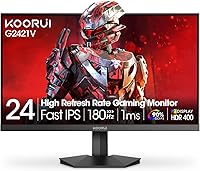
The KOORUI G2421V 24″ 1440p Gaming Monitor enters a crowded budget segment with a spec sheet that punches above its price tag. KOORUI has been quietly building credibility in the sub-$200 monitor space, and this 24-inch QHD display is arguably their most compelling release yet. What sets it apart from similarly priced TN and VA panels is the Fast IPS panel, which brings wider viewing angles and more natural color reproduction without the typical ghosting penalty. That said, strong specs on paper don't always translate perfectly to real-world performance, so it's worth looking closely at color accuracy and build quality before pulling the trigger.
Features & Benefits
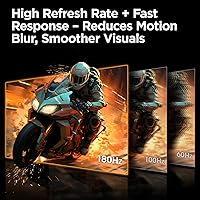
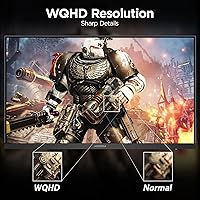
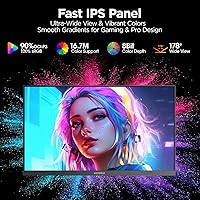
The headline spec is the 180Hz refresh rate, which pairs with Adaptive Sync to keep gameplay smooth and tear-free. Running at QHD 2560×1440 on a 24-inch screen produces a pixel density around 122 PPI — a genuinely noticeable sharpness jump from 1080p. The Fast IPS panel's 1ms GtG response time keeps motion blur minimal in fast-paced titles, something standard IPS panels often struggle with. Color coverage hits 90% DCI-P3, making this 24-inch QHD display capable for casual photo editing, not just gaming. Connectivity covers HDMI 2.0 and DisplayPort 1.4 — worth noting that HDMI bandwidth limits may cap you below 180Hz unless you use DisplayPort. The tilt-adjustable stand and VESA 75×75mm compatibility add useful placement flexibility.
Best For
This KOORUI monitor makes the most sense for people upgrading from a 1080p display who want noticeably sharper visuals without committing to a larger 27-inch or 32-inch panel. Competitive gamers on a budget will appreciate the high refresh rate and quick response time. Students and remote workers who also game in the evenings get solid dual-purpose utility from a single screen. Xbox console users will find HDMI 2.0 plug-and-play setup straightforward for QHD gaming. One practical note: to actually hit 180Hz at 1440p, you'll want a capable mid-range GPU — a GTX 1660 Super or RX 6600 at minimum. Those with tight desk space will also benefit from the slim profile and wall-mount option.
User Feedback
Buyers consistently praise the sharpness improvement over 1080p and how smooth gameplay feels at 180Hz — both points that hold up in practice. Assembly gets positive marks too, with the stand snapping together quickly. On the downside, the lack of height adjustment is a real ergonomic limitation; if you're taller or use the monitor for long work sessions, you may need to prop it up or invest in a VESA arm. Some users report needing to tweak color settings out of the box, and backlight uniformity can vary between units — the panel lottery is real at this price point. KOORUI's 3-year warranty and responsive support team are frequently cited as a genuine confidence booster for a lesser-known brand.
Pros
- QHD resolution on a 24-inch screen delivers noticeably sharper image quality compared to standard 1080p displays.
- The Fast IPS panel produces wide, consistent viewing angles that TN panels at this price simply cannot match.
- 180Hz refresh rate keeps gameplay fluid and responsive, a genuine advantage in fast-paced competitive titles.
- Adaptive Sync eliminates screen tearing without requiring a premium GPU or brand-specific sync subscription.
- 90% DCI-P3 color coverage makes this 24-inch QHD display a capable choice for casual photo work and content consumption.
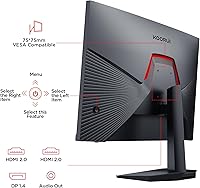
- HDMI 2.0 and DisplayPort 1.4 connectivity covers both modern consoles and desktop PC setups without adapters.
- The 5-way joystick OSD makes dialing in settings quick and intuitive compared to traditional button navigation.
- KOORUI backs the G2421V with a 3-year parts warranty and 12-month replacement service, which stands out in the budget segment.
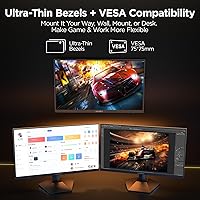
- Slim bezels and VESA 75×75mm compatibility give flexible mounting and multi-monitor setup options.
- Assembly is reported to be quick and straightforward, with no tools required for the stand.
Cons
- The stand has no height adjustment or pivot, making long ergonomic work sessions uncomfortable without a separate arm.
- Backlight uniformity can vary between units — some buyers experience visible clouding or hotspots near panel edges.
- Out-of-box color accuracy may need manual calibration, adding a setup step many casual buyers do not expect.
- DisplayHDR 400 certification at 350 nits delivers only a marginal HDR effect, far from a premium HDR experience.
- Hitting 180Hz consistently at 1440p demands a capable mid-range GPU; budget graphics cards will bottleneck the panel.
- HDMI 2.0 bandwidth constraints may prevent reaching the full 180Hz refresh rate unless DisplayPort is used instead.
- KOORUI is still a relatively new brand with a shorter reliability track record than established monitor manufacturers.
- No USB hub or built-in speakers means additional accessories may be needed for a complete desktop setup.
Ratings
The scores below for the KOORUI G2421V 24″ 1440p Gaming Monitor were generated by AI after analyzing thousands of verified global buyer reviews, with spam, bot activity, and incentivized feedback actively filtered out. Each category reflects the honest distribution of real user experiences — strengths and frustrations alike — so you get a transparent picture of where this 24-inch QHD display truly delivers and where it falls short.
Image Sharpness
Refresh Rate & Smoothness
Color Accuracy
Response Time & Motion Clarity
HDR Performance
Build Quality
Ergonomics & Stand
Connectivity
OSD & Controls
Eye Comfort
Gaming Features
Value for Money
Setup & Assembly
Brand Reliability & Warranty
Suitable for:
The KOORUI G2421V 24″ 1440p Gaming Monitor is a strong fit for budget-conscious gamers who have been gaming at 1080p and want a meaningful visual upgrade without spending big. The jump to QHD on a 24-inch panel is genuinely noticeable in everyday use — text is sharper, textures in games look more defined, and the overall image just feels more refined. Competitive players who care about smooth, tear-free gameplay will find 180Hz with Adaptive Sync more than adequate for most titles, provided their GPU can keep up at 1440p. Students and hybrid workers who need one display that handles spreadsheets and documents during the day and gaming at night will find this 24-inch QHD display versatile enough for both. Xbox console owners looking for a straightforward QHD setup over HDMI will also get solid results here, and anyone tight on desk real estate will appreciate the slim footprint and VESA mount compatibility.
Not suitable for:
The KOORUI G2421V 24″ 1440p Gaming Monitor is not the right pick for buyers who spend long hours at a desk and need proper ergonomic flexibility — the stand only tilts and offers no height adjustment or pivot, which is a genuine limitation for taller users or those with specific posture needs. Creative professionals who depend on precise, calibrated color output should look elsewhere; the 90% DCI-P3 coverage is decent for casual use, but without factory calibration data or hardware profiling support, it falls short of production-grade requirements. If you are hoping for a meaningful HDR experience, keep expectations in check — DisplayHDR 400 at 350 nits produces only a modest improvement over standard dynamic range, and it does not compare to true HDR displays with local dimming. Buyers running older mid-range GPUs may also struggle to consistently hit 180Hz at 1440p, which undercuts the refresh rate advantage. Finally, those who prioritize a well-known brand with a proven long-term track record may find KOORUI’s relative newcomer status a reason for hesitation, despite its improving reputation.
Specifications
- Panel Type: The G2421V uses a Fast IPS panel, offering wider viewing angles and more accurate color reproduction than TN or VA alternatives at this price tier.
- Screen Size: The display measures 24 inches diagonally, providing a compact footprint that suits most desk setups without overwhelming limited workspace.
- Resolution: Native resolution is 2560×1440 (QHD), delivering a pixel density of approximately 122 PPI for noticeably sharper text and image detail than 1080p.
- Refresh Rate: The panel supports a maximum refresh rate of 180Hz, enabling smoother motion in fast-paced games when paired with a capable graphics card.
- Response Time: Rated at 1ms GtG (grey-to-grey), the Fast IPS panel minimizes ghosting and motion blur during rapid on-screen movement.
- Color Gamut: Covers 90% of the DCI-P3 color space, producing over 16.7 million colors with accurate, consistent output across the panel surface.
- HDR Support: Certified DisplayHDR 400, with a peak brightness of 350 cd/m², offering a modest HDR improvement over SDR rather than a full premium HDR experience.
- Aspect Ratio: Standard 16:9 widescreen aspect ratio, compatible with all major gaming platforms, operating systems, and productivity applications.
- Screen Surface: Matte anti-glare coating reduces reflections from ambient lighting, making the display more comfortable to use in brighter room environments.
- Connectivity: Includes one HDMI 2.0 port and one DisplayPort 1.4 port; DisplayPort is recommended for achieving the full 180Hz refresh rate at QHD resolution.
- Adaptive Sync: Supports Adaptive Sync and is FreeSync compatible, dynamically matching the display refresh rate to GPU output to eliminate screen tearing.
- Stand Tilt: The included stand supports tilt adjustment from -5° to +20°, though it does not offer height adjustment, swivel, or portrait pivot functionality.
- VESA Mount: VESA-compatible at 75×75mm, allowing the monitor to be mounted on most third-party monitor arms or wall brackets as an alternative to the stock stand.
- OSD Navigation: A 5-way joystick on the rear of the monitor provides quick, intuitive access to the on-screen display menu for adjusting settings.
- Gaming Overlays: Built-in crosshair and on-screen timer overlays are accessible via the OSD, providing practical utility for competitive gaming sessions.
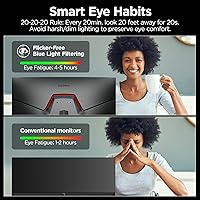
- Blue Light Filter: An integrated software-based blue light filter and flicker-free backlight technology are included to reduce eye strain during extended use.
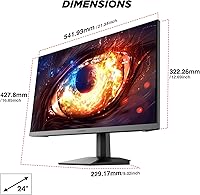
- Dimensions: With the stand attached, the monitor measures approximately 21×9×16 inches and weighs 10.63 pounds, making it straightforward to reposition on a desk.
- Warranty: KOORUI provides a 3-year spare parts replacement warranty and a 12-month full unit replacement service, along with direct technical phone support.
Related Reviews
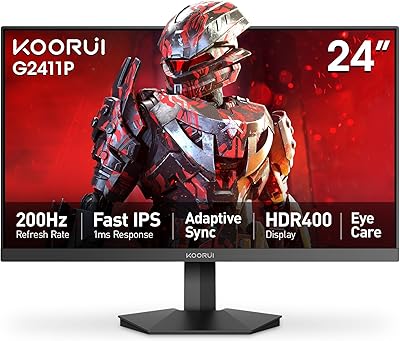
KOORUI G2411P 24″ Gaming Monitor

KOORUI E2411K 24-inch Gaming Monitor

KOORUI G2511E 24.5-Inch 320Hz Gaming Monitor
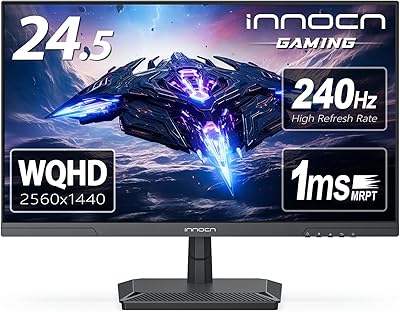
INNOCN 25G2S 24.5″ QHD Gaming Monitor
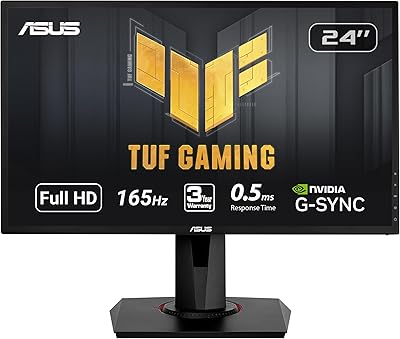
ASUS VG248QG 24″ Gaming Monitor
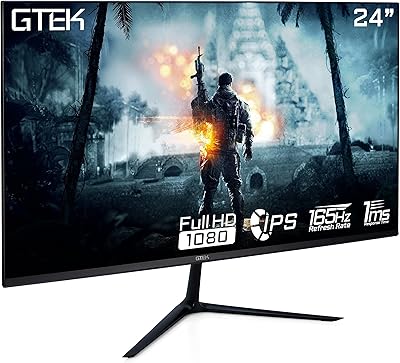
GTek F2465P 24-inch Gaming Monitor
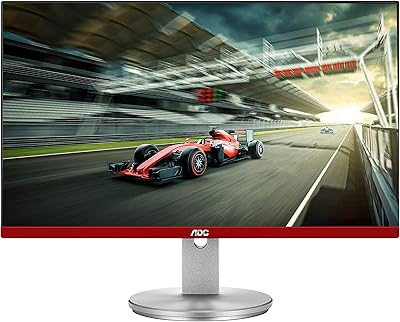
AOC G2490VXS 24″ Gaming Monitor
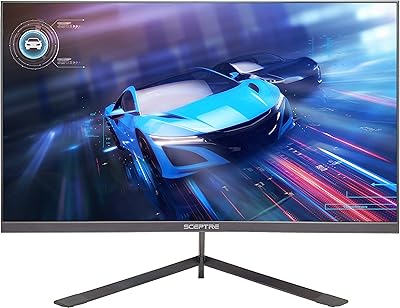
Sceptre E248B-FPN168 24-inch Gaming Monitor
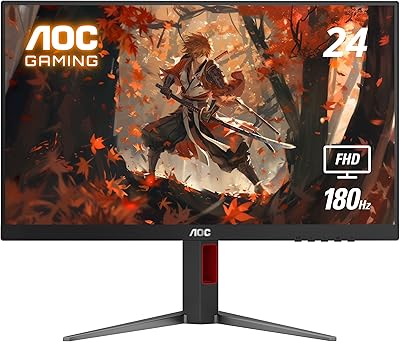
AOC 24G4 24-inch Gaming Monitor