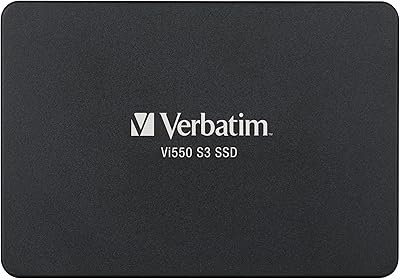
Kingston Q500 960GB Internal SSD



Overview
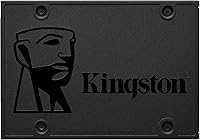
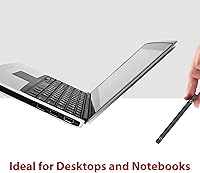
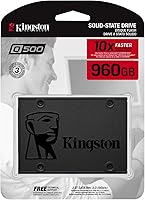
The Kingston Q500 960GB Internal SSD is Kingston's answer to the question most everyday users are quietly asking: do I really need to spend a lot to get a fast, reliable drive? Probably not. At 960GB, you get enough room for a full operating system, a decent game library, and plenty of media — without the premium price that comes with flagship NVMe options. The 2.5-inch form factor means it slides right into most laptops and desktops as a direct replacement for a tired spinning hard drive. It even carries PS4 certification, which makes it a practical pick for console storage upgrades too. This is a budget-tier SATA drive done right — honest about what it is, and genuinely good at it.
Features & Benefits
The numbers tell a clear story: 500MB/s read, 450MB/s write over SATA III may not turn heads in a spec war against NVMe, but for anyone migrating from a mechanical hard drive, the difference in daily use is dramatic. Boot times drop. Apps open without hesitation. The SATA 6Gb/s interface means this 960GB SATA SSD will work in virtually any system built in the last decade — laptops, desktop towers, even home servers. Its slim 0.3-inch profile and featherlight weight make installation straightforward, with no tools beyond a basic screwdriver. And with no spinning platters, it runs cool and silent, which matters more than most people expect once they have lived with a noisy, heat-prone HDD for years.
Best For
The Q500 drive lands squarely in the sweet spot for first-time SSD upgraders — people who bought a mid-range laptop several years ago and are now watching it crawl through basic tasks. It is also a natural fit for PS4 owners tired of long load screens, since Kingston's official console certification removes any guesswork about compatibility. Students and home users will appreciate having nearly a terabyte of space without straining the budget. IT managers refreshing older office machines in bulk will find the value proposition hard to argue with. And if you already have an NVMe drive handling your OS, this Kingston SSD makes practical secondary storage for data, backups, or a growing media archive.
User Feedback
With over 400 ratings averaging 4.8 stars, the community verdict on this Kingston SSD is about as consistent as it gets. Praise clusters around two things: effortless installation and the sheer relief of moving off a sluggish hard drive. Reviewers from both the casual home-user camp and the more technically inclined report the same experience — systems feel noticeably faster within minutes of the swap. That said, a few buyers have flagged the absence of bundled cloning software or a 3.5-inch mounting bracket, which can add minor friction for first-timers. Nothing that breaks the deal, but worth knowing going in. Long-term reliability reports are consistently positive, with many users returning months later to confirm steady, dependable performance.
Pros
- Massive speed improvement over any spinning hard drive, making older machines feel genuinely responsive again.
- 960GB hits the practical sweet spot — enough for an OS, apps, games, and media without overshooting your actual needs.
- SATA III compatibility means it works in a huge range of laptops and desktops, including older hardware from a decade ago.
- PS4 certified out of the box, so console upgraders do not need to guess whether it will work.
- No moving parts means no vibration noise and better resilience if a laptop takes a knock in a bag.
- Kingston is a well-established name in storage with a track record for consistent firmware quality and longevity.
- At 1.45 oz and a slim profile, installation is straightforward and adds no meaningful weight to a laptop.
- Over 400 real-world ratings averaging 4.8 stars signals strong, broad satisfaction across very different types of buyers.
- Runs cooler than a mechanical drive, which matters in tight laptop chassis where thermal headroom is limited.
Cons
- No bundled cloning software included, which can create an extra hurdle for first-time upgraders migrating an existing OS.
- No 3.5-inch mounting bracket in the box, so desktop users may need a separate adapter to fit a standard drive bay.
- SATA III throughput has a hard ceiling — sustained large-file transfers will noticeably lag behind any mid-range NVMe drive.
- Not compatible with systems that only offer M.2 slots and lack a traditional 2.5-inch SATA port.
- No published endurance rating or MTBF spec readily surfaced in product materials, which can frustrate buyers who want to compare TBW figures.
- Sequential write speeds trail behind some competing SATA SSDs at a similar capacity and price point.
- The Q500 drive is not suitable as an external or portable solution — purely internal use only.
- Buyers in heavily NVMe-dominated markets may find this 960GB SATA SSD harder to justify as newer budget NVMe options narrow the price gap.
Ratings
The scores below reflect an AI-driven analysis of verified global buyer reviews for the Kingston Q500 960GB Internal SSD, with spam, incentivized submissions, and bot activity actively filtered out before scoring. Each category captures both the genuine enthusiasm and the honest frustrations real users reported — nothing is glossed over. The result is a balanced picture of where this 960GB SATA SSD genuinely earns its reputation and where it falls short for certain buyers.
Value for Money
Read/Write Performance
Installation Ease
Reliability & Longevity
PS4 Compatibility
Capacity Practicality
Noise & Heat
Build Quality
Broad System Compatibility
Box Contents & Accessories
Boot Time Improvement
Brand Trust & Support
Sequential Write Speed
Weight & Form Factor
Suitable for:
The Kingston Q500 960GB Internal SSD is a genuinely smart buy for anyone who owns an older laptop or desktop still running on a mechanical hard drive and wants a meaningful performance boost without a steep investment. Students juggling coursework files, photos, and a few games will find 960GB more than enough breathing room, and the straightforward 2.5-inch form factor means most people can complete the swap themselves in under twenty minutes. PS4 owners are also a natural fit here — Kingston's official console certification means you can install it with confidence and actually notice the difference in game load times. Small business owners or IT staff refreshing a batch of aging office machines will appreciate the reliable Kingston pedigree and the sensible per-unit cost. It also works well as secondary storage in a desktop build, sitting alongside a faster NVMe boot drive to handle media libraries, backups, or archive data.
Not suitable for:
The Kingston Q500 960GB Internal SSD is not the right choice if your primary concern is raw, top-tier transfer speed — users editing 4K video, running large virtual machines, or constantly moving massive files will feel the ceiling of SATA III much faster than this drive's target audience. Anyone whose system only has an M.2 slot and no 2.5-inch SATA bay simply cannot use it, so confirming your hardware compatibility before purchasing is essential. Power users building a high-performance workstation from scratch would be better served by a current-generation NVMe drive, where the price gap between SATA and PCIe storage has narrowed considerably. If you need a portable or external storage solution, this is strictly an internal drive and not designed for that purpose. Finally, buyers expecting bundled migration software or a desktop mounting bracket will need to source those separately, which adds a small but real friction point for complete beginners.
Specifications
- Brand: Manufactured by Kingston Technology, one of the most established names in consumer and enterprise storage.
- Model Number: The official model identifier is SQ500S37/960G, part of Kingston's Q500 SSD series.
- Capacity: Offers 960GB of usable NAND flash storage, providing ample space for operating systems, applications, and media libraries.
- Form Factor: Built in the standard 2.5-inch form factor at 0.3 inches thin, compatible with most laptops, desktops, and PS4 drive bays.
- Dimensions: Physical dimensions measure 3.9 x 2.8 x 0.3 inches, matching the footprint of a standard 2.5-inch laptop hard drive.
- Weight: The drive weighs just 1.45 oz, making it one of the lightest storage upgrades available for portable systems.
- Interface: Uses a SATA III 6Gb/s interface, ensuring backward compatibility with SATA II systems while maximizing throughput on SATA III hosts.
- Read Speed: Delivers sequential read speeds of up to 500MB/s, dramatically faster than any conventional mechanical hard drive.
- Write Speed: Achieves sequential write speeds of up to 450MB/s, sufficient for fast file saves, installations, and data transfers.
- Drive Type: Uses NAND flash memory with no moving mechanical parts, resulting in silent operation and improved resistance to physical shock.
- Installation: Designed for internal installation as a direct replacement or secondary drive inside compatible laptops, desktops, and gaming consoles.
- Console Support: Officially certified to work with the PlayStation 4, allowing console owners to expand or replace the system's internal storage.
- Compatible Platforms: Confirmed compatible with PC desktops, laptops, and the PlayStation 4 gaming console.
- Color: The drive casing is finished in black, which is consistent with standard internal SSD aesthetics.
- Availability: This product is actively manufactured and has not been discontinued by Kingston as of the most recent product data available.
- Release Date: The Q500 series was first made available in April 2019 and has maintained consistent availability since launch.
- Bundled Accessories: No cloning software, mounting bracket, or installation tools are included in the retail package.
Related Reviews
Kingston IronKey Vault Privacy 80 960GB SSD
Kingston Q500 480GB SATA SSD
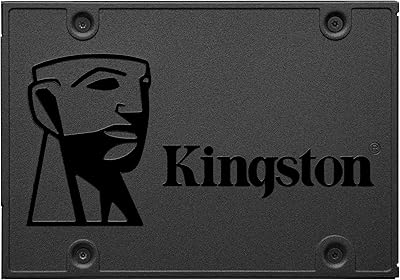
Kingston A400 240GB SATA SSD
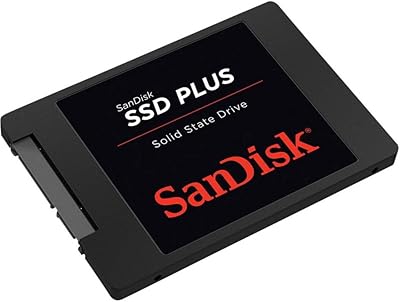
SanDisk SSD Plus 480GB Internal SSD
SanDisk SSD Plus 2TB Internal SSD
SanDisk SSD PLUS 240GB Internal SSD
Kingston XS1000 2TB SSD
Kingston A400 240GB M.2 Internal SSD
Kingston A400 480GB 2.5″ Internal SSD