Overview

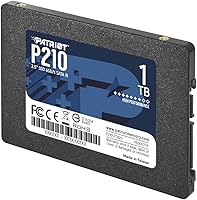
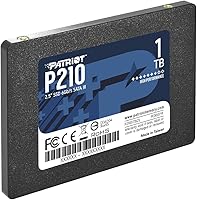
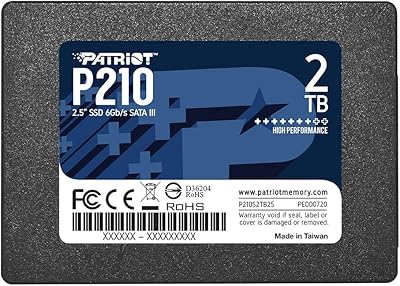
The Patriot P210 1TB 2.5″ Internal SSD sits squarely in the entry-level SATA market, and that's exactly where it belongs. Patriot Memory has built its reputation on delivering practical, no-frills storage at accessible prices, and this drive reflects that philosophy. It uses the standard 2.5″ form factor, so it drops right into most laptops and desktops without any adapter gymnastics. What you're getting here is a dependable everyday performer — not a speed record-breaker. If you're chasing NVMe throughput, look elsewhere. But if you need a straightforward, honest upgrade from a spinning hard drive, this Patriot SSD makes a compelling case.

Features & Benefits

The P210 runs on a SATA 3 interface, hitting sequential reads of 520MB/s and writes up to 430MB/s — the practical ceiling for this interface, and more than enough to make everyday computing feel responsive. Built-in SmartECC technology continuously monitors and corrects data errors, which matters more than most buyers realize when it comes to long-term reliability. Thermal throttling keeps temperatures in check during sustained transfers, so you won't see the drive slow to a crawl under load. The 4K random write performance — up to 50K IOPs — is what actually drives that snappy, real-world feel when opening apps or booting Windows. A 3-year warranty rounds things out.

Best For

This budget SATA drive makes the most sense as an upgrade path for mechanical hard drive users who are tired of slow boot times and sluggish app loads. Students and home users will find it handles web browsing, document editing, and media playback without complaint. It also works well as a secondary drive in a desktop build or as a dedicated boot drive for a modest system. Where it shines brightest, though, is in older laptops being given a second life — swap out the original hard drive and the difference is immediately obvious. Anyone prioritizing storage capacity over raw speed will find it fits the bill.

User Feedback

Among buyers contributing to a strong 4.6-star average across thousands of ratings, the most consistent praise centers on easy installation and immediately noticeable improvements in boot and load times. Many users confirm that real-world speeds hold up close to advertised figures for typical workloads. That said, a handful of long-term owners have flagged concerns about durability beyond the two-year mark, worth noting for anyone treating this as a primary drive. Heavy users running intensive workloads or large gaming libraries occasionally find SATA's bandwidth ceiling limiting. Against similarly priced competition, though, most buyers consider the P210 a solid value and a reliable choice for light to moderate everyday use.

Pros

  • Boot times drop dramatically when replacing an old mechanical hard drive with this Patriot SSD.
  • A full terabyte of storage gives plenty of room for documents, photos, software, and media without juggling files.
  • SmartECC technology actively protects your data in the background, adding a layer of reliability you rarely get at this price tier.
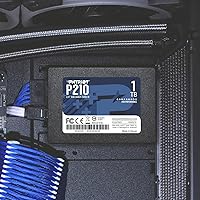
  • The 2.5″ form factor means it fits virtually any laptop or desktop that previously housed a standard hard drive.
  • Real-world read and write speeds hold close to advertised figures for everyday computing tasks.
  • Built-in thermal throttling prevents the drive from overheating during longer transfer sessions.
  • A 3-year warranty provides solid coverage for a budget-category storage drive.
  • Installation is straightforward — most users report having the drive up and running within minutes.
  • At 1.62 ounces and under 0.3 inches thick, it adds virtually no weight or bulk to a laptop build.
  • Ranks among the top performers in its category, reflecting strong buyer confidence across thousands of purchases.

Cons

  • SATA 3 is a hard speed ceiling — faster NVMe alternatives leave the P210 well behind in sequential throughput benchmarks.
  • Not well-suited for systems that only have an M.2 slot and no 2.5″ drive bay available.
  • Some long-term users have reported reliability concerns emerging after extended use beyond the two-year mark.
  • No support for NVMe or PCIe, so it cannot benefit from newer motherboard features designed for faster storage protocols.
  • Write speeds drop noticeably under sustained heavy workloads, which is typical for drives at this tier but worth knowing upfront.
  • Not ideal for storing and running large modern game libraries where load times are a priority.
  • The drive lacks DRAM cache, which can affect sustained write consistency compared to cache-equipped competitors.
  • Windows 7 and early Windows 8 support requires manual driver setup, which may trip up less experienced users.

Ratings

The Patriot P210 1TB 2.5″ Internal SSD has been scored across 12 key categories by our AI system after processing thousands of verified global buyer reviews, with spam, bot-generated feedback, and incentivized submissions actively filtered out. The scores below reflect a balanced synthesis of what real users praised and where they ran into frustrations — nothing is glossed over. Whether this budget SATA drive earns a spot in your build or falls short of your needs, these ratings give you an honest picture before you commit.

Value for Money
91%
Buyers consistently feel they are getting more than their money's worth relative to other drives in this price bracket. For everyday upgraders replacing a sluggish mechanical hard drive, the performance-per-dollar ratio is hard to argue with, and the 1TB capacity sweetens the deal further.
A small number of users who later discovered similarly priced NVMe alternatives felt the value equation shift, particularly when their motherboard supported faster interfaces. Those buyers occasionally wished they had spent a bit more upfront.
Real-World Performance
83%
Day-to-day computing tasks — booting Windows, launching browsers, opening Office documents — feel noticeably faster than a spinning hard drive. Most buyers confirm that the drive delivers on its advertised speeds for light to moderate workloads, and app responsiveness is one of the most frequently praised improvements.
Users who push sustained workloads like large file transfers or running virtual machines notice the SATA ceiling fairly quickly. Write speeds dip under sustained pressure, and those coming from NVMe systems found the P210 underwhelming in back-to-back transfer scenarios.
Installation Ease
94%
Installation ranks as one of the most consistently praised aspects across thousands of reviews. The standard 2.5″ form factor means it drops into place with minimal effort, and first-time builders frequently comment that swapping out their old hard drive took under 15 minutes total.
A handful of users noted that Patriot does not include a SATA cable or cloning software in the box, which added an extra step for those who were not aware. Newcomers occasionally had to troubleshoot data migration on their own.
Boot Time Improvement
92%
This is the single most cited benefit across the entire review pool. Users upgrading from hard drives report boot times dropping from over a minute to under 20 seconds, with many describing the change as transformative for older machines they had nearly given up on.
Users who were already running an older SATA SSD noticed a less dramatic improvement, since much of the gain comes specifically from leaving mechanical storage behind. The upgrade impact is heavily tied to what you are replacing.
Long-Term Reliability
67%
33%
The majority of buyers who reviewed the drive within the first year report zero issues and steady performance. For light daily use — home computing, student workloads, media playback — the drive holds up well and the 3-year warranty provides meaningful reassurance.
A notable minority of reviewers flagged concerns after 18 to 30 months of use, including occasional drive detection issues and performance degradation. This pattern is more common among users who ran the drive as a primary drive under heavier-than-average workloads.
Sequential Read Speed
82%
18%
The drive hits close to its advertised 520MB/s ceiling under standard conditions, which buyers using benchmarking tools confirm fairly consistently. For transferring large media files or installing software from external sources, speeds feel solid and predictable.
As with all SATA 3 drives, there is a hard ceiling that no firmware update can move past. Users who compared benchmarks against NVMe peers in the same price range during a sale period sometimes felt the gap was wider than anticipated.
Write Speed Consistency
71%
29%
For shorter write bursts — saving documents, downloading files, installing moderate-sized applications — the drive performs well and writes complete quickly without noticeable pausing. Casual users rarely encounter any frustration in typical usage patterns.
Sustained write performance drops off more visibly on this drive compared to cache-equipped competitors. Users copying large folders or writing gigabytes of data in one session will notice the slowdown as the drive exhausts its pseudo-SLC cache buffer.
Build Quality
78%
22%
The drive feels solid and well-constructed for its price tier. At just 1.62 ounces and a slim 0.28 inches thick, it sits securely in drive bays without rattling or flexing, and the casing shows no signs of cheap assembly.
The enclosure is purely functional — there is nothing premium about the materials or finish. A few users who handled higher-end SSDs noted that the P210 feels noticeably more basic, though for an internal drive this rarely affects practical outcomes.
Thermal Management
79%
21%
The built-in thermal throttling prevents the drive from reaching temperatures that could cause data loss or hardware damage during longer sessions. Users running the drive in warm laptop environments generally report stable operation without alarming thermal readings.
Because the drive throttles rather than sustains peak speeds under heat, performance during prolonged high-load tasks can become inconsistent. Users in poorly ventilated cases or warm climates occasionally notice the effects more than those in cooler setups.
Noise and Vibration
97%
As a solid-state drive, the P210 operates in complete silence with zero vibration — a meaningful improvement for users coming from loud, clicking mechanical hard drives. Several reviewers specifically mentioned how much quieter their laptops became after installation.
There is genuinely little to criticize here; solid-state silence is universal to the technology. The only edge case is that the absence of drive noise occasionally made users hyper-aware of other system sounds like fan noise they had previously ignored.
Compatibility
88%
The standard SATA 3 interface and 2.5″ form factor make this drive compatible with an exceptionally wide range of systems, from decade-old laptops to current desktop builds. Buyers rarely encounter physical or interface compatibility issues during installation.
Systems that exclusively offer M.2 slots — increasingly common in thin ultrabooks and newer compact builds — cannot use this drive at all. A small number of buyers discovered this limitation after purchasing, making it important to verify your system's bay type beforehand.
Packaging and Unboxing
74%
26%
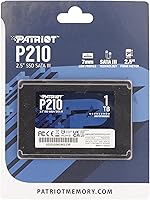
The drive arrives well-protected and in good condition. Budget-conscious buyers appreciate that Patriot keeps packaging simple rather than adding cost with unnecessary extras, and the drive is typically secure enough for standard shipping without damage.
The unboxing experience is purely utilitarian — there is no accessory kit, no mounting screws, and no documentation beyond a basic warranty card. Buyers expecting a more complete package may feel the out-of-box experience underdelivers compared to some rivals.

Suitable for:

The Patriot P210 1TB 2.5″ Internal SSD is an ideal choice for anyone upgrading from a traditional spinning hard drive who wants a meaningful, day-one improvement in system responsiveness without spending a premium. Students, home office workers, and casual users who spend their time on web browsing, document editing, video streaming, and light productivity tasks will find it more than capable for their needs. It fits standard 2.5″ laptop bays and desktop drive caddies without any fuss, making it a practical option for reviving an older machine that has become frustratingly slow over the years. Desktop builders on a budget who need a reliable boot drive or an affordable secondary storage volume will also find real value here. If your goal is simply to ditch the mechanical bottleneck and gain a full terabyte of faster, quieter storage, this Patriot SSD delivers exactly that at a sensible entry-level price point.

Not suitable for:

The Patriot P210 1TB 2.5″ Internal SSD is not the right tool for buyers who need maximum throughput for demanding workloads. Video editors working with large 4K or RAW files, game developers, or professionals running data-intensive applications will quickly run into the hard ceiling that SATA 3 imposes — no amount of optimization changes the fact that NVMe drives can offer three to five times the sequential speeds. Hardcore PC gamers who care about shader compilation times and fast level loading will similarly find the P210 underwhelming compared to modern NVMe options. Buyers planning to use this as their sole drive in a high-usage environment should also weigh the occasional long-term durability concerns raised by a subset of owners. If your system already has an M.2 NVMe slot available, spending a bit more on a compatible drive will serve you considerably better over time.

Specifications

  • Brand: Manufactured by Patriot Memory, a brand known for delivering value-oriented memory and storage solutions for everyday consumers.
  • Model: The model number is P210S1TB25, representing the 1TB variant of the Patriot P210 series.
  • Capacity: Offers 1TB (approximately 1000GB) of usable storage space for files, applications, and the operating system.
  • Interface: Uses a SATA 3 (6Gb/s) interface, backward compatible with SATA 2 systems at reduced speeds.
  • Form Factor: Follows the standard 2.5″ form factor, fitting most laptops and desktop drive bays designed for traditional hard drives.
  • Dimensions: Measures 3.94 x 2.74 x 0.28 inches, keeping it slim enough for even compact laptop chassis.
  • Weight: Weighs just 1.62 ounces, adding negligible mass to any system it is installed in.
  • Sequential Read: Delivers sequential read speeds of up to 520MB/s, reaching the practical performance ceiling for SATA 3 storage.
  • Sequential Write: Achieves sequential write speeds of up to 430MB/s, suitable for transferring large files and writing application data.
  • Random Write: Handles 4K aligned random write operations at up to 50,000 IOPs, contributing to snappy app launches and file access.
  • Data Protection: Incorporates SmartECC technology with end-to-end data path protection to detect and correct errors before they affect stored data.
  • Thermal Control: Built-in thermal throttling automatically reduces drive activity when temperatures rise, protecting long-term drive health.
  • OS Support: Compatible with Windows 7, Windows 8, Windows 8.1, and Windows 10 as officially supported operating systems.
  • Installation: Designed for internal installation, mounting directly into a 2.5″ drive bay without requiring external power or adapters.
  • Color: Ships in a black casing with a clean, minimal appearance standard for internal storage drives.
  • Warranty: Backed by a 3-year limited manufacturer warranty, providing coverage against defects for its product category.
  • BSR Ranking: Holds a Best Sellers Rank of #42 in the Internal Solid State Drives category on Amazon, reflecting strong and sustained buyer demand.
  • Ratings: Has earned a 4.6 out of 5 star average rating across more than 5,000 verified customer reviews.

Related Reviews
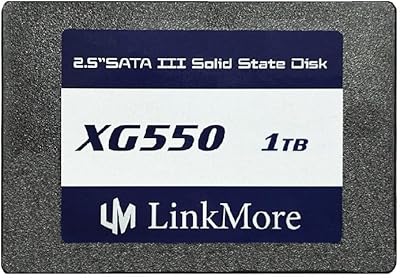
LinkMore XG550 1TB 2.5″ SATA III Internal SSD
84%
89%
Performance
92%
Value for Money
86%
Read Speed
85%
Write Speed
94%
Ease of Installation
More
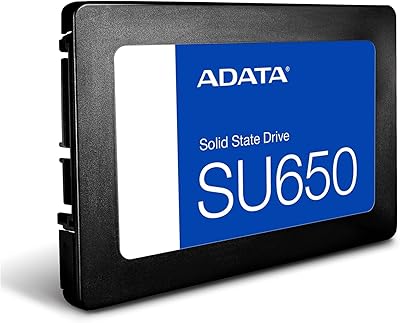
ADATA SU650 1TB 3D-NAND SATA 2.5 inch Internal SSD
86%
88%
Performance
92%
Value for Money
85%
Installation Ease
87%
Speed (Read/Write)
78%
Software Experience
More
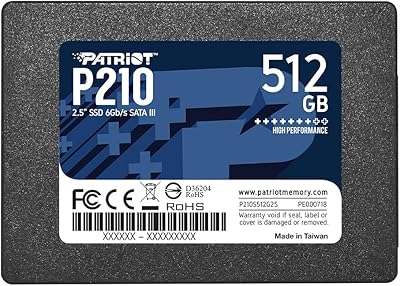
Patriot P210 512GB Internal SSD
85%
90%
Value for Money
88%
Performance for Everyday Tasks
80%
Speed Consistency
85%
Gaming Performance
93%
Ease of Installation
More
Patriot P210 2TB Internal SSD
86%
86%
Performance
89%
Reliability
92%
Value for Money
88%
Ease of Installation
84%
Read Speed
More
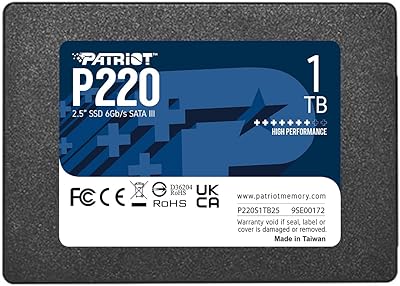
Patriot Memory P220 1TB Internal SSD
86%
89%
Performance
92%
Value for Money
88%
Installation Ease
84%
Build Quality
87%
Warranty & Support
More
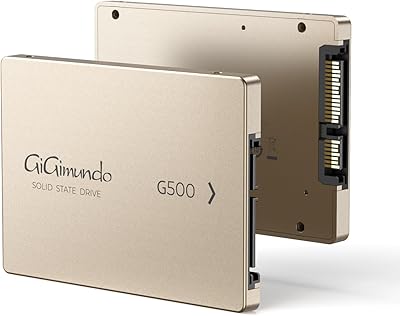
GiGimundo G500 1TB 2.5″ SATA SSD
84%
92%
Performance (Speed)
89%
Ease of Installation
85%
Build Quality (Durability)
91%
Value for Money
87%
Compatibility
More
Kingston KC600 1TB SATA3 2.5″ SSD
85%
88%
Performance
91%
Speed and Responsiveness
85%
Ease of Installation
87%
Durability and Build Quality
89%
Data Security
More
Toshiba MQ01ABD100 1TB 2.5″ Internal Hard Drive
81%
88%
Value for Money
91%
Noise Level
93%
Installation Ease
52%
Read/Write Speed
67%
Long-Term Reliability
More
Verbatim 256GB Vi550 SATA III 2.5″ Internal SSD
86%
92%
Performance
88%
Value for Money
85%
Build Quality
90%
Ease of Installation
87%
Durability
More
Crucial MX300 2TB SATA 2.5 Inch Internal SSD
86%
92%
Performance
89%
Value for Money
88%
Durability
91%
Ease of Installation
94%
Read Speed
More

FAQ

In most cases, yes. As long as your laptop has a 2.5″ drive bay — which is standard in the vast majority of laptops made in the last 15 years — the P210 will slot right in. Just double-check your laptop's specs to confirm it uses a 2.5″ SATA bay rather than an M.2 slot, and you should be fine.

Installation is straightforward. You will typically need a small Phillips-head screwdriver to open your laptop or desktop case and secure the drive. To transfer your existing operating system to the new drive, you will want cloning software — there are free options available, such as Macrium Reflect. If you are doing a fresh Windows install instead, just boot from a USB drive and point the installer at the new SSD.

The difference is very noticeable for everyday tasks. Boot times that used to take a minute or more on a spinning drive typically drop to under 20 seconds. Apps open faster, files copy more quickly, and the general sluggishness that plagues older hard drive-equipped machines largely disappears. It is one of the most impactful upgrades you can make to an aging system.

Patriot officially lists Windows as the supported operating system, but in practice this drive works fine with Linux distributions as a standard SATA block device. For macOS, it can work as secondary storage in a Mac that has a 2.5″ bay, though Patriot does not officially certify or support macOS compatibility. For primary boot drives on Mac, check your specific model's compatibility before purchasing.

It works in both. Any desktop that has a 2.5″ drive bay or a 3.5″ bay with a mounting adapter can accommodate this budget SATA drive. Many mid-tower and full-tower cases include 2.5″ bays directly, and inexpensive adapters are widely available if yours does not.

For typical tasks like web browsing, office work, and media playback, most users will not feel a practical difference in daily use. NVMe drives shine in workloads that push sustained sequential transfer speeds — large file copies, video editing, and similar tasks. For general home or student computing, the P210 holds up well and the speed gap versus NVMe is largely academic.

Yes, you can place it in a 2.5″ SATA USB enclosure and use it as portable external storage. Just make sure the enclosure supports SATA drives, which virtually all 2.5″ enclosures do. Performance will be limited by the USB connection speed rather than the drive itself in that scenario.

Patriot Memory covers the P210 with a 3-year limited warranty. If the drive fails due to a manufacturing defect within that window, you can contact Patriot Memory's support to initiate a warranty claim and replacement. Keep your purchase receipt as proof of purchase, since that is typically required for warranty processing.

For light to moderate everyday use — a home or student machine, for example — you can reasonably expect several years of reliable service. The 3-year warranty reflects Patriot's own confidence in that timeframe. As with any storage device, it is always wise to keep backups of important data regardless of the drive's age or brand.

Patriot does not bundle cloning software or SATA data cables with the P210. You will need to source a SATA data cable separately if your system does not already have one available, and download cloning software independently if you plan to migrate your existing data rather than starting fresh.