

Overview

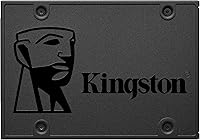
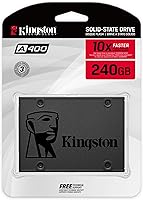
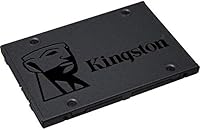
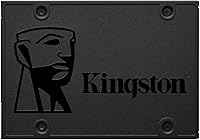
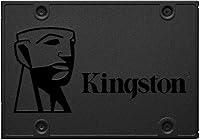
The Kingston A400 240GB SATA SSD is one of the most straightforward answers to a very common question: what do I swap in when my old laptop or desktop has slowed to a crawl? Kingston has been shipping storage hardware to everyday consumers and enterprise buyers alike for decades, so the brand carries genuine weight at this price tier. This drive slots into the standard 2.5-inch bay found in the vast majority of older machines, and 240GB gives you plenty of room for a Windows or Linux install alongside your go-to apps. Just set the right expectations coming in — this is an entry-level SATA drive, not a speed demon, and it was never priced like one.

Features & Benefits

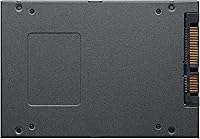
Sliding this Kingston SSD into an older machine and powering it on for the first time is where things get interesting. The SATA III interface delivers 500MB/s read speeds, which sounds technical but translates simply: your OS loads in seconds instead of minutes. The 2.5-inch, 7mm profile fits most laptop bays and standard desktop drive cages without adapters. It weighs barely an ounce and a half, which matters when you're cracking open a slim notebook. Because there are no spinning platters, the drive handles bumps better than a mechanical disk and runs completely silently. SATA II backward compatibility also means it will work in machines that are well over a decade old.

Best For

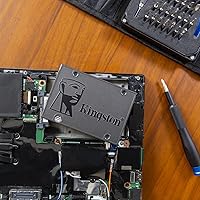
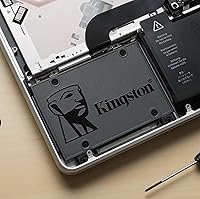
The people who get the most out of the A400 drive are usually those rescuing a machine that still has plenty of life left in it — just held back by a slow, aging hard disk. Students and budget-conscious users will find it hits the sweet spot between cost and practicality. IT folks who regularly refurbish older office laptops or flip secondhand machines will likely keep a few of these on hand. If your main goal is boot and load times rather than pushing throughput benchmarks, this is a reasonable pick. It also works well as a dedicated OS drive paired with a larger HDD for bulk storage, which is a popular setup among home users.

User Feedback

With well over 200,000 ratings and sitting near the top of its category, this budget SATA drive has earned a broad base of satisfied owners. The consistent theme in positive reviews is the sheer impact of the upgrade — people who had given up on their old machines are suddenly happy with them again. Installation gets praised regularly too; most users report a painless swap with no special tools. On the critical side, write speeds noticeably trail what you'd get from pricier SATA competitors, and a handful of users have flagged inconsistencies between batches. Long-term reliability reports are largely reassuring, though this drive is best kept away from sustained heavy workloads like constant large-file transfers.

Pros

  • Boot times drop from minutes to seconds, making an old machine feel genuinely responsive again.
  • The 2.5-inch, 7mm form factor fits the overwhelming majority of laptops and desktops without any bracket or adapter.
  • No moving parts means the drive runs silently and handles everyday bumps and vibrations far better than a spinning disk.
  • SATA II backward compatibility opens up a wide range of older machines that would otherwise be left behind.
  • 240GB is a practical sweet spot for an OS plus core applications without paying for unused capacity.
  • With over 200,000 ratings and a top-20 category ranking, the track record across a huge owner base is hard to argue with.
  • Long-term owners consistently report stable, failure-free performance over years of everyday use.
  • Installation is straightforward enough that most users complete the swap without professional help or special tools.
  • The lightweight build at under 1.5 oz makes it a natural fit for slim laptops where every gram counts.

Cons

  • Write speeds trail those of pricier SATA competitors, which becomes noticeable during large file transfers or frequent saves.
  • The SATA interface is a hard performance ceiling — NVMe drives can be several times faster for intensive workloads.
  • 240GB fills up quickly if you store games, video projects, or large media collections directly on the drive.
  • Occasional reports of inconsistencies between production batches mean unit-to-unit quality is not always perfectly predictable.
  • Not a practical choice for sustained heavy workloads like continuous backup jobs or database operations.
  • No included cloning software or mounting hardware means budget-conscious buyers may face small added costs to complete the upgrade.
  • The drive carries no official endurance rating prominently advertised, making it harder to benchmark expected lifespan under heavy use.

Ratings

The ratings below for the Kingston A400 240GB SATA SSD were generated by our AI system after analyzing thousands of verified owner reviews from global markets, with spam, bot activity, and incentivized feedback actively filtered out. The resulting scores reflect the honest collective experience of real buyers — from budget upgraders thrilled with their revived laptops to power users who ran into the drive's limitations firsthand. Both the standout strengths and the recurring pain points are factored in, giving you a transparent and balanced picture before you decide.

Value for Money
91%
At this price tier, the performance gains over a mechanical hard drive are enormous. Owners consistently describe it as one of the best returns on investment they have made for an aging machine, and the fact that it frequently lands in the top 20 of its entire Amazon category says a lot.
Users who compare it against slightly pricier SATA rivals often note the performance gap is noticeable at this capacity tier. If you shop around, a few more dollars can buy meaningfully faster write speeds from competing brands, making the value case slightly less clear-cut for selective buyers.
Boot Speed Impact
93%
This is where the A400 drive earns its reputation. Users report their machines going from a painful three-minute boot to under twenty seconds, and that single change transforms how usable an old laptop feels day to day. It is the most frequently cited reason people call this upgrade worthwhile.
The boot speed gains are real but not unique to this drive — any SATA SSD would produce a similar result. Buyers expecting a step-change in performance across all tasks may find some heavier software still feels slow if the bottleneck is the CPU or RAM rather than storage.
Write Performance
61%
39%
For saving documents, downloading files, and routine OS operations, the write speeds are adequate and do not create any noticeable lag in day-to-day tasks. Users who primarily use their machines for office work, schoolwork, or web browsing rarely mention write speed as a concern.
Write speeds top out noticeably lower than read speeds, and competing budget SATA drives at similar prices often post better write numbers. Anyone moving large files frequently — video editors, photographers with large RAW archives, or users doing regular system backups — will feel this limitation more acutely.
Long-term Reliability
83%
A substantial portion of owners who have been using this budget SATA drive for two, three, or even four years report zero failures and consistent performance throughout. That kind of track record across hundreds of thousands of units is genuinely reassuring for buyers worried about drive longevity.
A small but consistent thread of reports mentions units failing earlier than expected, and occasional batch inconsistency concerns suggest quality control is not perfectly uniform across every production run. The drive also lacks a publicly advertised TBW endurance rating, which makes it hard to estimate lifespan under heavier use.
Workload Suitability
54%
46%
For light-to-moderate workloads — running Windows or Linux, managing files, browsing, and standard office productivity — the drive handles the job without hesitation. In these use cases, which cover the majority of everyday home and student computing, performance feels genuinely responsive.
Push this drive into territory involving continuous large file writes, database operations, intensive gaming loads, or professional video work and it starts to struggle. Write speed limitations become painfully obvious under sustained stress, and the lack of a rated endurance ceiling makes it a risky choice for professionals who cannot afford downtime.
Read Performance
79%
21%
Sequential reads up to 500MB/s translate to fast file opens, snappy web browsing, and quick media playback from locally stored files. For everyday computing tasks — email, documents, light photo editing — the read speed feels more than sufficient, and most casual users will never hit a ceiling.
Once you step outside everyday use into benchmarking or data-heavy operations, the SATA ceiling becomes apparent. Users coming from NVMe systems or anyone running storage benchmarking tools will clock read speeds that look modest compared to modern PCIe drives costing only marginally more.
Installation Ease
88%
The 2.5-inch SATA form factor means the physical swap is simple — unscrew the old drive, slide this one in, and you are done. Users without any prior hardware experience frequently report completing the upgrade in under thirty minutes, which reduces the barrier for non-technical buyers significantly.
The drive ships with no bundled accessories, so buyers who want to clone their existing drive rather than do a fresh OS install will need to purchase a separate SATA-to-USB adapter. Kingston also does not include any migration software, which adds a small extra step for less experienced users.
Compatibility
87%
The 2.5-inch SATA standard is essentially universal for traditional laptops and desktops, and backward compatibility with older SATA II systems extends the pool of supported machines even further. Buyers with machines from the mid-2000s onward consistently find this drive works without any configuration changes required.
This drive is completely incompatible with modern ultrabooks and thin laptops that use an M.2 slot rather than a 2.5-inch bay, so buyers must confirm their machine's drive type before purchasing. It also will not work in systems that rely solely on NVMe or PCIe interfaces.
Build Quality
73%
27%
The all-plastic enclosure keeps weight low and cost down, and the absence of moving parts means there is less to physically fail compared to a traditional hard drive. Users handling the drive during installation generally describe it as feeling solid enough for its intended purpose.
The plastic shell feels noticeably less premium than metal-encased competitors, and a small number of users have reported the casing showing minor flex under pressure. At this price point the materials are understandable, but buyers accustomed to higher-end drives may find the physical construction underwhelming.
Storage Capacity
66%
34%
240GB is a practical starting point for a dedicated OS and applications drive, and for users who keep documents and a modest photo collection on the same disk, it handles everyday storage needs without constant management. It fits comfortably in the sweet spot for budget single-drive setups.
240GB fills up faster than many buyers anticipate, especially once Windows updates, application caches, and a few larger programs settle in. Users who store games, video projects, or even a moderately sized music library on the same drive frequently find themselves managing space within the first year.
Silent Operation
84%
With no spinning platters or read and write heads, this Kingston SSD runs in complete silence under all conditions. Users upgrading from noisy mechanical drives often mention the quiet operation as a pleasant, if underrated, side benefit — especially in quiet study environments or late-night work sessions.
Silent operation is a baseline expectation of any SSD rather than a distinguishing advantage of this specific drive, so it is less of a differentiator in a category where all competitors offer the same benefit. Buyers should not treat this as a unique selling point when comparing options.
Shock Resistance
81%
19%
The solid-state design means the drive can tolerate the bumps, drops, and vibrations that come with everyday laptop use without the risk of a head crash that plagues mechanical drives. Users who carry their laptops in bags or on daily commutes find this durability genuinely reassuring.
While flash storage is more resilient than a spinning disk, Kingston does not publish specific G-force shock ratings for this model, making it difficult to quantify its durability against competing drives that do provide those figures. More ruggedized options exist for genuinely extreme environments.
Brand Reputation
82%
18%
Kingston has been a trusted name in consumer storage and memory for decades, and that history carries real weight for buyers who are risk-averse about their data. The sheer volume of units sold and the generally positive long-term feedback build a credible case for the brand's consistency.
Kingston's reputation is built largely on mainstream, value-tier products rather than high-performance innovations, and enthusiasts who follow storage benchmarks tend to favor other brands at this price point. The A400 line in particular does not stand out as Kingston's most technically ambitious offering.

Suitable for:

The Kingston A400 240GB SATA SSD is the kind of upgrade that makes the most sense for someone staring at a perfectly functional laptop or desktop that has simply aged into sluggishness because of its mechanical hard drive. If your machine takes several minutes to boot, crawls when opening everyday apps, or spins loudly whenever you launch a browser, swapping in this drive will feel like a genuine transformation without requiring a new computer. Students on tight budgets who need a dependable boot drive for schoolwork, light creative tasks, and web browsing are squarely in the target audience. IT professionals and hobbyists who regularly refurbish or resell older hardware will appreciate how cost-effectively this drive breathes life back into machines that would otherwise be recycled. It also fits neatly into secondary-system builds where the goal is reliable, affordable storage rather than peak performance — pairing it as an OS drive alongside a high-capacity HDD is a tried-and-true setup that many home users swear by.

Not suitable for:

If you are building a new high-performance system from scratch, or if your workload involves large video files, continuous read-write cycles, or demanding creative applications, the Kingston A400 240GB SATA SSD is likely to leave you wanting more. The SATA interface itself is a ceiling — no matter how good the drive, it cannot approach the throughput of a modern NVMe PCIe SSD, which can be five to seven times faster in real-world transfers. Power users editing 4K footage, developers compiling large codebases, or gamers loading open-world titles from storage will feel that gap. The 240GB capacity is also a constraint for anyone who keeps a large media library, extensive game installations, or a sprawling creative project on a single drive. And if absolute consistency across every unit matters — for instance, in a professional deployment of dozens of machines — the occasional batch-variation reports from long-term users are worth factoring into your decision.

Specifications

  • Capacity: The drive offers 240GB of usable NAND flash storage, suitable for an operating system installation alongside a standard set of productivity and everyday applications.
  • Interface: It uses a SATA III (6Gb/s) interface, which is the standard connection found in the vast majority of laptops and desktops manufactured over the past fifteen years.
  • Form Factor: The drive follows the 2.5-inch form factor, the most common size for internal laptop and desktop hard drive bays.
  • Drive Height: At 7mm thin, this drive fits standard 2.5-inch bays and most slim laptop chassis without requiring a height spacer or adapter.
  • Sequential Read: Sequential read speeds reach up to 500MB/s, which translates to noticeably faster boot times and quicker application launches compared to mechanical hard drives.
  • Sequential Write: Sequential write speeds reach up to 350MB/s, adequate for everyday file saves and OS operations, though slower than higher-tier SATA and NVMe alternatives.
  • Drive Type: This is a NAND flash solid-state drive with no moving mechanical parts, making it quieter and more resistant to physical shock than a traditional spinning hard disk.
  • Backward Compat.: The drive is backward compatible with SATA II (3Gb/s) systems, meaning it will function correctly in older machines, though at reduced maximum speeds.
  • Compatible Devices: It is designed for use in standard desktop PCs, laptops, and small form factor computers that accept a 2.5-inch internal SATA drive.
  • Weight: The drive weighs just 1.44 oz (approximately 41g), making it a lightweight upgrade option that adds virtually no burden to portable laptops.
  • Dimensions: Physical dimensions measure 3.94 x 2.75 x 0.28 inches (100 x 69.9 x 7mm), matching the standard 2.5-inch drive footprint.
  • Installation Type: This is an internal drive intended for installation inside a computer chassis; it is not a portable or external storage device.
  • Color: The drive enclosure is finished in black, consistent with the standard appearance of most internal storage hardware.
  • Manufacturer: The drive is manufactured by Kingston Digital Inc., a company with decades of experience producing consumer and enterprise memory and storage products.
  • Model Number: The official model designation is SA400S37/240G, which can be used to verify compatibility or check for firmware updates on Kingston's support pages.

Related Reviews
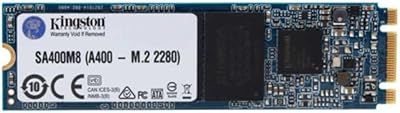
Kingston A400 240GB M.2 Internal SSD
81%
88%
Value for Money
82%
Read Performance
67%
Write Performance
93%
Installation Ease
79%
Build Quality
More
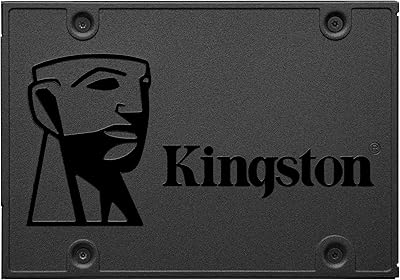
Kingston A400 480GB 2.5″ Internal SSD
84%
93%
Value for Money
78%
Read/Write Performance
91%
Installation Ease
82%
Build Quality
74%
Long-Term Reliability
More
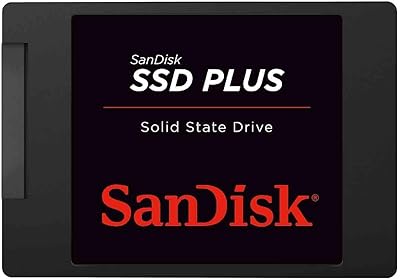
SanDisk SSD PLUS 240GB Internal SSD
87%
88%
Performance
92%
Speed Improvement vs HDD
90%
Durability / Shock Resistance
87%
Value for Money
94%
Ease of Installation
More
Kingston Q500 960GB Internal SSD
83%
93%
Value for Money
78%
Read/Write Performance
91%
Installation Ease
88%
Reliability & Longevity
89%
PS4 Compatibility
More
Kingston XS1000 2TB SSD
88%
94%
Performance
90%
Portability
93%
Speed (Read/Write)
88%
Build Quality
91%
Ease of Use (Plug & Play)
More
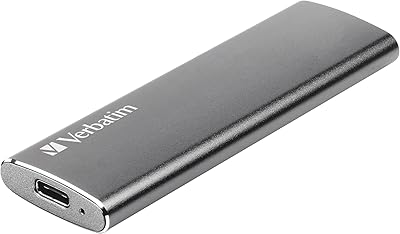
Verbatim Vx500 240GB External SSD
77%
78%
Transfer Speed
84%
Build Quality
61%
Long-Term Reliability
91%
Portability & Form Factor
74%
Value for Money
More
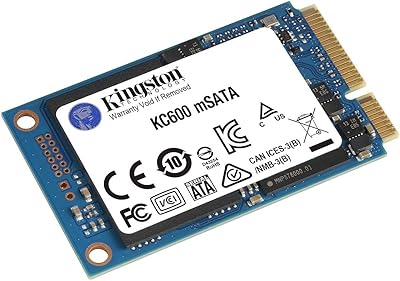
Kingston KC600 512GB mSATA Internal SSD
82%
83%
Read/Write Performance
78%
Compatibility
91%
Ease of Installation
88%
Build Quality & Durability
86%
Hardware Encryption
More
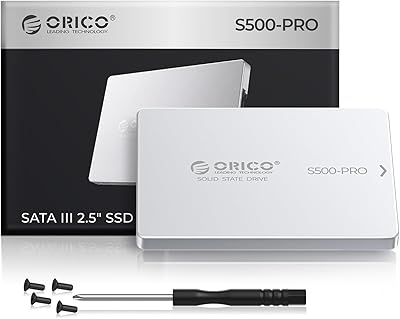
ORICO S500PRO 512GB 2.5″ SATA SSD
79%
91%
Value for Money
83%
Real-World Speed
88%
Build Quality
93%
Installation Experience
86%
PS4 Compatibility
More
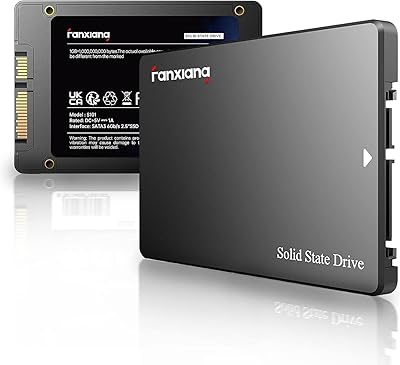
fanxiang S101 2TB 2.5″ Internal SSD
76%
88%
Value for Money
91%
Boot Time Improvement
58%
Sustained Write Speed
92%
Installation Ease
62%
Brand Reliability
More
Crucial BX500 4TB SATA SSD
82%
91%
Value for Money
74%
Read/Write Performance
93%
Installation & Compatibility
67%
Endurance & Longevity
83%
Build Quality & Form Factor
More

FAQ

The difference is anything but subtle if you are coming from a mechanical hard drive. Boot times that used to take two or three minutes typically drop to under twenty seconds, and everyday tasks like opening a browser or launching an app feel almost instant by comparison. It is one of the most impactful upgrades you can make to an aging machine without spending a lot of money.

If your machine has a 2.5-inch internal hard drive bay and uses a SATA connector, this drive will fit. The easiest way to check is to look up your laptop model online and see what type of storage it accepts. The vast majority of laptops and desktops made in the last fifteen or so years use exactly this standard, so compatibility is rarely an issue.

It depends on how you plan to use it. For an operating system, a suite of everyday apps, and a moderate number of documents and photos, 240GB is workable. If you store a lot of videos, large game installations, or a sizable music library, you will likely feel the squeeze. A common approach is to use this drive purely as a boot and applications drive, then keep a separate larger hard drive for bulk storage.

Not really. A small Phillips-head screwdriver is typically all you need to open the drive bay and secure the new drive. The most involved part is usually cloning your existing drive or doing a fresh OS install, but there are plenty of free, well-documented tools that walk you through the process step by step. Most users with no prior experience complete the swap in under an hour.

Based on patterns reported by a very large pool of long-term owners, this drive tends to hold up reliably under everyday use over multiple years. It is not engineered for punishing write-heavy workloads, but for typical home or office use it is a solid performer. Kingston is a reputable brand in the storage space, which adds a reasonable degree of confidence in the product's durability.

It works fine with Windows 11, Windows 10, and most Linux distributions. The drive does not care what operating system you run — as long as your motherboard or laptop supports SATA storage, the OS will recognize it normally. There is nothing special you need to configure.

Yes, if you purchase a separate 2.5-inch SATA USB enclosure, you can turn this drive into a portable external storage device. The enclosure itself is inexpensive and the combination works well for backups or carrying extra files between computers.

NVMe drives can be several times faster in raw throughput, which makes a real difference for tasks like editing large video files, compiling code, or transferring enormous amounts of data regularly. For everyday use — web browsing, office applications, streaming, and general computing — the speed difference between a SATA SSD and an NVMe drive is far less noticeable than the jump from a hard drive to any SSD. If your machine only has a SATA slot, the question is moot anyway.

Yes, a 7mm drive in a 9.5mm bay is not a problem — the drive simply sits with a small gap. Many laptop manufacturers even include a thin spacer in the packaging for exactly this situation. Going the other direction, putting a thicker drive into a 7mm slot, is where you would run into trouble, but that does not apply here.

No, the drive ships as just the bare unit with no bundled accessories. You will need to source your own SATA-to-USB adapter or enclosure if you want to clone your existing drive before swapping, and Kingston does not include any proprietary migration software. Third-party cloning tools like Macrium Reflect Free are widely used and work well with this drive.

Where to Buy