KAMRUI Essenx E2 Mini PC



Overview
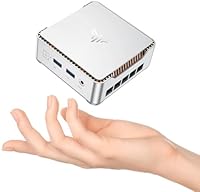
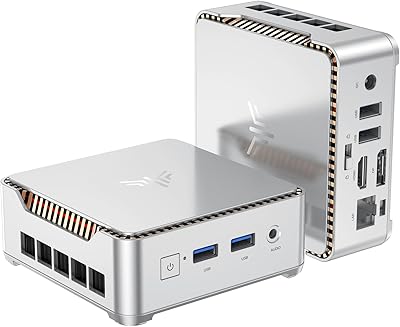
The KAMRUI Essenx E2 Mini PC sits in a crowded budget segment but earns attention by shipping with a 12th Gen N97 processor — a meaningful step up from the N95 and N100 chips that dominate this price range. At under four inches square, this mini PC barely takes up desk space, yet arrives with 16GB DDR4 RAM and a 512GB M.2 SSD already installed, so you are not forced into immediate upgrades. The included VESA mount lets you hide it behind a monitor entirely. Windows 11 Pro comes pre-loaded, which means professional workflows, domain joining, and BitLocker are all ready from day one without extra cost.
Features & Benefits
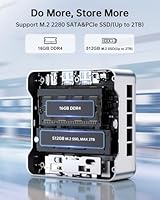
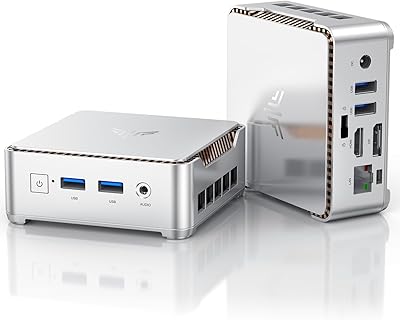
What sets the KAMRUI E2 apart from similarly priced competitors is the combination of dual 4K output and a genuinely usable port layout. The HDMI 2.0 and DisplayPort 1.4 outputs support two 4K monitors simultaneously at 60Hz — something you typically pay more to get. Four USB ports, Gigabit Ethernet, Wi-Fi, Bluetooth, and even a VGA output for older displays cover nearly every connectivity scenario. The second M.2 slot is a real bonus: you can add up to 2TB of additional storage down the line without replacing anything. Running at just 15W, it sips power rather than gulping it, which matters for always-on setups.
Best For
This compact desktop hits a practical sweet spot for remote workers who want a tidy desk without sacrificing a full Windows environment. Students and educators will find the performance plenty for video calls, browser-heavy research, and Office apps running in parallel. It is also a natural pick for small business reception desks or meeting room setups where noise and space are real constraints. Home theater users get genuine 4K playback at low wattage. What this mini PC is not suited for: sustained video rendering, serious gaming, or running multiple virtual machines. Keep expectations realistic in those areas and it delivers consistently.
User Feedback
The KAMRUI E2 holds a 4.6-star rating, and the verified reviews paint a fairly consistent picture. Buyers frequently praise the quiet fan, quick boot times, and how little desk real estate it demands — especially those who mounted it behind a monitor. On the downside, some users note the Wi-Fi module is mid-tier, which can show in crowded wireless environments where Ethernet is not an option. A handful report thermal throttling during prolonged CPU-heavy tasks, though light workloads seem unaffected. Customer support gets mixed marks. The included VESA mount and HDMI cable are generally considered genuinely useful rather than afterthoughts.
Pros
- Ships with Windows 11 Pro pre-installed — no extra license cost required.
- The N97 processor handles everyday multitasking noticeably better than N100 or N95 alternatives.
- Dual 4K output via HDMI 2.0 and DisplayPort 1.4 works as advertised at this price tier.
- A second M.2 slot lets you expand storage up to 2TB without replacing the machine.
- Gigabit Ethernet delivers rock-solid wired connectivity for calls and large file transfers.
- The VESA mount is sturdy and genuinely useful — not a token accessory.
- At just 15W, power consumption is low enough for always-on use without guilt.
- Quiet fan operation during light workloads makes it comfortable in shared or noise-sensitive spaces.
- The port layout covers almost every connectivity scenario, including a VGA output for older monitors.
- Out-of-box setup is fast — most buyers are up and running within minutes of unboxing.
Cons
- Thermal throttling occurs under sustained CPU load, reducing performance during extended heavy tasks.
- RAM is soldered and capped at 16GB with no user upgrade path available.
- The built-in Wi-Fi module underperforms in congested wireless environments or through multiple walls.
- Only one HDMI cable is included despite the machine supporting two simultaneous display outputs.
- Single-channel DDR4 memory limits bandwidth in scenarios where dual-channel would make a real difference.
- Pre-installed bloatware requires manual cleanup before the system feels properly clean.
- Customer support quality is inconsistent, with delayed responses reported by a notable number of buyers.
- The power adapter cable is shorter than ideal for monitor-back VESA-mounted setups.
- A small subset of users encountered Windows activation issues after performing a factory reset.
- Integrated graphics cannot handle modern games or GPU-accelerated creative software at usable settings.
Ratings
The scores below were generated by AI after analyzing thousands of verified buyer reviews for the KAMRUI Essenx E2 Mini PC worldwide, with spam, incentivized, and bot-flagged submissions actively filtered out before scoring. Each category reflects what real users consistently reported across multiple purchase cohorts — strengths are credited where earned, and genuine pain points are not softened. The result is a transparent, balanced snapshot of how this compact desktop actually performs in daily use.
Everyday Performance
Thermal Management
Display Output
Port Selection & Connectivity
Upgrade Friendliness
Build Quality & Design
Noise Level
Value for Money
Setup & Out-of-Box Experience
Power Efficiency
Software & OS Readiness
Customer Support
4K Dual Display Reliability
Included Accessories
Suitable for:
The KAMRUI Essenx E2 Mini PC is a strong fit for anyone who needs a capable, full Windows desktop without dedicating significant desk space or budget to get there. Remote workers who spend their days in video calls, spreadsheets, and browser-heavy research will find the N97 processor handles those demands comfortably — especially when paired with a wired Ethernet connection for reliability. Students and educators benefit from Windows 11 Pro arriving pre-installed, meaning there is no license cost to factor in on top of the hardware. Small business owners looking to equip a reception desk, meeting room, or point-of-sale station will appreciate how quietly and unobtrusively this compact desktop operates. Home theater enthusiasts who want genuine 4K playback from a low-power, always-on machine will find the 15W draw and VESA mount make it an ideal behind-the-TV or behind-the-monitor solution. It also works well as a capable secondary or guest PC in households that already have a more powerful primary machine for demanding creative work.
Not suitable for:
The KAMRUI Essenx E2 Mini PC is not the right choice for buyers who expect consistent performance under sustained, CPU-intensive workloads. Video editors, 3D rendering hobbyists, and anyone running virtual machines regularly will hit the thermal and processing limits of the N97 chip within minutes of pushing it hard — thermal throttling is a documented and recurring complaint, not an edge case. Gamers should look elsewhere entirely; the integrated UHD graphics are functional for casual titles at low settings but are nowhere near suitable for any modern game played at meaningful detail levels. The RAM is soldered and fixed at 16GB, so buyers planning to hold a machine for five or more years and anticipating heavier software demands over time may regret that ceiling eventually. The Wi-Fi module underperforms in congested or multi-wall environments, making this a poor fit for anyone who cannot run an Ethernet cable to their setup. Finally, buyers who anticipate needing responsive, straightforward customer support should weigh the inconsistent after-sale experience that a meaningful portion of users have reported.
Specifications
- Processor: Intel Alder Lake N97 runs at a base of 2.0GHz and turbos up to 3.6GHz across 4 cores with 6MB Smart Cache.
- RAM: 16GB DDR4 single-channel memory is soldered to the board and cannot be replaced or expanded.
- Primary Storage: A 512GB M.2 2280 SSD is pre-installed and serves as the primary drive for the operating system and applications.
- Storage Expansion: One open M.2 slot supports NVMe PCIe 3.0 or SATA SSDs up to 2TB for additional storage capacity.
- Graphics: Intel UHD integrated graphics with 24 execution units operate at up to 1.20GHz and share system memory.
- Display Output: One HDMI 2.0 port and one DisplayPort 1.4 port support simultaneous dual 4K output at 60Hz (4096x2160).
- Legacy Display: One VGA port is included for compatibility with older monitors that lack HDMI or DisplayPort inputs.
- USB Ports: Two USB 3.2 Gen 1 Type-A ports and two USB 2.0 Type-A ports are available on the chassis.
- Networking: A Gigabit Ethernet RJ45 port (10/100/1000Mbps) provides wired connectivity alongside built-in Wi-Fi and Bluetooth.
- Audio: A single 3.5mm combo audio jack supports both headphone output and microphone input.
- Operating System: Windows 11 Pro comes pre-installed and pre-activated, including support for BitLocker, Remote Desktop, and domain join.
- Power Consumption: The system operates at a 15W TDP, making it suitable for always-on deployments with minimal electricity draw.
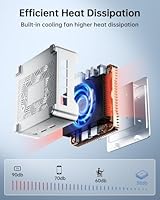
- Cooling System: An active cooling setup combines a built-in fan, aluminum heat sink, and a dedicated hard drive cooling cover to manage thermals.
- Dimensions: The chassis measures 3.94 x 3.94 x 1.42 inches, occupying less footprint than a standard paperback book.
- Weight: The unit weighs 1.52 pounds without accessories, making it easy to reposition or travel with if needed.
- VESA Mount: A VESA-compatible mounting bracket is included in the box, allowing the unit to attach directly to the rear of a compatible monitor.
- In-Box Contents: The package includes the mini PC, a power adapter, a VESA mount kit, one HDMI cable, and a printed user manual.
- Form Factor: The E2 is classified as a Mini PC desktop form factor, designed for stationary desk or monitor-mounted use.
Related Reviews
KAMRUI Essenx E2 N150 16GB Mini PC
KAMRUI Essenx E2 Mini PC
KAMRUI Essenx E1 Mini PC 12GB 256GB
KAMRUI GK3Plus Mini PC (N95, 16GB RAM, 512GB SSD)
BOSGAME E2 Mini PC 16GB/512GB
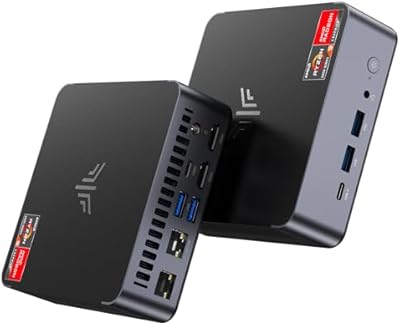
KAMRUI AM21 Mini PC
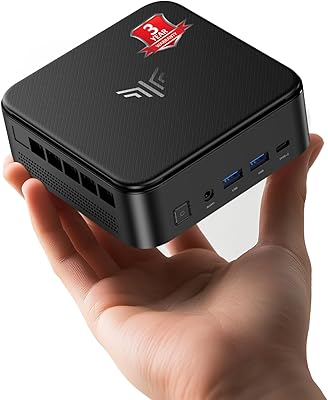
KAMRUI E3B Mini PC (Ryzen 5 7430U, 32GB RAM, 512GB SSD)
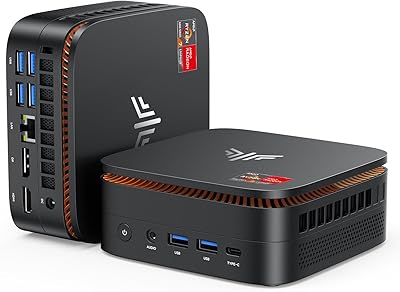
KAMRUI Hyper H1 Mini PC

Beelink Mini S12 Pro (N100, 16GB, 500GB)
