KAMRUI Essenx E2 Mini PC

Overview
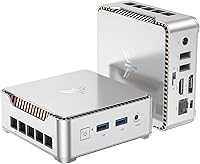
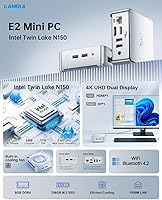
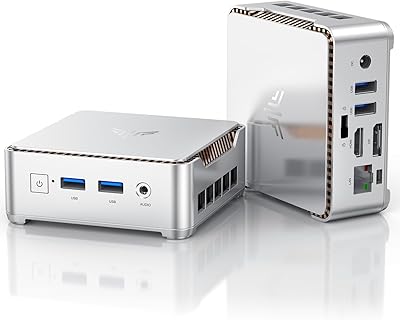
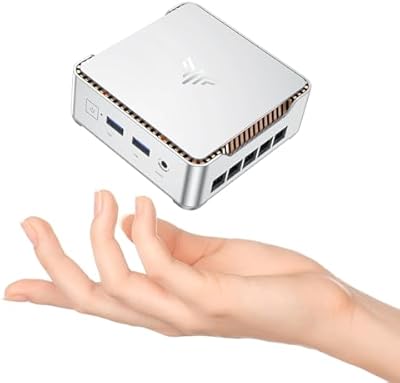
The KAMRUI Essenx E2 Mini PC is a compact desktop that fits in your palm yet runs a full copy of Windows 11 Pro — a combination that's harder to find at this price point than you'd expect. Powered by Intel's Twin Lake N150 processor, this mini PC sits a clear step above the N100 and N5095 machines that dominated the budget segment before it. It ships with 8GB of RAM and a 256GB M.2 SSD, both user-replaceable, and its VESA mount means you can bolt it behind a monitor and reclaim your desk entirely. Enterprise-friendly touches like Wake on LAN and PXE boot give it range well beyond what a typical home machine offers.
Features & Benefits
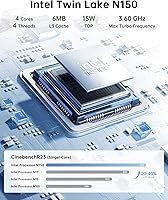
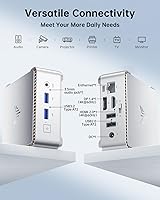
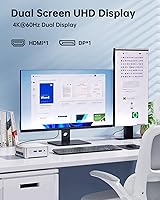
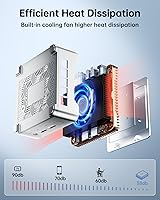
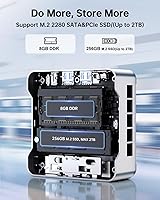
The N150 processor handles everyday workloads — web browsing, video calls, spreadsheets, streaming — without breaking a sweat, and it does so at a 15W TDP, keeping the fan nearly inaudible in typical use. Dual display output through HDMI and DisplayPort means you can run two monitors at 4K resolution, which is genuinely useful for both productivity and media playback. Connectivity is well-covered: Gigabit Ethernet, dual-band Wi-Fi (802.11ac), Bluetooth 4.2, two USB 3.2 ports, and two USB 2.0 ports are all on board. The SSD is swappable up to 2TB, and the box includes a VESA bracket, HDMI cable, and power adapter — nothing extra to track down before first use.
Best For
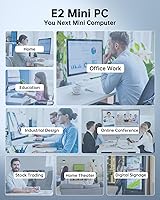
This compact desktop is a natural fit for home office setups — light document work, video conferencing, and multi-tab browsing all run cleanly on the E2. Students and remote learners get a full Windows 11 Pro environment without spending significantly more on hardware. The E2 also works well as an HTPC, connected to a large display for 4K streaming and casual media playback. IT teams and small businesses will appreciate the PXE boot and Wake on LAN support for basic remote management scenarios. One honest caveat: this is not a machine for heavy video rendering or gaming, and buyers expecting that kind of output should look elsewhere.
User Feedback
Buyers consistently praise how compact and easy to set up the E2 is right out of the box, with most getting up and running quickly. Performance for everyday tasks earns solid marks, particularly for browsing and HD video. Where feedback grows nuanced is the RAM labeling — the listing references both LPDDR and DDR4 in different places, which has caused genuine confusion among buyers planning an upgrade. Thermal performance is generally acceptable, though some users note the fan becomes briefly noticeable under sustained load. Display output problems and occasional shipping inconsistencies appear in a minority of reviews, but these read as isolated cases rather than a pattern worth flagging as a systemic concern.
Pros
- Intel N150 processor delivers a noticeable step up over older N100 and N5095 chips in everyday tasks.
- Windows 11 Pro comes preloaded — no extra licensing cost or home-edition limitations to work around.
- Dual 4K display output via HDMI and DisplayPort is genuinely useful for productivity and media setups.
- The included VESA bracket makes behind-monitor installation straightforward right out of the box.
- Fan noise is minimal under typical workloads, making it a comfortable fit for quiet home or office environments.
- Gigabit Ethernet, dual-band Wi-Fi, Bluetooth 4.2, and four USB ports cover most connectivity needs without adapters.
- Storage is user-upgradeable up to 2TB via the M.2 slot, giving a clear and affordable path for more space.
- PXE boot and Wake on LAN support add real utility for IT administrators and small business deployments.
- The box includes an HDMI cable, power adapter, and VESA mount — everything needed to get started immediately.
- At under 0.6 lb and roughly 3.9 inches square, it fits in places no tower ever could.
Cons
- RAM labeling in the product listing is inconsistent — LPDDR and DDR4 are both referenced, creating confusion for buyers planning upgrades.
- Base 256GB storage fills up faster than expected for users with multiple applications or media files.
- Fan becomes briefly audible under sustained load, which may bother users in very quiet environments.
- Bluetooth 4.2 is functional but dated — buyers needing faster wireless peripheral connections may notice the limitation.
- Wi-Fi tops out at 802.11ac rather than the newer Wi-Fi 6 standard, a minor but real gap for bandwidth-heavy households.
- A small number of buyers have reported display output issues at higher resolutions, suggesting occasional QA inconsistency.
- No included keyboard or mouse, which matters for first-time desktop buyers who may not realize they need peripherals separately.
- The M.2 slot uses the SATA interface rather than the faster NVMe standard, which limits SSD upgrade performance potential.
Ratings
Our AI-generated scores for the KAMRUI Essenx E2 Mini PC were produced by systematically analyzing verified global buyer reviews, actively filtering out incentivized, bot-generated, and duplicate feedback to reflect what real users genuinely experience. The ratings below cover everything from everyday performance to long-term reliability, and both the strengths and the friction points are represented transparently. No category has been softened to protect the product's image — if buyers consistently hit a wall somewhere, that shows in the score.
Everyday Performance
Value for Money
Build Quality
Display Output Quality
Thermal Management
Connectivity & Ports
Setup & Out-of-Box Experience
Storage Performance
RAM & Upgradeability
Noise Level
Media & HTPC Use
Software & OS Experience
Physical Design & Size
Reliability & QA Consistency
After-Sales Support
Suitable for:
The KAMRUI Essenx E2 Mini PC is a strong match for anyone who needs a capable, low-footprint Windows machine for everyday computing without spending heavily. Home office workers who spend their days on browser tabs, video calls, and documents will find it handles that workload comfortably, especially when mounted behind a monitor to keep the desk clean. Students and remote learners get a legitimate Windows 11 Pro environment — not a stripped-down home edition — which matters for software compatibility and school IT requirements. The E2 also makes a practical HTPC: plug it into a living room display, and it handles 4K streaming and media playback without the noise or bulk of a traditional tower. Small businesses or IT teams looking to deploy simple, manageable thin-client-style workstations will appreciate the PXE boot and Wake on LAN support baked in at no extra cost.
Not suitable for:
The KAMRUI Essenx E2 Mini PC is simply not built for demanding workloads, and buyers who need that kind of performance should be direct with themselves before purchasing. Video editors, 3D designers, or anyone running compute-intensive applications will hit a wall quickly — the N150 processor and integrated graphics are adequate for light tasks, not sustained heavy lifting. Gamers should look elsewhere entirely; this compact desktop can handle some casual or older titles at low settings, but it is not a gaming machine by any stretch. The 256GB base storage will also feel cramped for users with large media libraries or software installations, and while the SSD is swappable, that is an added step and cost to factor in. Buyers who plan to upgrade the RAM should also note a labeling inconsistency in the product listing — it references both LPDDR and DDR4 in different places — so confirm compatibility before purchasing additional memory.
Specifications
- Processor: Intel Twin Lake N150 with 4 cores and 4 threads, a 6MB cache, and a boost clock of up to 3.6GHz.
- TDP: The processor operates at a 15W thermal design power, keeping heat and fan noise low under typical workloads.
- RAM: 8GB of DDR4 SDRAM is included from the factory, with the slot supporting up to 16GB via user replacement.
- Storage: A 256GB M.2 SATA SSD is installed by default, with the slot accommodating drives up to 2TB.
- GPU: Intel integrated graphics with 24 execution units running at up to 1200MHz handle display output and light media tasks.
- Display Output: One HDMI port and one DisplayPort output support dual-monitor configurations at up to 4K resolution (4096x2160) at 60Hz.
- USB Ports: Four USB ports are included: two USB 3.2 and two USB 2.0, suitable for peripherals and external storage.
- Networking: A Gigabit Ethernet port (RJ45) provides wired connectivity alongside dual-band 802.11a/b/g/n/ac Wi-Fi.
- Bluetooth: Bluetooth 4.2 is built in for wireless peripherals such as keyboards, mice, and headsets.
- Audio: A dedicated microphone input and a separate audio output jack are located on the chassis for headset or speaker use.
- Dimensions: The unit measures approximately 3.9 x 3.9 x 1.4 inches, making it one of the more compact boxes in the budget mini PC category.
- Weight: At approximately 0.59 lb, the unit is light enough to mount behind a monitor without straining the VESA arm.
- Operating System: Windows 11 Pro comes preloaded, with additional support for Linux, PXE boot, Wake on LAN, and RTC Wake functions.
- Cooling: A dual air-outlet fan design actively cools the N150 processor while remaining near-silent during light to moderate use.
- VESA Mount: A VESA mounting bracket is included in the box, enabling installation on the back of compatible monitors or displays.
- In the Box: The package includes the mini PC unit, a VESA bracket, one HDMI cable, a power adapter, and a printed instruction manual.
- Wireless Bands: Wi-Fi operates on both the 2.4GHz and 5GHz bands, supporting the 802.11ac standard for cable-free connectivity.
- Warranty: KAMRUI provides a 3-year satisfaction guarantee and lifetime technical support for this product.
Related Reviews
KAMRUI Essenx E2 N150 16GB Mini PC
KAMRUI Essenx E2 Mini PC
KAMRUI Essenx E1 Mini PC 12GB 256GB
KAMRUI GK3Plus Mini PC (N95, 16GB RAM, 512GB SSD)
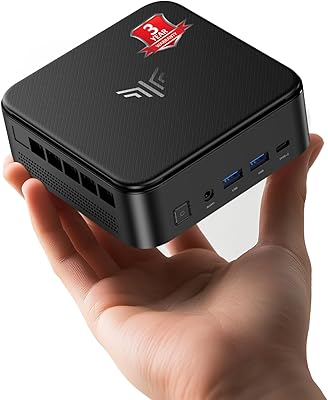
KAMRUI E3B Mini PC (Ryzen 5 7430U, 32GB RAM, 512GB SSD)
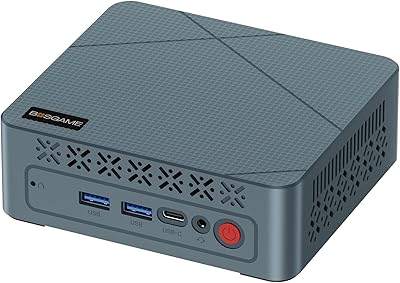
BOSGAME E2 Mini PC 16GB/512GB
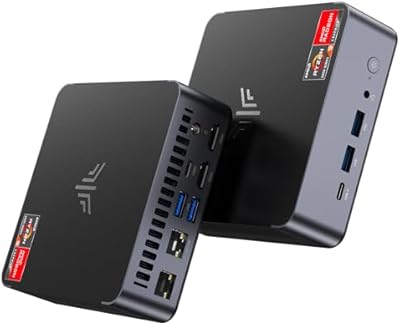
KAMRUI AM21 Mini PC
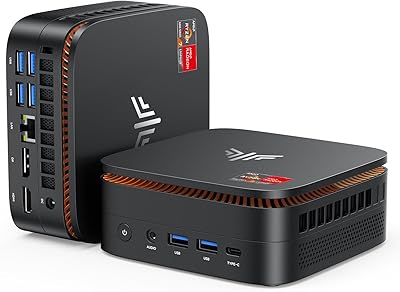
KAMRUI Hyper H1 Mini PC

Beelink Mini S12 Pro (N100, 16GB, 500GB)
