Overview
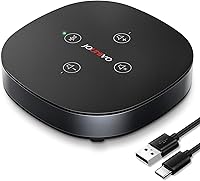
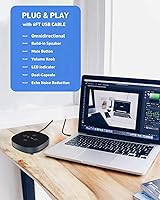
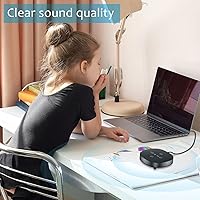
The JOUNIVO JV803 USB Conference Speakerphone arrived at exactly the right moment — early 2021, when millions of people were suddenly running meetings from kitchen tables and spare bedrooms. It's a compact, puck-shaped device that handles both microphone and speaker duties in one unit, which already puts it ahead of fumbling with separate gear. Setup is genuinely painless: plug it into a USB port and it works, no driver installation, no software configuration. With over 1,200 ratings averaging 4.1 stars, most buyers are satisfied — though not universally so, which tells you this conference speakerphone has real strengths alongside real limitations worth knowing before you buy.
Features & Benefits
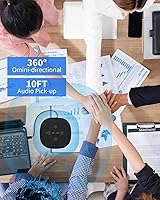
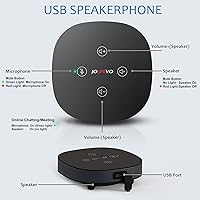
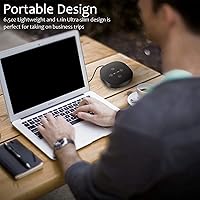
The JV803 packs a dual-capsule condenser mic that picks up sound from every direction — useful when a few colleagues are gathered around a single laptop. The 80 dB signal-to-noise ratio is solid for a device at this price tier, meaning voices come through clearly as long as you're in a reasonably quiet room. Physical touch-sensor buttons for mute and volume are a small but meaningful detail; you're not hunting through software menus mid-call. At roughly 4.4 by 4.3 inches and under ten ounces, it slips into a bag without a second thought. It also routes audio output through the same unit, so you can drop the headphones for shorter calls.
Best For
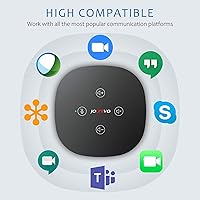
This conference speakerphone makes the most sense for solo remote workers who are tired of sounding hollow or distant on calls, and for small groups — think two to four people huddled around a desk for a quick team check-in. It works well across Zoom, Microsoft Teams, Skype, and Google Meet without any configuration headaches. Budget-conscious podcasters doing remote interviews will also find it useful as a no-fuss recording setup. That said, if you're in a large conference room or an open-plan office, temper your expectations — the JV803 isn't built for that scale. It rewards people who need a grab-and-go solution that just works.
User Feedback
Buyer sentiment is genuinely mixed in the best informative way. The most consistent praise is how dramatically this USB speakerphone improves on a laptop's built-in audio — people who've lived through muffled calls appreciate even a modest upgrade. The mute button gets specific mentions for being easy to hit in a rush. On the critical side, several reviewers found performance suffered noticeably in echo-prone rooms or anywhere with ambient noise, which is fair given there's no advanced noise-processing hardware here. A handful also flagged the touch controls as occasionally too sensitive, triggering accidental mutes. Worth noting: a number of buyers say it holds its own against devices that cost considerably more, which is either a compliment to this speakerphone or a comment on the market.
Pros
- Plug-and-play setup works immediately on Windows and macOS — no drivers, no configuration headaches.
- The omnidirectional pickup handles small group conversations naturally without anyone repositioning the device.
- Touch-sensor mute button is easy to hit mid-conversation without fumbling through software menus.
- Combining mic and speaker in one unit means one less cable and one less device to manage on your desk.
- Lightweight and compact enough to toss in a bag and carry between workspaces without a second thought.
- For buyers stepping up from a built-in laptop mic, the improvement in call clarity is immediately noticeable.
- USB bus-powered design means no power adapter, no batteries, and no extra cables cluttering your setup.
- At its price point, it competes favorably with devices that cost noticeably more for basic daily call use.
Cons
- Audio quality drops off noticeably in echo-prone or noisy rooms, limiting where you can realistically use it.
- Speaker volume may feel insufficient for anyone trying to use it in a space larger than a small office.
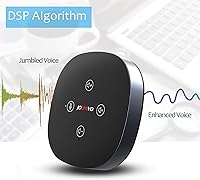
- No advanced noise-processing or DSP, so background sounds bleed through more than the product listing implies.
- Touch controls can be overly sensitive, leading to accidental mutes at frustrating moments during live calls.
- Mono audio output is a real constraint for anyone hoping to use this for music playback or media consumption.
- USB-A only connectivity means users with modern thin laptops may need a separate hub or adapter.
- A minority of buyers have reported inconsistent USB connection behavior over extended use.
- Not well-suited for recording environments where audio fidelity needs to hold up to editing or post-production.
Ratings
Our editorial team used AI analysis to evaluate thousands of verified global reviews for the JOUNIVO JV803 USB Conference Speakerphone, actively filtering out incentivized, bot-generated, and duplicate submissions to surface what real buyers actually experienced. The scores below reflect a transparent picture of where this conference speakerphone genuinely delivers and where it falls short — no spin, no cherry-picking.
Microphone Clarity
Speaker Output Quality
Setup & Ease of Use
Omnidirectional Pickup
Build Quality
Touch Controls
Portability
Platform Compatibility
Value for Money
Noise Handling
Mute Functionality
Speaker Volume Range
Long-term Reliability
Suitable for:
The JOUNIVO JV803 USB Conference Speakerphone was built for a very specific kind of buyer, and it delivers well for that audience. If you work from home and spend a good chunk of your day on Zoom, Teams, or Skype calls, this device is a meaningful step up from the flat, echoey audio that most laptop mics produce. It's equally well-suited for small teams doing huddle calls — two to four people gathered around a shared desk will find the omnidirectional pickup handles the room without anyone needing to lean in. Frequent travelers or people splitting time between a home office and a workplace will appreciate how light and compact it is; it genuinely fits in a laptop bag without any fuss. Budget-conscious content creators doing remote interviews or basic podcast recordings will also get solid value here, as long as the environment is reasonably controlled.
Not suitable for:
The JOUNIVO JV803 USB Conference Speakerphone is not the right tool for every situation, and being clear about that upfront will save some buyers a return trip. If your meeting space is a large boardroom, an open-plan office, or anywhere with significant background noise, this device will likely disappoint — it lacks the advanced noise-processing needed to compete with higher-end speakerphones in challenging acoustic environments. Audio professionals, podcasters who prioritize production quality, or anyone recording content that needs to sound polished will find the mono output and entry-level signal chain limiting. The speaker volume ceiling is also modest, so if you regularly take calls in a noisy setting or need audio loud enough to fill a room, you'll hit that ceiling quickly. Users who rely on USB-C exclusively should also check their port availability, as this device connects via USB-A only.
Specifications
- Brand: Manufactured and sold by JOUNIVO under model designation JV-803.
- Form Factor: Compact puck-style boundary microphone design, low-profile enough to sit flat on a desk without obstructing sightlines.
- Dimensions: The unit measures 4.4″ x 4.3″ x 1.18″, making it small enough to fit in most laptop bags.
- Weight: At 9.9 ounces, the device is light enough for daily transport between workspaces.
- Polar Pattern: Omnidirectional (360-degree) pickup captures audio from all directions around the device simultaneously.
- Microphone Type: Dual-capsule condenser microphone configuration provides a wider pickup range than single-capsule designs at this price tier.
- Signal-to-Noise Ratio: Rated at 80 dB, which supports clean vocal reproduction in quiet to moderately noisy environments.
- Audio Channels: Mono (1 channel) output — suitable for voice calls and conferencing, but not stereo music playback.
- Connectivity: USB-A plug-and-play connection; the device draws power directly from the host computer with no external adapter needed.
- Compatible OS: Works with Windows XP, Vista, 7, 8, and 10, as well as macOS; not compatible with Raspberry Pi or Android devices.
- Controls: Touch-sensor buttons on the unit surface handle mute/unmute and speaker volume adjustment without any software interaction.
- Dual Function: Operates as both a microphone input and a speaker output, replacing the need for a separate headset during calls.
- Power Source: Entirely USB bus-powered, so no batteries, power bricks, or additional cables are required for operation.
- Driver Requirement: No driver installation is necessary; the device is recognized automatically as a standard USB audio device by supported operating systems.
- Recommended Use: Optimized for conference calls, online meetings, remote interviews, and casual voice-over-IP applications in small spaces.
Related Reviews
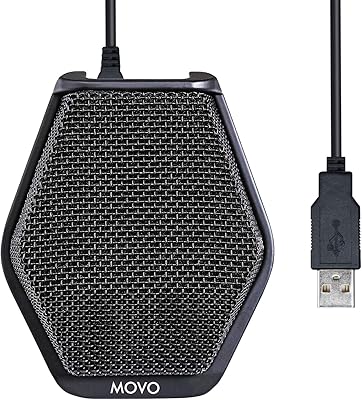
Movo MC1000
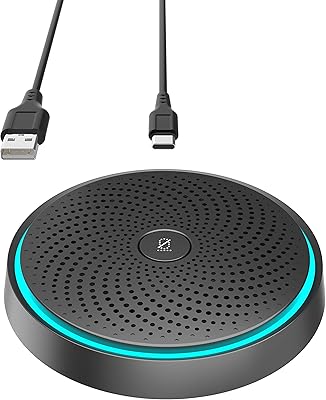
WISE TIGER USB Conference Microphone
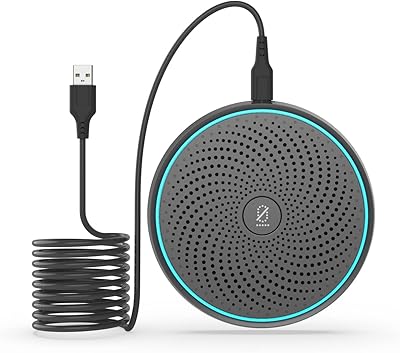
ANSTEN OSM09 Conference USB Microphone
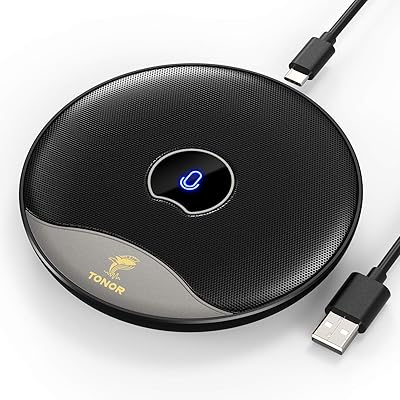
TONOR TM20
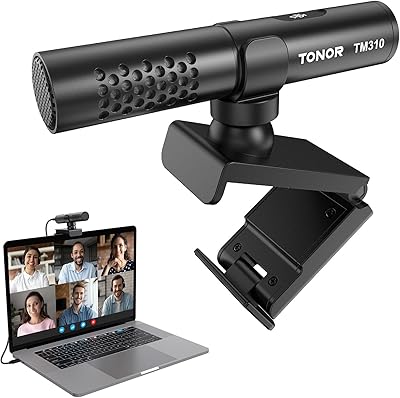
TONOR TM310
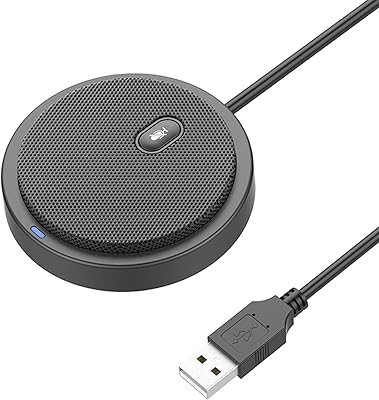
TONOR G11 Conference USB Microphone
JOUNIVO JV605 Pro