

Overview

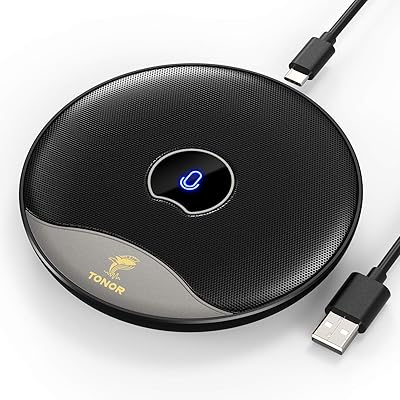
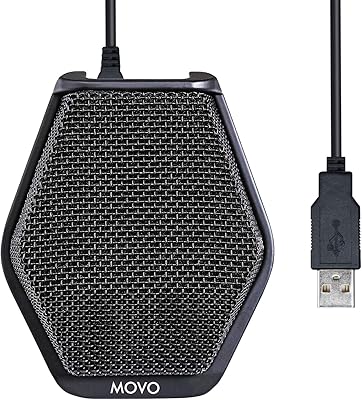
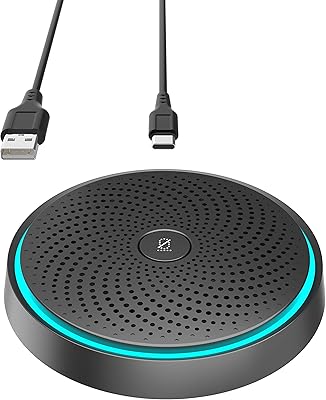
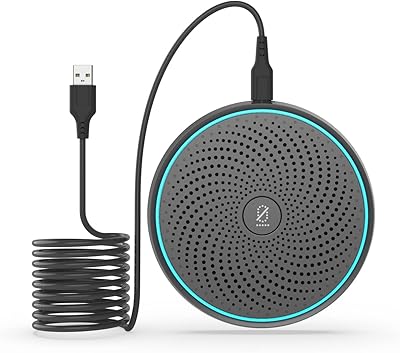
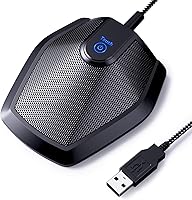
The TONOR G11 Conference USB Microphone is a flat, puck-style desktop mic that has been quietly holding its own since 2018 — currently sitting at #11 in Computer Microphones on Amazon with over 4,000 ratings. It was built with one clear job in mind: capturing voices from all directions in a shared space, whether that's a small meeting room or a home office desk. Plug it into a USB-A port and it works — no driver installation, no setup headaches. At its price point, this conference mic punches well above what you would expect from a laptop's built-in audio.

Features & Benefits

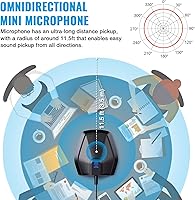
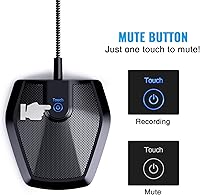
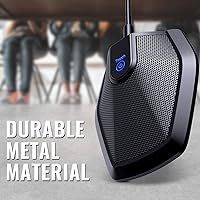
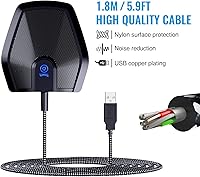
The omnidirectional pickup pattern is the defining characteristic here — it listens in all directions simultaneously, with a stated range of 11.5 feet. In practice, room acoustics play a big role, so results in a live, reverberant space won't match a quiet, carpeted office. That said, for a table of three or four people on a Zoom call, the TONOR G11 handles the job reliably. The 1.8m nylon-braided cable gives you real flexibility in desk placement, and the metal housing feels solid rather than cheap. A built-in mute button with a blue LED indicator adds a practical touch — quick to tap, easy to confirm at a glance.

Best For

This desktop USB mic shines brightest in small group calls — three to five people gathered around a desk, connecting over Zoom, Teams, Skype, or Google Meet. Home office workers who occasionally bring a colleague or client onto a shared call will find it a practical upgrade over a laptop mic, without the cost of a dedicated speakerphone. Students in online classes benefit from the wide pickup too, especially when recording group discussions or presentations. Court reporters and legal professionals have also found it useful for capturing multiple voices accurately. If you work solo and want directional isolation, a cardioid mic would serve you better — but for shared audio situations, this one covers the bases.

User Feedback

Across more than 4,000 Amazon ratings, this conference mic averages 4.4 out of 5 — a strong indicator that it delivers on its core promise for most buyers. Repeat praise centers on how quickly it gets up and running on both Windows and Mac, and how well it holds up on group calls in quiet rooms. The honest caveat: because it picks up sound from all sides, background noise is a real factor in louder environments — an air conditioner, an open window, or a noisy hallway will all make it into the recording. A handful of reviewers also note the blue LED isn't always easy to spot in a bright room. Minor gripes for the price, but worth knowing going in.

Pros

  • Plug-and-play setup works immediately on both Windows and macOS — no drivers, no configuration.
  • The omnidirectional pattern captures all voices around the desk without anyone needing to position themselves carefully.
  • Metal construction feels noticeably more durable than plastic mics at a similar price.
  • The 1.8-meter nylon-braided cable provides enough reach for most standard desk and table layouts.
  • A physical mute button means you can silence yourself mid-call without touching the screen.
  • Voice clarity on Zoom, Teams, and Skype calls consistently impresses buyers upgrading from a laptop mic.
  • The flat, compact form factor takes up minimal desk space and travels well in a laptop bag.
  • At its price point, this conference mic represents genuine value for small teams sharing one audio input.
  • The rubberized anti-slip base keeps it stable even on smooth desks during active use.
  • Cross-platform reliability means it works the same way regardless of which computer you plug it into.

Cons

  • Omnidirectional pickup means ambient noise — fans, HVAC, hallway sounds — gets captured alongside voices.
  • The stated 11.5-foot range is optimistic; real-world performance in live rooms falls noticeably short of that figure.
  • The blue mute LED is difficult to see clearly in brightly lit rooms or near windows.
  • The cable is fixed and non-detachable, so any cable damage requires replacing the entire unit.
  • No onboard volume control means you have to adjust input levels through your computer's software settings.
  • Some users need to manually select the mic as the active input device in system audio settings after first plug-in.
  • The nylon cable braid can develop fraying near the connector point after prolonged heavy daily use.
  • Not suitable for solo recording or content creation where background noise isolation is a priority.

Ratings

The TONOR G11 Conference USB Microphone has been scored by our AI system after analyzing thousands of verified global buyer reviews, with spam, bot activity, and incentivized feedback actively filtered out. The scores below reflect honest real-world experience — strengths and shortcomings included — so you get a clear picture before buying.

Ease of Setup
96%
Buyers consistently describe a truly effortless first experience — plug into a USB port and the computer recognizes it immediately, on both Windows and Mac. No driver downloads, no software configuration. For remote workers joining an urgent call, that kind of reliability matters more than most specs.
A small number of users report needing to manually select the mic as the input device in system audio settings, which catches first-timers off guard. It is a one-time fix, but the instructions in the box could do a better job flagging this upfront.
Voice Clarity
83%
On quiet Zoom and Teams calls, voices come through with solid intelligibility — participants sound present rather than distant or hollow. Reviewers running small business meetings note that colleagues rarely ask them to repeat themselves, which is the practical benchmark that matters.
Clarity drops noticeably when the room has hard surfaces or ambient noise. The mic is not doing any noise processing, so what goes in is what comes out — a limitation that affects open-plan home offices more than dedicated quiet rooms.
Omnidirectional Pickup Range
77%
23%
For a table of three or four people, the 360-degree capture works well in practice. Court reporters and educators running small group sessions specifically call out how evenly it picks up voices positioned across the desk without anyone needing to lean in.
The stated 11.5-foot range is optimistic in real rooms. Voices at the far edge of a conference table or in a lively environment lose presence noticeably. Buyers expecting boardroom-level coverage from a 25-dollar mic will come away disappointed.
Background Noise Rejection
52%
48%
In controlled, quiet settings — a home office with the door closed, a carpeted meeting room — background noise is manageable and voice pickup remains the dominant signal. Users in these environments rarely flag noise as a problem.
Because it is omnidirectional, it captures everything equally: keyboard clatter, HVAC hum, hallway noise, a fan running nearby. Buyers working in open or shared spaces report that callers can hear the environment almost as clearly as the speaker, which is a genuine limitation.
Build Quality
81%
19%
The metal body feels noticeably sturdier than comparably priced plastic mics, and the rubberized base keeps it planted on a desk without sliding around. Several buyers mention tossing it into a bag repeatedly with no signs of wear.
The cable connection point where the nylon braid meets the mic body is the most frequently cited weak spot over extended daily use. A small number of long-term owners report fraying or intermittent connection issues appearing after a year or more.
Cable Quality
78%
22%
The 1.8-meter nylon-braided cable gives enough reach to place the mic centrally on most standard desks or conference tables. The shielding does its job — electrical interference and hum are not common complaints among reviewers.
The cable is fixed and non-removable, so any damage means replacing the entire unit. Some users also find the cable slightly stiff when new, making it awkward to route neatly on a tidy desk setup.
Mute Button Usability
74%
26%
The physical mute button is responsive and satisfying to press mid-call. Buyers who frequently jump between speaking and listening appreciate having a dedicated button rather than fumbling through a software interface during a live meeting.
The blue LED confirmation light is subtle — in a bright room or near a window, it is easy to lose track of whether you are muted or live. A handful of reviewers mention the embarrassing experience of speaking for a minute while muted because the indicator was hard to read.
Compatibility
93%
Windows 10, Windows 11, and macOS all recognize this conference mic without any intervention. Buyers switching between a work laptop and a personal Mac report identical behavior on both — a genuinely consistent cross-platform experience.
Chromebook and Linux compatibility is possible but not officially supported or well-documented. A few users on less common operating environments had to troubleshoot input routing themselves without guidance from the manual.
Value for Money
91%
At its price point, this desktop USB mic outperforms the internal microphones on virtually every laptop on the market. For a small team sharing one mic on a call, the cost per person makes it one of the most practical audio upgrades available.
Buyers who stretch expectations — hoping for podcast-quality solo recording or large-room coverage — feel let down. The value equation only holds when the use case matches the product's actual strengths: shared voice calls in reasonably quiet spaces.
Size & Portability
86%
The flat puck design takes up minimal desk real estate, which buyers in tight home office setups genuinely appreciate. It slips into a laptop bag without adding meaningful bulk, making it a practical choice for professionals who move between work locations.
The fixed cable adds some friction when packing up — it does not coil as neatly as a detachable cable would. Not a dealbreaker, but slightly less convenient than it could be for frequent travelers.
Audio Frequency Range
72%
28%
The 80Hz to 20kHz response handles the full range of human speech without cutting off consonants or sounding unnaturally thin. For voice calls and meeting recordings, the frequency coverage is more than adequate and noticeably better than a built-in laptop mic.
At the low end, the mic does not capture the warmth or depth that content creators or podcasters expect. It was not designed for music or broadcast-quality voice work, and the frequency response reflects that practical narrowing of purpose.
Signal-to-Noise Ratio
79%
21%
A 78 dB SNR is a respectable figure for a mic in this price bracket, and it shows in quiet environments where the audio comes through clean and free from the hiss or static that plagues cheaper options. Reviewers running recordings in calm settings report clean playback.
That SNR advantage erodes quickly once the ambient environment is not controlled. The omnidirectional design means the mic is picking up noise alongside voice, so the practical perceived noise floor in a typical room is higher than the spec suggests.
Stability on Desk
88%
The rubberized anti-slip base does exactly what it promises — the mic stays put even on smooth glass or laminate desks. Buyers who gesture expressively or occasionally brush the desk during calls note it does not shift or tip.
The relatively wide, flat base can be awkward to position if desk space is genuinely limited or if cable management requires routing the cord in a specific direction. It is not a major issue, but worth noting for very compact setups.

Suitable for:

The TONOR G11 Conference USB Microphone is a strong fit for anyone who needs to share a single mic across multiple people in a small, relatively quiet space. Remote workers who occasionally host two or three colleagues around a desk for a video call will find it a practical, no-fuss upgrade over relying on a laptop's built-in audio. Students attending live online classes or recording group study sessions benefit from the wide pickup without needing any technical setup knowledge. Court reporters, paralegals, and legal assistants who need to capture multiple voices during in-person interviews or depositions will appreciate the 360-degree capture and solid build quality. It also suits educators running small remote training sessions, or small business owners who want a shared calling solution without investing in a full speakerphone system. If your environment is reasonably calm and your budget is limited, this conference mic covers the essentials reliably and honestly.

Not suitable for:

The TONOR G11 Conference USB Microphone is not the right choice for buyers working in noisy or open-plan environments, because its omnidirectional design captures ambient sound just as readily as it captures voices — background noise has nowhere to hide. Solo content creators, podcasters, or anyone recording voiceovers for video production should look at a cardioid USB microphone instead, which isolates the speaker and rejects off-axis noise far more effectively. It is also worth clarifying that this desktop USB mic is a microphone only — it has no speaker or playback capability, so buyers hoping for a combined speakerphone solution will need to look elsewhere. Professionals who need to cover a large conference room or capture voices from across a wide table reliably should consider a dedicated boundary or beamforming microphone system designed for that scale. Finally, buyers who want a fully wireless or cable-free setup will find the fixed 1.8-meter USB cable a hard limitation with no workaround.

Specifications

  • Polar Pattern: Omnidirectional, capturing sound equally from all 360 degrees around the microphone.
  • Frequency Response: 80Hz to 20kHz, covering the full range of human speech with headroom for higher frequencies.
  • Signal-to-Noise Ratio: 78 dB, providing clean audio output with minimal self-noise in controlled environments.
  • Sensitivity: -36 dB ±3 dB, calibrated for close-to-mid distance voice capture in shared desk scenarios.
  • Output Impedance: 2.2kΩ, standard for USB condenser microphones in this category.
  • Connector: USB-A, compatible with standard USB ports on laptops and desktop computers.
  • Cable Length: 1.8 meters of nylon-braided, shielded cable for interference resistance and flexible desk placement.
  • Dimensions: 7.87 x 11.81 x 1.97 inches, a flat puck-style form factor designed to sit low on a desk surface.
  • Weight: 4.8 oz (135g), lightweight enough for easy transport in a laptop bag.
  • Material: Metal body with a nylon-braided cable and a rubberized anti-slip base pad.
  • Form Factor: Flat desktop puck with a low-profile design intended for center-of-table placement.
  • Mute Control: Physical mute button with a built-in blue LED indicator to confirm active or muted status.
  • Driver Requirement: None — fully plug-and-play with no software or driver installation needed on supported systems.
  • OS Compatibility: Compatible with Windows and macOS out of the box; Chromebook and Linux may require manual input configuration.
  • Pickup Distance: Stated pickup range of up to 11.5 feet, though real-world performance depends on room acoustics and ambient noise levels.
  • Color: Black, with a uniform matte finish across the metal housing and cable.
  • Channels: Mono (single channel), standard for voice conferencing and call recording applications.
  • Power Source: Bus-powered via USB connection — no external power supply or batteries required.

Related Reviews
TONOR TM20
TONOR TM20
78%
83%
Voice Clarity
71%
Noise & Echo Handling
96%
Ease of Setup
91%
Mute Button & LED Indicator
76%
Omnidirectional Coverage
More
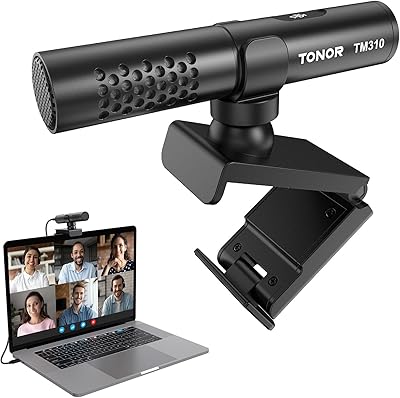
TONOR TM310
TONOR TM310
79%
83%
Voice Clarity
76%
Noise Rejection
68%
Noise Reduction Feature
94%
Ease of Setup
79%
Clip Design & Mounting
More
WISE TIGER USB Conference Microphone
77%
94%
Ease of Setup
76%
Audio Clarity for Calls
58%
Noise & Background Pickup
91%
Mute Button Functionality
63%
Build Quality & Durability
More
Movo MC1000
Movo MC1000
75%
84%
Pickup Range & Coverage
67%
Audio Clarity
93%
Ease of Setup
81%
Headphone Monitoring
54%
Background Noise Rejection
More
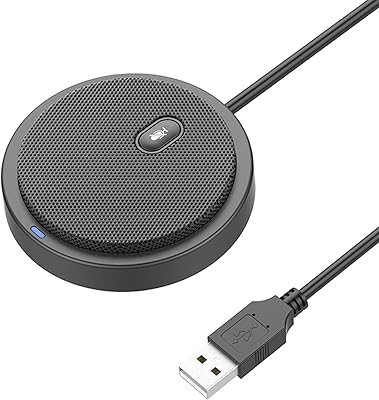
ANSTEN OSM09 Conference USB Microphone
87%
86%
Audio Quality
94%
Ease of Use
80%
Noise Cancellation
88%
Portability
97%
Setup & Installation
More
Bonke UM02
Bonke UM02
78%
94%
Ease of Setup
71%
Audio Clarity
63%
Noise Handling
78%
Build Quality
82%
Mute Button
More
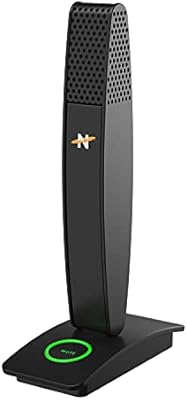
Neat Microphones Skyline USB Desktop Condenser Microphone
89%
94%
Audio Quality
91%
Ease of Use
89%
Build Quality
90%
Mute Button Functionality
92%
Value for Money
More
YEYIAN AGILE USB Microphone
85%
88%
Sound Quality
94%
Ease of Setup
85%
Noise Reduction
79%
Build Quality
92%
Compatibility with Devices
More
AIRHUG 21 USB Microphone
82%
83%
Audio Clarity
74%
Noise Reduction
96%
Ease of Setup
67%
Build Quality
91%
Mute Button & LED Indicator
More
CMTECK USB Microphone XM600
85%
89%
Audio Quality
85%
Noise Reduction Effectiveness
93%
Ease of Use (Plug & Play)
80%
Build Quality
87%
Microphone Sensitivity (Gain Control)
More

FAQ

It works right away on both Windows and macOS — just plug it into a USB port and your computer should recognize it automatically. The only thing you might need to do is go into your system audio settings and select it as the active input device, which takes about ten seconds and only needs to be done once.

Yes, that is exactly what the TONOR G11 Conference USB Microphone was designed for. Its omnidirectional pickup pattern captures voices from all directions, so two to four people seated around a desk can all be heard without anyone needing to lean in or pass the mic around. Just keep in mind that the quieter the room, the better everyone will sound.

It will pick up more ambient noise than a directional microphone would, simply because omnidirectional mics do not filter out off-axis sound. In a quiet home office or meeting room it is not a big problem, but if you are near an air conditioner, open window, or noisy hallway, callers will likely hear that too. Reducing background noise in your environment will make a bigger difference than any setting you can adjust on the mic itself.

No — this desktop USB mic is a microphone only. It captures your voice and sends it to your computer, but it has no speaker built in. You will still need headphones, external speakers, or your laptop's built-in speakers to hear the other participants on your call.

In practice, three to five people seated around a standard desk works well. Beyond that, voices at the edges of the group start to lose some presence, especially in a live or reverberant room. For larger groups or bigger meeting spaces, a dedicated boundary microphone or conference room audio system would serve you better.

The mute button is responsive and deliberate enough that accidental presses are not a common complaint. You do need to press it with some intention, which is a good thing during a live call. The blue LED indicator confirms the status, though it can be hard to see in very bright or sunlit rooms, so glancing at your conferencing app's mute indicator as a backup is a smart habit.

Yes, it works with all of them, as well as Skype, GoToMeeting, WebEx, and most other voice or video call platforms. Because it is a standard USB audio device, any software that accepts a microphone input will recognize it without needing any special configuration.

Not directly — the mic uses a standard USB-A connector, which does not plug into most tablets or smartphones natively. You would need a USB-A to USB-C adapter or a USB-A to Lightning adapter depending on your device, and even then compatibility is not guaranteed. It is really designed for use with a laptop or desktop computer.

The cable is 1.8 meters long, which is enough reach to place the mic centrally on most desks or small tables. It is not detachable — it is permanently attached to the mic housing. That means if the cable is ever damaged, the whole unit would need to be replaced, so it is worth being reasonably careful with how you store and coil it.

It handles live voice calls very well, and it can record audio too — for things like taking dictation, recording a seminar, or capturing meeting notes. For casual recording purposes in a quiet room it does a solid job. However, if you are looking to record a podcast, voiceover, or any audio where production quality matters, a cardioid USB microphone with better noise rejection would give you noticeably better results.