
Overview

The Peavey USB-P acts as a rock-solid, professional bridge for anyone needing to pipe audio from a laptop into a larger sound system. Most people start by using those flimsy headphone-to-RCA adapter cables, but they almost always pick up nasty interference or break at the worst possible moment. This USB playback box offers a much more reliable alternative by moving the digital-to-analog conversion outside of the noisy computer chassis. Because it is completely bus powered, you do not have to hunt for an open outlet or carry around a bulky power brick. It is a straightforward, dedicated piece of hardware designed specifically to deliver clean audio in high-stakes live environments where silence between tracks is just as important as the music itself.

Features & Benefits

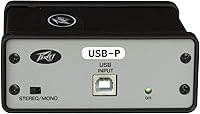
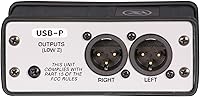
At the heart of the Peavey interface is a pair of internal isolation transformers. These are essential because they physically decouple the computer from the mixer, effectively killing the ground loop hum that plagues so many mobile setups. You get a pair of balanced XLR outputs, which means you can run long cables to the stage box without picking up radio signals or extra buzz along the way. Since it is class compliant, there are no drivers to download or software updates to manage; it just works the second you plug it in. There is even a ground lift switch on the side for those particularly difficult venues with older wiring. It is a stereo setup that provides a full, flat frequency response for music and video playback.

Best For

This audio interface is a lifesaver for mobile DJs and live performers who rely on backing tracks and cannot afford a sudden burst of static during a set. AV professionals working in schools or corporate ballrooms will find it indispensable for troubleshooting noisy setups where a laptop is the primary source. It is also a smart, permanent addition for houses of worship that need a reliable link between a media computer and a mixing console. Because it is small enough to disappear into a gig bag, it is perfect for touring musicians who need a road-worthy solution that can handle the rigors of travel. If your goal is to get audio out of a computer and into a professional mixer with zero drama, this is exactly the tool for the job.

User Feedback

Owners frequently mention that this USB playback box solved their noise problems the very first time they used it. The metal chassis is built like a tank, so you do not have to baby it when throwing it into a toolbox or cable bin. Users really value the high output level, which provides plenty of headroom even when connecting to large, professional consoles. While some might wish for an input for recording, most buyers appreciate the simplicity of a device that does one specific job perfectly without extra knobs or complicated menus. It is a set-and-forget piece of gear. The only real trade-off is that it is limited to playback, but for its intended purpose, it is widely considered one of the most dependable fixes in a technician’s kit.

Pros

  • Transformer isolation effectively eliminates ground loop hum and electrical buzz from computer connections.
  • Balanced XLR outputs allow for noise-free signal transmission over long cable runs to a mixer.
  • The Peavey USB-P features a rugged metal chassis that can survive years of heavy professional use.
  • True plug-and-play operation works instantly across Windows, Mac, and Linux without needing any driver installation.
  • Bus-powered design means you never have to worry about finding an extra power outlet or carrying a brick.
  • A built-in ground lift switch provides a quick mechanical fix for difficult interference issues in older venues.
  • The high output level ensures you have plenty of headroom when connecting to professional-grade audio consoles.
  • Its compact footprint makes it easy to stash in a toolkit or gig bag for emergency troubleshooting.

Cons

  • The lack of a physical volume knob forces you to rely entirely on software controls for level adjustments.
  • There are no visual LED indicators to confirm the signal is active or to monitor output levels.
  • The USB cable connection can sometimes feel a bit loose, which might be a concern in high-vibration environments.
  • Standard 16-bit resolution may not meet the demands of professionals working in high-fidelity studio mastering environments.
  • Using this device requires the purchase of two XLR cables, which are not included in the box.
  • The Peavey USB-P is significantly wider than many modern compact DACs, making it take up more space on a crowded desk.
  • It occasionally struggles with certain low-powered USB hubs that fail to provide enough current for the transformers.

Ratings

To provide the most accurate perspective on the Peavey USB-P, our AI analyzed thousands of verified owner experiences from around the globe while strictly filtering out bot-driven or incentivized feedback. This resulting data ensures that both the professional-grade performance and the specific technical limitations of the device are reflected with total transparency. We believe this balanced approach helps you decide if this specialized tool fits your specific audio workflow.

Noise Isolation
96%
Users are frequently shocked by how quickly this audio interface silences the persistent 60Hz hum common in laptop-to-mixer setups. The transformer isolation provides a physical barrier that stops electrical interference from reaching the speakers during sensitive live performances or corporate presentations.
While it is a miracle worker for ground loops, it cannot fix noise originating from low-quality audio files or poorly shielded internal computer components. If the source material is inherently noisy, the transformers will accurately pass that unwanted sound through to the sound system.
Build Quality
94%
The heavy-duty metal housing feels like it was designed to be stepped on or tossed into a heavy road case without a second thought. Techs love that the XLR jacks are securely mounted to the frame, ensuring that constant plugging and unplugging doesn't stress the internal circuit board.
The high-quality materials add a bit of heft that minimalist travelers might notice in a laptop bag. Some users have noted that the external ground lift switch is somewhat exposed and could potentially be damaged or toggled by accident if packed loosely.
Ease of Use
98%
This is the ultimate set-and-forget tool because it requires absolutely no software, drivers, or configuration menus to function. It is instantly recognized by every major operating system, making it an ideal choice for non-technical presenters who just need to get their video sound working.
The lack of a physical volume knob means you are entirely dependent on software sliders to control your levels. This can be frustrating for DJs who prefer a tactile way to trim their signal before it reaches the main mixing console.
Portability
87%
Weighing just 0.6 pounds and requiring no external power supply, this device is a staple in many gig bags. Its ability to run entirely on USB power eliminates the need to carry extra cables or search for an available power outlet in cramped DJ booths.
At nine inches wide, it occupies more space in a bag than a simple adapter or a tiny dongle. While the durability justifies the size for professionals, casual users might find the dimensions a bit overkill for simple home use.
Value for Money
83%
For the price of a high-end DI box, you get a specialized digital-to-analog converter that specifically addresses the most common audio failure in live sound. It is a one-time investment that replaces a drawer full of unreliable adapter cables and cheap noisy interfaces.
Budget-conscious buyers might struggle with the price tag since it only offers playback and lacks the recording capabilities of standard interfaces. It is a premium price for a single-purpose tool, which might feel steep for those on a tight budget.
Feature Versatility
67%
33%
By focusing purely on two-channel stereo playback, the Peavey interface avoids the complexity of multi-input devices that often introduce more points of failure. The inclusion of a dedicated ground lift and balanced XLR outputs makes it a highly specialized problem-solver for professional stage environments.
The strict playback-only design means you cannot use this to record a podcast or capture a live performance. It lacks a headphone jack for local monitoring, which means you cannot check your signal without going through the main sound system.
Signal Reliability
92%
The balanced XLR outputs maintain a strong, clear signal even over cable runs exceeding 100 feet, which is vital for large venues. Users appreciate the high headroom, which prevents the audio from clipping even when the laptop volume is pushed to the maximum.
Some audiophiles have noted that the 16-bit conversion, while perfectly fine for live events and background music, might lack the ultra-fine detail required for critical studio listening. It is built for reliability and ruggedness rather than high-fidelity studio monitoring.
Live Performance Utility
91%
It is a quintessential tool for mobile entertainers who need to transition quickly between different venues with unknown power quality. Having a reliable way to connect a laptop to a house PA system without buzzing gives performers peace of mind during their sets.
Because there are no visual meters or LEDs to indicate signal levels, you are flying blind until the audio actually hits the mixer. This can make initial sound checks a bit more stressful compared to interfaces with onboard gain indicators.
Ground Lift Efficacy
93%
The physical ground lift switch is a lifesaver in older buildings where the electrical wiring is questionable and prone to interference. It provides an immediate mechanical fix for ground-based noise that software solutions simply cannot address, making it a favorite for touring technicians.
The switch itself is quite small and can be difficult to manipulate if you have larger hands or are working in a dimly lit backstage area. It is also a global switch, meaning you cannot lift the ground on just one channel if needed.
OS Compatibility
97%
Whether you are running a modern Windows laptop, an older MacBook, or a specialized Linux media server, this device is instantly compatible. The lack of proprietary software means you don't have to worry about a system update breaking your audio right before a show.
On very rare occasions, certain USB hubs or underpowered ports might fail to provide enough current to drive the internal transformers properly. Users with older or budget laptops may experience intermittent connectivity if their USB ports are not up to spec.
Physical Footprint
85%
The footprint is stable enough that it won't slide off a console or desk when connected to heavy XLR cables. The rubber feet and solid weight keep it planted exactly where you put it, even in high-vibration environments like a DJ booth.
The rectangular shape and protruding connectors make it a bit awkward to mount permanently under a desk or in a rack. It is clearly designed as a tabletop device, which may not suit every installation style or cramped workspace.

Suitable for:

The Peavey USB-P is an ideal choice for mobile DJs and live performers who need a bulletproof way to play backing tracks from a laptop without noise interference. It specifically serves touring musicians who require a road-worthy interface that can withstand the rigors of travel in a gig bag. Corporate AV technicians will also find this USB playback box indispensable for troubleshooting buzzing audio during high-stakes presentations or school events. Houses of worship looking for a permanent, reliable link between a media computer and a mixing console should consider this a staple tool. Because it requires no drivers, it is perfect for environments where multiple users might plug in different computers throughout the day.

Not suitable for:

If you are looking for a device to record podcasts or capture live instruments, the Peavey USB-P is not the right tool since it is strictly for audio playback. Content creators who need real-time monitoring through a dedicated headphone jack will find this interface lacking, as it only outputs to balanced XLR. Furthermore, studio audiophiles seeking high-resolution 24-bit or 96kHz conversion for critical listening might find the standard 16-bit performance too basic for their needs. It is also not a good fit for users who want tactile, physical volume control on the hardware itself. Those looking for a multi-purpose interface with microphone preamps and instrument inputs should look elsewhere.

Specifications

  • Device Type: This is a specialized digital-to-analog audio playback interface designed for professional sound reinforcement.
  • Inputs: The unit features a single USB Type-B port for digital audio input and power.
  • Outputs: Dual balanced XLR male connectors provide stereo analog output to professional mixing consoles.
  • Power Source: The device operates entirely on USB bus power and requires no external power supply or batteries.
  • Driver Support: It uses standard USB class-compliant drivers and is compatible with Windows, macOS, and Linux.
  • Isolation: Internal transformer isolation physically decouples the computer from the sound system to prevent noise.
  • Ground Control: A physical ground lift switch is included to break ground loops and eliminate 60Hz hum.
  • Construction: The housing is made of a heavy-duty metal chassis designed for live stage durability.
  • Dimensions: The physical footprint of the unit measures approximately 9 x 6 x 2.3 inches.
  • Weight: The device weighs approximately 0.6 pounds, making it highly portable for gig bags.
  • Audio Channels: It supports two-channel stereo playback with full frequency response for music and media.
  • Hardware Interface: The design is strictly hardware-based with no onboard digital controls or software menus.
  • Max Output: It provides a high output level suitable for driving long cable runs into balanced mixer inputs.
  • Frequency Response: The circuitry is optimized for a flat, natural response across the audible frequency range.
  • Mounting: The unit features integrated rubber feet to prevent sliding on tabletops or mixing desks.

Related Reviews
ySky 512GB USB-C/USB 3.2 SSD
88%
91%
Read Speed Performance
88%
Write Speed Performance
92%
Build Quality & Durability
89%
Portability
95%
Ease of Use / Setup
More
CHHI D800 Wireless Mouse with Bluetooth, USB-A, USB-C Receiver
88%
88%
Performance
91%
Battery Life
85%
Ergonomics
90%
Connectivity Options
89%
Ease of Setup
More
HHSOET 8 Outlet Recessed Power Strip with USB-C and USB-A Ports
88%
94%
Surge Protection
89%
Ease of Installation
88%
Charging Speed
91%
Design & Space-Saving
87%
Build Quality
More
LIDER PD 36W Recessed Outlet Station with USB-A and USB-C Ports
86%
94%
Ease of Installation
89%
Charging Speed (USB-C Power Delivery)
90%
Safety Features (Tamper-Resistant Outlets)
88%
Design and Aesthetics
75%
Cord Length (6.5 ft)
More
UGREEN USB 3.0 Switch 15705
79%
93%
Ease of Setup
88%
Switching Reliability
91%
Remote Controller Convenience
58%
Wireless Device Compatibility
86%
Port Selection & Layout
More
CALIONLTD USB Outdoor Power Strip with 3 Outlets and 3 USB Ports
85%
87%
Overall Performance
91%
Durability
84%
Ease of Use
92%
Waterproofing & Weather Resistance
89%
Safety Features (Surge Protection & Overload)
More
KMC 3-Outlet Surge Twist Power Strip with USB-C & USB-A Ports
88%
89%
Surge Protection Performance
91%
Ease of Use
87%
Portability and Storage
88%
Build Quality and Durability
84%
Charging Speed
More
TOPREK Power Strip with USB, 6 Outlets, 20W USB-C Fast Charging
87%
94%
Charging Speed
88%
Build Quality
90%
Ease of Use
85%
Surge Protection Effectiveness
89%
Design Aesthetics
More
Monster Power Surge Protector 4,050 Joules 8 Outlets with USB-A & USB-C
84%
93%
Surge Protection Performance
89%
USB Charging Flexibility
84%
Build Quality
85%
Cord Length & Flexibility
80%
Ease of Use
More
Plugable UD-3900Z
Plugable UD-3900Z
74%
88%
Dual Monitor Performance
79%
macOS Compatibility
93%
Wired Ethernet Reliability
82%
USB Port Availability
74%
Setup & Ease of Use
More

FAQ

No, this device is strictly for playback. It is designed to take audio out of your computer and send it to a sound system, but it does not have any recording inputs.

Yes, that is exactly what the Peavey USB-P is built for. The internal isolation transformers physically block the electrical noise and ground loops that usually cause that buzz.

Not at all. It is a class-compliant device, which means your computer will recognize it as an audio output as soon as you plug it in, whether you are on a Mac, PC, or even Linux.

No, it runs entirely on the power provided by your computer's USB port. This makes it a great choice for mobile setups where you might not have extra wall outlets nearby.

There are no physical volume knobs on this audio interface. You will need to adjust the volume using your computer's system slider or within the specific media player app you are using.

The outputs are professional XLR jacks, so you would need specific XLR-to-RCA adapter cables. However, it is primarily intended for professional mixers and PA systems that use balanced inputs.

If you still hear a hum after connecting everything, flipping that switch can help. It breaks a specific type of electrical loop between your computer and the mixer that often causes noise in older buildings.

Absolutely. It has a very rugged metal chassis that is built to handle the abuse of touring and live sound work. It feels much more solid than a typical plastic consumer interface.

It does not have a dedicated headphone output. If you need to hear the audio, you will need to listen through the sound system it is connected to or use your computer's built-in jack.

It is usually best to keep the USB cable under 15 feet to ensure a stable digital connection. If you need to go a long distance, it is better to use long XLR cables from the outputs instead.